Introduction
Penetration testing tools help security teams find and prove real weaknesses in systems before attackers do. They support the full workflow: discovery, scanning, exploitation, validation, and reporting. In practice, a good toolset reduces blind spots, speeds up repeatable checks, and helps you document risk in a way that engineering teams can fix quickly. Common use cases include web application testing, internal network assessments, external perimeter testing, API security checks, wireless reviews, password auditing, and incident-response validation. When choosing tools, evaluate accuracy (false positives vs real findings), depth of coverage, ease of workflow, repeatability, integration with your process, scalability for large scopes, safe testing controls, output quality for reporting, community support, and how well the tools fit your team’s skills.
Best for: security engineers, red teams, consultants, SOC teams, DevSecOps groups, and IT teams that need a practical, test-driven view of risk across apps, networks, and endpoints.
Not ideal for: teams that only need policy checks, compliance questionnaires, or simple asset inventories; in those cases, lightweight scanners or governance tools may be a better fit than a full penetration toolkit.
Key Trends in Penetration Testing Tools
- More focus on validating findings with safe proof-of-exploit steps, not just scanning output
- Better workflows for testing APIs, authentication flows, and modern web stacks
- Increased use of automation for reconnaissance and baseline checks, paired with manual verification
- More emphasis on repeatability: scripts, templates, and consistent reporting formats
- Growing need for credentialed testing and segmentation-aware internal assessments
- Stronger expectation for clean evidence capture and reproducible steps for fixes
- Wider adoption of containerized and portable lab setups for consistent testing environments
- Increased attention to supply chain and dependency issues that appear in app attack surfaces
- Higher demand for toolchains that align with CI-style pipelines and engineering workflows
- Greater focus on safe rate controls and scoped testing to avoid business disruption
How We Selected These Tools (Methodology)
- Prioritized broad adoption and long-term credibility in professional testing
- Covered the full lifecycle: discovery, scanning, exploitation, and validation
- Balanced specialist tools with general-purpose “daily driver” utilities
- Considered reliability in real environments and practical workflows, not marketing claims
- Looked for strong ecosystem value: extensions, plugins, scripts, and community knowledge
- Chose tools that work well for both consultants and internal security teams
- Favored tools that produce actionable output engineers can fix
- Included a mix of commercial and open-source options for flexibility
- Scored tools comparatively based on typical usage patterns across teams
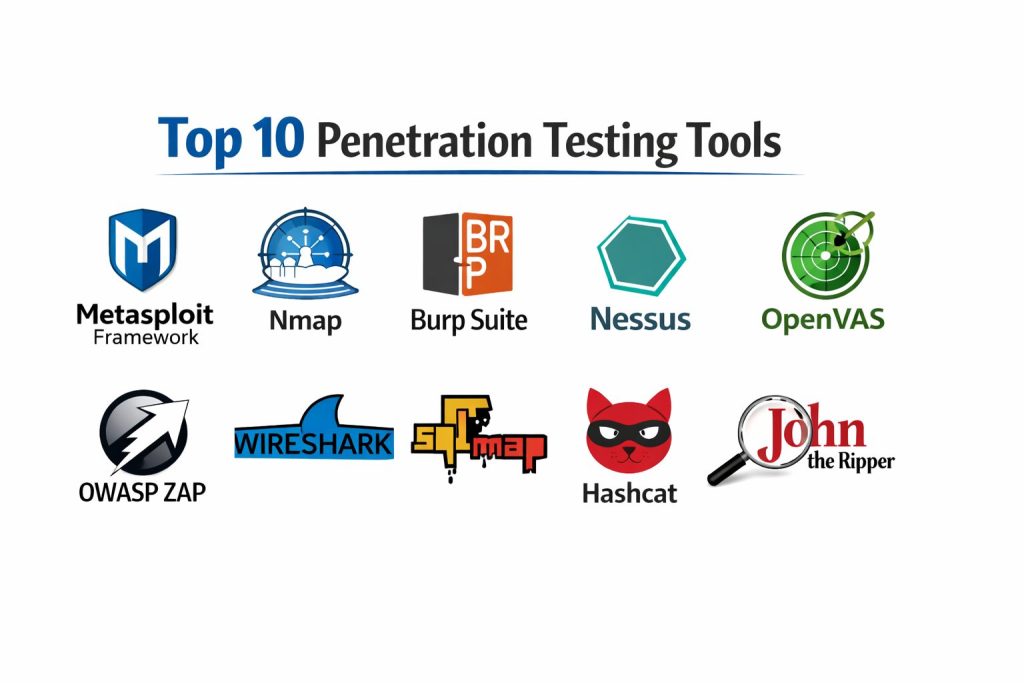
Top 10 Penetration Testing Tools
1) Metasploit Framework
A widely used exploitation and validation platform that helps testers prove impact, build repeatable steps, and manage post-exploitation tasks in controlled engagements.
Key Features
- Large module library for exploit and auxiliary workflows
- Payload generation and controlled session management
- Built-in tooling for validation and evidence capture workflows
- Scriptable framework for repeatable testing steps
- Supports integration patterns with scanning and recon outputs
Pros
- Strong for proving real risk beyond “scan findings”
- Mature ecosystem with many community contributions
Cons
- Requires skill to use safely and responsibly
- Can be noisy if not tuned carefully for scope and rate controls
Platforms / Deployment
- Windows / macOS / Linux
- Self-hosted
Security & Compliance
- SSO/SAML, MFA, encryption, audit logs, RBAC: Not publicly stated
- SOC 2, ISO 27001, GDPR, HIPAA: Not publicly stated
Integrations & Ecosystem
Metasploit often sits after recon and scanning, using discovered services and versions to validate impact.
- Works well with port and service discovery outputs
- Extensible via modules and scripts
- Can align with reporting workflows using structured notes and evidence
Support & Community
Strong community knowledge base and extensive learning material. Support depends on distribution and usage model.
2) Nmap
A core discovery and mapping tool used to identify hosts, ports, services, and versions. Often the first step in scoping and prioritizing what to test.
Key Features
- Fast port scanning with flexible scan strategies
- Service detection and fingerprinting options
- Scriptable checks through NSE scripts
- Output formats useful for later tooling and reporting
- Useful for internal segmentation and exposure reviews
Pros
- Reliable foundation for recon and service mapping
- Highly flexible for different network conditions and scopes
Cons
- Requires tuning to reduce noise and false signals
- Does not replace vulnerability validation or exploitation tools
Platforms / Deployment
- Windows / macOS / Linux
- Self-hosted
Security & Compliance
- SSO/SAML, MFA, encryption, audit logs, RBAC: Varies / N/A
- SOC 2, ISO 27001, GDPR, HIPAA: Not publicly stated
Integrations & Ecosystem
Nmap outputs commonly feed vulnerability scanners and manual testing workflows.
- NSE script ecosystem for targeted checks
- Exportable output for tool chaining
- Fits easily into scripted recon pipelines
Support & Community
Very large community, extensive documentation, and many examples for real-world scanning patterns.
3) Burp Suite
A leading web application testing platform centered on an intercepting proxy and workflow tools for finding and validating web security issues.
Key Features
- Intercepting proxy for traffic inspection and manipulation
- Repeater-style tooling for manual request testing
- Scanner and discovery workflows (capability varies by edition)
- Intruder-style automation for controlled attack testing
- Extensions ecosystem for custom checks and workflows
Pros
- Excellent for deep manual validation of web and API flaws
- Strong workflow design for professional testing and evidence capture
Cons
- Learning curve for effective and safe usage
- Advanced capabilities may require paid editions
Platforms / Deployment
- Windows / macOS / Linux
- Self-hosted
Security & Compliance
- SSO/SAML, MFA, encryption, audit logs, RBAC: Not publicly stated
- SOC 2, ISO 27001, GDPR, HIPAA: Not publicly stated
Integrations & Ecosystem
Burp Suite is often the “control center” for web testing, paired with recon and specialized exploit tools.
- Extension ecosystem for additional checks
- Works well with external recon results and target lists
- Supports repeatable test flows through project organization
Support & Community
Strong documentation, training resources, and a large professional community. Support varies by edition.
4) Nessus
A widely used vulnerability scanning platform known for broad coverage and structured results, commonly used for baseline assessments and prioritization.
Key Features
- Vulnerability scanning across many systems and services
- Credentialed scanning options for deeper visibility (setup dependent)
- Structured reporting and export formats
- Policy-based scan templates for repeatability
- Scheduling and operational scanning workflows (capability varies)
Pros
- Strong baseline coverage for common vulnerabilities
- Useful for prioritization and tracking across environments
Cons
- Findings often require manual verification to confirm exploitability
- Can generate false positives if not tuned and validated
Platforms / Deployment
- Windows / Linux (others: Varies / N/A)
- Self-hosted
Security & Compliance
- SSO/SAML, MFA, encryption, audit logs, RBAC: Not publicly stated
- SOC 2, ISO 27001, GDPR, HIPAA: Not publicly stated
Integrations & Ecosystem
Nessus is frequently used alongside recon and validation tools to confirm real risk.
- Exports and reports for remediation workflows
- Works well when paired with manual testing and proof steps
- Fits routine assessment programs with consistent templates
Support & Community
Strong vendor documentation and common enterprise usage patterns. Support tiers vary by plan.
5) OpenVAS
An open-source vulnerability scanning option often used for baseline scanning and vulnerability management workflows, typically in cost-sensitive or flexible environments.
Key Features
- Vulnerability scanning with regular feed updates (availability varies)
- Configurable scan profiles for repeatable checks
- Reporting outputs for analysis and tracking
- Useful for internal scanning and lab validation
- Often deployed as part of a broader vulnerability workflow
Pros
- Flexible option when budget and customization matter
- Useful for baseline scanning across internal assets
Cons
- Setup and maintenance can take effort compared to managed products
- Results still need validation to confirm real risk and impact
Platforms / Deployment
- Linux (others: Varies / N/A)
- Self-hosted
Security & Compliance
- SSO/SAML, MFA, encryption, audit logs, RBAC: Not publicly stated
- SOC 2, ISO 27001, GDPR, HIPAA: Not publicly stated
Integrations & Ecosystem
OpenVAS is commonly used in toolchains that combine scanning with manual verification.
- Report export for remediation tracking
- Works alongside recon tools and manual validation workflows
- Flexible deployment options for internal networks
Support & Community
Community support is available, with documentation and guides; enterprise-grade support depends on distribution.
6) OWASP ZAP
A popular open-source web testing tool that provides proxy-based testing, automation options, and a friendly entry point for web security validation.
Key Features
- Intercepting proxy for request and response inspection
- Automated spider and discovery workflows (scope dependent)
- Active and passive checks (depth varies by configuration)
- Scripting support for automation and repeatability
- Useful for learning and lightweight web security testing
Pros
- Accessible and flexible for web and API testing workflows
- Good option for teams building repeatable baseline checks
Cons
- Advanced results often still require expert manual validation
- May not match the depth of premium commercial suites for some workflows
Platforms / Deployment
- Windows / macOS / Linux
- Self-hosted
Security & Compliance
- SSO/SAML, MFA, encryption, audit logs, RBAC: Varies / N/A
- SOC 2, ISO 27001, GDPR, HIPAA: Not publicly stated
Integrations & Ecosystem
ZAP can fit into manual testing and automated baseline checks for web assets.
- Scripting options for repeatable workflows
- Add-on ecosystem for extended checks
- Exportable results for analysis and reporting
Support & Community
Strong community, learning resources, and documentation. Support is community-driven.
7) Wireshark
A packet analysis tool used to inspect network traffic, validate protocols, troubleshoot odd behavior, and capture evidence during testing.
Key Features
- Deep packet inspection across many protocols
- Filtering and analysis tools for targeted investigation
- Useful for validating encryption usage and protocol flows
- Capture workflows for evidence and debugging
- Helps confirm what traffic actually occurs during tests
Pros
- Excellent for troubleshooting and confirming network-level truth
- Useful for evidence capture when testing complex apps and protocols
Cons
- Requires networking knowledge to interpret correctly
- Not a vulnerability scanner or exploitation platform
Platforms / Deployment
- Windows / macOS / Linux
- Self-hosted
Security & Compliance
- SSO/SAML, MFA, encryption, audit logs, RBAC: Varies / N/A
- SOC 2, ISO 27001, GDPR, HIPAA: Not publicly stated
Integrations & Ecosystem
Wireshark complements scanning and exploitation by proving what happened on the wire.
- Works with capture formats used by many tools
- Supports plugins and dissectors (varies)
- Useful with lab environments and incident-response workflows
Support & Community
Large community, extensive documentation, and many protocol analysis references.
8) SQLMap
A specialized tool for finding and validating SQL injection weaknesses in applications and APIs, often used after manual suspicion or recon indicates risk.
Key Features
- Automated detection and exploitation patterns for SQL injection
- Supports multiple database types (varies by target)
- Helps extract evidence in controlled, scoped testing
- Tamper and payload tuning options for tougher cases
- Useful for verifying impact beyond “suspected injection”
Pros
- Highly effective for validating SQL injection in many real scenarios
- Saves time when used carefully with proper scope controls
Cons
- Can be disruptive if misused or run without constraints
- Requires understanding of app behavior to avoid false assumptions
Platforms / Deployment
- Windows / macOS / Linux
- Self-hosted
Security & Compliance
- SSO/SAML, MFA, encryption, audit logs, RBAC: Varies / N/A
- SOC 2, ISO 27001, GDPR, HIPAA: Not publicly stated
Integrations & Ecosystem
SQLMap is commonly paired with web proxies and manual testing tools.
- Works well with captured requests from proxy tools
- Useful in structured validation workflows with evidence capture
- Scriptable for controlled repeatability
Support & Community
Strong community usage with many examples. Documentation is available; support is community-driven.
9) Hashcat
A high-performance password recovery and auditing tool used to test password strength and validate credential risk, typically with approved data sets and rules.
Key Features
- GPU-accelerated cracking workflows (hardware dependent)
- Rule-based and mask-based attack strategies
- Supports many hash types (varies by input and environment)
- Useful for validating password policy strength with real evidence
- Supports session management and resumable workloads
Pros
- Powerful for password auditing and credential risk validation
- Highly flexible strategy options when used responsibly
Cons
- Requires careful governance and approval to avoid misuse
- Hardware and tuning can significantly affect results
Platforms / Deployment
- Windows / Linux (others: Varies / N/A)
- Self-hosted
Security & Compliance
- SSO/SAML, MFA, encryption, audit logs, RBAC: Varies / N/A
- SOC 2, ISO 27001, GDPR, HIPAA: Not publicly stated
Integrations & Ecosystem
Hashcat typically fits into a controlled workflow with properly sourced hash data and approvals.
- Works with outputs from password auditing processes
- Rule and wordlist ecosystems (quality varies)
- Scripting support for repeatable test runs
Support & Community
Large community with guides and performance tuning tips. Documentation is available; support is community-based.
10) John the Ripper
A widely known password auditing and recovery tool used to test password strength, often paired with structured wordlists and rules.
Key Features
- Password recovery workflows for many formats (varies by configuration)
- Flexible rule systems for password mutation strategies
- Useful for auditing local password hashes and dumps (authorized scope only)
- Supports session handling for long-running workloads
- Often used in labs and internal security reviews
Pros
- Practical tool for validating password policy and credential risk
- Works well in controlled audits with repeatable settings
Cons
- Results depend heavily on wordlists, rules, and data quality
- Not focused on network or web vulnerability discovery
Platforms / Deployment
- Windows / macOS / Linux
- Self-hosted
Security & Compliance
- SSO/SAML, MFA, encryption, audit logs, RBAC: Varies / N/A
- SOC 2, ISO 27001, GDPR, HIPAA: Not publicly stated
Integrations & Ecosystem
John the Ripper is commonly used alongside credential auditing workflows and lab toolchains.
- Works with standard hash extraction workflows (varies)
- Rule and wordlist ecosystems (varies)
- Scriptable for consistent testing runs
Support & Community
Strong community history and resources. Documentation exists; support is community-driven.
Comparison Table
| Tool Name | Best For | Platform(s) Supported | Deployment | Standout Feature | Public Rating |
|---|---|---|---|---|---|
| Metasploit Framework | Exploitation and impact validation | Windows, macOS, Linux | Self-hosted | Exploit modules and controlled sessions | N/A |
| Nmap | Discovery and service mapping | Windows, macOS, Linux | Self-hosted | Flexible scanning and NSE scripts | N/A |
| Burp Suite | Web and API security testing | Windows, macOS, Linux | Self-hosted | Proxy-based manual validation workflow | N/A |
| Nessus | Baseline vulnerability scanning | Windows, Linux | Self-hosted | Broad coverage and reporting | N/A |
| OpenVAS | Open-source vulnerability scanning | Linux | Self-hosted | Flexible scanning for internal assets | N/A |
| OWASP ZAP | Open-source web security testing | Windows, macOS, Linux | Self-hosted | Proxy plus automation options | N/A |
| Wireshark | Traffic capture and protocol validation | Windows, macOS, Linux | Self-hosted | Deep packet inspection | N/A |
| SQLMap | SQL injection validation | Windows, macOS, Linux | Self-hosted | Automated SQL injection exploitation | N/A |
| Hashcat | Password strength auditing | Windows, Linux | Self-hosted | High-performance GPU cracking | N/A |
| John the Ripper | Password auditing and recovery | Windows, macOS, Linux | Self-hosted | Flexible rules and broad formats | N/A |
Evaluation & Scoring
Weights: Core features 25%, Ease of use 15%, Integrations 15%, Security 10%, Performance 10%, Support 10%, Value 15%.
| Tool Name | Core (25%) | Ease (15%) | Integrations (15%) | Security (10%) | Performance (10%) | Support (10%) | Value (15%) | Weighted Total |
|---|---|---|---|---|---|---|---|---|
| Metasploit Framework | 9.0 | 6.5 | 8.0 | 6.0 | 8.0 | 8.5 | 7.5 | 7.83 |
| Nmap | 8.5 | 7.5 | 8.5 | 5.5 | 8.5 | 9.0 | 9.5 | 8.30 |
| Burp Suite | 9.0 | 7.0 | 8.5 | 6.0 | 8.0 | 8.5 | 7.0 | 7.98 |
| Nessus | 8.5 | 8.0 | 8.0 | 6.5 | 8.0 | 8.0 | 6.5 | 7.75 |
| OpenVAS | 7.5 | 6.5 | 7.0 | 5.5 | 7.0 | 7.0 | 9.0 | 7.18 |
| OWASP ZAP | 7.5 | 7.5 | 7.0 | 5.5 | 7.0 | 8.0 | 9.0 | 7.55 |
| Wireshark | 7.0 | 6.5 | 7.5 | 5.5 | 9.0 | 8.5 | 9.5 | 7.65 |
| SQLMap | 7.5 | 6.5 | 6.5 | 5.5 | 7.5 | 7.5 | 9.5 | 7.33 |
| Hashcat | 7.0 | 6.0 | 6.0 | 5.0 | 9.5 | 7.5 | 9.0 | 7.18 |
| John the Ripper | 6.5 | 6.5 | 6.0 | 5.0 | 8.0 | 7.5 | 9.0 | 6.95 |
How to interpret the scores:
These totals compare tools only within this list. A higher score usually means broader usefulness across more scenarios, not a universal winner. Specialist tools may score lower on breadth while still being the best choice for a specific task. Security scoring is limited because many tools are local and governance depends on your environment. Use the scores to shortlist, then confirm fit with a small, scoped pilot.
Which Penetration Testing Tool Is Right for You?
Solo / Freelancer
If you need a practical, affordable toolkit, start with Nmap for discovery, OWASP ZAP for web testing, and Wireshark for traffic validation. Add SQLMap only when you have strong indicators and a controlled scope. For password auditing engagements, choose either Hashcat or John the Ripper based on your comfort and workflow.
SMB
Most SMB teams benefit from a reliable baseline scanner plus strong validation tools. Nessus or OpenVAS can cover routine scanning, while Burp Suite strengthens web testing depth. Metasploit Framework helps prove impact for high-risk findings, but only when used with careful scope and safe testing practices.
Mid-Market
Mid-market teams often need repeatability and strong reporting. Pair a scanner (Nessus or OpenVAS) with Nmap for recon, Burp Suite for web depth, and Metasploit Framework for validation. Use Wireshark when you need evidence for protocol behavior, encryption issues, or unclear service interactions.
Enterprise
Enterprises usually prioritize consistent processes, approvals, and safer testing controls. Use scanners for wide coverage, then require manual validation for high-impact findings. Burp Suite is typically essential for web and API surfaces. Metasploit Framework is valuable for proving risk in a controlled manner. Credential auditing tools should be tightly governed and used only with explicit approvals and documented handling.
Budget vs Premium
Budget-leaning stacks often use OpenVAS plus OWASP ZAP, with Nmap and Wireshark as core utilities. Premium stacks commonly rely on Nessus and Burp Suite for smoother workflows and stronger reporting. The better choice is the one that reduces time spent chasing noise and increases validated, reproducible findings.
Feature Depth vs Ease of Use
If your team is new, prioritize tools with clear workflows and strong learning resources. Nmap, OWASP ZAP, and Nessus are often easier to operationalize quickly. For deep manual validation and proof steps, Burp Suite and Metasploit Framework add power but require more skill and discipline.
Integrations & Scalability
If you test many assets, focus on tools that produce consistent exports, support scheduling, and allow repeatable templates. Nmap outputs can feed scanner scopes. Burp Suite workflows improve repeatability for web targets. Use consistent naming, evidence capture habits, and standardized reporting to scale.
Security & Compliance Needs
Because many tools run locally, compliance often depends on your data handling and governance. Keep strict scoping, approvals, and logging for engagements. Treat credential auditing and captured traffic as sensitive. Where vendor disclosures are not publicly stated, validate through your procurement and internal security review process.
Frequently Asked Questions
1) What is the difference between vulnerability scanning and penetration testing?
Scanning finds potential issues at scale, often with some false positives. Penetration testing validates real impact through safe proof steps and manual investigation, producing clearer risk evidence.
2) Do I need both Nessus and OpenVAS?
Usually no. Choose one baseline scanner that fits your budget and operations, then invest effort in tuning, credentialed testing (if approved), and consistent verification workflows.
3) Which tool is most important for web application testing?
Burp Suite is widely used for deep manual testing because it supports inspection, manipulation, and repeatable validation workflows. OWASP ZAP is a strong open-source alternative for many cases.
4) Is Metasploit Framework required for every test?
No. It is best used when you need controlled validation of high-impact weaknesses. Many assessments rely more on recon, web testing, and manual verification than exploitation.
5) How do I reduce false positives from scanners?
Use credentialed scans where approved, tune scan policies, validate key findings manually, and capture reproducible evidence. Combine scanner results with Nmap service validation and targeted checks.
6) When should I use SQLMap?
Use it when you have strong indicators of SQL injection and clear permission to test. Always apply scope controls and avoid running broad, disruptive tests on production systems.
7) Are password auditing tools safe to use?
They can be safe in authorized engagements with strict governance, approved data handling, and clear scope. Treat hashes and outputs as sensitive and document your process carefully.
8) What should I include in a penetration testing report?
Clear finding summary, business impact, affected assets, reproducible steps, evidence, severity rationale, and practical remediation guidance. Avoid vague statements that engineering teams cannot act on.
9) How do I choose between Hashcat and John the Ripper?
Choose the one that best matches your workflow and skills. Hashcat is known for performance with suitable hardware, while John the Ripper offers flexible rules and broad format handling.
10) What is a practical beginner toolset to start with?
Start with Nmap for discovery, OWASP ZAP for web testing, and Wireshark for traffic validation. Add Burp Suite for deeper web workflows, and only add exploitation tools after you have safe processes.
Conclusion
Penetration testing tools work best as a coordinated toolkit, not as isolated products. Start by mapping your scope and assets with Nmap, then use a baseline scanner like Nessus or OpenVAS to prioritize likely risk areas. For web and API targets, Burp Suite or OWASP ZAP helps you validate findings with repeatable evidence, while Wireshark clarifies what is truly happening at the network layer. Metasploit Framework is most valuable when you need controlled proof of impact for high-risk weaknesses, and SQLMap should be used carefully for scoped validation. For credential risk, Hashcat and John the Ripper can support approved audits with strong governance. The best next step is to shortlist a small set, run a tightly scoped pilot, tune policies, and standardize evidence and reporting.