Introduction
Patch management tools help organizations find, test, deploy, and verify software updates across computers, servers, and sometimes mobile devices. In simple terms, they reduce the risk of security breaches and outages by keeping operating systems and applications up to date—without relying on manual work. Patch management matters now because vulnerability exploitation happens faster, remote work expands the number of endpoints, and compliance expectations are higher across industries. These tools are used for routine OS updates, third-party app patching, emergency zero-day response, and audit reporting.
Common real-world use cases:
- Monthly OS and application patch cycles for laptops and desktops
- Rapid response to critical vulnerabilities across servers
- Standardizing patch baselines for compliance audits
- Patching remote or off-network endpoints reliably
- Reducing downtime with staged deployments and rollback planning
What buyers should evaluate before choosing:
- OS coverage (Windows/macOS/Linux) and endpoint types supported
- Third-party application patching depth and catalog quality
- Automation: policies, rings, maintenance windows, approvals
- Reporting: compliance, dashboards, proof-of-patch, audit logs
- Deployment reliability: retries, bandwidth control, peer caching
- Remote workforce support: off-network patching and VPNless delivery
- Integration with asset inventory, vulnerability scanning, ITSM
- Role-based access control and separation of duties
- Scalability for large fleets and distributed networks
- Total cost: licensing, infrastructure, packaging effort, support
Mandatory guidance
Best for: IT admins, endpoint management teams, security teams, compliance owners, and MSPs managing fleets from small businesses to large enterprises—especially where patch SLAs, audit readiness, and remote endpoint control are critical.
Not ideal for: very small teams with only a handful of devices and no compliance needs, environments where updates are fully handled by a managed service, or organizations that only need OS auto-updates without governance, reporting, or staged rollout control.
Key Trends in Patch Management Tools
- Patch workflows are merging with vulnerability exposure management, so teams prioritize fixes based on exploit risk, not just “missing updates.”
- More demand for VPNless remote patching, since endpoints are often outside corporate networks.
- Increased focus on third-party app patching because many real breaches come from browsers, PDF tools, runtimes, and collaboration apps.
- Adoption of ring-based deployments (pilot → broad rollout) to reduce incidents and provide safer rollbacks.
- More emphasis on evidence-based reporting that shows proof of installation and compliance drift over time.
- Growing need for automation with guardrails, including maintenance windows, reboot control, and device health checks.
- Shift toward cloud-first endpoint management while still supporting hybrid needs for servers and legacy apps.
- Higher expectations for least privilege and role separation in patch approvals, packaging, and deployment operations.
- Better bandwidth management features like peer-to-peer caching and content delivery optimization for distributed sites.
- Increased use of baseline hardening + patch baselines together to keep systems stable and auditable.
How We Selected These Tools
- Selected tools with strong adoption in enterprise and SMB environments for patching and endpoint management.
- Prioritized coverage across common operating systems and the ability to handle large device counts reliably.
- Favored tools with clear strengths in automation, staged rollouts, and patch compliance reporting.
- Included both cloud-first and on-prem/hybrid options to match modern and legacy environments.
- Considered support for third-party patching, packaging, and content management capabilities.
- Looked for integration readiness with security programs and IT operations processes.
- Considered operational maturity signals: role-based controls, reporting quality, and manageability.
- Avoided claiming certifications or ratings when not confidently known.
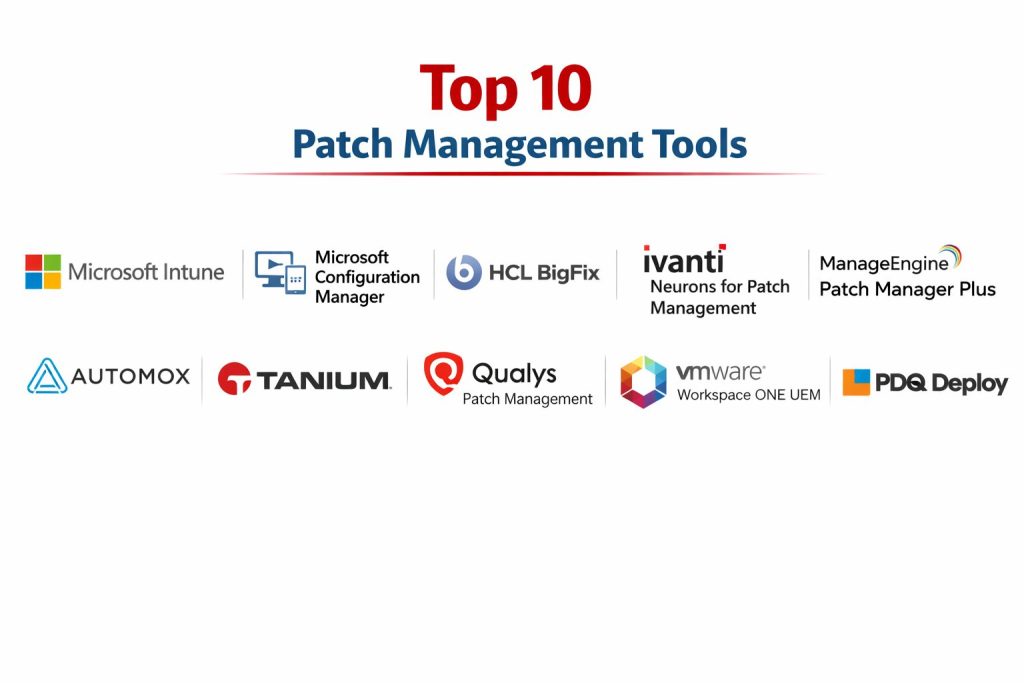
Top 10 Patch Management Tools
1 — Microsoft Intune
Overview: Microsoft Intune is a cloud-based endpoint management platform that supports policy-driven update management for Windows devices and integrates tightly with the broader Microsoft security and identity ecosystem. It is commonly used by organizations standardizing modern device management for remote and hybrid workforces.
Key Features
- Cloud-first endpoint management with policy-driven update controls
- Update rings and deployment policies to stage rollouts
- Device compliance policies and conditional access alignment (ecosystem dependent)
- Reporting for update status and device health (depth varies by setup)
- Remote management without traditional on-prem dependency
- Integration-friendly workflow for Microsoft-managed environments
- Supports automation patterns through centralized policies
Pros
- Strong fit for remote workforce patch governance
- Simplifies operations when the organization is Microsoft-centric
- Scales well for distributed fleets with modern management patterns
Cons
- Third-party patching depth varies by ecosystem choices and add-ons
- Some server-focused patch workflows may require additional tooling
- Advanced reporting needs may require careful configuration
Platforms / Deployment
Windows / macOS / iOS / Android (capabilities vary by platform)
Cloud
Security & Compliance
Not publicly stated
Integrations & Ecosystem
Works best in Microsoft-centered environments where identity and device compliance are core operating practices.
- Microsoft Entra ID ecosystem alignment (setup dependent)
- Endpoint security integrations (setup dependent)
- Device compliance and access control workflows (setup dependent)
- Reporting and policy automation patterns (setup dependent)
- Integration with enterprise management processes (workflow dependent)
Support & Community
Strong documentation and large enterprise adoption. Support options vary by licensing tier and enterprise agreement.
2 — Microsoft Configuration Manager
Microsoft Configuration Manager is a mature on-prem endpoint management solution used for large Windows estates, software distribution, and patch deployment workflows. It’s often selected when organizations need granular control, internal content distribution, and deep Windows management.
Key Features
- On-prem patch management workflows for Windows environments
- Granular deployment control with collections, schedules, and maintenance windows
- Content distribution with bandwidth-aware site design (setup dependent)
- Detailed reporting and compliance tracking (depends on configuration)
- Software packaging and deployment beyond patching
- Strong support for complex enterprise segmentation
- Works well in hybrid setups when combined with cloud management patterns
Pros
- Deep control for enterprise patch operations at scale
- Strong for complex networks with distributed sites
- Mature packaging and deployment capabilities
Cons
- Requires infrastructure and operational overhead
- Remote/off-network patching can be more complex without modern extensions
- Learning curve can be high for new teams
Platforms / Deployment
Windows
Self-hosted / Hybrid (depending on environment design)
Security & Compliance
Not publicly stated
Integrations & Ecosystem
Commonly integrated into enterprise IT operations with inventory, reporting, and deployment workflows.
- Windows update management workflows (setup dependent)
- Asset inventory and device grouping (setup dependent)
- Reporting integrations (workflow dependent)
- Packaging pipelines and software distribution (workflow dependent)
- Hybrid patterns when paired with cloud endpoint management (setup dependent)
Support & Community
Large community, strong documentation, and many enterprise best practices. Support depends on licensing and enterprise agreements.
3 — HCL BigFix
HCL BigFix is built for large-scale endpoint and server patching with strong automation and compliance reporting. It is often used where organizations need broad coverage, reliable remediation at scale, and auditable patch posture.
Key Features
- Centralized patching for endpoints and servers (scope depends on modules)
- Strong automation and remediation workflows at scale
- Patch compliance dashboards and detailed reporting
- Bandwidth-efficient content delivery patterns (setup dependent)
- Supports heterogeneous environments (capabilities depend on configuration)
- Policy-driven patch baselines and maintenance windows
- Endpoint control useful for distributed enterprise fleets
Pros
- Strong at scale with consistent patch enforcement
- Good for compliance-driven organizations needing audit trails
- Efficient content distribution for wide networks
Cons
- Implementation and tuning can require expertise
- UI and workflows may feel complex for smaller teams
- Licensing and module selection can affect overall cost
Platforms / Deployment
Windows / macOS / Linux (coverage depends on configuration)
Self-hosted / Hybrid (varies)
Security & Compliance
Not publicly stated
Integrations & Ecosystem
Often integrates with enterprise operations and security workflows for reporting and risk reduction.
- Inventory and asset visibility workflows (setup dependent)
- Patch and remediation automation (setup dependent)
- Integration with security operations processes (workflow dependent)
- APIs/scripting for automation (workflow dependent)
- Reporting exports for audit programs (workflow dependent)
Support & Community
Enterprise-focused support ecosystem. Community exists; professional services are commonly used for large deployments.
4 — Ivanti Neurons for Patch Management
Ivanti Neurons for Patch Management focuses on automated patching workflows, including third-party patching and endpoint visibility, with cloud-forward operational patterns. It is commonly used where teams want to reduce manual patch effort and improve patch compliance across endpoints.
Key Features
- Patch automation and policy-based deployment workflows
- Third-party patching focus for common business applications (catalog dependent)
- Endpoint visibility and compliance reporting
- Scheduling, maintenance windows, and reboot control
- Remote patching support patterns (setup dependent)
- Risk-based views to prioritize patch work (capabilities vary)
- Suitable for distributed endpoint environments
Pros
- Strong for reducing manual work via automation
- Helpful for third-party patching needs
- Designed for operational visibility across endpoints
Cons
- Feature depth can vary by edition and modules
- Some environments need careful tuning to avoid patch disruption
- Reporting and integrations may require configuration effort
Platforms / Deployment
Windows / macOS (coverage varies by version/setup)
Cloud / Hybrid (varies)
Security & Compliance
Not publicly stated
Integrations & Ecosystem
Typically used within IT operations workflows and can connect to inventory, service management, and security processes.
- IT operations workflow integrations (setup dependent)
- Patch catalog and third-party coverage (catalog dependent)
- Automation via policy controls (workflow dependent)
- Reporting exports for audit and compliance (workflow dependent)
- APIs/integrations (varies)
Support & Community
Commercial support is available; community footprint varies by region. Documentation quality depends on product area and edition.
5 — ManageEngine Patch Manager Plus
ManageEngine Patch Manager Plus is a practical patching tool used by SMBs and mid-market teams for OS and third-party patching. It’s often chosen for its straightforward UI, patch catalogs, and operational features that reduce patch workload.
Key Features
- Patch deployment for operating systems and common third-party apps (catalog dependent)
- Automated patch policies with approval workflows
- Reporting and dashboards for compliance tracking
- Scheduling, maintenance windows, and reboot management
- Remote endpoint patching patterns (setup dependent)
- Rollout control and staged deployment workflows
- Suitable for teams that want quick setup and usable reporting
Pros
- Good balance of capability and usability for SMB/mid-market
- Third-party patching helps reduce common attack surface
- Practical reporting and operational controls
Cons
- Enterprise-scale segmentation may require careful design
- Some advanced security/compliance requirements may need additional tooling
- Catalog coverage depends on vendor updates and product edition
Platforms / Deployment
Windows / macOS / Linux (coverage varies)
Cloud / Self-hosted / Hybrid (varies)
Security & Compliance
Not publicly stated
Integrations & Ecosystem
Often used alongside IT operations tooling to improve patch SLAs and reporting.
- Asset visibility and reporting workflows (setup dependent)
- IT operations integrations (workflow dependent)
- Third-party patch catalog usage (catalog dependent)
- Automation policies and scheduling (workflow dependent)
- API/integration options (varies)
Support & Community
Strong SMB community footprint and vendor support. Documentation is generally practical for day-to-day operations.
6 — Automox
Automox is a cloud-native patch management platform designed for modern, distributed workforces. It is commonly used by teams that want VPNless patching, automation, and simplified operations across endpoints.
Key Features
- Cloud-first patching workflows for remote endpoints
- Policy automation for patch schedules and approvals
- Third-party patching focus (catalog dependent)
- Visibility dashboards for patch compliance
- Remote endpoint management without heavy on-prem infrastructure
- Automation patterns for standardizing patch baselines
- Useful for organizations with lean IT teams
Pros
- Strong fit for remote workforce patching without complex infrastructure
- Automation reduces repetitive manual patch work
- Practical compliance visibility for ongoing hygiene
Cons
- Coverage and depth depend on supported platforms and catalog scope
- Some server and legacy environments may need additional solutions
- Advanced enterprise governance may require careful configuration
Platforms / Deployment
Windows / macOS / Linux (coverage varies)
Cloud
Security & Compliance
Not publicly stated
Integrations & Ecosystem
Often used with security and IT ops tooling to coordinate remediation and reporting.
- Endpoint inventory and compliance workflows (setup dependent)
- Third-party patch catalog usage (catalog dependent)
- Automation policies and custom workflows (setup dependent)
- Integrations with IT operations processes (workflow dependent)
- API/integration options (varies)
Support & Community
Commercial support and onboarding options exist. Community visibility varies; many teams rely on vendor resources and internal playbooks.
7 — Tanium
Tanium is a platform used for large-scale endpoint visibility and management, with patching included as part of broader endpoint operations. It’s often selected by enterprises that need real-time visibility and control across massive fleets.
Key Features
- Large-scale endpoint management with strong visibility patterns
- Patch deployment workflows (capabilities depend on modules)
- Real-time-like endpoint data access for operations (architecture dependent)
- Policy-driven remediation and compliance reporting
- Useful for high-scale distributed environments
- Integrates into security and operations workflows (setup dependent)
- Strong segmentation and role-based operational patterns
Pros
- Excellent for enterprise visibility and control at scale
- Strong fit for organizations with complex endpoint environments
- Supports operational workflows beyond patching
Cons
- Typically heavier investment than SMB-focused tools
- Implementation may require significant planning and expertise
- Best value appears when multiple endpoint use cases are adopted
Platforms / Deployment
Windows / macOS / Linux (coverage varies by modules)
Cloud / Self-hosted / Hybrid (varies)
Security & Compliance
Not publicly stated
Integrations & Ecosystem
Often integrated into broader security and IT operations programs for unified endpoint posture.
- Inventory and exposure visibility workflows (setup dependent)
- Policy-based remediation and operations automation (setup dependent)
- Integrations with IT operations processes (workflow dependent)
- APIs and connectors (varies)
- Reporting and audit outputs (workflow dependent)
Support & Community
Enterprise-grade support and professional services are common. Community presence exists but tends to be enterprise-centric.
8 — Qualys Patch Management
Qualys Patch Management is typically used by organizations already using Qualys for vulnerability management and asset visibility. It helps connect vulnerability findings to patch deployment workflows to reduce risk faster.
Key Features
- Patch workflows aligned with vulnerability and asset visibility (ecosystem dependent)
- Patch deployment and tracking (scope depends on configuration)
- Reporting that supports risk-based prioritization (workflow dependent)
- Useful for organizations connecting exposure to remediation
- Automation patterns for patch scheduling and deployment (setup dependent)
- Centralized visibility for patch posture (setup dependent)
- Works best when paired with vulnerability operations programs
Pros
- Strong alignment between vulnerability detection and remediation workflows
- Helpful for teams prioritizing patching by exposure risk
- Useful reporting for security-led patch programs
Cons
- Best experience often depends on wider Qualys ecosystem adoption
- Coverage depends on supported platforms and configuration
- Patch execution workflows may require careful tuning
Platforms / Deployment
Windows / Linux (coverage varies)
Cloud
Security & Compliance
Not publicly stated
Integrations & Ecosystem
Most effective when part of a broader risk management workflow that connects assets, vulnerabilities, and remediation action.
- Vulnerability visibility alignment (setup dependent)
- Asset inventory workflows (setup dependent)
- Reporting for exposure reduction (workflow dependent)
- APIs/integrations (varies)
- Operations workflow integration (setup dependent)
Support & Community
Commercial support and documentation are available. Community presence is more security-operations oriented than endpoint-admin oriented.
9 — VMware Workspace ONE UEM
VMware Workspace ONE UEM is a unified endpoint management platform that can support update governance for managed devices across multiple platforms. It is often chosen by organizations managing both traditional endpoints and mobile devices under one policy umbrella.
Key Features
- Unified device management across endpoint types (scope varies)
- Policy-driven controls for device compliance and updates (platform dependent)
- Remote management patterns for distributed workforces
- Reporting dashboards for device posture (setup dependent)
- Supports structured deployment policies and profiles
- Useful for organizations with mixed endpoint environments
- Integration into identity and access workflows (setup dependent)
Pros
- Strong for organizations needing unified endpoint management across platforms
- Helpful for remote device governance with centralized policies
- Good fit for standardization and device lifecycle controls
Cons
- Patch depth may vary by platform and configuration
- Some server-centric patch needs may require separate tools
- Implementation complexity can rise in large mixed environments
Platforms / Deployment
Windows / macOS / iOS / Android (capabilities vary)
Cloud / Self-hosted / Hybrid (varies)
Security & Compliance
Not publicly stated
Integrations & Ecosystem
Often integrated with identity, access, and endpoint security workflows to enforce governance.
- Identity and access workflow integration (setup dependent)
- Compliance posture alignment (setup dependent)
- IT operations workflow integration (workflow dependent)
- APIs and automation options (varies)
- Reporting exports for audits (workflow dependent)
Support & Community
Strong enterprise support options. Community and learning resources exist, but many organizations rely on vendor onboarding for complex deployments.
10 — PDQ Deploy
PDQ Deploy is widely used by smaller IT teams for simple, fast software deployment and patch-style packaging in Windows environments. It’s practical when teams want straightforward deployment control without heavy infrastructure.
Key Features
- Fast software deployment and package-based updates for Windows
- Simple scheduling and targeting patterns
- Package library approach for repeatable deployment
- Useful for SMB operations needing quick execution
- Works well for app deployment and patch-style rollouts (workflow dependent)
- Straightforward admin experience for lean teams
- Practical for internal networks with clear device visibility
Pros
- Very approachable for small teams and quick rollout needs
- Strong for software deployment workflows with simple targeting
- Lower operational overhead compared to complex enterprise systems
Cons
- Windows-only focus limits cross-platform patch programs
- Off-network remote patching can require additional patterns/tools
- Enterprise governance and deep reporting may be limited vs larger suites
Platforms / Deployment
Windows
Self-hosted (local / on-prem)
Security & Compliance
Not publicly stated
Integrations & Ecosystem
Often used alongside inventory and help desk workflows where teams need fast packaging and rollout.
- Packaging workflows and libraries (workflow dependent)
- Targeting and scheduling automation (workflow dependent)
- Integration patterns vary based on environment (varies)
- Works well with SMB IT operations processes (workflow dependent)
- Reporting capabilities vary by setup and edition
Support & Community
Strong SMB-focused community and practical documentation. Support depends on licensing tier and environment complexity.
Comparison Table
| Tool Name | Best For | Platform(s) Supported | Deployment | Standout Feature | Public Rating |
|---|---|---|---|---|---|
| Microsoft Intune | Cloud-first endpoint patch governance for remote fleets | Windows / macOS / iOS / Android (varies) | Cloud | Policy-driven update control | N/A |
| Microsoft Configuration Manager | Enterprise Windows patching with deep control | Windows | Self-hosted / Hybrid | Granular deployments and content distribution | N/A |
| HCL BigFix | Large-scale patch compliance and remediation | Windows / macOS / Linux (varies) | Self-hosted / Hybrid | Automation at scale | N/A |
| Ivanti Neurons for Patch Management | Automated patching with third-party focus | Windows / macOS (varies) | Cloud / Hybrid | Third-party patch workflows | N/A |
| ManageEngine Patch Manager Plus | Practical OS + third-party patching for SMB/mid-market | Windows / macOS / Linux (varies) | Cloud / Self-hosted / Hybrid | Usable dashboards and patch policies | N/A |
| Automox | VPNless remote patching with automation | Windows / macOS / Linux (varies) | Cloud | Cloud-native patch automation | N/A |
| Tanium | Enterprise endpoint visibility + patch operations | Windows / macOS / Linux (varies) | Cloud / Self-hosted / Hybrid | Large fleet control and visibility | N/A |
| Qualys Patch Management | Patching aligned to vulnerability visibility | Windows / Linux (varies) | Cloud | Risk-based remediation alignment | N/A |
| VMware Workspace ONE UEM | Unified endpoint governance across device types | Windows / macOS / iOS / Android (varies) | Cloud / Self-hosted / Hybrid | Unified endpoint management | N/A |
| PDQ Deploy | Simple Windows software deployment and patch-style packages | Windows | Self-hosted | Fast package-based rollout | N/A |
Evaluation & Scoring of Patch Management Tools
Scoring model: Each criterion is scored from 1 to 10 and then weighted to produce a comparative total from 0 to 10. These scores help shortlist tools based on typical strengths across environments, and they should be validated with a pilot on your real devices and patch process.
Weights:
- Core features – 25%
- Ease of use – 15%
- Integrations & ecosystem – 15%
- Security & compliance – 10%
- Performance & reliability – 10%
- Support & community – 10%
- Price / value – 15%
| Tool Name | Core (25%) | Ease (15%) | Integrations (15%) | Security (10%) | Performance (10%) | Support (10%) | Value (15%) | Weighted Total (0–10) |
|---|---|---|---|---|---|---|---|---|
| Microsoft Intune | 8.5 | 8.0 | 8.5 | 6.5 | 8.0 | 8.0 | 8.0 | 8.03 |
| Microsoft Configuration Manager | 9.0 | 6.5 | 8.5 | 6.5 | 8.5 | 8.0 | 6.5 | 7.78 |
| HCL BigFix | 8.8 | 6.8 | 8.0 | 6.5 | 8.5 | 7.5 | 6.8 | 7.66 |
| Ivanti Neurons for Patch Management | 8.0 | 7.5 | 7.5 | 6.5 | 7.5 | 7.0 | 7.0 | 7.40 |
| ManageEngine Patch Manager Plus | 7.8 | 8.0 | 7.2 | 6.2 | 7.5 | 7.2 | 8.2 | 7.62 |
| Automox | 7.8 | 8.2 | 7.2 | 6.2 | 7.5 | 7.2 | 7.8 | 7.62 |
| Tanium | 9.0 | 6.5 | 8.5 | 6.5 | 8.8 | 7.8 | 6.0 | 7.75 |
| Qualys Patch Management | 7.8 | 7.0 | 7.8 | 6.5 | 7.5 | 7.2 | 6.8 | 7.33 |
| VMware Workspace ONE UEM | 8.0 | 7.2 | 7.8 | 6.5 | 7.8 | 7.5 | 6.5 | 7.39 |
| PDQ Deploy | 7.0 | 8.8 | 6.8 | 6.0 | 7.5 | 7.8 | 8.5 | 7.62 |
How to use the scores:
- If patch compliance is your top goal, prioritize Core, Performance, and Support.
- If you’re lean on staff, prioritize Ease and Value to reduce operational burden.
- If you’re security-led, prioritize Integrations to connect patching with asset and risk workflows.
- Treat close totals as a sign to pilot two tools instead of debating features in theory.
Which Tool Is Right for You?
Solo / Freelancer
For individuals, patching is usually handled by OS auto-updates. If you manage a few systems professionally, keep it simple and focus on reliable auto-update policies, basic inventory, and predictable reboot windows. Most listed tools are designed for business fleets rather than personal usage.
SMB
- PDQ Deploy is practical for Windows-heavy SMBs that want fast packaging and deployment without heavy infrastructure.
- ManageEngine Patch Manager Plus is a strong option for SMBs needing third-party patching and clear reporting.
- Automox works well for remote-first SMBs that want VPNless cloud patching and policy automation.
Mid-Market
- Microsoft Intune is a strong choice for organizations shifting to modern cloud management with remote endpoints.
- Ivanti Neurons for Patch Management can reduce manual work if third-party patching and automation are core needs.
- HCL BigFix can be strong when patch compliance and remediation at scale is the priority.
Enterprise
- Microsoft Configuration Manager remains strong for deep Windows enterprise control and segmentation.
- Tanium fits enterprises that want broad endpoint visibility and control across massive fleets.
- HCL BigFix is strong for high-scale compliance-driven patch enforcement and reporting.
- Qualys Patch Management is useful when patching is tightly tied to vulnerability operations programs.
Budget vs Premium
If budgets are tight, prioritize tools that reduce labor time, not just license cost. For some organizations, simpler tools can deliver better ROI if they are easier to run consistently. Premium platforms tend to pay off when you need scale, segmentation, and enterprise governance.
Feature Depth vs Ease of Use
- If you want deep enterprise control: Microsoft Configuration Manager, HCL BigFix, Tanium
- If you want faster daily operations: Microsoft Intune, Automox, ManageEngine Patch Manager Plus
- If you want simple Windows packaging workflows: PDQ Deploy
Integrations & Scalability
Choose tools that connect into your operations: inventory, ticketing, compliance reporting, and vulnerability workflows. If patching is driven by security risk, integrations matter as much as deployment speed. If patching is driven by uptime, staged deployments and reboot control become the deciding factors.
Security & Compliance Needs
Many tools do not publicly state detailed compliance certifications in a consistent way. If your compliance needs are strict, focus on governance: role separation, auditable reporting, controlled approvals, encryption at rest for content repositories, and strict access controls for patch operations and exports.
Frequently Asked Questions
What is the difference between OS patching and third-party patching?
OS patching updates the operating system and built-in components. Third-party patching updates applications like browsers, PDF tools, runtimes, and collaboration apps, which often represent a major part of real-world attack surface.
How do patch tools reduce outage risk?
They support staged rollouts, maintenance windows, testing groups, and controlled reboots. This reduces the chance of pushing a problematic update to everyone at once and allows fast pause or rollback patterns.
How should we prioritize patches when there are too many?
Use a risk-based approach: prioritize actively exploited vulnerabilities, internet-exposed systems, and business-critical endpoints first. Then handle routine patch cycles through automation and baselines for the rest.
Do patch tools work for remote devices without VPN?
Some tools are built for VPNless operation using cloud delivery and policy enforcement, while others work best on-network or with additional remote access patterns. Your workforce model should be a key selection factor.
What reporting should a good patch tool provide?
At minimum, you want patch compliance by device group, missing updates, proof of installation, deployment history, and exceptions. For audits, you also want trend reporting showing improvement and drift over time.
How do we handle reboots without disrupting work?
Use reboot deferrals with clear deadlines, maintenance windows after business hours, and ring-based schedules. Communicate reboot expectations and enforce deadlines for high-risk updates to maintain security posture.
What are common patch management mistakes?
Skipping pilots, pushing everything at once, ignoring third-party apps, failing to track exceptions, and not validating installation success. Another common mistake is treating patching as a monthly activity instead of a continuous risk reduction process.
Can we use one tool for both endpoints and servers?
Some platforms can cover both, but coverage depends on configuration and licensing. Many organizations use one platform for endpoints and another for server patching, especially in mixed OS or high-availability environments.
How do we measure patch program success?
Track time-to-patch for critical issues, compliance percentage by group, reduction in known vulnerabilities, and incident reduction. Success also includes operational metrics: fewer failed deployments, fewer emergency patch nights, and cleaner audit reports.
What’s the safest way to roll out critical patches quickly?
Use a defined emergency playbook: identify impacted systems, patch a small pilot group first, verify stability, then expand in waves. Maintain a rollback plan, monitor endpoints during rollout, and document outcomes for audit and future improvements.
Conclusion
Patch management is one of the highest-impact controls for reducing security risk and improving operational stability, but only when it is run as a consistent program—not an occasional task. The best tool depends on your environment: remote endpoints benefit from cloud-first approaches, complex enterprises need segmentation and strong governance, and security-led teams often need tight alignment between vulnerability visibility and remediation. Start by shortlisting two or three tools that match your OS coverage, third-party patch needs, and reporting requirements. Then run a pilot using real devices, real maintenance windows, and real reboot rules to validate reliability, visibility, and day-to-day effort before you standardize.