Introduction
Package managers are the architectural backbone of modern software development, automating the process of installing, upgrading, configuring, and removing software libraries and dependencies. In the landscape of 2026, these tools have evolved from simple downloaders into sophisticated ecosystems that manage software supply chain security, version locking, and cross-platform reproducibility. For any developer or enterprise, the choice of a package manager directly dictates the stability of the build pipeline and the vulnerability surface area of the final product.
As microservices and containerization become the standard, package managers now play a critical role in ensuring that “it works on my machine” translates perfectly to “it works in production.” Evaluating these tools requires a look at their resolution algorithms, their ability to handle large-scale monorepos, and their integration with automated security scanning tools. In an era where a single compromised dependency can derail a global enterprise, the package manager is the first line of defense in maintaining code integrity.
- Best for: DevOps engineers, full-stack developers, system administrators, and security-focused organizations.
- Not ideal for: Simple static website creators or teams using legacy monoliths without external library requirements.
Key Trends in Package Management Software
- AI-Assisted Dependency Resolution: Tools now use machine learning to suggest stable version upgrades and predict potential breaking changes before they occur.
- Zero-Install Workflows: The rise of virtual file systems allows developers to run projects without heavy local “node_modules” or “site-packages” directories.
- Supply Chain Provenance: Integration of cryptographic signing to verify that every package comes from a trusted source and hasn’t been tampered with.
- Hermetic Environments: A shift toward “Nix-style” reproducibility, where every dependency is isolated to prevent “dependency hell” and version conflicts.
- Real-Time Vulnerability Patching: Package managers now automatically block known malicious packages at the point of installation.
- Edge-Native Distribution: Using global CDN architectures to speed up package downloads for decentralized, remote-first development teams.
How We Selected These Tools
- Ecosystem Influence: We chose the dominant managers for the world’s most popular programming languages and operating systems.
- Speed and Performance: Evaluation of resolution speed, caching efficiency, and disk space optimization.
- Security Integration: Assessment of built-in auditing features and support for Software Bill of Materials (SBOM) generation.
- Community Support: Priority was given to tools with massive registries and active open-source maintenance.
- Enterprise Features: Review of role-based access, private registry support, and proxy capabilities.
- Cross-Platform Compatibility: Selection of tools that provide a consistent experience across Windows, macOS, and Linux.
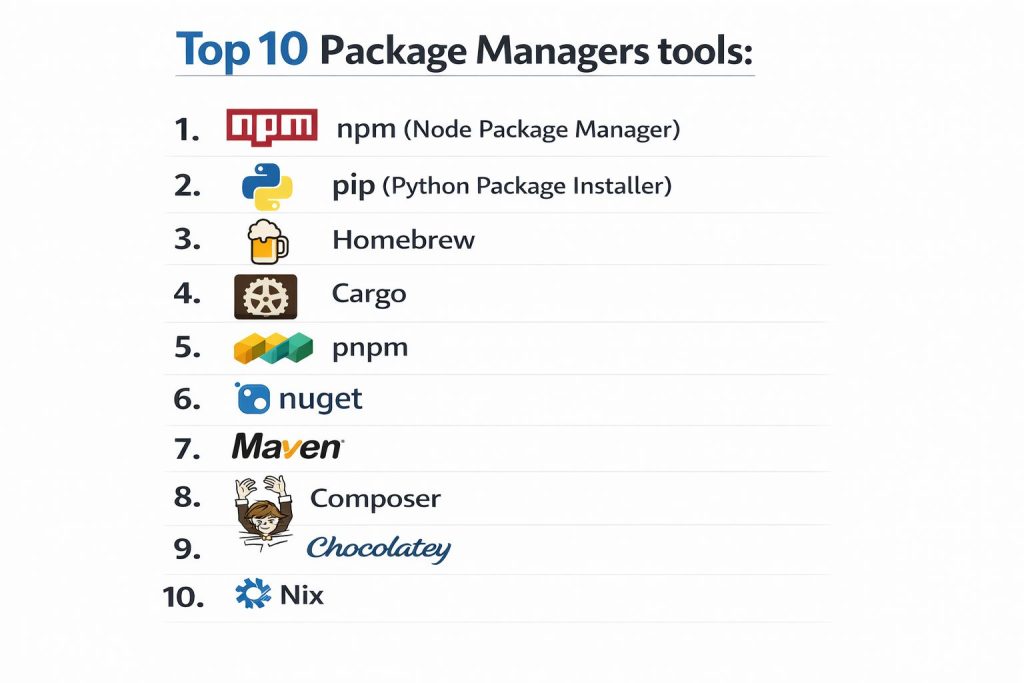
Top 10 Package Manager Tools
1. npm (Node Package Manager)
As the default manager for Node.js, npm hosts the world’s largest registry of software and remains the primary choice for JavaScript development.
Key Features
- npm Audit: Built-in security scanner that identifies vulnerabilities in the dependency tree.
- Workspaces: Native support for managing multiple packages within a single root repository.
- Lockfiles: Package-lock.json ensures identical installations across different environments.
- npx Runner: Execute binaries without permanently installing them to the system.
- Hooks: Customizable scripts that trigger during various stages of the package lifecycle.
Pros
- The largest ecosystem of libraries available, ensuring a solution for almost any problem.
- Deeply integrated with nearly every modern web development tool and IDE.
Cons
- Known for creating massive “node_modules” folders that consume significant disk space.
- Can be slower in resolving large dependency trees compared to modern alternatives.
Platforms / Deployment
- Windows / macOS / Linux
- Desktop / Server
Security & Compliance
- MFA for publishing, automated security alerts, and private registry support.
Integrations & Ecosystem
npm is the heart of the JavaScript world, connecting seamlessly with GitHub Actions, GitLab CI, and all major cloud providers.
Support & Community
Backed by GitHub/Microsoft with a vast community of millions of developers and exhaustive documentation.
2. pip (Python Package Installer)
The standard package manager for Python, pip is essential for everything from simple scripts to complex machine learning pipelines.
Key Features
- PyPI Integration: Direct access to the Python Package Index with hundreds of thousands of projects.
- Virtual Environment Support: Pairs with venv to isolate project dependencies.
- Requirements Files: Easy tracking of top-level dependencies for environment replication.
- Wheels Support: Downloads pre-compiled binary distributions to speed up installation.
- Constraint Files: Fine-grained control over which versions are allowed during an install.
Pros
- Simple, clean syntax that is easy for beginners to learn and use.
- Massive adoption in the data science and AI communities.
Cons
- Historically lacked a native lockfile system (often requiring tools like Poetry).
- Resolving complex dependency conflicts can sometimes be slower than newer SAT-based solvers.
Platforms / Deployment
- Windows / macOS / Linux
- Desktop / Cloud
Security & Compliance
- Hash verification for downloads and support for internal corporate PyPI mirrors.
Integrations & Ecosystem
Standard integration with Jupyter Notebooks, Conda, and all major Python IDEs like PyCharm.
Support & Community
Managed by the Python Packaging Authority (PyPA) with a massive global contributor base.
3. Homebrew
Known as “the missing package manager for macOS,” Homebrew has become the standard for managing CLI tools and applications on Mac and Linux.
Key Features
- Formulae and Casks: Manage both command-line tools and GUI applications (like Chrome or VS Code).
- Git-Based Architecture: The entire system is built on Git, making it easy to roll back or contribute.
- Prefix Isolation: Installs packages into their own directory and symlinks them for clean management.
- Automated Updates: Keeps all installed software current with a single command.
- Custom Taps: Allows organizations to host their own private repositories of tools.
Pros
- Extremely user-friendly; transforms complex installations into one-line commands.
- Massive library of community-maintained “bottles” (pre-built binaries).
Cons
- Updates can sometimes be slow as it refreshes the entire Git repository.
- Primarily designed for system-level tools rather than project-specific libraries.
Platforms / Deployment
- macOS / Linux
- Local Machine
Security & Compliance
- Sandboxed installations and checksum verification for all downloads.
Integrations & Ecosystem
Integrates with system-level workflows and is often the first tool installed by developers on a new Mac.
Support & Community
Large open-source community with a very high success rate for community-submitted fixes.
4. Cargo
The native package manager and build tool for Rust, Cargo is widely cited as the gold standard for modern developer experience.
Key Features
- Semantic Versioning: Strict adherence to SemVer to prevent breaking changes.
- Deterministic Builds: Cargo.lock ensures every team member builds the exact same binary.
- Integrated Testing: Runs unit and integration tests as part of the package workflow.
- Crates.io Registry: A centralized, high-performance repository for Rust libraries.
- Workspaces: Excellent support for large-scale projects with multiple interconnected crates.
Pros
- Incredibly fast and reliable; dependency resolution is rarely an issue.
- Combines package management, building, and testing into a single, cohesive tool.
Cons
- Compile times for large dependency trees can be significant compared to interpreted languages.
- Centralized registry means a single point of failure if Crates.io goes down.
Platforms / Deployment
- Windows / macOS / Linux
- Desktop / Embedded
Security & Compliance
- Built-in support for vulnerability scanning via cargo-audit and strict permission sets.
Integrations & Ecosystem
Perfectly integrated with the Rust compiler (rustc) and specialized IDEs like rust-analyzer.
Support & Community
Managed by the Rust Foundation with a community known for its helpfulness and technical rigor.
5. pnpm
A high-performance alternative to npm, pnpm uses a unique content-addressable storage system to save disk space and increase speed.
Key Features
- Content-Addressable Store: Files are stored once on disk and hard-linked, saving gigabytes of space.
- Strict Dependency Tree: Prevents “phantom dependencies” where code accesses packages not explicitly listed.
- Monorepo Built-ins: Specialized commands for managing large, multi-package repositories.
- Plug-n-Play Support: Option to run without a node_modules folder for ultimate efficiency.
- Fast Installation: Benchmarked as significantly faster than npm and Yarn in most scenarios.
Pros
- Massive disk space savings, especially for developers working on multiple JS projects.
- More “honest” than npm by forcing developers to declare every dependency they use.
Cons
- Occasional compatibility issues with older tools that expect a standard node_modules structure.
- Learning curve for understanding the symlink-based architecture.
Platforms / Deployment
- Windows / macOS / Linux
- Desktop / CI-CD
Security & Compliance
- Shared security features with the npm ecosystem but with stricter dependency isolation.
Integrations & Ecosystem
Compatible with all npm packages and integrates perfectly with Turborepo and Nx.
Support & Community
Rapidly growing community adoption with major companies like Vue and Microsoft using it.
6. NuGet
The official package manager for the .NET ecosystem, NuGet is essential for C#, F#, and VB.NET developers.
Key Features
- Visual Studio Integration: Robust GUI within the IDE for managing project references.
- Framework Targeting: Automatically selects the correct version for .NET Core, Framework, or Standard.
- Central Package Management: Manage versions across an entire solution from a single file.
- Package Signing: Supports author and repository signatures for enhanced security.
- Local Feeds: Easy setup of private corporate package servers.
Pros
- Seamlessly integrated into the Microsoft developer workflow.
- Excellent handling of complex framework compatibility and transitive dependencies.
Cons
- Can feel heavy and slow when used outside of the Visual Studio environment.
- Historical issues with “dll hell” are mostly resolved but still require careful management.
Platforms / Deployment
- Windows / macOS / Linux
- Enterprise / Cloud
Security & Compliance
- Integration with Azure Artifacts and extensive support for signed packages.
Integrations & Ecosystem
The cornerstone of .NET development, linking directly to Azure DevOps and GitHub.
Support & Community
Managed by Microsoft with comprehensive enterprise-grade support and documentation.
7. Maven
A veteran in the Java world, Maven uses an XML-based configuration (POM) to manage builds and dependencies for enterprise applications.
Key Features
- Project Object Model (POM): A single XML file that defines the entire project structure and lifecycle.
- Dependency Mediation: Sophisticated rules for resolving version conflicts in deep trees.
- Plugin Architecture: Thousands of plugins for testing, deployment, and code analysis.
- Central Repository: Access to the massive Maven Central repository.
- Archetypes: Templates for quickly bootstrapping new projects with standard structures.
Pros
- Extremely mature and stable; the standard for large-scale enterprise Java.
- Forces a “convention over configuration” approach that makes projects easy to understand.
Cons
- XML configuration can become extremely verbose and difficult to read.
- Less flexible for “out-of-the-box” workflows compared to newer tools like Gradle.
Platforms / Deployment
- Windows / macOS / Linux
- Enterprise Server
Security & Compliance
- Deep integration with JFrog Artifactory and Sonatype Nexus for enterprise security.
Integrations & Ecosystem
Integrates with every major Java IDE (IntelliJ, Eclipse) and CI/CD platform.
Support & Community
Managed by the Apache Software Foundation with decades of community support.
8. Composer
The primary dependency manager for PHP, Composer revolutionized the language by bringing modern package management to the web.
Key Features
- Autoloading: Automatically generates a PSR-compliant autoloader for project classes.
- Packagist Integration: Direct access to a huge library of open-source PHP packages.
- Composer.lock: Ensures consistent environments for distributed web applications.
- Scripts: Define custom commands to run during install or update events.
- Platform Requirements: Can check if the server has the required PHP version and extensions.
Pros
- Transformed PHP from a “snippet-copying” language to a professional ecosystem.
- Excellent handling of version constraints and nested dependencies.
Cons
- Memory-intensive; resolving large dependency sets can require high RAM on local machines.
- No global installation of libraries for projects (everything is per-project).
Platforms / Deployment
- Windows / macOS / Linux
- Web Server
Security & Compliance
- Support for private repositories via Satis or Private Packagist.
Integrations & Ecosystem
The foundation of modern PHP frameworks like Laravel and Symfony.
Support & Community
Very active community and widely regarded as one of the best-designed package managers.
9. Chocolatey
A machine-level package manager for Windows, often described as “Homebrew for Windows.”
Key Features
- PowerShell Driven: Built on top of NuGet and PowerShell for native Windows automation.
- Silent Installs: Installs complex software (like Office or VLC) with no user interaction.
- Update All: Single command to update every piece of software on a Windows machine.
- Large Registry: Over 9,000 community-maintained packages.
- Self-Service Portal: (Business edition) Allows non-admin users to install approved software.
Pros
- Vital for DevOps teams managing Windows fleets or CI/CD build agents.
- Simplifies the nightmare of Windows installer types (.msi, .exe, .zip).
Cons
- The community repository can sometimes have outdated packages.
- Advanced features like “Package Builder” require a paid business license.
Platforms / Deployment
- Windows
- Desktop / Enterprise
Security & Compliance
- Rigorous moderation of community packages and virus scanning with VirusTotal.
Integrations & Ecosystem
Integrates perfectly with configuration management tools like Ansible, Chef, and Puppet.
Support & Community
Strong community and a commercial entity providing enterprise-level support.
10. Nix
A revolutionary, functional package manager that provides entirely isolated and reproducible environments.
Key Features
- Immutability: Packages are never modified; new versions are installed alongside old ones.
- Atomic Upgrades: If an upgrade fails, the system instantly rolls back to the previous state.
- Declarative Configuration: Define your entire environment in a single
.nixfile. - Nix Shell: Create temporary development environments with zero global side effects.
- Binary Caching: Skips building from source by downloading pre-built binaries.
Pros
- Solves “dependency hell” completely; two versions of the same library can coexist safely.
- The most powerful tool for ensuring 100% build reproducibility across a team.
Cons
- Extremely steep learning curve; requires learning a new functional language.
- Directory structure (using /nix/store) is non-standard and can be confusing at first.
Platforms / Deployment
- Linux / macOS
- Desktop / Server
Security & Compliance
- Cryptographic hashing of every package and source file ensures absolute integrity.
Integrations & Ecosystem
Can be used on top of existing OSs or as the foundation for NixOS.
Support & Community
A rapidly growing “cult-favorite” community of high-level DevOps and systems engineers.
Comparison Table
| Tool Name | Ecosystem | Resolution Type | Lockfile | Standout Feature | Public Rating |
| 1. npm | JavaScript | Nested | package-lock.json | Largest Registry | N/A |
| 2. pip | Python | Flat | requirements.txt* | Data Science Standard | N/A |
| 3. Homebrew | macOS/Linux | System | Brewfile | CLI & GUI Management | N/A |
| 4. Cargo | Rust | Strict | Cargo.lock | Integrated Build/Test | N/A |
| 5. pnpm | JavaScript | Symlinked | pnpm-lock.yaml | Disk Space Efficiency | N/A |
| 6. NuGet | .NET | Solutions | packages.config | Visual Studio Integration | N/A |
| 7. Maven | Java | POM/XML | N/A (Standardized) | Convention over Config | N/A |
| 8. Composer | PHP | Project | composer.lock | PSR Autoloading | N/A |
| 9. Chocolatey | Windows | System | N/A | Windows Fleet Automation | N/A |
| 10. Nix | Universal | Functional | flake.lock | Atomic Rollbacks | N/A |
Evaluation & Scoring of Package Managers
The scoring below is a comparative model intended to help shortlisting. Each criterion is scored from 1–10, then a weighted total from 0–10 is calculated using the weights listed. These are analyst estimates based on typical fit and common workflow requirements, not public ratings.
Weights:
- Core features – 25%
- Ease of use – 15%
- Integrations & ecosystem – 15%
- Security & compliance – 10%
- Performance & reliability – 10%
- Support & community – 10%
- Price / value – 15%
| Tool Name | Core (25%) | Ease (15%) | Integrations (15%) | Security (10%) | Performance (10%) | Support (10%) | Value (15%) | Total |
| 1. npm | 9 | 8 | 10 | 8 | 6 | 9 | 10 | 8.45 |
| 2. pip | 8 | 10 | 9 | 7 | 7 | 9 | 10 | 8.45 |
| 3. Homebrew | 9 | 10 | 8 | 8 | 7 | 8 | 10 | 8.55 |
| 4. Cargo | 10 | 9 | 9 | 10 | 10 | 9 | 10 | 9.60 |
| 5. pnpm | 9 | 7 | 9 | 9 | 10 | 8 | 10 | 8.80 |
| 6. NuGet | 9 | 8 | 10 | 9 | 8 | 9 | 7 | 8.45 |
| 7. Maven | 10 | 5 | 9 | 9 | 7 | 9 | 10 | 8.35 |
| 8. Composer | 9 | 8 | 8 | 8 | 6 | 9 | 10 | 8.20 |
| 9. Chocolatey | 8 | 9 | 8 | 8 | 7 | 8 | 8 | 8.05 |
| 10. Nix | 10 | 2 | 7 | 10 | 9 | 7 | 10 | 7.75 |
How to interpret the scores:
- Use the weighted total to shortlist candidates, then validate with a pilot.
- A lower score can mean specialization, not weakness.
- Security and compliance scores reflect controllability and governance fit, because certifications are often not publicly stated.
- Actual outcomes vary with assembly size, team skills, templates, and process maturity.
Which Package Manager Is Right for You?
Solo Developer
If you are working in JavaScript, pnpm is the smartest choice to save your laptop’s disk space. For Python, pip combined with virtualenv is the standard. If you just need to set up your machine, Homebrew is non-negotiable.
SMB
Small teams should prioritize tools with strict lockfiles like Cargo or Composer. These ensure that when a new developer joins and runs “install,” they get the exact environment the rest of the team is using, reducing onboarding friction.
Mid-Market
At this scale, security becomes a priority. npm and NuGet are excellent because of their deep integration with enterprise security scanning tools and private registry options like JFrog or Nexus.
Enterprise
Large organizations should look at Nix for mission-critical infrastructure where reproducibility is a legal or operational requirement. For Windows-heavy environments, Chocolatey Business is essential for automated patch management across thousands of workstations.
Frequently Asked Questions
1. What is the difference between a package manager and a registry?
The package manager is the software tool on your computer; the registry (like npmjs.org or PyPI) is the remote database where the files are stored.
2. Is it safe to use community-maintained packages?
Generally yes, but you should always use tools with built-in auditing (like npm audit) and check the package’s maintenance status.
3. What is a lockfile?
A lockfile records the exact version of every dependency (including sub-dependencies) to ensure every installation is identical.
4. Can I use multiple package managers in one project?
It is technically possible but highly discouraged as it can lead to conflicting versions and “phantom” dependency bugs.
5. How do package managers handle security?
Most modern managers use cryptographic hashes to verify downloads and integrate with vulnerability databases to alert you of risks.
6. Why is my “node_modules” folder so big?
JavaScript projects often have thousands of small dependencies. Tools like pnpm help solve this by sharing files across projects.
7. Do package managers work without internet?
Most have an offline mode that uses a local cache of previously downloaded packages, though you need internet for the initial install.
8. What is “dependency hell”?
This occurs when two different libraries in your project require different, incompatible versions of the same third-party package.
9. Is Chocolatey safe for Windows?
Yes, it is widely used in enterprise environments and features a rigorous moderation process for its community repository.
10. What is a “scoped” package?
A way to group packages under a specific username or organization (e.g., @babel/core), providing a namespace to prevent naming conflicts.
Conclusion
The selection of a package manager is no longer a trivial choice but a strategic decision that impacts the speed, security, and long-term maintainability of your software. The industry has clearly moved toward tools that prioritize reproducibility and supply chain security. Whether you are a Rust developer enjoying the seamless experience of Cargo or a system administrator automating Windows with Chocolatey, the goal remains the same: minimizing the manual overhead of dependency management so you can focus on writing code. I recommend auditing your current pipeline and testing pnpm or Nix if you find yourself struggling with disk space or build inconsistencies.