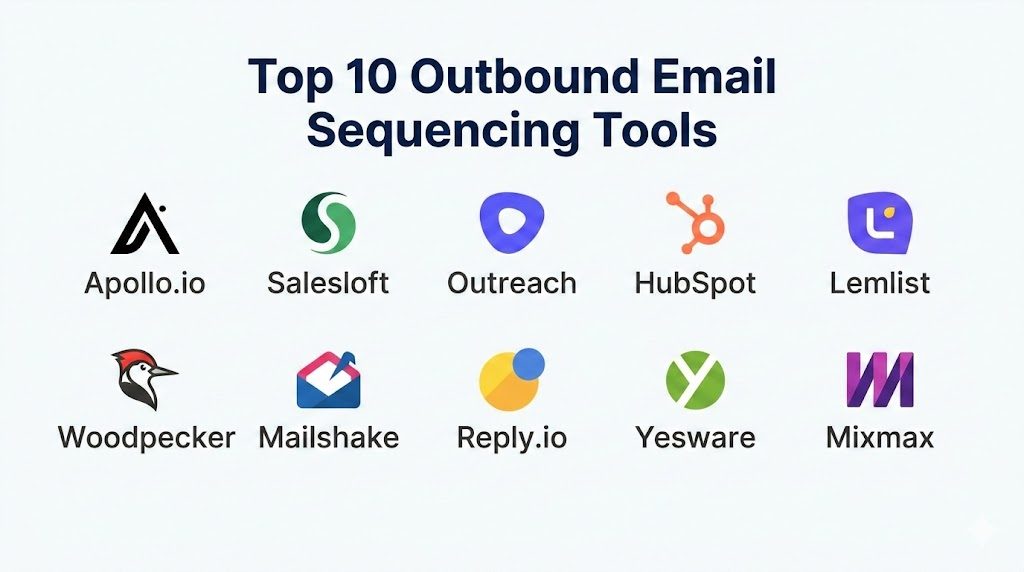
Introduction
Outbound email sequencing software refers to a category of sales engagement platforms designed to automate the process of sending personalized, timed follow-ups to prospective leads. Unlike bulk email marketing tools which send one-to-many broadcasts, sequencing tools mimic human behavior by sending messages directly through an individual’s mail server, ensuring higher deliverability and a more personal touch. In the current high-stakes B2B environment, these tools act as the central nervous system for sales development teams, transforming fragmented outreach into a structured, data-driven workflow. The focus has shifted from high-volume “blast” campaigns to highly orchestrated “sequences” that can include multi-channel touchpoints like social media interactions and phone calls.
The importance of these platforms lies in their ability to maintain consistency and scale without sacrificing the quality of the interaction. For a modern organization, manual follow-up is a point of failure; it is inconsistent and difficult to track. Sequencing tools solve this by enforcing a cadence that ensures no prospect falls through the cracks. Beyond simple automation, they provide critical feedback loops, showing which subject lines, templates, and timing structures generate the highest engagement. As organizations look to optimize their revenue operations, evaluating these tools requires a look at technical deliverability, security protocols, and the depth of integration with existing customer relationship management systems.
Best for: Sales development representatives, account executives, growth marketers, and demand generation teams in B2B SaaS and service-based industries who need to scale cold outreach.
Not ideal for: B2C companies sending mass newsletters, transactional email needs like password resets, or organizations that do not have a defined outbound sales strategy. For simple marketing blasts, dedicated email service providers are more appropriate.
Key Trends in Outbound Email Sequencing Software
The move toward hyper-personalization is no longer optional; it is a technical requirement. Modern filters are increasingly sophisticated at identifying automated patterns, forcing software providers to build features that vary the “fingerprint” of outgoing messages. This includes randomized sending intervals and the dynamic insertion of unique text fragments. AI-driven content generation has also moved into the core of these tools, assisting users in drafting icebreakers based on a prospect’s recent professional activity or company news.
Deliverability protection has become a standalone sub-discipline within these platforms. We are seeing the rise of automated “warm-up” protocols where tools interact with each other to build a positive sender reputation for new domains or accounts. Furthermore, the integration of multi-channel orchestration—combining email with LinkedIn automation and automated dialers—has become a standard expectation. Finally, there is a significant push toward privacy compliance and data sovereignty, with tools offering more granular controls over where data is stored and how it is purged to meet global regulatory standards.
How We Selected These Tools
Our selection methodology for these top ten tools is rooted in production-level reliability and technical maturity. We prioritized platforms that demonstrate high deliverability rates, as a tool is only as good as its ability to land in the primary inbox. Market mindshare was another critical factor; we looked for software that is widely adopted by high-growth organizations and enterprise-level sales teams, ensuring a wealth of community knowledge and third-party integrations.
Feature completeness was evaluated based on the ability to handle complex conditional logic—such as stopping a sequence automatically when a reply is received or a meeting is booked. We also scrutinized the security posture of each tool, looking for enterprise-grade features like single sign-on and robust permission structures. Integration depth with major CRM platforms was a non-negotiable requirement, as the value of outreach data is multiplied when it is synced with the rest of the tech stack. Finally, we looked for performance signals, such as the speed of the interface and the reliability of the automated triggers.
1. Apollo.io
Apollo.io is a unified sales intelligence and engagement platform that combines a massive B2B database with powerful sequencing capabilities. It is designed for teams that want to find leads and reach out to them within the same environment, eliminating the friction of data exporting and importing.
Key Features
The platform features an integrated database with millions of verified professional contacts and company profiles. Its sequencing engine allows for highly complex, multi-stage workflows that can trigger based on a variety of prospect behaviors. It includes built-in A/B testing for subject lines and body copy to optimize conversion rates. The tool also provides automated dialer functionality and LinkedIn integration to support a multi-channel approach. Advanced analytics offer deep insights into team performance and sequence effectiveness.
Pros
It provides an all-in-one solution that significantly reduces the cost and complexity of the sales tech stack. The data enrichment features ensure that your outreach is always based on the most current information.
Cons
Because it is a broad platform, some of the specific sequencing features may lack the niche depth found in standalone tools. The interface can also feel overwhelming due to the sheer volume of data and options available.
Platforms and Deployment
Web-based and available as a Chrome extension. It is a cloud-native platform.
Security and Compliance
Offers SOC 2 compliance, GDPR readiness, and robust role-based access controls. It supports single sign-on for enterprise users.
Integrations and Ecosystem
It features deep, two-way sync with major CRM systems like Salesforce and HubSpot. It also integrates with Gmail, Outlook, and various productivity tools to streamline the sales workflow.
Support and Community
Provides extensive documentation and a dedicated knowledge base. High-tier plans include access to priority support and dedicated success managers.
2. Salesloft
Salesloft is a premier sales engagement platform built specifically for large-scale enterprise teams. It focuses on providing a structured environment where sales leaders can enforce best practices across hundreds of representatives while maintaining high-quality outreach.
Key Features
The platform offers a sophisticated “Cadence” builder that guides users through every step of the outreach process. It includes integrated conversation intelligence that analyzes sales calls for coaching and sentiment. The “Deals” feature provides visibility into the sales pipeline, helping teams prioritize high-value prospects. It also features a robust workflow for task management, ensuring that social touches and phone calls are executed on time. The reporting engine is highly granular, offering insights into every stage of the funnel.
Pros
It is built for scalability and offers some of the most advanced administrative controls in the market. The user interface is highly polished and designed to maximize the productivity of high-volume sales teams.
Cons
The pricing is at the premium end of the spectrum, which may be a barrier for smaller organizations. The implementation process can be complex and usually requires a dedicated administrator.
Platforms and Deployment
Web-based with a mobile application for on-the-go management. It is a cloud-based service.
Security and Compliance
Maintains ISO 27001 and SOC 2 Type II certifications. It provides comprehensive audit logs and enterprise-grade encryption.
Integrations and Ecosystem
It has one of the most mature integration ecosystems in the sales space, with deep connections to Salesforce, Microsoft Dynamics, and dozens of specialized sales tools.
Support and Community
Offers a robust training platform called Salesloft University and provides dedicated account management for enterprise clients.
3. Outreach
Outreach is a high-performance sales execution platform that emphasizes automation and artificial intelligence to drive revenue. It is widely used by high-growth technology companies that need to manage massive volumes of outbound activity with surgical precision.
Key Features
The software utilizes AI to recommend the next best action for sales reps based on historical data. Its sequencing engine supports complex branching logic, allowing sequences to change based on how a prospect interacts with an email. It includes a native dialer and comprehensive social selling tools. The “Commit” feature helps sales leaders forecast revenue more accurately by analyzing activity levels and engagement. It also offers advanced pipeline management tools to identify at-risk deals.
Pros
The automation capabilities are among the most advanced in the industry, allowing for highly sophisticated outreach strategies. It excels at managing large datasets and complex organizational structures.
Cons
The platform can be technically demanding, often requiring a dedicated operations professional to manage the setup and optimization. Some users find the interface to be less intuitive than simpler competitors.
Platforms and Deployment
Web-based and cloud-native.
Security and Compliance
Complies with SOC 2, GDPR, and CCPA standards. It offers advanced security features like single sign-on and granular permission mapping.
Integrations and Ecosystem
Integrates deeply with the entire revenue stack, including CRMs, marketing automation, and data enrichment providers. Its API is highly extensible for custom internal builds.
Support and Community
Provides a comprehensive support portal and an active community of sales operations professionals.
4. HubSpot Sales Hub
HubSpot Sales Hub is a part of the broader HubSpot ecosystem, offering seamless integration between marketing, sales, and service. It is known for its ease of use and its ability to provide a 360-degree view of the customer journey within a single platform.
Key Features
The sequencing tool allows users to automate a series of personalized emails and tasks. It includes a built-in meeting scheduler that eliminates the back-and-forth of setting up calls. The platform features real-time notifications when a prospect opens an email or clicks a link. It also offers a mobile-friendly interface for managing outreach from anywhere. The integration with the free HubSpot CRM ensures that all activity is automatically logged against the contact record.
Pros
It is incredibly easy to set up and use, making it an excellent choice for teams that want to start their outbound efforts quickly. The unified nature of the platform ensures that sales and marketing are always in sync.
Cons
The advanced sequencing features are locked behind higher-priced tiers, which can become expensive as the team grows. For very complex, high-volume outbound needs, it may feel less specialized than a dedicated platform like Outreach.
Platforms and Deployment
Web-based with a highly-rated mobile app. Cloud-native deployment.
Security and Compliance
Maintains SOC 2 Type II, ISO 27001, and is HIPAA compliant for specific configurations. It offers robust data residency options.
Integrations and Ecosystem
While it works best within its own ecosystem, it has a massive marketplace with thousands of third-party integrations and a well-documented API.
Support and Community
Offers world-class support through phone, chat, and a massive community forum, along with a free educational platform.
5. Lemlist
Lemlist has carved out a significant niche by focusing on creative personalization and deliverability. It is particularly popular among startups and agencies that want their outbound emails to stand out in a crowded inbox through the use of personalized images and dynamic content.
Key Features
The platform is famous for its “Lemwarm” feature, an automated email warm-up tool that helps maintain a high sender reputation. It allows for the insertion of personalized images and videos directly into emails, which can include the prospect’s name or logo. The sequencing engine supports multi-channel outreach, including LinkedIn and cold calling. It also features a “liquid syntax” for deep text personalization. The user interface is designed for rapid campaign creation and management.
Pros
The focus on unique personalization leads to higher-than-average engagement rates. It is one of the few tools that puts email deliverability at the very center of its product strategy.
Cons
The interface is more focused on the individual user than the large enterprise, which can make it harder to manage very large teams. Some of the personalization features may feel a bit “gimmicky” for more traditional industries.
Platforms and Deployment
Web-based and cloud-native.
Security and Compliance
Offers standard GDPR compliance and secure data handling. Detailed enterprise security certifications are not publicly stated.
Integrations and Ecosystem
Integrates with major CRMs like Salesforce and HubSpot, and provides a robust API for connecting with other tools in the stack.
Support and Community
Features a highly engaged community and an extensive library of outreach templates and best practices.
6. Woodpecker
Woodpecker is a specialized tool designed specifically for B2B companies that rely on cold email outreach. It is built for safety and reliability, ensuring that outbound campaigns are executed in a way that protects the sender’s domain from being flagged as spam.
Key Features
The tool features a unique algorithm that sends emails at irregular intervals to mimic human behavior. It includes automated “follow-up” logic that stops the sequence as soon as a reply is detected. The software offers robust team collaboration features, allowing multiple users to share a single database without overlapping. It also features built-in deliverability monitoring and alerts. The reporting dashboard provides a clear view of the health and performance of every campaign.
Pros
It is one of the most reliable tools for maintaining domain health and avoiding spam filters. The interface is clean and focused, making it very easy to manage high-volume outreach with minimal technical knowledge.
Cons
It lacks some of the multi-channel features (like integrated calling) found in larger platforms. The reporting, while clear, may not be deep enough for organizations that require complex data analysis.
Platforms and Deployment
Web-based and cloud-hosted.
Security and Compliance
GDPR compliant with secure data encryption. Specific enterprise certifications like SOC 2 are not publicly stated.
Integrations and Ecosystem
Connects with major CRM platforms and offers a variety of integrations through Zapier and a native API.
Support and Community
Offers dedicated email support and a comprehensive help center with a focus on outbound best practices.
7. Mailshake
Mailshake is a streamlined sales engagement platform that focuses on simplicity and speed. It is an ideal choice for marketers and sales teams who want to launch effective outbound campaigns without the complexity of a massive enterprise platform.
Key Features
The software includes a “Lead Catcher” that centralizes all replies in one place for easy management. It features a simple sequence builder with built-in templates and a “Power Dialer” for integrated cold calling. The platform also offers social selling features for LinkedIn. Its deliverability tools include real-time analysis of your email content to identify potential spam triggers. The reporting dashboard focuses on the metrics that matter most, such as reply rates and meeting bookings.
Pros
It is one of the most user-friendly tools on the market, allowing campaigns to be launched in minutes. The pricing is straightforward and offers excellent value for small and medium-sized teams.
Cons
It may lack the advanced branching logic and deep CRM integration required by large enterprise organizations. The multi-channel features are less comprehensive than those in high-end competitors.
Platforms and Deployment
Web-based and cloud-native.
Security and Compliance
Focuses on GDPR compliance and secure data handling. Individual SOC or ISO certifications are not publicly stated.
Integrations and Ecosystem
Integrates with common CRMs and productivity tools, with a heavy reliance on Zapier for more complex connections.
Support and Community
Provides extensive educational content through its “Masterclass” series and offers responsive customer support.
8. Reply.io
Reply.io is an AI-powered sales engagement platform that excels in multi-channel outreach. It is designed to automate the entire sales process, from finding leads to booking meetings, using a combination of email, LinkedIn, and voice.
Key Features
The platform features an AI assistant that can help write email templates and categorize incoming replies based on sentiment. It supports a true multi-channel approach, allowing users to build sequences that include LinkedIn messages, calls, and tasks. It includes a built-in email warm-up tool and a verification service to ensure your data is clean. The reporting engine is highly detailed, offering insights into every channel’s performance. It also features a robust team management module with shared inbox capabilities.
Pros
The AI integration is genuinely helpful for scaling personalization and managing high volumes of replies. It provides a very balanced feature set that works well for both individual contributors and larger teams.
Cons
The pricing structure can be a bit complex as it scales with the number of contacts or features used. Some users may find the interface to be a bit dense due to the wide range of features.
Platforms and Deployment
Web-based and cloud-hosted.
Security and Compliance
Complies with GDPR and follows industry-standard security practices for data encryption and access management.
Integrations and Ecosystem
Offers a wide range of native integrations with CRMs and lead generation tools, as well as a powerful API for custom workflows.
Support and Community
Provides high-quality support and a wealth of resources for sales automation and multi-channel outreach.
9. Yesware
Yesware is a specialized tool that lives inside your Gmail or Outlook inbox. It is designed for sales professionals who want to add sequencing and tracking capabilities to their existing email environment without having to learn a completely new platform.
Key Features
The software provides “Campaigns” that allow for automated multi-touch follow-ups directly from your inbox. It features real-time email tracking, showing exactly when and where a prospect opened an email. It includes a library of templates that can be shared across the entire team for consistency. The tool also provides a simple meeting scheduler and integration with Salesforce to log all activity automatically. Its reporting dashboard offers a clear view of which templates and sequences are performing best.
Pros
Because it lives inside the inbox, it has almost zero learning curve and doesn’t disrupt the existing workflow of a sales rep. It is an excellent choice for teams that want “lightweight” sequencing without a full platform.
Cons
It lacks the advanced multi-channel orchestration and complex branching logic found in dedicated platforms. It is more of an inbox enhancement than a full-scale sales execution engine.
Platforms and Deployment
Available as an add-on for Gmail and Outlook. Cloud-based service.
Security and Compliance
Maintains SOC 2 Type II certification and focuses on enterprise-level data protection and privacy.
Integrations and Ecosystem
Features a very tight integration with Salesforce and works seamlessly within the Microsoft and Google productivity suites.
Support and Community
Offers a detailed help center and responsive support for both individual users and enterprise teams.
10. Mixmax
Mixmax is a powerful productivity and sales engagement platform built specifically for Google Workspace users. It focuses on making email more interactive and efficient, providing a suite of tools that turn a standard inbox into a high-performance outbound engine.
Key Features
The platform features a sequence builder that supports automated follow-ups and task creation. It allows for the insertion of interactive elements into emails, such as polls, surveys, and calendar invites. The software provides real-time tracking and powerful rules for automating workflows based on prospect behavior. It includes a native dialer and social selling features. The integration with Salesforce is robust, offering real-time data syncing and productivity enhancements directly within the inbox.
Pros
The interactive email elements are unique and can significantly increase engagement and response rates. It is highly optimized for the Google ecosystem, offering a very smooth user experience.
Cons
It is primarily focused on Gmail/Google Workspace users, which limits its utility for organizations on Microsoft 365. The feature set, while powerful, is more focused on individual productivity than enterprise-wide orchestration.
Platforms and Deployment
Browser extension for Google Workspace. Cloud-native service.
Security and Compliance
Offers SOC 2 Type II compliance and adheres to strict privacy standards. It provides extensive administrative controls for managing team data.
Integrations and Ecosystem
Deeply integrated with Salesforce and a variety of other productivity tools. It offers a robust API for building custom integrations.
Support and Community
Provides excellent support resources and a clear onboarding path for new teams.
Comparison Table
| Tool Name | Best For | Platform(s) Supported | Deployment | Standout Feature | Public Rating |
| 1. Apollo.io | All-in-one Data/Sales | Web, Chrome | Cloud | Integrated B2B Database | 4.8/5 |
| 2. Salesloft | Enterprise Teams | Web, Mobile | Cloud | Sales Cadence Builder | 4.5/5 |
| 3. Outreach | High-growth Tech | Web | Cloud | AI Sales Forecasting | 4.4/5 |
| 4. HubSpot | Full CRM Integration | Web, Mobile | Cloud | Unified Customer View | 4.6/5 |
| 5. Lemlist | Creative Personalization | Web | Cloud | Personalized Image/Video | 4.5/5 |
| 6. Woodpecker | Deliverability Focus | Web | Cloud | Human-like Sending Algo | 4.7/5 |
| 7. Mailshake | Simplicity & Speed | Web | Cloud | Lead Catcher Dashboard | 4.6/5 |
| 8. Reply.io | AI Multi-channel | Web | Cloud | AI Email Assistant | 4.5/5 |
| 9. Yesware | Inbox Extension | Gmail, Outlook | Cloud | Native Inbox Integration | 4.4/5 |
| 10. Mixmax | Interactive Google | Gmail | Cloud | Interactive Email Embeds | 4.6/5 |
Evaluation & Scoring of Outbound Email Sequencing Software
The scoring below is a comparative model intended to help shortlisting. Each criterion is scored from 1–10, then a weighted total from 0–10 is calculated using the weights listed. These are analyst estimates based on typical fit and common workflow requirements, not public ratings.
Weights:
- Core features – 25%
- Ease of use – 15%
- Integrations & ecosystem – 15%
- Security & compliance – 10%
- Performance & reliability – 10%
- Support & community – 10%
- Price / value – 15%
| Tool Name | Core (25%) | Ease (15%) | Integrations (15%) | Security (10%) | Performance (10%) | Support (10%) | Value (15%) | Weighted Total |
| 1. Apollo.io | 10 | 7 | 9 | 8 | 9 | 8 | 10 | 8.85 |
| 2. Salesloft | 9 | 6 | 10 | 10 | 10 | 9 | 6 | 8.40 |
| 3. Outreach | 10 | 5 | 10 | 10 | 10 | 8 | 6 | 8.35 |
| 4. HubSpot | 8 | 10 | 10 | 9 | 9 | 10 | 7 | 8.80 |
| 5. Lemlist | 9 | 8 | 7 | 6 | 8 | 8 | 8 | 7.90 |
| 6. Woodpecker | 8 | 9 | 7 | 6 | 10 | 8 | 8 | 8.00 |
| 7. Mailshake | 7 | 10 | 7 | 6 | 8 | 8 | 9 | 7.75 |
| 8. Reply.io | 9 | 7 | 8 | 7 | 9 | 9 | 8 | 8.30 |
| 9. Yesware | 6 | 10 | 8 | 9 | 9 | 8 | 8 | 7.95 |
| 10. Mixmax | 8 | 9 | 8 | 8 | 9 | 8 | 8 | 8.35 |
How to interpret the scores:
- Use the weighted total to shortlist candidates, then validate with a pilot.
- A lower score can mean specialization, not weakness.
- Security and compliance scores reflect controllability and governance fit, because certifications are often not publicly stated.
- Actual outcomes vary with assembly size, team skills, templates, and process maturity
Which Outbound Email Sequencing Tool Is Right for You?
Solo / Freelancer
If you are operating independently, you need a tool that is cost-effective and easy to manage without an IT team. A platform that combines lead data with outreach or a simple inbox extension is often the best choice to keep overhead low.
SMB
Small and medium-sized businesses should prioritize ease of use and rapid implementation. Look for a tool that offers a high degree of automation and integrates seamlessly with your existing CRM to ensure your sales reps can focus on selling rather than data entry.
Mid-Market
For mid-sized companies, the focus shifts to a balance of feature depth and scalability. A tool that provides robust reporting and team management features is essential for maintaining consistency as you grow your sales organization.
Enterprise
At the enterprise level, security, compliance, and complex administrative controls are paramount. Large organizations need a platform that can handle massive volumes of data, provides deep audit logs, and integrates with a complex internal tech stack.
Budget vs Premium
Budget options typically offer streamlined features that focus on the core mission of sending and tracking emails. Premium platforms add layers of artificial intelligence, advanced forecasting, and multi-channel orchestration that justify their higher cost for large teams.
Feature Depth vs Ease of Use
The most powerful tools in the market often come with a learning curve that requires dedicated training. If your team is highly technical, the depth of automation is worth the effort; if not, a more intuitive tool will likely result in better adoption and results.
Integrations & Scalability
Your sequencing tool should not be an island. It must be able to push and pull data from your CRM and other sales tools. As your team grows, the ability to automate these data transfers becomes a critical factor in maintaining performance.
Security & Compliance Needs
For organizations in regulated industries, there is no compromise on security. Ensure your chosen tool holds necessary certifications and provides the granular permissions needed to keep prospect data safe and compliant with local laws.
Frequently Asked Questions (FAQs)
1. What is the difference between an email sequence and an email campaign?
A sequence is a series of automated, personalized follow-ups sent to an individual until they respond or the sequence ends. A campaign is generally a one-time broadcast sent to a large list, often used for marketing newsletters.
2. How do these tools ensure that emails don’t end up in the spam folder?
These platforms use several techniques, including human-like sending intervals, automated domain warm-up, and technical configurations like SPF, DKIM, and DMARC to prove to receiving servers that the email is legitimate.
3. Can I use these tools with my existing email provider like Gmail or Outlook?
Yes, most of these tools are designed to connect directly to your professional email account via IMAP or native API connections, allowing them to send messages as if they were being typed manually.
4. Will the sequence stop automatically when someone replies?
Yes, this is a standard feature across all professional sequencing tools. As soon as an incoming message is detected from the prospect, the automated sequence is paused to allow for a personal human response.
5. How much time does it take to set up an outbound sequence?
Setting up a basic sequence can take as little as thirty minutes if you have your templates ready. However, optimizing a high-performing sequence with A/B testing and multi-channel steps can take several days of planning and testing.
6. Is it legal to send cold emails using these tools?
Cold emailing is generally legal for B2B purposes in many jurisdictions, provided you follow regulations like the CAN-SPAM Act in the US or GDPR in the EU, which include providing a way to opt-out and ensuring a legitimate interest.
7. Can I personalize the emails beyond just the first name?
Absolutely. Most tools allow you to use dynamic tags for any data point you have, such as the company name, recent news, or a specific problem the prospect might be facing, which significantly improves response rates.
8. Do I need a high-performance computer to run these tools?
No, these tools are almost entirely cloud-based and run within a standard web browser. The heavy lifting of sending and tracking is handled by the provider’s servers, so a standard laptop is perfectly sufficient.
9. How many emails can I send per day with these tools?
This depends on your email provider’s limits and the health of your domain. Generally, it is recommended to stay under 50-100 cold emails per day per mailbox to ensure you do not trigger spam filters.
10. What is a “multi-channel” sequence?
A multi-channel sequence includes more than just email. It might involve a LinkedIn connection request on day one, an email on day three, and a phone call on day five, creating a more comprehensive outreach strategy.
Conclusion
Navigating the landscape of outbound email sequencing tools is a strategic imperative for any modern revenue team. The transition from manual outreach to orchestrated sequences is not merely about increasing volume; it is about injecting intelligence and consistency into every prospect interaction. By selecting a tool that aligns with your organizational maturity and technical requirements, you move from a reactive sales model to a proactive, scalable engine of growth. Whether you prioritize deep CRM integration, AI-driven personalization, or domain safety, the right platform will serve as a catalyst for meaningful professional connections.
The effectiveness of these tools ultimately relies on the quality of the strategy behind them. As automation handles the mechanical tasks of follow-ups and tracking, your team is freed to focus on the high-value artistic aspects of sales: crafting compelling messages and building genuine relationships. The future of outbound is a blend of machine-driven efficiency and human-led empathy, and the tools on this list are the bridge to that future.