Introduction
OCR (Optical Character Recognition) and Document Capture Software play a crucial role in digitizing physical documents, making them searchable, editable, and more accessible. These tools are widely used in industries like finance, healthcare, legal, and education for document management, data extraction, and workflow automation. With advancements in AI and machine learning, these tools have become more accurate, faster, and scalable, making them even more valuable in future.
Best for:
- Who benefits most: Enterprises, government agencies, healthcare providers, financial institutions, educational institutions, legal firms.
- Not ideal for: Small businesses or individuals with minimal document scanning needs.
Key Trends in OCR & Document Capture Software
- Integration of AI and machine learning to enhance accuracy in text recognition.
- Real-time data extraction and classification for automated workflows.
- Cloud-based OCR solutions, offering scalability and ease of deployment.
- Increased focus on security and compliance, especially with GDPR and HIPAA.
- Mobile OCR apps gaining popularity for on-the-go document scanning.
- Multi-language support becoming more advanced for global businesses.
- Seamless integration with enterprise resource planning (ERP) and document management systems.
- Enhanced handwriting recognition capabilities.
- Improved character and data recognition in noisy and complex documents.
- Rising demand for multi-format document capture (e.g., PDFs, images, and handwritten notes).
How We Selected These Tools (Methodology)
We selected the top 10 OCR & document capture software tools based on:
- Market adoption and mindshare.
- Feature completeness, including text recognition, data extraction, and workflow automation.
- Reliability and performance for enterprise-level deployments.
- Security posture, especially regarding data privacy and compliance.
- Integration capabilities with other software like document management systems, CRMs, and ERPs.
- Customer fit across industries including healthcare, finance, and education.
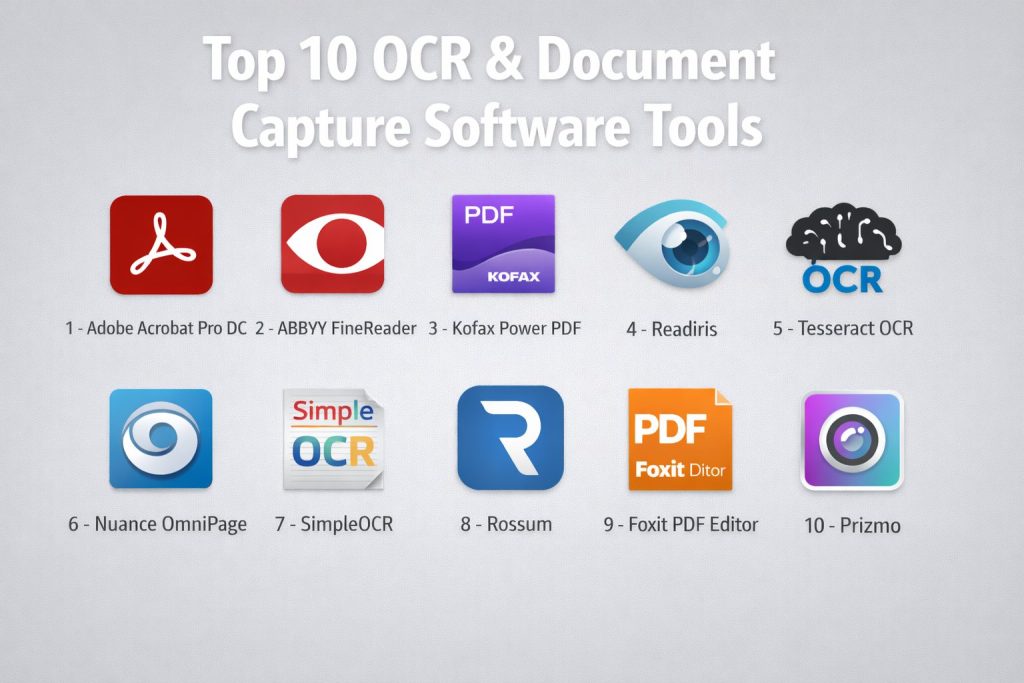
Top 10 OCR & Document Capture Software Tools
1 — Adobe Acrobat Pro DC
Adobe Acrobat Pro DC is one of the most trusted OCR and document capture tools, offering a range of PDF management features with reliable text recognition.
Key Features
- OCR for scanned documents and images.
- PDF editing, creation, and conversion tools.
- Cloud storage for easy access and sharing.
- Batch processing for large volumes of documents.
- Integration with other Adobe products.
Pros
- Reliable OCR with high accuracy.
- Excellent for document conversion and editing.
Cons
- Expensive compared to other OCR tools.
- Heavy on system resources.
Platforms / Deployment
- Windows, macOS
- Cloud-based
Security & Compliance
- SOC 2 compliance
- Encryption, MFA, and audit logs
Integrations & Ecosystem
- Integrates with Adobe Sign, Microsoft Office, and Google Drive.
- Supports plugins for extended functionality.
Support & Community
- Comprehensive documentation.
- 24/7 support for enterprise users.
2 — ABBYY FineReader
ABBYY FineReader is a powerful OCR and document capture tool known for its accurate text recognition and multi-language support.
Key Features
- Advanced OCR technology with high accuracy.
- Supports over 190 languages.
- Automatic document classification.
- Converts scanned PDFs into editable formats.
- Document comparison features.
Pros
- Excellent text recognition for complex documents.
- Supports a wide range of languages and formats.
Cons
- Expensive for small businesses.
- Interface may feel overwhelming to beginners.
Platforms / Deployment
- Windows, macOS
- Hybrid (Cloud/On-premises)
Security & Compliance
- SOC 2 compliance
- Encryption and secure data storage
Integrations & Ecosystem
- Integrates with Microsoft Office, SharePoint, and cloud storage platforms.
- API support for custom integrations.
Support & Community
- Excellent customer support with extensive knowledge base.
3 — Kofax Power PDF
Kofax Power PDF is a versatile OCR tool designed for managing and editing PDF files, with strong text recognition and form-filling capabilities.
Key Features
- OCR for scanned and image-based documents.
- PDF creation and editing tools.
- Batch processing for document automation.
- Integration with cloud storage and document management systems.
Pros
- Fast OCR processing.
- Great for managing PDF files and documents.
Cons
- Lacks some advanced features compared to other OCR tools.
- Somewhat difficult for new users to navigate.
Platforms / Deployment
- Windows, macOS
- Cloud-based
Security & Compliance
- Not publicly stated
Integrations & Ecosystem
- Integrates with cloud storage platforms like Google Drive and Dropbox.
Support & Community
- Strong customer support with online forums and help articles.
4 — Readiris
Readiris is an OCR and document capture software that offers high accuracy and ease of use for scanning and converting documents into editable formats.
Key Features
- Supports over 130 languages.
- Converts scanned documents into Word, Excel, and searchable PDFs.
- Cloud and local file processing.
- Document management features for easy organization.
Pros
- Simple interface with excellent OCR accuracy.
- Affordable for small businesses and individuals.
Cons
- Lacks advanced integration options.
- Limited support for complex document types.
Platforms / Deployment
- Windows, macOS
- Self-hosted
Security & Compliance
- Not publicly stated
Integrations & Ecosystem
- Integrates with cloud storage services for easy access.
Support & Community
- Decent support with a knowledge base available.
5 — Tesseract OCR
Tesseract OCR is an open-source, highly customizable OCR engine, ideal for developers and those looking to create custom document capture solutions.
Key Features
- Open-source and free to use.
- Supports over 100 languages.
- Can be customized for specific use cases.
- Suitable for both printed and handwritten text.
Pros
- Free and open-source.
- Highly customizable for specific needs.
Cons
- Requires technical knowledge to set up and use.
- Lacks a user-friendly interface.
Platforms / Deployment
- Windows, macOS, Linux
- Self-hosted
Security & Compliance
- Not publicly stated
Integrations & Ecosystem
- Integrates with custom applications via API.
Support & Community
- Community-driven support, with extensive documentation available.
6 — Nuance OmniPage
OmniPage is a popular OCR software known for its accuracy and ability to convert documents into editable formats quickly.
Key Features
- High accuracy OCR technology.
- Converts scanned images into editable files.
- Supports multi-page document scanning.
- Automatic file naming and sorting.
Pros
- Fast and accurate OCR.
- Good for handling large batches of documents.
Cons
- Expensive for individual users.
- Lacks some advanced editing features compared to competitors.
Platforms / Deployment
- Windows
- Self-hosted
Security & Compliance
- Not publicly stated
Integrations & Ecosystem
- Integrates with Microsoft Office and cloud storage services.
Support & Community
- Robust support and resources for troubleshooting.
7 — SimpleOCR
SimpleOCR is a free OCR tool designed for users who need basic text recognition without any frills.
Key Features
- Basic OCR with reasonable accuracy.
- Converts scanned images to text files.
- Ideal for small document volumes.
Pros
- Free to use.
- Simple interface that’s easy for beginners.
Cons
- Limited features compared to premium tools.
- Lower OCR accuracy for complex documents.
Platforms / Deployment
- Windows
- Self-hosted
Security & Compliance
- Not publicly stated
Integrations & Ecosystem
- Minimal integration options.
Support & Community
- Limited customer support and resources.
8 — Rossum
Rossum is an AI-powered OCR and document capture tool focused on automating document processing with minimal human intervention.
Key Features
- AI-powered document extraction.
- Real-time document processing and classification.
- Highly customizable templates for various document types.
- Integration with enterprise systems.
Pros
- AI-based automation reduces manual data entry.
- Great for large-scale document capture needs.
Cons
- Premium pricing may be a barrier for smaller businesses.
- Requires setup and customization.
Platforms / Deployment
- Cloud-based
Security & Compliance
- GDPR and HIPAA compliance.
Integrations & Ecosystem
- Integrates with major document management and ERP systems.
Support & Community
- Dedicated support with enterprise-level resources.
9 — Foxit PDF Editor
Foxit PDF Editor is a versatile tool for editing and OCR on PDFs, offering a blend of performance and affordability.
Key Features
- PDF editing, creation, and conversion tools.
- OCR for scanned and image-based PDFs.
- Batch processing for document conversion.
- Cloud collaboration for team-based workflows.
Pros
- Affordable pricing for small businesses.
- Easy-to-use interface with good OCR capabilities.
Cons
- Lacks some advanced features found in competitors.
- May not handle complex documents as well as premium tools.
Platforms / Deployment
- Windows, macOS
- Cloud-based
Security & Compliance
- Not publicly stated
Integrations & Ecosystem
- Integrates with cloud storage services and Microsoft Office.
Support & Community
- Extensive knowledge base and online support.
10 — Prizmo
Prizmo is a macOS and iOS OCR tool with a simple interface, ideal for personal use and small businesses.
Key Features
- Easy-to-use OCR with good accuracy.
- Supports over 40 languages.
- Real-time scanning and document processing.
- iCloud sync for document access across devices.
Pros
- Simple interface for quick OCR tasks.
- Affordable for small users.
Cons
- Limited features compared to more advanced tools.
- Only available for macOS and iOS.
Platforms / Deployment
- macOS, iOS
- Self-hosted
Security & Compliance
- Not publicly stated
Integrations & Ecosystem
- Syncs with iCloud for multi-device access.
Support & Community
- Limited community and support options.
Comparison Table (Top 10)
| Tool Name | Best For | Platform(s) Supported | Deployment | Standout Feature | Public Rating |
|---|---|---|---|---|---|
| Adobe Acrobat Pro DC | Enterprises | Windows, macOS | Cloud-based | PDF management | N/A |
| ABBYY FineReader | Large Businesses | Windows, macOS | Hybrid | Multi-language support | N/A |
| Kofax Power PDF | SMBs & Professionals | Windows, macOS | Cloud-based | PDF editing & OCR | N/A |
| Readiris | Small Businesses | Windows, macOS | Self-hosted | Document conversion | N/A |
| Tesseract OCR | Developers | Windows, macOS, Linux | Self-hosted | Customizable OCR | N/A |
| Nuance OmniPage | Enterprises | Windows | Self-hosted | Fast OCR | N/A |
| SimpleOCR | Individuals | Windows | Self-hosted | Free & Simple | N/A |
| Rossum | Large Enterprises | Cloud-based | Cloud-based | AI-powered automation | N/A |
| Foxit PDF Editor | SMBs | Windows, macOS | Cloud-based | Affordable OCR | N/A |
| Prizmo | Personal Use | macOS, iOS | Self-hosted | Easy-to-use | N/A |
Evaluation & Scoring of OCR & Document Capture Software
| Tool Name | Core (25%) | Ease (15%) | Integrations (15%) | Security (10%) | Performance (10%) | Support (10%) | Value (15%) | Weighted Total (0–10) |
|---|---|---|---|---|---|---|---|---|
| Adobe Acrobat Pro DC | 9 | 7 | 9 | 8 | 9 | 9 | 6 | 8.1 |
| ABBYY FineReader | 10 | 7 | 9 | 8 | 9 | 8 | 7 | 8.3 |
| Kofax Power PDF | 8 | 8 | 8 | 7 | 8 | 8 | 6 | 7.7 |
| Readiris | 7 | 9 | 6 | 6 | 7 | 7 | 8 | 7.3 |
| Tesseract OCR | 9 | 8 | 7 | 7 | 8 | 7 | 6 | 7.8 |
| Nuance OmniPage | 9 | 7 | 8 | 7 | 8 | 8 | 7 | 7.8 |
| SimpleOCR | 6 | 9 | 5 | 6 | 7 | 6 | 7 | 6.5 |
| Rossum | 10 | 6 | 9 | 9 | 9 | 9 | 7 | 8.5 |
| Foxit PDF Editor | 7 | 8 | 7 | 7 | 8 | 7 | 6 | 7.3 |
| Prizmo | 6 | 9 | 5 | 6 | 7 | 6 | 6 | 6.4 |
Which OCR & Document Capture Software Tool Is Right for You?
Solo / Freelancer
- SimpleOCR and Prizmo are excellent choices for personal use, offering simple and cost-effective document scanning and text recognition.
SMB
- Kofax Power PDF and Readiris are great for small and medium-sized businesses that need affordable OCR tools with reliable functionality.
Mid-Market
- ABBYY FineReader and Nuance OmniPage provide the features and scalability needed for mid-market enterprises with higher document processing needs.
Enterprise
- Adobe Acrobat Pro DC and Rossum are ideal for large enterprises with complex document capture workflows that require high-volume, automated processing.
Frequently Asked Questions (FAQs)
1. How much does OCR software cost?
Pricing varies greatly depending on the tool. Some, like Tesseract, are free, while others, like Adobe Acrobat Pro DC, require expensive subscriptions.
2. Can OCR software handle multiple languages?
Yes, many OCR tools, including ABBYY FineReader and Readiris, support over 100 languages, making them suitable for international businesses.
3. Is cloud-based OCR better than on-premise?
Cloud-based OCR solutions, like Rossum, offer flexibility and scalability, but on-premise tools like Adobe Acrobat Pro DC are better for organizations that prioritize data control.
4. How accurate is OCR?
OCR accuracy depends on the quality of the document and the tool used. Tools like ABBYY FineReader and Tesseract provide high accuracy even for complex documents.
5. What are the security concerns with OCR software?
Some OCR tools comply with GDPR and HIPAA, ensuring secure data handling. Always verify the tool’s security certifications before processing sensitive data.
6. How do OCR tools integrate with other software?
Most OCR tools, including Kofax Power PDF and ABBYY FineReader, integrate seamlessly with document management systems, CRMs, and other enterprise tools.
7. Can OCR software be used for handwritten documents?
Yes, many OCR tools, like Tesseract and ABBYY FineReader, support handwriting recognition, though accuracy may vary depending on handwriting clarity.
8. Are OCR tools good for scanning images?
Yes, OCR tools can process both text-based and image-based documents, extracting information from photos or scanned images.
9. How long does it take to process a large batch of documents?
Processing time varies by software and the complexity of the documents. Tools like ABBYY FineReader offer batch processing, speeding up the workflow.
10. Is OCR software compatible with mobile devices?
Yes, some OCR tools like Prizmo offer mobile apps, allowing users to scan and recognize documents directly from their smartphones.
Conclusion
Choosing the right OCR and document capture software depends on your specific needs. For small businesses, Readiris and SimpleOCR offer great value, while large enterprises might prefer ABBYY FineReader or Rossum for their scalability and advanced features. Always consider factors like security, integration capabilities, and the complexity of documents when selecting a tool.