Introduction
Notebook environments help individuals and teams write code, run it step by step, and document results in one place. They are used for data analysis, machine learning, reporting, experimentation, and teaching because they make it easy to mix text, code, and outputs. They matter now because teams need faster iteration, better collaboration, safer access to data, and smoother scaling from a quick experiment to a repeatable workflow. Common use cases include exploratory data analysis, model prototyping, ETL validation, dashboard backtesting, and classroom training. When evaluating a notebook environment, focus on kernel support, package management, collaboration and versioning, performance on large workloads, security controls, integration with data and ML stacks, reproducibility, admin governance, and cost efficiency.
Best for: data scientists, ML engineers, analysts, researchers, educators, and platform teams supporting notebooks for teams.
Not ideal for: teams that only need production APIs and automated pipelines without interactive exploration, or those who rely on lightweight code editors and strict CI workflows.
Key Trends in Notebook Environments
- Stronger collaboration features like shared editing, comments, and workspace-level organization
- More emphasis on reproducibility with environment capture, pinned dependencies, and better session control
- Better governance with workspace permissions, auditability, and admin policies
- Increased use of container-based isolation for consistent runtime behavior
- GPU-enabled notebooks becoming more common for model training and accelerated compute
- Integration patterns that connect notebooks to feature stores, model registries, and pipeline tools
- More secure access to data through credential management and role-based permissions
- Smarter notebooks with assistant-style features for code suggestions and debugging
- Better notebook-to-production paths through scheduling, jobs, and exportable artifacts
- Multi-language and multi-kernel support to reduce tool sprawl across teams
How We Selected These Tools (Methodology)
- Selected tools widely used for interactive computing and notebook workflows
- Prioritized notebook-native experience: cells, kernels, outputs, and rich text support
- Considered collaboration needs from solo work to large teams
- Evaluated ecosystem integration with data platforms, ML tools, and storage systems
- Looked at stability for long-running sessions and heavy workloads
- Assessed admin and governance readiness for teams that need controls
- Considered ease of onboarding and developer experience for daily use
- Included both self-hosted and managed options to cover common scenarios
- Ensured a balanced mix across open tools and enterprise-grade platforms
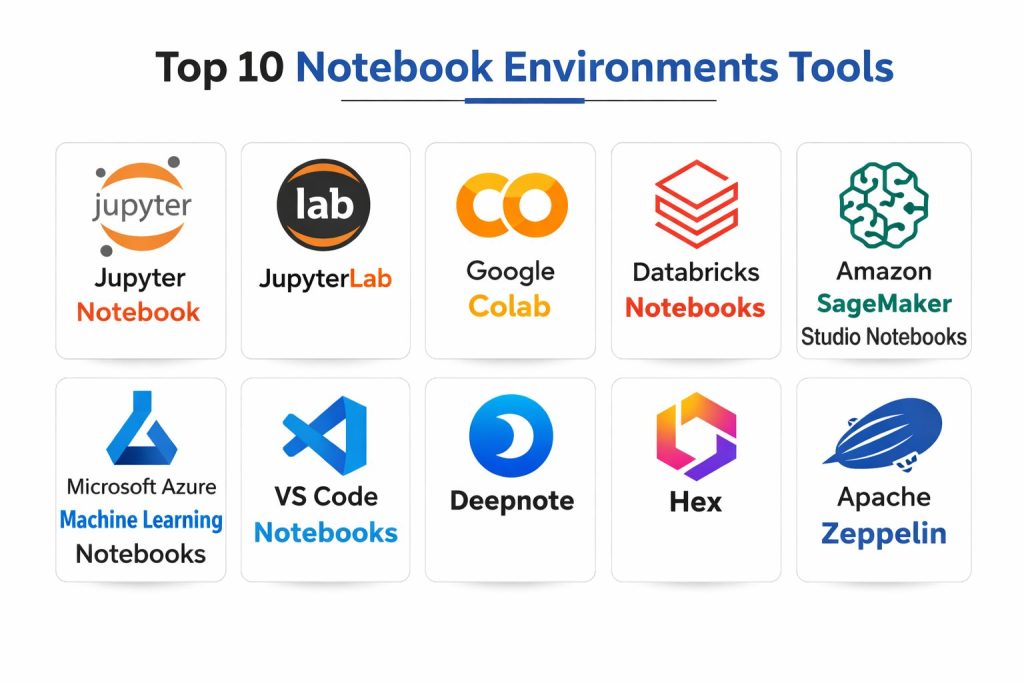
Top 10 Notebook Environments Tools
1) Jupyter Notebook
A classic interactive notebook environment built around the Jupyter ecosystem. Best for individuals and teams who want a straightforward notebook experience with broad kernel support.
Key Features
- Interactive cell-based execution with rich outputs
- Wide kernel ecosystem for multiple languages
- Strong extension ecosystem for customization
- Works well for exploratory analysis and teaching
- Easy export options for sharing notebooks
- Mature community and learning resources
- Fits many workflows when paired with environment management
Pros
- Familiar, widely adopted notebook workflow
- Large ecosystem and strong community support
Cons
- Collaboration is limited without additional platform layers
- Governance and admin controls depend on surrounding setup
Platforms / Deployment
- Windows / macOS / Linux
- Self-hosted
Security & Compliance
- SSO/SAML, MFA, encryption, audit logs, RBAC: Varies / N/A
- SOC 2, ISO 27001, GDPR, HIPAA: Not publicly stated
Integrations & Ecosystem
Jupyter Notebook integrates through kernels, extensions, and Python ecosystem tooling.
- Kernel ecosystem and language support
- Package management via environment tools (varies)
- Integration with storage and data access patterns (varies)
- Supports export and sharing workflows (varies)
Support & Community
Very strong community, abundant tutorials, and broad adoption; enterprise support depends on third parties.
2) JupyterLab
A modern, flexible notebook environment built for complex workflows with tabs, file browsing, and extensions. Best for users who want a more powerful interface than a basic notebook.
Key Features
- Multi-document interface for notebooks, terminals, and files
- Rich extension framework for added capabilities
- Strong kernel and language ecosystem
- Good fit for integrated data science workflows
- Supports multiple notebooks and workflows in one workspace
- Active development and modern UI patterns
- Works well in self-hosted and platform-based setups
Pros
- More productive UI for multi-notebook work
- Strong extensibility for teams and power users
Cons
- Setup and extension management can add complexity
- Collaboration still depends on platform tooling or add-ons
Platforms / Deployment
- Windows / macOS / Linux
- Self-hosted
Security & Compliance
- SSO/SAML, MFA, encryption, audit logs, RBAC: Varies / N/A
- SOC 2, ISO 27001, GDPR, HIPAA: Not publicly stated
Integrations & Ecosystem
JupyterLab is a hub for kernels, extensions, terminals, and integrated workflows.
- Extensions for workflow enhancements
- Kernel-based multi-language support
- Connects to data tooling via Python ecosystem (varies)
- Plays well with managed notebook platforms (varies)
Support & Community
Large community, strong documentation, and many extensions; support depends on deployment choice.
3) Google Colab
A managed notebook environment designed for quick setup and easy sharing. Best for individuals, students, and teams who want notebooks without managing infrastructure.
Key Features
- Fast start with browser-based notebooks
- Simple collaboration and sharing workflows
- Access to accelerated compute options (varies)
- Good fit for teaching and prototyping
- Integrates well with common data science workflows
- Easy to run Python-focused experiments
- Minimal local setup required
Pros
- Very low setup effort for quick experiments
- Easy sharing and collaboration for small groups
Cons
- Runtime and environment constraints can limit reproducibility
- Governance controls are limited compared to enterprise platforms
Platforms / Deployment
- Web
- Cloud
Security & Compliance
- SSO/SAML, MFA, encryption, audit logs, RBAC: Not publicly stated
- SOC 2, ISO 27001, GDPR, HIPAA: Not publicly stated
Integrations & Ecosystem
Colab supports common data science patterns and typical storage workflows (setup dependent).
- Notebook sharing and collaboration
- Python ecosystem package usage (varies)
- Integration with storage and data sources (varies)
- Export and portability patterns (varies)
Support & Community
Large user base and many tutorials; enterprise-grade support and governance vary by plan.
4) Databricks Notebooks
A notebook environment tightly integrated into a data and AI platform. Best for teams that need collaborative notebooks plus jobs, governance patterns, and scalable compute.
Key Features
- Collaborative notebooks with workspace organization
- Built-in scaling for large data workloads (platform dependent)
- Integrated job scheduling and operational workflows
- Strong integration patterns for data engineering and ML workflows
- Supports team development across notebooks and jobs
- Governance features depend on the platform setup
- Designed for production-adjacent notebook workflows
Pros
- Strong collaboration for teams working on shared data workloads
- Clear path from notebooks to scheduled jobs and pipelines
Cons
- Platform complexity can be high for small teams
- Costs can grow with heavy compute usage if not governed
Platforms / Deployment
- Web
- Cloud
Security & Compliance
- SSO/SAML, MFA, encryption, audit logs, RBAC: Not publicly stated
- SOC 2, ISO 27001, GDPR, HIPAA: Not publicly stated
Integrations & Ecosystem
Databricks Notebooks commonly integrate with data lake patterns, ML tooling, and workspace governance.
- Data platform integrations (varies)
- Job scheduling and workflow orchestration (varies)
- Access to ML lifecycle tools (varies)
- APIs and ecosystem connectors (varies)
Support & Community
Strong documentation and enterprise presence; support tiers vary by contract.
5) Amazon SageMaker Studio Notebooks
A managed notebook experience built for ML workflows with integrated services. Best for teams that want notebooks connected to ML training, deployment, and managed compute.
Key Features
- Managed notebook sessions with scalable compute options (varies)
- ML-focused workflow integrations (platform dependent)
- Environment and session management patterns
- Supports team workspaces and shared projects (varies)
- Integrates with common model development workflows
- Designed to connect experimentation with production ML steps
- Admin control depends on platform configuration
Pros
- Strong fit for end-to-end ML workflows in one ecosystem
- Managed infrastructure reduces operational overhead
Cons
- Setup and permissions can be complex for newcomers
- Vendor ecosystem coupling can be a concern for some teams
Platforms / Deployment
- Web
- Cloud
Security & Compliance
- SSO/SAML, MFA, encryption, audit logs, RBAC: Not publicly stated
- SOC 2, ISO 27001, GDPR, HIPAA: Not publicly stated
Integrations & Ecosystem
SageMaker notebooks integrate with ML development and managed compute patterns.
- ML lifecycle integrations (varies)
- Training and deployment workflows (varies)
- Data source and storage integrations (varies)
- APIs and automation options (varies)
Support & Community
Strong enterprise support options; community resources are common but vary by depth.
6) Microsoft Azure Machine Learning Notebooks
A managed notebook option inside a broader ML platform. Best for teams that want notebooks integrated with ML experiments, pipelines, and enterprise governance patterns.
Key Features
- Managed notebook experience for ML workflows
- Compute instance options for scaling development (varies)
- Experiment tracking and lifecycle patterns (platform dependent)
- Integration with broader ML operational workflows (varies)
- Workspace-level organization and collaboration (varies)
- Admin governance depends on platform configuration
- Designed for team-oriented ML development
Pros
- Good for teams using platform-based ML workflows
- Supports enterprise governance patterns when configured well
Cons
- Can be heavy for teams that only need simple notebooks
- Learning curve for platform concepts and permissions
Platforms / Deployment
- Web
- Cloud
Security & Compliance
- SSO/SAML, MFA, encryption, audit logs, RBAC: Not publicly stated
- SOC 2, ISO 27001, GDPR, HIPAA: Not publicly stated
Integrations & Ecosystem
Azure ML notebooks integrate with ML pipelines and data access patterns in the platform ecosystem.
- ML workflow integrations (varies)
- Data source connections (varies)
- Automation and pipeline options (varies)
- Workspace and governance patterns (varies)
Support & Community
Strong enterprise documentation and support options; community content is broad.
7) VS Code Notebooks
Notebook support embedded into a popular code editor. Best for developers who want notebooks and scripts together with strong debugging and extension options.
Key Features
- Notebook experience inside a full-featured editor
- Strong debugging and editing tools
- Rich extension ecosystem for languages and workflows
- Works well for mixed notebook and codebase workflows
- Integrated terminals, git workflows, and project navigation
- Flexible kernel and interpreter management (setup dependent)
- Strong fit for developer-first data workflows
Pros
- Great for teams that prefer code-first workflows with notebooks
- Strong tooling for debugging and version control integration
Cons
- Collaboration depends on external tooling
- Environment setup can vary across machines without standardization
Platforms / Deployment
- Windows / macOS / Linux
- Self-hosted
Security & Compliance
- SSO/SAML, MFA, encryption, audit logs, RBAC: Varies / N/A
- SOC 2, ISO 27001, GDPR, HIPAA: Not publicly stated
Integrations & Ecosystem
VS Code notebooks integrate through extensions and developer tooling ecosystems.
- Git and codebase integration
- Language extensions and kernels (varies)
- Remote development support patterns (varies)
- Integration with containers and environments (varies)
Support & Community
Very large community, extensive documentation, and rich extension marketplace.
8) Deepnote
A collaborative, browser-based notebook environment built for teams. Best for organizations that want shared notebooks, collaboration, and managed execution in a web workspace.
Key Features
- Team collaboration features designed around shared notebooks
- Browser-based environment with managed execution
- Workspace organization and project collaboration patterns
- Supports data workflows with team-friendly sharing
- Good fit for analysis and reporting collaboration
- Reproducibility features vary by plan and setup
- Designed to reduce friction for team onboarding
Pros
- Strong real-time collaboration experience for teams
- Minimal setup effort compared to self-hosted notebooks
Cons
- Platform constraints can affect specialized workflows
- Advanced governance needs depend on available admin controls
Platforms / Deployment
- Web
- Cloud
Security & Compliance
- SSO/SAML, MFA, encryption, audit logs, RBAC: Not publicly stated
- SOC 2, ISO 27001, GDPR, HIPAA: Not publicly stated
Integrations & Ecosystem
Deepnote commonly integrates through connectors and workspace workflows (capabilities vary).
- Data source connectors (varies)
- Collaboration and sharing workflows
- Export and portability patterns (varies)
- APIs and automation: Varies / Not publicly stated
Support & Community
Support tiers vary; community is smaller than the largest notebook ecosystems but active.
9) Hex
A notebook-style analytics environment focused on sharing, collaboration, and turning analysis into reusable work. Best for teams that need polished outputs and stakeholder-friendly collaboration.
Key Features
- Notebook-style workflows combined with shareable analytics outputs
- Collaboration patterns designed for teams and stakeholders
- Data connection patterns for analytics workflows (varies)
- Emphasis on making analysis repeatable and presentable
- Project organization and reuse-friendly patterns
- Supports Python and SQL-style workflows (varies)
- Good for internal analytics delivery and reporting
Pros
- Strong for team analysis that needs sharing and reuse
- Useful for turning notebooks into stakeholder-ready outputs
Cons
- Not always ideal for heavy ML training workflows
- Governance and advanced controls depend on plan and setup
Platforms / Deployment
- Web
- Cloud
Security & Compliance
- SSO/SAML, MFA, encryption, audit logs, RBAC: Not publicly stated
- SOC 2, ISO 27001, GDPR, HIPAA: Not publicly stated
Integrations & Ecosystem
Hex typically integrates with analytics data sources and team sharing workflows (varies).
- Data connections and warehouse integrations (varies)
- Collaboration and publishing patterns
- Automation options: Varies / Not publicly stated
- Export patterns: Varies / N/A
Support & Community
Support depends on plan; community is growing and documentation is improving.
10) Apache Zeppelin
A web-based notebook environment that supports multiple interpreters and collaborative workflows. Best for teams that want a notebook interface with flexible language support in a self-managed setup.
Key Features
- Web-based notebook interface for interactive work
- Multi-interpreter support for mixed-language workflows
- Good fit for data exploration and team-based notebooks
- Integrates with big data ecosystems depending on configuration
- Supports visualization and notebook outputs (workflow dependent)
- Can be deployed in self-managed environments
- Useful for teams that want a centralized notebook service
Pros
- Flexible interpreter support for multi-language teams
- Suitable for self-managed environments needing shared notebooks
Cons
- Setup and admin overhead can be higher than managed platforms
- UI and workflow may feel less modern compared to newer tools
Platforms / Deployment
- Web
- Self-hosted
Security & Compliance
- SSO/SAML, MFA, encryption, audit logs, RBAC: Varies / N/A
- SOC 2, ISO 27001, GDPR, HIPAA: Not publicly stated
Integrations & Ecosystem
Zeppelin often integrates with data ecosystems through interpreters and connectors.
- Interpreter ecosystem for different languages and engines
- Integration with data platforms depends on configuration
- Authentication and governance patterns vary by deployment
- Extensibility and customization options vary
Support & Community
Open community with helpful resources; support depends on internal ownership and team skill.
Comparison Table (Top 10)
| Tool Name | Best For | Platform(s) Supported | Deployment (Cloud/Self-hosted/Hybrid) | Standout Feature | Public Rating |
|---|---|---|---|---|---|
| Jupyter Notebook | Classic interactive notebooks for individuals | Windows, macOS, Linux | Self-hosted | Simple notebook workflow and kernels | N/A |
| JupyterLab | Power users needing multi-document workflows | Windows, macOS, Linux | Self-hosted | Flexible UI with extensions | N/A |
| Google Colab | Quick browser notebooks and simple sharing | Web | Cloud | Fast start and easy collaboration | N/A |
| Databricks Notebooks | Team notebooks tied to scalable data workloads | Web | Cloud | Notebook to jobs workflow | N/A |
| Amazon SageMaker Studio Notebooks | Managed notebooks for ML development | Web | Cloud | ML platform integration | N/A |
| Microsoft Azure Machine Learning Notebooks | Managed notebooks inside ML workflows | Web | Cloud | Workspace ML development flow | N/A |
| VS Code Notebooks | Developer-first notebooks inside an editor | Windows, macOS, Linux | Self-hosted | Debugging and codebase integration | N/A |
| Deepnote | Real-time collaboration for notebook teams | Web | Cloud | Team collaboration built-in | N/A |
| Hex | Shareable analytics notebooks for teams | Web | Cloud | Stakeholder-ready outputs | N/A |
| Apache Zeppelin | Self-managed multi-interpreter notebooks | Web | Self-hosted | Multi-interpreter flexibility | N/A |
Evaluation & Scoring of Notebook Environments
| Tool Name | Core (25%) | Ease (15%) | Integrations (15%) | Security (10%) | Performance (10%) | Support (10%) | Value (15%) | Weighted Total (0–10) |
|---|---|---|---|---|---|---|---|---|
| Jupyter Notebook | 8.5 | 7.5 | 8.0 | 5.5 | 7.5 | 8.5 | 9.0 | 7.93 |
| JupyterLab | 9.0 | 7.5 | 8.5 | 5.5 | 8.0 | 8.5 | 9.0 | 8.18 |
| Google Colab | 7.5 | 9.0 | 7.0 | 5.0 | 7.0 | 7.5 | 8.5 | 7.53 |
| Databricks Notebooks | 9.0 | 8.0 | 9.0 | 6.5 | 8.5 | 8.0 | 7.0 | 8.30 |
| Amazon SageMaker Studio Notebooks | 8.5 | 7.5 | 8.5 | 6.5 | 8.0 | 7.5 | 7.0 | 7.83 |
| Microsoft Azure Machine Learning Notebooks | 8.5 | 7.5 | 8.5 | 6.5 | 8.0 | 7.5 | 7.0 | 7.83 |
| VS Code Notebooks | 8.0 | 8.0 | 8.0 | 5.5 | 7.5 | 9.0 | 9.0 | 8.08 |
| Deepnote | 7.5 | 8.5 | 7.5 | 6.0 | 7.5 | 7.5 | 7.5 | 7.60 |
| Hex | 7.5 | 8.5 | 7.5 | 6.0 | 7.5 | 7.0 | 7.5 | 7.53 |
| Apache Zeppelin | 7.5 | 6.5 | 7.5 | 5.5 | 7.0 | 7.0 | 8.5 | 7.20 |
How to interpret the scores:
- These scores compare tools only within this list, not across every product in the market.
- A higher total suggests better all-around fit for more scenarios, not a universal winner.
- Ease and value can matter more than depth for small teams moving fast.
- Security scoring is limited because disclosures and controls vary by deployment style.
- Always confirm fit through a small pilot using your real data, packages, and workflows.
Which Notebook Environment Tool Is Right for You?
Solo / Freelancer
If you want control and flexibility, JupyterLab or Jupyter Notebook are reliable choices, especially when you manage environments carefully. If you want instant setup and easy sharing, Google Colab is convenient for quick work. If you prefer working inside a single editor with strong debugging, VS Code Notebooks can reduce context switching.
SMB
Small teams often need collaboration plus a stable path from exploration to repeatable work. Deepnote can be strong for collaboration-first workflows, while JupyterLab paired with basic governance practices works well for teams that want more control. If your team already runs a data platform, Databricks Notebooks can simplify shared compute and job execution.
Mid-Market
Mid-market teams typically care about governance, repeatability, and scaling. Databricks Notebooks can work well when data processing and scheduling are core. For ML teams, Amazon SageMaker Studio Notebooks or Microsoft Azure Machine Learning Notebooks can align experimentation with managed training and platform workflows. VS Code Notebooks can be a strong developer-first companion for teams that keep notebooks close to code repositories.
Enterprise
Enterprises usually need strong governance, standardization, and predictable operations. Databricks Notebooks can fit well for governed team notebooks tied to large-scale data workloads. Cloud ML platforms can work for organizations standardizing ML workflows. For self-hosted requirements, Apache Zeppelin or Jupyter-based deployments can work when paired with strict access control and internal platform ownership.
Budget vs Premium
Budget-first teams can start with JupyterLab or Jupyter Notebook and build simple standards around environments and versioning. Premium approaches often focus on managed platforms that add collaboration, compute scaling, and operational workflows, but cost control becomes a key success factor.
Feature Depth vs Ease of Use
If you want the most flexible notebook experience, JupyterLab offers depth and extensibility. If ease is most important, Google Colab and collaboration-first platforms reduce setup time. VS Code Notebooks can be a good balance when your team prefers an editor-first workflow.
Integrations & Scalability
If your notebooks must connect to warehouses, catalogs, pipelines, and jobs, platform notebooks often provide smoother scaling and operational paths. If you rely on custom stacks, self-hosted notebooks give control, but you must standardize environments and access patterns.
Security & Compliance Needs
For sensitive data, focus on identity management, access controls, and where secrets are stored. Managed platforms may simplify governance but require careful configuration. Self-hosted notebooks require strong internal ownership to ensure consistent controls and auditability.
Frequently Asked Questions (FAQs)
1. What is the difference between a notebook environment and an IDE?
A notebook environment is designed for step-by-step execution with outputs beside code, which is great for exploration. An IDE is better for large codebases, refactoring, and production development workflows.
2. How do teams keep notebooks reproducible across users?
The most reliable approach is standardizing environments, pinning dependencies, and using consistent runtime images or containers. Teams should also document data access assumptions clearly inside the notebook.
3. What are common mistakes when adopting notebooks for teams?
Not setting standards for environments, mixing exploration with production logic without structure, and skipping versioning practices. Teams also underestimate governance needs as usage grows.
4. How should notebooks be versioned and reviewed?
Treat notebooks like code by using repositories and review processes. Teams often add conventions for outputs, formatting, and notebook structure to reduce noisy changes.
5. Are managed notebook platforms better than self-hosted notebooks?
Managed platforms reduce operational overhead and often improve collaboration. Self-hosted notebooks provide more control and can fit strict requirements, but need strong internal management.
6. How do notebooks scale for heavy workloads?
Scaling depends on compute configuration, cluster support, and workload type. Some platforms provide built-in scaling patterns, while self-hosted setups require careful resource planning.
7. What security controls matter most for notebook environments?
Access control, secrets handling, data permissions, and auditability matter most. It is also important to control what packages can be installed and how data is accessed.
8. How do notebooks move into production workflows?
Teams usually move stable logic into jobs, pipelines, or services. A strong approach is to keep notebooks for exploration, then convert final logic into tested modules used by automation.
9. Can notebooks support multiple languages in one environment?
Yes, many notebook systems support multiple kernels or interpreters. The practical experience depends on how kernels are configured and how environments are managed.
10. What is a safe way to standardize notebooks across a company?
Start with a small set of approved environments, define naming and structure conventions, and create a simple onboarding guide. Then add governance and templates as adoption grows.
Conclusion
Notebook environments are most valuable when they help teams explore ideas quickly while still keeping work reproducible and safe. Tools like JupyterLab and Jupyter Notebook provide flexibility and deep ecosystem support, but they require discipline around environments, permissions, and versioning. Managed platforms like Databricks Notebooks and cloud ML notebooks can reduce operational friction and provide a smoother path from interactive work to scheduled jobs, especially for teams handling large datasets. Collaboration-first platforms can make sharing easier, but you still need standards to avoid messy notebooks and inconsistent results. The best next step is to shortlist two or three options, run a small pilot using real datasets and team workflows, verify integrations and access controls, and then standardize templates and environments for consistent daily use.