Introduction
NoSQL database platforms store and serve data in ways that do not rely on a strict table-and-row structure. They are designed to handle high scale, fast writes, flexible schemas, and distributed data across regions. Teams use NoSQL when data changes often, when performance must stay predictable under heavy load, or when applications need low-latency access to large volumes of semi-structured or unstructured information. Common use cases include user profiles and session stores, product catalogs, real-time analytics, IoT telemetry, content management, event logging, and caching for high-traffic services. When choosing a NoSQL platform, evaluate data model fit, query flexibility, scaling approach, replication and failover, consistency controls, operational complexity, ecosystem integrations, security features, backup and restore, and overall cost behavior under growth.
Best for: software teams building high-scale web and mobile apps, distributed systems, data-intensive platforms, real-time services, and event-driven architectures across startups, SMBs, and enterprises.
Not ideal for: workloads that require complex joins, strict relational constraints, or heavy multi-table reporting where a relational database is simpler and safer.
Key Trends in NoSQL Database Platforms
- Wider adoption of multi-model databases to reduce the need for multiple specialized engines
- Strong focus on global distribution with multi-region replication and low-latency reads
- More serverless-style operational patterns to reduce capacity planning overhead
- Built-in change streams and event integrations for real-time data pipelines
- Better developer experience through SQL-like query layers and improved tooling
- Increased use of vector and hybrid search patterns alongside NoSQL stores (varies by platform)
- Stronger expectations for encryption, auditing, and fine-grained access control
- Cost optimization features such as tiered storage, compression, and lifecycle policies
- Improved observability with deeper metrics, tracing hooks, and performance insights
- More emphasis on predictable performance under spikes through autoscaling and caching strategies
How We Selected These Tools (Methodology)
- Chose widely adopted NoSQL platforms with strong community or enterprise usage
- Included a balanced mix of document, key-value, wide-column, and multi-model systems
- Prioritized proven scalability, replication, and production reliability patterns
- Considered ease of operations, tooling maturity, and day-to-day maintainability
- Evaluated ecosystem integrations with application stacks and data pipelines
- Assessed security fundamentals and access control patterns where known
- Considered fit across segments from developers and startups to large enterprises
- Focused on platforms that are credible as primary databases, not only niche add-ons
- Scored tools comparatively based on practical buyer criteria rather than marketing claims
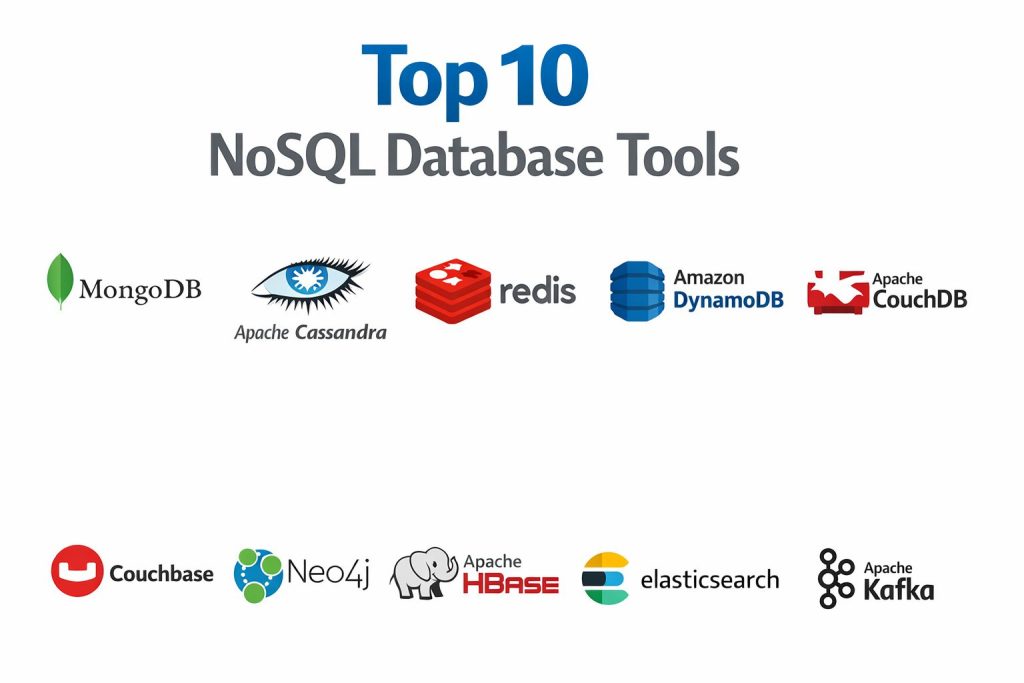
Top 10 NoSQL Database Platforms Tools
1) MongoDB
A widely used document database designed for flexible schemas and developer-friendly data modeling. Strong fit for teams building modern apps that evolve quickly and need high availability.
Key Features
- Document model that maps well to application objects
- Indexing options to improve query performance
- Replication and failover patterns for availability
- Sharding patterns for horizontal scaling (setup dependent)
- Aggregation capabilities for data processing (usage dependent)
- Change stream patterns for event-driven architectures (usage dependent)
- Broad driver and tooling ecosystem
Pros
- Flexible schema supports fast iteration and evolving requirements
- Large ecosystem and strong developer adoption
Cons
- Schema freedom can cause data inconsistency without discipline
- Scaling and performance tuning require careful indexing and modeling
Platforms / Deployment
- Windows / macOS / Linux
- Cloud / Self-hosted / Hybrid (varies by offering)
Security & Compliance
- SSO/SAML, MFA, encryption, audit logs, RBAC: Varies / N/A
- SOC 2, ISO 27001, GDPR, HIPAA: Not publicly stated
Integrations & Ecosystem
MongoDB commonly integrates with application frameworks, message systems, and data tools through drivers and connectors.
- Language drivers across major stacks
- Connectors to data pipelines and stream processing: Varies / N/A
- Backup and monitoring tooling: Varies / N/A
- Change stream consumers for event workflows
- Ecosystem integrations for analytics and search: Varies / N/A
Support & Community
Strong community, wide training content, and enterprise support options that vary by plan.
2) Apache Cassandra
A wide-column distributed database designed for high write throughput, large-scale data, and multi-node reliability. Best for workloads that need predictable performance across many servers.
Key Features
- Distributed architecture built for horizontal scaling
- High availability through replication across nodes and regions
- Strong write performance for time-series and event data patterns
- Tunable consistency to balance latency and correctness (workload dependent)
- Partitioning model suited to large datasets
- Mature ecosystem for operational tooling (varies)
- Resilient design for node failures and recovery
Pros
- Excellent for massive write-heavy workloads
- Proven reliability in distributed environments
Cons
- Data modeling requires careful partition key design
- Query flexibility is limited compared to document or relational systems
Platforms / Deployment
- Windows / macOS / Linux
- Self-hosted (managed offerings vary / N/A)
Security & Compliance
- SSO/SAML, MFA, encryption, audit logs, RBAC: Varies / N/A
- SOC 2, ISO 27001, GDPR, HIPAA: Not publicly stated
Integrations & Ecosystem
Cassandra integrates well with streaming and analytics pipelines where data is modeled for high throughput.
- Connectors for stream ingestion and ETL: Varies / N/A
- Observability tooling and exporters: Varies / N/A
- Client drivers for multiple languages
- Backup and repair tooling: Varies / N/A
Support & Community
Strong open-source community with experienced operators; enterprise support depends on vendor or managed provider.
3) Redis
A high-performance in-memory key-value platform used for caching, sessions, queues, and fast data structures. Often used as a primary store for specific workloads that require extreme speed.
Key Features
- In-memory performance with optional persistence patterns
- Rich data structures beyond simple key-value
- Replication and high availability options (setup dependent)
- Pub/sub and stream-like patterns for real-time workflows (usage dependent)
- TTL-based data expiration for caching and session use cases
- Strong client library ecosystem
- Common fit for rate limiting, leaderboards, and fast reads
Pros
- Extremely low latency for read and write operations
- Simple to adopt for caching and real-time patterns
Cons
- In-memory cost can grow quickly with data volume
- Not ideal for complex querying or large durable datasets alone
Platforms / Deployment
- Windows / macOS / Linux (varies by distribution)
- Cloud / Self-hosted / Hybrid (varies by offering)
Security & Compliance
- SSO/SAML, MFA, encryption, audit logs, RBAC: Varies / N/A
- SOC 2, ISO 27001, GDPR, HIPAA: Not publicly stated
Integrations & Ecosystem
Redis is commonly used alongside primary databases and integrates easily with apps and streaming patterns.
- Client libraries across major languages
- Integrations with caching layers and frameworks
- Monitoring and observability tools: Varies / N/A
- Stream consumption patterns for event workflows: Varies / N/A
Support & Community
Large community, strong docs, and support tiers depending on distribution and provider.
4) Amazon DynamoDB
A managed key-value and document database designed for predictable performance at scale. Best for teams that want minimal operational overhead and strong scaling for cloud-native applications.
Key Features
- Managed scaling patterns that reduce capacity planning
- Key-value and document style data modeling
- Built-in replication options for availability (offering dependent)
- Consistency options depending on workload needs
- Integration patterns with event-driven architectures (service dependent)
- Backup and restore features (offering dependent)
- Strong performance for high-traffic applications with good key design
Pros
- Low operations burden compared to self-managed clusters
- Strong scaling behavior for many web-scale workloads
Cons
- Data modeling constraints require careful key design
- Costs can rise with heavy throughput and storage patterns
Platforms / Deployment
- Web
- Cloud
Security & Compliance
- SSO/SAML, MFA, encryption, audit logs, RBAC: Varies / N/A
- SOC 2, ISO 27001, GDPR, HIPAA: Not publicly stated
Integrations & Ecosystem
DynamoDB fits tightly into cloud-native application stacks and event pipelines.
- Event and stream integrations: Varies / N/A
- SDKs and tooling for application development
- Monitoring and logging integrations: Varies / N/A
- Integration with serverless compute patterns: Varies / N/A
Support & Community
Strong documentation and community knowledge; support depends on cloud support plans.
5) Apache CouchDB
A document database known for simple replication and a design that fits distributed and occasionally connected environments. Useful for applications that need replication-friendly workflows.
Key Features
- Document model suited to flexible schemas
- Replication capabilities built into core workflows
- Conflict handling patterns for distributed changes (workload dependent)
- HTTP-friendly access patterns for integration simplicity
- Supports offline-first or sync-style use cases (architecture dependent)
- Easy setup for many small-to-mid deployments
- Mature open-source ecosystem
Pros
- Replication-first design is strong for sync-style architectures
- Simple integration patterns for certain application types
Cons
- Not ideal for heavy analytics or complex queries
- Performance and scaling require careful planning for large workloads
Platforms / Deployment
- Windows / macOS / Linux
- Self-hosted (managed offerings vary / N/A)
Security & Compliance
- SSO/SAML, MFA, encryption, audit logs, RBAC: Varies / N/A
- SOC 2, ISO 27001, GDPR, HIPAA: Not publicly stated
Integrations & Ecosystem
CouchDB often integrates via HTTP-based APIs and replication-driven patterns.
- HTTP-based integration with apps and services
- Sync and replication tooling patterns
- Monitoring and backup tooling: Varies / N/A
- Ecosystem integrations: Varies / N/A
Support & Community
Active open-source community; enterprise support depends on providers and partners.
6) Couchbase
A distributed NoSQL database that blends key-value performance with document flexibility. Common in enterprise scenarios needing fast reads and scalable architecture.
Key Features
- Document and key-value patterns for flexible modeling
- Built-in caching-style performance characteristics (usage dependent)
- Clustering and scaling for distributed deployments
- Indexing and query capabilities (feature set dependent)
- Replication and high availability patterns
- Mobile and edge patterns in some deployments (offering dependent)
- Operational tooling for monitoring and management
Pros
- Good balance between performance and document flexibility
- Often fits enterprise deployments needing predictable scaling
Cons
- Operational complexity can be higher than fully managed options
- Licensing and feature tiers can add complexity to planning
Platforms / Deployment
- Windows / macOS / Linux
- Cloud / Self-hosted / Hybrid (varies by offering)
Security & Compliance
- SSO/SAML, MFA, encryption, audit logs, RBAC: Varies / N/A
- SOC 2, ISO 27001, GDPR, HIPAA: Not publicly stated
Integrations & Ecosystem
Couchbase integrates into enterprise stacks through connectors and standard client libraries.
- Language SDKs across common stacks
- Integrations with data pipelines and analytics: Varies / N/A
- Observability tooling: Varies / N/A
- Mobile synchronization patterns: Varies / N/A
Support & Community
Commercial support options and documentation; community exists but smaller than MongoDB.
7) Neo4j
A graph database designed for relationship-heavy data such as networks, dependencies, and recommendation patterns. Best when relationships are the core of your queries.
Key Features
- Graph model optimized for traversing relationships
- Query language and tooling tailored to graph problems (feature dependent)
- Strong fit for recommendations, fraud detection, and knowledge graphs
- Indexing patterns suited to graph lookups (usage dependent)
- Visualization and exploration tooling (offering dependent)
- Supports complex relationship queries that are hard in other databases
- Ecosystem of drivers and integrations
Pros
- Excellent for relationship queries and multi-hop traversals
- Reduces complexity for graph-centric applications
Cons
- Not ideal for simple key-value workloads where graph adds overhead
- Scaling and clustering patterns depend on deployment and licensing
Platforms / Deployment
- Windows / macOS / Linux
- Cloud / Self-hosted / Hybrid (varies by offering)
Security & Compliance
- SSO/SAML, MFA, encryption, audit logs, RBAC: Varies / N/A
- SOC 2, ISO 27001, GDPR, HIPAA: Not publicly stated
Integrations & Ecosystem
Neo4j integrates with application stacks and data tools through drivers and graph ecosystem patterns.
- Language drivers and query integrations
- ETL and graph ingestion tooling: Varies / N/A
- Integrations with analytics workflows: Varies / N/A
- Visualization tools: Varies / N/A
Support & Community
Active community and documentation; enterprise support depends on plan and deployment.
8) Apache HBase
A wide-column store built on a distributed file system, suited for very large datasets and heavy throughput. Best for big data ecosystems where tight integration with batch processing matters.
Key Features
- Wide-column model for large-scale structured key access
- Strong throughput for large tables when modeled correctly
- Integration patterns with big data processing ecosystems (environment dependent)
- Distributed storage and region-based scaling patterns
- Strong fit for time-series and event-like storage patterns
- Operational tools for cluster management (varies)
- Designed for high scale with careful tuning
Pros
- Strong choice for very large datasets in big data ecosystems
- Handles high throughput well with correct modeling and tuning
Cons
- Operational complexity can be high
- Query flexibility is limited; modeling constraints are real
Platforms / Deployment
- Linux (others: Varies / N/A)
- Self-hosted
Security & Compliance
- SSO/SAML, MFA, encryption, audit logs, RBAC: Varies / N/A
- SOC 2, ISO 27001, GDPR, HIPAA: Not publicly stated
Integrations & Ecosystem
HBase fits in big data environments and integrates through ecosystem tooling.
- Integration with distributed processing: Varies / N/A
- Connectors and ingestion pipelines: Varies / N/A
- Observability and admin tooling: Varies / N/A
- Client APIs: Varies / N/A
Support & Community
Strong open-source history but requires experienced operations; enterprise support depends on distribution/provider.
9) Elasticsearch
A distributed search and analytics engine often used as a NoSQL-style store for log, event, and search-driven applications. Best for fast text search, aggregations, and observability pipelines.
Key Features
- Full-text search and query capabilities
- Fast aggregations for analytics-style queries (workload dependent)
- Indexing and mapping controls for semi-structured data
- Scalable cluster design for large ingestion workloads
- Common fit for log analytics and observability use cases
- Integrations with ingestion and visualization stacks (varies)
- Near real-time querying for search-driven applications
Pros
- Excellent for search-heavy use cases and log/event analytics
- Strong ecosystem for ingestion and dashboards
Cons
- Not a general-purpose transactional database replacement
- Cluster tuning and storage planning can become complex at scale
Platforms / Deployment
- Windows / macOS / Linux
- Cloud / Self-hosted / Hybrid (varies by offering)
Security & Compliance
- SSO/SAML, MFA, encryption, audit logs, RBAC: Varies / N/A
- SOC 2, ISO 27001, GDPR, HIPAA: Not publicly stated
Integrations & Ecosystem
Elasticsearch commonly integrates with logging, ingestion, and application search workflows.
- Ingestion pipelines and shippers: Varies / N/A
- Visualization and dashboard tooling: Varies / N/A
- Client libraries and APIs for app search
- Observability ecosystem integrations: Varies / N/A
Support & Community
Large community and documentation; support depends on distribution and service plan.
10) Apache Kafka
A distributed event streaming platform that is frequently used as an append-only log and event store for data pipelines. It is often part of a NoSQL-style architecture for event sourcing and real-time integration.
Key Features
- Durable append-only log for events and streams
- High-throughput ingestion and fan-out to many consumers
- Partitioning patterns for scalable processing
- Stream processing integrations (environment dependent)
- Replay and retention patterns for event sourcing workflows
- Strong ecosystem of connectors and clients
- Common backbone for real-time data platforms
Pros
- Excellent for event-driven architectures and real-time pipelines
- Strong scalability for high-volume streaming workloads
Cons
- Not a drop-in replacement for a document or key-value database
- Operational complexity can be high without managed services
Platforms / Deployment
- Windows / macOS / Linux
- Cloud / Self-hosted / Hybrid (varies by offering)
Security & Compliance
- SSO/SAML, MFA, encryption, audit logs, RBAC: Varies / N/A
- SOC 2, ISO 27001, GDPR, HIPAA: Not publicly stated
Integrations & Ecosystem
Kafka integrates broadly across application, analytics, and data engineering ecosystems.
- Connector ecosystem for databases and SaaS systems: Varies / N/A
- Integration with stream processing frameworks: Varies / N/A
- Observability and admin tooling: Varies / N/A
- Client libraries across major languages
Support & Community
Very large community and training resources; enterprise support depends on provider and deployment model.
Comparison Table (Top 10)
| Tool Name | Best For | Platform(s) Supported | Deployment (Cloud/Self-hosted/Hybrid) | Standout Feature | Public Rating |
|---|---|---|---|---|---|
| MongoDB | Flexible document apps and fast iteration | Windows, macOS, Linux | Cloud, Self-hosted, Hybrid | Developer-friendly document model | N/A |
| Apache Cassandra | Massive write throughput and distributed scale | Windows, macOS, Linux | Self-hosted | Horizontal scaling with resilience | N/A |
| Redis | Ultra-fast caching and real-time patterns | Windows, macOS, Linux | Cloud, Self-hosted, Hybrid | In-memory performance and data structures | N/A |
| Amazon DynamoDB | Managed NoSQL for cloud-native scale | Web | Cloud | Managed scaling and predictable performance | N/A |
| Apache CouchDB | Replication-friendly document workflows | Windows, macOS, Linux | Self-hosted | Replication-first design | N/A |
| Couchbase | Enterprise-grade distributed document + key-value | Windows, macOS, Linux | Cloud, Self-hosted, Hybrid | Performance with flexible modeling | N/A |
| Neo4j | Relationship-heavy graph queries | Windows, macOS, Linux | Cloud, Self-hosted, Hybrid | Graph traversals and relationship modeling | N/A |
| Apache HBase | Big data ecosystems and very large tables | Linux (others: Varies / N/A) | Self-hosted | Wide-column storage at scale | N/A |
| Elasticsearch | Search and analytics on semi-structured data | Windows, macOS, Linux | Cloud, Self-hosted, Hybrid | Full-text search and aggregations | N/A |
| Apache Kafka | Event streaming and append-only log storage | Windows, macOS, Linux | Cloud, Self-hosted, Hybrid | High-throughput event log and replay | N/A |
Evaluation & Scoring of NoSQL Database Platforms
Weights: Core features 25%, Ease 15%, Integrations 15%, Security 10%, Performance 10%, Support 10%, Value 15%.
| Tool Name | Core (25%) | Ease (15%) | Integrations (15%) | Security (10%) | Performance (10%) | Support (10%) | Value (15%) | Weighted Total (0–10) |
|---|---|---|---|---|---|---|---|---|
| MongoDB | 8.8 | 8.2 | 8.5 | 6.5 | 8.0 | 8.5 | 7.5 | 8.16 |
| Apache Cassandra | 8.6 | 6.5 | 7.8 | 6.0 | 9.0 | 7.5 | 8.0 | 7.83 |
| Redis | 7.8 | 8.6 | 8.2 | 6.0 | 9.5 | 8.0 | 8.0 | 8.12 |
| Amazon DynamoDB | 8.2 | 8.0 | 8.5 | 6.5 | 8.8 | 8.0 | 7.0 | 7.98 |
| Apache CouchDB | 7.0 | 7.5 | 6.8 | 5.5 | 7.0 | 7.0 | 8.5 | 7.23 |
| Couchbase | 8.0 | 7.2 | 7.8 | 6.0 | 8.2 | 7.5 | 7.0 | 7.62 |
| Neo4j | 8.4 | 7.4 | 7.5 | 6.0 | 8.0 | 7.8 | 6.8 | 7.71 |
| Apache HBase | 8.0 | 6.0 | 7.0 | 5.5 | 8.5 | 6.8 | 8.2 | 7.39 |
| Elasticsearch | 7.8 | 7.2 | 8.2 | 6.0 | 8.3 | 8.0 | 7.0 | 7.65 |
| Apache Kafka | 7.6 | 6.5 | 9.0 | 6.0 | 9.2 | 8.2 | 7.5 | 7.86 |
How to interpret the scores:
- Scores compare tools within this list and reflect typical strengths, not absolute truth.
- A higher total suggests broader fit across many NoSQL scenarios, not a universal winner.
- Ease and value often matter most for small teams shipping fast.
- Security scoring is limited when public disclosures and deployment models vary.
- Always validate with a pilot using your real workload patterns and operational constraints.
Which NoSQL Database Platform Is Right for You?
Solo / Freelancer
If you need something flexible and easy to learn, MongoDB is often a practical pick for app-like data. Redis is excellent when your main need is speed for caching, sessions, or rate limits. If your project is search-first, Elasticsearch can act like a primary store for that specific purpose. Pick one primary database pattern and avoid mixing too many systems early.
SMB
SMBs should focus on predictable operations and cost. MongoDB works well for evolving products and teams iterating quickly. Amazon DynamoDB can be attractive when you want to reduce operational burden and your application is cloud-native. Redis is commonly a companion to reduce load and improve response time. If your data is event-driven, Apache Kafka can become the backbone, but keep the design disciplined.
Mid-Market
Mid-market platforms often need multiple data patterns. Apache Cassandra fits write-heavy and globally distributed workloads when modeled correctly. MongoDB supports flexible product data and rapid iteration. Elasticsearch supports search and analytics for logs and content. Neo4j becomes valuable when relationships drive business logic like recommendations, fraud signals, or dependency graphs.
Enterprise
Enterprises prioritize resilience, governance, and long-term maintainability. Cassandra and DynamoDB are common for large-scale distributed workloads with predictable performance goals. MongoDB can serve as an application data backbone when governance is enforced through modeling and operational controls. Kafka often supports large event-driven ecosystems, while Neo4j solves relationship-heavy domains that are painful elsewhere.
Budget vs Premium
If budget is tight, prioritize operational simplicity and reduce the number of systems. A common pattern is MongoDB plus Redis for caching, adding Kafka later only if event scale demands it. Premium paths often combine a managed primary database with strong observability and well-defined data contracts to reduce risk as teams grow.
Feature Depth vs Ease of Use
MongoDB and DynamoDB often feel easier for application teams to start quickly. Cassandra and HBase require more careful data modeling and operational knowledge but can perform extremely well at scale. Neo4j provides deep relationship features that can simplify application logic when graphs are central, even if it is not the easiest first database.
Integrations & Scalability
Kafka often wins on integration breadth for streaming and real-time pipelines. MongoDB and Elasticsearch have broad ecosystem connectors and drivers. Cassandra and HBase integrate well in large data platforms, but the operational overhead is higher. Redis scales well for speed-focused patterns when memory cost and persistence design are planned carefully.
Security & Compliance Needs
Security capabilities vary widely by deployment and provider. If you need strict governance, focus on encryption, access control, audit logging, network isolation, backup policies, and operational guardrails. Where certifications and compliance details are not clearly stated, treat them as unknown and confirm through vendor documentation and internal review.
Frequently Asked Questions (FAQs)
1) What is the main difference between NoSQL and relational databases?
Relational databases use strict tables and relations, while NoSQL offers flexible models like documents, key-value, wide-column, and graph. NoSQL often scales horizontally more easily, but relational systems can be better for complex joins and strict constraints.
2) Which NoSQL platform is best for flexible application data?
MongoDB is a common choice for flexible document data because it maps well to application objects. The best choice still depends on your query patterns and how fast the schema changes.
3) Which NoSQL platform is best for caching and sessions?
Redis is widely used for caching, sessions, rate limiting, and fast reads. It works best when you design data expiration and persistence needs carefully.
4) When should I choose Cassandra?
Choose Apache Cassandra when you need high write throughput, large scale, and resilience across nodes or regions. It requires careful data modeling and consistency choices.
5) When should I choose DynamoDB?
Choose Amazon DynamoDB when you want managed scaling and reduced operational overhead for cloud-native workloads. Success depends on designing strong partition keys and access patterns.
6) Is Elasticsearch a database?
It can store data and power many applications, but it is primarily a search and analytics engine. It is best when search and aggregation are central, not when strict transactions are required.
7) When does Neo4j make sense?
Neo4j is ideal when relationships drive most queries, such as recommendations, fraud detection, network analysis, and knowledge graphs. It can simplify logic that is complex in other databases.
8) Is Kafka a NoSQL database platform?
Kafka is an event streaming platform that can act like a durable event log. It is valuable for event sourcing and real-time pipelines, but it is not a traditional document or key-value store.
9) What is the biggest mistake teams make with NoSQL?
Using the wrong data model for the workload, and ignoring access patterns early. Another common mistake is adopting multiple systems before teams have operational maturity.
10) How do I evaluate NoSQL tools quickly before committing?
Run a pilot with real data volume and query patterns, measure latency under load, test failure recovery, validate backup and restore, and check how costs behave as throughput grows.
Conclusion
NoSQL database platforms are not one-size-fits-all, and the best choice depends on your data shape, access patterns, scale goals, and operational capacity. MongoDB is often a strong fit for flexible application data that changes over time, while Redis shines for ultra-fast caching and real-time patterns. Cassandra and HBase can handle extreme scale and throughput when the data model is carefully designed, and DynamoDB can reduce operations work when you are comfortable with cloud-managed trade-offs. Elasticsearch is excellent when search and aggregations drive product value, and Neo4j is hard to beat for relationship-heavy domains. A practical next step is to shortlist two or three tools, model your access patterns, run a pilot under realistic load, and validate backup, monitoring, and governance before standardizing.