Introduction
Network analysis tools help you understand what is happening on a network by collecting, decoding, summarizing, and correlating traffic signals. In simple terms, they show you who is talking to whom, what protocols are being used, what changed, and where performance or security issues start. Some tools work at the packet level (deep visibility), others focus on flows (fast, scalable summaries), and some combine telemetry, behavior analytics, and synthetic tests to pinpoint outages and suspicious activity.
These tools matter because modern networks are hybrid, encrypted, and distributed. Troubleshooting is no longer just “ping and traceroute.” You often need to validate routing paths, isolate application latency, prove packet loss, detect anomalous traffic patterns, and confirm if a problem sits in a device, a link, a DNS layer, a cloud region, or an application dependency.
Common use cases include incident response and forensics, latency and packet-loss troubleshooting, bandwidth and capacity planning, detecting suspicious lateral movement, validating changes after upgrades, and monitoring critical links and services.
When choosing a tool, evaluate visibility depth, scalability, time-to-troubleshoot, encryption awareness, alert quality, data retention, deployment friction, role-based access, integration fit, and total operational effort.
Best for: network engineers, SRE teams, security teams, NOC teams, and IT operations leaders who need clear network visibility across on-prem, cloud, and remote users.
Not ideal for: teams that only need basic uptime checks or simple device availability, where lightweight monitoring is enough.
Key Trends in Network Analysis Tools
- Wider adoption of flow and telemetry analysis to scale visibility across large environments
- Stronger need to interpret encrypted traffic using metadata, timing, and behavioral patterns
- More emphasis on faster root cause isolation with correlation across network, app, and cloud signals
- Increased demand for practical automation, baselining, and noise reduction in alerts
- Hybrid deployment patterns combining local collectors with centralized analysis
- Higher expectations for access control, auditability, and operational governance in shared environments
How We Selected These Tools (Methodology)
- Included tools that are widely used and credible for packet, flow, and path analysis
- Balanced deep packet inspection with scalable flow and experience monitoring approaches
- Prioritized tools that help answer operational questions quickly during incidents
- Considered deployment practicality: collectors, agents, sensors, and data pipelines
- Looked at ecosystem strength: integrations, extensibility, and community or vendor support
- Chose tools that cover different team sizes, from solo troubleshooting to enterprise visibility
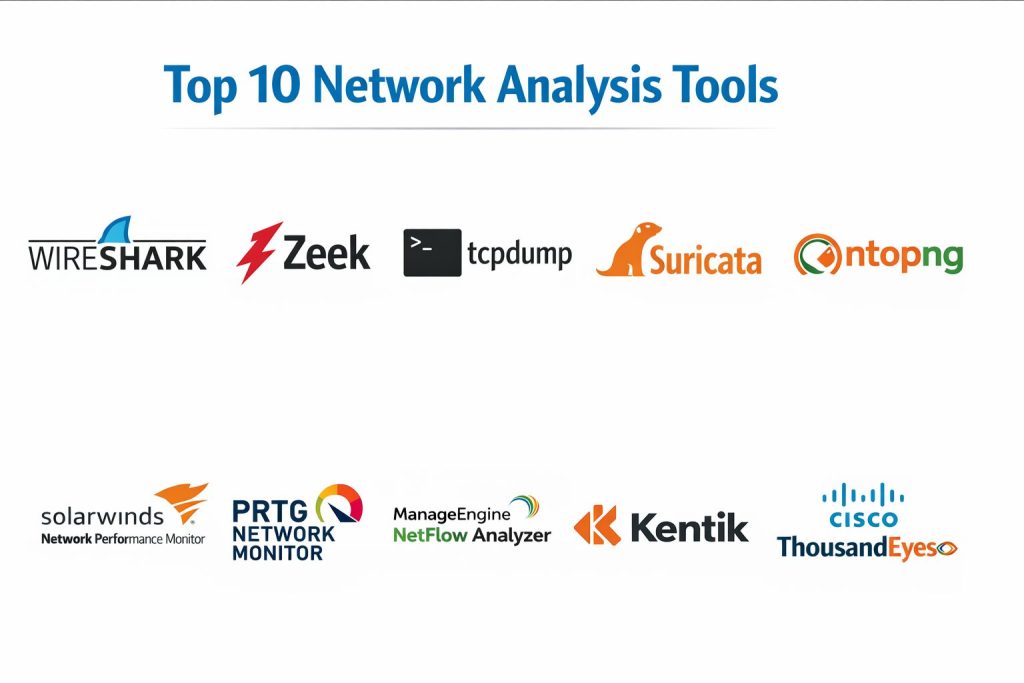
Top 10 Network Analysis Tools
1 — Wireshark
Wireshark is a packet analyzer used to capture and inspect network traffic in detail. It is commonly used for troubleshooting, protocol validation, and incident investigation when you need deep visibility.
Key Features
- Deep packet inspection with protocol decoding
- Powerful filtering, coloring, and stream reconstruction
- Exportable captures for collaboration and evidence
Pros
- Excellent visibility for complex protocol issues
- Strong learning ecosystem and community knowledge
Cons
- Not designed for long-term enterprise-scale retention
- Requires skill to interpret data correctly
Platforms / Deployment
Windows / macOS / Linux
Self-hosted
Security & Compliance
Not publicly stated
Integrations & Ecosystem
Wireshark fits best as a “last-mile truth tool” alongside monitoring and logging systems.
- Works with capture files and standard packet workflows
- Common handoffs to ticketing and incident processes
- Extensibility and automation: Varies / N/A
Support & Community
Very strong documentation and community support. Commercial support varies by external providers.
2 — Zeek
Zeek is a network analysis framework that turns traffic into structured logs. It is often used for security monitoring, network visibility, and investigations where packet-level details need to become searchable events.
Key Features
- Converts traffic into rich protocol logs and metadata
- Scriptable detection and custom policy logic
- Strong fit for forensic timelines and investigations
Pros
- Excellent for turning raw traffic into actionable records
- Flexible scripting for custom detection and logging
Cons
- Requires tuning and operational ownership
- Best results depend on sensor placement and retention design
Platforms / Deployment
Linux (Varies / N/A)
Self-hosted
Security & Compliance
Not publicly stated
Integrations & Ecosystem
Zeek commonly feeds SIEM, data lakes, and security analytics stacks through log pipelines.
- Log shipping into analytics platforms: Varies / N/A
- Custom parsers and scripting workflows
- Integration patterns depend on your pipeline design
Support & Community
Strong community in security and research circles. Support options vary.
3 — tcpdump
tcpdump is a command-line packet capture tool used for quick diagnostics and targeted captures. It is often the fastest way to prove whether packets are present, lost, or malformed.
Key Features
- Lightweight packet capture and filtering
- Works well on servers, routers, and remote troubleshooting sessions
- Produces captures that can be analyzed elsewhere
Pros
- Very fast for targeted, real-world troubleshooting
- Minimal overhead when used carefully
Cons
- Requires strong command-line comfort
- Interpretation usually needs another analysis step
Platforms / Deployment
Linux / macOS (Windows: Varies / N/A)
Self-hosted
Security & Compliance
Not publicly stated
Integrations & Ecosystem
tcpdump is commonly used with packet analyzers and incident workflows as a capture source.
- Capture output for offline analysis
- Works alongside standard diagnostic toolchains
- Automation depends on scripting practices
Support & Community
Well-documented with broad community familiarity. Support is community-based.
4 — Suricata
Suricata is a network threat detection engine that can inspect traffic and generate alerts and logs. It is often used for intrusion detection and network visibility at the sensor level.
Key Features
- Signature-based detection and protocol inspection
- Structured outputs for alerts and event data
- Useful for monitoring network segments and choke points
Pros
- Practical for security detection when tuned well
- Works as part of sensor-based architectures
Cons
- Alert tuning can be time-consuming
- Performance depends on traffic volume and rule sets
Platforms / Deployment
Linux / Windows (Varies / N/A)
Self-hosted
Security & Compliance
Not publicly stated
Integrations & Ecosystem
Suricata commonly integrates through alert pipelines and log forwarding into analysis platforms.
- Event outputs to SIEM pipelines: Varies / N/A
- Rule management workflows: Varies / N/A
- Extensibility depends on deployment design
Support & Community
Strong community and active ecosystem. Enterprise support varies by vendor and packaging.
5 — ntopng
ntopng provides network traffic visibility with a focus on flow analysis, application visibility, and operational dashboards. It is often used to understand usage patterns and identify heavy talkers and anomalies.
Key Features
- Flow-based traffic analytics and dashboards
- Application and host visibility (Varies / N/A)
- Useful drill-down views for network behavior
Pros
- Good balance of visibility and operational simplicity
- Helpful for bandwidth and usage understanding
Cons
- Deep investigations may still require packet tools
- Large environments may require careful sizing and retention planning
Platforms / Deployment
Windows / macOS / Linux (Varies / N/A)
Self-hosted
Security & Compliance
Not publicly stated
Integrations & Ecosystem
ntopng fits well with flow exporters and operational dashboards in network teams.
- Works with flow inputs and exporters: Varies / N/A
- API and export options: Varies / N/A
- Integration depth depends on your environment
Support & Community
Community strength is solid. Support levels vary by edition and usage.
6 — SolarWinds Network Performance Monitor
SolarWinds Network Performance Monitor is used for network visibility, fault identification, and performance tracking across devices and links. It helps correlate device metrics with network symptoms.
Key Features
- Device and interface performance monitoring
- Alerting and dependency views for operational triage
- Dashboards for link health and availability signals
Pros
- Useful for NOC-style monitoring and triage
- Strong visibility across device performance metrics
Cons
- Deep packet or forensic analysis needs other tools
- Deployment and maintenance can be operationally heavy
Platforms / Deployment
Windows
Self-hosted
Security & Compliance
Not publicly stated
Integrations & Ecosystem
Commonly used with IT operations stacks for ticketing, alerting, and reporting workflows.
- Integrations vary by environment and modules
- Common operational handoffs into incident processes
- Extensibility: Varies / Not publicly stated
Support & Community
Vendor support is available, and community knowledge is broad.
7 — PRTG Network Monitor
PRTG Network Monitor provides monitoring and analysis via sensors that track network and system metrics. It is often used for practical visibility in small to mid-sized environments.
Key Features
- Sensor-based monitoring for network and system signals
- Alerting and threshold workflows
- Dashboards for operational tracking
Pros
- Practical for quick deployment and visibility
- Good for monitoring mixed infrastructure setups
Cons
- Complex networks may require careful sensor planning
- Deep traffic analysis typically needs dedicated flow or packet tools
Platforms / Deployment
Windows
Self-hosted
Security & Compliance
Not publicly stated
Integrations & Ecosystem
PRTG often integrates through alerts, notifications, and reporting exports.
- Integration options vary by notification channels
- API and automation: Varies / N/A
- Ecosystem fit depends on your monitoring strategy
Support & Community
Documentation and community resources are strong. Support varies by license tier.
8 — ManageEngine NetFlow Analyzer
ManageEngine NetFlow Analyzer focuses on flow analytics for bandwidth, traffic patterns, and capacity planning. It is commonly used for understanding utilization and identifying unusual traffic.
Key Features
- Flow-based bandwidth and traffic reporting
- Top talkers, applications, and usage patterns (Varies / N/A)
- Capacity and trend views for planning
Pros
- Strong for bandwidth visibility and reporting
- Useful for finding heavy usage and traffic shifts
Cons
- Flow visibility depends on proper exporter configuration
- Not a packet-level forensic tool
Platforms / Deployment
Windows / Linux
Self-hosted
Security & Compliance
Not publicly stated
Integrations & Ecosystem
Often used with routers, switches, and firewalls exporting flow data into a central view.
- Flow exporter compatibility: Varies / N/A
- Reporting and alert outputs to operations workflows
- Integration depth varies by environment
Support & Community
Vendor support is available with documentation. Community usage is widespread.
9 — Kentik
Kentik is a network visibility platform that commonly uses flow, routing, and telemetry data to analyze performance and traffic patterns. It is often chosen for large-scale traffic analysis and rapid anomaly detection.
Key Features
- Large-scale flow analytics and traffic visibility
- Useful for peering, transit, and routing-aware analysis (Varies / N/A)
- Anomaly detection and operational insights (Varies / N/A)
Pros
- Strong for high-scale traffic analytics and rapid investigation
- Useful for network teams managing complex connectivity
Cons
- Best value appears in larger networks with rich telemetry
- Feature depth depends on data sources and configuration
Platforms / Deployment
Web
Cloud
Security & Compliance
Not publicly stated
Integrations & Ecosystem
Kentik commonly fits into network operations and performance workflows through telemetry and reporting.
- Data inputs: flow and telemetry sources (Varies / N/A)
- APIs and exports: Varies / N/A
- Integration fit depends on operational tooling
Support & Community
Vendor support is typically part of the offering. Community resources vary.
10 — Cisco ThousandEyes
Cisco ThousandEyes focuses on network experience and path visibility using agents and tests. It is often used to troubleshoot internet paths, SaaS reachability, and cross-provider issues.
Key Features
- Path visibility and dependency mapping (Varies / N/A)
- Synthetic testing for network and service experience
- Helpful for proving where latency and loss occur
Pros
- Strong for external path and user experience visibility
- Useful for multi-ISP and SaaS troubleshooting
Cons
- Not a packet-level inspection tool
- Coverage depends on agent placement and test strategy
Platforms / Deployment
Web (agents: Varies / N/A)
Cloud / Hybrid
Security & Compliance
Not publicly stated
Integrations & Ecosystem
Commonly used with operations and incident workflows to speed up triage across providers.
- Alerts into incident response tools: Varies / N/A
- Reporting for network experience investigations
- Integration options depend on environment
Support & Community
Vendor documentation is strong. Community depth varies by user base.
Comparison Table
| Tool Name | Best For | Platform(s) Supported | Deployment | Standout Feature | Public Rating |
|---|---|---|---|---|---|
| Wireshark | Deep packet troubleshooting | Windows / macOS / Linux | Self-hosted | Protocol decoding depth | N/A |
| Zeek | Traffic-to-logs visibility | Linux (Varies / N/A) | Self-hosted | Rich protocol metadata logs | N/A |
| tcpdump | Fast targeted packet capture | Linux / macOS (Windows: Varies / N/A) | Self-hosted | Lightweight CLI capture | N/A |
| Suricata | Sensor-based network detection | Linux / Windows (Varies / N/A) | Self-hosted | Traffic inspection with alerts | N/A |
| ntopng | Flow visibility and dashboards | Windows / macOS / Linux (Varies / N/A) | Self-hosted | Flow analytics views | N/A |
| SolarWinds Network Performance Monitor | NOC monitoring and triage | Windows | Self-hosted | Device and link performance visibility | N/A |
| PRTG Network Monitor | Practical network monitoring | Windows | Self-hosted | Sensor-based monitoring | N/A |
| ManageEngine NetFlow Analyzer | Bandwidth and traffic analytics | Windows / Linux | Self-hosted | Flow-based reporting | N/A |
| Kentik | High-scale traffic analytics | Web | Cloud | Large-scale flow analytics | N/A |
| Cisco ThousandEyes | Path and experience visibility | Web (agents: Varies / N/A) | Cloud / Hybrid | Internet path troubleshooting | N/A |
Evaluation & Scoring of Network Analysis Tools
This scoring model is a comparative framework to help shortlist tools based on typical buyer priorities. It is not a public rating and it is not a promise of performance in every environment. A higher score usually indicates broader fit across more scenarios, while a lower score may still be perfect for a specialized job. Use the weighted total to narrow options, then validate with a small pilot using your real traffic, retention needs, and alert tolerance.
Weights used
Core features 25%
Ease of use 15%
Integrations and ecosystem 15%
Security and compliance 10%
Performance and reliability 10%
Support and community 10%
Price and value 15%
| Tool Name | Core (25%) | Ease (15%) | Integrations (15%) | Security (10%) | Performance (10%) | Support (10%) | Value (15%) | Weighted Total (0–10) |
|---|---|---|---|---|---|---|---|---|
| Wireshark | 9 | 7 | 7 | 4 | 7 | 9 | 10 | 7.9 |
| Zeek | 9 | 5 | 8 | 5 | 8 | 7 | 8 | 7.5 |
| tcpdump | 7 | 6 | 6 | 4 | 8 | 8 | 10 | 7.2 |
| Suricata | 8 | 5 | 7 | 5 | 7 | 7 | 8 | 6.9 |
| ntopng | 7 | 7 | 6 | 4 | 7 | 6 | 8 | 6.8 |
| SolarWinds Network Performance Monitor | 7 | 7 | 7 | 5 | 7 | 7 | 6 | 6.8 |
| PRTG Network Monitor | 6 | 8 | 6 | 5 | 7 | 7 | 7 | 6.7 |
| ManageEngine NetFlow Analyzer | 7 | 7 | 6 | 5 | 7 | 6 | 7 | 6.7 |
| Kentik | 8 | 7 | 7 | 5 | 8 | 7 | 6 | 7.1 |
| Cisco ThousandEyes | 7 | 7 | 7 | 5 | 8 | 7 | 6 | 7.0 |
Which Network Analysis Tool Is Right for You?
Solo / Freelancer
If you troubleshoot networks directly, start with Wireshark and tcpdump. They are practical for proving facts during incidents and learning how protocols behave. If you need traffic summaries rather than raw packets, ntopng can add visibility without forcing deep packet inspection.
SMB
SMB teams often need quick wins with manageable operational effort. PRTG Network Monitor or SolarWinds Network Performance Monitor can help build baseline visibility. Add ManageEngine NetFlow Analyzer if bandwidth questions are frequent. Keep Wireshark available for the “deep dive” moments.
Mid-Market
Mid-market environments benefit from combining flow analytics with structured event visibility. Zeek helps turn traffic into searchable logs for investigations. Add a flow analytics layer like Kentik when you need faster anomaly detection and broader traffic understanding. Use Cisco ThousandEyes to troubleshoot external paths and SaaS issues.
Enterprise
Enterprises usually need layered visibility: device monitoring, flow analytics, experience testing, and security-focused network telemetry. Kentik and Cisco ThousandEyes help with scale and external dependency diagnosis, while Zeek and Suricata can strengthen investigation capabilities in monitored segments. Keep packet tools like Wireshark and tcpdump for proof during high-severity incidents.
Budget vs Premium
Budget-first stacks often rely on Wireshark, tcpdump, Zeek, Suricata, and ntopng with careful deployment and tuning. Premium stacks typically add enterprise platforms for large-scale analytics and experience visibility, reducing time-to-triage at the cost of licensing and operational setup.
Feature Depth vs Ease of Use
Wireshark is deep but requires skill. Zeek and Suricata are powerful but need tuning and operational ownership. PRTG Network Monitor and SolarWinds Network Performance Monitor are generally easier to operationalize for baseline monitoring. Kentik and Cisco ThousandEyes can shorten investigations when properly deployed.
Integrations & Scalability
If you need correlation across systems, prefer tools that export structured outputs cleanly and fit your operational processes. For scale, flow analytics tools typically handle higher volumes than raw packet retention. Decide early what you will store, for how long, and who will access it.
Security & Compliance Needs
Many capabilities depend on your environment controls rather than tool claims. Focus on role separation, auditability of actions, controlled access to captures, and safe handling of sensitive data. Where security and compliance details are not publicly stated, treat governance as a platform and process responsibility.
Frequently Asked Questions
1. What is the difference between packet analysis and flow analysis
Packet analysis inspects raw traffic details, while flow analysis summarizes conversations between endpoints. Packets are deeper for troubleshooting, flows scale better for long-term visibility.
2. Which tool should I use first during an outage
Start with what gives the fastest signal. For link and device context, use SolarWinds Network Performance Monitor or PRTG Network Monitor. For proof at the traffic level, use tcpdump or Wireshark.
3. How do I reduce alert noise in network analysis
Use baselines, narrow thresholds to meaningful events, and focus on symptoms tied to user impact. Tools like Zeek and Suricata also need rule and policy tuning to avoid unnecessary alerts.
4. Do these tools work when traffic is encrypted
Encryption limits payload inspection, but metadata and behavior still matter. Flow analytics, timing, destination patterns, and experience testing can still pinpoint issues even when content is not visible.
5. Can I rely only on one tool for everything
Usually no. Most teams use a layered approach: monitoring for baseline visibility, flow analytics for scale, packet tools for proof, and experience tools for external paths.
6. What are common mistakes when deploying flow analytics
Misconfigured exporters, incomplete coverage, inconsistent sampling, and poor retention planning. Flow tools are only as good as the quality and completeness of the exported data.
7. How do I choose retention and storage strategy
Define what investigations you must support and how far back you need to look. Packets are heavy to store, flows are lighter, and structured logs can be tuned for investigation value.
8. What should I test in a pilot before committing
Test on real traffic and real incident scenarios. Validate time-to-detect, time-to-root-cause, data coverage, access control expectations, and how cleanly alerts map to action.
9. When should I use Cisco ThousandEyes
Use it when issues involve internet paths, SaaS availability, multi-ISP behavior, or remote user experience. It helps prove where latency or loss occurs across external dependencies.
10. When should I use Zeek or Suricata
Use Zeek when you want rich traffic metadata logs for investigation and visibility. Use Suricata when you want sensor-based detection and alerting tied to traffic inspection.
Conclusion
Network analysis works best when you combine tools that answer different questions at different speeds. Packet tools like Wireshark and tcpdump help you prove what really happened on the wire. Zeek and Suricata help convert traffic into structured signals that support investigations and detection in monitored segments. Flow tools like ntopng and ManageEngine NetFlow Analyzer clarify bandwidth and behavior patterns without storing everything. Platforms like Kentik and Cisco ThousandEyes improve visibility at scale and across external paths, while SolarWinds Network Performance Monitor and PRTG Network Monitor strengthen operational monitoring. The best next step is to shortlist two or three tools, run a small pilot on real traffic, verify coverage and access controls, and confirm the workflow your team can sustain.