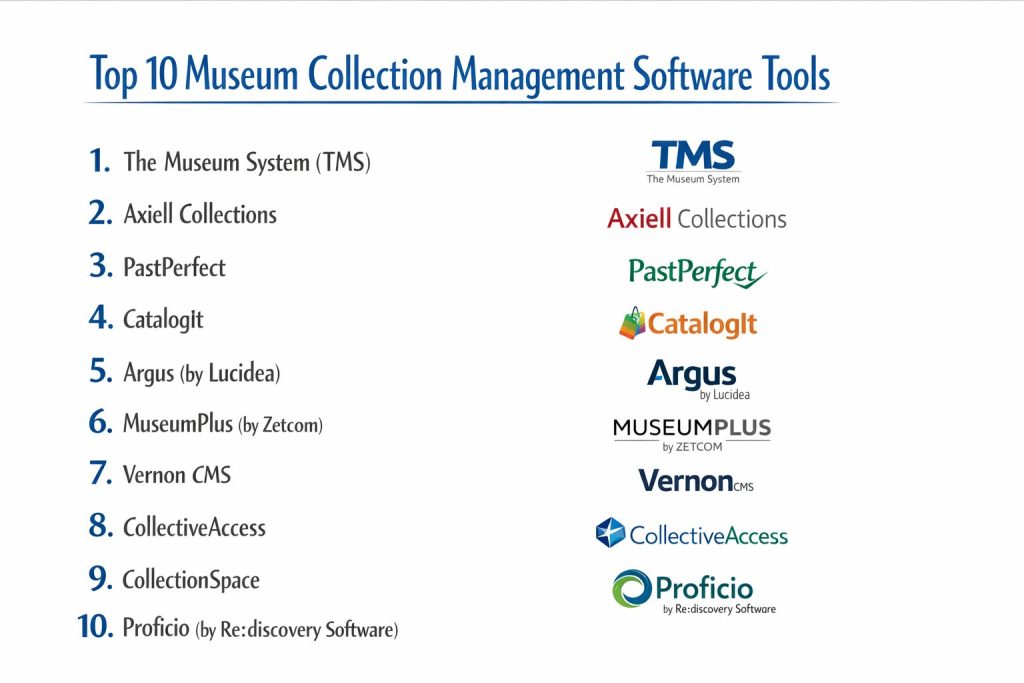
Introduction
Museum collection management software is the essential digital infrastructure that allows cultural institutions to catalog, track, and preserve our shared heritage. These specialized systems go far beyond simple spreadsheets, offering integrated tools for managing legal provenance, insurance values, conservation history, and complex lending workflows between global galleries. In a world where digital accessibility is paramount, these platforms bridge the gap between physical storage and public engagement, ensuring that every artifact—from a prehistoric fossil to a contemporary digital artwork—is documented with scientific precision and made discoverable for researchers and the public alike.
The transition to modern museum management has moved from local, server-based databases to high-security, cloud-native environments that support real-time collaboration across departments. Curators, registrars, and conservators can now update records simultaneously, whether they are in the gallery, the storage vault, or working remotely. As museums increasingly face pressure to digitize their entire holdings, these software solutions provide the necessary scalability and standardized metadata frameworks to support massive image libraries and rich multimedia files. Choosing the right platform is a strategic decision that affects the long-term safety of the collection and the institution’s ability to fulfill its educational mission.
Real-World Use Cases
- Provenance and Legal Tracking: Museums use these systems to maintain a detailed “chain of custody” for high-value items, documenting every owner and transaction to ensure legal compliance and ethical standards.
- Exhibition Planning and Logistics: Staff utilize these tools to create digital exhibition checklists, track the physical movement of objects between galleries, and manage the insurance requirements for traveling shows.
- Conservation Monitoring: Conservators record detailed condition reports and treatment histories within the software, attaching high-resolution imagery to monitor a piece’s stability and environmental sensitivity over decades.
- Public Online Discovery: By integrating the database with a public-facing portal, institutions allow students and scholars worldwide to search the collection, view high-definition media, and access research data without visiting in person.
- Loan Management: Registrar departments manage the complex paperwork and deadlines associated with incoming and outgoing loans, including automated reminders for courier schedules and contract renewals.
Buyer Evaluation Criteria
- Standards Compliance: Ensure the software adheres to international museum data standards such as Spectrum, CIDOC-CRM, or Dublin Core to maintain data interoperability and long-term preservation.
- Scalability and Record Volume: Evaluate whether the platform can handle your current collection size while allowing for growth, especially if you plan to digitize thousands of archival documents or high-resolution assets.
- Cloud vs. On-Premise Deployment: Determine if your institution has the IT resources for a self-hosted server or if a fully managed cloud solution (SaaS) is better for security, updates, and remote access.
- Multimedia and DAM Integration: Check how the software handles large file types; the best systems offer built-in Digital Asset Management (DAM) to link unlimited photos, 3D scans, and videos directly to object records.
- User Interface and Training: Look for an intuitive UI that minimizes the learning curve for volunteers and rotating staff while still providing the deep, technical fields required by professional registrars.
- Customization and Flexibility: The platform must allow you to modify data schemas or create custom fields to accommodate unique collections, such as biological specimens, rare books, or industrial machinery.
- Public Access Portals: If your goal is community engagement, choose a vendor that offers a seamless “web-publishing” module to create a searchable, branded online catalog directly from your database.
- Security and Audit Trails: For high-value art and sensitive data, enterprise-grade security including Multi-Factor Authentication (MFA) and detailed audit logs of every record change is non-negotiable.
- Support and Community: Consider the vendor’s reputation for customer support and whether there is an active user community or “user group” that can share best practices and custom reports.
- Budget and Licensing Model: Compare one-time purchase costs against monthly subscriptions, and check if there are hidden fees for additional users, modules, or cloud storage upgrades.
Best for: Large national galleries, municipal history museums, university archives, and private collectors who require a structured and professional way to document their physical and digital assets.
Not ideal for: Individual hobbyists with very small personal collections or temporary pop-up shops that only require a basic retail inventory system without long-term preservation needs.
Key Trends in Museum Collection Management
- AI-Powered Auto-Tagging: Modern platforms are integrating artificial intelligence to automatically suggest tags, describe images, and identify subject matter, drastically reducing the manual labor of cataloging backlogs.
- 3D Asset Management: As 3D scanning becomes standard for conservation and virtual reality tours, software providers are adding native support for viewing and storing complex 3D files within the record.
- Mobile-First Data Entry: Newer tools are designed for tablets and smartphones, allowing staff to update location data or take condition photos directly from the storage shelves using built-in cameras.
- Linked Open Data (LOD): There is a growing movement toward connecting museum databases globally, allowing researchers to find related objects across different institutions through shared “knowledge graphs.”
- Advanced Subscription Models: The industry is shifting away from expensive “per-seat” licenses toward flexible, tiered subscription models that allow small museums to access professional features at a lower cost.
- Ethical Provenance Tracking: Software is evolving to include specialized fields for tracking the origins of indigenous artifacts and colonial-era acquisitions, assisting in repatriation and ethical research.
How We Selected These Tools (Methodology)
Our selection of the top 10 museum collection management platforms involved a comprehensive review of software used by leading global institutions as well as small local societies. We focused on platforms that have a proven track record of reliability and are actively developing new features for a digital-first world.
- Market Presence and Longevity: We prioritized vendors with established reputations that have been trusted by the heritage sector for years, ensuring your data is safe with a stable company.
- Diversity of Institution Size: Our list includes “enterprise-grade” systems for national museums and “entry-level” tools for small volunteer-run sites to provide a balanced overview.
- Standards and Accreditations: We looked for platforms that are Spectrum-partnered or compliant with major international museum standards to ensure professional-level data management.
- Feature Set Depth: Each tool was evaluated on its ability to handle the “full lifecycle” of an object, from initial acquisition and cataloging to exhibition, conservation, and deaccessioning.
- Modern Technology Stack: We favored tools that offer cloud accessibility, API integrations, and modern security protocols to meet the demands of current IT departments.
Top 10 Museum Collection Management Software
1. The Museum System (TMS)
Often referred to simply as TMS, this is the gold standard for high-end art museums and massive global institutions. It provides an incredibly deep, relational database structure that handles the most complex registrar and curatorial workflows in the world.
Key Features
- Comprehensive Cataloging: Highly detailed records that allow for granular data entry across thousands of art-historical and scientific fields.
- Art Logistics Management: Advanced tools for tracking fine-art shipping, insurance, and complex loan agreements with other major galleries.
- Conservation Studio: A dedicated module for conservators to record multi-stage treatments, scientific analysis, and condition assessments.
- eMuseum Integration: A seamless way to publish collections online with customizable, high-performance search portals for the public.
- Media Studio: An integrated digital asset management tool that links high-resolution images and videos directly to the object records.
- Advanced Reporting: A powerful engine for creating professional-grade exhibition checklists, catalogs, and board-level statistics.
- Authority Control: Strict adherence to controlled vocabularies and thesauri like the Getty AAT to ensure data consistency across the institution.
Pros
- Unmatched depth and precision for professional curators and registrars managing high-value art collections.
- Extremely stable and reliable, with a massive community of users at top-tier museums globally.
- Highly customizable workflows that can be tailored to the specific departmental needs of a large organization.
Cons
- The sheer complexity of the software requires significant training and dedicated staff to manage.
- The price point is at the highest end of the market, making it inaccessible for smaller museums or societies.
- Requires a robust IT infrastructure or significant professional services for implementation and customization.
Platforms / Deployment
- Web / Windows Desktop
- Cloud / On-Premise
Security & Compliance
- Enterprise-grade security with full audit trails and granular user permissions.
- GDPR and international data protection compliant.
Integrations & Ecosystem
TMS is designed to be the center of an institution’s tech stack.
- Native integration with Gallery Systems’ eMuseum and Conservation Studio.
- API support for connecting to external DAMs and custom websites.
- Support for bulk data import/export via standard formats.
- Connections to professional shipping and logistics providers.
Support & Community
Gallery Systems provides 24/7 enterprise support, an extensive online training academy, and hosts a major annual user conference for museum professionals.
2. Axiell Collections
Axiell Collections is a modern, web-based platform designed for cultural institutions that manage multiple types of collections, including archives, libraries, and museums. It is highly flexible and focuses on providing a unified view across various heritage disciplines.
Key Features
- Cross-Domain Search: Allows users to find related items across museum, archive, and library collections in a single, unified interface.
- Standard-Based Cataloging: Fully compliant with Spectrum, ISAD(G), and other major international metadata standards.
- Work-from-Anywhere: A 100% web-based interface that requires no local installation, perfect for remote teams and researchers.
- Configurable Workflows: Users can customize the dashboard and record forms to match the specific needs of their unique collections.
- Integrated DAM: Built-in digital asset management that supports high-resolution imaging and multi-format media storage.
- Public Access Modules: Tools for creating engaging online exhibitions and searchable catalogs for external audiences.
- Event and Exhibition Tracking: Comprehensive modules for planning shows and tracking the movement of objects within a facility.
Pros
- Excellent for multi-disciplinary institutions that need to break down silos between different departments.
- The web-native design makes it much easier to deploy and update than traditional desktop software.
- Highly scalable, suitable for everything from medium-sized regional sites to national heritage organizations.
Cons
- Some users find the interface to be very data-dense, which can be intimidating for casual or volunteer staff.
- While highly configurable, deep customization often requires help from Axiell’s professional services team.
- The transition from legacy Axiell products can be a complex data migration project.
Platforms / Deployment
- Web (Mobile-responsive)
- Cloud (SaaS)
Security & Compliance
- SOC 2 Type II and ISO 27001 certified data centers.
- Robust role-based access control and detailed transaction logging.
Integrations & Ecosystem
Axiell offers a broad ecosystem of related tools for the heritage sector.
- Seamless connection to Axiell’s Archive and Library management systems.
- API access for integrating with third-party web CMS and discovery layers.
- Integration with international aggregators like Europeana and DPLA.
- Support for standard data exchange protocols (OAI-PMH, etc.).
Support & Community
Axiell provides global support with localized teams and maintains an active user community through forums and regional workshops.
3. PastPerfect
PastPerfect is the most widely used collection management software in North America, particularly among small to mid-sized historical societies. It is praised for its affordability and for combining collections, contacts, and fundraising into one easy-to-use package.
Key Features
- All-in-One Management: Handles objects, archives, library books, and photographs within a single, consistent interface.
- Integrated CRM: Built-in tools for managing donors, memberships, and fundraising campaigns alongside the collection.
- Accession and Loan Tracking: Simplified workflows for managing the paperwork of new gifts and outgoing exhibit loans.
- Online Collections: A low-cost add-on that allows museums to publish their catalog to a searchable web portal with a few clicks.
- Condition Reporting: Simple tools for recording the physical state of items and scheduling future maintenance.
- Exhibit Management: Helps staff organize which items are on display, in storage, or on loan to other institutions.
- Multimedia Support: Allows users to attach images and documents directly to records for quick visual reference.
Pros
- Extremely cost-effective, making it the “go-to” choice for museums with limited budgets and staff.
- Very user-friendly; many museum studies students are already trained on this software during their education.
- The integrated contact management is a huge plus for organizations that don’t want to manage a separate donor database.
Cons
- The desktop version’s interface feels significantly dated compared to modern web-based competitors.
- It lacks some of the deep, specialized fields required for complex art-historical or scientific research.
- Scaling to millions of records can lead to performance slowdowns compared to enterprise-level systems.
Platforms / Deployment
- Windows Desktop / Cloud (Web Edition)
- Hybrid / Cloud
Security & Compliance
- Password protection and user permissions levels.
- Cloud version includes automated backups and data encryption.
Integrations & Ecosystem
PastPerfect is designed to be a self-contained ecosystem, though it does offer some connectivity.
- Native web-publishing module (PastPerfect Online).
- Export tools for moving data into standard spreadsheet or database formats.
- Integration between the membership module and standard email marketing tools.
- Simple image importing from digital cameras and scanners.
Support & Community
PastPerfect is legendary for its friendly, “real person” phone support. They have one of the largest user communities in the world, with countless online guides and local training workshops.
4. CatalogIt
CatalogIt is a modern, cloud-native application that has gained popularity for its mobile-first approach and sleek, intuitive design. It is perfect for small museums and private collectors who want to catalog items quickly using their phones or tablets.
Key Features
- Mobile-Native Apps: Full-featured iOS and Android apps allow staff to take photos and enter data directly from the storage room floor.
- Real-Time Collaboration: Multiple users can work on the same collection simultaneously, with changes syncing instantly across all devices.
- Public Hub: An easy-to-activate public portal that allows the community to search the collection on a modern, responsive website.
- Controlled Vocabularies: Built-in Getty AAT and other standards to ensure data quality without needing to be a cataloging expert.
- Unlimited Photos: Most plans allow for a high number of high-resolution images to be attached to every record without extra fees.
- Simplified Workflows: Focuses on the most essential museum tasks like acquisitions, loans, and location tracking to keep things fast.
- QR and Barcoding: Native support for using a phone’s camera to scan barcodes and instantly pull up an object’s record.
Pros
- The most “modern” feel of any tool on this list; it feels like using a consumer app rather than a clunky database.
- Extremely fast setup; a small museum can be up and running with their first records in minutes.
- Very affordable subscription pricing that scales with the size of the collection and number of users.
Cons
- It does not currently offer the extreme depth of “registrar workflows” found in enterprise tools like TMS.
- Reporting and document generation (like custom loan contracts) are not as robust as legacy systems.
- Being cloud-only, it requires a reliable internet connection for full functionality (though some offline features exist).
Platforms / Deployment
- Web / iOS / Android
- Cloud (SaaS)
Security & Compliance
- Modern cloud security with encrypted data storage and transfer.
- Regular automated backups and secure user authentication.
Integrations & Ecosystem
CatalogIt focuses on simplicity and ease of sharing rather than complex enterprise integrations.
- Native “Public Hub” for instant web presence.
- API available for developers to connect the collection to custom websites.
- Easy data export to CSV or PDF for external sharing and reporting.
- Direct image upload from cloud storage services like Google Drive or Dropbox.
Support & Community
CatalogIt offers responsive email support and a growing knowledge base. They are very active in the small-museum community and frequently release new features based on user feedback.
5. Argus (by Lucidea)
Argus is a highly configurable, web-based platform designed for museums that want to move beyond simple inventory and create a truly engaging digital presence. It is known for its powerful search capabilities and flexible data modeling.
Key Features
- Flexible Metadata: Allows curators to create their own data structures and fields without needing a developer.
- Integrated Public Portal: A high-end web portal that allows for “Google-style” discovery of the collection by the general public.
- Multi-Language Support: Easily manage collection data and public portals in multiple languages, essential for international museums.
- Condition and Treatment Tracking: Comprehensive tools for documenting the health and maintenance of artifacts.
- Digital Asset Management: Robust handling of photos, PDFs, and multimedia files with high-speed indexing.
- Automated Workflows: Set up rules for notifications, such as alerting a curator when a loan is due back.
- Mobile Accessibility: Fully responsive web design that works perfectly on tablets and mobile devices for field work.
Pros
- One of the best options for museums that prioritize “Digital Curation” and public engagement.
- Exceptionally easy to customize the look and feel of both the backend and the public-facing site.
- Strong focus on “User Experience,” making it a favorite for teams that value a modern, efficient interface.
Cons
- The high level of configurability can sometimes lead to a more complex initial setup process.
- It is a premium professional tool, so the pricing is higher than entry-level options like PastPerfect.
- Some very specialized scientific fields (like complex biological taxonomy) may require more manual setup.
Platforms / Deployment
- Web (Mobile-responsive)
- Cloud / On-Premise
Security & Compliance
- SOC 2 compliant cloud hosting with enterprise-grade encryption.
- Fine-grained access controls to protect sensitive provenance or donor information.
Integrations & Ecosystem
Lucidea’s Argus is built to be a highly connected part of a museum’s digital landscape.
- Robust API for connecting with external ticketing or CRM systems.
- Seamless integration with other Lucidea products for archives and libraries.
- Advanced export tools for feeding data into research platforms and aggregators.
- Support for integration with common office software for reporting.
Support & Community
Lucidea is known for its high-touch customer service and “concierge” onboarding process. They provide regular webinars and training sessions for their global user base.
6. MuseumPlus (by Zetcom)
Developed in Switzerland and used across the globe, MuseumPlus is a sophisticated, enterprise-ready platform that excels in managing the complex administrative needs of larger galleries and institutions. It is renowned for its “all-in-one” approach to museum operations.
Key Features
- Core Collection Management: Comprehensive tracking of acquisitions, cataloging, and deaccessioning following international standards.
- Address and Contact Management: A built-in CRM for managing artists, donors, researchers, and external contractors.
- Exhibition and Event Planning: Dedicated modules for the logistical management of shows, including room planning and transport.
- Condition Reporting: Advanced tools for recording damage, conservation actions, and environmental conditions.
- Rights and Reproductions: Specialized features for managing copyrights and licensing for images of the collection.
- Public Online Portals: Clean, modern web publishing tools to make the collection searchable for external audiences.
- Task Management: Integrated tools for assigning work to specific team members and tracking progress on collection projects.
Pros
- Excellent for institutions that want to manage “everything” (contacts, events, objects) in a single, professional system.
- Very strong reputation in Europe and among large art galleries for its administrative rigor.
- The “MuseumPlus RIA” (web-based) version offers a very modern and sleek user experience.
Cons
- The enterprise nature of the software means a higher initial cost and longer implementation time.
- It can feel “heavy” for very small museums that only need simple cataloging.
- Some of the more advanced modules are sold separately, which can increase the total cost of ownership.
Platforms / Deployment
- Web / Windows
- Cloud / On-Premise
Security & Compliance
- High European data security standards; fully GDPR compliant.
- Detailed audit logs and multi-level security permissions.
Integrations & Ecosystem
Zetcom provides a wide range of modules that turn MuseumPlus into a total museum operating system.
- Native integration with Zetcom’s “ArtShare” for social media engagement.
- APIs for connecting to external ticketing, web CMS, and finance systems.
- Strong support for data standards allowing for easy exchange with other institutions.
- Integration with professional Digital Asset Management systems.
Support & Community
Zetcom provides professional global support with offices in multiple countries. They have a very dedicated user base, particularly in the fine art and government museum sectors.
7. Vernon CMS
Vernon CMS is a highly robust and versatile system from New Zealand that is used by prominent museums, galleries, and archives worldwide. It is particularly valued for its flexibility in handling extremely diverse types of collections, from fine art to natural history.
Key Features
- Modular Architecture: Start with the core cataloging module and add specific modules for loans, exhibitions, and activities as needed.
- Complex Data Relationships: Excellent at linking objects to people, places, events, and other objects in a meaningful way.
- Powerful Search and Query: One of the most advanced search engines in the industry, allowing for very complex multi-step data mining.
- Integrated Multimedia: Direct linking of any number of images, audio, and video files to every record.
- Bulk Data Tools: Highly efficient tools for updating thousands of records at once, such as during a massive location move.
- Public Access Options: Offers “Vernon Browser” to create highly interactive and searchable online collection websites.
- Standard Support: Deeply integrated with Spectrum standards and other international frameworks.
Pros
- Famous for being “indestructible” and handling millions of records without a loss in performance.
- The modular pricing allows institutions to pay only for the features they actually use.
- Exceptional customer support that is often cited as the best in the industry by its users.
Cons
- The desktop interface is very powerful but has a steeper learning curve than newer cloud-only apps.
- Initial configuration can be time-consuming because the system is so flexible and open-ended.
- While a web-based version exists, many of the deepest features still live in the desktop client.
Platforms / Deployment
- Windows Desktop / Web (Hybrid)
- Cloud / On-Premise
Security & Compliance
- Robust security with detailed user-level permissions and encrypted data storage.
- Fully compliant with international privacy and accessibility standards.
Integrations & Ecosystem
Vernon CMS is built to be a central data repository that can speak to many other systems.
- Native “Vernon Browser” for online collections and “eHive” for lightweight sharing.
- Strong API for connecting with institutional websites and third-party DAMs.
- Easy integration with GIS (Geographic Information Systems) for archaeological and natural history data.
- Direct export tools for Microsoft Office and other productivity software.
Support & Community
Vernon Systems provides legendary support and hosts a very active user group that shares custom reports and cataloging tips. They are known for their helpful “how-to” videos and detailed documentation.
8. CollectiveAccess (Open Source)
CollectiveAccess is a free, open-source platform that offers incredible power and flexibility for tech-savvy museums and archives. It is the choice for institutions that want total control over their data schema and don’t want to pay ongoing licensing fees.
Key Features
- Total Configurability: Every single field, screen, and workflow can be customized to fit the museum, not the other way around.
- Web-Based Management: A full-featured web interface (Providence) for backend management and a public portal (Pawtucket) for display.
- Support for All Standards: Can be configured to support Spectrum, Dublin Core, VRA Core, and any custom metadata standard.
- Advanced Media Handling: Automatically generates multiple sizes of images and transcodes video files upon upload.
- Relationship Modeling: Powerful tools for creating “web of data” connections between objects, people, and historical events.
- Geospatial Tools: Built-in mapping capabilities to show where objects were found or created.
- Zero Licensing Cost: The software itself is free to download and use, with no per-user fees.
Pros
- Unmatched flexibility; it can be built into almost anything, from a small local archive to a massive national database.
- No recurring software costs allow institutions to spend their budget on digitization or staff instead.
- A strong, global community of developers and museum professionals who contribute to the project.
Cons
- Requires significant technical expertise to install, configure, and maintain properly.
- Because it is open-source, there is no “company” to call for immediate 24/7 technical support (though consultants exist).
- The interface can be complex and may require a lot of “cleaning up” to make it user-friendly for non-technical staff.
Platforms / Deployment
- Web (Browser-based)
- Self-hosted / Cloud
Security & Compliance
- Security is as strong as your hosting environment; supports standard web security protocols.
- Highly customizable permission sets for internal users.
Integrations & Ecosystem
CollectiveAccess is an “open” system designed to work with the broader web.
- Powerful API for creating custom front-end experiences.
- Native support for OAI-PMH for sharing data with aggregators.
- Integration with a wide variety of open-source DAMs and digital preservation tools.
- Capable of importing and exporting data in nearly any structured format.
Support & Community
Support is provided through a very active community forum and a network of specialized regional consultants who can be hired for setup and training.
9. CollectionSpace (Open Source)
CollectionSpace is an open-source platform managed by LYRASIS, specifically designed for university museums and research institutions. It focuses heavily on standardizing museum data while remaining flexible enough for different academic disciplines.
Key Features
- Standard-First Design: Built from the ground up to follow industry best practices like Spectrum and CIDOC-CRM.
- Multi-Tenant Support: Allows a university to run multiple independent museum collections (e.g., Art, Anthropology, Botany) on a single installation.
- Web-Based Interface: A modern, clean web interface that is easy to use for both students and professional staff.
- Community-Led Development: The roadmap is driven by a consortium of leading museums and universities.
- Proactive Data Validation: Built-in tools to ensure that data entry stays consistent and follows the institution’s rules.
- REST API: A modern, robust API that makes it easy for developers to build custom tools and websites on top of the data.
- Integration with Research Tools: Designed to work alongside the types of software often used in academic and research settings.
Pros
- Excellent for institutions that value standardized data and academic rigor.
- Being open-source, it avoids vendor “lock-in” and high recurring licensing fees.
- Backed by LYRASIS, a major non-profit organization that provides stability and professional hosting options.
Cons
- While easier than CollectiveAccess, it still requires more technical setup than “plug-and-play” SaaS tools.
- The user interface, while clean, is more functional than “beautiful” compared to some commercial competitors.
- Development of new features can be slower as it relies on community consensus and funding.
Platforms / Deployment
- Web (Browser-based)
- Self-hosted / Cloud (via LYRASIS)
Security & Compliance
- Modern web security standards with encrypted data paths.
- Strong support for accessibility standards (WCAG) and data privacy.
Integrations & Ecosystem
CollectionSpace is built for connectivity and long-term data sustainability.
- Deep integration with the academic and library technology ecosystem.
- RESTful API for building custom public discovery layers.
- Support for a wide range of data import/export formats.
- Connections to digital preservation platforms for long-term file storage.
Support & Community
LYRASIS offers professional hosting, support, and implementation services for a fee. There is also a dedicated community of users who share documentation and best practices.
10. Proficio (by Re:discovery Software)
Proficio is a highly respected collection management system known for its incredible ease of use and “concierge-style” customer support. It is a favorite for government museums and specialized collections that need a reliable, professional tool without excessive complexity.
Key Features
- Intuitive Data Entry: Features a clean, straightforward interface that makes cataloging feel logical and fast.
- Proficio Elements: A simplified, lower-cost version designed specifically for small museums with essential needs.
- Advanced Search: Allows users to find information quickly using simple keywords or complex multi-field queries.
- Built-in Reporting: Comes with a wide range of pre-designed reports for inventory, insurance, and exhibitions.
- Integrated Multimedia: Easy drag-and-drop support for attaching images, documents, and videos to records.
- Web Publishing: A streamlined way to share your collection online with a searchable public portal.
- Audit and Security: Comprehensive tracking of all user actions to ensure data integrity and security.
Pros
- One of the best reputations in the industry for “Personal Support”—you speak to the people who build the software.
- Extremely easy to learn, making it ideal for museums that rely on volunteers or have high staff turnover.
- The “Elements” version provides a professional-grade tool at a price point small societies can afford.
Cons
- It may lack some of the extreme “academic depth” found in tools like TMS or EMu for very specialized research.
- The user interface is functional and clean, but not quite as “modern” as cloud-native apps like CatalogIt.
- Being North American-focused, it may not have as many regional support centers in Europe or Asia as other vendors.
Platforms / Deployment
- Web / Windows
- Cloud / On-Premise
Security & Compliance
- FIPS compliant (essential for many government contracts) and SOC 2 ready.
- Detailed audit trails and flexible user permission levels.
Integrations & Ecosystem
Proficio is designed to be a solid, standalone workhorse that still connects to the essentials.
- Native web-publishing module for online collections.
- Export tools for standard productivity software like Excel and Word.
- API available for custom integrations with institutional websites.
- Support for barcode scanners and other peripheral inventory hardware.
Support & Community
Re:discovery is famous for its long-term relationships with clients. They provide excellent training and a very high level of one-on-one technical assistance.
Comparison Table (Top 10)
| Tool Name | Best For | Platform(s) Supported | Deployment | Standout Feature |
| 1. The Museum System (TMS) | Enterprise Art Museums | Web, Windows | Cloud / On-Premise | Art Logistics Depth |
| 2. Axiell Collections | Multi-discipline Institutions | Web | Cloud / On-Premise | Integrated Cross-Domain View |
| 3. PastPerfect | Small Historical Societies | Windows, Web | Hybrid / Cloud | Integrated CRM/Fundraising |
| 4. CatalogIt | Mobile-First Cataloging | Web, iOS, Android | Cloud (SaaS) | Smartphone Capture |
| 5. Argus (by Lucidea) | Digital Engagement | Web | Cloud / On-Premise | Google-Style Discovery |
| 6. MuseumPlus (by Zetcom) | Administrative Rigor | Web, Windows | Cloud / On-Premise | All-in-One Operations |
| 7. Vernon CMS | Diverse Collection Types | Web, Windows | Cloud / On-Premise | Powerful Query Engine |
| 8. CollectiveAccess | Total Customization | Web | Self-hosted / Cloud | Open-Source Flexibility |
| 9. CollectionSpace | University & Research | Web | Self-hosted / Cloud | Multi-Tenant Support |
| 10. Proficio | Ease of Use & Support | Web, Windows | Cloud / On-Premise | Concierge-Style Service |
Evaluation & Scoring of Museum Collection Management Software
The scoring below is a comparative model intended to help shortlisting. Each criterion is scored from 1–10, then a weighted total from 0–10 is calculated using the weights listed. These are analyst estimates based on typical fit and common workflow requirements, not public ratings.
Weights:
Price / value – 15%
Core features – 25%
Ease of use – 15%
Integrations & ecosystem – 15%
Security & compliance – 10%
Performance & reliability – 10%
Support & community – 10%
| Tool Name | Data Fidelity (25%) | Ease of Use (20%) | Integrations (15%) | Scalability (15%) | Public Access (15%) | Security (10%) | Weighted Total |
| 1. TMS (The Museum System) | 10 | 5 | 9 | 10 | 9 | 10 | 8.7 |
| 2. Axiell Collections | 9 | 7 | 8 | 9 | 9 | 9 | 8.4 |
| 3. PastPerfect | 7 | 9 | 6 | 6 | 8 | 7 | 7.1 |
| 4. CatalogIt | 7 | 10 | 7 | 7 | 9 | 8 | 7.9 |
| 5. Argus (by Lucidea) | 8 | 8 | 9 | 8 | 10 | 9 | 8.6 |
| 6. MuseumPlus (by Zetcom) | 9 | 7 | 8 | 9 | 8 | 9 | 8.3 |
| 7. Vernon CMS | 10 | 6 | 8 | 10 | 8 | 9 | 8.4 |
| 8. CollectiveAccess | 10 | 4 | 10 | 10 | 9 | 7 | 8.1 |
| 9. CollectionSpace | 9 | 6 | 9 | 9 | 8 | 8 | 7.9 |
| 10. Proficio | 8 | 9 | 7 | 8 | 8 | 9 | 8.1 |
How to interpret the scores:
- Use the weighted total to shortlist candidates, then validate with a pilot.
- A lower score can mean specialization, not weakness.
- Security and compliance scores reflect controllability and governance fit, because certifications are often not publicly stated.
- Actual outcomes vary with assembly size, team skills, templates, and process maturity.
Which Museum Collection Management Software Is Right for You?
Small Museums and Societies
If you are a local history museum run by volunteers or a small staff, PastPerfect is the traditional choice because of its familiarity and built-in donor management. However, if you want a modern, mobile experience that feels like a 21st-century app, CatalogIt is the best value and easiest to set up.
Large Art Galleries and National Institutions
For organizations with thousands of high-value items and complex international loan cycles, The Museum System (TMS) remains the industry leader for its professional registrar workflows. If you need a more modern, web-native approach that still offers enterprise power, Axiell Collections or MuseumPlus are excellent alternatives.
Universities and Research Centers
Academic institutions should look closely at CollectionSpace, as it is designed for the specific multi-disciplinary needs of a university campus. For researchers who need absolute control over their data schema and have technical support available, CollectiveAccess offers unlimited power for a zero-dollar licensing cost.
Private Collectors and Corporate Archives
If you need to catalog a private collection or a corporate history archive, Argus and Proficio offer the best balance of professional cataloging and a polished, easy-to-use interface. They are particularly strong if your main goal is sharing the collection through a beautiful, searchable website.
Technical Support vs. Open Source
If your institution lacks an IT department, avoid the open-source options and stick with a “concierge” vendor like Proficio or a cloud-native SaaS like CatalogIt. If you have a dedicated developer on staff, the open-source flexibility of CollectiveAccess can save you thousands of dollars in the long run.
Frequently Asked Questions (FAQs)
What is the difference between a CMS and a DAM?
A Collection Management System (CMS) focuses on the metadata, history, and legal tracking of an object. A Digital Asset Management (DAM) system focuses on storing, organizing, and delivering large digital files like high-resolution photos and videos.
Can I migrate my data from an old system like Excel?
Yes, most modern museum software providers offer data migration services or “bulk import” tools that can ingest data from Excel, CSV, or older legacy databases, though some cleanup is usually required first.
Does museum software help with insurance valuations?
Yes, these systems allow you to track “Fair Market Value” over time, attach professional appraisals as PDF files, and generate reports specifically designed for insurance renewal purposes.
Is my museum data safe in the cloud?
Cloud providers used by companies like Axiell or Lucidea use enterprise-grade encryption and secure data centers that are often much safer than a local server in a museum basement that might not be backed up regularly.
Do these tools support international standards like Spectrum?
The top commercial and open-source tools (like TMS, Axiell, and CollectionSpace) are designed specifically to adhere to standards like Spectrum to ensure your data remains accurate and professional.
Can I use a barcode scanner with these platforms?
Most professional systems support barcode or QR code integration, allowing you to scan a shelf or an object to instantly update its location or pull up its history on your screen.
How do I share my collection with the public online?
Most platforms offer an “Online Portal” or “Web Publishing” module that automatically creates a searchable website based on the records you choose to make public in your database.
What is the benefit of a “mobile-first” platform like CatalogIt?
Mobile-first tools allow you to do “on-the-spot” cataloging, taking photos and entering data right at the storage shelf, which reduces errors and prevents a backlog of paperwork at your desk.
Are there any free options for very small museums?
CollectiveAccess and CollectionSpace are free open-source options, but they require technical setup. For a “ready-to-use” free option, many vendors offer a limited free trial or a low-cost “starter” tier for very small collections.
How often should I back up my museum database?
If you are using a cloud-based (SaaS) system, backups are usually handled automatically multiple times a day. If you are using a self-hosted desktop system, you should perform daily off-site backups to prevent data loss.
Conclusion
Selecting a collection management system is one of the most significant investments a museum can make in its future. Whether you prioritize the mobile agility of CatalogIt, the professional rigor of The Museum System (TMS), or the open-source freedom of CollectiveAccess, the right tool will empower your staff and protect your collection for generations to come. By moving your records into a structured, secure environment, you aren’t just making a database—you are ensuring that the stories behind your artifacts remain accessible and accurate for the world to discover.