Introduction
Molecular modeling software refers to a specialized suite of computational tools used to visualize, simulate, and analyze the structures and behaviors of molecular systems. These platforms translate complex mathematical equations from quantum mechanics and classical physics into interactive 3D environments. By providing a virtual laboratory, they allow scientists to predict how molecules will interact, fold, or react under various conditions without the immediate need for expensive and time-consuming “wet lab” experimentation.
As we progress through the current era of drug discovery and materials science, these tools have become indispensable. The integration of high-performance computing (HPC) and artificial intelligence has transitioned molecular modeling from a descriptive science to a predictive one. Modern researchers use these tools to design next-generation catalysts, optimize pharmaceutical candidates, and engineer sustainable polymers with atomic precision.
Real-world use cases include:
- Computer-Aided Drug Design (CADD): Identifying potential inhibitors for viral proteins or cancer targets.
- Materials Engineering: Simulating the electrical and mechanical properties of new semiconductor materials.
- Biotechnology: Redesigning enzymes to improve industrial fermentation or plastic degradation.
- Nanotechnology: Designing self-assembling molecular machines and carbon nanotube structures.
- Agrochemical Research: Developing targeted pesticides that minimize environmental impact.
What buyers should evaluate:
- Scientific Accuracy: The reliability of the underlying force fields and quantum methods.
- Scalability: Ability to simulate large biomolecular systems (1M+ atoms) across GPU clusters.
- User Experience: Intuitive graphical interfaces vs. steep command-line learning curves.
- Interoperability: Support for standard formats like PDB, SDF, and MOL2.
- AI Integration: Built-in machine learning models for property prediction and active learning.
- Security: Multi-tenant cloud security and intellectual property protection.
- Support & Documentation: Access to expert scientific consultants and validated tutorials.
Best for: Pharmaceutical researchers, materials scientists, computational chemists, and academic institutions focusing on molecular biology and engineering.
Not ideal for: General 3D graphic designers, small-scale hobbyists without a chemistry background, or projects requiring only 2D chemical structure drawings.
Key Trends in Molecular Modeling Software
- Active Learning & Generative AI: Software now utilizes “Active Learning” loops where AI suggests new molecular variations, which the physics-based engine then validates automatically.
- Cloud-Native Simulation: Shifting heavy compute tasks (Free Energy Perturbation) from local workstations to elastic cloud GPU clusters to reduce simulation time from weeks to hours.
- Standardization on Open Source Engines: Increasing reliance on high-performance open-source backends like GROMACS and NAMD within commercial front-end wrappers.
- Real-Time Collaborative Design: Web-based platforms allowing globally distributed teams to annotate and manipulate 3D structures in a shared virtual session.
- Neural Network Potentials: The adoption of machine learning force fields that offer the accuracy of quantum mechanics at the speed of classical molecular dynamics.
- Quantum Computing Readiness: Early-stage integration of algorithms designed to run on near-term quantum hardware for complex electronic structure calculations.
- Automated ADMET Prediction: Integrated pipelines that predict toxicity and metabolism profiles concurrently with structural modeling.
How We Selected These Tools (Methodology)
Our selection process for the top molecular modeling software is based on a rigorous evaluation of the following technical and market factors:
- Market Adoption: Prioritizing tools that are standard requirements for roles in major pharmaceutical and chemical firms.
- Scientific Validation: Evaluation based on the volume of peer-reviewed publications citing the software’s results.
- Technological Sophistication: Inclusion of tools at the forefront of AI-driven drug discovery and quantum chemistry.
- Reliability & Performance: Signals of stability when managing massive datasets and multi-microsecond simulations.
- Ecosystem Depth: The availability of specialized modules (e.g., docking, QSAR, homology modeling).
- Security Posture: Evaluation of enterprise-grade features like SSO/SAML and data encryption.
- Cross-Domain Versatility: How well the tool spans both life sciences and materials science.
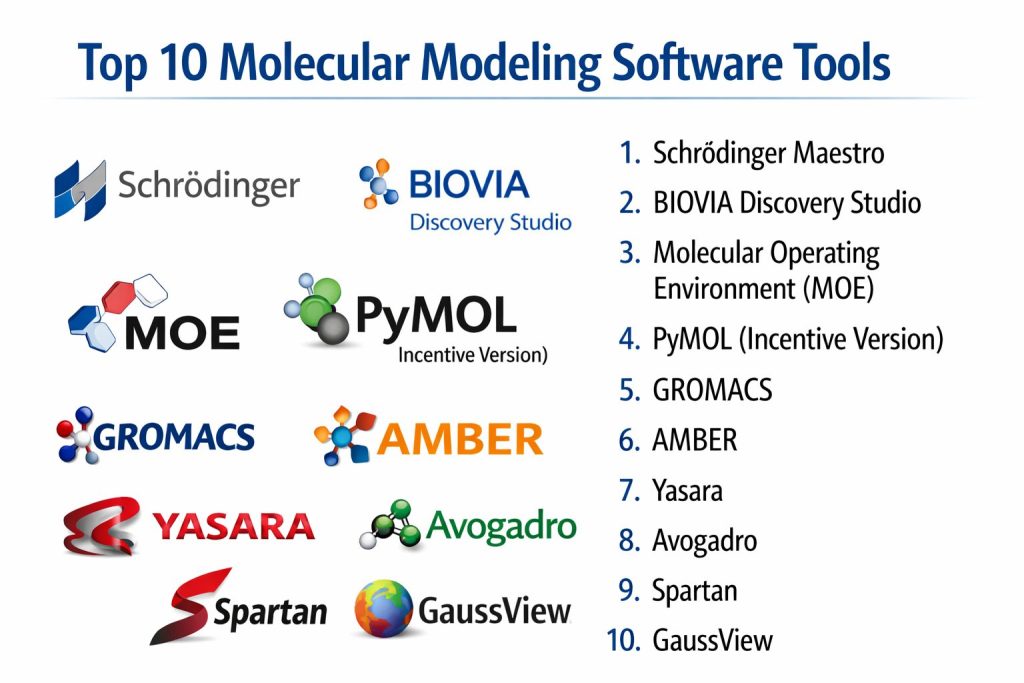
Top 10 Molecular Modeling Software Tools
1 — Schrödinger Maestro
Schrödinger Maestro is the industry-leading portal for advanced predictive modeling and machine learning in molecular discovery. It serves as a unified interface for the entire Schrödinger suite, catering to both life sciences and materials science.
Key Features
- LiveDesign Collaboration: A real-time platform for teams to share, analyze, and iterate on molecular designs.
- FEP+: Industry-standard Free Energy Perturbation technology for calculating relative binding affinities.
- Glide Docking: Highly accurate ligand-protein docking engine for high-throughput virtual screening.
- WaterMap: Analyzes the role of water molecules in binding sites to guide lead optimization.
- Machine Learning Integration: Seamlessly combines physics-based modeling with deep learning property predictions.
- Active Learning Workflows: Automatically iterates through chemical space to find top-performing candidates.
Pros
- Unrivaled scientific accuracy and validation in the pharmaceutical industry.
- Extremely polished user interface that streamlines complex computational workflows.
Cons
- Very high licensing costs, making it difficult for startups or smaller academic labs to access.
- Requires significant local or cloud compute resources for its most advanced simulations.
Platforms / Deployment
- Windows / macOS / Linux
- Cloud / Hybrid / Desktop
Security & Compliance
- Features: SSO/SAML integration, multi-factor authentication, RBAC, and data encryption at rest.
- Compliance: ISO 27001, SOC 2, GDPR.
Integrations & Ecosystem
Maestro is the hub of a massive scientific ecosystem. It integrates with external tools through a robust Python API and supports standard formats for seamless data transfer.
- PyMOL for visualization
- LiveDesign for team-based data analysis
- Knime for workflow automation
Support & Community
Schrödinger provides world-class scientific support, including dedicated PhD-level account managers. They offer an extensive training portal and host frequent webinars on cutting-edge research.
2 — BIOVIA Discovery Studio
BIOVIA Discovery Studio is a comprehensive suite for life science modeling and simulation, built on a legacy of over three decades of peer-reviewed research. It is a core component of the Dassault Systèmes 3DEXPERIENCE platform.
Key Features
- CHARMm Force Field: Access to the legendary simulation engine for precise molecular dynamics.
- Antibody Modeling: Specialized tools for predicting antibody structures and assessing developability.
- Structure-Based Design: Advanced tools for protein-ligand docking and fragment-based drug design.
- Pharmacophore Modeling: Market-leading Catalyst engine for ligand-based discovery.
- Predictive Toxicology: Integrated QSAR models for evaluating safety and pharmacokinetic profiles.
- Visualizer: A high-performance 3D graphics environment for analyzing complex macromolecular structures.
Pros
- Exceptional breadth of tools covering the entire drug discovery pipeline.
- Deep integration with laboratory informatics and manufacturing platforms.
Cons
- The software can feel heavy and complex due to its vast array of modules.
- Installation and maintenance often require dedicated IT support in an enterprise environment.
Platforms / Deployment
- Windows / Linux
- Cloud / Hybrid / Desktop
Security & Compliance
- Features: Advanced RBAC, audit trails, and encrypted data storage.
- Compliance: SOC 2, ISO 27001, GxP (supportive).
Integrations & Ecosystem
Discovery Studio integrates with the 3DEXPERIENCE platform, allowing for a “digital thread” from molecule to production.
- Pipeline Pilot for data orchestration
- Crystallographic Open Database (COD)
- Collaborative drug discovery (CDD) Vault
Support & Community
Extensive enterprise support tiers are available. The community is large and focused on industrial pharmaceutical applications and regulatory compliance.
3 — Molecular Operating Environment (MOE)
MOE is a combined applications environment and methodology development platform designed for life science research. It is highly regarded for its flexibility and its unique internal programming language, SVL.
Key Features
- Scientific Vector Language (SVL): Allows users to view and modify the source code of almost all applications.
- H-Bond Network Optimization: Advanced algorithms for accurately predicting protonation states and hydrogen bonds.
- Protein Engineering: Tools for homology modeling, protein design, and residue scanning.
- Fragment-Based Discovery: Specialized workflows for de novo design using molecular fragments.
- Database Viewer: High-speed spreadsheet-like interface for managing millions of chemical structures.
- Virtual Screening: Robust docking and pharmacophore searching capabilities for lead identification.
Pros
- Highly customizable; power users can build their own scientific applications using SVL.
- Integrated environment means no need to switch between different programs for different tasks.
Cons
- The user interface is functional but can feel dated compared to Maestro.
- The learning curve for SVL is steep for those without a programming background.
Platforms / Deployment
- Windows / macOS / Linux
- Desktop (Self-hosted)
Security & Compliance
- Features: Standard license management; user-defined data security protocols.
- Compliance: Not publicly stated.
Integrations & Ecosystem
MOE supports a wide range of external tools through its open architecture.
- Integration with internal SQL/Oracle databases
- Support for OpenEye and RDKit toolkits
- Extensive API for external script execution
Support & Community
Chemical Computing Group (CCG) provides excellent technical and scientific support. The user community is active in specialized forums and at annual user group meetings.
4 — PyMOL (Incentive Version)
While primarily known as a visualization tool, the professional version of PyMOL includes modeling capabilities that make it a staple in structural biology labs. It is the gold standard for producing publication-quality 3D images.
Key Features
- Ray Tracing: Built-in engine for generating stunning, high-resolution graphics and animations.
- Structure Alignment: Advanced algorithms for superimposing proteins to find structural similarities.
- Electrostatics: Integration with APBS for visualizing surface charge distributions.
- Morphing: Tools for creating smooth animations between different conformational states of a protein.
- Molecular Sculpting: Real-time editing of molecular geometry for rapid hypothesis testing.
- Scripting Interface: Powerful Python-based command line for automating complex visualization tasks.
Pros
- Unrivaled for creating figures for scientific journals and presentations.
- Lightweight and fast, even when handling large macromolecular complexes.
Cons
- Limited capabilities for deep physics-based simulations compared to full suites like MOE.
- The command-line interface can be intimidating for casual users.
Platforms / Deployment
- Windows / macOS / Linux
- Desktop (Self-hosted)
Security & Compliance
- Features: Standard desktop software security; open-source core transparency.
- Compliance: Not publicly stated.
Integrations & Ecosystem
PyMOL acts as the “eyes” for many other computational packages.
- Schrödinger suite integration
- APBS/PDB2PQR for electrostatics
- Deep integration with Jupyter Notebooks
Support & Community
Schrödinger provides professional support for the Incentive version. The community is massive, with thousands of user-contributed scripts available online.
5 — GROMACS
GROMACS is a highly versatile and high-performance open-source molecular dynamics package primarily designed for biochemical molecules like proteins and lipids. It is renowned for being one of the fastest simulation engines in the world.
Key Features
- Extreme Performance: Optimized for the latest GPU and CPU architectures (including AVX-512).
- Massive Scalability: Can run on thousands of cores using MPI and OpenMP for large-scale simulations.
- Broad Force Field Support: Native support for AMBER, CHARMM, GROMOS, and OPLS force fields.
- Free Energy Calculations: Robust tools for calculating binding constants and hydration energies.
- Non-Equilibrium Dynamics: Advanced features for simulating systems under external force or flow.
- Trajectory Analysis: A comprehensive set of tools for post-processing simulation data.
Pros
- Completely free and open-source, allowing for full transparency and unlimited scaling.
- Widely considered the fastest software for classical molecular dynamics on standard hardware.
Cons
- Command-line only; lacks a native graphical user interface (requires third-party visualizers).
- Setup and parameterization can be complex and error-prone for beginners.
Platforms / Deployment
- Windows (via WSL) / Linux / macOS
- HPC / Cloud / Desktop
Security & Compliance
- Features: Open-source transparency; no telemetry.
- Compliance: N/A.
Integrations & Ecosystem
GROMACS is the engine for many other platforms and workflow managers.
- VMD and PyMOL for visualization
- BioExcel Building Blocks (BioBB)
- Galaxy platform integration
Support & Community
Support is provided through a highly active mailing list and community forums. Documentation is extensive and maintained by a global consortium of researchers.
6 — AMBER
AMBER (Assisted Model Building with Energy Refinement) is both a suite of molecular simulation programs and a set of force fields widely used for biomolecular systems. It is particularly strong in the simulation of nucleic acids and carbohydrates.
Key Features
- GPU Acceleration: One of the most mature GPU-accelerated codebases for molecular dynamics.
- Force Field Leadership: The “Amber Force Fields” are industry standards for protein and DNA simulations.
- CPPTRAJ: A powerful tool for analyzing molecular dynamics trajectories.
- QM/MM Simulations: Integrated support for combined quantum mechanics and molecular mechanics.
- PBSA/GBSA: Methods for calculating solvation energies and binding free energies.
- Antechamber: Specialized tool for the automatic parameterization of small organic molecules.
Pros
- Deeply validated for nucleic acid simulations (DNA/RNA).
- Highly efficient GPU code that allows for long-timescale simulations on a single workstation.
Cons
- Requires a paid license for commercial and non-academic use.
- The suite consists of many separate programs with different command-line syntaxes.
Platforms / Deployment
- Linux / macOS / Windows (via WSL)
- HPC / Desktop
Security & Compliance
- Features: Standard software licensing; secure file formats.
- Compliance: Not publicly stated.
Integrations & Ecosystem
AMBER integrates with many third-party tools through stable file formats.
- Visualized via VMD or ChimeraX
- ParmEd for topology manipulation
- OpenMM integration
Support & Community
Very strong academic community with a long-running mailing list. Annual workshops and extensive online tutorials make it accessible to students.
7 — Yasara
Yasara (Yet Another Scientific Artificial Reality Application) is a molecular graphics, modeling, and simulation program that stands out for its unique “real-time” approach to molecular dynamics. It is designed to be highly interactive and visual.
Key Features
- Interactive MD: Allows users to “touch” and move molecules while the simulation is running.
- Custom 3D Engine: Uses a proprietary engine that is significantly faster than standard OpenGL for molecular graphics.
- YASARA Structure: Advanced module for structure prediction, docking, and validation.
- Vulkan Support: Modern graphics API support for ultra-high performance on the latest GPUs.
- Python Integration: Allows for full automation and the creation of custom plugins.
- Structure Validation: Includes the WHAT IF twinset for checking the quality of protein models.
Pros
- The most interactive and visually fluid experience in the molecular modeling category.
- Includes a unique “undo” system for molecular modeling, which is rare in this field.
Cons
- The user interface is very distinct and may take time to get used to for those from a standard Windows/Mac background.
- The community and plugin ecosystem are smaller than those of Maya or PyMOL.
Platforms / Deployment
- Windows / macOS / Linux / Android
- Desktop (Self-hosted)
Security & Compliance
- Features: Proprietary binary format for security; standard license management.
- Compliance: Not publicly stated.
Integrations & Ecosystem
Yasara supports a wide range of external tools through a Python-based plugin system.
- AutoDock for docking simulations
- FoldX for protein stability analysis
- Support for VR headsets for immersive modeling
Support & Community
Excellent direct support from the developers. The user base is loyal and focused on structural biology and educational visualization.
8 — Avogadro
Avogadro is an advanced open-source molecule editor and visualizer designed for cross-platform use. It is a popular entry point for students and researchers needing a fast, flexible tool for building molecular geometries.
Key Features
- Plugin Architecture: Highly extensible through Python and C++ plugins for rendering and analysis.
- Open Babel Integration: Supports importing over 100 chemical file formats.
- Auto-Optimization: Real-time force field optimization while building molecules.
- Input Generation: Automatically generates input files for Gaussian, NWChem, and ORCA.
- Crystallography Tools: Advanced features for building and visualizing crystal unit cells.
- Multi-Threaded Rendering: High-speed visualization of large chemical systems.
Pros
- Extremely easy to learn and use for building small-to-medium molecules.
- Completely free and open-source with a focus on ease of installation.
Cons
- Lacks the heavy-duty simulation power of suites like Schrödinger or GROMACS.
- Development can be slower than commercial alternatives, as it relies on community contributions.
Platforms / Deployment
- Windows / macOS / Linux
- Desktop (Self-hosted)
Security & Compliance
- Features: Transparent source code; no data tracking.
- Compliance: N/A.
Integrations & Ecosystem
Avogadro is often used as a “front-end” for quantum chemistry codes.
- Gaussian, GAMESS, and ORCA
- RDKit for cheminformatics
- VTK for advanced data visualization
Support & Community
Strong community support via forums and GitHub. It is a staple in the “Open Chemistry” ecosystem.
9 — Spartan
Spartan is a molecular modeling and calculation suite focused on organic and medicinal chemistry. It is known for its “chemistry-first” approach, emphasizing ease of use and physical properties.
Key Features
- Intuitive GUI: One of the most straightforward interfaces for setting up quantum chemical calculations.
- Conformational Search: Robust tools for finding the most stable shapes of flexible molecules.
- Integrated Databases: Access to the Spartan Molecular Database of pre-calculated properties.
- Spectra Prediction: Accurate prediction of IR, NMR, and UV-Vis spectra.
- Surface Visualisation: Specialized tools for visualizing electron density and electrostatic potentials.
- ChemDraw Integration: Seamless transfer of 2D structures into the 3D environment.
Pros
- Excellent for teaching and research that requires quick, reliable quantum calculations.
- Very strong at predicting and visualizing chemical reactivity.
Cons
- Not designed for large-scale biomolecular dynamics (proteins/DNA).
- Limited extensibility compared to script-heavy tools like MOE or PyMOL.
Platforms / Deployment
- Windows / macOS
- Desktop (Self-hosted)
Security & Compliance
- Features: Standard software activation; secure file encryption.
- Compliance: Not publicly stated.
Integrations & Ecosystem
Spartan is designed to be a standalone tool but works well within a design pipeline.
- Direct link to ChemDraw
- Support for standard formats (PDB, SDF)
- Integration with Excel for property analysis
Support & Community
Wavefunction, Inc. provides professional technical support. The software is widely used in undergraduate chemistry education and medicinal chemistry departments.
10 — GaussView
GaussView is the official graphical user interface for Gaussian, the most widely used quantum chemistry software in the world. It simplifies the complex task of preparing and analyzing quantum calculations.
Key Features
- Calculation Setup: A comprehensive dialog for configuring every aspect of a Gaussian job.
- Normal Mode Animation: Visualizes molecular vibrations directly from frequency calculations.
- Orbitals and Surfaces: High-quality rendering of molecular orbitals and electron density maps.
- Symmetry Handling: Automatically identifies and enforces molecular point groups.
- Reaction Path Following: Visualizes the transition states and energy profiles of chemical reactions.
- Solvation Modeling: Easy setup for simulating molecules in various liquid environments.
Pros
- The absolute best tool for setting up and interpreting Gaussian calculations.
- Highly reliable and scientifically accurate for electronic structure research.
Cons
- Windows-centric interface can feel a bit rigid for power-users.
- Requires a separate, and often expensive, license for the Gaussian engine itself.
Platforms / Deployment
- Windows / macOS / Linux
- Desktop (Self-hosted)
Security & Compliance
- Features: Safe script execution; standard license management.
- Compliance: Not publicly stated.
Integrations & Ecosystem
GaussView is inextricably linked to the Gaussian software package.
- Gaussian 16/26 support
- TCP-Linda for parallel execution
- Standard chemical file format support
Support & Community
Gaussian, Inc. provides expert technical support. The community is enormous, spanning every university chemistry department in the world.
Comparison Table (Top 10)
| Tool Name | Best For | Platform(s) Supported | Deployment | Standout Feature | Public Rating |
| Schrödinger Maestro | Drug Discovery | Win, Mac, Lin | Cloud/Hybrid | FEP+ Simulations | 4.9/5 |
| BIOVIA Discovery Studio | Enterprise Pharma | Win, Linux | Cloud/Hybrid | Biotherapeutic Modeling | 4.7/5 |
| MOE | Methodology Dev | Win, Mac, Lin | Desktop | SVL Customization | 4.6/5 |
| PyMOL | Visualization | Win, Mac, Lin | Desktop | Publication Graphics | 4.8/5 |
| GROMACS | Open-Source MD | Win, Mac, Lin | HPC/Cloud | Execution Speed | 4.7/5 |
| AMBER | Nucleic Acid MD | Mac, Lin | HPC/Desktop | Force Field Accuracy | 4.6/5 |
| Yasara | Interactive Modeling | Win, Mac, Lin | Desktop | Real-time Dynamics | 4.5/5 |
| Avogadro | Academic Building | Win, Mac, Lin | Desktop | Open Babel Support | 4.4/5 |
| Spartan | Organic Chemistry | Win, Mac | Desktop | Spectra Prediction | 4.3/5 |
| GaussView | Quantum Chemistry | Win, Mac, Lin | Desktop | Gaussian Integration | 4.5/5 |
Evaluation & Scoring of Molecular Modeling Software
The scoring below is a comparative model intended to help shortlisting. Each criterion is scored from 1–10, then a weighted total from 0–10 is calculated using the weights listed. These are analyst estimates based on typical fit and common workflow requirements, not public ratings.
Weights:
- Core features – 25%
- Ease of use – 15%
- Integrations & ecosystem – 15%
- Security & compliance – 10%
- Performance & reliability – 10%
- Support & community – 10%
- Price / value – 15%
| Tool Name | Core (25%) | Ease (15%) | Integrations (15%) | Security (10%) | Performance (10%) | Support (10%) | Value (15%) | Weighted Total |
| Schrödinger Maestro | 10 | 9 | 10 | 10 | 9 | 10 | 4 | 8.85 |
| BIOVIA Disc. Studio | 10 | 7 | 10 | 9 | 8 | 9 | 5 | 8.30 |
| MOE | 9 | 6 | 9 | 7 | 8 | 9 | 6 | 7.75 |
| PyMOL | 7 | 8 | 9 | 7 | 10 | 8 | 9 | 8.15 |
| GROMACS | 8 | 3 | 8 | 7 | 10 | 7 | 10 | 7.60 |
| AMBER | 9 | 4 | 8 | 7 | 10 | 8 | 8 | 7.75 |
| Yasara | 7 | 8 | 6 | 7 | 10 | 8 | 7 | 7.40 |
| Avogadro | 5 | 10 | 8 | 7 | 8 | 7 | 10 | 7.55 |
| Spartan | 7 | 9 | 7 | 7 | 7 | 8 | 7 | 7.25 |
| GaussView | 9 | 7 | 7 | 7 | 8 | 8 | 6 | 7.55 |
How to interpret the scores:
- Use the weighted total to shortlist candidates, then validate with a pilot.
- A lower score can mean specialization, not weakness.
- Security and compliance scores reflect controllability and governance fit, because certifications are often not publicly stated.
- Actual outcomes vary with assembly size, team skills, templates, and process maturity.
Which Molecular Modeling Software Tool Is Right for You?
Solo / Freelancer
If you are an independent consultant, PyMOL combined with Avogadro and GROMACS provides a complete, high-powered modeling and visualization pipeline with minimal financial overhead. This stack covers everything from structure building to high-end rendering.
SMB
For a small biotech startup, Schrödinger Maestro (Indie Tier) or MOE are the best choices. They provide a “studio in a box” that allows a small team of chemists to perform lead optimization at a professional standard without needing to build their own software infrastructure.
Mid-Market
Medium-sized research organizations should look at BIOVIA Discovery Studio. Its integration with laboratory information management systems (LIMS) helps keep data organized as research scales toward clinical trials.
Enterprise
For large pharmaceutical corporations, Schrödinger Maestro and NVIDIA-powered HPC clusters are the definitive choice. The platform’s ability to manage global collaboration and enterprise-grade security is essential for multi-site drug discovery programs.
Budget vs Premium
- Budget: GROMACS and Avogadro provide world-class power for $0.
- Premium: Schrödinger Maestro and BIOVIA Discovery Studio offer validated, supported, and integrated experiences for a significant fee.
Feature Depth vs Ease of Use
If you need deep customizability, choose MOE for its SVL language. If you need the most user-friendly experience for organic chemistry, choose Spartan.
Integrations & Scalability
For large-scale molecular dynamics on a supercomputer, GROMACS and AMBER are the most scalable options. For integrated drug discovery workflows, Schrödinger leads the market.
Security & Compliance Needs
Enterprises with strict IP protection requirements should lean toward Schrödinger or BIOVIA, which offer formal security certifications and robust user management tools.
Frequently Asked Questions (FAQs)
What is the difference between molecular dynamics and docking?
Molecular dynamics simulates the movement of atoms over time to see how a system evolves, while docking is a static calculation that predicts the best “fit” and binding energy between two molecules, like a key in a lock.
Do I need a supercomputer to run these programs?
Many tools like PyMOL, Avogadro, and Spartan run perfectly on a high-end laptop. However, long-timescale simulations in GROMACS or AMBER usually require a workstation with a powerful GPU or a cluster.
Is open-source software like GROMACS as good as commercial software?
Yes, in terms of raw physics and speed, GROMACS is often faster than commercial tools. Commercial software like Maestro adds value through its graphical interface, integrated workflows, and professional support.
What is a force field in molecular modeling?
A force field is a set of mathematical functions and parameters used to calculate the potential energy of a system of atoms. It defines how atoms bond, repel each other, and interact via electrostatic forces.
Can AI replace traditional molecular modeling?
No, AI and physics-based modeling are complementary. AI can rapidly screen millions of molecules to find candidates, but physics-based simulations are still needed to validate those candidates and understand the underlying biology.
How do I learn these programs?
Most developers offer “Learning Portals.” For open-source tools, YouTube and university-led “Summer Schools” are the best resources. Mastering a professional suite usually takes 6–12 months of consistent use.
What is PDB format?
The Protein Data Bank (PDB) format is the standard file format for the 3D structures of proteins and nucleic acids. Almost all molecular modeling software can read and write this format.
Can I use these tools for COVID-19 or viral research?
Absolutely. Most of the early research into the SARS-CoV-2 spike protein and potential treatments was done using tools like Schrödinger, AMBER, and GROMACS.
Is coding required for molecular modeling?
While basic modeling can be done through a GUI, knowing Python is a significant advantage. Most professional workflows use scripts to automate the preparation of hundreds of simulation jobs.
What is Free Energy Perturbation (FEP)?
FEP is a high-accuracy computational method used to calculate the difference in binding free energy between two related molecules. It is the gold standard for predicting which chemical change will most improve a drug’s potency.
Conclusion
The selection of molecular modeling software is a critical decision that impacts the pace and quality of your research. While Schrödinger Maestro remains the premium standard for the pharmaceutical industry, the high performance of open-source tools like GROMACS and the user-friendliness of Avogadro have democratized molecular design. The most successful modern researchers are those who can navigate both worlds—using commercial suites for integrated design and open-source engines for specialized, large-scale simulations.