Introduction
Mocking and service virtualization tools help teams test software without waiting on real dependencies like third-party APIs, legacy systems, unstable environments, or unavailable microservices. In simple terms, they let you create “fake but controlled” services that behave like the real ones, so your developers and testers can keep moving. A good setup can return realistic responses, simulate errors, enforce latency, validate requests, and even replay recorded traffic.
These tools matter because modern applications are dependency-heavy. A single missing service can block builds, break automated tests, and slow releases. With virtualization, teams can test earlier, test more often, and test reliably across CI pipelines and shared environments.
Common use cases include microservice integration testing, contract testing between teams, simulating third-party payment or messaging APIs, testing failure scenarios (timeouts, rate limits, bad data), and creating stable test environments for QA and performance checks. When choosing a tool, evaluate protocol coverage, realism of simulation, scenario management, ease of setup, CI friendliness, performance under load, observability, governance controls, team collaboration, and total cost.
Best for: teams building microservices, API-first products, mobile apps, and enterprise systems where dependencies are unreliable or expensive to access.
Not ideal for: very small projects with few external dependencies, or teams that only need simple static test data and can rely on lightweight stubs.
Key Trends in Mocking & Service Virtualization
- More focus on CI-friendly, container-based test environments
- Stronger need for realistic behavior: state, latency, errors, and data variation
- Higher adoption of contract-driven testing and schema validation
- More hybrid use: developer stubs plus enterprise-grade virtualization for shared QA
- Increased emphasis on test observability: request logs, diffing, and trace correlation
- Wider protocol coverage expectations beyond basic REST
How We Selected These Tools (Methodology)
- Chosen for broad credibility and common usage across teams
- Balanced mix of open-source, developer-first, and enterprise options
- Prioritized practical protocol support and scenario realism
- Considered CI and automation fit: easy startup, repeatable configs
- Considered ecosystem strength: plugins, integrations, extensibility
- Considered support maturity and community signal where applicable
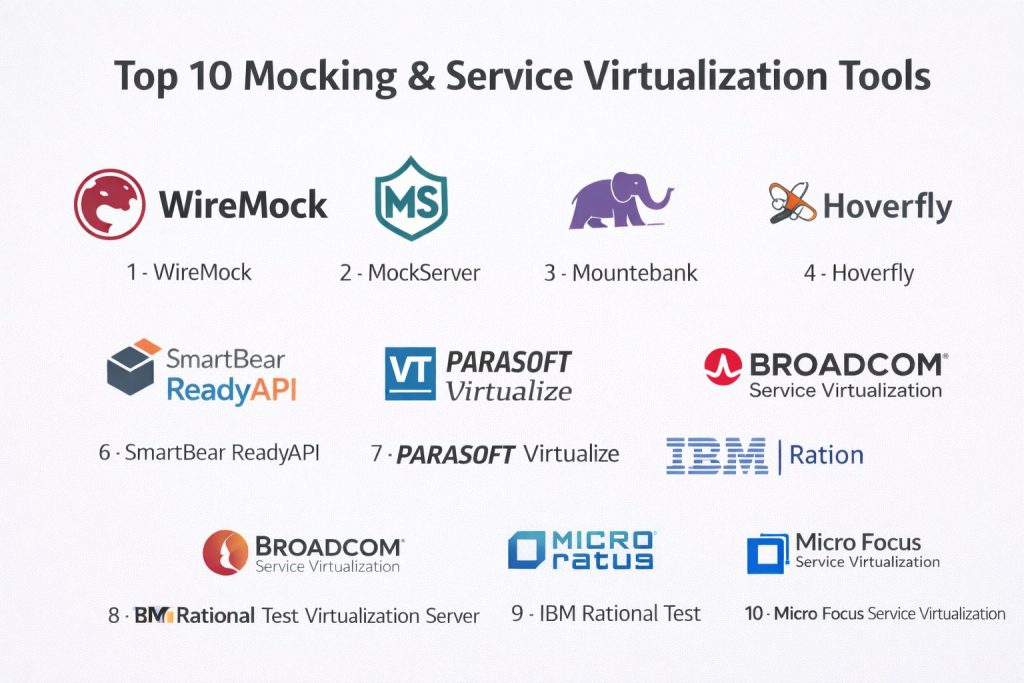
Top 10 Mocking & Service Virtualization Tools
1 — WireMock
WireMock is widely used for HTTP API mocking and simulation. It fits developers and QA teams who want a reliable way to stub external services and build repeatable integration tests.
Key Features
- Request matching with flexible rules and response templating
- Scenario-based behavior for multi-step API flows
- Record-and-replay style workflows (Varies / N/A by setup)
- Strong automation fit via config files and scripting
Pros
- Fast to adopt for API mocking and CI pipelines
- Strong community adoption and learning resources
Cons
- Primarily centered on HTTP-style service behavior
- Advanced enterprise governance features: Varies / N/A
Platforms / Deployment
Varies / N/A
Self-hosted
Security & Compliance
Not publicly stated
Integrations & Ecosystem
WireMock is commonly used in automated testing pipelines and local dev environments, often paired with unit and integration test frameworks.
- Works well with CI workflows and containers (Varies / N/A)
- Extensible via configuration and automation hooks
- API testing ecosystem fit: Strong
Support & Community
Strong community presence and practical documentation. Commercial support: Varies / Not publicly stated.
2 — MockServer
MockServer focuses on mocking and verifying requests, often used for API testing and integration validation. It suits teams that want both stubbing and request assertions in one place.
Key Features
- Mock responses with request verification capabilities
- Flexible matching for headers, bodies, and query parameters
- Proxying and traffic capture patterns (Varies / N/A)
- Good fit for automated integration suites
Pros
- Useful when verification is as important as mocking
- Works well for repeatable test runs
Cons
- Setup can feel technical for non-developers
- Enterprise workflow features: Varies / N/A
Platforms / Deployment
Varies / N/A
Self-hosted
Security & Compliance
Not publicly stated
Integrations & Ecosystem
MockServer is often used alongside test frameworks to validate interactions with dependencies.
- Test framework integration via scripting and automation
- Works in CI pipelines using repeatable startup patterns
- Extensibility: Varies / N/A
Support & Community
Community support is available; enterprise support details vary.
3 — Mountebank
Mountebank is a multi-protocol mocking tool known for “imposters” that simulate services. It fits teams that want flexibility and a lightweight approach for service doubles.
Key Features
- Multi-protocol approach (Varies / N/A by configuration)
- Declarative imposters for repeatable behavior
- Request inspection and configurable response rules
- Practical for local dev and CI stubs
Pros
- Lightweight and flexible for many stubbing needs
- Useful for teams that prefer config-driven mocks
Cons
- UI and enterprise governance features: Varies / N/A
- Deep scenario realism depends on how you model behavior
Platforms / Deployment
Varies / N/A
Self-hosted
Security & Compliance
Not publicly stated
Integrations & Ecosystem
Mountebank typically plugs into developer workflows as a controllable dependency layer.
- Easy to run alongside test suites
- Works well with container-based testing
- Extensibility: Varies / N/A
Support & Community
Community-driven support; documentation quality varies by use case.
4 — Hoverfly
Hoverfly is commonly used to simulate HTTP services, including proxying and traffic capture patterns. It fits teams that want fast dependency simulation with a practical workflow.
Key Features
- Service simulation using captured or defined rules
- Proxy mode for capturing real traffic patterns (Varies / N/A)
- Scenario handling and response management (Varies / N/A)
- Designed for repeatable integration tests
Pros
- Useful when you want to record behavior and replay in tests
- Practical for CI pipelines and shared QA needs
Cons
- Primarily focused on HTTP-type use cases
- Advanced enterprise governance features: Not publicly stated
Platforms / Deployment
Varies / N/A
Self-hosted
Security & Compliance
Not publicly stated
Integrations & Ecosystem
Hoverfly often sits between your system and dependencies, acting as a controllable proxy or simulator.
- Fits well into integration testing pipelines
- Can be used in team test environments
- Extensibility: Varies / N/A
Support & Community
Community support varies. Commercial support: Not publicly stated.
5 — Postman
Postman is popular for API development and testing, and includes mock server capabilities for simulating endpoints. It fits teams that want a single place to design, test, and share API behavior.
Key Features
- Mock servers tied to API collections and examples
- Collaboration workflows for teams working on shared APIs
- Easy request building and testing for dev and QA
- Useful for quick stubs during parallel development
Pros
- Very approachable for cross-functional teams
- Strong collaboration and sharing workflows
Cons
- Deep service virtualization scenarios can be limited compared to specialized tools
- Some enterprise security controls: Varies / Not publicly stated
Platforms / Deployment
Web / Windows / macOS / Linux
Cloud
Security & Compliance
Not publicly stated
Integrations & Ecosystem
Postman commonly integrates into API lifecycle work: design, testing, and team sharing.
- CI automation support: Varies / N/A
- Works well with API documentation and collaboration workflows
- API ecosystem fit: Strong
Support & Community
Strong community and broad learning content. Support tiers vary by plan.
6 — SmartBear ReadyAPI
Overview: ReadyAPI is used for API testing with service virtualization-style capabilities in broader test workflows. It fits QA-focused teams that need structured API testing and controlled dependency simulation.
Key Features
- API testing workflows with structured project organization
- Mocking and simulation within broader test suites (Varies / N/A)
- Functional and regression testing support patterns
- Useful for teams standardizing API tests
Pros
- Strong for QA-led API test design and maintenance
- Helps consolidate multiple API testing needs
Cons
- Can feel heavyweight for developer-only workflows
- Platform support details: Varies / N/A
Platforms / Deployment
Varies / N/A
Varies / N/A
Security & Compliance
Not publicly stated
Integrations & Ecosystem
ReadyAPI typically lives in QA toolchains and test automation workflows.
- Integrates with CI pipelines through automation patterns (Varies / N/A)
- Fits structured test management approaches
- Extensibility: Varies / N/A
Support & Community
Vendor support options vary. Community resources exist but depth varies by use case.
7 — Parasoft Virtualize
Parasoft Virtualize is an enterprise-grade service virtualization platform used to simulate dependencies across complex systems. It fits organizations that need broad protocol coverage and shared environment control.
Key Features
- Virtual services for complex dependency environments
- Scenario behavior to simulate failures and performance conditions
- Centralized management for shared QA environments (Varies / N/A)
- Works well with large-scale test automation programs
Pros
- Strong for enterprise dependency simulation needs
- Useful for teams with many services and legacy systems
Cons
- Adoption can require planning and governance
- Cost and licensing details: Not publicly stated
Platforms / Deployment
Varies / N/A
Varies / N/A
Security & Compliance
Not publicly stated
Integrations & Ecosystem
Parasoft Virtualize is typically integrated into enterprise testing and release pipelines.
- Works with QA automation ecosystems (Varies / N/A)
- Supports shared test environments and governance models
- Integration depth: Varies / N/A
Support & Community
Vendor-led support; community visibility varies compared to open-source tools.
8 — Broadcom Service Virtualization
Broadcom Service Virtualization is designed for large organizations needing controlled simulation of services and systems. It fits teams managing complex dependency chains and legacy integration points.
Key Features
- Enterprise service virtualization across multiple dependency types
- Centralized governance and reuse of virtual assets (Varies / N/A)
- Ability to model negative scenarios and delays (Varies / N/A)
- Supports large QA and integration testing programs
Pros
- Strong for enterprise-wide virtualization standardization
- Useful for multi-team environments with shared dependencies
Cons
- Can be complex to roll out without clear ownership
- Platform and protocol specifics: Not publicly stated
Platforms / Deployment
Varies / N/A
Varies / N/A
Security & Compliance
Not publicly stated
Integrations & Ecosystem
Often used with broader enterprise testing and release management ecosystems.
- Fits governance-heavy QA environments
- Integration approaches: Varies / N/A
- Automation support: Varies / N/A
Support & Community
Vendor support is typical; community presence is less visible than open-source tools.
9 — IBM Rational Test Virtualization Server
This platform is used in enterprise settings to virtualize services for integration and system testing. It fits teams that already run IBM-centric testing or enterprise governance workflows.
Key Features
- Virtual services for enterprise integration testing needs
- Reusable assets for team-based QA workflows (Varies / N/A)
- Scenario simulation for stability and failure testing
- Supports structured test lifecycle approaches
Pros
- Fits enterprise testing programs with strong governance
- Useful where standardized virtualization is required
Cons
- Adoption may be heavy for smaller teams
- Technical specifics and compliance details: Not publicly stated
Platforms / Deployment
Varies / N/A
Varies / N/A
Security & Compliance
Not publicly stated
Integrations & Ecosystem
Typically used alongside enterprise test tooling and structured QA operations.
- Integration patterns: Varies / N/A
- Works with broader QA ecosystems: Varies / N/A
- Automation fit: Varies / N/A
Support & Community
Vendor support is typical. Community resources vary.
10 — Micro Focus Service Virtualization
Micro Focus Service Virtualization is used to simulate unavailable, costly, or constrained services across enterprise environments. It fits organizations that need realistic dependency simulation at scale.
Key Features
- Virtual services for complex test environments
- Scenario simulation including failures and latency patterns
- Shared environment support for QA and integration teams (Varies / N/A)
- Useful for large regression and integration suites
Pros
- Strong for enterprise dependency constraints and legacy testing
- Helps reduce test environment bottlenecks
Cons
- Setup and governance can be substantial
- Platform and protocol details: Not publicly stated
Platforms / Deployment
Varies / N/A
Varies / N/A
Security & Compliance
Not publicly stated
Integrations & Ecosystem
Often integrated into enterprise testing pipelines and shared QA environments.
- Works with test automation suites (Varies / N/A)
- Supports reusable virtualization assets across teams
- Integration depth: Varies / N/A
Support & Community
Vendor-led support. Community visibility varies.
Comparison Table
| Tool Name | Best For | Platform(s) Supported | Deployment | Standout Feature | Public Rating |
|---|---|---|---|---|---|
| WireMock | API mocking in CI and integration testing | Varies / N/A | Self-hosted | Scenario-based HTTP simulation | N/A |
| MockServer | Mocking plus request verification | Varies / N/A | Self-hosted | Verification-driven mocking | N/A |
| Mountebank | Lightweight multi-protocol stubbing | Varies / N/A | Self-hosted | Imposter-based service doubles | N/A |
| Hoverfly | Proxy capture and replay-style simulation | Varies / N/A | Self-hosted | Proxy and simulation modes | N/A |
| Postman | Team API collaboration with mock servers | Web / Windows / macOS / Linux | Cloud | Mocking from collections | N/A |
| SmartBear ReadyAPI | QA-led API testing with simulation workflows | Varies / N/A | Varies / N/A | Structured API test projects | N/A |
| Parasoft Virtualize | Enterprise service virtualization | Varies / N/A | Varies / N/A | Enterprise-scale dependency simulation | N/A |
| Broadcom Service Virtualization | Enterprise shared virtualization programs | Varies / N/A | Varies / N/A | Centralized virtual assets | N/A |
| IBM Rational Test Virtualization Server | Governance-heavy enterprise virtualization | Varies / N/A | Varies / N/A | Enterprise testing alignment | N/A |
| Micro Focus Service Virtualization | Large-scale dependency constraints | Varies / N/A | Varies / N/A | Enterprise virtualization breadth | N/A |
Evaluation & Scoring of Mocking & Service Virtualization Tools
This scoring is a comparative framework to help you shortlist tools. It is not a public rating, and it should be adjusted for your environment. A higher score usually reflects broader fit across more situations, not a universal winner. If you are mainly developer-first, weights may favor ease and value. If you are enterprise-heavy, weights may favor protocol breadth, governance, and shared environment controls. Use the weighted total to narrow options, then validate with a short pilot.
Weights used
Core features 25%
Ease of use 15%
Integrations and ecosystem 15%
Security and compliance 10%
Performance and reliability 10%
Support and community 10%
Price and value 15%
| Tool Name | Core (25%) | Ease (15%) | Integrations (15%) | Security (10%) | Performance (10%) | Support (10%) | Value (15%) | Weighted Total (0–10) |
|---|---|---|---|---|---|---|---|---|
| WireMock | 9 | 8 | 8 | 6 | 8 | 9 | 9 | 8.3 |
| MockServer | 8 | 7 | 7 | 6 | 7 | 7 | 8 | 7.3 |
| Mountebank | 7 | 7 | 6 | 5 | 7 | 6 | 8 | 6.7 |
| Hoverfly | 7 | 7 | 6 | 6 | 7 | 6 | 8 | 6.8 |
| Postman | 7 | 9 | 8 | 7 | 7 | 8 | 7 | 7.6 |
| SmartBear ReadyAPI | 8 | 7 | 8 | 7 | 7 | 7 | 6 | 7.3 |
| Parasoft Virtualize | 9 | 6 | 8 | 7 | 8 | 7 | 6 | 7.5 |
| Broadcom Service Virtualization | 9 | 6 | 8 | 7 | 8 | 7 | 5 | 7.3 |
| IBM Rational Test Virtualization Server | 8 | 6 | 7 | 7 | 7 | 6 | 5 | 6.7 |
| Micro Focus Service Virtualization | 9 | 6 | 8 | 7 | 8 | 7 | 5 | 7.3 |
Which Mocking & Service Virtualization Tool Is Right for You
Solo / Freelancer
If you mainly need API stubs for local development and automated tests, WireMock or MockServer is usually enough. If you work closely with API design and want quick collaboration, Postman is a simple way to mock endpoints for demos and early integration work.
SMB
Small teams often need repeatable CI setups and minimal overhead. WireMock is a practical default for API stubbing in pipelines. MockServer is a strong choice when interaction verification matters. Postman helps when multiple people need shared API examples and quick mock behavior.
Mid-Market
Mid-sized teams typically want both developer speed and shared QA environments. A common approach is WireMock for developer pipelines plus an enterprise-style platform when multiple teams need governed virtual services. ReadyAPI can fit where QA drives API test standardization.
Enterprise
Enterprises often need broad dependency coverage, reusable virtual assets, shared environments, and controlled governance. Parasoft Virtualize, Broadcom Service Virtualization, IBM Rational Test Virtualization Server, and Micro Focus Service Virtualization are typically considered when dependency constraints are large and test environments must be managed centrally.
Budget vs Premium
Budget-focused teams usually do best with open-source or lightweight tools that are easy to run in CI. Premium platforms make sense when the cost of blocked testing, unstable dependencies, or shared environment failures is far higher than the tooling investment.
Feature Depth vs Ease of Use
If ease and quick setup matter most, WireMock, MockServer, and Postman are often easier to adopt. If you need deeper enterprise simulation and governance, the enterprise platforms may offer more breadth but with more rollout effort.
Integrations & Scalability
For modern pipelines, prioritize tools that start cleanly in CI, support container workflows, and produce clear logs for debugging. For large organizations, prioritize reuse of virtual services across teams, environment management, and predictable change control.
Security & Compliance Needs
Many details are not publicly stated at the tool level. In practice, security often depends on where and how you run these tools: access control, environment isolation, secret management, and auditability around who can change virtual services and test data.
Frequently Asked Questions (FAQs)
1. What is the difference between mocking and service virtualization
Mocking usually means simple stubs created for a specific test or developer workflow. Service virtualization is broader and aims to simulate real dependencies across teams and environments with reusable assets.
2. When should I use service virtualization instead of test data
Use virtualization when the dependency is unavailable, unstable, costly, rate-limited, or risky to call during tests. Test data alone does not simulate behavior, latency, or failure modes.
3. Which tool is best for CI pipelines
Developer-first tools like WireMock and MockServer are commonly used because they start quickly and can be configured repeatably. Your best choice depends on how realistic your simulations must be.
4. Can these tools simulate latency and failures
Many tools can simulate delays and error responses, but depth varies. If you need complex multi-step scenarios and state, choose tools that support scenario management.
5. How do I avoid brittle mocks
Keep mocks aligned with contracts and schemas, version your mock configs, and run periodic validation against real services when available. Avoid hardcoding overly specific responses.
6. How do I share mocks across teams
Use a controlled repository for mock definitions, treat virtual services like code, and define ownership and change review. Enterprise platforms may help when governance is critical.
7. Do these tools work for non-HTTP protocols
Some do, but coverage varies and is not always publicly stated in a simple way. If you depend on messaging or legacy protocols, validate protocol support early in a pilot.
8. What are common implementation mistakes
Skipping naming conventions, ignoring scenario coverage, and not logging requests clearly. Another mistake is not separating developer stubs from shared QA virtual services.
9. How do I measure success after adoption
Track reduction in blocked tests, improved CI reliability, fewer environment-related failures, and faster time to reproduce issues. Also track how often virtual services are reused.
10. What is the safest way to start
Start with one dependency that frequently blocks development. Create a small pilot with realistic scenarios, add it to CI, and iterate until teams trust the behavior and logs.
Conclusion
Mocking and service virtualization tools remove one of the biggest release blockers: unreliable dependencies. The right choice depends on your workflow. Developer-first tools like WireMock and MockServer are strong for fast CI-driven stubs and predictable integration tests. Postman can help when teams need quick collaboration around API behavior. Enterprise platforms like Parasoft Virtualize, Broadcom Service Virtualization, IBM Rational Test Virtualization Server, and Micro Focus Service Virtualization are better fits when many teams share environments and need governed, reusable virtual services. A practical next step is to shortlist two or three options, pilot them on one high-impact dependency, validate scenario realism, logging clarity, and CI stability, then expand gradually.