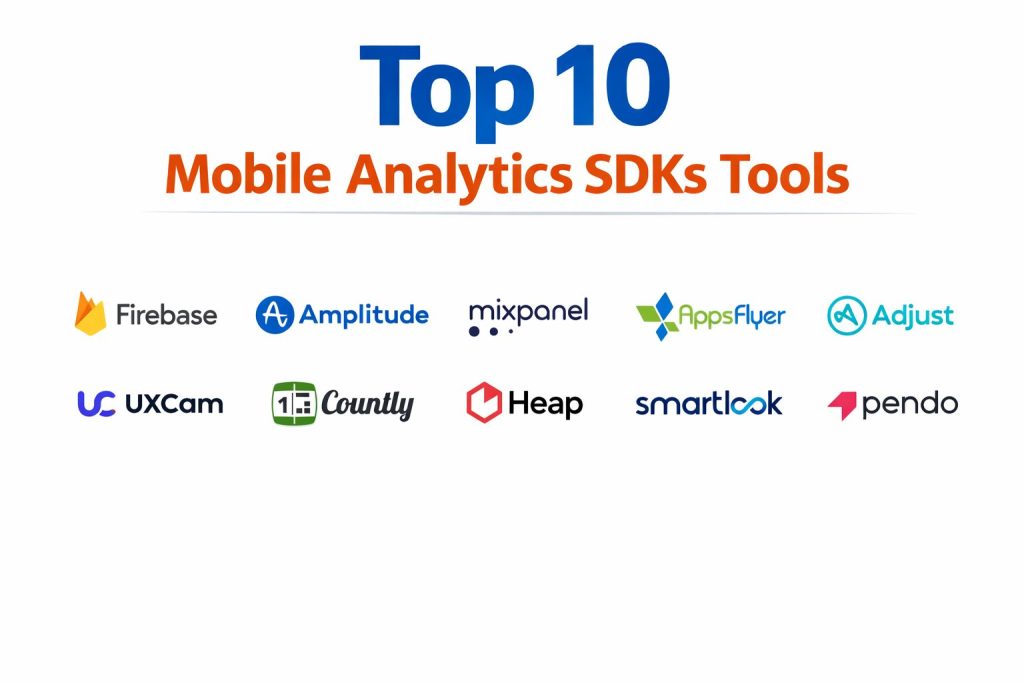
Introduction
Mobile Analytics SDKs are specialized software libraries integrated directly into mobile applications to capture, process, and transmit user interaction data to a centralized analysis server. These tools allow technical teams to observe how a binary performs across a fragmented landscape of operating systems, hardware specifications, and network conditions. By instrumenting an app with these kits, developers can move beyond surface-level metrics like “total downloads” to understand the granular mechanics of user retention, session depth, and conversion funnels. In a modern development lifecycle, these SDKs act as the primary feedback loop for Product and Engineering teams, transforming abstract user behavior into structured datasets that drive iterative improvement.
The strategic importance of choosing a robust analytics provider cannot be overstated, especially for organizations scaling their digital presence. These platforms provide the empirical evidence needed to prioritize technical backlogs, identify performance bottlenecks, and validate the return on investment for new features. Beyond simple tracking, modern SDKs offer sophisticated capabilities such as predictive churn modeling, automated fraud detection, and real-time event streaming. When evaluating a provider, enterprise buyers must scrutinize the SDK’s footprint on device resources, its ability to maintain data integrity during offline states, and its compliance with global privacy mandates. A poorly chosen SDK can lead to excessive battery drain or data silos that hinder an organization’s ability to react to market shifts.
Best for: Mobile product managers, growth engineers, data scientists, and enterprise organizations requiring deep visibility into the user lifecycle and app performance metrics.
Not ideal for: Simple static websites, internal tools with no external users, or basic utility apps where user behavior data does not impact the core business logic.
Key Trends in Mobile Analytics SDKs
The industry is rapidly shifting toward privacy-first engineering, where SDKs are designed to function effectively without relying on persistent device identifiers. This move is driven by stricter platform policies and global regulations that require a more ethical approach to data collection. We are also seeing a massive rise in AI-driven anomaly detection, where the software automatically alerts teams to sudden drops in conversion or spikes in app crashes without requiring manual monitoring. Real-time data delivery has become a standard expectation, enabling immediate personalization of the user experience based on actions taken within the same session.
Another significant trend is the convergence of qualitative and quantitative data. While traditional tools focused on numerical events, modern kits are integrating session replays and heatmaps to show the “why” behind the numbers. Cross-platform unification is also a priority, with many SDKs offering a single schema that tracks users as they move between mobile apps, tablets, and web browsers. Finally, the “warehouse-native” approach is gaining traction among mature data teams, allowing analytics tools to run directly on top of internal data lakes to ensure total data ownership and security.
How We Selected These Tools
Our selection process focused on identifying platforms that offer the best balance of technical stability, feature depth, and market reliability. We prioritized SDKs that provide high-fidelity data with minimal impact on the host application’s performance, specifically looking at library size and CPU overhead. Market adoption was a key indicator, as a large user base typically ensures better documentation, more frequent security patches, and a wealth of third-party community resources for troubleshooting.
We also evaluated the robustness of the integration ecosystem for each tool, ensuring they can seamlessly connect with existing marketing, CRM, and cloud infrastructure. Security and compliance were non-negotiable criteria, and we only included providers that demonstrate a commitment to enterprise-grade data protection and global privacy standards. Finally, we assessed the scalability of each platform, selecting tools that can support everything from early-stage startups to massive global enterprises handling billions of monthly events.
1. Google Analytics for Firebase
Firebase is the industry’s most ubiquitous mobile development platform, offering a foundational analytics SDK that is integrated deeply into the Google ecosystem. It provides a comprehensive view of app performance and user behavior without any licensing costs for the core analytics features. It is particularly powerful for teams that rely on other Google services for advertising and infrastructure.
Key Features
The SDK offers automatic event tracking for common actions like app opens and first installs. It features deep integration with Google Ads for tracking campaign performance and lifetime value. The tool includes a robust funnel analysis system to identify where users drop off during critical paths. It also provides real-time reporting through a dedicated “StreamView” and integrates seamlessly with BigQuery for advanced data warehousing. Additionally, it offers powerful audience segmentation tools that can be used for targeted push notifications.
Pros
It is completely free to use with no limits on the number of events logged. The tight integration with the broader Firebase suite makes it an all-in-one solution for many mobile teams.
Cons
The user interface can feel restrictive for advanced product managers who need highly customized reporting. Data export to third-party tools outside the Google ecosystem can sometimes be complex.
Platforms and Deployment
Android, iOS, C++, and Unity. It is deployed as a lightweight client-side library with data hosted on Google Cloud.
Security and Compliance
It follows Google’s rigorous enterprise security standards and provides tools to help developers meet GDPR and CCPA requirements.
Integrations and Ecosystem
Seamlessly connects with AdMob, Google Ads, BigQuery, and the entire Firebase development suite including Crashlytics and Remote Config.
Support and Community
Benefits from exhaustive official documentation and a massive global community of developers on every major technical forum.
2. Amplitude
Amplitude is widely regarded as the leader in product intelligence, specifically designed for teams that need to go beyond simple tracking to understand complex behavioral patterns. It excels at helping organizations identify the specific actions that lead to long-term retention and growth.
Key Features
Its behavioral cohorting allows teams to group users based on specific sequences of actions they have taken over time. The “Compass” feature helps identify the “aha!” moment that correlates with long-term user success. It features a powerful pathfinder report that visualizes every possible route a user takes through an app. The SDK supports real-time data ingestion and offers advanced A/B testing capabilities integrated directly into the analytics workflow. It also provides robust data governance tools to ensure event taxonomies remain clean and organized.
Pros
Offers the most sophisticated behavioral analysis tools currently available on the market. The interface is highly intuitive for non-technical stakeholders while maintaining deep technical depth.
Cons
The pricing can scale very quickly for high-volume apps, making it a significant investment for large enterprises. Some of the most powerful features are restricted to the highest-tier plans.
Platforms and Deployment
Android, iOS, React Native, and Flutter. It is a cloud-based service with a focus on ease of instrumentation.
Security and Compliance
Maintains SOC 2 Type II compliance and provides enterprise-grade data encryption and role-based access controls.
Integrations and Ecosystem
Boasts a wide range of integrations with data warehouses like Snowflake and marketing platforms like Braze and Salesforce.
Support and Community
Provides the “Amplitude Academy” for professional training and offers high-touch support for enterprise customers.
3. Mixpanel
Mixpanel focuses on event-based tracking with a strong emphasis on speed and ease of use for growth teams. It allows users to query their data in real-time without needing to write SQL, making it a favorite for rapid experimentation and iterative product development.
Key Features
The platform features an exceptionally fast reporting engine that provides answers to complex queries in seconds. It includes a “Signals” feature that automatically identifies which user actions drive specific outcomes like conversion or churn. The SDK supports retroactive analysis, allowing teams to view historical data for new funnels immediately. It offers highly customizable dashboards that can be shared across the organization. Additionally, it provides built-in tools for user messaging and experimentation based on real-time behavior.
Pros
The user interface is exceptionally clean and designed for fast, self-service data exploration. It has a generous free tier that is perfect for early-stage mobile projects.
Cons
While powerful, it lacks some of the deeper “predictive” capabilities found in Amplitude. Managing costs can be challenging if your event tracking strategy is not strictly governed.
Platforms and Deployment
Android, iOS, and various cross-platform frameworks. It is a fully managed cloud solution.
Security and Compliance
Adheres to GDPR, HIPAA, and CCPA standards, with robust data protection protocols in place for all tiers.
Integrations and Ecosystem
Integrates well with modern data stacks and offers easy data export to major cloud storage providers and visualization tools.
Support and Community
Offers a robust community forum and high-quality technical documentation, with dedicated support available for paid plans.
4. AppsFlyer
AppsFlyer is the dominant force in mobile attribution and marketing analytics, serving as the essential link between ad spend and app performance. It is designed to help marketers understand exactly where their users are coming from and how valuable they are over time.
Key Features
The platform provides world-class cross-channel attribution that tracks users across multiple touchpoints and devices. It features an advanced fraud prevention suite that blocks fake installs and clicks in real-time. The SDK includes a deep linking engine that ensures a smooth transition from a marketing campaign to a specific spot inside the app. It provides detailed cost aggregation to show real ROI across dozens of different ad networks. The software also offers a specialized “Privacy Cloud” for secure data collaboration in a post-IDFA world.
Pros
It is the gold standard for attribution accuracy and is trusted by the world’s largest mobile advertisers. The fraud detection capabilities are among the best in the industry.
Cons
The platform is primarily focused on marketing, meaning it may not provide the same depth of in-app product analysis as tools like Amplitude. It is a premium-priced solution.
Platforms and Deployment
Android, iOS, Windows, and specialized gaming platforms. It is a secure, cloud-hosted enterprise platform.
Security and Compliance
Hold numerous ISO certifications and is a leader in developing privacy-preserving measurement technologies.
Integrations and Ecosystem
Integrates with thousands of media partners, making it the central hub for global mobile marketing operations.
Support and Community
Provides dedicated success managers for enterprise clients and has a comprehensive “Knowledge Base” for all technical users.
5. Adjust
Adjust is a high-performance attribution and analytics platform that prioritizes technical transparency and data accuracy. It is widely used by developers who require a highly stable SDK and detailed insights into their user acquisition pipelines.
Key Features
It offers a unified attribution system that accurately identifies the source of every install and in-app event. The SDK includes a powerful automation engine that can adjust marketing bids based on real-time performance data. It features a robust system for tracking uninstalls and re-installs, providing a clear picture of user churn. The platform includes specialized tools for subscription tracking and revenue modeling. It also provides a unique “Audit Trail” feature that logs every change made to the system for total accountability.
Pros
The software is known for its extreme reliability and its commitment to providing clean, unbiased data. Its pricing model is often more predictable for large-scale operations.
Cons
The learning curve for the more advanced automation features can be steep for non-technical marketers. It requires a dedicated budget as there is no permanent free version.
Platforms and Deployment
Android, iOS, and various cross-platform engines. It is a local SDK that reports to a highly secure cloud infrastructure.
Security and Compliance
Compliant with all major global privacy laws and provides extensive tools for regional data residency and security.
Integrations and Ecosystem
Maintains deep partnerships with all major ad networks and provides a rich API for custom data exports.
Support and Community
Offers the “Adjust Academy” for professional certification and provides localized support in multiple regions around the world.
6. UXCam
UXCam differentiates itself by focusing on qualitative behavioral analytics, providing a visual layer that shows how users are actually interacting with the interface. It is the leading tool for teams that need to identify UI friction and user frustration through session recordings and heatmaps.
Key Features
The SDK automatically records user sessions and provides a video-like playback of every interaction, including taps and swipes. It features “frustration signals” that identify when a user is rage-tapping or encountering UI bottlenecks. The platform generates aggregate heatmaps that show where users focus their attention on every screen. It includes a specialized system for analyzing app crashes by showing the exact session recording leading up to the failure. It also offers powerful funnel visualizations that let you watch the specific sessions of users who dropped off.
Pros
It provides an unmatched level of empathy for the user experience by allowing teams to see the app through the user’s eyes. The setup is remarkably fast with tagless autocapture features.
Cons
Because it captures visual data, the storage requirements and performance impact can be slightly higher than purely numerical tools. It is not designed for heavy marketing attribution.
Platforms and Deployment
Android and iOS. It uses a lightweight SDK that minimizes battery and data impact on the user’s device.
Security and Compliance
Includes sophisticated PII masking tools to ensure sensitive user data is never recorded or stored. It is fully GDPR and HIPAA compliant.
Integrations and Ecosystem
Integrates with crash reporting tools and quantitative analytics platforms to provide a complete picture of the user experience.
Support and Community
Highly rated for its customer support and provides extensive documentation on optimizing mobile user experience.
7. Countly
Countly is a unique, extensible analytics platform that offers both a cloud-based service and a self-hosted enterprise version. It is the preferred choice for organizations that demand total control over their data and want a platform they can customize from the ground up.
Key Features
The platform features a modular plugin system that allows users to add or remove features as needed. It offers a self-hosted deployment option that ensures user data never leaves the organization’s private servers. The SDK includes built-in tools for push notifications and in-app messaging, creating a unified engagement suite. It provides real-time dashboards with customizable widgets for different team members. It also features a comprehensive user profile system that aggregates all historical actions into a single view.
Pros
Offers the highest level of data sovereignty and privacy, which is critical for government, finance, and healthcare sectors. It is highly customizable and can be tailored to unique business needs.
Cons
The self-hosted version requires significant internal infrastructure and technical resources to manage and update. Some advanced features are only available in the paid enterprise edition.
Platforms and Deployment
Android, iOS, Web, and desktop platforms. It can be deployed on-premise, in a private cloud, or as a managed service.
Security and Compliance
Because it can be hosted locally, it is often used by organizations with the strictest security and data residency requirements in the world.
Integrations and Ecosystem
Provides a rich API and supports a wide range of custom plugins, allowing it to fit into highly specialized technical environments.
Support and Community
Offers both a community-supported open-source version and professional enterprise support with guaranteed response times.
8. Heap
Heap is known for its “autocapture” technology, which tracks every single user interaction without requiring manual event tagging. This allows teams to analyze their data retroactively, ensuring that no insight is ever lost because an event wasn’t set up in advance.
Key Features
The SDK automatically captures every click, swipe, and pageview the moment it is installed. It features a “Visual Labeler” that allows non-technical users to define events directly on top of a screenshot of the app. It includes a powerful “Data Engine” that manages massive datasets and allows for complex behavioral analysis. The platform provides automated insights that highlight unexpected changes in user behavior. It also features robust data governance tools to help teams keep their autocaptured data organized.
Pros
Eliminates the need for ongoing developer involvement in the tracking process. The ability to ask questions about the past without having planned for them is a major strategic advantage.
Cons
The initial data volume can be overwhelming if not managed correctly. It is a high-premium tool that requires a significant budget for large-scale applications.
Platforms and Deployment
Android, iOS, and Web. It is a cloud-based platform designed for rapid deployment.
Security and Compliance
Maintains high standards for data privacy and security, including SOC 2 Type II compliance and robust encryption protocols.
Integrations and Ecosystem
Integrates deeply with major data warehouses and business intelligence tools, facilitating a warehouse-first data strategy.
Support and Community
Provides extensive onboarding support and “Heap University” to help teams get the most value from their data.
9. Smartlook
Smartlook combines quantitative analytics with qualitative user behavior tools, offering a hybrid approach that is particularly effective for small to medium-sized teams. It provides session recordings and funnels in a single, affordable package.
Key Features
The platform features always-on session recordings that capture the entire user journey. It includes a visual funnel system that links drop-off points directly to the associated session replays. The SDK provides heatmaps that aggregate user behavior across thousands of sessions to identify popular features. It includes a specialized event-tracking system that works alongside the qualitative recordings. It also offers a unified dashboard that tracks both web and mobile users for a true cross-platform view.
Pros
Provides excellent value by combining two types of analytics tools into one interface. It is remarkably easy to set up and use for teams without a dedicated data scientist.
Cons
The data retention period on the lower-tier plans can be short for long-term trend analysis. It may lack the advanced predictive features of more expensive enterprise platforms.
Platforms and Deployment
Android and iOS. It uses a performance-optimized SDK to ensure the user experience remains smooth during recording.
Security and Compliance
Provides robust data masking features for sensitive information and is fully compliant with European and global privacy laws.
Integrations and Ecosystem
Integrates with common project management and customer support tools, making it easy to share insights across the business.
Support and Community
Offers responsive customer support and a wealth of guides focused on improving conversion rates and user retention.
10. Pendo
Pendo is a product experience platform that combines deep mobile analytics with in-app messaging and guidance tools. It is designed to help teams not only understand user behavior but also influence it in real-time through targeted walkthroughs and surveys.
Key Features
The platform features an analytics SDK that tracks user paths and feature adoption over time. It allows users to create and deploy “Guides”—in-app tooltips and walk-throughs—without requiring any code changes. It includes a powerful sentiment analysis system that collects and analyzes user feedback via in-app surveys. The SDK supports cross-platform tracking to provide a unified view of the customer journey. It also provides a “Product Engagement Score” that aggregates multiple metrics into a single health indicator for the app.
Pros
It is the most effective tool for driving feature adoption and improving the user experience through direct interaction. It bridges the gap between seeing a problem and fixing it.
Cons
The depth of its marketing and attribution features is not as strong as specialized tools like AppsFlyer. It is a premium-priced enterprise solution.
Platforms and Deployment
Android, iOS, and various cross-platform frameworks. It is a managed cloud platform with a focus on enterprise scalability.
Security and Compliance
Holds multiple ISO and SOC certifications, reflecting its position as a trusted provider for large, security-conscious organizations.
Integrations and Ecosystem
Integrates with major CRM and customer success platforms, allowing for a 360-degree view of the user.
Support and Community
Provides a very strong user community called “Pendo Neighborhood” and extensive professional training resources.
Comparison Table
| Tool Name | Best For | Platform(s) Supported | Deployment | Standout Feature | Public Rating |
| 1. Firebase | Google Ecosystem | Android, iOS, Unity | Cloud | Unlimited Free Events | 4.5/5 |
| 2. Amplitude | Product Growth | Android, iOS, Cross | Cloud | Behavioral Cohorting | 4.8/5 |
| 3. Mixpanel | Growth Experiments | Android, iOS, Cross | Cloud | Real-time Analysis | 4.6/5 |
| 4. AppsFlyer | Ad Attribution | Android, iOS, Game | Cloud | Fraud Prevention | 4.7/5 |
| 5. Adjust | Marketing ROI | Android, iOS, Cross | Cloud | Attribution Accuracy | 4.6/5 |
| 6. UXCam | Qualitative UX | Android, iOS | Cloud | Session Replay | 4.8/5 |
| 7. Countly | Data Sovereignty | Android, iOS, Web | On-Premise | Self-Hosting Option | 4.4/5 |
| 8. Heap | Fast Insights | Android, iOS, Web | Cloud | Autocapture Tech | 4.5/5 |
| 9. Smartlook | SMB Hybrid | Android, iOS, Web | Cloud | Visual Funnels | 4.3/5 |
| 10. Pendo | Product Adoption | Android, iOS, Web | Cloud | In-App Guides | 4.5/5 |
Evaluation & Scoring of Mobile Analytics SDKs
The scoring below is a comparative model intended to help shortlisting. Each criterion is scored from 1–10, then a weighted total from 0–10 is calculated using the weights listed. These are analyst estimates based on typical fit and common workflow requirements, not public ratings.
Weights:
- Core features – 25%
- Ease of use – 15%
- Integrations & ecosystem – 15%
- Security & compliance – 10%
- Performance & reliability – 10%
- Support & community – 10%
- Price / value – 15%
| Tool Name | Core (25%) | Ease (15%) | Integrations (15%) | Security (10%) | Performance (10%) | Support (10%) | Value (15%) | Weighted Total |
| 1. Firebase | 8 | 9 | 10 | 9 | 8 | 10 | 10 | 8.95 |
| 2. Amplitude | 10 | 7 | 9 | 9 | 8 | 9 | 6 | 8.45 |
| 3. Mixpanel | 9 | 9 | 9 | 8 | 8 | 8 | 8 | 8.60 |
| 4. AppsFlyer | 10 | 6 | 10 | 9 | 7 | 10 | 6 | 8.45 |
| 5. Adjust | 9 | 7 | 9 | 9 | 8 | 9 | 7 | 8.25 |
| 6. UXCam | 8 | 9 | 8 | 10 | 7 | 9 | 8 | 8.35 |
| 7. Countly | 8 | 6 | 7 | 10 | 9 | 7 | 9 | 7.90 |
| 8. Heap | 9 | 8 | 8 | 9 | 7 | 8 | 6 | 7.95 |
| 9. Smartlook | 7 | 9 | 8 | 9 | 8 | 8 | 9 | 8.10 |
| 10. Pendo | 8 | 8 | 9 | 9 | 8 | 9 | 6 | 8.05 |
How to interpret the scores:
- Use the weighted total to shortlist candidates, then validate with a pilot.
- A lower score can mean specialization, not weakness.
- Security and compliance scores reflect controllability and governance fit, because certifications are often not publicly stated.
- Actual outcomes vary with assembly size, team skills, templates, and process maturity.
Which Mobile Analytics SDK Tool Is Right for You?
Solo / Freelancer
For independent developers, minimizing complexity and cost is the primary goal. A tool that provides all the essential metrics for free allows you to validate your app’s success without an upfront financial commitment. This ensures your focus remains on building a great product while still gathering the data needed for basic optimization.
SMB
Small to medium businesses need actionable insights quickly. At this scale, hybrid tools that offer both session replays and quantitative funnels provide the best visibility into user pain points. Choosing a platform that is easy for non-technical team members to navigate will democratize data within the company and lead to faster product improvements.
Mid-Market
As companies grow, the focus shifts to behavioral depth and scalability. Mid-market firms benefit from platforms that allow for advanced segmentation and cohort analysis. This enables marketing and product teams to target specific user groups with tailored experiences, driving higher retention and lifetime value.
Enterprise
Enterprise organizations demand the highest levels of security, data sovereignty, and global support. For these companies, a platform that can be self-hosted or one that holds exhaustive compliance certifications is often mandatory. The ability to integrate with massive corporate data warehouses is also a critical requirement for a unified digital strategy.
Budget vs Premium
Budget-conscious users can find immense power in the leading free and open-source options, which often rival paid tools in technical reliability. Premium tools, however, justify their cost through advanced automation, AI insights, and white-glove support, which can save a large organization thousands of hours in manual data analysis.
Feature Depth vs Ease of Use
The trade-off between depth and simplicity is a common challenge. Some tools offer infinite technical customization but require a dedicated data team, while others are “plug-and-play” but may lack the ability to answer complex, niche questions. The right choice depends on your team’s technical literacy.
Integrations & Scalability
A mobile SDK should never exist in a vacuum. It must be able to export data easily to your marketing platforms, customer support systems, and long-term storage. Ensuring that your chosen tool can handle an increase in traffic from a few thousand to several million users is essential for long-term success.
Security & Compliance Needs
In industries like finance and healthcare, security is the top priority. Organizations must choose SDKs that offer robust encryption, PII masking, and data residency options. Failing to meet these requirements can lead to significant legal risks and loss of user trust.
Frequently Asked Questions (FAQs)
1. Does adding an analytics SDK slow down my app?
Modern SDKs are designed to be extremely lightweight and usually perform their data transmission in the background to avoid impacting the user interface. However, adding too many SDKs can increase the final binary size and slightly impact battery life if not managed carefully.
2. Is it possible to use more than one analytics SDK at once?
Yes, it is common for professional apps to use a “stack” of tools—for example, one for marketing attribution, one for deep behavioral product analysis, and one for qualitative session replays. Most mature pipelines use a data routing tool to keep the implementation clean.
3. What is the difference between an event and a session?
A session is the entire period a user spends inside your app from start to finish. An event is a specific action that happens within that session, such as clicking a button, completing a level, or making a purchase.
4. Do these tools track users across different devices?
Most professional SDKs offer a way to link data from different devices to a single user ID, provided the user is logged in. This allows you to see how a user moves from an iPhone to an iPad or even to a desktop web browser.
5. How do these tools handle data when the user is offline?
Reliable SDKs store events locally on the device when there is no internet connection. Once the device goes back online, the SDK automatically syncs the saved data to the server, ensuring that no information is lost due to poor connectivity.
6. Are these analytics tools GDPR and CCPA compliant?
The top providers on this list offer specialized features to help you meet global privacy standards, such as data masking, user deletion APIs, and consent management tools. However, the final responsibility for compliance lies with the app developer.
7. Can I see the actual identities of my users?
By default, these tools are designed to be anonymous. While you can associate data with a internal user ID, professional standards and platform policies strictly forbid the collection of personally identifiable information (PII) like names or emails without explicit consent.
8. What is a “funnel” in mobile analytics?
A funnel is a series of steps you expect a user to take, such as “Add to Cart” followed by “Checkout.” Analyzing a funnel helps you see exactly what percentage of users complete the process and where the majority of people are dropping off.
9. How long is the data usually stored?
Data retention varies significantly by provider and plan. Some free tools may only store detailed data for a few months, while enterprise-grade solutions often allow for several years of historical data storage for long-term trend analysis.
10. What is “autocapture” in analytics?
Autocapture is a technology where the SDK automatically records every single interaction (clicks, swipes, screen views) without the developer needing to write code for each specific action. It makes the initial setup faster and allows for retroactive analysis.
Conclusion
Selecting a mobile analytics SDK is a pivotal engineering decision that dictates how effectively your organization can listen to its users. In the modern landscape, the focus has shifted from mere data collection to obtaining actionable, privacy-compliant insights that drive immediate product value. Whether you prioritize the visual clarity of session replays or the mathematical depth of behavioral cohorts, the chosen platform must integrate seamlessly into your broader technical architecture without compromising the end-user experience. By establishing a robust data foundation early in the lifecycle, you ensure that every product decision is backed by empirical evidence rather than intuition. As the mobile ecosystem continues to mature, those who can transform raw events into strategic improvements will consistently outperform their competition.