Introduction
In our fast-moving digital world, the way we learn has fundamentally changed. We no longer have the luxury of sitting through hours of lectures or clicking through endless slides in a dark room. Instead, we need information that is fast, relevant, and accessible the moment we need it. This is where microlearning platforms come in. At their core, these are specialized digital tools designed to deliver educational content in bite-sized, focused bursts—usually ranging from two to five minutes.
In the current era, these platforms have become the backbone of modern workforce development. With the rise of hybrid work and shorter attention spans, microlearning allows companies to bridge skill gaps without disrupting the daily flow of work. It’s about getting just enough information to solve a problem or learn a new skill right now, rather than “just-in-case” training that is forgotten by the next morning.
Real-World Use Cases
- Frontline Training: Giving retail or warehouse staff quick safety updates or product knowledge on their phones during a break.
- Compliance Updates: Delivering 60-second refreshers on new regulations to ensure employees remain certified without losing a whole afternoon to a seminar.
- Sales Enablement: Providing sales reps with “battle cards” and product comparison videos minutes before they hop on a call with a lead.
- Software Onboarding: Using short interactive walkthroughs to show employees how to use a new tool as they are actually using it.
- Leadership Coaching: Sending daily “nudge” videos to new managers to help them practice one specific management soft skill each day.
What Buyers Should Evaluate
When looking for a platform, keep these criteria in mind:
- Mobile Accessibility: Is the app truly mobile-first or just a shrunk-down website?
- Authoring Speed: Can your team create a new lesson in minutes, or does it require a technical specialist?
- Gamification: Does it include points, leaderboards, and rewards to keep people coming back?
- Content Library: Does the platform come with pre-built courses, or do you have to build everything from scratch?
- Offline Mode: Can workers in remote areas or basements access content without a stable internet connection?
- AI Capabilities: Does the platform use AI to generate content or personalize the learning path for each user?
- Analytics: Can you see exactly who is learning what and where the knowledge gaps still exist?
- Security: Does it integrate with your company’s single sign-on system?
Best for: Companies with deskless workers, high-growth startups, and large enterprises looking to modernize their training culture.
Not ideal for: Deep-dive academic research or highly complex certifications that require hundreds of hours of contiguous study time.
Key Trends in Microlearning Software
- AI-Generated Daily Prompts: Modern systems now observe worker behavior and automatically send a 30-second refresher if they notice a learner is struggling with a specific task or safety rule.
- TikTok-Style Video Interfaces: We are seeing a major shift toward vertical, swipe-based video feeds that mirror the social media apps people already use in their personal lives.
- Micro-Simulations: Instead of just watching a video, learners now engage in “mini-scenarios” where they make a quick decision in a virtual environment and see the consequences instantly.
- Spaced Repetition Algorithms: Tools are increasingly using “forgetting curve” logic to re-test users on specific facts at the exact moment they are likely to forget them.
- Social Knowledge Sharing: There is a move toward letting subject matter experts within a company record their own “tips and tricks” directly into the platform for their peers.
- Learning in the Flow of Work: Deep integrations with tools like Slack and Microsoft Teams allow learning to happen without the user ever leaving their primary work app.
- Personalized Performance Paths: Platforms no longer give everyone the same training; they use data to identify exactly what one individual needs to move to the next level in their specific role.
- Predictive Analytics: Managers can now see “risk scores” for departments that might be falling behind on critical compliance or safety knowledge before an accident happens.
How We Selected These Tools (Methodology)
To find the top tools for this category, we followed a strict evaluation process to ensure only the most reliable and innovative platforms made the cut:
- Market Adoption: We prioritized platforms that are trusted by major global brands and have a proven track record of handling large user bases.
- User Experience: We looked for tools that minimize friction, focusing on how quickly a learner can get in, learn something, and get back to work.
- Modern Feature Set: High value was placed on platforms that have successfully integrated AI, gamification, and mobile-first design.
- Deployment Flexibility: We looked for solutions that can work across different industries, from corporate offices to the manufacturing floor.
- Reliability Signals: Only tools with high uptime and positive professional feedback regarding their technical stability were included.
- Ecosystem Depth: We checked for robust integration options with HR systems (HRIS) and existing Learning Management Systems (LMS).
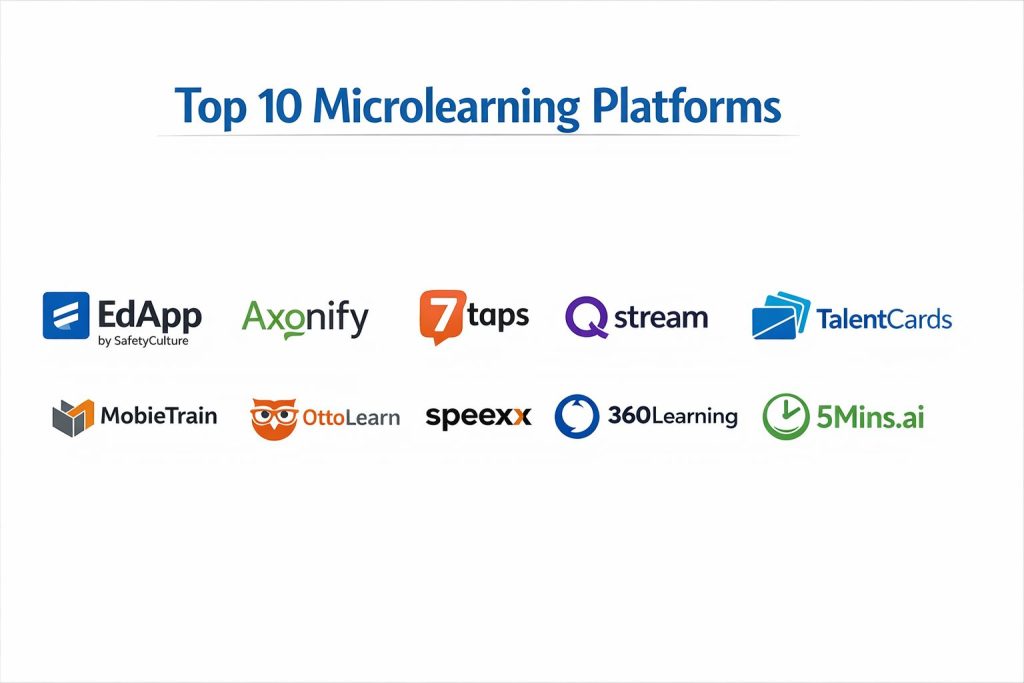
Top 10 Microlearning Platforms
1. EdApp by SafetyCulture
A mobile-first, free-to-start microlearning platform that focuses on making training accessible for frontline and office workers alike.
Key Features
- Built-in Authoring Tool: A drag-and-drop creator with over 80 templates that requires zero coding knowledge.
- Gamification & Rewards: Features points, leaderboards, and real-world rewards like gift cards to drive engagement.
- Spaced Repetition: An automated system called “Brain Boost” that re-tests learners to ensure knowledge sticks.
- Canva Integration: Allows creators to pull in high-quality graphics and designs directly into their lessons.
- AI Create: Uses artificial intelligence to turn a simple topic or a PDF into a full micro-course in seconds.
Pros
- Offers a very generous free tier that includes most core features.
- The mobile app is incredibly polished and works flawlessly offline.
- Extensive library of pre-made, editable courses from industry leaders.
Cons
- Advanced reporting features are locked behind the higher-tier paid plans.
- The desktop experience, while functional, isn’t as immersive as the mobile app.
Platforms / Deployment
- Web / iOS / Android
- Cloud
Security & Compliance
- SSO/SAML, MFA, and data encryption.
- GDPR compliant.
Integrations & Ecosystem
EdApp is designed to fit into a modern tech stack. It offers native integrations that help keep user lists updated without manual entry.
- Microsoft Teams and Slack.
- HRIS tools like Workday and BambooHR.
- Public API for custom data exports.
Support & Community
Extensive help center and 24/5 live chat support. There is a strong community of educators sharing templates and best practices.
2. Axonify
An enterprise-grade platform built specifically for frontline workers in retail, logistics, and hospitality, focusing on behavior change through daily bursts.
Key Features
- Daily Training Bursts: Encourages users to spend 3–5 minutes a day in the app with high-impact questions.
- Adaptive Learning: The platform changes the difficulty and content based on the learner’s past performance.
- Performance Tracking: Directly links training completion to business results like sales growth or safety incidents.
- Knowledge Maps: Visualizes a learner’s progress across different skill domains.
- Behavior Observation: Allows managers to verify that the learning in the app is actually happening on the job.
Pros
- Unrivaled for driving long-term retention and actual behavior change.
- Highly gamified with a focus on “fun” that doesn’t feel like traditional corporate training.
- Excellent for very large workforces with complex organizational structures.
Cons
- Can be significantly more expensive than simpler microlearning tools.
- Setting up the complex adaptive paths requires more upfront planning than other platforms.
Platforms / Deployment
- Web / iOS / Android
- Cloud
Security & Compliance
- SSO, RBAC, and SOC 2 Type II compliance.
- ISO 27001 certifications.
Integrations & Ecosystem
Axonify is built to be a part of the enterprise ecosystem. It focuses on connecting learning data to operational data.
- Integrates with major retail and logistics management tools.
- Supports SCORM and xAPI standards.
- Robust integration with enterprise identity providers.
Support & Community
Provides dedicated account managers for enterprise clients and has a professional services team for content strategy.
3. 7taps
A “speed-to-market” tool that allows anyone to create and share microlearning content as easily as sending a text message or a social media post.
Key Features
- No-App-Needed Delivery: Learners can access content via links, QR codes, or SMS without downloading an app.
- Card-Based Interface: Content is structured as a series of “cards,” making it incredibly fast to consume.
- AI Micro-Designer: Generates entire outlines and drafts based on a simple prompt or an existing document.
- GIF & Video Integration: Supports GIPHY and short video uploads to keep lessons visual and fun.
- Audio Snippets: Allows creators to add voice memos or short audio clips for a more personal touch.
Pros
- The fastest tool on the market for getting information to people immediately.
- Extremely low friction for learners—just click a link and start.
- Very intuitive for creators who are not traditional instructional designers.
Cons
- Not a full-featured LMS; lacks deep certification and complex course management.
- Reporting is basic compared to enterprise platforms like Axonify or LearnUpon.
Platforms / Deployment
- Web / Mobile Web (No app required)
- Cloud
Security & Compliance
- Standard data encryption and password protection for links.
- SOC 2 compliance (Not publicly stated for all tiers).
Integrations & Ecosystem
7taps focuses on being where the users are. It’s designed to be shared through communication channels rather than sitting in a silo.
- Slack, Microsoft Teams, and WhatsApp.
- Embeds easily into existing intranets and sites.
- PDF and PowerPoint to micro-course converters.
Support & Community
Friendly, fast support and a very active presence on social media with helpful “how-to” content.
4. Qstream
A scientifically-backed reinforcement platform that uses a question-based approach to ensure teams master and retain critical information.
Key Features
- Scenario-Based Challenges: Users are presented with a workplace situation and must choose the best response.
- Spaced Repetition Engine: Questions are repeated over several weeks to ensure the knowledge enters long-term memory.
- Real-Time Dashboards: Managers can see “hot spots” where the team is struggling in real-time.
- Collaborative Competition: Uses leaderboards and team-based scoring to motivate participants.
- Role-Based Coaching: Sends specific alerts to managers telling them exactly which team member needs coaching and on what topic.
Pros
- One of the few tools that can scientifically prove knowledge has been retained.
- Requires very little time from the learner—usually just a couple of minutes a week.
- Excellent for sales teams and medical professionals where precision is vital.
Cons
- It is a reinforcement tool, not a full content creation engine. You still need a place for the initial learning.
- The repetitive nature can feel “test-like” if not balanced with engaging content.
Platforms / Deployment
- Web / iOS / Android
- Cloud
Security & Compliance
- Enterprise-grade security with SSO and advanced encryption.
- GDPR and HIPAA compliant (where applicable).
Integrations & Ecosystem
Qstream is designed to plug into existing sales and learning ecosystems.
- Salesforce integration is a major standout.
- Works with most major LMS platforms via standard protocols.
- API for custom reporting.
Support & Community
High-level professional support and a “Customer Success” model that helps with strategy and content design.
5. TalentCards
A mobile-first microlearning app that uses a digital flashcard approach to deliver training in a format that feels familiar and easy to navigate.
Key Features
- Card-Based Learning: Information is broken down into small cards that can include text, images, and video.
- Offline Accessibility: Learners can download their “decks” to study when they don’t have internet access.
- Custom Branding: Allows companies to white-label the app so it looks like an internal tool.
- Push Notifications: Sends reminders to users to finish their daily cards.
- Simplified Quizzing: Includes quick checks at the end of each deck to verify understanding.
Pros
- Very easy for learners to navigate; it’s literally as simple as swiping left or right.
- Great for technical training, safety manuals, or “parts” catalogs where visual memory is key.
- Affordable for small to mid-sized businesses.
Cons
- Limited to the card format; you can’t build complex interactive simulations here.
- The analytics are helpful but not as deep as full enterprise learning suites.
Platforms / Deployment
- Web / iOS / Android
- Cloud
Security & Compliance
- Basic SSO and data protection.
- GDPR compliant.
Integrations & Ecosystem
TalentCards focuses on a “keep it simple” philosophy, though it does offer standard ways to get data in and out.
- Integration with Zapier for connecting to other apps.
- Bulk user upload via CSV.
- Standard reporting exports.
Support & Community
Good documentation and email support. The community is smaller but dedicated to the “simple is better” approach.
6. MobieTrain
A European-based platform that combines micro-learning with a highly engaging, gamified user interface designed specifically for mobile devices.
Key Features
- Learning Paths: Organizes bite-sized lessons into logical tracks for onboarding or skill development.
- Gamification Engine: Includes badges, levels, and a very modern, colorful UI that encourages exploration.
- Content Authoring: An easy-to-use CMS that lets non-technical staff build mobile courses.
- Two-Way Communication: Allows for feedback loops between the learner and the training department.
- Localization: Built-in tools for translating content into multiple languages for global teams.
Pros
- One of the most visually appealing user interfaces on the market.
- Excellent for retail and customer-facing teams where engagement is the primary hurdle.
- Strong focus on “Learning in the Moment” with quick search functions.
Cons
- Has a smaller presence in the North American market compared to some competitors.
- Can feel a bit “busy” for more traditional corporate environments.
Platforms / Deployment
- Web / iOS / Android
- Cloud
Security & Compliance
- SSO support and GDPR compliance (very strong due to European roots).
- ISO certifications for data security.
Integrations & Ecosystem
MobieTrain is designed to work as a standalone mobile solution or alongside a larger LMS.
- Standard API for HRIS integrations.
- Connects with common retail management systems.
- Supports video hosting and external asset links.
Support & Community
Known for high-touch customer service and a strong focus on helping clients design effective content.
7. OttoLearn
An agile microlearning platform that uses AI and spaced repetition to provide personalized daily training that adapts to each user’s knowledge level.
Key Features
- AI-Driven Content Curation: The system automatically selects what the user needs to study today based on their gaps.
- Knowledge Mastery Tracking: Instead of “completion,” it tracks how well a user actually knows the material.
- Micro-Quizzes: Uses short, 2-minute sessions to reinforce learning daily.
- Content Studio: A powerful authoring environment that supports rich media and branching.
- Multi-Level Analytics: Detailed insights for learners, managers, and administrators.
Pros
- The “Mastery” concept is a much better metric than traditional “Course Completion.”
- Excellent at maintaining long-term knowledge for critical safety or compliance topics.
- The system gets smarter the more people use it.
Cons
- Requires a bit more effort to set up the “knowledge map” initially.
- The interface is more focused on function than “flashy” gamification.
Platforms / Deployment
- Web / iOS / Android
- Cloud
Security & Compliance
- SSO/SAML, MFA, and SOC 2 compliance.
- Data residency options.
Integrations & Ecosystem
OttoLearn is designed to be deeply integrated into the enterprise learning stack.
- Full xAPI support.
- Integrates with major LMS platforms as a “reinforcement” layer.
- API-first architecture for custom workflows.
Support & Community
Provides excellent technical documentation and a structured onboarding process for new companies.
8. Speexx
A specialized microlearning platform focused on language training and communication skills for global enterprises.
Key Features
- Bite-Sized Language Lessons: Daily 5-minute tasks to improve business communication in different languages.
- AI Video Coaching: Uses AI to analyze pronunciation and communication style in real-time.
- Personalized Learning Paths: Adjusts the vocabulary and scenarios based on the user’s job role (e.g., Sales vs. Engineering).
- Live Micro-Coaching: Connects learners with human coaches for short, focused 1-on-1 sessions.
- Global Benchmarking: Allows companies to see the communication proficiency across their entire global workforce.
Pros
- The absolute leader for companies with a global, multilingual workforce.
- Combines the best of AI technology with human interaction.
- Very high ROI for companies needing to standardize communication.
Cons
- Highly specialized; not a platform for general safety or product training.
- Pricing can be complex depending on the number of languages and coaching sessions.
Platforms / Deployment
- Web / iOS / Android
- Cloud
Security & Compliance
- SSO/SAML support.
- GDPR and ISO 27001 compliant.
Integrations & Ecosystem
Speexx is designed to sit inside a large corporate portal or LMS.
- Deep integrations with SAP SuccessFactors and Cornerstone.
- Supports LTI (Learning Tools Interoperability) standards.
- Custom API for data syncing.
Support & Community
Professional services team that helps with global rollouts and dedicated learner support in multiple languages.
9. 360Learning
A collaborative learning platform that emphasizes “peer-to-peer” microlearning, allowing internal experts to create and share content quickly.
Key Features
- Collaborative Authoring: Multiple people can work on a micro-course at the same time, similar to Google Docs.
- Feedback Loops: Learners can ask questions or leave comments directly on a specific part of a lesson.
- AI Course Helper: Suggests content and structure to help non-experts build better lessons.
- Learning Needs Analysis: Users can “upvote” topics they want to learn about, helping L&D teams prioritize.
- Mobile App: A clean mobile experience that supports all interactive features.
Pros
- Unlocks the “hidden knowledge” inside your own team.
- Extremely high engagement because the content comes from colleagues, not a “faceless” department.
- Very fast content creation cycle.
Cons
- Requires a culture of sharing; if your team is shy, the platform can feel empty.
- Less control over the exact instructional design of every single module.
Platforms / Deployment
- Web / iOS / Android
- Cloud
Security & Compliance
- SSO, RBAC, and SOC 2 Type II.
- GDPR and CCPA compliant.
Integrations & Ecosystem
360Learning is built for the modern enterprise that uses a variety of communication and HR tools.
- Salesforce, Slack, and Microsoft Teams.
- Integrates with HRIS tools like HiBob and BambooHR.
- Custom webhooks for automation.
Support & Community
Strong emphasis on “Collaborative Learning” culture with a dedicated blog and community forum for L&D leaders.
10. 5Mins.ai
A modern platform that brings a TikTok-style, video-first experience to corporate learning, specifically designed for the “attention economy.”
Key Features
- Swipe-Based Interface: A vertical video feed that users find familiar and engaging.
- Gamified Skills Tracks: Users earn points and badges as they master specific professional “soft” and “hard” skills.
- AI Curation Engine: Automatically suggests the next 5-minute video based on the user’s career goals.
- Knowledge Checks: Short, interactive quizzes that happen directly after a video to verify learning.
- Manager Dashboard: Simple, clean views of team engagement and skill growth.
Pros
- Arguably the highest engagement rate for younger employees and “Gen Z” workforces.
- Removes all the “clutter” of traditional LMS systems.
- Very low time commitment makes it easy to stick with daily.
Cons
- Focuses heavily on video; not as strong for technical documentation or long-form reading.
- Still a relatively new player in the market compared to established giants.
Platforms / Deployment
- iOS / Android / Web
- Cloud
Security & Compliance
- MFA and data encryption.
- GDPR compliant.
Integrations & Ecosystem
5Mins.ai is designed as a “standalone” habit-builder but can sync data to larger systems.
- Integrates with major messaging apps.
- Standard CSV user management.
- Exportable reporting data.
Support & Community
Fast-growing community and high-energy support team focused on the “future of work.”
Comparison Table (Top 10)
| Tool Name | Best For | Platform(s) Supported | Deployment | Standout Feature | Public Rating |
| EdApp | Frontline & SMEs | Web, iOS, Android | Cloud | Free-to-start model | N/A |
| Axonify | Enterprise Frontline | Web, iOS, Android | Cloud | Adaptive daily bursts | N/A |
| 7taps | Immediate Sharing | Web, Mobile Web | Cloud | No-app-needed delivery | N/A |
| Qstream | High-Stakes Mastery | Web, iOS, Android | Cloud | Scenario reinforcement | N/A |
| TalentCards | Visual/Manual Skills | Web, iOS, Android | Cloud | Digital card decks | N/A |
| MobieTrain | Retail Engagement | Web, iOS, Android | Cloud | High-quality UI/UX | N/A |
| OttoLearn | Knowledge Retention | Web, iOS, Android | Cloud | Mastery-based tracking | N/A |
| Speexx | Language Learning | Web, iOS, Android | Cloud | AI + Human Coaching | N/A |
| 360Learning | Collaborative Teams | Web, iOS, Android | Cloud | Peer-to-peer creation | N/A |
| 5Mins.ai | Modern Soft Skills | iOS, Android, Web | Cloud | TikTok-style video feed | N/A |
Evaluation & Scoring of Microlearning Platforms
The scoring below represents how these tools compare across key performance categories. All scores are out of 10.
| Tool Name | Core (25%) | Ease (15%) | Integrations (15%) | Security (10%) | Performance (10%) | Support (10%) | Value (15%) | Weighted Total |
| EdApp | 9 | 9 | 8 | 8 | 9 | 8 | 10 | 8.8 |
| Axonify | 10 | 6 | 9 | 10 | 10 | 9 | 6 | 8.6 |
| 7taps | 7 | 10 | 7 | 6 | 9 | 8 | 9 | 7.8 |
| Qstream | 8 | 8 | 9 | 9 | 9 | 9 | 7 | 8.3 |
| TalentCards | 7 | 9 | 6 | 7 | 8 | 7 | 9 | 7.4 |
| MobieTrain | 8 | 9 | 7 | 8 | 9 | 8 | 7 | 8.0 |
| OttoLearn | 9 | 7 | 8 | 9 | 9 | 8 | 8 | 8.3 |
| Speexx | 9 | 8 | 9 | 9 | 9 | 9 | 7 | 8.5 |
| 360Learning | 9 | 8 | 9 | 9 | 9 | 8 | 8 | 8.6 |
| 5Mins.ai | 8 | 9 | 6 | 7 | 9 | 7 | 8 | 7.7 |
How to Interpret These Scores
- Core features: Measures the variety of content formats and pedagogical strength (e.g., spaced repetition).
- Ease of use: Focuses on both the learner’s interface and the admin’s course creation experience.
- Weighted Total: This score helps you see which tools are the most “well-rounded,” though a specialized tool like Speexx might be your winner if your only need is language training.
Which Microlearning Platform Tool Is Right for You?
Solo / Freelancer
If you are a solo consultant or an independent creator, 7taps or the free version of EdApp are your best choices. They allow you to share professional knowledge with clients or small groups without any massive financial commitment or technical setup.
SMB
Small and medium businesses often struggle with having a dedicated training department. 360Learning is excellent here because it lets your existing experts train each other. MobieTrain is also a strong contender for SMBs in the retail space who need high engagement on a budget.
Mid-Market
For companies with 500 to 2,000 employees, OttoLearn or TalentCards provide a perfect balance of advanced tracking and ease of use. They allow you to maintain high standards of knowledge across multiple departments without the high cost of a massive enterprise suite.
Enterprise
Large global organizations should look toward Axonify or LearnUpon for their scale and deep security. If your enterprise is focused on global communication, Speexx is a mandatory layer for your communication strategy.
Budget vs Premium
- Budget: EdApp and 7taps are the winners for high ROI at a low or zero cost.
- Premium: Axonify and Qstream are premium investments for organizations that need guaranteed mastery and behavior change.
Frequently Asked Questions (FAQs)
What is the average cost of a microlearning platform?
Pricing varies wildly, but you can expect to pay anywhere from free for basic tools to $2–$10 per user per month for enterprise-level features. Most vendors offer custom quotes based on the size of your workforce.
Can microlearning completely replace my current LMS?
Usually, no. Microlearning is best used for reinforcement, compliance, and product updates. You may still need a traditional LMS for long-form certifications or complex academic courses.
How do I know if my team will actually use the platform?
Focus on tools with high “gamification” and low “friction.” If it takes more than 10 seconds to log in and find a lesson, usage will drop. Choose a mobile-first tool for the best engagement.
Is my data secure on these platforms?
Most professional platforms offer SSO, MFA, and are GDPR compliant. However, if you are in a highly regulated industry like healthcare or finance, ensure the platform specifically mentions HIPAA or SOC 2 compliance.
Can I migrate my existing PowerPoint training into these tools?
Yes, many modern platforms like EdApp and 7taps have built-in “converters” that can turn a PPT or PDF into a series of micro-lessons automatically using AI.
Do I need to be a designer to create courses?
No. Modern platforms are designed for “non-experts.” They use templates and drag-and-drop builders that are as easy to use as social media apps.
What is the ideal length for a microlearning module?
The sweet spot is between 2 and 5 minutes. Anything longer than 7 minutes starts to lose the “micro” benefit and leads to a drop in engagement on mobile devices.
Does microlearning work for technical roles?
Absolutely. It is excellent for “just-in-time” support, like a 30-second video showing an engineer how to calibrate a specific valve while they are standing right in front of it.
How often should I update the content?
Microlearning is meant to be “agile.” You should update content as soon as a product changes or a new regulation is released. Because the lessons are small, this is much easier than updating a 2-hour course.
Can these platforms work offline?
Many do, but you should verify this. Tools like EdApp and TalentCards allow users to download content so they can learn while traveling or working in areas with poor signal.
Conclusion
The shift toward microlearning isn’t just a trend—it’s a necessary response to the way we live and work today. Whether you need to train a massive frontline workforce on safety protocols or help a global team improve their communication skills, there is a tool on this list that fits your needs. The key is to start small: pick a specific problem—like low sales or poor safety compliance—and test a micro-approach to solve it.