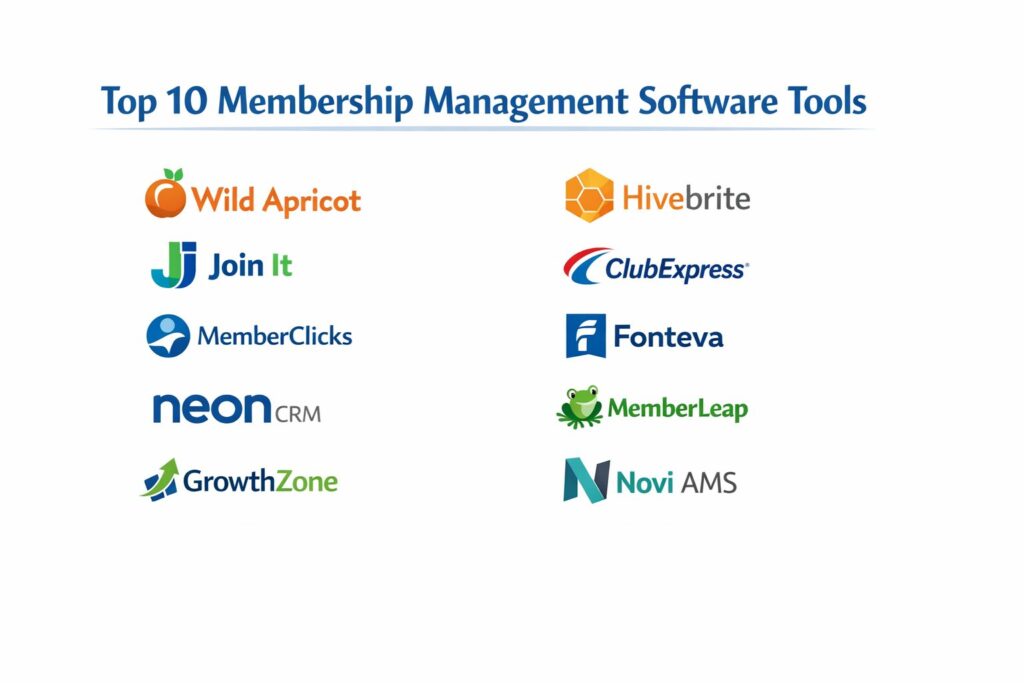
Introduction
Membership management software has become a vital operational layer for modern organizations, transforming how associations, nonprofits, and professional bodies interact with their constituents. At its core, this technology centralizes member data into a single source of truth, replacing fragmented spreadsheets with a dynamic database that tracks participation, dues, and engagement. For leadership teams, these platforms are no longer just administrative utilities but strategic engines that drive retention through automated workflows and personalized communication. By providing a secure, self-service portal, the software empowers members to manage their own profiles and payments, which significantly reduces the manual workload on administrative staff.
In a professional landscape where data privacy and seamless user experience are paramount, selecting the right platform is a critical business decision. Organizations must evaluate tools based on their ability to integrate with existing financial systems, their support for diverse membership tiers, and the robustness of their reporting modules. The shift toward digital-first communities means that features such as mobile-compatible directories and virtual event management are now standard requirements. Whether managing a local hobby club or a global trade association, the right software ensures that the organization can scale without losing the personal touch that keeps members loyal and engaged.
Best for: Professional associations, nonprofit organizations, chambers of commerce, and subscription-based clubs requiring automated renewals and member-only digital environments.
Not ideal for: One-time event organizers, simple retail mailing lists, or small groups that do not require recurring billing or structured member databases.
Key Trends in Membership Management Software
The move toward “engagement scoring” is fundamentally changing how administrators identify at-risk members before they lapse. By tracking every interaction—from email opens to event attendance—software can now provide a health score for each member, allowing for proactive outreach. Another significant trend is the rise of “mobile-first” member portals, where members can access digital membership cards and private community forums directly through specialized smartphone applications. Automation has also matured, with systems now handling complex “drip” campaigns that guide new members through their first few months of onboarding without any manual intervention.
Hyper-personalization is becoming the standard, as platforms use data to tailor content and event recommendations to specific member interests. Security compliance has also taken center page, with providers investing heavily in global data protection standards to protect sensitive financial and personal information. Furthermore, there is a growing emphasis on “unified commerce,” where membership dues, event tickets, and digital merchandise are all handled through a single, secure checkout process. This consolidation simplifies the financial reconciliation process for treasurers and provides a smoother experience for the end-user.
How We Selected These Tools
Our selection process involved a rigorous evaluation of technical stability, market reputation, and feature depth. We prioritized platforms that demonstrate high reliability in handling recurring financial transactions and those that offer extensive API support for third-party integrations. Market adoption was a key indicator, as tools with large user bases typically offer more refined user interfaces and better documentation. We also analyzed the quality of customer support, focusing on providers that offer dedicated onboarding and responsive technical assistance.
Scalability was another critical factor; we looked for software that can effortlessly transition from managing hundreds to tens of thousands of members. Security protocols were scrutinized to ensure they meet the latest encryption and compliance standards, such as PCI DSS for payments. We also weighed the balance between “all-in-one” functionality and the ability to plug into best-in-breed external tools. Finally, user feedback from professional association managers was synthesized to ensure these tools perform effectively under the daily pressures of real-world organizational management.
1. Wild Apricot
Wild Apricot is widely regarded as the industry standard for small to mid-sized associations seeking an all-in-one solution. It combines a robust member database with a built-in website builder and email marketing tools, allowing organizations to manage their entire presence from a single dashboard. Its strength lies in its ability to automate the most tedious parts of the membership lifecycle, from initial application to annual renewal.
Key Features
The platform features a drag-and-drop website builder designed specifically for non-technical users to create member-only areas. Its automated renewal system sends customized reminders and invoices based on the member’s specific tier and join date. A dedicated mobile app for both admins and members allows for on-the-go check-ins at events and directory searches. It also includes comprehensive event management tools with online registration and payment processing. The software provides detailed financial reports that can be exported for easy accounting reconciliation.
Pros
It offers an incredibly high feature-to-price ratio for smaller groups. The extensive community and library of help articles make it very easy to troubleshoot issues independently.
Cons
The website templates can feel somewhat dated compared to modern design platforms. As an organization grows into the tens of thousands of members, the contact-based pricing can become quite expensive.
Platforms and Deployment
Cloud-based SaaS accessible via any web browser, with dedicated mobile applications for iOS and Android.
Security and Compliance
Full PCI DSS compliance for payment processing and standard data encryption for member records.
Integrations and Ecosystem
Offers a specialized integration with WordPress and supports connections to various payment gateways and external apps through third-party automation tools.
Support and Community
Extensive online knowledge base, community forums, and email support, supplemented by regular webinars for administrators.
2. Join It
Join It focuses on simplicity and automation, making it a favorite for organizations that want to get up and running in hours rather than weeks. It is designed to act as a lightweight but powerful engine that plugs directly into the tools your organization already uses. Its clean, modern interface is a significant departure from the cluttered dashboards of legacy systems.
Key Features
The software excels at automated communication, handling welcome sequences and renewal notices with high precision. It features an innovative digital membership card system that members can add to their digital wallets on their phones. It provides a “quick-sync” capability with popular email marketing and event platforms, ensuring data is never siloed. The dashboard offers real-time analytics on membership growth and retention rates at a glance. It also supports flexible membership types, including lifetime memberships and multi-person “bundle” accounts.
Pros
The user interface is exceptionally intuitive, requiring almost no training for new staff. Its pricing is transparent and highly competitive for organizations focusing on core management.
Cons
It lacks a built-in website builder, meaning organizations must already have their own site or use a third-party service. Some advanced reporting features found in enterprise tools are not present.
Platforms and Deployment
Cloud-native platform with a web-based administrative dashboard and mobile-optimized member views.
Security and Compliance
Uses industry-standard encryption and secure payment tokenization through established processors.
Integrations and Ecosystem
Strongest in its class for integrations, with native connections to Mailchimp, Eventbrite, and various accounting software.
Support and Community
Highly rated for its fast and helpful chat-based support and straightforward technical documentation.
3. MemberClicks
MemberClicks is a comprehensive association management system designed for professional societies and trade organizations that have outgrown basic tools. It offers a deeper level of customization and professional-grade features suited for full-time administrative teams. The platform is built to handle complex dues structures and professional development tracking.
Key Features
It includes a sophisticated learning management module for organizations that offer certifications or continuing education. Its “Member Landing Page” serves as a personalized hub where members can view their history, register for meetings, and pay outstanding balances. The software features an advanced job board module, providing an additional revenue stream and value-added service for members. It also offers a full-featured community forum to facilitate peer-to-peer networking. Detailed permission levels allow for precise control over what different staff and volunteers can see and edit.
Pros
It provides deep, industry-specific functionality that “general” CRMs cannot match. The platform is exceptionally strong at managing the complex needs of professional societies.
Cons
The implementation process is more involved and usually requires a setup fee and guided onboarding. The interface has a steeper learning curve due to the sheer volume of available features.
Platforms and Deployment
A secure cloud-based platform accessible through all major web browsers.
Security and Compliance
Enterprise-grade security with support for single sign-on and detailed audit logs for administrative actions.
Integrations and Ecosystem
Features built-in integrations with major accounting software and social media platforms to streamline marketing efforts.
Support and Community
Offers “MemberClicks University” for training, along with dedicated account managers for higher-tier clients.
4. Neon CRM
Neon CRM is a versatile platform that blends membership management with powerful fundraising and donor tracking. It is an ideal choice for nonprofits that see their members as both supporters and participants. The platform is built around the concept of a “constituent lifecycle,” tracking every way an individual interacts with the organization.
Key Features
The system features a highly customizable database that can track complex relationships between individuals and organizations. It offers a built-in volunteer management module, allowing you to track hours and assign tasks within the same system. Its “Impact” reporting tools help demonstrate the value of the organization to members and stakeholders through visual dashboards. The software includes a robust email automation engine for segmenting communications based on member behavior. It also supports “peer-to-peer” fundraising, enabling members to raise money on behalf of the organization.
Pros
It is one of the few platforms that handles both membership and major donor fundraising equally well. The workflow automation tools are highly flexible and powerful.
Cons
Because it is so feature-rich, small organizations with simple needs might find the system more complex than necessary. Some advanced features require higher-tier plans.
Platforms and Deployment
Cloud-based application with a responsive web design and mobile accessibility.
Security and Compliance
Adheres to strict data protection standards, including HIPAA-ready configurations and secure financial processing.
Integrations and Ecosystem
Boasts an open API and a large library of native integrations with specialized tools for accounting and marketing.
Support and Community
Strong educational resources through the “Neon One Academy” and a large network of certified consultants.
5. GrowthZone
GrowthZone is specifically engineered for chambers of commerce and trade associations that prioritize growth and recruitment. It includes specialized modules for managing business directories, sponsorships, and sales funnels that are not typically found in standard membership tools.
Key Features
The platform features a dedicated “Sales Funnel” tool to help staff track and convert prospective members. It includes a mobile “Staff App” that allows for scanning business cards and processing payments during live events. The built-in job board and business directory are designed to provide maximum visibility for corporate members. It offers sophisticated certification and continuing education tracking for professional advancement. The software also provides an integrated marketing automation suite for managing email drip campaigns and lead nurturing.
Pros
The focus on recruitment and sales makes it a powerful revenue-generating tool for trade groups. It is highly effective at managing both individual and corporate-level memberships.
Cons
The pricing is on the higher end, reflecting its enterprise-focused feature set. Some users may find the interface less modern than newer, lighter competitors.
Platforms and Deployment
Secure cloud-based deployment with a highly functional mobile app for administrative staff.
Security and Compliance
SOC 2 compliant and follows high-level protocols for data security and payment integrity.
Integrations and Ecosystem
Deeply integrated with real-estate and chamber-specific tools, along with standard business applications.
Support and Community
Known for excellent regional support and a very active user community that frequently shares best practices.
6. Hivebrite
Hivebrite is a global leader in community and alumni management, focusing heavily on engagement and networking. It is the platform of choice for organizations where the primary value of membership is the connection between the members themselves.
Key Features
The software features a “Networking Map” that allows members to find and connect with peers based on their geographic location. Its sophisticated “Sub-Groups” feature allows for the creation of smaller, interest-based communities within the larger organization. It includes a powerful event management suite with support for both in-person and virtual gatherings. The platform offers a built-in “Mentoring” module that pairs experienced members with newcomers automatically. It also features a fully customizable member newsfeed that functions similarly to a private social network.
Pros
It offers the most modern and engaging member experience on the market. The community management tools are unmatched for driving long-term participation.
Cons
While it handles dues, it is not as strong in deep financial accounting as some other AMS platforms. The premium nature of the product is reflected in its pricing.
Platforms and Deployment
Cloud-based with a focus on high-end mobile experiences for members.
Security and Compliance
ISO 27001 and GDPR compliant, making it a safe choice for international organizations.
Integrations and Ecosystem
Integrates seamlessly with major enterprise CRMs like Salesforce and Microsoft Dynamics.
Support and Community
Offers a dedicated customer success manager for enterprise clients and comprehensive global support.
7. ClubExpress
ClubExpress provides a comprehensive suite of tools specifically tailored for local clubs, hobbyist groups, and homeowner associations. It is designed to handle the logistical challenges unique to volunteer-run organizations, such as managing shared equipment or complex committee structures.
Key Features
The platform includes a specialized module for managing “Interests” and “Committees,” allowing members to opt into specific subgroups. It features a built-in document library where organizations can securely store bylaws, meeting minutes, and manuals. The software offers unique tools for managing physical assets, like tennis courts or clubhouse rentals. It provides an integrated website builder that includes member-only pages and public-facing content. Automated invoicing handles not just dues, but also add-on fees like tournament entries or apparel sales.
Pros
It has one of the most comprehensive feature sets for small-to-mid clubs at a very low entry price. There are no upfront setup fees for the basic configuration.
Cons
The administrative interface can feel somewhat technical and dated compared to newer SaaS products. Customer support is primarily US-based, which may affect response times for global users.
Platforms and Deployment
Web-based cloud platform with a mobile app for member engagement.
Security and Compliance
Full PCI compliance and standard data protection measures for all member information.
Integrations and Ecosystem
Supports standard data exports and integrations with popular small-business accounting tools.
Support and Community
Excellent telephone support and a library of video tutorials specifically for volunteer administrators.
8. Fonteva
Fonteva is a “true native” application built entirely on the Salesforce platform. It is designed for large, complex associations that want to leverage the power of the world’s leading CRM while having specialized membership tools.
Key Features
Because it lives inside Salesforce, it provides a 360-degree view of every member, incorporating data from every department. It features highly advanced “Rules Engines” for creating unlimited membership types and pricing scenarios. The platform offers world-class reporting and dashboarding, allowing for deep data mining and predictive analytics. It includes a robust event management system capable of handling massive global conferences. The software also provides a sophisticated “Community” portal that is fully customizable to the organization’s brand.
Pros
It offers unparalleled scalability and power for large organizations. Being native to Salesforce means you never have to worry about data syncing issues between your CRM and your membership tool.
Cons
It requires a significant investment in both licensing and specialized staff or consultants to manage. It is generally too complex for small organizations without a dedicated IT team.
Platforms and Deployment
Deployed within the Salesforce cloud environment.
Security and Compliance
Inherits the world-class security certifications of Salesforce, including government-level compliance standards.
Integrations and Ecosystem
Has access to the entire Salesforce AppExchange, providing thousands of possible extensions and integrations.
Support and Community
Backed by a global network of Salesforce developers and a dedicated Fonteva support team.
9. MemberLeap
MemberLeap is a modular membership solution that allows organizations to choose only the features they need. This “building block” approach makes it a flexible and cost-effective choice for a wide variety of organization types, from professional associations to trade groups.
Key Features
The platform’s modular design covers everything from basic databases to complex “Abstract Management” for academic conferences. It includes a specialized “Election” module for conducting secure board votes and member surveys. Its “Communication Center” allows for targeted messaging through email, text, and physical mail merges. The software features an “Online Store” module for selling digital and physical goods. It also provides a robust “Committee Management” tool that tracks terms and meeting attendance.
Pros
The ability to only pay for the modules you use makes it very budget-friendly for growing groups. The technical support is known for being highly responsive and helpful with custom requests.
Cons
The interface is functional but lacks the high-end polish of some more expensive competitors. Initial setup can be complex due to the number of configuration options.
Platforms and Deployment
Cloud-based SaaS with a responsive web interface and mobile member app.
Security and Compliance
Compliant with standard data protection regulations and secure payment processing protocols.
Integrations and Ecosystem
Offers a robust API for custom connections and built-in bridges to popular business software.
Support and Community
Highly regarded for one-on-one training sessions and a history of reliable customer service.
10. Novi AMS
Novi AMS is a specialized platform built “by associations, for associations.” It is unique because it features a two-way, real-time sync with QuickBooks, making it the premier choice for organizations where financial accuracy and accounting transparency are the highest priorities.
Key Features
The “deep sync” with QuickBooks ensures that every dues payment or event registration is instantly reflected in the organization’s books. It features a “Member Engagement” dashboard that automatically flags members who haven’t logged in or opened emails recently. The software includes a modern, sleek member portal that looks great on all devices. It offers an automated “Dues Renewal” engine that handles even the most complex tiered pricing structures. The platform also provides a built-in CMS for managing the organization’s website and public-facing content.
Pros
It solves the “accounting headache” better than any other platform on this list. The user interface is exceptionally modern and designed to be used by busy staff members.
Cons
It is only an option for organizations that use (or are willing to switch to) QuickBooks. The pricing and setup fees are geared toward established professional associations.
Platforms and Deployment
Cloud-based platform with a strong emphasis on a seamless web experience.
Security and Compliance
Maintains high security standards for financial data and personal member records.
Integrations and Ecosystem
The center of its ecosystem is the QuickBooks integration, but it also supports various marketing and productivity tools.
Support and Community
Offers a very active user community and a support team that truly understands the association industry.
Comparison Table
| Tool Name | Best For | Platform(s) Supported | Deployment | Standout Feature | Public Rating |
| 1. Wild Apricot | Small Associations | Web, iOS, Android | Cloud | All-in-One simplicity | 4.4/5 |
| 2. Join It | Simple Automation | Web, Mobile Web | Cloud | Fast Setup/Integrations | 4.7/5 |
| 3. MemberClicks | Professional Societies | Web | Cloud | Learning Management | 4.3/5 |
| 4. Neon CRM | Nonprofits/Donors | Web | Cloud | Unified Constituent View | 4.3/5 |
| 5. GrowthZone | Trade Groups/Chambers | Web, Mobile App | Cloud | Sales Funnel Tracking | 4.4/5 |
| 6. Hivebrite | Alumni/Networking | Web, iOS, Android | Cloud | Member Networking Map | 4.5/5 |
| 7. ClubExpress | Volunteer-run Clubs | Web, iOS, Android | Cloud | Asset/Facility Booking | 4.2/5 |
| 8. Fonteva | Enterprise/Salesforce | Salesforce Cloud | Cloud | Native Salesforce Power | 4.6/5 |
| 9. MemberLeap | Modular Flexibility | Web, Mobile App | Cloud | Modular Pricing Model | 4.8/5 |
| 10. Novi AMS | QuickBooks Users | Web | Cloud | Real-time Accounting Sync | 4.9/5 |
Evaluation & Scoring of Membership Management Software
The scoring below is a comparative model intended to help shortlisting. Each criterion is scored from 1–10, then a weighted total from 0–10 is calculated using the weights listed. These are analyst estimates based on typical fit and common workflow requirements, not public ratings.
Weights:
- Core features – 25%
- Ease of use – 15%
- Integrations & ecosystem – 15%
- Security & compliance – 10%
- Performance & reliability – 10%
- Support & community – 10%
- Price / value – 15%
| Tool Name | Core (25%) | Ease (15%) | Integrations (15%) | Security (10%) | Performance (10%) | Support (10%) | Value (15%) | Weighted Total |
| 1. Wild Apricot | 9 | 8 | 7 | 8 | 8 | 7 | 9 | 8.15 |
| 2. Join It | 7 | 10 | 10 | 8 | 9 | 10 | 9 | 8.60 |
| 3. MemberClicks | 9 | 6 | 8 | 9 | 8 | 9 | 7 | 8.05 |
| 4. Neon CRM | 9 | 7 | 9 | 9 | 8 | 8 | 8 | 8.40 |
| 5. GrowthZone | 10 | 6 | 8 | 9 | 8 | 9 | 6 | 7.95 |
| 6. Hivebrite | 9 | 8 | 9 | 9 | 9 | 9 | 7 | 8.55 |
| 7. ClubExpress | 8 | 6 | 6 | 8 | 7 | 9 | 10 | 7.60 |
| 8. Fonteva | 10 | 4 | 10 | 10 | 9 | 8 | 6 | 8.10 |
| 9. MemberLeap | 8 | 7 | 8 | 8 | 8 | 10 | 9 | 8.15 |
| 10. Novi AMS | 9 | 9 | 10 | 9 | 9 | 9 | 7 | 8.80 |
How to interpret the scores:
- Use the weighted total to shortlist candidates, then validate with a pilot.
- A lower score can mean specialization, not weakness.
- Security and compliance scores reflect controllability and governance fit, because certifications are often not publicly stated.
- Actual outcomes vary with assembly size, team skills, templates, and process maturity.
Which Membership Management Software Tool Is Right for You?
Solo / Small Clubs
For organizations run by a few volunteers or a single founder, a tool that is easy to set up and maintain is the top priority. You need a platform that handles the “boring” stuff like billing and email reminders automatically so you can focus on the community.
Nonprofits
Nonprofits require a unified view of their supporters, tracking who is a member, who is a donor, and who is a volunteer. A tool that blends CRM functionality with fundraising and membership management is the most efficient choice for these groups.
Professional Societies
These organizations often need more than just a database; they need tools for certifications, job boards, and academic abstract management. A specialized association management system that offers these specific modules will provide the most value.
Chambers & Trade Groups
For organizations that manage business entities, the focus is on growth and visibility for members. Software that includes business directories and sales tools to help recruit new corporate members is essential for long-term sustainability.
Alumni & Networking Communities
When the primary goal is connecting people, the member experience is the most important factor. You need a platform that feels like a modern social network, with tools for peer-to-peer messaging, mentoring, and geographic networking.
Budget-Conscious Organizations
If funds are tight, look for platforms with transparent, tiered pricing or those that offer a modular “pay-for-what-you-need” approach. Open-source or low-cost options often provide surprising depth if you are willing to handle a bit more of the technical setup.
High-Growth Enterprises
Large associations with global footprints need the security and scalability of enterprise-grade platforms. For these groups, integrating the membership tool directly into a high-end CRM is the best way to ensure data integrity across the entire organization.
Accounting-Focused Teams
If your treasurer’s main pain point is reconciling dues and event payments, choose a platform that features a deep, real-time sync with your accounting software. This will save hours of manual data entry every week and reduce the risk of financial errors.
Frequently Asked Questions (FAQs)
1. What is the difference between a CRM and membership management software?
A general CRM tracks sales leads and customer interactions, while membership management software is specifically designed for recurring subscriptions, tiered levels, and member-only digital access.
2. Can members update their own information?
Yes, most modern platforms provide a self-service portal where members can change their contact details, update payment methods, and view their transaction history without staff assistance.
3. Is my member data secure?
Leading providers use high-level encryption and are compliant with global data standards. However, it is always important to ensure your chosen software follows PCI DSS protocols for handling credit card information.
4. How does the software handle membership renewals?
The system typically identifies members who are nearing their expiration date and sends a series of automated emails with a direct link to a renewal form, often processing the payment automatically if a card is on file.
5. Can I manage multiple membership levels?
Absolutely. You can create different tiers (e.g., Student, Professional, Corporate) each with its own pricing, benefits, and access permissions within the member portal.
6. Does the software include a website?
Some “all-in-one” tools include a website builder, while others are designed to be embedded into your existing site. Your choice should depend on whether you need a new web presence or just an upgrade to your member area.
7. Can I track event attendance with this software?
Yes, most platforms include event management modules that handle registration, payments, and digital check-ins, syncing this data directly back to the individual’s member profile.
8. How difficult is it to migrate data from spreadsheets?
Most providers offer import tools or dedicated migration services to help you move your existing member list from Excel into the new database securely and accurately.
9. Can I send newsletters directly from the platform?
Many tools have built-in email marketing systems, while others integrate seamlessly with external providers like Mailchimp, ensuring your member list and email campaigns are always in sync.
10. Do these platforms support mobile payments?
Most modern membership software supports a variety of payment options, including credit cards, ACH transfers, and digital wallets like Apple Pay and Google Pay for faster checkout.
Conclusion
Selecting a membership management platform is a strategic investment that defines how your organization will scale and interact with its community in the digital age. The ideal solution must not only solve current administrative hurdles but also provide a path for future growth through automation and deep data insights. As member expectations continue to shift toward seamless, self-service experiences, the organizations that thrive will be those that prioritize technological agility and data-driven engagement. By carefully weighing the balance between feature complexity and ease of use, you can ensure that your team remains focused on the mission while the software handles the operational heavy lifting. This choice is ultimately about more than just managing a list; it is about building a sustainable and vibrant environment where your members feel truly valued.