INTRODUCTION
A Picture Archiving and Communication System (PACS) is a medical imaging technology which provides economical storage and convenient access to images from multiple modalities. It replaces the traditional method of manual filing, retrieving, and transporting of film jackets by providing a digital infrastructure for the entire imaging lifecycle. In modern healthcare, PACS has evolved from a simple storage utility into a sophisticated diagnostic ecosystem that integrates with Electronic Health Records (EHR) and Radiology Information Systems (RIS) to provide a unified patient view. These systems are critical for hospitals and imaging centers that require high-speed access to large data sets, such as 3D reconstructions and high-resolution MRIs.
The implementation of a robust PACS is essential for reducing diagnostic turnaround times and improving patient outcomes. Professionals in the field prioritize systems that offer seamless interoperability, high uptime, and advanced visualization tools. As healthcare data volumes grow, the transition from local server-based architectures to cloud-native and hybrid models has become a primary focus for IT departments. A well-chosen PACS not only streamlines the radiology workflow but also enhances the collaborative capabilities of the entire clinical team, allowing for remote consultations and multi-disciplinary reviews across different geographical locations.
Best for: Large hospital networks, multi-site imaging centers, specialized radiology practices, and academic medical institutions that manage high volumes of diagnostic data.
Not ideal for: Small general clinics without imaging equipment, basic outpatient facilities that do not perform diagnostic scanning, or organizations without a stable high-speed internet infrastructure.
KEY TRENDS IN MEDICAL IMAGING PACS SYSTEMS
The industry is currently seeing a significant shift toward cloud-native architectures that provide better scalability and disaster recovery compared to traditional on-premise hardware. Artificial Intelligence (AI) integration is becoming a standard feature, with algorithms assisting in preliminary image analysis, case prioritization, and automated measurements. There is a growing move toward “Enterprise Imaging,” where the PACS expands beyond radiology to include cardiology, pathology, and dermatology under a single unified archive. Real-time streaming technology is replacing the older “download and view” method, allowing clinicians to access large studies instantly on mobile devices. Interoperability has been greatly enhanced through the widespread adoption of Universal Scene Description and standardized FHIR protocols. Furthermore, cybersecurity has become the top priority, with vendors implementing zero-trust architectures and advanced encryption to protect sensitive patient health information from increasing ransomware threats.
METHODOLOGY
Our selection of the top ten PACS systems is based on a multi-dimensional evaluation of clinical performance and technical reliability. We analyzed the market share and historical performance of each vendor within the global healthcare sector, focusing on those with a proven track record in high-volume environments. The evaluation criteria included the sophistication of the diagnostic toolset, the speed of image rendering across distributed networks, and the ease of integration with third-party EHR and billing platforms. We also scrutinized the security frameworks of each system, ensuring they meet or exceed international standards like HIPAA and GDPR. User feedback from PACS administrators and radiologists was weighted heavily to assess the actual efficiency of the daily workflow. Finally, we considered the scalability of each platform, looking at how well they adapt to the needs of both small regional clinics and massive multi-national hospital groups.
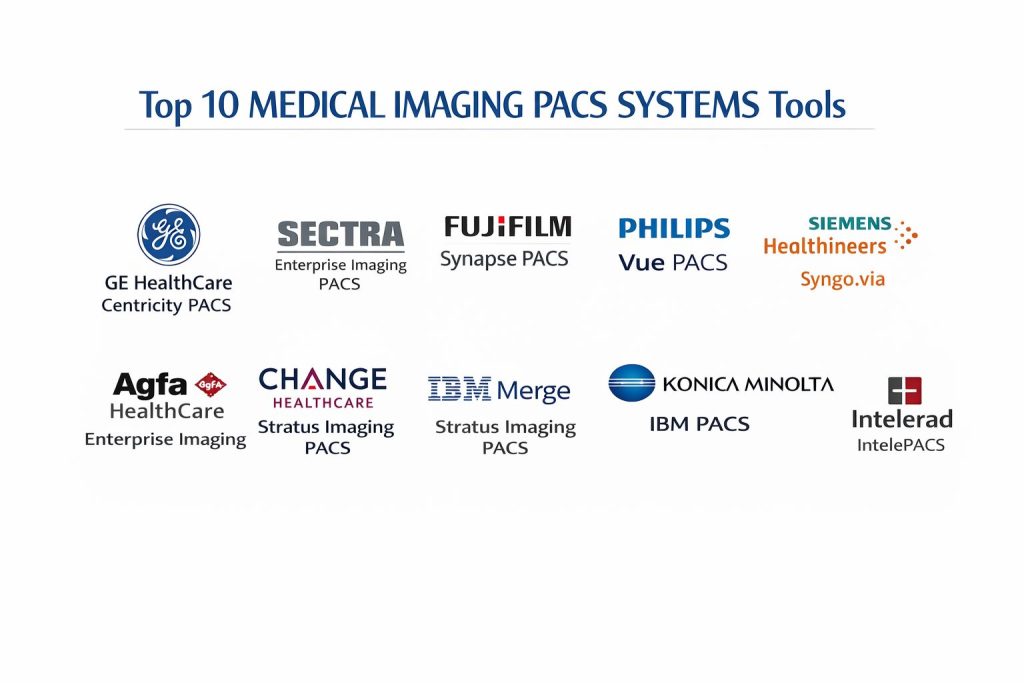
TOP 10 MEDICAL IMAGING PACS SYSTEMS
1. GE HealthCare Centricity PACS
GE HealthCare Centricity is a cornerstone of the enterprise imaging market, designed to handle the most demanding diagnostic environments. It provides a unified workspace that allows radiologists to access all clinical data and tools from a single sign-on. The system is particularly noted for its high-speed image acquisition and rendering capabilities, which are essential for large-scale hospital networks.
The platform offers a deep integration with RIS and EHR systems, ensuring that patient demographics and clinical history are always synchronized. Its advanced visualization tools support complex 3D and 4D imaging, while the workflow automation engine helps prioritize urgent cases based on clinical severity.
Pros: The system is exceptionally robust and capable of supporting massive, multi-site deployments with thousands of users. It also features a highly intuitive diagnostic viewer that reduces eye fatigue for radiologists.
Cons: The total cost of ownership is high, making it difficult for smaller facilities to justify the investment. Some users have reported that the initial setup and configuration can be lengthy and complex.
Platforms / Deployment: Windows On-premise / Hybrid
Security & Compliance: HIPAA, GDPR, SOC 2 Encryption at rest and in transit
Integrations & Ecosystem: Features native connectivity with major EHR providers like Epic and Cerner. It also supports a vast array of third-party AI clinical applications.
Support & Community: Provides 24/7 global enterprise support and a large user community for knowledge sharing and best practices.
2. Sectra Enterprise Imaging PACS
Sectra is consistently ranked at the top of industry satisfaction surveys due to its focus on user experience and system reliability. It offers a complete enterprise imaging solution that spans radiology, pathology, and cardiology on a single platform. The system is built on a “one workstation” philosophy, aiming to reduce the number of systems a clinician must interact with.
Key features include the Sectra One Cloud, which is a fully managed SaaS offering that ensures 99.99% uptime. The system also includes advanced tools for oncology and orthopedics, along with a powerful teaching file module for academic institutions.
Pros: Regularly wins “Best in KLAS” awards for customer satisfaction and support. The cloud-native architecture allows for effortless scaling and automatic updates without downtime.
Cons: The transition from legacy systems to Sectra’s unified platform can require a significant change in internal workflows. Licensing can be complex depending on the number of modules chosen.
Platforms / Deployment: Windows / Web-based Cloud-native (SaaS) / Hybrid
Security & Compliance: CSA STAR Level 2, ISO 27001 Multi-factor authentication (MFA)
Integrations & Ecosystem: Highly interoperable with standard HL7 and DICOM protocols. It offers a robust API for custom integrations with hospital-specific tools.
Support & Community: Renowned for having some of the most responsive technical support in the industry, with dedicated customer success managers.
3. Fujifilm Synapse PACS
Fujifilm Synapse is a pioneer in web-based PACS technology, utilizing advanced server-side rendering to deliver images to any workstation quickly. It is designed to optimize the reading workflow through its unique “Common View” feature, which allows clinicians to see comparison studies from multiple data sources in a single window.
The system utilizes patented compression technology that ensures rapid image display without any loss in diagnostic quality. It also features a modular design, allowing facilities to add specialized tools for mammography, cardiovascular imaging, and 3D visualization as needed.
Pros: The web-based nature of the platform means that no specialized hardware is required at the user end, reducing IT maintenance costs. The image loading speeds are among the fastest in the industry.
Cons: While the web interface is efficient, some users find it lacks the deep customization of a dedicated desktop client. The user interface can feel slightly dated compared to some newer cloud-native competitors.
Platforms / Deployment: Windows / macOS / Web Cloud / On-premise
Security & Compliance: NIST Standards, HIPAA Role-based access control (RBAC)
Integrations & Ecosystem: Excellent integration with Fujifilm’s own portfolio of modalities and VNAs. It also works seamlessly with major third-party clinical IT systems.
Support & Community: Offers comprehensive training programs and a dedicated SWAT (Synapse Web Administration Tool) for local administrators.
4. Philips Vue PACS
Philips Vue (formerly Carestream) is a highly scalable solution that provides a zero-footprint web viewer for enterprise-wide access. It is focused on streamlining the diagnostic process through “clinical collaboration,” allowing radiologists and referring physicians to communicate more effectively around the image data.
The system includes integrated lesion management tools that track the growth or shrinkage of tumors over time. It also features a powerful reporting module that allows for the inclusion of key images and interactive data directly in the final report.
Pros: The zero-footprint viewer is exceptionally easy to deploy across an entire health system without installing local software. It provides strong support for teleradiology and remote reading.
Cons: Hardware requirements for the backend servers can be significant to maintain high performance. The reporting module can have a steep learning curve for users coming from simpler systems.
Platforms / Deployment: Windows / Web-based On-premise / Hybrid
Security & Compliance: FIPS 140-2, HIPAA, GDPR Self-encrypting storage support
Integrations & Ecosystem: Supports all major DICOM 3.0 standards and integrates deeply with Philips’ suite of diagnostic imaging products.
Support & Community: Provides extensive documentation and a structured onboarding process for new facilities.
5. Siemens Healthineers Syngo.via
Syngo.via is an intelligent imaging software that focuses on clinical productivity and advanced visualization. It is designed to act as a centralized engine that processes images and prepares them for the radiologist before they even open the case, using AI-driven pre-processing.
The system automatically labels anatomy and pre-calculates measurements for cardiac and oncological studies. Its “Findings Navigator” helps clinicians track multiple findings throughout the patient’s history, ensuring a longitudinal view of the disease progression.
Pros: The AI-driven automation significantly reduces the manual workload for radiologists, particularly in complex cases. It offers world-class visualization for PET and CT studies.
Cons: The system is highly specialized and may be more than what a general imaging center requires. It works best when paired with Siemens hardware, which may limit flexibility for multi-vendor sites.
Platforms / Deployment: Windows On-premise / Hybrid
Security & Compliance: ISO 27001, HIPAA Remote monitoring and preventative maintenance
Integrations & Ecosystem: Integrates natively with the Syngo Carbon enterprise platform for a complete VNA and PACS ecosystem.
Support & Community: Offers Siemens Remote Service for continuous system monitoring and automatic software updates.
6. Agfa HealthCare Enterprise Imaging
Agfa’s platform is built around the concept of a single, unified database for all clinical imaging. It focuses on removing departmental “silos” by providing a common platform for radiology, cardiology, and other specialties. This approach simplifies IT management and provides a better clinical overview of the patient.
The software features intelligent workflow orchestration that automatically distributes cases to the most appropriate radiologist based on their subspecialty and current workload. It also utilizes a true zero-footprint application that requires no plugins or downloads.
Pros: The consolidated platform reduces the number of systems that need to be maintained and secured. The intelligent task distribution helps prevent radiologist burnout in high-volume settings.
Cons: The interface is comprehensive but can be complex for new users to navigate. Some facilities have reported that technical support response times can vary by region.
Platforms / Deployment: Windows / Web-based SaaS / On-premise
Security & Compliance: HIPAA, GDPR, SOC 2 Consolidated platform reduces security exposure
Integrations & Ecosystem: Strong focus on standards-based interoperability, making it easy to connect with newly acquired health systems during mergers.
Support & Community: Provides professional training and a structured implementation process for enterprise clients.
7. Change Healthcare Stratus Imaging PACS
Stratus Imaging is a cloud-native PACS solution designed to maximize reading speed and turnaround time. It utilizes patented “Speedread” streaming technology to ensure that even the largest studies open instantly from any location, making it an ideal choice for remote radiologists.
The system is fully managed as a SaaS model, meaning all updates and security patches are handled automatically by the vendor. It includes native support for 3D/4D imaging and mammography workflows within a standard web browser.
Pros: The cloud-native design provides excellent disaster recovery and business continuity. It is one of the few systems that can be fully deployed and operational in a very short timeframe.
Cons: As a purely cloud-based system, it is highly dependent on a high-quality internet connection. The subscription-based pricing may be more expensive over a long period than a one-time license fee.
Platforms / Deployment: Web-based (Browser) Cloud-native (SaaS)
Security & Compliance: HITRUST CSF, SOC 2 Type 2 Automatic zero-downtime security updates
Integrations & Ecosystem: Designed to be vendor-neutral and integrates easily with a wide variety of RIS and EHR systems through cloud APIs.
Support & Community: Includes a fully managed service desk and automatic system monitoring to ensure high performance.
8. IBM Merge PACS
Merge PACS is known for its ability to handle extremely high volumes of imaging data across large, disparate organizations. It is a modular system that can be customized to the specific needs of different clinical departments, with a strong focus on orthopedic and cardiovascular specialties.
The system includes a sophisticated “Worklist Orchestrator” that helps manage thousands of exams across multiple sites. It also features a mobile-friendly viewer that allows clinicians to review images and reports from their smartphones or tablets safely.
Pros: The system is exceptionally scalable and can grow from a single site to a national network without losing performance. It has a strong reputation for stability in high-pressure environments.
Cons: The user interface is functional but lacks some of the modern aesthetic and intuitive design elements of newer competitors. Customization can require significant technical expertise.
Platforms / Deployment: Windows / iOS / Android On-premise / Hybrid
Security & Compliance: HIPAA, NIST Standards Multi-factor authentication (MFA)
Integrations & Ecosystem: Part of the broader IBM health ecosystem, providing access to advanced data analytics and AI tools.
Support & Community: Backed by IBM’s global infrastructure and professional services for large-scale implementations.
9. Konica Minolta Exa PACS
The Exa platform is a completely web-based, zero-footprint radiology software that focuses on speed and workflow efficiency. Its standout feature is Server-Side Rendering, which means the heavy lifting of image processing is done on the server rather than the user’s workstation.
This architecture allows PET, mammography, and large CT exams to open immediately, regardless of the user’s internet connection or computer power. The system also includes an integrated performance dashboard that allows administrators to track productivity metrics in real-time.
Pros: The Server-Side Rendering technology extends the life of existing hardware by reducing the processing power needed at the workstation. It is one of the most mobile-friendly professional PACS available.
Cons: The system is primarily focused on radiology, so it may lack some of the deep clinical specialty tools found in “Enterprise Imaging” platforms.
Platforms / Deployment: Web-based (Any OS) Cloud (AWS) / SaaS
Security & Compliance: HIPAA, GDPR Encryption at rest and in transit
Integrations & Ecosystem: Offers a single integrated database for PACS, RIS, and billing, which eliminates data redundancies and improves billing accuracy.
Support & Community: Provides a dedicated support portal and various online training resources for administrators.
10. Intelerad IntelePACS
IntelePACS is a distributed radiology platform designed to provide high performance and scalability for diagnostic imaging businesses. It is highly regarded for its ability to provide a consistent user experience across multiple different imaging sites and different technical infrastructures.
The platform includes “InteleOrchestrator,” an AI-driven tool that organizes clinical workflows and provides intelligent worklists. It also features “InteleShare,” which allows for the secure and easy exchange of imaging data between different healthcare providers and patients.
Pros: Excellent at handling teleradiology workflows and multi-site coordination. The support for remote reading is robust, providing the same tools and speed as an on-site workstation.
Cons: Pricing information is not publicly transparent and can be high for smaller practices. Some users find the initial configuration of the intelligent worklists to be time-consuming.
Platforms / Deployment: Windows / macOS / Web Cloud / Hybrid
Security & Compliance: HIPAA, SOC 2 Audit trails and role-based access
Integrations & Ecosystem: Offers a wide range of APIs for third-party integrations and has a strong partnership with various AI diagnostic tool developers.
Support & Community: Provides 24/7 technical support and has a strong reputation for customer service among mid-sized and large radiology groups.
COMPARISON TABLE
| Tool Name | Best For | Platform(s) Supported | Deployment | Standout Feature | Public Rating |
| 1. GE Centricity | Global Health Systems | Windows | Hybrid | Advanced Diagnostic Tools | N/A |
| 2. Sectra PACS | Enterprise Imaging | Windows, Web | SaaS | 99.99% Uptime Guarantee | 4.8/5 |
| 3. Fujifilm Synapse | High-Speed Reading | Windows, Web | Hybrid | Server-Side Compression | 4.4/5 |
| 4. Philips Vue | Clinical Collaboration | Windows, Web | Hybrid | Zero-Footprint Viewer | 4.3/5 |
| 5. Siemens Syngo.via | AI-Assisted Diagnosis | Windows | Hybrid | Findings Navigator | N/A |
| 6. Agfa Enterprise | Workflow Orchestration | Windows, Web | SaaS | Specialty-Specific Tools | 4.2/5 |
| 7. Change Stratus | Cloud-Native Scaling | Web-based | SaaS | Speedread Streaming | N/A |
| 8. IBM Merge | Multi-Site High Volume | Windows, Mobile | Hybrid | Worklist Orchestrator | 4.1/5 |
| 9. Konica Minolta Exa | Hardware Efficiency | Web-based | SaaS | Server-Side Rendering | 4.5/5 |
| 10. Intelerad | Teleradiology Groups | Windows, macOS | Hybrid | InteleOrchestrator | 4.4/5 |
EVALUATION & SCORING OF MEDICAL IMAGING PACS SYSTEMS
The scoring below is a comparative model intended to help shortlisting. Each criterion is scored from 1–10, then a weighted total from 0–10 is calculated using the weights listed. These are analyst estimates based on typical fit and common workflow requirements, not public ratings.
Weights:
- Core features – 25%
- Ease of use – 15%
- Integrations & ecosystem – 15%
- Security & compliance – 10%
- Performance & reliability – 10%
- Support & community – 10%
- Price / value – 15%
| Tool Name | Core (25%) | Ease (15%) | Integrations (15%) | Security (10%) | Performance (10%) | Support (10%) | Value (15%) | Weighted Total |
| 1. GE Centricity | 10 | 6 | 10 | 9 | 9 | 8 | 5 | 8.15 |
| 2. Sectra PACS | 9 | 9 | 9 | 10 | 10 | 10 | 6 | 8.85 |
| 3. Fujifilm Synapse | 8 | 8 | 8 | 8 | 10 | 8 | 7 | 8.05 |
| 4. Philips Vue | 8 | 9 | 8 | 9 | 8 | 8 | 7 | 8.10 |
| 5. Siemens Syngo.via | 10 | 6 | 8 | 9 | 9 | 8 | 5 | 7.85 |
| 6. Agfa Enterprise | 9 | 7 | 9 | 9 | 8 | 7 | 6 | 7.75 |
| 7. Change Stratus | 7 | 8 | 8 | 10 | 9 | 8 | 8 | 8.10 |
| 8. IBM Merge | 8 | 6 | 9 | 8 | 9 | 8 | 7 | 7.70 |
| 9. Konica Minolta Exa | 7 | 9 | 7 | 8 | 10 | 8 | 9 | 8.15 |
| 10. Intelerad | 8 | 7 | 8 | 9 | 9 | 9 | 7 | 8.05 |
How to interpret the scores:
- Actual outcomes vary with assembly size, team skills, templates, and process maturity.
- Use the weighted total to shortlist candidates, then validate with a pilot.
- A lower score can mean specialization, not weakness.
- Security and compliance scores reflect controllability and governance fit, because certifications are often not publicly stated.
WHICH MEDICAL IMAGING PACS SYSTEM IS RIGHT FOR YOU?
Solo / Small Clinic
For independent imaging centers, Konica Minolta Exa is an excellent choice because its server-side rendering allows the use of existing office computers as diagnostic workstations, saving on hardware costs.
Mid-Market
Intelerad and Fujifilm Synapse are well-suited for mid-sized radiology groups. They provide the necessary tools for multi-site coordination and teleradiology without the extreme complexity of a global enterprise platform.
Enterprise Large health systems should prioritize GE Centricity or Sectra. These systems are designed to manage millions of studies across dozens of locations with the administrative controls needed for large-scale IT security.
Specialized Needs
Facilities focusing on high-end research or complex oncology should look to Siemens Healthineers Syngo.via, as its AI-pre-processing and findings tracking are tailored for advanced clinical analysis.
Cloud vs On-Premise
Organizations looking to move away from local hardware maintenance should choose Change Healthcare Stratus or the Sectra One Cloud. Those requiring absolute control over their data on-site should stick with the on-premise versions of GE or IBM Merge.
Budget vs Premium While no professional PACS is “cheap,” the Exa platform offers high value by reducing hardware overhead. Sectra and GE are premium investments that pay off through extreme reliability and clinical depth.
FREQUENTLY ASKED QUESTIONS (FAQS)
What is the difference between PACS and VNA?
PACS is primarily for storing and viewing images for specific clinical workflows, while a Vendor Neutral Archive (VNA) is a long-term storage solution that can house data from many different PACS and departments.
Can I access a PACS from home?
Most modern PACS offer web-based or zero-footprint viewers that allow secure remote access, though you must ensure your home monitor is medical-grade if you are performing primary diagnosis.
How does AI improve PACS efficiency?
AI helps by automatically sorting and prioritizing urgent cases in the worklist, performing routine measurements, and highlighting areas of concern for the radiologist to review.
Is cloud storage safe for patient images?
Yes, provided the vendor is compliant with standards like HIPAA and HITRUST. Cloud providers often offer better security and disaster recovery than local server rooms.
What is server-side rendering?
It is a technology where the server processes the image data and sends only the pixels to the user’s screen. This allows large files like 3D CT scans to open instantly on basic laptops.
Do I need a special monitor for PACS?
For primary diagnostic interpretation, radiologists are legally required to use calibrated, high-resolution medical-grade monitors. For review by referring physicians, standard high-quality monitors are usually sufficient.
How long should patient images be stored? Retention laws vary by region and patient age, but most systems are designed to keep images for at least seven years, with some organizations choosing to keep them indefinitely.
Can one PACS handle radiology and cardiology?
Yes, modern “Enterprise Imaging” systems are designed to handle images from many different specialties on a single platform with a unified patient record.
What happens if the internet goes down?
Facilities often maintain a local “image cache” or a hybrid deployment to ensure that basic imaging functions can continue even if the connection to the cloud is interrupted.
Is it difficult to switch PACS vendors?
Data migration can be complex, but modern standards like DICOM and the use of VNAs have made it significantly easier to move historical data from an old system to a new one.
CONCLUSION
Implementing a modern PACS is a transformative step for any healthcare facility, shifting the focus from data management to clinical excellence. The transition toward cloud-native architectures and AI-integrated workflows has set a new standard for diagnostic speed and accuracy. When selecting a system, it is vital to balance the technical requirements of the IT department with the clinical needs of the radiologists. Whether prioritizing the extreme reliability of an enterprise leader like Sectra or the hardware efficiency of a web-based tool like Exa, the ultimate goal remains the same: providing timely and accurate care. It is recommended that decision-makers perform a thorough workflow analysis and engage in multi-day pilot programs with their top two choices to ensure the chosen platform can handle the specific demands of their patient population and clinical staff.