Introduction
Media server software acts as the centralized intelligence for digital content management, transforming fragmented libraries into structured, streamable ecosystems. These platforms function by indexing raw video, audio, and image files and enriching them with dynamic metadata to provide a cohesive user experience across multiple client devices. In the current technological landscape, a media server is no longer just a luxury for enthusiasts; it is a critical tool for households and organizations aiming to bypass the limitations of fragmented streaming subscriptions. By centralizing data on local hardware or private clouds, these systems ensure that high-bitrate content remains accessible even when external internet connectivity is compromised.
The fundamental value of this software lies in its ability to perform real-time transcoding, which is the process of converting a file’s format or resolution on the fly to match the specific capabilities of the receiving device. This ensures that a high-resolution 4K file can be viewed on a mobile device with limited bandwidth without manual conversion. Furthermore, the shift toward privacy-conscious computing has made self-hosted media servers an essential component of the modern digital home. Organizations also utilize these tools for internal training, secure asset distribution, and archival management. When selecting a platform, it is essential to evaluate the robustness of the automated metadata retrieval, the efficiency of hardware-accelerated processing, and the breadth of native application support across various operating systems.
Best for: Home theater enthusiasts, multi-device households, private collectors of high-fidelity audio, and small businesses needing secure internal video hosting and archival solutions.
Not ideal for: Users who only consume content via mainstream subscription services like Netflix or Spotify, or those who do not have a dedicated machine or Network Attached Storage (NAS) to act as a permanent host.
Key Trends in Media Server Software
The integration of artificial intelligence for automated library organization has become a standard, allowing software to accurately identify and tag obscure content with high precision. There is a significant movement toward “thin-server, thick-client” architectures, where client-side processing is maximized to reduce the load on the host machine. Real-time HDR-to-SDR tone mapping has also become a critical feature, ensuring that high-dynamic-range content looks correct on older displays without the “washed-out” appearance that previously plagued local streaming.
Privacy and data sovereignty are driving users toward completely offline-capable systems that do not require external authentication to function. We are also seeing the rise of hybrid-cloud models, where users maintain local control over their files while utilizing edge computing for remote delivery to family members or external offices. Additionally, support for AV1 encoding is rapidly expanding, offering superior compression that allows for high-quality streaming even on lower-bandwidth connections.
How We Selected These Tools
The selection of these top ten media server platforms followed a rigorous evaluation of technical stability and ecosystem maturity. We prioritized tools that demonstrate high reliability during sustained high-bitrate streaming sessions and those that offer a clear path for hardware acceleration via modern GPUs. Software with active development cycles was favored, as the media landscape requires constant updates to handle new codecs and changing security standards.
The breadth of client-side application support was a primary factor, ensuring that the selected tools can be accessed on smart TVs, mobile devices, and specialized home theater PCs. We also examined the granularity of user permission systems, which is vital for households with children or businesses with multiple departments. Finally, the balance between “out-of-the-box” ease of use and deep technical customizability was assessed to provide options for both casual users and technical specialists.
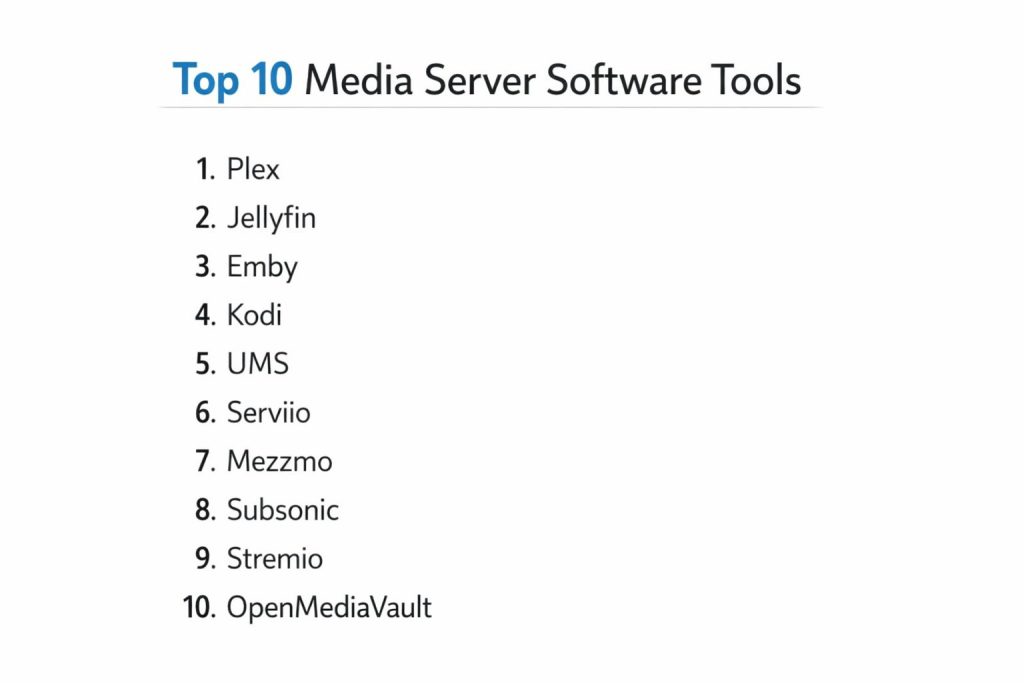
1. Plex
Plex is widely regarded as the industry benchmark for media server software, offering a polished, consumer-ready interface that rivals professional streaming services. It excels at taking a raw folder of files and turning it into a beautiful, navigable library with posters, cast lists, and trailers automatically added. Its greatest strength lies in its “plug-and-play” remote access, which allows users to stream their content anywhere in the world without complex networking knowledge.
Key Features
The platform features an advanced metadata agent that scans multiple databases to ensure library accuracy. It includes a specialized music player for high-fidelity audio enthusiasts that offers sonic analysis for intelligent playlists. The software supports hardware-accelerated transcoding to handle multiple simultaneous 4K streams. It also provides a “skip intro” feature for television shows and integrated access to ad-supported live TV and movies. Furthermore, it offers a robust “Plex Home” system for creating managed user accounts with specific age ratings and restrictions.
Pros
It offers the most comprehensive set of native apps for virtually every smart TV and mobile device. The initial setup is remarkably fast and requires almost no technical expertise.
Cons
Several core features, including hardware transcoding and offline downloads, are locked behind a paid subscription. It also requires an internet connection for initial account authentication, which may concern privacy-focused users.
Platforms and Deployment
Windows, macOS, Linux, and most major NAS brands. It is typically deployed as a local server with cloud-assisted remote access.
Security and Compliance
It uses centralized authentication and offers detailed activity logs. It is compliant with general consumer data protection standards.
Integrations and Ecosystem
Integrates deeply with smart home systems and features a massive array of third-party plugins for specialized metadata and channel management.
Support and Community
Extensive official documentation and one of the largest active user forums in the media server space.
2. Jellyfin
Jellyfin is the premier open-source alternative for users who want total control over their media without any subscription fees or tracking. Born from a fork of a previously open project, it has evolved into a powerful, privacy-centric platform that offers all of its features—including hardware transcoding—for free. It is the preferred choice for the “self-hosting” community that prioritizes data sovereignty.
Key Features
The software is entirely free and open-source, with no hidden paywalls for any feature. It supports a wide range of hardware acceleration technologies for efficient video processing. The user interface is clean and web-standard, making it easy to navigate on a variety of screens. It includes a built-in “SyncPlay” feature that allows multiple users to watch content simultaneously in perfect synchronization. The platform also supports live TV and DVR functionality, along with a flexible plugin system for metadata and subtitle fetching.
Pros
There is zero data collection or “phone home” behavior, ensuring complete privacy. All premium-style features are available at no cost to the user.
Cons
Setting up secure remote access requires more technical knowledge, such as configuring a reverse proxy. The client applications are functional but may lack the high-gloss polish of commercial competitors.
Platforms and Deployment
Windows, macOS, Linux, and Docker. It is ideal for local-first deployments on dedicated servers or NAS devices.
Security and Compliance
Uses local-only authentication by default, providing maximum privacy. It is inherently GDPR compliant because it collects no user data.
Integrations and Ecosystem
Offers a growing list of community-built plugins and is increasingly supported by third-party media players like Infuse and Kodi.
Support and Community
Driven by a passionate community of developers on platforms like GitHub and Reddit, offering highly technical support and frequent updates.
3. Emby
Emby strikes a deliberate balance between the user-friendliness of Plex and the granular control of Jellyfin. It is built for users who want a professional interface but need more control over their server’s technical settings and user permissions than commercial options typically allow. It is particularly well-known for its speed and its ability to handle extremely large media libraries without performance degradation.
Key Features
It features a highly optimized database engine designed for rapid library scanning and navigation. The server management dashboard provides deep insights into active streams and system resources. It offers a dedicated “Theater” application for high-end home theater PCs that supports native high-bitrate playback. The software includes automatic conversion tools for pre-transcoding content into mobile-friendly formats. It also supports sophisticated user management, allowing the admin to limit bandwidth or viewing hours for specific accounts.
Pros
The server-side management tools are more detailed and powerful than those found in most other platforms. It is exceptionally stable when managing libraries with tens of thousands of items.
Cons
Many advanced features, including hardware transcoding and some mobile apps, require a paid “Premiere” license. It is a proprietary product, meaning the source code is not open for public audit.
Platforms and Deployment
Windows, macOS, Linux, NAS, and Docker. It can be deployed in a variety of configurations from local to cloud-based.
Security and Compliance
Supports SSL/TLS for secure streaming and provides granular access controls that are suitable for small business environments.
Integrations and Ecosystem
Features a strong ecosystem of plugins for automation and integrates well with external metadata providers and smart home hubs.
Support and Community
Offers professional developer support alongside a helpful community forum that bridges the gap between casual users and power users.
4. Kodi
Kodi is fundamentally different as it is primarily a “thick-client” media center designed for local playback on a single device, though it can act as a server for other Kodi instances. It is the gold standard for customization, allowing users to completely rebuild the interface and functionality through a massive library of skins and add-ons. It is most commonly used on dedicated hardware connected directly to a television.
Key Features
The platform supports an unparalleled range of file formats and codecs for native playback. It features a highly flexible skinning engine that can transform the look of the software entirely. Users can install add-ons for everything from weather reports to streaming web content and retro gaming. It includes advanced audio pass-through features for high-end surround sound systems. While it is primarily a player, its “UPnP” server capabilities allow it to share its library with other devices on the same local network.
Pros
It is completely free and offers the deepest level of visual and functional customization available in the industry. It handles local file playback with extreme technical precision.
Cons
It is not designed as a “centralized” server, making it difficult to keep “watched” statuses in sync across multiple different types of devices. The interface is optimized for a remote control, making it less intuitive on a mouse or touch screen.
Platforms and Deployment
Windows, macOS, Linux, Android, and Raspberry Pi. It is typically a local installation on a media player or PC.
Security and Compliance
Security is managed at the local device level. Users must be careful when installing third-party add-ons from unverified sources.
Integrations and Ecosystem
Has the largest ecosystem of third-party add-ons in the world, covering almost every conceivable media-related task.
Support and Community
Boasts a legendary community with decades of history, offering a massive wiki and hundreds of dedicated tutorials.
5. Universal Media Server (UMS)
Universal Media Server is a Java-based platform that focuses on one core mission: ensuring your media files play on your TV or game console with zero configuration. It is a “DLNA” focused server that transcodes content automatically to match the requirements of the receiving device, making it a favorite for users who want to keep things simple and technical.
Key Features
The software utilizes a powerful transcoding engine that supports almost any file format. It features automatic detection of devices on the network, instantly serving them the correct stream type. It includes a web interface for basic library management and streaming to browsers. The platform supports integration with various online metadata databases for library organization. It also features “image-based” navigation for devices that have limited text support, making it highly compatible with older smart TVs and consoles.
Pros
It is incredibly lightweight and can run on older hardware that might struggle with more complex suites. It requires very little “tinkering” to get a library visible on a television.
Cons
The visual presentation is very basic and lacks the “Netflix-style” posters and descriptions found in Plex or Emby. It is not well-suited for remote streaming outside the home network.
Platforms and Deployment
Windows, macOS, and Linux. It is a local-only deployment designed for home network use.
Security and Compliance
Security is restricted to the local network; it does not have the complex user-account systems of enterprise-grade tools.
Integrations and Ecosystem
Focuses on standard network protocols like DLNA and UPnP to ensure maximum compatibility with hardware devices.
Support and Community
Supported by a small, dedicated team and a community forum focused on hardware compatibility and transcoding fixes.
6. Serviio
Serviio is a robust media server that prioritizes device compatibility and background performance. It is designed to run as a service, quietly indexing files and making them available to a vast array of devices like TVs, Blu-ray players, and mobile phones. It is known for its stability and its ability to handle exotic file formats through a highly customizable transcoding engine.
Key Features
The platform uses a “profile-based” system to identify specific devices and deliver the most optimized stream for each one. It supports the extraction of metadata from online sources as well as local files. The software includes a professional web-based player for high-quality streaming in any browser. It also features an automated “category” system that organizes media by genre, actor, or folder structure. For technical users, it allows for the creation of custom transcoding profiles using command-line tools.
Pros
It is exceptionally stable and has a very low impact on system resources when idling. The profile system ensures that even older or “niche” hardware can play modern video files.
Cons
The professional features, including the web player and mobile apps, require a one-time “Pro” license fee. The interface for managing the server is functional but feels dated compared to modern alternatives.
Platforms and Deployment
Windows, macOS, Linux, and various NAS devices. It is intended for local network installation.
Security and Compliance
Offers basic password protection for its web interface and handles data according to standard local-storage practices.
Integrations and Ecosystem
Focuses on established industry standards for media delivery, ensuring it works with the widest possible range of hardware players.
Support and Community
Provides clear documentation and a helpful community forum where users share device profiles and troubleshooting tips.
7. Mezzmo
Mezzmo is a high-performance media server specifically designed for Windows environments. It is built for power users who have massive libraries and need a server that can handle high-concurrency streaming without stuttering. It is particularly valued for its “pre-transcoding” features, which allow users to prepare their entire library for specific devices in advance.
Key Features
The software features a multi-threaded transcoding engine that takes full advantage of high-end CPUs. It includes advanced parental controls that allow for fine-tuned restrictions based on content ratings. Its library management system is highly detailed, supporting custom metadata fields and complex smart playlists. It also offers a “gapless” music playback feature for audiophiles and a native Android application that supports high-bitrate streaming. The “pre-transcoding” tool is its standout feature, ensuring instant playback on any device by converting files before they are even requested.
Pros
It is one of the fastest servers for navigating extremely large libraries (100,000+ items). The level of control over the transcoding process is significantly higher than in consumer-focused tools.
Cons
The software is a paid product with no free tier for the core server functionality. It is only available for Windows, which limits its appeal for those using Linux or specialized NAS hardware.
Platforms and Deployment
Windows only. It is a local installation designed for a primary media PC.
Security and Compliance
Includes robust user permissions and secure login protocols for its mobile and web clients.
Integrations and Ecosystem
Integrates with all major DLNA and UPnP devices and provides specialized support for high-end audio formats.
Support and Community
Offers professional technical support and a community-driven knowledge base for advanced configuration.
8. Subsonic
Subsonic is a specialized media server that focuses primarily on music streaming, though it has since added video support. It is the ideal tool for users who want to build their own private “Spotify” using their local music collection. It is known for its ability to stream music efficiently over low-bandwidth connections, making it perfect for mobile use.
Key Features
The platform supports virtually all audio formats and can transcode them in real-time to MP3 or other web-friendly formats. It features a highly responsive web interface that allows for easy playlist management and music discovery. Users can share their music with others through unique links or shared accounts. It includes a built-in podcast receiver and supports integrated lyrics and album art fetching. For those who still use them, it even supports streaming to hardware devices like Sonos.
Pros
It is the best option for managing and streaming massive music libraries to mobile devices. It is extremely reliable even on poor cellular connections.
Cons
The video streaming features are secondary and not as robust as the music features. The modern interface and mobile apps require a small monthly or yearly subscription fee.
Platforms and Deployment
Windows, macOS, Linux, and Docker. It is a lightweight server that can run on minimal hardware.
Security and Compliance
Offers HTTPS support and secure authentication for all remote connections.
Integrations and Ecosystem
Has a vast array of third-party mobile apps and integrates with various online music metadata services.
Support and Community
A long-standing community provides a wealth of information on specialized music streaming setups and mobile app configurations.
9. Stremio
Stremio is a modern media aggregator that functions as a lightweight media server by organizing local content and combining it with various online streaming sources. It uses a unique “addon” system that allows it to pull content from different providers into a single, unified interface, making it a hybrid between a local media server and a global search tool.
Key Features
The platform features a sleek, “Netflix-style” interface that is extremely easy to navigate. Its addon system is entirely decentralized, allowing users to choose exactly which services they want to integrate. It supports the automatic synchronization of your library and watched status across all devices through a single account. It includes a specialized “Calendar” view that tracks upcoming episodes of your favorite shows. The software also supports casting to various devices like Chromecast and smart TVs with a single click.
Pros
It is incredibly fast to set up and provides a unified view of both local and online content. The interface is one of the most modern and visually appealing in the space.
Cons
It is less powerful as a “traditional” media server for local file management compared to Plex or Jellyfin. The decentralized nature of addons means that some features depend on the stability of third-party developers.
Platforms and Deployment
Windows, macOS, Linux, Android, and iOS. It is a cloud-synced local application.
Security and Compliance
Account-based security with standard encryption for synced data. Users should be aware of the privacy policies of individual addons.
Integrations and Ecosystem
Its entire ecosystem is built on community-made addons that extend its functionality to a wide range of web-based media sources.
Support and Community
Maintains an active presence on social platforms and has a dedicated community of addon developers providing constant updates.
10. OpenMediaVault (OMV)
OpenMediaVault is an enterprise-grade Network Attached Storage (NAS) solution that functions as a powerful foundation for media servers. While it is an operating system rather than a single app, it is included here because it is the most popular way for professionals to deploy media servers like Plex, Jellyfin, or Emby within a secure, scalable, and manageable environment.
Key Features
The system provides professional-level file storage management, including support for various RAID configurations and the ZFS file system. It features an intuitive web-based interface for managing the entire server, from users to hard drives. Through its “Docker” integration, users can install any media server application with a single click. It includes a robust plugin system for adding features like BitTorrent clients, automated backups, and system monitoring. It is designed to be highly extensible, allowing a single machine to act as a media server, file storage, and private cloud.
Pros
It provides a much more stable and secure foundation for a media server than running one on a standard desktop OS. It allows for the easy management of massive multi-drive storage arrays.
Cons
The setup requires a higher level of technical knowledge, including an understanding of Linux and networking. It requires a dedicated machine to act as the server.
Platforms and Deployment
Linux-based (Debian). It is deployed as a dedicated server operating system.
Security and Compliance
Offers enterprise-level security, including firewalls, role-based access control, and full-disk encryption.
Integrations and Ecosystem
Integrates with nearly every professional server tool and supports all major media server applications via containerization.
Support and Community
A massive community of IT professionals and enthusiasts provides extensive guides and support for building custom media servers.
Comparison Table
| Tool Name | Best For | Platform(s) Supported | Deployment | Standout Feature | Public Rating |
| 1. Plex | General Ease of Use | Win, Mac, Linux, NAS | Hybrid | Remote Access Sync | 4.8/5 |
| 2. Jellyfin | Privacy & Open Source | Win, Mac, Linux, Docker | Local | 100% Free Hardware Transcoding | 4.7/5 |
| 3. Emby | Large Library Mgmt | Win, Mac, Linux, NAS | Hybrid | Fast Metadata Engine | 4.6/5 |
| 4. Kodi | Local Home Theater | Win, Mac, Linux, Pi | Local | Deep UI Customization | 4.9/5 |
| 5. UMS | Zero-Config Playback | Win, Mac, Linux | Local | Automated Transcoding | 4.2/5 |
| 6. Serviio | Device Compatibility | Win, Mac, Linux, NAS | Local | Specialized Device Profiles | 4.3/5 |
| 7. Mezzmo | Windows Power Users | Windows | Local | Pre-Transcoding Tool | 4.4/5 |
| 8. Subsonic | Private Music Cloud | Win, Mac, Linux | Local | Low-Bandwidth Audio Streaming | 4.5/5 |
| 9. Stremio | Content Aggregation | Win, Mac, Linux, Mobile | Cloud-Sync | Decentralized Addon System | 4.6/5 |
| 10. OpenMediaVault | Scalable Foundation | Linux (Debian) | Server OS | ZFS & Docker Integration | 4.8/5 |
Evaluation & Scoring of Media Server Software
The scoring below is a comparative model intended to help shortlisting. Each criterion is scored from 1–10, then a weighted total from 0–10 is calculated using the weights listed. These are analyst estimates based on typical fit and common workflow requirements, not public ratings.
Weights:
- Core features – 25%
- Ease of use – 15%
- Integrations & ecosystem – 15%
- Security & compliance – 10%
- Performance & reliability – 10%
- Support & community – 10%
- Price / value – 15%
| Tool Name | Core (25%) | Ease (15%) | Integrations (15%) | Security (10%) | Performance (10%) | Support (10%) | Value (15%) | Weighted Total |
| 1. Plex | 10 | 10 | 9 | 7 | 9 | 10 | 7 | 9.00 |
| 2. Jellyfin | 9 | 6 | 8 | 10 | 9 | 9 | 10 | 8.65 |
| 3. Emby | 9 | 8 | 8 | 8 | 10 | 9 | 7 | 8.50 |
| 4. Kodi | 10 | 4 | 7 | 6 | 10 | 10 | 10 | 8.10 |
| 5. UMS | 7 | 9 | 6 | 6 | 8 | 7 | 9 | 7.40 |
| 6. Serviio | 7 | 8 | 7 | 7 | 8 | 7 | 8 | 7.40 |
| 7. Mezzmo | 8 | 6 | 7 | 8 | 10 | 8 | 6 | 7.60 |
| 8. Subsonic | 9 | 8 | 9 | 8 | 9 | 8 | 8 | 8.60 |
| 9. Stremio | 7 | 10 | 10 | 7 | 8 | 8 | 9 | 8.30 |
| 10. OMV | 10 | 3 | 10 | 10 | 10 | 9 | 10 | 8.60 |
How to interpret the scores:
- Use the weighted total to shortlist candidates, then validate with a pilot.
- A lower score can mean specialization, not weakness.
- Security and compliance scores reflect controllability and governance fit, because certifications are often not publicly stated.
- Actual outcomes vary with assembly size, team skills, templates, and process maturity.
Which Media Server Software Tool Is Right for You?
Solo / Freelancer
Individuals who want a simple, high-quality way to enjoy their personal collections should look for platforms that offer the best “one-click” remote access. This ensures that their media travels with them without the need for managing complex server infrastructure while away from home.
SMB
Small businesses needing to distribute training videos or secure internal assets will benefit most from platforms with granular user permissions. These tools allow the organization to ensure that only authorized personnel can access specific folders, providing a secure alternative to public video hosting.
Mid-Market
For teams that require a more robust, always-on solution, utilizing a dedicated NAS-based operating system to host their media applications provides the best balance of performance and reliability. This setup allows for the scaling of storage as digital libraries grow over time.
Enterprise
At the enterprise level, the focus is on data sovereignty and secure high-concurrency delivery. Solutions that can be deployed within an existing private cloud and integrated with professional security protocols are essential for maintaining the integrity of high-value media assets.
Budget vs Premium
Users on a budget should prioritize open-source tools that provide high-end features like hardware transcoding without recurring costs. Premium options are often worth the investment for those who value polished client applications and seamless remote setup for non-technical family members.
Feature Depth vs Ease of Use
If you enjoy constant tweaking and visual customization, a local-first media center is the best fit. However, if the goal is to simply install the software and have it work like a professional streaming service, a commercial centralized server is the superior choice.
Integrations & Scalability
Scalability is determined by the software’s ability to handle growing hardware arrays and diverse client devices. A platform that integrates well with Docker and industry-standard protocols ensures that your media environment can adapt to future technological shifts.
Security & Compliance Needs
For users with high privacy requirements, a server that operates entirely within the local network with no external dependencies is the only way to guarantee that viewing habits and file names remain private and secure from external data collection.
Frequently Asked Questions (FAQs)
1. What is transcoding and why does it matter?
Transcoding is the real-time conversion of a media file to a format that the playback device can understand. It is essential for ensuring that high-resolution content can play on older televisions, mobile phones, or browsers without the user having to manually convert the files.
2. Can I run a media server on a standard laptop?
Yes, most of these tools can run on a standard laptop. However, for a 24/7 “always-on” experience, a dedicated low-power PC or a NAS is recommended to avoid wear on personal hardware and to ensure the library is always accessible.
3. Do I need an internet connection to use a media server?
While some commercial tools require an internet connection for account login, many open-source and local-first platforms can function entirely offline. This makes them ideal for environments with unreliable internet or for users who value complete privacy.
4. Is hardware acceleration necessary for 4K streaming?
Hardware acceleration offloads the intense processing work of transcoding from the CPU to the GPU. While not strictly necessary for simple playback, it is critical if you plan to stream high-resolution 4K content to multiple devices simultaneously.
5. How do media servers get posters and descriptions for movies?
These platforms use automated “scrapers” or agents that match your file names against massive online databases. To ensure accuracy, it is important to follow standard naming conventions for your files and folders.
6. Can I share my media library with friends?
Most modern media server platforms allow you to create guest accounts or share specific libraries with external users. This typically requires a stable upload speed from your home internet connection to ensure a smooth experience for the recipient.
7. What is the difference between a DLNA server and a centralized media server?
A DLNA server simply makes files visible to devices on a network, while a centralized media server provides a rich interface with metadata, watched-status syncing, and advanced user management across all your devices.
8. Is it legal to host my own media server?
Hosting a media server is entirely legal as long as you own the rights to the content you are hosting. These tools are designed to help you manage your personal collection of digital media, much like a digital bookshelf.
9. Can I use a media server for music and photos too?
Absolutely. While often associated with movies and TV, the top platforms offer excellent support for organizing massive music libraries with album art and hosting personal photo galleries that can be viewed on a big screen.
10. What happens if my media server hard drive fails?
If a drive fails without a backup, the data on that drive is usually lost. This is why professionals recommend using a server foundation that supports “RAID” or other redundancy technologies to protect your library from hardware failure.
Conclusion
Navigating the landscape of media server software requires a strategic understanding of your unique consumption habits and technical comfort level. As we move further into a decade defined by the fragmentation of streaming services and increasing concerns over digital privacy, the ability to curate and control your own high-fidelity media library has become a hallmark of technical self-sufficiency. Whether you choose a polished commercial suite for its “plug-and-play” simplicity or a robust open-source platform for its total transparency, the goal remains the same: to create a resilient, centralized hub for your digital life. By prioritizing hardware compatibility and long-term data portability, you ensure that your media remains accessible, secure, and ready for the future of digital entertainment.