Introduction
In 2026, media player software continues to be an essential tool for individuals and businesses alike. Whether it’s watching movies, listening to music, or managing various multimedia files, a reliable media player is crucial to an optimal experience. As we rely more on digital content, the demand for powerful, versatile, and user-friendly media players has grown significantly. When choosing media player software, users need to consider several factors such as format support, ease of use, streaming capabilities, customization options, and compatibility with different devices and operating systems.
In this blog post, we’ll explore the top 10 media player software tools for 2026. These tools are designed for a wide range of needs, from casual users to professionals, providing all the features needed to play, organize, and enhance digital media.
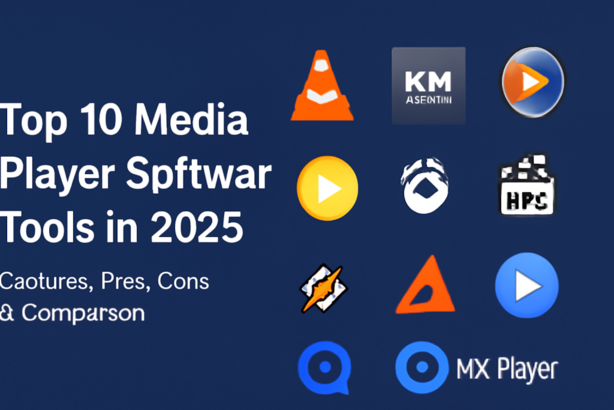
Top 10 Media Player Software Tools in 2026
1. VLC Media Player

Short Description:
VLC Media Player is one of the most popular open-source media players, offering support for a wide variety of audio and video formats. It’s known for its simplicity, versatility, and ability to handle almost any media type.
Key Features:
- Supports all major video and audio formats.
- Open-source and free to use.
- Customizable interface and skins.
- Streaming support via network protocols.
- Subtitle support and advanced playback options.
- Cross-platform compatibility (Windows, macOS, Linux, Android, iOS).
Pros:
- Free and open-source with no ads.
- Excellent format compatibility, including rare codecs.
- Constant updates and community support.
Cons:
- The user interface is basic and could feel outdated.
- Lacks advanced features found in premium software.
2. KMPlayer

Short Description:
KMPlayer is a feature-rich media player designed for Windows and macOS, offering a range of customization options and support for a wide variety of file formats.
Key Features:
- Advanced video and audio playback features.
- Supports 4K, 3D, and UHD videos.
- Customizable interface and subtitles.
- Built-in codecs for seamless media playback.
- Video editing features (trim, capture, etc.).
- Cross-device syncing via cloud.
Pros:
- Excellent high-definition and 3D media support.
- Packed with features for power users.
- Lightweight yet powerful.
Cons:
- Some users report occasional lag with larger files.
- Too many features may overwhelm beginners.
3. Windows Media Player (2026 Version)

Short Description:
Windows Media Player continues to be a staple for Windows users. The 2026 version is faster, more intuitive, and supports the latest file formats and streaming technologies.
Key Features:
- Seamless integration with Windows operating systems.
- Music library management and syncing with devices.
- Built-in media streaming.
- Supports various formats, including FLAC and MP3.
- Customizable themes and visualizations.
Pros:
- Deep integration with the Windows ecosystem.
- Familiar and easy-to-use interface.
- Good for music and video library management.
Cons:
- Limited features compared to third-party media players.
- Occasional issues with compatibility for certain formats.
4. PotPlayer

Short Description:
PotPlayer is a powerful and customizable media player, known for its low system resource usage and extensive feature set.
Key Features:
- Full hardware acceleration support.
- Offers 3D and VR video playback.
- Supports all common and uncommon file formats.
- Multiple video output options (e.g., Direct3D, OpenGL).
- Built-in screen recording and video capture.
Pros:
- Excellent customization and configuration options.
- Low system resource usage while maintaining high performance.
- Supports high-definition and 3D video playback.
Cons:
- Initial setup can be complex for casual users.
- Interface can be overwhelming due to the range of settings.
5. GOM Player

Short Description:
GOM Player is a media player with a sleek design and various advanced features. It’s known for its high-quality video playback and excellent subtitle support.
Key Features:
- Advanced subtitle features (customization and syncing).
- Supports a wide variety of media formats.
- Virtual Reality (VR) support.
- Built-in media browser and codec finder.
- Screen recording and video capture.
Pros:
- Excellent subtitle customization.
- Good for both beginners and advanced users.
- Built-in codec finder makes troubleshooting easy.
Cons:
- Free version includes ads.
- Some users report minor playback issues with certain formats.
6. Media Player Classic – Home Cinema (MPC-HC)

Short Description:
Media Player Classic – Home Cinema is a lightweight, open-source media player with a simple interface and extensive compatibility with multimedia formats.
Key Features:
- Supports almost all video and audio formats.
- Light on system resources, ideal for older PCs.
- Customizable keyboard shortcuts.
- Supports DVD and Blu-ray playback.
- Active community support for troubleshooting.
Pros:
- Extremely lightweight and fast.
- Free and open-source.
- No ads or bloatware.
Cons:
- Lacks advanced features found in more modern players.
- The user interface is minimal and could be seen as outdated.
7. Winamp

Short Description:
Winamp has seen a resurgence in 2026 with an updated interface and features, making it a strong contender for music lovers who need flexibility and customization.
Key Features:
- Customizable skins and plugins.
- Supports a wide range of audio formats (MP3, AAC, FLAC).
- Music visualization features.
- Built-in equalizer and audio effects.
- Cross-device syncing for a seamless experience.
Pros:
- Excellent for managing large music libraries.
- Highly customizable with a vibrant community of skin designers.
- Great for audiophiles with audio enhancement tools.
Cons:
- Limited video playback support.
- The user interface can feel clunky compared to newer players.
8. Elmedia Player

Short Description:
Elmedia Player is a versatile media player for macOS users, with excellent support for streaming, video playback, and audio management.
Key Features:
- HD and 4K video playback support.
- Stream videos directly from the web.
- Built-in browser for online streaming.
- Audio equalizer and playback controls.
- Supports a wide range of formats.
Pros:
- Excellent for macOS users with a seamless integration.
- Good for both video and audio playback.
- Streaming and downloading features are a plus.
Cons:
- Not as feature-rich as some other players for Windows.
- The free version is limited in functionality.
9. MX Player

Short Description:
MX Player is a popular media player for Android and iOS that offers a solid set of features, including support for high-definition video playback and a user-friendly interface.
Key Features:
- Supports various video formats including MKV, AVI, and MP4.
- Hardware acceleration for smoother playback.
- Advanced subtitle support with syncing options.
- Gesture controls for navigation.
- Offers online streaming and playback.
Pros:
- Great for mobile users with support for high-definition video.
- Gesture control makes navigation easy.
- Active community and frequent updates.
Cons:
- The free version includes ads.
- Some features are only available in the premium version.
10. QuickTime Player

Short Description:
QuickTime Player is Apple’s native media player, offering high-quality video and audio playback. It’s particularly suited for macOS users but is also available on Windows.
Key Features:
- High-definition video playback.
- Supports streaming and screen recording.
- Integration with macOS ecosystem (AirDrop, iCloud).
- Simple and intuitive interface.
- Quick editing tools for video and audio files.
Pros:
- Seamless integration with macOS devices.
- Excellent for editing and recording media.
- No need for third-party software for basic media tasks.
Cons:
- Limited format support compared to other players.
- Windows version lacks some features available on macOS.
Comparison Table
| Tool Name | Best For | Platform(s) Supported | Standout Feature | Pricing | Rating |
|---|---|---|---|---|---|
| VLC Media Player | All-purpose media player | Windows, macOS, Linux | Broadest format support | Free | 4.7/5 |
| KMPlayer | High-definition video lovers | Windows, macOS | 4K and 3D support | Free/Ad-free | 4.5/5 |
| Windows Media Player | Windows users | Windows | Deep Windows integration | Free | 4.0/5 |
| PotPlayer | Customization enthusiasts | Windows | Full hardware acceleration | Free | 4.6/5 |
| GOM Player | Subtitle-heavy users | Windows, macOS | Advanced subtitle features | Free/Ad-free | 4.3/5 |
| MPC-HC | Lightweight playback | Windows | Lightweight with full feature support | Free | 4.4/5 |
| Winamp | Music lovers | Windows | Custom skins and audio effects | Free/Pro | 4.2/5 |
| Elmedia Player | macOS users | macOS | Streaming and downloading capabilities | Free/Pro | 4.1/5 |
| MX Player | Mobile users | Android, iOS | Mobile video playback | Free/Pro | 4.6/5 |
| QuickTime Player | macOS users | macOS, Windows | Native macOS integration | Free | 4.0/5 |
Which Media Player Software Tool is Right for You?
Choosing the right media player software depends on your needs. Here’s a quick guide:
- For Casual Users: VLC Media Player, Windows Media Player, or QuickTime Player are solid, no-fuss options that will meet the needs of everyday media consumption.
- For Power Users: KMPlayer, PotPlayer, or GOM Player are excellent choices for those who need advanced features, including 4K, 3D, and VR support.
- For Music Lovers: Winamp is ideal for users who want extensive library management, audio enhancements, and customization options.
- For Mac Users: Elmedia Player is perfect for those using macOS who need streaming and media management.
- For Mobile Users: MX Player is highly rated for its mobile support and features tailored for smartphones.
Conclusion
The media player software landscape in 2026 offers a range of powerful and versatile tools suited for different needs, whether you’re an everyday user, a media enthusiast, or a professional looking for specialized features. From VLC’s universal compatibility to Winamp’s robust music management, each tool has its strengths. We encourage you to try demos or free versions of these tools to find the one that best fits your media playback needs.
FAQs
1. What is the best free media player software?
VLC Media Player is widely regarded as the best free media player due to its broad format support and regular updates.
2. Can I use these media players for streaming?
Yes, tools like VLC Media Player, KMPlayer, and Elmedia Player support streaming from various sources, making them versatile choices for media consumption.
3. Does GOM Player support subtitles?
Yes, GOM Player excels at subtitle support, offering customization and syncing options.
4. Is MX Player good for mobile video playback?
Absolutely! MX Player is highly rated for mobile video playback, offering smooth HD support and easy-to-use gesture controls.
5. What media player should I choose for music management?
For music enthusiasts, Winamp provides excellent music library management, audio enhancements, and customization options.
Meta Description:
Explore the top 10 media player software tools of 2026, featuring in-depth comparisons, pros and cons, and helpful features. Find the best software for your needs!