Introduction
Meal planning software has evolved from simple digital recipe boxes into sophisticated nutritional command centers designed to optimize human health and household efficiency. These platforms leverage extensive databases of caloric and macronutrient data to help users navigate the complex landscape of modern dietary requirements, from managing chronic conditions to peak athletic performance. By integrating automated inventory management and procurement logistics, these tools address the primary friction points of home food management: decision fatigue and resource waste. In the professional and enterprise sectors, this technology enables nutritionists and institutional kitchens to scale personalized care with clinical precision.
The necessity of these digital solutions is driven by a global shift toward preventative health and the rising cost of nutritional mismanagement. Organizations now utilize these platforms to drive employee wellness programs, while families use them to reclaim time and reduce the environmental impact of food spoilage. When evaluating a meal planning ecosystem, critical factors include the accuracy of the underlying nutritional data, the flexibility of the recipe modification engine, and the robustness of the automated procurement integrations. For high-stakes environments, the ability to filter for precise allergens and cross-platform synchronization are non-negotiable requirements for long-term success.
Best for: Busy households seeking to reduce food waste, fitness enthusiasts tracking specific macronutrient targets, and health professionals managing client nutrition at scale.
Not ideal for: One-off grocery shopping without a broader nutritional strategy or users who prefer a completely manual, paper-based tracking method without digital intervention.
Key Trends in Meal Planning Software
The integration of artificial intelligence has transformed planning from a manual chore into a predictive service that suggests meals based on existing pantry inventory and past preferences. Real-time synchronization with major grocery retailers has closed the loop between planning and procurement, allowing for one-click ordering of entire weekly menus. There is a significant movement toward hyper-personalization, where platforms adjust recommendations based on biometric data from wearable devices, such as blood glucose levels or activity recovery needs.
Sustainability is another dominant trend, with advanced algorithms now calculating the carbon footprint of specific recipes and optimizing shopping lists to minimize single-use packaging. Collaborative planning features have also matured, enabling multi-user household profiles where every family member can contribute to the weekly menu in real-time. Finally, the rise of “smart kitchens” means these apps are increasingly talking directly to appliances, pre-heating ovens or setting timers based on the specific recipe being prepared.
How We Selected These Tools
The selection process for these platforms involved a rigorous assessment of data integrity and user experience. We prioritized tools that utilize verified nutritional databases rather than purely user-generated content to ensure clinical-grade accuracy. Market longevity and the frequency of security updates were key indicators of a platform’s reliability for long-term data storage. We also analyzed the breadth of dietary support, ensuring the selected tools could handle diverse needs ranging from ketogenic and paleo to specialized medical diets like low-FODMAP.
Connectivity was another primary criterion, favoring apps that offer seamless integration with health ecosystems and major retail delivery services. We examined the sophistication of the “pantry-check” algorithms, which determine how effectively a tool can reduce household waste by suggesting recipes for items already on hand. Finally, the balance between automation and manual control was weighed to ensure that both novice cooks and professional chefs could find a tool that aligns with their specific workflow requirements.
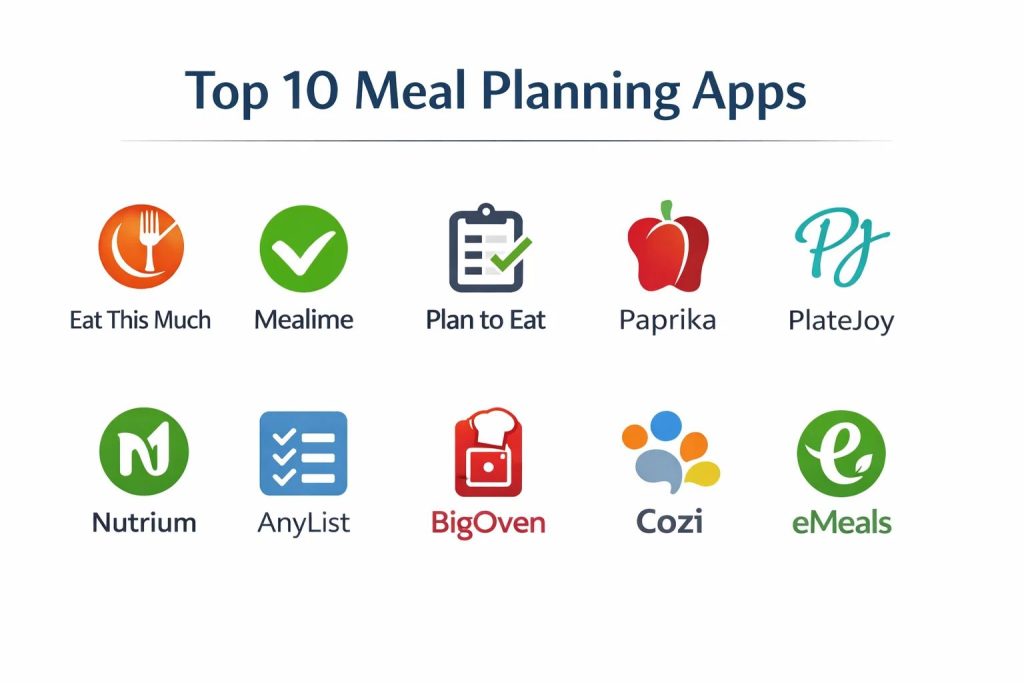
1. Eat This Much
Eat This Much is an automated meal planner that focuses heavily on caloric and macronutrient targets. It is designed for users who want to hit specific body composition goals without spending hours on manual calculations. The app generates entire days of eating based on a single target, allowing users to swap meals until the plan perfectly matches their schedule and taste.
Key Features
The core engine automatically generates meal plans based on calorie and macro goals. It features a robust “pantry” tool that tracks what you have in stock to minimize overbuying. Users can set recurring meal rules, such as “always eggs for breakfast,” to streamline the automation. It provides detailed nutritional reports and supports a wide variety of diet types including keto, paleo, and vegan. The platform also includes a grocery list generator that aggregates ingredients across the entire week.
Pros
It is arguably the best tool for users who view food through the lens of performance and data. The automation is fast, creating a full week’s plan in seconds.
Cons
The automated suggestions can occasionally feel repetitive if the user does not actively curate their liked recipe list. The interface is data-heavy and may overwhelm casual users.
Platforms and Deployment
Web, iOS, and Android. It functions as a cloud-synchronized service across all devices.
Security and Compliance
Adheres to standard data encryption protocols for personal health information and offers secure account management.
Integrations and Ecosystem
Connects with major fitness trackers to sync calorie burn data and supports grocery delivery through third-party partners.
Support and Community
Offers a detailed knowledge base, email support, and an active user forum for sharing custom meal plans.
2. Mealime
Mealime is built for the busy professional or parent who prioritizes speed and simplicity. It focuses on high-quality, 30-minute recipes and creates a streamlined shopping experience that virtually eliminates food waste by ensuring that ingredients are shared across different meals in the plan.
Key Features
The app provides highly curated meal plans that can be customized for nearly any allergy or dietary restriction. Its intelligent grocery list automatically groups items by aisle and combines quantities to prevent waste. It features a “cooking mode” that keeps the screen on and provides hands-free instructions. The software allows users to exclude specific ingredients they dislike, ensuring the recommendations are always relevant. It also supports serving size adjustments for everything from solo diners to large families.
Pros
The recipes are consistently high-quality and easy to follow, making it ideal for those who are not professional cooks. The waste-reduction logic is among the best in the industry.
Cons
It is less focused on granular macro-tracking compared to fitness-oriented apps. The recipe library, while large, is more curated and less expansive than community-driven platforms.
Platforms and Deployment
iOS and Android. It is a mobile-first application designed for use in the kitchen and at the store.
Security and Compliance
Standard mobile app security practices with secure payment processing for pro features.
Integrations and Ecosystem
Direct integration with major grocery retailers for home delivery and pickup.
Support and Community
Responsive email support and a large social media community where users share success stories.
3. Plan to Eat
Plan to Eat is a manual organizational tool designed for the serious home cook who already has a large collection of favorite recipes. Rather than suggesting what to eat, it provides a powerful calendar and list-generating interface to help users organize their own culinary life.
Key Features
The “recipe clipper” allows users to import recipes from any website on the internet with a single click. It features a drag-and-drop calendar for planning days, weeks, or months in advance. The shopping list is automatically generated from the calendar and can be sorted by store or category. It includes a “staples” list for items that are always needed, like milk or eggs. The platform also allows for easy sharing of recipes and plans with friends and family members.
Pros
It offers total control and does not force proprietary recipes on the user. The browser extension for clipping recipes is exceptionally reliable and accurate.
Cons
It requires more manual effort upfront to build the recipe library and populate the calendar. There is no automated meal generation for those seeking inspiration.
Platforms and Deployment
Web, iOS, and Android. The web version is particularly robust for heavy-duty planning sessions.
Security and Compliance
Ensures user privacy by not selling data to third-party advertisers and uses secure cloud storage.
Integrations and Ecosystem
Primarily a standalone tool, but it supports standard data exports and shares data seamlessly across its mobile and web apps.
Support and Community
Excellent customer support and a dedicated blog with tutorials on mastering meal prep.
4. Paprika
Paprika is a sophisticated recipe manager and meal planner that is prized for its clean interface and one-time purchase model. It is designed for users who want a powerful, local-first database to manage every aspect of their kitchen life, from pantry tracking to grocery shopping.
Key Features
The app includes a world-class web scraper that cleans up online recipes for easy reading. It features a smart grocery list that automatically scales ingredients based on the number of servings you intend to cook. The “pantry” feature allows users to track expiration dates and stock levels of essential items. It includes a specialized “tools” menu for timers and unit conversions while cooking. The software also supports cross-device syncing through its own secure cloud service.
Pros
The absence of a recurring subscription fee is a major draw for many users. The app is incredibly fast and works offline, making it reliable in any kitchen environment.
Cons
The meal planning interface is functional but lacks the visual flair and automation of some newer competitors. You must purchase the app separately for different operating systems.
Platforms and Deployment
Windows, macOS, iOS, and Android. It is a local application with cloud sync.
Security and Compliance
Uses a proprietary sync service with high-level encryption to keep your personal recipe database private.
Integrations and Ecosystem
Focuses on being a self-contained ecosystem but allows for the export of recipes and lists in various formats.
Support and Community
Provides extensive documentation and email-based technical support.
5. PlateJoy
PlateJoy focuses on “lifestyle medicine,” providing highly personalized meal plans designed to meet specific health goals or manage conditions like diabetes and hypertension. It uses a detailed intake quiz to create a unique nutritional profile for every user.
Key Features
The platform creates bespoke meal plans based on your specific kitchen equipment, time constraints, and health requirements. It offers a “digital pantry” that remembers what you already have to save money at the store. Its recipes are dietitian-vetted to ensure they meet strict nutritional standards. The app supports “batch cooking” plans to help users prepare multiple meals in a single session. It also provides professional-grade nutritional analysis for every day of the plan.
Pros
The level of personalization is among the highest in the industry, taking into account even the smallest preferences. It is an excellent choice for those using food as a form of healthcare.
Cons
The subscription cost is higher than many other apps on the list. The structured nature of the plans may feel too restrictive for spontaneous cooks.
Platforms and Deployment
Web, iOS, and Android. It is deployed as a managed cloud service.
Security and Compliance
Highly secure, adhering to privacy standards suitable for health-related data management.
Integrations and Ecosystem
Deeply integrated with grocery delivery services and health tracking platforms like Apple Health.
Support and Community
Offers access to nutrition experts and a comprehensive help center.
6. Nutrium
Nutrium is a professional-grade platform designed for dietitians and nutritionists to manage their clients’ meal plans. It bridges the gap between professional advice and daily execution, allowing practitioners to monitor their clients’ progress in real-time.
Key Features
The software provides a sophisticated meal plan builder that calculates exact nutritional values as the practitioner adds ingredients. It features a dedicated client mobile app where users can view their plans and log their intake. The platform includes a telehealth module for remote consultations. It generates branded PDF plans and shopping lists for a professional presentation. The tool also tracks client metrics like weight, body fat, and physical activity through wearable integrations.
Pros
It provides an unparalleled level of clinical detail and professional oversight. The integration between the practitioner’s dashboard and the client’s app is seamless.
Cons
It is designed for professionals and is not intended for individual home users to purchase for personal use. The feature set may be too complex for a solo coach.
Platforms and Deployment
Web-based for professionals, with iOS and Android apps for clients.
Security and Compliance
Fully HIPAA and GDPR compliant, ensuring the highest level of security for sensitive medical and personal data.
Integrations and Ecosystem
Connects with a wide array of laboratory services and fitness tracking devices.
Support and Community
Includes dedicated account management for professionals and extensive training webinars.
7. AnyList
AnyList is fundamentally a world-class list-sharing app that has evolved into a powerful tool for collaborative meal planning. It is the preferred choice for households that need to synchronize their shopping and eating schedules across multiple family members.
Key Features
The app allows for real-time list sharing where changes made by one user are instantly visible to everyone else. It features a recipe organizer that can import data from websites and add ingredients to lists with one tap. The meal planning calendar allows users to schedule recipes and see a month-long overview. It supports location-based reminders that alert you to your grocery list when you arrive at the store. The platform also includes a “pantry” feature for tracking common household items.
Pros
The sharing functionality is the most reliable in the category, making it perfect for families. The user interface is exceptionally clean and easy to navigate.
Cons
The free version is quite limited, with most of the best features locked behind a subscription. It does not provide automated meal suggestions or deep nutritional analysis.
Platforms and Deployment
iOS, Android, macOS, and Web. It is built for a synchronized multi-user experience.
Security and Compliance
Uses industry-standard encryption for data transit and storage, with secure family account management.
Integrations and Ecosystem
Supports voice commands through smart home assistants for adding items to lists hands-free.
Support and Community
Active email support and a detailed set of online tutorials.
8. BigOven
BigOven is a massive social platform for recipe discovery that includes robust tools for planning and grocery management. With a library of over one million recipes, it is designed for users who want endless inspiration and a community-driven cooking experience.
Key Features
The app features a “Use Up Leftovers” tool that suggests recipes based on three ingredients you have in your fridge. It includes a social feed where users can follow their favorite cooks and see what they are planning. The meal planner supports a drag-and-drop interface for organizing a weekly schedule. Its grocery list automatically groups items and allows for easy checking while in the store. The platform also offers a “recipe scan” service that converts handwritten notes into digital text.
Pros
The sheer volume of recipes available means you will never run out of ideas. The leftover tool is a practical and effective way to reduce waste.
Cons
The community-driven nature means recipe quality can be inconsistent. The interface can feel a bit cluttered with social features and advertisements in the free tier.
Platforms and Deployment
Web, iOS, and Android. It is a cloud-based social platform.
Security and Compliance
Standard web and mobile security protocols with options for private recipe storage.
Integrations and Ecosystem
Integrates with social media platforms and supports basic health data sharing.
Support and Community
A very large and active community of home cooks provides constant feedback and support.
9. Cozi
Cozi is a comprehensive family organizer that includes a dedicated meal planning and grocery list module. It is designed to manage the “mental load” of the household, keeping everyone’s schedule and meals in a single, shared location.
Key Features
The shared family calendar allows you to plan meals alongside school events and sports practices. It features a “recipe box” where families can store their favorite go-to dinners. The grocery list is shared across the whole family and can be updated by anyone at any time. It includes a “no-dim” feature that keeps the screen bright while you are following a recipe in the kitchen. The app also allows for the creation of multiple specialized lists for different stores.
Pros
It is the best all-in-one solution for families who want to manage their whole life in one app. The simplicity of the interface makes it accessible for children and adults alike.
Cons
The meal planning features are more basic compared to specialized apps like Eat This Much or PlateJoy. It does not offer deep nutritional tracking or automated macro-based planning.
Platforms and Deployment
Web, iOS, and Android. It is a shared cloud service for the whole household.
Security and Compliance
Designed with family safety in mind, offering secure shared accounts and private data handling.
Integrations and Ecosystem
Primarily a standalone family hub, but it works well with mobile notifications and email reminders.
Support and Community
Excellent support for families and a popular blog featuring organizational tips.
10. eMeals
eMeals is a “done-for-you” service that provides weekly menus based on specific dietary themes. It is designed for users who want to offload the decision-making process entirely to professional meal planners and dietitians.
Key Features
Users choose from over 15 different food styles, such as 30-minute meals, budget-friendly, or slow cooker. Every week, a new plan with seven recipes and a categorized shopping list is delivered to the app. It features total integration with grocery delivery services, allowing users to buy their entire week of food in minutes. The recipes are designed to be family-friendly and use accessible ingredients. The platform also offers specialized “occasion” menus for holidays and parties.
Pros
It completely eliminates decision fatigue by providing a curated plan every week. The integration with retail delivery is exceptionally smooth and saves a significant amount of time.
Cons
There is very little flexibility to customize the provided plans or add your own recipes. It is a subscription-heavy service that requires an ongoing financial commitment.
Platforms and Deployment
iOS and Android. It is a service-based mobile application.
Security and Compliance
Standard secure account management and payment processing through the app stores.
Integrations and Ecosystem
Leader in grocery delivery integrations, connecting with almost all major national chains.
Support and Community
Offers professional customer service and a large community of users who follow the weekly plans.
Comparison Table
| Tool Name | Best For | Platform(s) Supported | Deployment | Standout Feature | Public Rating |
| 1. Eat This Much | Macro Tracking | Web, iOS, Android | Cloud | AI Macro Generator | 4.6/5 |
| 2. Mealime | Busy Professionals | iOS, Android | Local/Cloud | Waste-Reduction Logic | 4.8/5 |
| 3. Plan to Eat | Recipe Collectors | Web, iOS, Android | Cloud | Browser Recipe Clipper | 4.7/5 |
| 4. Paprika | Serious Cooks | Win, Mac, iOS, Android | Local | Offline Recipe Database | 4.9/5 |
| 5. PlateJoy | Medical Nutrition | Web, iOS, Android | Cloud | Lifestyle Medicine Quiz | 4.5/5 |
| 6. Nutrium | Dietitians | Web, iOS, Android | Cloud | Practitioner Dashboard | 4.8/5 |
| 7. AnyList | Household Sharing | iOS, Android, Mac | Cloud | Real-time List Sync | 4.9/5 |
| 8. BigOven | Recipe Inspiration | Web, iOS, Android | Cloud | Use Up Leftovers Tool | 4.3/5 |
| 9. Cozi | Family Organization | Web, iOS, Android | Cloud | Shared Family Calendar | 4.4/5 |
| 10. eMeals | Decision Fatigue | iOS, Android | Cloud | Curated Weekly Themes | 4.5/5 |
Evaluation & Scoring of Meal Planning Software
The scoring below is a comparative model intended to help shortlisting. Each criterion is scored from 1–10, then a weighted total from 0–10 is calculated using the weights listed. These are analyst estimates based on typical fit and common workflow requirements, not public ratings.
Weights:
- Core features – 25%
- Ease of use – 15%
- Integrations & ecosystem – 15%
- Security & compliance – 10%
- Performance & reliability – 10%
- Support & community – 10%
- Price / value – 15%
| Tool Name | Core (25%) | Ease (15%) | Integrations (15%) | Security (10%) | Performance (10%) | Support (10%) | Value (15%) | Weighted Total |
| 1. Eat This Much | 10 | 6 | 9 | 8 | 9 | 8 | 8 | 8.55 |
| 2. Mealime | 8 | 10 | 10 | 8 | 10 | 9 | 9 | 9.05 |
| 3. Plan to Eat | 9 | 7 | 7 | 9 | 9 | 10 | 8 | 8.25 |
| 4. Paprika | 9 | 8 | 6 | 10 | 10 | 8 | 10 | 8.60 |
| 5. PlateJoy | 10 | 7 | 9 | 9 | 8 | 9 | 6 | 8.35 |
| 6. Nutrium | 10 | 5 | 10 | 10 | 9 | 10 | 7 | 8.70 |
| 7. AnyList | 7 | 10 | 8 | 9 | 10 | 9 | 9 | 8.55 |
| 8. BigOven | 8 | 8 | 7 | 7 | 8 | 8 | 9 | 7.95 |
| 9. Cozi | 6 | 9 | 7 | 8 | 9 | 9 | 9 | 7.90 |
| 10. eMeals | 7 | 10 | 10 | 8 | 9 | 8 | 7 | 8.30 |
How to interpret the scores:
- Use the weighted total to shortlist candidates, then validate with a pilot.
- A lower score can mean specialization, not weakness.
- Security and compliance scores reflect controllability and governance fit, because certifications are often not publicly stated.
- Actual outcomes vary with assembly size, team skills, templates, and process maturity.
Which Meal Planning App Tool Is Right for You?
Solo / Freelancer
For individuals managing their own health, a tool that automates the thinking process is usually the most efficient. This allows you to focus on your work while ensuring your nutritional needs are met with minimal daily effort.
SMB
Small businesses, particularly those in the wellness or fitness space, should look for tools that allow for basic client management and professional presentation. This adds value to your service without the overhead of enterprise-level software.
Mid-Market
Mid-market organizations, such as boutique gyms or specialized clinics, require tools that offer a blend of professional oversight and user-friendly mobile interfaces for their members. Scalability and the ability to manage multiple coaches are critical here.
Enterprise
For large corporations or medical institutions, the priority is data security and clinical accuracy. These organizations need software that can be deployed across large populations while maintaining strict compliance with health privacy regulations.
Budget vs Premium
Users on a budget will find that a one-time purchase or a free open-source tool provides the best long-term value. Premium tools are justified when they provide specialized medical data or significant time-savings through deep retail integrations.
Feature Depth vs Ease of Use
If you are a data-driven athlete, you will value feature depth and macro-precision over a simple interface. However, for a busy family, an app that is easy for everyone to use will ultimately be more successful in building a long-term habit.
Integrations & Scalability
A meal planning tool is only as good as its connection to your real life. Ensure the tool you choose scales with your needs and connects to the grocery stores and health platforms you already use.
Security & Compliance Needs
If you are tracking sensitive health data or managing information for clients, never compromise on security. Look for platforms that offer end-to-end encryption and have clear policies on data ownership.
Frequently Asked Questions (FAQs)
1. Can these apps help with specific medical diets?
Many of the top platforms include specialized filters for diets such as low-FODMAP, renal-friendly, or diabetic-specific plans. However, it is always essential to verify these automated plans with a medical professional.
2. Do I have to pay for a subscription to get good recipes?
While many apps offer basic recipes for free, the real value of a subscription usually lies in the automated planning, nutritional analysis, and grocery list synchronization rather than just the recipes themselves.
3. How do these apps reduce food waste?
They achieve this by suggesting recipes that share ingredients. For example, if one recipe uses half a head of cabbage, the app will suggest another recipe for later in the week that uses the remaining half.
4. Can I share my meal plan with my partner or family?
Yes, most modern planning apps include a “household” or “sharing” feature that allows multiple users to view and edit the same calendar and shopping list in real-time.
5. Are the nutritional values in these apps accurate?
Apps that use verified databases like the USDA or clinical sources are highly accurate. Be cautious with apps that rely solely on user-generated content, as those entries can often contain significant errors.
6. Can I use these apps if I only cook for myself?
Absolutely. Most apps allow you to set the serving size to one, ensuring that the grocery list and cooking instructions are perfectly scaled for a single person.
7. Do these apps work with grocery delivery services?
Many of the leading platforms now feature direct API connections to retailers like Amazon Fresh, Instacart, and Walmart, allowing you to send your entire list to their checkout in one click.
8. Is it possible to import my own handwritten recipes?
Some specialized apps offer a “recipe scan” service where you can take a photo of a handwritten card, and the software will use optical character recognition to digitize it for your database.
9. Will using a meal planning app actually save me money?
Research indicates that users save significant amounts by reducing impulse purchases at the store and decreasing the frequency of expensive last-minute takeout orders.
10. What is the difference between a meal planner and a calorie tracker?
A meal planner helps you decide what to eat in the future, while a calorie tracker is designed to log what you have already eaten in the past. The best tools now combine both functions.
Conclusion
Integrating a professional meal planning platform into your daily routine is a transformative step toward achieving operational efficiency in the kitchen and superior nutritional outcomes. The transition from reactive grocery shopping to a proactive, data-driven approach not only reclaims significant mental energy but also serves as a critical pillar for long-term health and financial stability. Whether you are an individual athlete refining your macronutrient intake or a family unit striving for cohesion and waste reduction, the right tool acts as a silent partner in your wellness journey. As the ecosystem of smart appliances and real-time procurement continues to mature, those who adopt these sophisticated planning frameworks today will be best positioned to navigate the complexities of modern living. Ultimately, the value of these tools lies in their ability to turn the abstract goal of “eating healthy” into a repeatable, automated, and sustainable reality.