Introduction
Library Management Systems (LMS) have evolved from simple database tools into comprehensive “Library Services Platforms” that manage everything from physical book circulation to complex digital resource licensing. These systems act as the central nervous system of a library, synchronizing the catalog with patron records, procurement workflows, and interactive discovery interfaces. As digital literacy and open-access research continue to expand, the choice of a management tool determines how effectively a library can serve its community, whether that community is a local public branch, a K-12 school district, or a global research university.
Modern platforms are now shifting toward cloud-native architectures that eliminate the need for expensive on-site servers while providing 24/7 mobile access for patrons. The current generation of software emphasizes interoperability, allowing libraries to connect their catalogs with external academic databases, local government systems, and e-book providers. By automating routine tasks like fine calculation, due-date reminders, and cataloging through global metadata sharing, these tools free up librarians to focus on community engagement and information literacy.
Real-World Use Cases
- Unified Resource Management: Academic libraries use these platforms to manage physical textbooks and millions of digital journal articles through a single search interface, ensuring students find all relevant materials.
- Consortia Resource Sharing: Large networks of libraries use shared systems to allow patrons in one city to reserve and borrow books from a partner library miles away, effectively creating a massive shared collection.
- K-12 Asset Tracking: School districts use specialized tools to track not just library books but also “high-value” assets like laptops, tablets, and science equipment, all under one management umbrella.
- Community Event Coordination: Public libraries leverage integrated modules to manage room bookings, workshop registrations, and volunteer schedules alongside their traditional book lending operations.
- Automated Fine and Fee Collection: Integrated payment gateways allow patrons to settle overdue fines or printing fees online via mobile apps, reducing the administrative burden on front-desk staff.
Buyer Evaluation Criteria
- Cataloging Standards Support: Ensure the system fully supports international standards like MARC21, RDA, and Z39.50 to allow for seamless data exchange and high-quality metadata.
- Search and Discovery Experience: The patron-facing interface (OPAC) must be intuitive, mobile-responsive, and capable of faceted searching to help users find what they need quickly.
- Scalability and Multi-Branch Support: For growing organizations, the software must be able to handle an increasing number of items and users across multiple physical locations without performance lag.
- Digital Resource Integration: Evaluate how well the tool manages e-books, streaming media, and online databases, including the ability to handle complex licensing and authentication.
- Automation Capabilities: Look for features like automated email notifications, self-checkout compatibility, and AI-driven book recommendations to improve operational efficiency.
- Security and Data Privacy: The platform must provide robust encryption and comply with local data protection laws (like GDPR or CCPA) to protect sensitive patron information.
- Ease of Implementation: Consider the “time-to-live” for the system, including the availability of data migration tools to bring in records from your old software.
- Technical Support and Training: Check if the vendor provides 24/7 technical assistance and comprehensive training resources to ensure staff can use the system to its full potential.
- API and Third-Party Connectivity: A modern LMS should have an open API to connect with other campus or city software, such as student information systems or accounting tools.
- Total Cost of Ownership: Beyond the initial license or subscription fee, factor in the costs of hosting, maintenance, training, and potential hardware upgrades like RFID scanners.
Key Trends in Library Management Systems
- Cloud-Native Transformation: The move away from “on-premise” software is nearly complete, with libraries prioritizing SaaS models that offer automatic updates and lower IT maintenance costs.
- AI-Enhanced Metadata: Systems are increasingly using Artificial Intelligence to automatically enrich catalog records with summaries, tags, and related subjects, improving searchability.
- Mobile-First Patron Engagement: Library apps are becoming “digital cards,” allowing users to check out books with their phones, receive push notifications, and access digital content instantly.
- Open-Source Growth: Platforms like Koha and FOLIO continue to gain market share as libraries seek greater control over their data and freedom from restrictive vendor contracts.
- Linked Data and BIBFRAME: Moving beyond traditional MARC records, modern systems are adopting linked-data formats to make library resources more visible on general web search engines.
How We Selected These Tools (Methodology)
To identify the top 10 systems, we analyzed global market share, user satisfaction ratings, and the depth of feature sets across different library types. We prioritized platforms that have shown consistent innovation in cloud technology and those that support modern library standards for both physical and digital assets.
- Market Stability and Longevity: We selected vendors and projects with a proven track record of reliability and a large active user base.
- Feature Completeness: Only systems offering a full range of modules—including cataloging, circulation, acquisitions, and reporting—were considered.
- Global Support Network: Preference was given to tools that have established support communities or professional service providers across multiple continents.
- Innovation in User Experience: We looked for systems that have significantly modernized their staff and patron interfaces in the last few years.
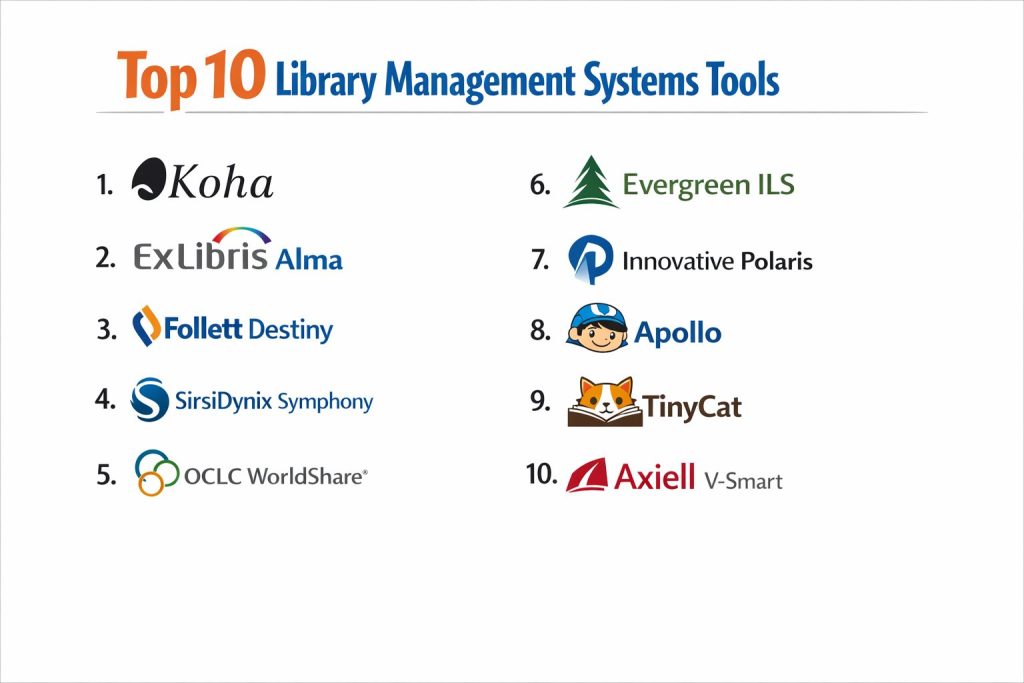
Top 10 Library Management Systems
1. Koha
Koha is the world’s first open-source integrated library system and remains a top choice for libraries of all sizes. It offers a comprehensive suite of features that rivals expensive proprietary software, all without licensing fees.
Key Features
- Full-Featured ILS: Includes modules for circulation, cataloging, acquisitions, serials, reserves, and patron management.
- Web-Based Interface: Both the staff and patron interfaces are fully web-accessible, requiring no specialized software on local computers.
- Multi-Lingual Support: Available in over 50 languages, making it a truly global solution for diverse communities.
- Standards Compliant: Built on library standards like MARC21, UNIMARC, Z39.50, and SIP2 for universal compatibility.
Pros
- Zero licensing costs and total ownership of library data.
- Massive global community providing constant updates and a wealth of plugins.
- Highly customizable to fit the specific workflows of any library type.
Cons
- Requires significant technical expertise for self-hosting and advanced configuration.
- The staff interface, while functional, can feel less modern than some high-end commercial SaaS products.
2. Ex Libris Alma
Alma is a market-leading cloud-based services platform designed specifically for large academic and research libraries. It unifies the management of print, electronic, and digital materials in a single, high-powered interface.
Key Features
- Unified Resource Management: Manages all formats of library materials through a single workflow, reducing administrative silos.
- Advanced Analytics: Features “Alma Analytics” for deep data reporting on collection usage, expenditures, and patron behavior.
- Consortia Support: Specifically built to handle the complex needs of large library networks sharing resources and data.
- Collaborative Metadata: Connects to a global community zone for shared cataloging and authority control.
Pros
- Unmatched capability for managing complex electronic resource licenses and subscriptions.
- Powerful automation features that significantly reduce manual staff labor.
- Deep integration with “Primo,” a top-tier discovery service for patrons.
Cons
- High implementation and subscription costs make it less accessible for smaller libraries.
- The system is extremely complex and carries a steep learning curve for staff.
3. Follett Destiny
Follett Destiny is the dominant library management solution for K-12 schools and districts. It is highly optimized for educational environments, focusing on student engagement and classroom resource tracking.
Key Features
- Destiny Discover: A student-friendly search interface that encourages reading through visual browsing and recommendations.
- Resource Manager: Extends beyond the library to track school-issued devices, textbooks, and other physical assets.
- Educational Integration: Connects with student information systems (SIS) to automate patron record updates and classroom assignments.
- Standards Aligned: Helps librarians align their collections with state and national curriculum standards.
Pros
- Exceptionally easy for students and non-technical staff to navigate.
- Robust reporting tools tailored to the needs of school administrators and boards.
- Strong focus on digital literacy and student privacy protections.
Cons
- Limited flexibility for academic or large public libraries with specialized needs.
- Can become expensive as more modules (like Resource Manager) are added.
4. SirsiDynix Symphony
Symphony is a highly scalable and flexible ILS used by many of the world’s largest public and academic libraries. It is known for its “best-of-breed” approach, allowing libraries to pick and choose the modules they need.
Key Features
- BLUEcloud Suite: A modern, cloud-based overlay that brings web-native functionality to the core Symphony system.
- Customizable Workflows: Allows librarians to design very specific circulation and cataloging rules to match local policies.
- RFID Integration: Offers some of the most robust support for self-service kiosks and automated materials handling.
- Symphony360: A comprehensive analytics tool for visualizing library performance and community impact.
Pros
- Proven reliability with decades of development and a very stable architecture.
- Highly scalable, capable of handling millions of transactions across hundreds of branches.
- Excellent vendor support and a very active user group community.
Cons
- Some legacy modules can feel dated compared to newer “cloud-only” competitors.
- Customization often requires specific technical knowledge or vendor intervention.
5. OCLC WorldShare Management Services
Known as WMS, this platform is unique because it is built on “WorldCat,” the world’s largest bibliographic database. It emphasizes global collaboration and resource sharing among its member libraries.
Key Features
- WorldCat Integration: Direct access to millions of existing records, significantly reducing the time spent on original cataloging.
- Collaborative Infrastructure: Shares data across all WMS libraries to improve the accuracy of ETAs for interlibrary loans.
- Cloud-Native Design: Requires zero local server maintenance and provides automatic weekly updates.
- Integrated Discovery: Uses “WorldCat Discovery” to help patrons find materials both in their local library and globally.
Pros
- Significant reduction in cataloging workload through shared global metadata.
- Excellent for libraries that participate heavily in regional or international lending.
- Simplified IT management thanks to its pure SaaS architecture.
Cons
- Less UI customization flexibility compared to open-source alternatives.
- The pricing model can be complex and may be higher for smaller institutions.
6. Evergreen ILS
Evergreen is a robust, open-source ILS designed specifically for large library consortia. It was originally developed to handle the massive traffic and complex sharing rules of the Georgia Public Library Service.
Key Features
- Consortia-First Design: Built from the ground up to support thousands of branches sharing a single catalog and patron database.
- High-Performance Circulation: Optimized for high-volume environments where speed and reliability are critical.
- Customizable OPAC: Allows each member library in a consortium to have a branded, localized search interface.
- Advanced Reporting: A powerful reporting engine that can generate complex statistics across multiple library systems.
Pros
- Completely free of licensing fees, making it highly cost-effective for large groups.
- Exceptional scalability; it is currently running some of the largest library networks in North America.
- Active community involvement in setting the development roadmap.
Cons
- The initial setup is very technical and generally requires a dedicated IT team or a paid support provider.
- The staff interface is dense and can take longer for new employees to master.
7. Innovative Polaris
Polaris is a leading ILS specifically optimized for the needs of public libraries. It emphasizes staff productivity and a modern, “web-first” experience for managing high-volume circulation.
Key Features
- Leap Web Client: A fully browser-based staff interface that allows librarians to perform tasks from anywhere in the library on a tablet or laptop.
- Community Engagement: Includes built-in tools for managing library events, marketing, and patron communications.
- Integrated Acquisitions: Streamlines the process of ordering and processing new books and media.
- Social Discovery: The patron catalog includes social features like reviews, ratings, and shared lists.
Pros
- Widely considered to have one of the most intuitive and modern staff interfaces.
- Excellent performance for public libraries with high foot traffic and “walk-in” services.
- Strong commitment to mobile accessibility for both staff and patrons.
Cons
- Primarily focused on public libraries; less suited for the specialized needs of academic research.
- Proprietary software with associated licensing costs and vendor dependency.
8. Apollo
Apollo is a specialized, cloud-hosted ILS designed exclusively for small to mid-sized public libraries. It is famous for its “simplicity-first” philosophy and exceptionally high customer satisfaction.
Key Features
- Public Library Focus: Every feature is designed specifically for public library workflows, with no “extra” complexity from academic or school models.
- VersaCat OPAC: An elegant search interface that includes visual “book jackets” and easy integration with e-book providers like OverDrive.
- Automated Communications: Handles all due-date reminders and hold notifications automatically via email or text.
- Rapid Deployment: One of the fastest systems to set up, often taking only a few days for a full migration.
Pros
- Unmatched ease of use for small library teams that don’t have dedicated IT staff.
- Highly affordable, with a pricing structure scaled to the library’s budget.
- Consistently rated as having the best customer support in the industry.
Cons
- Lacks the complex features required by university or large urban library systems.
- Not designed to manage large consortia with shared collections across different cities.
9. TinyCat
TinyCat is a lightweight, modern library system developed by the team at LibraryThing. It is perfect for small organizations, home libraries, churches, and professional firms that need professional-grade tracking without the bulk.
Key Features
- Visual Catalog: A stunning, modern search interface that looks great on tablets and smartphones.
- Simple Circulation: Focused on the basics—checking books in and out, managing due dates, and tracking returns.
- Import from LibraryThing: Leverages the massive LibraryThing database to make adding books as simple as scanning a barcode.
- Patron Self-Service: Allows users to check out books themselves via a simple web interface.
Pros
- Extremely low cost, making it the most accessible “pro” system on this list.
- No technical knowledge required for setup or daily management.
- Beautifully designed interface that makes browsing a library collection feel modern and fun.
Cons
- Lacks advanced library modules like serials management, acquisitions, or MARC record editing.
- Not suitable for institutions with more than 20,000 items or complex multi-branch needs.
10. Axiell V-Smart
V-Smart is a web-based integrated library system popular in Europe and Australia. It is known for its strong focus on “smart” automation and its ability to manage diverse museum and archive collections alongside traditional library books.
Key Features
- Unified Cultural Management: Can manage books, museum artifacts, and historical archives within a single software environment.
- Rules-Based Automation: Allows for very granular automation of circulation and renewal policies.
- V-Discover: A modern discovery layer that provides a “Google-like” search experience for all library assets.
- Task-Driven UI: The staff interface is organized around specific daily tasks to improve operational speed.
Pros
- Excellent for institutions that manage more than just books (galleries, museums, archives).
- Strong international presence with localized support and compliance.
- Modern, responsive design that works well on all devices.
Cons
- Less market presence in North America, which may limit local user-group networking.
- The system’s flexibility can make the initial configuration quite complex.
Comparison Table (Top 10)
| Tool Name | Best For | Platform(s) Supported | Deployment | Standout Feature |
| 1. Koha | All Library Types | Web-based | Cloud or On-Prem | Open-Source Flexibility |
| 2. Ex Libris Alma | Academic & Research | Web-based | Cloud (SaaS) | Unified Resource Management |
| 3. Follett Destiny | K-12 School Districts | Web, iOS, Android | Cloud or On-Prem | Student-Friendly Discovery |
| 4. SirsiDynix Symphony | Large Public/Academic | Web, Desktop | Cloud or On-Prem | Modular BLUEcloud Suite |
| 5. OCLC WorldShare | Collaborative Networks | Web-based | Cloud (SaaS) | WorldCat Data Integration |
| 6. Evergreen ILS | Large Consortia | Web, Desktop | Cloud or On-Prem | Multi-Branch Scalability |
| 7. Innovative Polaris | Public Libraries | Web-based | Cloud (SaaS) | Leap Web-First Staff UI |
| 8. Apollo | Small Public Libraries | Web-based | Cloud (SaaS) | Public-Only Focus |
| 9. TinyCat | Small Organizations | Web-based | Cloud (SaaS) | Visual/Lightweight Design |
| 10. Axiell V-Smart | Libraries & Archives | Web-based | Cloud (SaaS) | Smart Cultural Management |
Evaluation & Scoring of Library Management Systems
The scoring below is a comparative model intended to help shortlisting. Each criterion is scored from 1–10, then a weighted total from 0–10 is calculated using the weights listed. These are analyst estimates based on typical fit and common workflow requirements, not public ratings.
Weights:
Price / value – 15%
Core features – 25%
Ease of use – 15%
Integrations & ecosystem – 15%
Security & compliance – 10%
Performance & reliability – 10%
Support & community – 10%
| Tool Name | Cataloging (25%) | Circulation (20%) | Discovery (15%) | Scalability (15%) | Ease of Use (10%) | Security (15%) | Weighted Total |
| 1. Koha | 10 | 10 | 8 | 9 | 7 | 8 | 8.9 |
| 2. Ex Libris Alma | 10 | 9 | 10 | 10 | 5 | 10 | 9.1 |
| 3. Follett Destiny | 8 | 9 | 10 | 9 | 9 | 9 | 8.9 |
| 4. SirsiDynix Symphony | 9 | 10 | 8 | 10 | 7 | 9 | 8.9 |
| 5. OCLC WorldShare | 10 | 8 | 9 | 9 | 8 | 9 | 8.9 |
| 6. Evergreen ILS | 9 | 10 | 7 | 10 | 5 | 8 | 8.4 |
| 7. Innovative Polaris | 9 | 9 | 9 | 9 | 10 | 9 | 9.2 |
| 8. Apollo | 7 | 9 | 9 | 6 | 10 | 9 | 8.2 |
| 9. TinyCat | 5 | 8 | 10 | 4 | 10 | 8 | 7.2 |
| 10. Axiell V-Smart | 9 | 9 | 9 | 9 | 8 | 9 | 8. |
How to interpret the scores:
- Use the weighted total to shortlist candidates, then validate with a pilot.
- A lower score can mean specialization, not weakness.
- Security and compliance scores reflect controllability and governance fit, because certifications are often not publicly stated.
- Actual outcomes vary with assembly size, team skills, templates, and process maturity.
Which Library Management System Tool Is Right for You?
Small Organizations & Specialty Libraries
If you manage a church library, a small non-profit, or a private collection, 9. TinyCat is the best choice. It provides professional-looking results with almost zero setup time or cost.
K-12 Schools
For school districts, 3. Follett Destiny remains the gold standard. Its ability to track textbooks and laptops alongside library books makes it an essential administrative tool for modern educators.
Large Academic & Research Institutions
Universities with massive digital collections and complex researcher needs should choose 2. Ex Libris Alma. Its ability to manage electronic licenses and provide advanced analytics is currently unmatched in the research sector.
Budget-Conscious Public Libraries
If you have a limited budget but need high-end features, 1. Koha is the best option. While it requires more technical effort to set up, the long-term savings from eliminating licensing fees are substantial.
Frequently Asked Questions (FAQs)
What is the difference between an ILS and an LSP?
An Integrated Library System (ILS) primarily manages physical items, while a Library Services Platform (LSP) like Ex Libris Alma is built to manage physical, digital, and electronic resources in a single unified system.
Can I migrate my data from an old system to a new one?
Yes, almost all modern systems include data migration tools. Most vendors and open-source support providers will handle the transfer of your MARC records and patron data for you.
Are open-source systems like Koha really free?
The software itself is free to download and use, but you will still have costs for web hosting, technical support (if you don’t have an in-house team), and potentially new hardware like barcode scanners.
Do these systems support RFID technology?
Most enterprise-grade systems like SirsiDynix Symphony and Innovative Polaris have native support for RFID, allowing for self-checkout kiosks and faster inventory scanning.
Is cloud hosting safer than keeping data on a local server?
Generally, yes. Cloud providers for systems like OCLC WorldShare have advanced security teams, automatic backups, and disaster recovery plans that are far superior to what most individual libraries can maintain.
How do these systems handle e-books?
Modern systems integrate directly with providers like OverDrive or Libby, allowing patrons to search for, check out, and read e-books directly through the library’s own search portal.
Can these tools manage non-book items like laptops?
Yes, platforms like Follett Destiny and Axiell V-Smart have specific modules designed for “asset management,” allowing you to track anything with a barcode.
Do I need to be a programmer to use Koha?
No. While a programmer might be needed for the initial server setup, the daily tasks of checking books in and out and adding new titles are performed through a standard, user-friendly web interface.
What is a “Discovery Layer”?
A Discovery Layer (like Primo or WorldCat Discovery) is the “front-end” search interface for patrons. It often sits on top of the library system to provide a more modern, search-engine-like experience.
How often are these systems updated?
SaaS platforms like Apollo or Ex Libris Alma typically receive automatic updates every month, whereas open-source or on-premise systems may be updated twice a year.
Conclusion
The selection of a Library Management System is no longer just an IT decision; it is a strategic choice that impacts how a community accesses knowledge. Whether you prioritize the open-source freedom of 1. Koha, the research-grade power of 2. Ex Libris Alma, or the school-focused simplicity of 3. Follett Destiny, the right tool will transform your library into a modern, efficient, and highly accessible hub of information. By focusing on scalability, user experience, and digital resource management, you can ensure your library remains a vital resource for years to come.