Introduction
Legacy modernization is the strategic process of updating outdated computing systems to modern architectures that support cloud-native agility, scalability, and security. In 2026, the imperative to modernize is no longer just about reducing technical debt; it is about enabling artificial intelligence (AI), real-time data analytics, and seamless API connectivity. Organizations trapped in monolithic architectures often face “innovation paralysis,” where up to 70% of the IT budget is consumed simply by maintaining existing codebases. Replatforming and modernization tools bridge this gap by automating the transition from mainframes and legacy silos to distributed, high-performance environments.
For enterprise decision-makers, choosing the right toolset is a high-stakes maneuver. A successful transformation requires balancing the speed of “Lift and Shift” (rehosting) against the long-term benefits of “Refactoring” or “Rearchitecting.” The tools listed below provide the diagnostic intelligence to map dependencies, the automation engines to convert code, and the testing frameworks to ensure functional equivalence across systems.
- Best for: Fortune 500 enterprises, government agencies, financial institutions, and large-scale manufacturing firms.
- Not ideal for: Small businesses with simple SaaS-based infrastructures or organizations without significant core-system technical debt.
Key Trends in Legacy Modernization
- GenAI-Assisted Code Refactoring: Using Large Language Models (LLMs) to automatically translate COBOL, PL/I, or legacy Java into modern, human-readable Spring Boot or Node.js.
- OpenUSD and Data Democratization: Breaking down siloed legacy data formats to make them accessible for modern AI and machine learning models.
- Dual-Run Architecture: Simultaneously running legacy and cloud workloads to compare outputs in real-time, ensuring zero-defect migrations.
- Microservices Decomposition: Automated AI tools that identify natural “seams” in monolithic code to break them into independent, scalable microservices.
- Mainframe-to-Cloud Interoperability: Hybrid solutions that allow legacy mainframes to act as high-speed data providers for modern web applications.
- Automated Security Hardening: Modernization tools that inject Zero Trust security protocols directly into the newly refactored code.
How We Selected These Tools
- Automation Maturity: Preference for tools that minimize manual intervention in code conversion and testing.
- Mainframe Expertise: Selection of platforms with proven success in migrating complex COBOL and Assembler environments.
- Cloud Integration: Assessment of how well tools bridge the gap to AWS, Azure, and Google Cloud environments.
- Security & Compliance: Prioritization of tools with built-in audit trails, MFA, and data encryption standards.
- Observability: Focus on tools that provide deep visibility into application architecture and technical debt.
- Proven Track Record: Only industry-leading platforms with significant enterprise-scale deployment history were included.
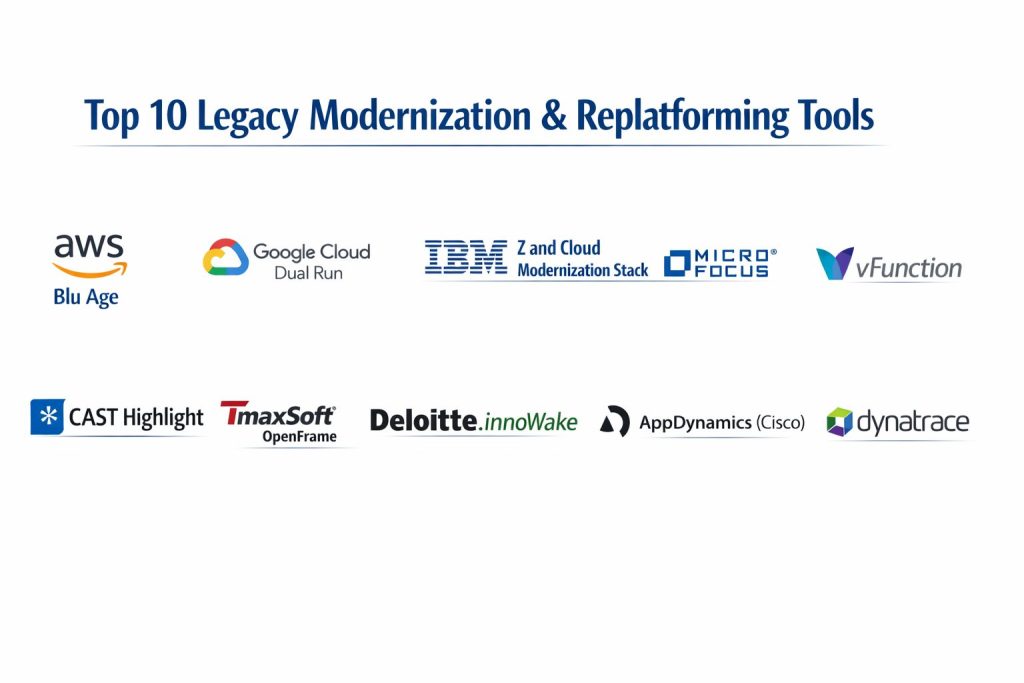
Top 10 Legacy Modernization & Replatforming Tools
1. AWS Blu Age
AWS Blu Age is a specialized transformation engine that automates the conversion of mainframe applications into modern, cloud-native Java.
Key Features
- Model-to-Model Transformation: Converts legacy code (COBOL, RPG) into readable, maintainable Java Spring Boot.
- Automated Testing Integration: Uses code execution simulations to ensure the new application behaves exactly like the old one.
- Clean Code Generation: Eliminates legacy procedural patterns, replacing them with Object-Oriented best practices.
- Native AWS Integration: Directly deploys refactored code into AWS Lambda, Fargate, or EC2.
- SonarQube Quality Gates: Ensures every line of converted code meets strict industry standards for security and maintainability.
Pros
- Significantly reduces the time and risk associated with manual code rewrites.
- Backed by the global infrastructure and support network of Amazon Web Services.
Cons
- Highly specialized for AWS; moving to another cloud provider after conversion may require extra work.
- Initial assessment phases can be lengthy for poorly documented legacy systems.
Platforms / Deployment
- AWS (Cloud Native)
- Hybrid
Security & Compliance
- IAM, KMS, and SOC 2 compliance integrated at the infrastructure level.
Integrations & Ecosystem
Part of the broader AWS Migration Hub, integrating with discovery tools and modern DevOps pipelines.
Support & Community
Direct access to AWS Professional Services and a global network of certified migration partners.
2. Google Cloud Dual Run
Dual Run is a high-availability migration tool that lets enterprises run legacy and cloud workloads in parallel for real-time validation.
Key Features
- Parallel Execution: Processes production data on both the mainframe and Google Cloud simultaneously.
- Output Comparison: Automatically identifies and alerts on any differences in calculations or report outputs.
- Risk Mitigation: Allows for exhaustive testing of business logic without disrupting current operations.
- Automated Replay: Replays live events from the production system onto the modernized application for stress testing.
- Single Pane of Glass: Unified monitoring dashboard to observe performance across both environments.
Pros
- Provides the highest level of confidence before “flipping the switch” to a new system.
- Drastically shortens the certification window for mission-critical financial applications.
Cons
- Requires a temporary increase in infrastructure costs to run dual environments.
- Primarily focused on the validation phase rather than the initial code conversion.
Platforms / Deployment
- Google Cloud Platform
- On-Premise (Legacy)
Security & Compliance
- VPC Service Controls, Google Cloud IAM, and FedRAMP readiness.
Integrations & Ecosystem
Strongest when paired with Google’s G4 refactoring toolset and BigQuery for data modernization.
Support & Community
Enterprise-grade support from Google Cloud engineers and specialized migration partners.
3. IBM Z and Cloud Modernization Stack
A comprehensive suite designed to bridge the gap between IBM Z mainframes and modern hybrid cloud environments.
Key Features
- z/OS Connect: Easily creates and manages high-performance APIs for existing mainframe assets.
- Wazi Sandbox: Provides on-demand, personal mainframe development environments on Red Hat OpenShift.
- Python and Go Support: Allows developers to use modern languages to interact with legacy MVS resources.
- Wazi Analyze: Visualizes dependencies in COBOL and PL/I to understand the impact of code changes.
- Unified DevOps: Integrates mainframe development into standard enterprise CI/CD pipelines.
Pros
- The safest path for organizations that want to modernize without fully abandoning the mainframe.
- Leverages Red Hat OpenShift for industry-leading container orchestration.
Cons
- Can be complex to set up due to the deep integration between hardware and software.
- Licensing costs are structured for large-scale enterprise budgets.
Platforms / Deployment
- IBM Z / Red Hat OpenShift
- Hybrid Cloud
Security & Compliance
- IBM RACF integration, Z-MFA, and Pervasive Encryption.
Integrations & Ecosystem
Native integration with the entire IBM software portfolio and the OpenShift ecosystem.
Support & Community
World-class support from IBM’s specialized mainframe and cloud modernization divisions.
4. Micro Focus Enterprise Suite (OpenText)
A mature platform for rehosting and refactoring IBM mainframe applications onto distributed Windows, Linux, or Cloud environments.
Key Features
- Enterprise Analyzer: Provides deep architectural insight into legacy portfolios to plan modernization.
- Enterprise Developer: A modern IDE that allows COBOL and PL/I developers to work alongside Java teams.
- Enterprise Server: A high-performance production environment for running rehosted mainframe workloads.
- Micro Focus Unit Test: Automated testing tools tailored for verifying legacy code changes.
- DotNet Integration: Ability to compile COBOL code into .NET executable files for Azure hosting.
Pros
- One of the most flexible tools for rehosting with minimal changes to business logic.
- Extensive experience in handling massive, complex legacy environments across all industries.
Cons
- The interface and some modules can feel dated compared to newer AI-native tools.
- Performance tuning on distributed systems requires specialized expertise.
Platforms / Deployment
- Windows / Linux / Azure / AWS
- On-Premise or Cloud
Security & Compliance
- Supports standard enterprise security protocols and role-based access control.
Integrations & Ecosystem
Strong partnerships with Microsoft and AWS for streamlined cloud migrations.
Support & Community
A massive, global user base and decades of technical documentation and support history.
5. vFunction
vFunction uses AI and dynamic analysis to automatically transform monolithic Java and .NET applications into microservices.
Key Features
- Architectural Observability: Automatically maps the dependencies and “pockets of drift” in complex monoliths.
- Automated Decomposition: Identifies the optimal service boundaries to break down a large application.
- Continuous Modernization: Tracks technical debt in real-time to prevent future “architectural decay.”
- Customizable Refactoring Rules: Allows architects to define how the AI should handle specific code patterns.
- Technical Debt Dashboard: Quantifies the cost and risk of legacy code for executive reporting.
Pros
- Accelerates the move to microservices by 10x compared to manual architectural refactoring.
- Focuses on the “logic” of the application, not just the code syntax.
Cons
- Most effective for Java and .NET; less focus on older mainframe-specific languages.
- Requires a shift in mindset for development teams used to monolithic workflows.
Platforms / Deployment
- Java / .NET
- Cloud-Agnostic
Security & Compliance
- Non-intrusive analysis that doesn’t require access to sensitive production data.
Integrations & Ecosystem
Integrates with popular APM tools and CI/CD pipelines to monitor modernization progress.
Support & Community
Agile support for startups and enterprises, with a growing community of cloud architects.
6. CAST Highlight
A “CT scan for software” that provides a bird’s-eye view of an entire application portfolio to identify modernization risks.
Key Features
- Cloud Readiness Index: Automatically scores applications based on how easily they can move to the cloud.
- Technical Debt Quantification: Estimates the time and cost required to fix legacy architectural flaws.
- Open Source Risk Control: Scans for vulnerabilities and licensing issues in third-party legacy components.
- Software Composition Analysis: Visualizes the “bill of materials” for every application in your portfolio.
- Green Software Insights: Measures the CO2 impact of inefficient legacy code to meet ESG goals.
Pros
- Unrivaled for initial portfolio discovery and making data-driven “Retire vs. Replatform” decisions.
- Extremely fast analysis that can scan hundreds of applications in days.
Cons
- Provides the “what” and “where,” but requires other tools for the actual “how” of code conversion.
- Subscription pricing can be high for very large portfolios.
Platforms / Deployment
- SaaS / Cloud-Agnostic
- Supports 50+ languages
Security & Compliance
- ISO 27001 certified and GDPR compliant data handling.
Integrations & Ecosystem
Integrates with Jira and Azure DevOps to turn modernization insights into actionable tasks.
Support & Community
Professional advisory services and a deep library of research on software health.
7. TmaxSoft OpenFrame
OpenFrame is a comprehensive rehosting solution that moves mainframe workloads into cloud containers without changing the source code.
Key Features
- Full Stack Emulation: Replaces mainframe CICS, IMS-DC, and JES in a distributed Linux environment.
- No Code Change Migration: Recompiles legacy COBOL and PL/I to run natively on cloud infrastructure.
- Active-Active Clustering: Supports high-availability configurations across multiple cloud zones.
- WebTerminal: Allows end-users to continue using familiar interfaces while the backend is modernized.
- Data Integration: Simplifies the move from mainframe DB2 or IMS-DB to modern relational databases.
Pros
- The fastest way to exit a mainframe data center with minimal operational risk.
- Delivers immediate cost savings of up to 70% by eliminating mainframe licensing fees.
Cons
- Because it’s rehosting, it doesn’t solve the underlying “technical debt” of the legacy logic.
- Requires careful performance testing to ensure latency matches mainframe standards.
Platforms / Deployment
- Linux / Google Cloud / AWS / Azure
- Containerized
Security & Compliance
- Integrates with Cloud IAM for centralized access control and audit trails.
Integrations & Ecosystem
Strongest partnership is with Google Cloud, where it is available directly on the Marketplace.
Support & Community
Specialized technical support with a focus on high-stakes financial and government migrations.
8. Deloitte innoWake
A suite of modernization assets and accelerators used by Deloitte to deliver large-scale, automated enterprise transformations.
Key Features
- Automated Code Conversion: High-fidelity translation of legacy code into modern, maintainable Java or .NET.
- Data Modernization: Automates the migration of legacy hierarchical data into modern SQL structures.
- Discovery & Assessment: Uses proprietary algorithms to map the business rules hidden in legacy code.
- Standardized Factory Model: A repeatable process for modernizing applications at high volume.
- Zero Trust Injection: Automatically adds security layers to newly refactored applications.
Pros
- Combines high-end automation with the strategic consulting depth of Deloitte.
- Excellent for highly regulated industries like banking and healthcare.
Cons
- Typically bundled with a consulting engagement rather than sold as a standalone software license.
- The “black box” nature of some conversion tools can make internal debugging difficult.
Platforms / Deployment
- Multi-Cloud / On-Premise
- Hybrid
Security & Compliance
- Designed to meet the highest global regulatory standards (HIPAA, GDPR, FINRA).
Integrations & Ecosystem
Part of Deloitte’s INTEGRATE suite, offering deep links into SAP and other enterprise platforms.
Support & Community
Supported by Deloitte’s global network of thousands of modernization and cloud experts.
9. AppDynamics (Cisco)
AppDynamics provides the observability needed to monitor legacy performance and ensure stability during a modernization move.
Key Features
- Business Transaction Monitoring: Tracks how legacy system performance directly impacts user revenue.
- Dependency Mapping: Visualizes how modern cloud front-ends connect to legacy mainframe backends.
- Root Cause Analysis: Uses AI to pinpoint if an issue lies in the new code or the old legacy layer.
- Security Insight: Monitors for runtime vulnerabilities in both legacy and modernized components.
- Baseline Comparison: Compares performance metrics before and after modernization to prove ROI.
Pros
- Essential for “First, Do No Harm”—ensuring modernization doesn’t break existing performance.
- Bridges the visibility gap between IT operations and business stakeholders.
Cons
- Not a code conversion tool; it is a monitoring and strategy tool.
- Can be resource-intensive to deploy across a massive legacy estate.
Platforms / Deployment
- Windows / Linux / Mainframe
- SaaS or On-Premise
Security & Compliance
- FedRAMP authorized and SOC 2 Type II compliant.
Integrations & Ecosystem
Deeply integrated into the Cisco security and networking ecosystem.
Support & Community
Comprehensive corporate support and a large community of “AppD” certified professionals.
10. Dynatrace
An AI-powered observability platform that simplifies the complexity of modernizing sprawling, hybrid legacy environments.
Key Features
- Smartscape Topology: Automatically discovers every component of your legacy stack and how they interact.
- PurePath Technology: Provides end-to-end tracing across the entire modernization pipeline.
- Causal AI (Davis): Automatically detects anomalies and provides the exact root cause in real-time.
- Application Security: Built-in runtime vulnerability detection that moves with the code as it is modernized.
- Grail Data Lakehouse: Massive scalability for storing and analyzing modernization logs and metrics.
Pros
- The most advanced AI for managing the “chaos phase” of a large-scale replatforming project.
- Unified view of security, performance, and business SLAs in a single platform.
Cons
- Pricing can become complex as you scale across thousands of microservices.
- Requires significant expertise to utilize the full range of its advanced AI features.
Platforms / Deployment
- Full-Stack (Mainframe to Cloud)
- SaaS / Managed
Security & Compliance
- Continuous monitoring for audit-ready evidence and regulatory adherence.
Integrations & Ecosystem
Extensive library of integrations for cloud-native tools, legacy middleware, and CI/CD.
Support & Community
High-level enterprise support and a robust educational platform (Dynatrace University).
Comparison Table
| Tool Name | Best For | Platform(s) Supported | Deployment | Standout Feature | Public Rating |
| 1. AWS Blu Age | Mainframe to Java | AWS | Cloud Native | Model-to-Model Engine | N/A |
| 2. Google Dual Run | Risk-Free Validation | Google Cloud | Hybrid | Real-Time Parallel Run | N/A |
| 3. IBM Z & Cloud | Hybrid Mainframe | IBM Z, OpenShift | Hybrid | z/OS Connect APIs | N/A |
| 4. Micro Focus | Fast Rehosting | Win, Lin, Cloud | On-Prem/Cloud | COBOL to .NET Comp | N/A |
| 5. vFunction | Microservices | Java, .NET | Cloud-Agnostic | AI Decomposition | N/A |
| 6. CAST Highlight | Portfolio Strategy | Multi-Language | SaaS | Cloud Readiness Score | N/A |
| 7. TmaxSoft | Mainframe Exit | Linux, Cloud | Containerized | No-Code Rehosting | N/A |
| 8. innoWake | Large-Scale Modern. | Multi-Cloud | Hybrid | Standardized Factory | N/A |
| 9. AppDynamics | Observability | Full-Stack | SaaS/On-Prem | Business Transaction Map | N/A |
| 10. Dynatrace | AI Ops / Security | Full-Stack | SaaS/Managed | Davis Causal AI | N/A |
Evaluation & Scoring of Modernization Tools
The scoring below is a comparative model intended to help shortlisting. Each criterion is scored from 1–10, then a weighted total from 0–10 is calculated using the weights listed. These are analyst estimates based on typical fit and common workflow requirements, not public ratings.
Weights:
- Core features – 25%
- Ease of use – 15%
- Integrations & ecosystem – 15%
- Security & compliance – 10%
- Performance & reliability – 10%
- Support & community – 10%
- Price / value – 15%
| Tool Name | Core (25%) | Ease (15%) | Integrations (15%) | Security (10%) | Performance (10%) | Support (10%) | Value (15%) | Total |
| 1. AWS Blu Age | 10 | 5 | 9 | 9 | 8 | 9 | 7 | 8.20 |
| 2. Google Dual Run | 9 | 7 | 8 | 10 | 9 | 8 | 6 | 8.10 |
| 3. IBM Z & Cloud | 8 | 6 | 10 | 10 | 9 | 9 | 5 | 7.95 |
| 4. Micro Focus | 9 | 6 | 8 | 8 | 8 | 9 | 7 | 7.90 |
| 5. vFunction | 10 | 4 | 9 | 7 | 9 | 7 | 8 | 8.05 |
| 6. CAST Highlight | 7 | 9 | 8 | 8 | 8 | 8 | 9 | 8.05 |
| 7. TmaxSoft | 8 | 7 | 7 | 8 | 8 | 7 | 9 | 7.65 |
| 8. innoWake | 9 | 4 | 8 | 9 | 9 | 9 | 6 | 7.80 |
| 9. AppDynamics | 7 | 7 | 10 | 9 | 8 | 9 | 7 | 8.15 |
| 10. Dynatrace | 8 | 5 | 10 | 10 | 10 | 8 | 6 | 8.10 |
How to interpret the scores:
- Use the weighted total to shortlist candidates, then validate with a pilot.
- A lower score can mean specialization, not weakness.
- Security and compliance scores reflect controllability and governance fit, because certifications are often not publicly stated.
- Actual outcomes vary with assembly size, team skills, templates, and process maturity.
Which Modernization Tool Is Right for You?
Solo / Freelancer
For consultants helping small firms, CAST Highlight is the most strategic entry point. Its ability to quickly diagnose a client’s environment and provide a “readiness score” allows you to build a modernization roadmap based on data rather than guesswork.
SMB
Mid-sized businesses with legacy Java or .NET should prioritize vFunction. It automates the move to microservices, which is the fastest way to gain the agility needed to compete with larger, well-funded rivals without hiring a massive team of architects.
Mid-Market
Organizations in this tier often need to exit a data center quickly. TmaxSoft OpenFrame or Micro Focus provide the most direct path to rehosting legacy apps in the cloud, offering immediate ROI through reduced hardware and licensing costs.
Enterprise
For global firms with massive mainframe investments, a hybrid approach using IBM Z and Cloud Modernization Stack combined with the risk-reduction of Google Dual Run is the gold standard. This allows for a multi-year transformation that preserves core reliability while enabling rapid front-end innovation.
Frequently Asked Questions
1. What is the difference between Rehosting and Refactoring?
Rehosting (Lift and Shift) moves an app as-is, while Refactoring involves modifying the code to leverage cloud-native features like auto-scaling and managed databases.
2. How long does legacy modernization take?
Timelines vary; a single application might take 3-6 months, while a full enterprise portfolio transformation often spans 2-5 years.
3. Is mainframe modernization secure?
Yes, tools like IBM Z and AWS Blu Age include built-in encryption and MFA, often making the modernized system more secure than the original perimeter-based legacy environment.
4. Can AI really rewrite COBOL code?
Modern GenAI-driven tools can translate syntax with high accuracy, but human oversight is still required to ensure the business logic and performance remain intact.
5. What is “Technical Debt”?
It refers to the implied cost of additional rework caused by choosing an easy (but limited) solution now instead of a better approach that would take longer.
6. Does modernization always save money?
Long-term, yes. While the initial migration has costs, companies typically save 30-70% on maintenance and licensing once moved to modern cloud architectures.
7. Can I modernize while keeping my data on-premise?
Yes, hybrid cloud solutions allow the application logic to move to the cloud while sensitive data remains in secure, on-premise databases.
8. What is a “Digital Twin” in modernization?
It is a virtual replica of your legacy system used to test new features or migration paths without affecting the real production environment.
9. Why do modernization projects fail?
Failure usually stems from poor discovery (not understanding dependencies), lack of executive buy-in, or attempting a “Big Bang” migration instead of a phased approach.
10. Do I need to learn new languages to modernize?
Most tools aim to bridge the gap, but training your staff in Java, Python, or cloud-native DevOps is highly recommended for long-term success.
Conclusion
Legacy modernization is a transformative journey that requires a precise blend of automated tooling and strategic vision. The cost of inaction—spiraling maintenance fees and an inability to leverage AI—has become greater than the risk of migration. By utilizing industry-leading platforms like AWS Blu Age for code conversion or Google Dual Run for risk-free validation, enterprises can finally unlock the value trapped in their decades-old systems. The goal is not just to “fix” the old, but to build a resilient, composable architecture that empowers future growth. I suggest starting with a portfolio assessment using CAST Highlight to identify your high-priority targets and then piloting a specific refactoring tool to prove the technical ROI before scaling across the organization.