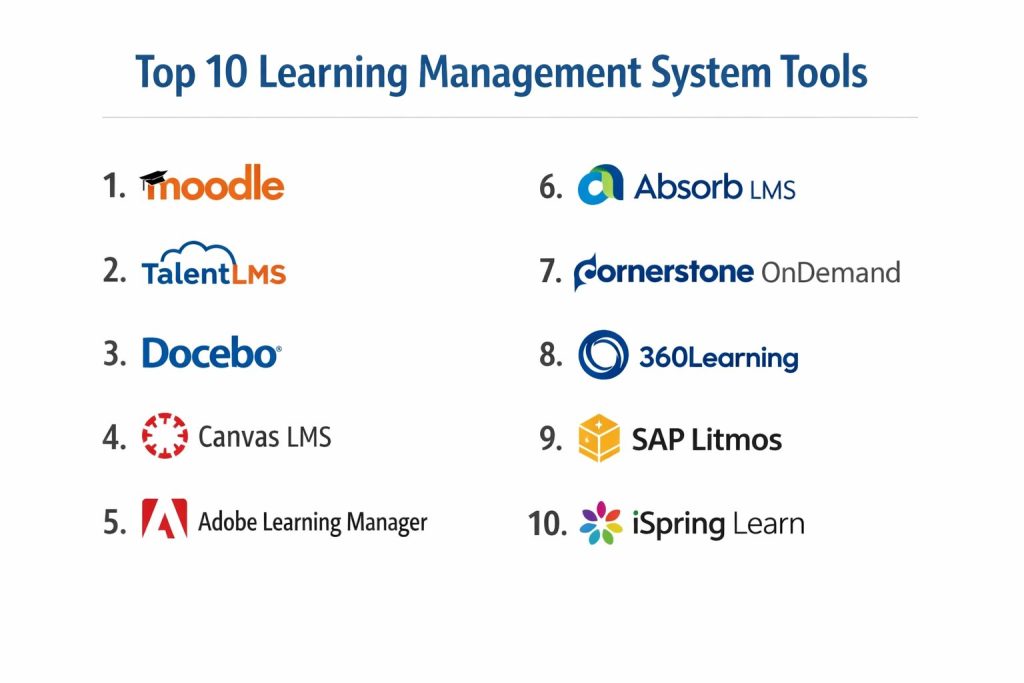
Introduction
A Learning Management System, or LMS, is essentially a digital headquarters for everything related to training and education. Think of it as a virtual classroom and filing cabinet rolled into one. It is a software application designed to help organizations create, deliver, and track educational courses or training programs. Instead of relying on scattered emails, physical binders, or manual spreadsheets, an LMS centralizes all your learning materials in one place where they can be accessed by anyone with a login.
In the modern professional world, these systems have become indispensable. We are no longer in an era where training happens once a year in a cramped conference room. Today, learning is constant, often remote, and needs to be measurable. Companies use an LMS to ensure that every employee stays up-to-date with safety rules, learns how to use new software, or develops the leadership skills needed for a promotion. For schools and universities, it is the backbone of the hybrid learning experience, allowing students to submit assignments and watch lectures from anywhere in the world.
Real-World Use Cases
- Employee Onboarding: Automatically sending new hires their welcome videos and mandatory policy documents the moment they sign their contract.
- Compliance Training: Ensuring every staff member completes required legal or safety certifications and keeping a digital trail for auditors.
- Customer Education: Providing a portal where your customers can learn how to get the most value out of a complex product you’ve sold them.
- Sales Enablement: Giving a global sales team instant access to the latest product features and talk tracks so they can close deals faster.
- Professional Certification: Running long-term courses that end in a proctored exam and a verified digital certificate.
What Buyers Should Evaluate
When choosing a system, you should look beyond the flashy interface and consider these practical factors:
- Ease of Use: If it is too complicated for your employees to log in and find a course, they simply won’t use it.
- Mobile Readiness: Can people learn on their phones while they are commuting or on a break?
- Content Support: Does it support the specific types of files you use, like videos, PDFs, or interactive SCORM packages?
- Reporting Power: Can you easily see who has finished their training and who is lagging behind?
- Integration Ability: Does it talk to your existing HR software or video tools like Zoom?
- Scalability: Will the system still work smoothly if your team grows from 50 people to 5,000?
- Data Security: How well does the platform protect the personal information of your users?
- Technical Support: Is there a human you can talk to if something breaks on a Tuesday morning?
Best for: Corporations, educational institutions, non-profits, and government agencies that need to manage large-scale training and development programs efficiently.
Not ideal for: Very small teams that only need to share a few documents occasionally—simple file-sharing tools like Google Drive might be enough for them.
Key Trends in Learning Management Systems
- Artificial Intelligence Personalization: Modern systems are moving away from “one-size-fits-all” training. AI now looks at what an employee already knows and recommends the exact next step they need, much like a streaming service suggests your next favorite movie.
- Microlearning Modules: Long, boring two-hour lectures are being replaced by “bite-sized” 5-minute videos. This helps people learn quickly without feeling overwhelmed.
- Workflow Learning: Instead of leaving their work to go “learn,” employees are getting help directly inside the tools they already use, like Slack or Microsoft Teams.
- Social and Collaborative Learning: Learning is becoming more interactive. Many platforms now feature discussion boards and peer-review systems where employees can learn from each other.
- Advanced Analytics: Data isn’t just about “did they finish?” anymore. It’s now about “is this training actually making them better at their jobs?” by tracking performance changes after the course.
- Gamification: To keep people interested, many systems use points, badges, and leaderboards to turn training into a friendly competition.
- Immersive Simulations: Some high-end platforms are starting to incorporate virtual reality (VR) to let workers practice dangerous tasks in a safe, digital environment.
- Automated Compliance: Systems can now automatically flag when a certificate is about to expire and re-enroll the employee in the necessary course without any manual work.
How We Selected These Tools (Methodology)
To find the top 10 systems, we evaluated a wide range of products based on a specific set of logic to ensure they meet the needs of modern organizations:
- Market Adoption: We looked at which tools are currently the most trusted by major corporations and top-tier universities.
- Feature Completeness: We prioritized platforms that offer a “full-circle” experience—from creating the course to tracking the final exam results.
- Reliability and Performance: The software must be stable enough to handle thousands of simultaneous users without slowing down.
- Security Posture: We only included tools that show a clear commitment to protecting user data through standard industry practices.
- Integration Ecosystem: We checked how easily these tools connect with other essential business software like HRIS, CRM, and communication platforms.
- Customer Feedback: We analyzed real-world reviews to see if the tools actually deliver on their promises of being “user-friendly.”
Top 10 Learning Management System Tools
1. Moodle
Moodle is the world’s most popular open-source learning platform. It is highly customizable and used by millions of people in almost every country, particularly in education and non-profit sectors.
Key Features
- Modular Design: Users can add or remove “plugins” to make the platform do exactly what they need.
- Advanced Assessment Tools: Includes a huge variety of quiz types, peer-review workshops, and grading rubrics.
- Multilingual Support: The interface is available in over 100 languages, making it perfect for global teams.
- Content Management: Supports a wide range of media and standard e-learning formats like SCORM and LTI.
- Mobile App: A dedicated app that allows for offline learning and instant notifications.
Pros
- No licensing fees to use the core software, making it very cost-effective.
- Unbeatable flexibility; you have total control over the look and feel of your site.
- A massive global community means you can find a solution to almost any problem online.
Cons
- It requires technical knowledge to set up and maintain on your own servers.
- The basic design can feel a bit dated compared to modern, expensive corporate tools.
Platforms / Deployment
- Web / Windows / macOS / Linux / iOS / Android
- Self-hosted / Cloud (via MoodleCloud)
Security & Compliance
- Supports MFA, role-based access, and data encryption.
- GDPR compliant.
Integrations & Ecosystem
Moodle has a massive library of thousands of plugins. It is designed to be the center of a much larger educational ecosystem.
- Integrates with Google Workspace and Microsoft 365.
- Connects with video tools like BigBlueButton and Zoom.
- Robust API for custom data connections.
Support & Community
The community is the strongest in the world for this category. While there is no “corporate helpdesk” for the free version, many partners offer paid professional support.
2. TalentLMS
A lightweight, cloud-based system built specifically for small to medium-sized businesses. It is known for being incredibly fast to set up and very easy for non-technical people to manage.
Key Features
- Drag-and-Drop Builder: Easily create courses by dragging in your existing videos, docs, and presentations.
- Gamification: Built-in badges, points, and levels to keep learners motivated.
- Branches: Create separate, branded training portals for different departments or outside partners.
- Automated Tasks: Set up rules to automatically send emails or deactivate users based on certain actions.
- Ready-Made Courses: Access a library of pre-built courses on common topics like safety or soft skills.
Pros
- One of the most user-friendly interfaces in the market; you can go live in a few hours.
- Transparent pricing that is affordable for growing startups.
- Excellent mobile app that supports offline learning.
Cons
- Not as deeply customizable as some of the high-end enterprise giants.
- Advanced reporting can feel a bit limited for very complex data needs.
Platforms / Deployment
- Web / iOS / Android
- Cloud
Security & Compliance
- SSO/SAML, MFA, and SSL encryption.
- GDPR and HIPAA compliant.
Integrations & Ecosystem
TalentLMS is built to work with the tools you already use daily. It focuses on making these connections “one-click” simple.
- Direct integrations with Slack, Salesforce, and Shopify.
- Connects to Zoom and Microsoft Teams for live sessions.
- Zapier support for thousands of other connections.
Support & Community
Provides excellent email support and a very detailed knowledge base. Their onboarding team is highly rated for helping new users get started.
3. Docebo
A high-end, AI-powered platform designed for large enterprises. It focuses on automating the learning process and making it feel more like a social experience.
Key Features
- AI Recommendation Engine: Automatically suggests courses to employees based on their specific job role and interests.
- Social Learning: Features a “Coach & Share” area where employees can ask questions and upload their own helpful videos.
- Multi-Domain Branding: Create unique portals for different groups, like your employees, your customers, and your resellers.
- Course Authoring: Includes tools to build interactive content directly inside the platform.
- E-commerce: Built-in tools to sell your courses to the public if you want to turn training into a business.
Pros
- The AI features save administrators a massive amount of manual work.
- Highly professional and modern design that looks great on any device.
- Exceptionally good at managing “extended enterprise” training (partners and customers).
Cons
- It is a premium product with a price tag to match; usually too expensive for small teams.
- The huge number of features means it takes longer for administrators to master the system.
Platforms / Deployment
- Web / iOS / Android
- Cloud
Security & Compliance
- SSO/SAML, audit logs, and SOC 2 Type II compliance.
- ISO 27001, GDPR, and HIPAA compliant.
Integrations & Ecosystem
Docebo acts as a central hub for enterprise data. It features a dedicated “Integration Marketplace” for easy connections.
- Deep integration with Salesforce and Microsoft Dynamics.
- Connects with HRIS systems like Workday and BambooHR.
- Support for major web conferencing tools.
Support & Community
Offers 24/7 dedicated support for enterprise clients and has a strong community forum for sharing best practices.
4. Canvas LMS
While it is a leader in schools and universities, Canvas has a powerful corporate version that is praised for its clean design and open philosophy.
Key Features
- Canvas Studio: A powerful video tool that lets you add quizzes and discussions directly inside your training videos.
- Mastery Paths: Automatically gives learners different content based on how well they did on their last quiz.
- SpeedGrader: A famous tool that makes it incredibly fast for instructors to give feedback and grades.
- Rich Content Editor: An easy-to-use tool for building beautiful course pages without knowing any code.
- Open API: A completely open platform that allows developers to build almost anything on top of it.
Pros
- The interface is widely considered one of the most modern and intuitive in the industry.
- Fantastic mobile apps for both the person taking the course and the person teaching it.
- Extremely reliable with almost zero downtime, even during heavy traffic.
Cons
- Some corporate-specific features (like complex compliance tracking) are not as robust as specialized business tools.
- The pricing is often based on long-term contracts rather than simple month-to-month plans.
Platforms / Deployment
- Web / iOS / Android
- Cloud
Security & Compliance
- SSO, MFA, and SOC 2 compliance.
- GDPR and FERPA compliant.
Integrations & Ecosystem
Canvas is known for its “open” nature, making it easy to plug in third-party tools via LTI standards.
- Native integrations with Google Drive and Microsoft OneDrive.
- Works seamlessly with Zoom, Teams, and Webex.
- Thousands of “EduApp” integrations available.
Support & Community
Offers world-class 24/7 support. Because it is so widely used in education, there is an endless amount of training material available for free online.
5. Adobe Learning Manager
Formerly known as Adobe Captivate Prime, this is a premium tool designed for enterprises that want a highly visual and branded learning experience.
Key Features
- Fluidic Player: A unique video player that plays almost any file type smoothly without requiring extra plugins.
- Headless LMS: Allows you to embed the learning experience directly into your own website or mobile app.
- AI-Based Social Learning: Uses AI to scan user-uploaded content and suggest it to the right people.
- Skill-Based Tracking: Tracks precisely which skills an employee has gained, not just which courses they finished.
- Gamification and Badges: Robust leaderboards and customizable digital certificates.
Pros
- Offers one of the best “learner experiences” with a very sleek, high-end look.
- Incredible for external training where you want the platform to match your brand perfectly.
- Very powerful analytics that can be exported into detailed business reports.
Cons
- It is a premium-priced product and might be overkill for basic internal training.
- The administrative side can be complex to set up compared to simpler tools.
Platforms / Deployment
- Web / iOS / Android
- Cloud
Security & Compliance
- SSO/SAML, MFA, and SOC 2 compliance.
- ISO 27001 and GDPR compliant.
Integrations & Ecosystem
Being an Adobe product, it works perfectly with the rest of the Adobe creative and marketing suite.
- Direct integration with Adobe Experience Manager.
- Connects with major CRMs like Salesforce.
- Robust API for custom enterprise workflows.
Support & Community
Offers professional 24/7 support and has extensive documentation. It is part of the massive Adobe professional ecosystem.
6. Absorb LMS
A comprehensive, feature-rich platform that is excellent for managing multiple different audiences (like staff, customers, and partners) from one place.
Key Features
- Smart Administration: Uses AI to automate repetitive tasks like user enrollment and reporting.
- Mercury Module: A tool to create “billboard” style announcements and custom dashboards for your learners.
- Absorb Pinpoint: Uses AI and natural language processing to help learners find a specific moment inside a long video.
- Built-in Authoring: Includes tools to create interactive courses without needing outside software.
- Multi-Domain Support: Easily set up different looks and content for different groups of people.
Pros
- Exceptional at handling “extended enterprise” (selling courses or training partners).
- The AI-powered search (Pinpoint) is a major time-saver for learners.
- Highly customizable dashboards make the platform feel unique to your company.
Cons
- The vast number of settings can be overwhelming for someone who has never used an LMS before.
- Pricing is tailored for mid-market and enterprise, so it may not fit small business budgets.
Platforms / Deployment
- Web / iOS / Android
- Cloud
Security & Compliance
- SSO/SAML, MFA, and SOC 2 Type II.
- GDPR and HIPAA compliant.
Integrations & Ecosystem
Absorb is built to be a team player. It features an “Integrations Marketplace” that makes connecting other apps very simple.
- Pre-built connectors for Salesforce, Zoom, and ADP.
- Works with HRIS tools like BambooHR and Workday.
- Support for thousands of apps via Zapier.
Support & Community
Known for having very responsive in-house support teams. They offer detailed onboarding and regular training webinars for their clients.
7. Cornerstone OnDemand
A heavyweight in the talent management world. It is a massive, robust system designed for large global organizations that need to connect learning to performance and hiring.
Key Features
- Skills Graph: An AI tool that maps out every skill in your organization and identifies where you have gaps.
- Content Subscriptions: Gives you access to a library of over 70,000 professional courses from top providers.
- Compliance Management: One of the most powerful tools for tracking mandatory legal certifications and audits.
- Social Learning: Features for peer-to-peer knowledge sharing and internal communities.
- Career Development: Helps employees see exactly what training they need to get to the next level in their career.
Pros
- Unrivaled for large companies that want one single system for learning, performance, and HR.
- Extremely powerful reporting and data visualization for executive-level insights.
- Proven track record with the world’s largest and most regulated companies.
Cons
- The system is so large that it can be slow to implement and difficult to change.
- The user interface for administrators can feel complex and “corporate” compared to newer startups.
Platforms / Deployment
- Web / iOS / Android
- Cloud
Security & Compliance
- SSO/SAML, MFA, and rigorous enterprise-grade security.
- FedRAMP, SOC 2, ISO 27001, and GDPR compliant.
Integrations & Ecosystem
Cornerstone is designed to be the “source of truth” for talent data. It integrates with almost every major enterprise software.
- Deep hooks into Workday, SAP, and Oracle HR systems.
- Works with top content providers like LinkedIn Learning.
- Advanced APIs for custom data-heavy integrations.
Support & Community
Provides dedicated account managers for large clients and has a massive global network of consulting partners.
8. 360Learning
A platform that focuses on “collaborative learning.” It is designed to help your own employees quickly create and share training content with each other.
Key Features
- Collaborative Authoring: Multiple people can work together on a course, much like a shared document.
- Feedback Loops: Learners can leave reactions and comments on specific parts of a course to help improve it.
- AI-Assisted Creation: Uses AI to help you turn a basic outline into a full course in a fraction of the time.
- Upvoting and Discussion: Popular content rises to the top, making it easy to find what is actually helpful.
- Mobile First: The platform is designed to look and work perfectly on smartphones.
Pros
- Fantastic for companies that want to move away from “top-down” training and encourage employee sharing.
- Very fast to create content; you don’t need a professional instructional designer.
- High engagement rates because the learning feels like a social network.
Cons
- Not as strong for strict, rigid compliance training where you need massive amounts of control.
- Might not fit the culture of traditional companies that prefer instructor-led training.
Platforms / Deployment
- Web / iOS / Android
- Cloud
Security & Compliance
- SSO, MFA, and encryption.
- GDPR compliant.
Integrations & Ecosystem
360Learning focuses on connecting with the tools where your team already communicates and works.
- Strong integrations with Slack, Microsoft Teams, and Salesforce.
- Connects with HRIS tools like HiBob and BambooHR.
- API support for custom connections.
Support & Community
Known for having a very “human” support experience. They provide a dedicated “Client Success Manager” for most business accounts.
9. SAP Litmos
A cloud-based platform known for its massive library of ready-to-use courses and its focus on being “learner-centric.” It is popular for rapid deployment and compliance training.
Key Features
- Litmos Content: Access to over 2,000 professionally made courses on topics ranging from sales to cybersecurity.
- Rapid Deployment: One of the fastest enterprise-grade systems to get up and running.
- Gamification: Includes leaderboards, badges, and points to increase engagement.
- Video Assessments: Allow learners to record themselves (like a sales pitch) and get feedback from their manager.
- E-commerce: Easily set up a store to sell your training content to the public.
Pros
- Having the content library and the platform in one place is a massive time-saver for small L&D teams.
- The interface is clean, simple, and very easy for learners to navigate.
- Excellent for companies that need to train a global workforce across many different time zones.
Cons
- Some advanced customization features are missing compared to more complex tools like Maya or Docebo.
- The administrative interface can sometimes feel a bit less modern than the learner’s side.
Platforms / Deployment
- Web / iOS / Android
- Cloud
Security & Compliance
- SSO/SAML, MFA, and data encryption.
- ISO 27001 and GDPR compliant.
Integrations & Ecosystem
SAP Litmos is designed to plug directly into the business world, especially the Salesforce ecosystem.
- One of the best native integrations with Salesforce on the market.
- Works seamlessly with other SAP products.
- Connects with Zoom, Webex, and GoToTraining.
Support & Community
Provides 24/7 global support and has a very active user community. They offer “Litmos Heroes” sessions to help users get the most out of the platform.
10. iSpring Learn
A straightforward, reliable system that is built to work perfectly with the iSpring Suite authoring tool. It is ideal for companies that already have training materials in PowerPoint.
Key Features
- PowerPoint to E-learning: Turn your existing slide decks into interactive online courses with one click.
- User Groups and Rules: Easily organize learners by department or location and automate their enrollments.
- Offline Mobile Learning: Learners can download courses to their phones and take them without an internet connection.
- Detailed Reporting: Real-time dashboards that show exactly how well people are doing on their quizzes.
- Event Calendar: Manage both your online courses and your live, in-person training sessions in one place.
Pros
- If you know how to use PowerPoint, you already know how to create content for this platform.
- The pricing is very transparent and offers great value for small to mid-sized teams.
- The mobile experience is top-notch and works beautifully in areas with poor internet.
Cons
- Not as many “social” or “AI-heavy” features as some of the larger competitors.
- It is focused on internal training and is not as strong for selling courses to the public.
Platforms / Deployment
- Web / iOS / Android
- Cloud
Security & Compliance
- SSO/SAML, MFA, and data encryption.
- GDPR compliant.
Integrations & Ecosystem
iSpring focuses on being the best “partner” for your existing office and communication software.
- Native integration with the iSpring Suite authoring tool.
- Connects with Zoom, Microsoft Teams, and Salesforce.
- API available for custom integrations with HR systems.
Support & Community
Famous for having some of the fastest and most helpful technical support in the industry. Most issues are resolved via chat in just a few minutes.
Comparison Table (Top 10)
| Tool Name | Best For | Platform(s) Supported | Deployment | Standout Feature | Public Rating |
| Moodle | Custom/Non-Profit | Web, Win, Mac, iOS | Self-hosted | Open-source flexibility | N/A |
| TalentLMS | SMB/Quick Setup | Web, iOS, Android | Cloud | Ease of use | N/A |
| Docebo | Large Enterprise | Web, iOS, Android | Cloud | AI Recommendation Engine | N/A |
| Canvas LMS | Education/Hybrid | Web, iOS, Android | Cloud | Mastery Paths | N/A |
| Adobe Learning Manager | Branded/Visual | Web, iOS, Android | Cloud | Fluidic Video Player | N/A |
| Absorb LMS | Multi-audience | Web, iOS, Android | Cloud | Pinpoint Video Search | N/A |
| Cornerstone OnDemand | Global/Compliance | Web, iOS, Android | Cloud | Skills Graph AI | N/A |
| 360Learning | Collaborative | Web, iOS, Android | Cloud | Social Peer Review | N/A |
| SAP Litmos | Rapid Deployment | Web, iOS, Android | Cloud | Pre-built Content Library | N/A |
| iSpring Learn | PowerPoint Users | Web, iOS, Android | Cloud | PPT-to-Course Conversion | N/A |
Evaluation & Scoring of Learning Management Systems (LMS)
The scoring below is based on a comparative analysis of how these tools perform for a professional organization. Scores are out of 10.
| Tool Name | Core (25%) | Ease (15%) | Integrations (15%) | Security (10%) | Performance (10%) | Support (10%) | Value (15%) | Weighted Total |
| Moodle | 10 | 4 | 9 | 7 | 8 | 6 | 10 | 8.0 |
| TalentLMS | 8 | 10 | 8 | 8 | 9 | 9 | 9 | 8.7 |
| Docebo | 10 | 7 | 10 | 9 | 9 | 8 | 5 | 8.4 |
| Canvas LMS | 9 | 9 | 9 | 8 | 10 | 9 | 7 | 8.7 |
| Adobe Learning Manager | 9 | 7 | 8 | 9 | 9 | 8 | 6 | 7.9 |
| Absorb LMS | 9 | 8 | 9 | 9 | 9 | 9 | 7 | 8.6 |
| Cornerstone OnDemand | 10 | 5 | 10 | 10 | 8 | 8 | 5 | 7.8 |
| 360Learning | 8 | 9 | 8 | 7 | 9 | 8 | 8 | 8.1 |
| SAP Litmos | 8 | 9 | 9 | 8 | 9 | 8 | 8 | 8.4 |
| iSpring Learn | 7 | 10 | 7 | 8 | 9 | 10 | 9 | 8.3 |
How to Interpret These Scores
- Core features: Measures the depth of tools (course building, tracking, quizzes).
- Ease of use: Evaluates how quickly an average person can learn the system.
- Value: Considers the price relative to the features provided.
- Weighted Total: This score reflects the overall effectiveness as a general-purpose solution. A lower score might still be the best choice for a specific niche (like Moodle for total custom control).
Which Learning Management System Is Right for You?
Solo / Freelancer
If you are an individual coach or creator, Moodle is a great free option if you have some technical skill. If you want something that just “works” without any setup, TalentLMS has a free tier that is perfect for small groups.
SMB
For small to medium businesses that need to get training up and running quickly, iSpring Learn and TalentLMS are the top choices. They offer the best balance of speed, cost, and ease of use.
Mid-Market
Growing companies that need more advanced reporting and the ability to train customers or partners should look at Absorb LMS or SAP Litmos. These tools scale well without becoming too difficult for a small team to manage.
Enterprise
Large, global organizations with complex security and compliance needs should prioritize Docebo, Cornerstone OnDemand, or Adobe Learning Manager. These systems are built to handle tens of thousands of users and integrate deeply with high-end HR systems.
Budget vs Premium
- Budget: Moodle (Free/Self-hosted) and TalentLMS (Affordable Cloud) are the leaders.
- Premium: Docebo and Cornerstone offer the most advanced AI and talent management features but come at a significant cost.
Frequently Asked Questions (FAQs)
What is the average cost of an LMS?
Pricing varies wildly based on your number of users. Small business tools often cost between $2 and $5 per user per month. Large enterprise platforms typically charge an annual fee that can range from $5,000 to over $50,000 depending on the features.
How long does it take to set up a new system?
A simple cloud system like TalentLMS can be ready in a few hours. A complex enterprise rollout for a global company like Cornerstone can take 3 to 6 months of planning and integration.
What is the most common mistake when buying an LMS?
The biggest mistake is buying a system with too many features that you won’t actually use. This makes the platform confusing for your employees and wastes your budget.
Is an open-source LMS more secure than a paid one?
Security depends more on how you manage the system. A well-maintained Moodle site can be very secure, but a paid cloud system like Docebo handles all the security updates for you, which is safer for non-technical teams.
Can I move my courses from one LMS to another?
Yes, as long as your courses are saved in a standard format like SCORM or xAPI. Most modern systems support these standards, making it possible to “pack up” your content and move it to a new provider.
Do I need a special server to run an LMS?
Only if you choose a self-hosted option like Moodle. Most modern systems are “Cloud-based” (SaaS), meaning they run on the provider’s servers and you just log in through your web browser.
How does AI help with training?
AI can automatically grade essays, suggest new courses to learners, and even help you write quiz questions. It acts like a digital assistant for both the teacher and the student.
Can an LMS help with physical, in-person training?
Yes, many systems have “Blended Learning” features. You can use the LMS to have people sign up for a physical class, track their attendance, and then have them take a digital quiz afterward.
What is SCORM and why does it matter?
SCORM is like the “universal plug” for e-learning. If your course is SCORM-compliant, it will work in almost any LMS in the world. Always check that your system supports it.
Can I sell my courses using an LMS?
Many platforms, like Absorb and Docebo, have “E-commerce” features built-in. This allows you to set a price for your courses and collect payments via credit card or PayPal.
Conclusion
The “best” system for you is the one that your employees will actually enjoy using. If you are a small team looking for speed, TalentLMS or iSpring Learn are fantastic starting points. If you are a large organization looking to use AI to drive your business goals, Docebo and Cornerstone are the heavy hitters. Remember that the technology is only half of the puzzle—the quality of your training content is what will truly make the difference.