Introduction
Knowledge graph construction tools help teams turn scattered data into a connected, queryable graph of entities and relationships. Instead of keeping “customers,” “products,” “locations,” “events,” and “documents” in separate silos, a knowledge graph links them so you can ask richer questions and get more accurate answers. This matters because modern analytics, search, AI assistants, and governance programs all depend on clean context: what something is, how it relates to other things, and where it came from. Common use cases include enterprise search and data discovery, fraud and risk analysis, customer 360 and personalization, supply-chain visibility, compliance lineage, and research knowledge bases. When choosing a tool, evaluate data modeling flexibility, ingestion and mapping workflows, ontology support, reasoning capabilities, query and API options, scalability, interoperability, governance controls, security features, operational reliability, and total cost of ownership.
Best for: data engineers, knowledge engineers, semantic modelers, enterprise architects, and product teams building search, AI, analytics, fraud, master data, or governance solutions.
Not ideal for: teams that only need basic reporting or simple relational joins; in those cases, a data warehouse or lightweight metadata catalog may be faster and cheaper than a full knowledge graph program.
Key Trends in Knowledge Graph Construction Tools
- Faster graph building through visual mapping and semi-automated entity resolution workflows
- Stronger support for hybrid data (structured, semi-structured, text, and documents)
- Better integration with AI pipelines for retrieval, enrichment, and context assembly
- Increased focus on governance: lineage, provenance, versioning, and role-based access
- Rising demand for scalable graph querying with predictable performance at enterprise size
- Wider adoption of standards-based modeling and interchange for portability
- More practical reasoning approaches focused on business rules and validation
- Improved incremental updates and streaming ingestion for near-real-time graphs
- Greater emphasis on data quality, deduplication, and identity resolution at scale
- Tooling that supports both knowledge graphs and analytics graphs in one platform
How We Selected These Tools (Methodology)
- Picked tools recognized for constructing and operating knowledge graphs in real environments
- Prioritized strong modeling, ingestion, and transformation capabilities for graph creation
- Considered ecosystem fit: connectors, APIs, and compatibility with common enterprise stacks
- Included tools that cover both standards-based semantic graphs and property graph approaches
- Evaluated scalability patterns, operational stability, and performance signals in deployments
- Looked for governance and security capabilities important to enterprise adoption
- Balanced enterprise platforms with developer-friendly and open-source options
- Focused on tools that support end-to-end graph workflows, not just storage
- Scored tools comparatively using consistent criteria across the same tool list
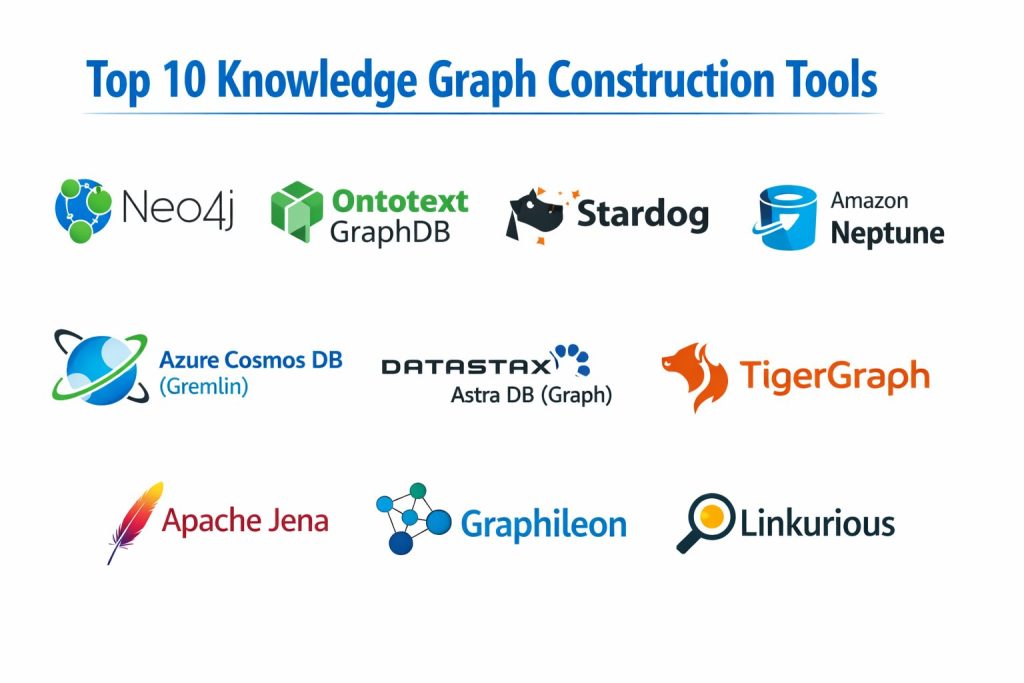
Top 10 Knowledge Graph Construction Tools
1) Neo4j
A widely used graph platform that supports building knowledge graphs with strong developer tooling and a mature ecosystem. Common choice for teams needing flexible graph modeling, fast traversal queries, and production deployment patterns.
Key Features
- Property graph modeling suitable for many enterprise knowledge graph use cases
- Strong query capabilities and graph traversal patterns
- Tools and APIs to support ingestion, transformation, and graph updates
- Ecosystem support for data integration patterns through drivers and connectors
- Visualization options through ecosystem tools and partner solutions
- Operational features for scaling and reliability (deployment dependent)
- Large community and learning resources
Pros
- Strong ecosystem and hiring availability
- Flexible graph modeling for diverse domains
Cons
- Enterprise features may require higher licensing tiers
- Governance and semantic reasoning may need additional tooling
Platforms / Deployment
- Windows / macOS / Linux
- Cloud / Self-hosted / Hybrid (varies by edition)
Security & Compliance
- SSO/SAML, MFA, encryption, audit logs, RBAC: Varies / Not publicly stated
- SOC 2, ISO 27001, GDPR, HIPAA: Not publicly stated
Integrations & Ecosystem
Neo4j fits well in developer-centric stacks and enterprise pipelines through drivers, connectors, and ingestion workflows.
- Common integrations via language drivers and APIs
- Data ingestion pipelines via ETL patterns (varies by setup)
- Connectivity with analytics and application layers (varies)
- Plugin and extension ecosystem (varies)
Support & Community
Large community and extensive documentation. Enterprise support varies by contract and edition.
2) Ontotext GraphDB
A semantic graph platform built for standards-based knowledge graphs, often used where RDF modeling, ontology management, and reasoning matter. Strong choice for knowledge engineering teams focused on governed semantics.
Key Features
- Standards-based semantic graph storage and querying (approach dependent)
- Ontology management workflows for controlled vocabularies and models
- Reasoning support to infer relationships from defined rules (capabilities vary)
- Tools for graph exploration and validation (varies by edition)
- Import workflows for structured data into semantic models (setup dependent)
- Focus on enterprise-grade knowledge graph governance patterns
- Practical support for building reusable domain models
Pros
- Strong for semantic modeling and ontology-driven knowledge graphs
- Useful reasoning and validation patterns for governed graphs
Cons
- Requires semantic modeling skills for best outcomes
- May be heavier than needed for simple property-graph-only scenarios
Platforms / Deployment
- Windows / macOS / Linux
- Cloud / Self-hosted / Hybrid (varies)
Security & Compliance
- SSO/SAML, MFA, encryption, audit logs, RBAC: Not publicly stated
- SOC 2, ISO 27001, GDPR, HIPAA: Not publicly stated
Integrations & Ecosystem
GraphDB is commonly used in semantic pipelines with data transformation, ontology tooling, and downstream search/AI systems.
- Integration via standards-based querying and APIs (varies)
- Interop with ontology tools and semantic workflows (varies)
- Data ingestion patterns through mapping and transformation (varies)
- Export pipelines for downstream applications (varies)
Support & Community
Specialized community with strong knowledge engineering orientation. Support tiers vary by license.
3) Stardog
A knowledge graph platform often chosen for enterprise-grade semantic graphs, governance, and reasoning workflows. Strong fit for teams building business-critical graphs that need validation, access control, and integration patterns.
Key Features
- Semantic modeling and querying for knowledge graph construction (approach dependent)
- Reasoning and rule-based inference options (capabilities vary by configuration)
- Data virtualization patterns to unify data without full duplication (use-case dependent)
- Governance support for controlled models and access patterns
- Tools for linking, enrichment, and validation workflows (varies)
- Integration support for enterprise systems (varies)
- Performance and scaling patterns suitable for production use (deployment dependent)
Pros
- Strong enterprise focus on governance and controlled semantics
- Useful for complex integration and data unification scenarios
Cons
- Licensing and enterprise setup can be complex
- Requires strong modeling discipline for best value
Platforms / Deployment
- Windows / macOS / Linux
- Cloud / Self-hosted / Hybrid (varies)
Security & Compliance
- SSO/SAML, MFA, encryption, audit logs, RBAC: Not publicly stated
- SOC 2, ISO 27001, GDPR, HIPAA: Not publicly stated
Integrations & Ecosystem
Stardog typically integrates into enterprise data stacks where graph sits as a semantic layer across systems.
- Integration through APIs and connectors (varies)
- Data access patterns spanning multiple sources (use-case dependent)
- Tooling for enrichment and entity linking workflows (varies)
- Works alongside search and analytics layers (varies)
Support & Community
Enterprise-oriented support model; community resources exist but are smaller than open-source ecosystems.
4) Amazon Neptune
A managed graph database service used for building graph applications and knowledge graphs in cloud environments. Good fit for teams that want a managed service and cloud-native operational patterns.
Key Features
- Managed graph database operations with cloud deployment patterns
- Graph query support for different graph models (capabilities vary)
- Scaling and reliability features handled through managed service patterns
- Integration with broader cloud services for ingestion and analytics (varies)
- Backup and recovery options typical of managed databases
- Useful for applications needing graph traversal and relationship queries
- Works well when cloud governance and networking are priorities
Pros
- Managed operations reduce infrastructure maintenance effort
- Fits well into cloud-native data and app architectures
Cons
- Strongest fit when your stack is aligned to the same cloud ecosystem
- Migration and portability planning is needed for long-term flexibility
Platforms / Deployment
- Web
- Cloud
Security & Compliance
- SSO/SAML, MFA, encryption, audit logs, RBAC: Varies / Not publicly stated
- SOC 2, ISO 27001, GDPR, HIPAA: Not publicly stated
Integrations & Ecosystem
Neptune typically integrates with cloud ingestion, processing, and application services.
- Integration with ETL and streaming patterns (varies)
- Application connectivity through APIs and drivers (varies)
- Analytics and search integration patterns (varies)
- Automation via infrastructure tooling (varies)
Support & Community
Support is typically tied to cloud support plans. Community knowledge exists but is often solution-architecture oriented.
5) TigerGraph
A graph analytics platform often used for large-scale relationship analysis and graph-driven applications. Useful when performance and deep graph computations are central to your knowledge graph goals.
Key Features
- Strong performance focus for large graph workloads (deployment dependent)
- Graph query and analytics capabilities for relationship-rich datasets
- Tools for loading and transforming data into graph structures
- Support for building graph-driven application APIs (varies)
- Useful for fraud, risk, recommendations, and complex network analysis
- Operational tooling for running large graphs in production (varies)
- Graph visualization and exploration options (varies)
Pros
- Strong for large-scale graph analytics and performance-focused use cases
- Useful when graph computation is a primary requirement
Cons
- May be more than needed for simple semantic knowledge graph publishing
- Requires planning for modeling, loading, and performance tuning
Platforms / Deployment
- Windows / Linux (varies)
- Cloud / Self-hosted / Hybrid (varies)
Security & Compliance
- SSO/SAML, MFA, encryption, audit logs, RBAC: Not publicly stated
- SOC 2, ISO 27001, GDPR, HIPAA: Not publicly stated
Integrations & Ecosystem
TigerGraph commonly integrates into analytics pipelines and application stacks that depend on large graph queries.
- Data loading and transformation tooling (varies)
- APIs and connectors for applications (varies)
- Integration with data platforms for ingestion (varies)
- Visualization ecosystem options (varies)
Support & Community
Support tiers vary by plan; community is active but more specialized than general-purpose databases.
6) Azure Cosmos DB (Gremlin)
A managed multi-model database option used for graph workloads through Gremlin in some cloud-first architectures. Best for teams already committed to a specific cloud platform and operational model.
Key Features
- Managed database operations aligned to cloud-native patterns
- Graph traversal support via Gremlin API (capabilities depend on setup)
- Elastic scaling patterns tied to managed infrastructure
- Integration with cloud data services and event pipelines (varies)
- Useful for applications needing graph-shaped data in cloud environments
- Operational tools for reliability and backups (managed pattern)
- Global distribution patterns (use-case dependent)
Pros
- Strong fit for teams using cloud-native architecture and services
- Managed scaling and operational workflows
Cons
- Graph capabilities depend on the API and model constraints
- Portability across graph ecosystems requires careful planning
Platforms / Deployment
- Web
- Cloud
Security & Compliance
- SSO/SAML, MFA, encryption, audit logs, RBAC: Varies / Not publicly stated
- SOC 2, ISO 27001, GDPR, HIPAA: Not publicly stated
Integrations & Ecosystem
Cosmos DB graph workloads often connect to cloud ingestion, app services, and analytics tooling.
- Integration with cloud pipelines and event streams (varies)
- Gremlin-based application connectivity (varies)
- Monitoring and operational integrations (varies)
- Data movement patterns across services (varies)
Support & Community
Support depends on cloud support plans and enterprise agreements. Community content is common in cloud architecture circles.
7) DataStax Astra DB (Graph)
A managed database offering associated with cloud-first data workloads, sometimes used in graph-related architectures. Best for teams that want managed operations and are comfortable with ecosystem-specific patterns.
Key Features
- Managed database operational patterns in cloud environments
- Data platform integrations aligned to ecosystem tooling (varies)
- API and connectivity options for applications (varies)
- Scalability patterns suitable for production workloads (varies)
- Operational monitoring and reliability tooling (service dependent)
- Fits teams that want reduced infrastructure management overhead
- Useful for building data-backed applications with flexible data models
Pros
- Managed operations simplify infrastructure work
- Good fit for teams already aligned with the ecosystem
Cons
- Graph feature set and approach can vary by offering and configuration
- Not always the best fit for ontology-heavy semantic knowledge graphs
Platforms / Deployment
- Web
- Cloud
Security & Compliance
- SSO/SAML, MFA, encryption, audit logs, RBAC: Not publicly stated
- SOC 2, ISO 27001, GDPR, HIPAA: Not publicly stated
Integrations & Ecosystem
Astra DB commonly integrates through cloud-native tooling and application APIs.
- Integration with data ingestion pipelines (varies)
- Application connectivity patterns (varies)
- Monitoring and operations integrations (varies)
- Ecosystem tooling compatibility (varies)
Support & Community
Support tiers vary by plan. Community is active around broader ecosystem usage.
8) Apache Jena
An open-source framework for building semantic knowledge graph applications. Strong for teams that want standards-based RDF tooling, flexible development patterns, and control over deployment.
Key Features
- Semantic data model support for knowledge graph construction (approach dependent)
- Query and reasoning components available through framework tooling
- Flexible integration for custom applications and pipelines
- Suitable for building domain-specific knowledge graph solutions
- Works well when teams want full control of architecture and costs
- Can be deployed in many environments with engineering effort
- Useful for research, prototypes, and custom enterprise solutions
Pros
- Strong flexibility and control for semantic knowledge graph development
- Open-source approach supports customization and cost control
Cons
- Requires engineering effort for scaling, operations, and tooling
- Enterprise-grade governance features depend on what you build around it
Platforms / Deployment
- Windows / macOS / Linux
- Self-hosted
Security & Compliance
- SSO/SAML, MFA, encryption, audit logs, RBAC: Varies / N/A
- SOC 2, ISO 27001, GDPR, HIPAA: Not publicly stated
Integrations & Ecosystem
Jena is often used as a building block inside custom pipelines rather than a packaged platform.
- Integration via APIs and framework components
- Works with ontology tooling and semantic pipelines (varies)
- Data ingestion through custom mapping workflows (varies)
- Deployable in many architectures with engineering effort
Support & Community
Active open-source community, extensive references, and support through community channels; enterprise support depends on third parties.
9) Graphileon
A platform focused on graph visualization, exploration, and building graph-based solutions. Useful for teams that need visual graph building, discovery, and stakeholder-friendly interfaces.
Key Features
- Visual graph exploration and discovery workflows
- Tools for building graph views and interactive graph applications
- Useful for investigative workflows like risk, fraud, and relationship analysis
- Integrations with graph databases and data sources (varies)
- Collaboration patterns for sharing graph insights (varies)
- Helps non-technical users explore complex relationships
- Supports building graph-based dashboards and solutions (varies)
Pros
- Strong for visual graph exploration and stakeholder usability
- Helpful for investigative and relationship discovery use cases
Cons
- Typically complements a graph database rather than replacing it
- Capability depends on connected data sources and integration setup
Platforms / Deployment
- Web / Windows / Linux (varies)
- Cloud / Self-hosted / Hybrid (varies)
Security & Compliance
- SSO/SAML, MFA, encryption, audit logs, RBAC: Not publicly stated
- SOC 2, ISO 27001, GDPR, HIPAA: Not publicly stated
Integrations & Ecosystem
Graphileon often integrates with underlying graph databases to provide visual investigation and application layers.
- Integrations with graph databases: Varies / N/A
- Data connectors and APIs: Varies / N/A
- Export and sharing workflows: Varies / N/A
- Custom solutions and extensions: Varies / N/A
Support & Community
Support varies by plan. Community is smaller but often focused on applied graph investigation scenarios.
10) Linkurious
A graph visualization and investigation platform that helps teams explore relationships, run graph-based analysis, and present results. Often used as a front-end layer on top of graph databases.
Key Features
- Graph visualization for exploring relationships at scale
- Investigation workflows for fraud, risk, compliance, and intelligence use cases
- Search and filtering patterns to navigate large graphs
- Collaboration and sharing features for teams (varies)
- Integration with graph databases and access controls (varies)
- Useful for turning graph data into analyst-friendly experiences
- Helps bridge the gap between engineers and business investigators
Pros
- Strong for investigation workflows and graph exploration
- Makes graph data more accessible to non-engineering users
Cons
- Typically requires an underlying graph database to store the graph
- Feature depth depends on connected graph database and data model quality
Platforms / Deployment
- Web
- Cloud / Self-hosted / Hybrid (varies)
Security & Compliance
- SSO/SAML, MFA, encryption, audit logs, RBAC: Not publicly stated
- SOC 2, ISO 27001, GDPR, HIPAA: Not publicly stated
Integrations & Ecosystem
Linkurious commonly integrates as an investigation layer on top of graph stores.
- Graph database integrations: Varies / N/A
- APIs and connector patterns: Varies / N/A
- Export workflows for reporting and case management: Varies / N/A
- Integration with governance tooling: Varies / N/A
Support & Community
Support is typically plan-based and enterprise-focused. Community is smaller but specialized in investigation use cases.
Comparison Table (Top 10)
| Tool Name | Best For | Platform(s) Supported | Deployment | Standout Feature | Public Rating |
|---|---|---|---|---|---|
| Neo4j | Graph apps and flexible knowledge graphs | Windows, macOS, Linux | Cloud / Self-hosted / Hybrid | Mature ecosystem and developer tooling | N/A |
| Ontotext GraphDB | Standards-based semantic knowledge graphs | Windows, macOS, Linux | Cloud / Self-hosted / Hybrid | Ontology and reasoning workflows | N/A |
| Stardog | Enterprise semantic graphs and governance | Windows, macOS, Linux | Cloud / Self-hosted / Hybrid | Data unification and governed semantics | N/A |
| Amazon Neptune | Managed cloud graph deployments | Web | Cloud | Managed operations for graph workloads | N/A |
| TigerGraph | Large-scale graph analytics and performance | Windows, Linux (varies) | Cloud / Self-hosted / Hybrid | High-performance graph analytics | N/A |
| Azure Cosmos DB (Gremlin) | Cloud-native graph workloads via Gremlin | Web | Cloud | Managed scale with Gremlin API | N/A |
| DataStax Astra DB (Graph) | Managed cloud data workloads with graph patterns | Web | Cloud | Managed operations and ecosystem fit | N/A |
| Apache Jena | Custom semantic knowledge graph development | Windows, macOS, Linux | Self-hosted | Open-source semantic framework | N/A |
| Graphileon | Visual graph exploration and investigation | Web, Windows, Linux (varies) | Cloud / Self-hosted / Hybrid | Stakeholder-friendly graph discovery | N/A |
| Linkurious | Graph visualization and investigation front-end | Web | Cloud / Self-hosted / Hybrid | Investigation workflows for analysts | N/A |
Evaluation & Scoring of Knowledge Graph Construction Tools
Weights: Core features 25%, Ease 15%, Integrations 15%, Security 10%, Performance 10%, Support 10%, Value 15%.
| Tool Name | Core (25%) | Ease (15%) | Integrations (15%) | Security (10%) | Performance (10%) | Support (10%) | Value (15%) | Weighted Total |
|---|---|---|---|---|---|---|---|---|
| Neo4j | 9.0 | 8.0 | 9.0 | 6.5 | 8.5 | 8.5 | 7.0 | 8.25 |
| Ontotext GraphDB | 8.5 | 7.0 | 7.5 | 6.0 | 8.0 | 7.5 | 6.5 | 7.55 |
| Stardog | 8.5 | 7.0 | 8.0 | 6.5 | 8.0 | 7.5 | 6.0 | 7.58 |
| Amazon Neptune | 8.0 | 7.5 | 8.0 | 7.0 | 8.5 | 7.5 | 7.0 | 7.80 |
| TigerGraph | 8.5 | 7.0 | 7.5 | 6.0 | 9.0 | 7.5 | 6.5 | 7.70 |
| Azure Cosmos DB (Gremlin) | 7.5 | 7.5 | 7.5 | 7.0 | 8.0 | 7.0 | 7.0 | 7.38 |
| DataStax Astra DB (Graph) | 7.0 | 7.5 | 7.0 | 6.5 | 7.5 | 7.0 | 7.0 | 7.13 |
| Apache Jena | 7.5 | 6.0 | 6.5 | 5.5 | 7.0 | 7.0 | 9.0 | 7.20 |
| Graphileon | 7.0 | 7.5 | 7.0 | 6.0 | 7.0 | 6.5 | 6.5 | 6.93 |
| Linkurious | 7.0 | 7.5 | 7.0 | 6.0 | 7.0 | 6.5 | 6.5 | 6.93 |
How to interpret the scores:
- These numbers compare tools within this list, not the entire market.
- Higher totals indicate broader balance across construction, operations, and ecosystem fit.
- Ease and value can matter more than depth for small teams launching quickly.
- Security scoring is conservative because many details are not publicly stated.
- Always validate by piloting with your real data sources, modeling approach, and scale needs.
Which Knowledge Graph Construction Tool Is Right for You?
Solo / Freelancer
If you are building a proof of concept or a small knowledge graph, Apache Jena is useful when you want semantic control and don’t mind engineering effort. Blender-style simplicity does not exist in graph tools, so ease comes from choosing a tool that matches your model and skills. Neo4j is often practical if you want fast development on a property graph approach and you value a large ecosystem.
SMB
SMBs typically need fast time-to-value. Neo4j can be a strong pick for application-driven graphs where traversal queries matter. If your project is semantic and ontology-driven, Ontotext GraphDB or Stardog can reduce long-term confusion by enforcing clearer models, but plan for modeling skills and governance discipline.
Mid-Market
Mid-market teams usually need both scale and integration. Amazon Neptune fits when you want managed operations and cloud-native patterns. TigerGraph becomes attractive when graph analytics and performance are central to the outcome. If business users must investigate and explore, pairing a graph store with Graphileon or Linkurious often improves adoption.
Enterprise
Enterprises should prioritize governance, repeatability, and integration across many data sources. Stardog and Ontotext GraphDB can fit semantic-driven governance programs, while Neo4j often fits product and application graphs. Cloud-managed approaches like Amazon Neptune and Azure Cosmos DB (Gremlin) can simplify operations, but you should validate portability, cost patterns, and long-term architecture alignment.
Budget vs Premium
If budget is tight and you have engineering capacity, Apache Jena can be cost-effective, but you must build operations and governance around it. Premium platforms can reduce delivery risk for complex enterprise graphs, especially when governance and controlled semantics are important. Always compare cost against the staffing and time you save.
Feature Depth vs Ease of Use
Semantic platforms can be powerful but require strong modeling discipline. Property graph tools can feel easier to start, especially for developers, but governance and meaning can drift unless you standardize. If non-technical users must explore the graph, invest in visualization layers like Graphileon or Linkurious to reduce friction.
Integrations & Scalability
If you will connect many systems, prioritize connector availability, API flexibility, and reliable incremental updates. Validate that your chosen tool can handle the number of entities, relationship density, and query patterns you expect. Run performance tests with your real queries, not synthetic demos, because graph workloads are highly pattern-dependent.
Security & Compliance Needs
Security is often achieved through the surrounding platform: identity, network controls, encryption at rest, and audit trails in your data pipeline. Where compliance details are not publicly stated, treat them as unknown and validate through internal security review. For regulated environments, prioritize predictable access control, auditability, and governance workflows from day one.
Frequently Asked Questions (FAQs)
1. What is the main difference between a knowledge graph and a normal database?
A knowledge graph focuses on relationships and meaning between entities, not just tables and rows. It makes it easier to ask relationship-heavy questions and unify data across silos.
2. Do I need ontology and semantic modeling to build a knowledge graph?
Not always. Many teams start with a property graph model for quick wins, but semantic modeling can help when you need strong governance and shared meaning across departments.
3. How do teams usually build the graph from existing data sources?
Most projects start by extracting entities from databases and documents, mapping them into a graph model, and then running linking and deduplication. Incremental updates and quality checks are critical for reliability.
4. What is entity resolution and why is it important?
Entity resolution is the process of determining when two records refer to the same real-world entity. Without it, graphs become noisy, duplicated, and unreliable for decision-making.
5. What should I test in a pilot before choosing a tool?
Test ingestion, mapping, linking, query performance, and how easy it is to evolve the model over time. Also test access control, audit needs, and integration with your downstream applications.
6. How do I keep a knowledge graph accurate over time?
Use clear modeling standards, track data provenance, run validation rules, and monitor data quality. Plan for versioning and change management so updates don’t break consumers.
7. Are managed cloud graph services better than self-hosted?
Managed services reduce operational workload, but you must evaluate portability, cost at scale, and how well it fits your governance and security requirements. Self-hosted can offer more control but needs strong operations skills.
8. What are common reasons knowledge graph projects fail?
Unclear scope, weak data quality, lack of governance, and trying to model everything at once. Teams also fail when they don’t align the graph to a real business outcome like search quality, fraud reduction, or faster analysis.
9. How do visualization tools help knowledge graph adoption?
They help analysts and business users explore relationships without writing queries. This often increases trust and usage because people can see and validate connections quickly.
10. What is a practical starting approach for a new team?
Pick one high-value use case, define a small but meaningful model, ingest a limited dataset, and prove measurable outcomes. Then expand carefully with governance, data quality, and incremental updates.
Conclusion
Knowledge graph construction tools are most valuable when they help you connect data into reliable context that improves search, analytics, AI, and governance outcomes. The right choice depends on your modeling approach, the skills on your team, and how you plan to operate the graph over time. If you want fast development and a large ecosystem, Neo4j is often a practical starting point. If your goal is governed semantics with ontology-driven control, Ontotext GraphDB or Stardog can reduce long-term confusion and improve consistency. If you want managed operations in cloud-first environments, Amazon Neptune or Azure Cosmos DB (Gremlin) can simplify day-to-day reliability. Start by shortlisting two or three tools, run a pilot with real data and real queries, validate integration and security needs, and then scale the model gradually with strong data quality controls.