Introduction
Kanban tools are specialized software platforms designed to visualize work, limit work-in-progress (WIP), and maximize efficiency (or flow). Based on a Japanese manufacturing methodology, these tools use a “board and card” system to represent tasks and their current status. Kanban has moved beyond simple sticky notes to include AI-driven bottleneck detection, automated swimlanes, and sophisticated cycle-time analytics.
The relevance of Kanban in the current landscape stems from the need for continuous delivery and flexibility. Unlike rigid sprint-based frameworks, Kanban allows teams to respond to changing priorities in real-time. For high-velocity environments like DevOps, creative agencies, and support desks, Kanban provides the necessary transparency to identify blockers and optimize the “lead time” from ideation to delivery.
Real-world use cases include:
- Continuous Software Delivery: Managing a steady stream of bug fixes and feature requests without fixed sprint boundaries.
- Content Pipeline Management: Tracking articles or videos through stages like “Drafting,” “Review,” “SEO Optimization,” and “Published.”
- Recruitment Funnels: Visualizing candidates as they move through “Screening,” “Interview,” “Offer,” and “Onboarding.”
- Help Desk Triage: Managing incoming support tickets by urgency and expert availability.
- Lean Manufacturing: Synchronizing inventory and assembly steps in physical production environments.
What buyers should evaluate (Criteria):
- WIP Limits: The ability to restrict the number of tasks in a column to prevent team overload.
- Cycle Time Analytics: Data-driven insights into how long tasks take to move from start to finish.
- Swimlanes: Horizontal rows that allow for secondary categorization (e.g., by priority or team member).
- AI Flow Optimization: Tools that suggest redistributing tasks based on team velocity and past performance.
- Mobile Accessibility: High-quality mobile apps for managing “just-in-time” updates on the go.
- Automated Transitions: Triggers that move cards or change assignees based on status updates.
- Custom Field Flexibility: The ability to add specific metadata (e.g., story points, client IDs) to cards.
- Integration Ecosystem: Connecting the board to communication hubs like Slack or development tools like GitHub.
Key Trends in Kanban Software
The Kanban market is defined by “Flow Intelligence” and “Enterprise Scaling.”
- Predictive Bottleneck Analysis: AI now monitors board movement and alerts managers before a column becomes a “traffic jam.”
- Smart Swimlanes: Dynamic horizontal rows that automatically group tasks by the most urgent criteria.
- Autonomous Work Distribution: Native agents that assign “next-up” tasks to the best-suited team member based on skill and availability.
- Cumulative Flow Diagrams (CFD) 2.0: Real-time, interactive charts that allow users to drill down into specific data points directly from the report.
- Natural Language Board Setup: Users can describe their workflow in plain English, and the AI builds the columns, WIP limits, and automations instantly.
- Cross-Board Dependencies: Visualizing how a card on a Marketing board is blocked by a card on a Development board in a unified view.
- Carbon-Neutral Hosting: A push toward “Green SaaS” where providers optimize server usage based on active board activity.
- Voice-Activated Updates: Integration with workspace audio devices to move cards via voice commands during stand-up meetings.
How We Selected These Tools (Methodology)
Our selection for the top 10 Kanban tools follows a structured evaluation of “Pure Kanban” capability vs. “All-in-One” flexibility:
- Kanban Methodology Alignment: We prioritized tools that offer native support for WIP limits and flow metrics.
- Visual Performance: Evaluation of the “drag-and-drop” responsiveness and overall UI clarity.
- Automation Sophistication: We looked for tools that allow for complex, multi-step triggers without requiring code.
- User Feedback: We analyzed recent satisfaction scores from platforms like G2 and Capterra.
- Enterprise Scalability: Assessing how well the board handles thousands of cards without becoming unusable.
- AI Capability: We specifically looked for native AI features that assist in task management rather than just content generation.
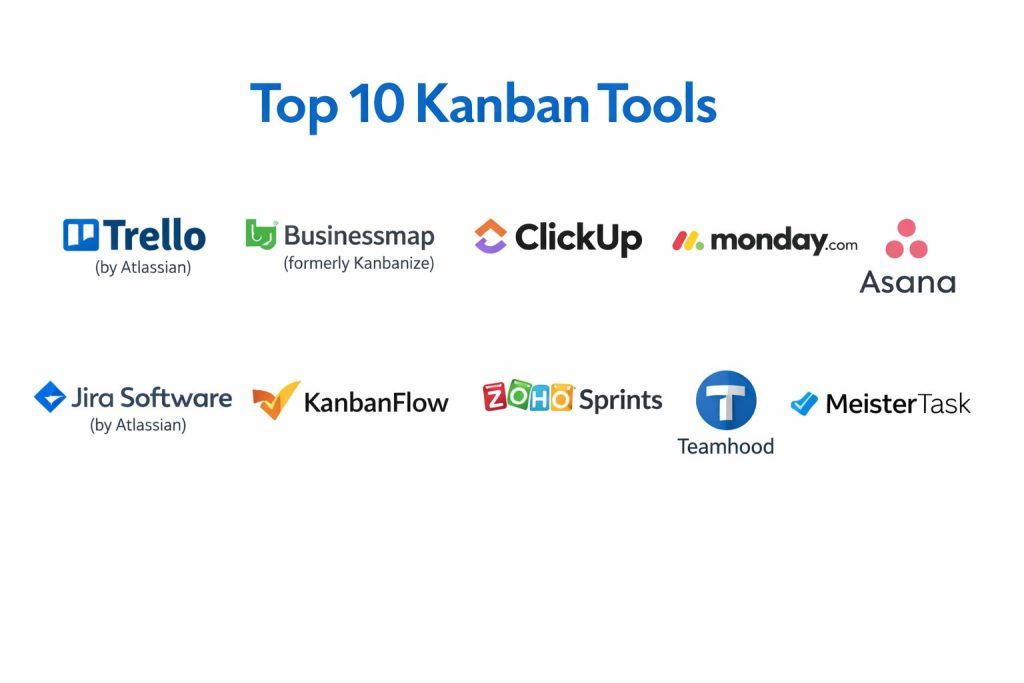
Top 10 Kanban Tools
#1 — Trello (by Atlassian)
The pioneer of digital Kanban, Trello remains the gold standard for visual simplicity. It uses a clean board, list, and card system that is accessible to everyone.
Key Features
- Power-Ups: Hundreds of add-ons for Gantt charts, time tracking, and external integrations.
- Butler Automation: A simple command-based automation engine that requires no technical skill.
- Card Covers: Rich visual formatting for cards to make boards easily scannable.
- Advanced Checklists: Allows assigning individual sub-tasks to different team members with separate due dates.
- Trello AI: Summarizes card discussions and suggests the next logical list for a card.
- Multi-Board Views: Allows users to view cards from multiple boards in a single workspace.
Pros
- Zero Learning Curve: New users can be productive in under five minutes.
- Unbeatable Mobile App: Consistently rated as one of the best mobile project management experiences.
Cons
- Lacks Advanced Analytics: Native cycle time and lead time reports are basic compared to specialized tools.
- Scalability Limits: Managing hundreds of columns and cards can eventually lead to visual “noise.”
#2 — Businessmap (formerly Kanbanize)
An enterprise-grade Kanban platform focused on “Flow Management” and portfolio scaling. It is built for organizations that treat Kanban as a rigorous science.
Key Features
- WIP Limits & Blocks: Strict enforcement of lean principles to ensure continuous flow.
- Automated Business Rules: A sophisticated logic engine for complex enterprise workflows.
- Flow Analytics: Industry-leading reports on cycle time, lead time, and throughput.
- Initiative Tracking: Links small team tasks to high-level strategic objectives (Portfolio Kanban).
- Monte Carlo Simulations: Predictive analytics that forecast project completion dates based on historical data.
- Management Boards: Aggregates status from multiple sub-boards into a single executive view.
Pros
- Methodology Rigor: The best tool for teams strictly following Lean or Kanban principles.
- Data-Driven: Provides the most detailed performance metrics in the industry.
Cons
- Technical Complexity: Requires a dedicated administrator and significant training to master.
- Interface: Can feel more “industrial” and less “creative” than competitors like Monday.com.
#3 — ClickUp
A highly customizable “everything app” that offers one of the most powerful and flexible Kanban views on the market.
Key Features
- Custom Grouping: View your board grouped by status, priority, assignee, or any custom field.
- Board View Swimlanes: Horizontal groupings to separate different project phases or clients.
- Bulk Action Toolbar: Move, delete, or update hundreds of cards simultaneously.
- ClickUp AI: Generates task descriptions, subtasks, and board summaries.
- Relationship Tracking: Clearly visualizes dependencies between cards across different boards.
- Everything View: Shows every card across the entire organization in one massive Kanban board.
Pros
- High Value: Includes features (like time tracking) that usually require paid add-ons in other tools.
- Total Flexibility: Can be molded to fit almost any workflow imaginable.
Cons
- Feature Overload: The sheer number of buttons and options can be intimidating for simple teams.
- Performance: Occasional slow load times when handling extremely large databases.
#4 — Monday.com
A colorful, visual “Work OS” that turns project management into a highly engaging and automated experience.
Key Features
- Visual Statuses: Highly customizable color-coded labels that make board health immediately obvious.
- Native Automations: “Recipe-based” triggers (e.g., “When status changes to Done, move to Archive”).
- Mirror Columns: Syncs data between different boards to maintain a single source of truth.
- Monday AI: Offers smart suggestions for column types and workflow optimizations.
- Mobile Kanban: Drag-and-drop cards on the go with a highly responsive touch interface.
- Integration Center: Deep native connections to CRM, HR, and Dev tools.
Pros
- User Adoption: Extremely high “fun factor” leads to better team participation.
- Versatility: Equally effective for marketing, HR, and project management.
Cons
- Strict Per-Seat Pricing: Can become very expensive for small teams that grow quickly.
- Kanban Depth: Lacks some of the more niche Lean analytics found in Businessmap.
#5 — Asana
A structured project management platform that excels at cross-team coordination through its polished Kanban boards.
Key Features
- Workflow Builder: Visual tool to automate handoffs between different departments.
- Multi-Homing: Allows one task to exist on multiple boards without creating duplicates.
- Smart Summaries: AI-generated progress reports that highlight blockers and milestones.
- Project Portfolios: High-level overview of multiple boards’ progress toward a goal.
- Custom Fields: Extensive options for tracking specific project metadata on every card.
- My Tasks: A personal Kanban board that aggregates work assigned to you from all projects.
Pros
- Elegance: One of the most refined and “uncluttered” user interfaces available.
- Accountability: Clearly defines who is doing what, making it hard for tasks to fall through the cracks.
Cons
- Rigid Free Plan: Many essential features for teams are locked behind the Starter/Advanced tiers.
- No Native Time Tracking: Requires third-party integrations for granular time logs.
#6 — Jira Software (by Atlassian)
The industry standard for software development. Jira’s Kanban boards are built for technical agility and deep integration with the coding lifecycle.
Key Features
- Scrum/Kanban Hybrid: Allows teams to switch between methodologies or use “Scrumban.”
- Advanced Roadmaps: Links board tasks to a multi-team, long-term visual timeline.
- JQL (Jira Query Language): Allows power users to create highly specific filters for their boards.
- Native DevOps Integration: View branch status, deployments, and commits directly on the Kanban card.
- Release Hub: Tracks the progress of a version from “To Do” to “Shipped.”
- Workload Management: Visualizes team capacity to prevent developer burnout.
Pros
- Developer Ecosystem: Unmatched integration with Bitbucket, GitHub, and VS Code.
- Customization: Deeply configurable for complex, multi-stage engineering workflows.
Cons
- Steep Learning Curve: Notoriously difficult for non-technical users to navigate.
- Administration: Often requires a specialized “Jira Admin” for larger company setups.
#7 — KanbanFlow
A minimalist Lean tool that uniquely combines Kanban boards with built-in time tracking and Pomodoro timers.
Key Features
- Pomodoro Integration: Built-in timer to help team members stay focused on individual tasks.
- WIP Limits: Prevents bottlenecks by restricting the number of tasks per column or user.
- Swimlanes: Horizontal rows for grouping tasks by priority or team member.
- Time Spent Reports: Detailed analytics on how much time is actually spent in each status.
- Subtasks: Allows breaking down cards into smaller, trackable checklist items.
- Cumulative Flow Diagrams: Native reports to visualize the stability of your workflow.
Pros
- Speed: Extremely lightweight and fast, even on slower internet connections.
- Focus on Productivity: Ideal for teams that value deep work and time management.
Cons
- Dated UI: The interface is functional but lacks the modern aesthetic of Monday or Asana.
- Limited Integrations: Fewer native connections compared to the “Big 3” (Monday, Asana, Trello).
#8 — Zoho Sprints
An agile-focused tool part of the Zoho ecosystem, designed specifically for teams that need to balance Kanban with iterative planning.
Key Features
- Agile Reports: Native burndown, velocity, and cumulative flow charts.
- Sprint Planning: Dedicated area to manage backlogs before moving them to the active Kanban board.
- Timesheets & Global Timers: Robust time logging for billing and resource allocation.
- Zoho Ecosystem Sync: Direct integration with Zoho CRM, Projects, and Books.
- Meeting Module: Tools for scheduling and documenting daily stand-ups and retrospectives.
- Custom Workflows: Define strict rules for how tasks move from one column to another.
Pros
- Integrated Experience: Best choice for companies already using the Zoho software suite.
- Agile Focus: Built specifically for agile ceremonies, not just general task management.
Cons
- Mobile Experience: The mobile app is functional but not as polished as Trello.
- Visual Customization: Less flexible than ClickUp in terms of board appearance.
#9 — Teamhood
A high-performance Kanban tool designed for professional services and engineering teams that need “Visual Professionalism.”
Key Features
- Advanced Kanban Boards: Supports column groups and nested rows (swimlanes) for high complexity.
- Interdependent Boards: Link cards across different boards with parent-child relationships.
- Workload Management: Visualizes team availability directly on the board interface.
- Portfolio View: A bird’s-eye view of all active projects in a timeline or board format.
- Custom Reports: Drag-and-drop report builder for project metrics.
- Time Tracking: Integrated timers with detailed project-level reporting.
Pros
- Visual Clarity: Can display more actionable information on one screen than most competitors.
- Professional Grade: Offers features that bridge the gap between simple Kanban and complex PMO tools.
Cons
- Brand Awareness: Smaller ecosystem and fewer third-party community templates.
- Cost: Competitive, but the free tier is more limited than ClickUp’s.
#10 — MeisterTask
A visually stunning and intuitive Kanban tool designed specifically for creative teams and those who prioritize ease of use.
Key Features
- Automated Actions: Simple “Section Actions” (e.g., automatically assign a task when it moves to a specific column).
- Mind Map Integration: Syncs directly with MindMeister to turn brainstorming ideas into Kanban tasks.
- Custom Backgrounds: High-quality visual themes that make the workspace more inspiring.
- Agenda View: A personal board that lets you pull in tasks from multiple projects for focus.
- Built-in Time Tracking: Easy-to-use timers on every card with basic reporting.
- Compliance: Strong focus on European data security (GDPR) with German-based servers.
Pros
- Beautiful Design: Often cited as the most aesthetically pleasing Kanban interface.
- Simplicity: Very little friction between “having an idea” and “tracking a task.”
Cons
- Feature Depth: Lacks the advanced Lean analytics needed by high-end manufacturing or engineering teams.
- Rigid Structure: Less flexible in terms of changing column widths or card layouts.
Comparison Table (Top 10)
| Tool Name | Best For | Platform(s) Supported | Deployment | Standout Feature | Public Rating |
| Trello | Visual Simplicity | Web, Win, Mac, iOS, Android | Cloud | Power-Up Ecosystem | 4.6 / 5 |
| Businessmap | Lean Methodology | Web, iOS, Android | Cloud | Monte Carlo Analytics | 4.8 / 5 |
| ClickUp | Customization | Web, Win, Mac, Linux, iOS | Cloud | Everything View | 4.7 / 5 |
| Monday.com | Team Adoption | Web, Win, Mac, iOS, Android | Cloud | Automation Recipes | 4.7 / 5 |
| Asana | Cross-Team Work | Web, Win, Mac, iOS, Android | Cloud | Multi-Homing Tasks | 4.5 / 5 |
| Jira Software | Dev Teams | Web, iOS, Android | Cloud/Self | DevOps Integration | 4.5 / 5 |
| KanbanFlow | Productivity/Time | Web (Browser-based) | Cloud | Pomodoro Timer | 4.2 / 5 |
| Zoho Sprints | Agile Teams | Web, iOS, Android | Cloud | Sprint/Backlog Pairing | 4.4 / 5 |
| Teamhood | Prof. Services | Web, iOS, Android | Cloud | Nested Rows/Columns | 4.5 / 5 |
| MeisterTask | Creative Teams | Web, Win, Mac, iOS, Android | Cloud | Mind Map Integration | 4.4 / 5 |
Evaluation & Scoring of Kanban Tools
This scoring model prioritizes flow-specific features such as WIP limits and cycle time metrics.
| Tool Name | Core (25%) | Ease (15%) | Int. (15%) | Sec. (10%) | Perf. (10%) | Supp. (10%) | Value (15%) | Weighted Total |
| Trello | 7 | 10 | 9 | 8 | 10 | 8 | 9 | 8.40 |
| Businessmap | 10 | 5 | 8 | 9 | 9 | 9 | 7 | 8.20 |
| ClickUp | 9 | 7 | 9 | 8 | 8 | 8 | 10 | 8.55 |
| Monday.com | 8 | 9 | 9 | 8 | 9 | 9 | 7 | 8.35 |
| Asana | 8 | 8 | 9 | 9 | 10 | 9 | 7 | 8.50 |
| Jira Software | 10 | 4 | 10 | 10 | 9 | 10 | 8 | 8.65 |
| KanbanFlow | 8 | 8 | 5 | 7 | 10 | 7 | 10 | 7.55 |
| Zoho Sprints | 9 | 7 | 8 | 9 | 9 | 8 | 9 | 8.25 |
| Teamhood | 9 | 7 | 7 | 8 | 9 | 8 | 8 | 7.95 |
| MeisterTask | 7 | 9 | 7 | 10 | 10 | 8 | 7 | 7.95 |
How to interpret these scores:
- Weighted Total: A score of 8.5+ indicates a market leader for general enterprise needs.
- Core (25%): Measured by the quality of native Kanban features (WIP limits, swimlanes, flow metrics).
- Ease (15%): High scores mean the tool can be adopted by non-technical users without extensive training.
Which Kanban Tool Is Right for You?
Solo / Personal Use
If you just want to get things done, Trello is the undisputed king. For those who want to combine a to-do list with focus sessions, KanbanFlow with its Pomodoro timer is a productivity powerhouse.
Marketing & Creative Teams
Creative workflows need color and visual cues. Monday.com and MeisterTask offer the most inspiring environments for visual thinkers who need to see the “status” of assets at a glance.
Software Engineering
If you are writing code, Jira Software is nearly unavoidable due to its integration with developer tools. For small, fast-moving dev squads, Zoho Sprints offers a leaner, more agile-focused alternative.
Professional Services & Agencies
For those who bill by the hour, Teamhood and ClickUp offer the best balance of task visualization and time-tracking features to ensure project profitability.
Strictly Lean/Agile
If your goal is to reduce “waste” and optimize “flow” using scientific metrics, Businessmap (Kanbanize) is the only tool on this list that provides the depth of data needed for true Lean transformation.
Frequently Asked Questions (FAQs)
What is a “WIP Limit” and why is it important?
WIP stands for Work-In-Progress. A WIP limit is a setting that prevents you from adding more than a certain number of tasks to a column. It’s important because it forces teams to finish current work before starting new work, preventing “bottlenecks.”
How does Kanban differ from Scrum?
Scrum is iterative and uses fixed “Sprints” (usually 2 weeks). Kanban is continuous; work flows in as soon as there is capacity. Scrum has specific roles (Scrum Master), while Kanban is more flexible about team structure.
Can I use Kanban for complex projects with dependencies?
Yes, but you need a tool like Businessmap, Asana, or Teamhood. These tools allow you to link cards together so you can see if “Task B” is waiting for “Task A” to move to the “Done” column.
Is there a free version for all these tools?
Most of these tools (Trello, ClickUp, Monday, Asana) have excellent “Forever Free” plans for small teams. Businessmap and Jira (Enterprise) usually offer free trials but prioritize paid enterprise models.
Do I need to be a project manager to use these tools?
No. One of the biggest advantages of Kanban is that it is intuitive. If you understand the concept of “To Do,” “Doing,” and “Done,” you can use these tools effectively.
What are “Swimlanes” in Kanban?
Swimlanes are horizontal rows on your board. They allow you to group tasks by secondary criteria, such as “High Priority” at the top and “Low Priority” at the bottom, even within the same status columns.
What is “Cycle Time”?
Cycle time is the amount of time it takes for a task to move from “Started” (Doing) to “Completed” (Done). Measuring this helps teams predict when future work will be finished.
Can I use these tools offline?
Most are web-based (Cloud SaaS), but many offer desktop apps (macOS/Windows) that allow for some offline viewing. However, real-time collaboration always requires an internet connection.
Can I turn my emails into Kanban cards?
Yes. Tools like Trello, Asana, and ClickUp offer “Email-to-Board” features where forwarding an email to a specific address creates a card automatically.
Which tool is best for very large teams (1000+ people)?
Jira and Businessmap are built specifically for “scaling” Kanban across multiple departments while maintaining a high-level portfolio view for management.
Conclusion
Kanban is the ultimate methodology for teams that value transparency and continuous improvement. The choice of tool depends on your team’s “Agile maturity.” For those starting out, Trello and Monday.com offer the lowest barrier to entry. For those looking to master the science of flow, specialized tools like Businessmap and Teamhood provide the analytics required to truly optimize a business.
Regardless of the tool you choose, remember that the board is only as good as the data you put into it—keep it updated, respect your WIP limits, and keep the work moving.