Introduction
Issue tracking tools help teams capture, assign, prioritize, and resolve work items such as bugs, tasks, feature requests, and support tickets. In simple terms, they turn “something is wrong” or “we need to build this” into a clear workflow with owners, deadlines, status, and history. These tools matter because modern teams ship faster, work across time zones, and need a single source of truth to avoid missed fixes and duplicated effort. When issue tracking is done well, delivery becomes predictable and customer trust improves.
Common use cases include managing software bugs, planning product roadmaps, coordinating DevOps and incident follow-ups, tracking customer-reported issues, and managing internal IT requests. When selecting a tool, evaluate workflow flexibility, ease of use, automation rules, reporting and dashboards, integrations with code and chat tools, permissions and audit needs, performance at scale, customization depth, migration options, and pricing predictability.
Best for: product teams, engineering teams, QA teams, IT support teams, and business teams who need transparent work tracking.
Not ideal for: solo users who only need a simple to-do list, or teams that already use lightweight task boards and do not need auditability, workflows, or reporting.
Key Trends in Issue Tracking Tools
- AI-assisted issue triage, duplicate detection, and auto-summarization are becoming standard expectations.
- Stronger alignment between issues and code changes through tighter repository integrations.
- More teams want one workflow across product, engineering, and support instead of separate systems.
- Automation rules are expanding to reduce manual status updates and repetitive admin work.
- Security expectations are increasing around permissions, audit logs, and admin visibility.
- Metrics maturity is improving: cycle time, lead time, throughput, SLA adherence, and root cause analysis.
- Lightweight tools are winning teams who prioritize speed and clean UX over heavy customization.
- Migration capabilities are becoming a deciding factor due to tool switching and consolidation.
How We Selected These Tools (Methodology)
- Chosen based on broad adoption across engineering, product, and IT workflows.
- Included a balanced mix of enterprise-ready and lightweight modern tools.
- Evaluated workflow flexibility, reporting capability, and automation maturity.
- Considered integration breadth with code, CI, chat, and documentation systems.
- Looked at scalability for issue volume, projects, and multi-team usage.
- Considered real-world fit for different company sizes and operating styles.
- Included open-source options that remain credible and widely used.
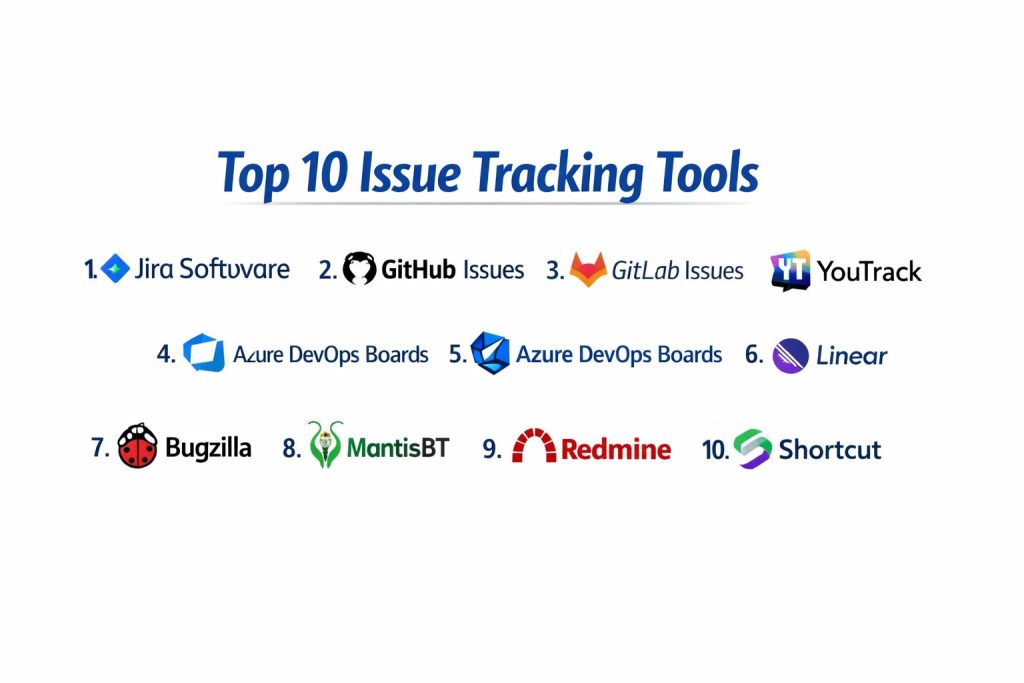
Top 10 Issue Tracking Tools
1 — Jira Software
A widely used issue tracking platform designed for structured workflows, sprint planning, and large-scale team collaboration, especially in software development environments.
Key Features
- Highly configurable workflows, statuses, and issue types
- Backlogs, sprints, and boards for agile delivery
- Advanced reporting for velocity, burndown, and cycle time
- Automation rules for assignments, transitions, and notifications
- Permissions and project structures suited for large organizations
- Strong linking between issues, epics, and releases
Pros
- Very flexible for complex teams and processes
- Strong ecosystem for integrations and extensions
Cons
- Can feel heavy for small teams or simple workflows
- Administration and configuration can require dedicated ownership
Platforms / Deployment
Cloud / Self-hosted, Web-based access
Security and Compliance
Not publicly stated
Integrations and Ecosystem
Jira typically sits at the center of engineering workflow and connects to many surrounding tools for planning and delivery.
- Common integrations with code repositories and CI tools
- Automation and webhooks for custom workflows
- Large marketplace-style ecosystem for extensions
Support and Community
Strong documentation and broad community; support tiers vary by plan.
2 — GitHub Issues
An issue tracking system built into the GitHub workflow, commonly used by teams that want issues close to code, pull requests, and discussions.
Key Features
- Issues tightly connected to repositories and pull requests
- Labels, milestones, and assignees for structured tracking
- Project views for boards and planning workflows
- Templates for consistent issue reporting
- Cross-referencing and linking across issues and PRs
- Simple, fast experience for developer-first teams
Pros
- Very convenient when code lives in GitHub
- Low friction for teams that prefer lightweight tracking
Cons
- Advanced workflow customization is limited compared to heavier tools
- Reporting and portfolio planning may require additional structure
Platforms / Deployment
Cloud, Web-based access
Security and Compliance
Not publicly stated
Integrations and Ecosystem
GitHub Issues works best when your team already uses GitHub as the main collaboration hub.
- Strong connection to pull requests and code reviews
- Automation potential through workflow tooling
- Integrations commonly rely on surrounding GitHub features
Support and Community
Strong documentation and a massive developer community; support varies by plan.
3 — GitLab Issues
An issue tracking system integrated into GitLab’s broader DevOps platform, suitable for teams that want planning, code, and CI in one place.
Key Features
- Issues integrated with merge requests and CI pipelines
- Boards and milestones for planning and prioritization
- Labels and scoped labels for workflow organization
- Roadmap-style planning depending on edition
- Flexible permissions aligned with GitLab projects and groups
- Useful linking between epics, issues, and delivery stages
Pros
- Strong fit for teams using GitLab end-to-end
- Helpful for aligning planning with build and release workflows
Cons
- Best value depends on broader GitLab adoption
- Some features vary by edition and deployment choice
Platforms / Deployment
Cloud / Self-hosted, Web-based access
Security and Compliance
Not publicly stated
Integrations and Ecosystem
GitLab Issues is most effective as part of a unified planning-to-delivery workflow.
- Native alignment with CI and merge requests
- Automation and integrations depend on GitLab setup
- Works well for teams standardizing on one platform
Support and Community
Strong community and documentation; support depends on plan and deployment.
4 — Azure DevOps Boards
An issue and work item tracking system designed for teams building and delivering software using Azure DevOps pipelines and repositories.
Key Features
- Work items for bugs, tasks, user stories, and features
- Boards, backlogs, and sprint planning tools
- Dashboards and built-in reporting for delivery visibility
- Customizable workflows and fields for structured tracking
- Strong alignment with pipelines and release workflows
- Enterprise-ready permission controls and organization support
Pros
- Strong for teams using Microsoft delivery tooling
- Structured work item system supports complex programs
Cons
- UX can feel heavy compared to newer lightweight tools
- Best experience often depends on Azure DevOps adoption
Platforms / Deployment
Cloud / Self-hosted, Web-based access
Security and Compliance
Not publicly stated
Integrations and Ecosystem
Azure DevOps Boards fits well in Microsoft-centric environments and integrates naturally with common delivery steps.
- Tight alignment with pipelines and repositories
- Integration with common collaboration tools varies by setup
- Practical for enterprise governance and structured planning
Support and Community
Strong documentation and enterprise support options; community is large in Microsoft ecosystems.
5 — YouTrack
A flexible issue tracking and project management tool known for configurable workflows, fast search, and a balanced mix of structure and usability.
Key Features
- Custom workflows and automation for issue transitions
- Powerful search and filtering for issue discovery
- Agile boards with flexible planning features
- Knowledge base and issue linking options depending on setup
- Custom fields, tags, and reporting views
- Practical support for mixed teams and projects
Pros
- Strong balance of flexibility and usability
- Good automation capability without extreme complexity
Cons
- Ecosystem size may be smaller than some mainstream tools
- Some organizations require time to standardize workflows well
Platforms / Deployment
Cloud / Self-hosted, Web-based access
Security and Compliance
Not publicly stated
Integrations and Ecosystem
YouTrack supports structured workflows and can integrate into common development and collaboration setups.
- Automation and workflows help enforce team standards
- Integrations depend on team toolchain choices
- Useful for teams wanting advanced search and organization
Support and Community
Good documentation and vendor support; community is active in many technical teams.
6 — Linear
A modern, fast issue tracking tool designed for product and engineering teams that want speed, clarity, and a clean workflow experience.
Key Features
- Minimal, fast UI for rapid issue creation and updates
- Cycles and planning workflows for structured delivery
- Strong keyboard-driven workflows for power users
- Lightweight automation and workflow consistency features
- Good visibility for product and engineering collaboration
- Clean issue linking and project organization
Pros
- Very fast and easy for teams to adopt
- Great for teams that value simplicity and speed
Cons
- Less suitable for very complex enterprise workflow customization
- Some advanced governance needs may require additional controls
Platforms / Deployment
Cloud, Web-based access
Security and Compliance
Not publicly stated
Integrations and Ecosystem
Linear works well when teams want a streamlined issue workflow with essential integrations.
- Integrations support common development and communication workflows
- Best results come from consistent issue discipline
- Suitable for modern product engineering teams
Support and Community
Strong onboarding experience and documentation; community is growing rapidly.
7 — Bugzilla
A classic, widely used open-source bug tracking system focused on structured defect tracking, useful for teams that want a proven, long-running model.
Key Features
- Detailed bug fields and structured defect workflows
- Strong search and query capabilities for large bug databases
- Permissions and access controls for teams and projects
- Email-driven workflows commonly used in traditional setups
- Useful for long-term issue history and auditing
- Customization options depending on deployment
Pros
- Reliable and proven for traditional bug tracking needs
- Strong querying for large bug volumes
Cons
- UI and user experience can feel dated
- Setup and maintenance require internal ownership
Platforms / Deployment
Self-hosted, Web-based access
Security and Compliance
Not publicly stated
Integrations and Ecosystem
Bugzilla typically fits environments where self-hosting and structured bug records matter most.
- Integrations often rely on custom scripting or connectors
- Strong fit for teams with internal admin capacity
- Works best with clear bug taxonomy and processes
Support and Community
Long-running community; support often depends on internal teams or third-party services.
8 — MantisBT
An open-source bug tracker known for being lightweight, practical, and easier to run than heavier enterprise systems.
Key Features
- Simple bug and issue tracking with core workflow states
- Projects, categories, and custom fields for organization
- Role-based access and user permissions
- Email notifications and practical collaboration features
- Plugins and extensions depending on deployment
- Suitable for smaller teams needing a self-hosted option
Pros
- Lightweight and straightforward to operate
- Good option for teams that want self-hosting without complexity
Cons
- Limited advanced planning compared to modern tools
- Reporting and dashboards may require add-ons or customization
Platforms / Deployment
Self-hosted, Web-based access
Security and Compliance
Not publicly stated
Integrations and Ecosystem
MantisBT fits best as a simple, reliable tracker connected to a basic development workflow.
- Integrations often rely on plugins
- Works well with disciplined issue categories and templates
- Useful for teams wanting minimal overhead tracking
Support and Community
Active open-source community; support depends on internal capability.
9 — Redmine
A flexible open-source project management and issue tracking tool, often used by teams that need customization, self-hosting, and plugin-based expansion.
Key Features
- Issue tracking with customizable workflows
- Project and role structures for multi-team environments
- Wiki and documentation features depending on setup
- Plugin ecosystem for extending features
- Time tracking and reporting options depending on configuration
- Practical for organizations standardizing internally hosted tooling
Pros
- Highly customizable for self-hosted environments
- Strong plugin ecosystem for tailored workflows
Cons
- UI can feel dated compared to modern tools
- Requires admin effort to keep plugins and workflows healthy
Platforms / Deployment
Self-hosted, Web-based access
Security and Compliance
Not publicly stated
Integrations and Ecosystem
Redmine is commonly used as a self-hosted foundation that can be shaped to match internal processes.
- Plugins for workflow expansion
- Integrations vary by selected plugins and internal tooling
- Works best with governance over customization choices
Support and Community
Large open-source community; enterprise support depends on third parties.
10 — Shortcut
A product-focused issue tracking and project management tool designed for engineering teams that want clean workflows, planning visibility, and easy adoption.
Key Features
- Stories, epics, and milestones for structured delivery planning
- Workflow customization for practical engineering needs
- Project views and planning features for product teams
- Simple collaboration features for cross-functional teams
- Automation and integrations depending on setup
- Useful for teams seeking modern UX with planning depth
Pros
- Good balance of planning and issue tracking
- Cleaner UX than many heavy enterprise tools
Cons
- May not satisfy deeply customized enterprise governance needs
- Ecosystem size may be smaller than the biggest platforms
Platforms / Deployment
Cloud, Web-based access
Security and Compliance
Not publicly stated
Integrations and Ecosystem
Shortcut fits modern product engineering workflows and typically integrates with common delivery toolchains.
- Integrations to connect planning with development workflows
- Best results come from consistent story and epic discipline
- Useful for teams that want structure without heaviness
Support and Community
Strong onboarding and documentation; support tiers vary.
Comparison Table
| Tool Name | Best For | Platform(s) Supported | Deployment | Standout Feature | Public Rating |
|---|---|---|---|---|---|
| Jira Software | Enterprise agile workflows | Web-based | Cloud / Self-hosted | Deep workflow customization | N/A |
| GitHub Issues | Code-first tracking | Web-based | Cloud | Tight link to code and PRs | N/A |
| GitLab Issues | Unified DevOps planning | Web-based | Cloud / Self-hosted | Planning tied to CI and merge flow | N/A |
| Azure DevOps Boards | Microsoft-centric delivery teams | Web-based | Cloud / Self-hosted | Structured work items and reporting | N/A |
| YouTrack | Flexible tracking with strong search | Web-based | Cloud / Self-hosted | Powerful search and workflow automation | N/A |
| Linear | Fast modern product engineering teams | Web-based | Cloud | Speed and clean user experience | N/A |
| Bugzilla | Traditional bug databases | Web-based | Self-hosted | Deep querying for large bug volumes | N/A |
| MantisBT | Lightweight self-hosted tracking | Web-based | Self-hosted | Simple and easy to operate | N/A |
| Redmine | Customizable open-source tracking | Web-based | Self-hosted | Plugin-driven customization | N/A |
| Shortcut | Modern planning plus tracking | Web-based | Cloud | Balanced planning with clean UX | N/A |
Evaluation and Scoring of Issue Tracking Tools
Weights
Core features 25 percent
Ease of use 15 percent
Integrations and ecosystem 15 percent
Security and compliance 10 percent
Performance and reliability 10 percent
Support and community 10 percent
Price and value 15 percent
| Tool Name | Core | Ease | Integrations | Security | Performance | Support | Value | Weighted Total |
|---|---|---|---|---|---|---|---|---|
| Jira Software | 9.5 | 7.5 | 9.5 | 7.0 | 8.5 | 8.0 | 6.5 | 8.29 |
| GitHub Issues | 7.5 | 9.0 | 8.5 | 6.5 | 8.5 | 8.5 | 8.5 | 8.13 |
| GitLab Issues | 8.0 | 8.0 | 8.5 | 6.5 | 8.0 | 8.0 | 8.0 | 7.93 |
| Azure DevOps Boards | 8.5 | 7.5 | 8.0 | 7.0 | 8.5 | 8.0 | 7.0 | 7.90 |
| YouTrack | 8.0 | 8.5 | 7.5 | 6.5 | 8.0 | 7.5 | 8.0 | 7.86 |
| Linear | 7.5 | 9.5 | 7.5 | 6.0 | 8.5 | 7.5 | 8.0 | 7.86 |
| Bugzilla | 7.5 | 6.5 | 6.5 | 6.0 | 7.5 | 7.0 | 9.0 | 7.20 |
| MantisBT | 6.5 | 7.0 | 6.0 | 6.0 | 7.0 | 6.5 | 9.0 | 6.93 |
| Redmine | 7.0 | 6.5 | 7.0 | 6.0 | 7.0 | 7.0 | 8.5 | 7.10 |
| Shortcut | 7.5 | 8.5 | 7.5 | 6.0 | 8.0 | 7.5 | 7.5 | 7.61 |
How to interpret the scores
These scores are comparative to help you shortlist tools based on typical priorities. A slightly lower total can still be the best fit if it matches your team’s workflow style and governance needs. Core and integrations shape long-term usability, while ease drives adoption and discipline. Value can shift depending on pricing tiers and how much of the tool you actually use. Use this table to choose two or three finalists, then run a pilot with real projects.
Which Issue Tracking Tool Is Right for You
Solo or Freelancer
GitHub Issues is a practical choice if your work is code-centric and you want minimal overhead. Linear is also strong if you prefer a clean workflow and fast operations. If budget is the top concern and self-hosting is acceptable, Redmine or MantisBT can work, but expect setup effort.
SMB
YouTrack fits teams that need flexibility without extreme complexity. Linear works well when the team values speed and consistent habits. Jira Software can work for SMBs too, but it is best when someone owns configuration and keeps workflows clean.
Mid-Market
Jira Software becomes attractive when multiple teams need structured workflows, reporting, and governance. GitLab Issues is strong when the organization is standardizing delivery workflows on GitLab. Azure DevOps Boards is a good fit in Microsoft-centric environments with structured delivery planning.
Enterprise
Jira Software and Azure DevOps Boards often fit enterprise governance needs where permissions, workflows, and portfolio-style visibility matter. GitLab Issues can work well when planning, code, and CI are consolidated into one platform. In enterprise setups, the best choice depends on integration strategy, security expectations, and standardized delivery practices.
Budget vs Premium
Budget-focused teams can succeed with open-source tools such as Redmine, Bugzilla, and MantisBT if they have internal admin capacity. Premium tools usually provide smoother UX, better reporting, and less maintenance burden, but you must ensure adoption discipline to justify cost.
Feature Depth vs Ease of Use
If you want deep workflow customization, Jira Software is a common choice. If you want speed and low friction, Linear and GitHub Issues often win. Many teams choose a simpler tool and add discipline, rather than choosing a powerful tool and letting it become too complex.
Integrations and Scalability
GitHub Issues and GitLab Issues shine when your code workflow is already anchored in those platforms. Jira Software integrates broadly across many ecosystems, making it strong for mixed toolchains. For scalability, evaluate not only the tool but also your internal issue standards, templates, and review routines.
Security and Compliance Needs
When security requirements are strict, focus on permission models, admin visibility, audit needs, and how access is controlled across projects. Many issue trackers rely on the surrounding platform’s identity and access setup. Validate security expectations through your internal review process rather than assuming compliance claims.
Frequently Asked Questions
1. What is the difference between an issue tracker and a project management tool
An issue tracker focuses on work items like bugs and tasks, while project management adds broader planning like timelines, milestones, and resource tracking. Many modern tools blend both, but teams still need clear definitions and ownership.
2. How should we structure issue types for best results
Keep it simple: bugs, tasks, and feature requests are enough for many teams. Add more types only when they drive better reporting or clearer workflows, otherwise complexity grows quickly.
3. What is the best way to avoid duplicate issues
Use templates, consistent labels, and a quick triage routine. Encourage teams to search before creating, and keep titles clear so duplicates are easy to spot.
4. How do we measure if issue tracking is improving delivery
Track cycle time, throughput, reopened rate, and aging issues. Also review how many issues are missing owners or deadlines, because those usually indicate process gaps.
5. When should we choose a lightweight tool over a heavy tool
Choose lightweight when speed, adoption, and simple workflows matter more than customization. Heavy tools make sense when governance, reporting, and complex workflows are mandatory.
6. How do integrations impact tool selection
Integrations reduce manual updates and keep issues tied to code and deployments. If your tool does not fit your repo, CI, and chat workflows, discipline will drop over time.
7. What is a common mistake during migration to a new tracker
Moving everything without cleanup. A better approach is to migrate active work, archive outdated items, and standardize templates before the move.
8. How should we handle sensitive issues or security bugs
Use strict permissions, private projects, and limited visibility. Also ensure that notifications and external integrations do not leak details to broad channels.
9. How many fields should an issue have
Only what people will actually maintain. A short set of required fields plus clear templates usually works better than long forms that users skip or fill poorly.
10. What is a good pilot approach before rolling out to the full company
Pick a real team and a real project, define the workflow, run it for a short period, and measure adoption. Then adjust templates, labels, and automation rules before scaling.
Conclusion
Issue tracking tools are not just for logging bugs; they are the operating system for how work moves through your team. The best choice depends on how you build software, how much governance you need, and how disciplined your team can be with updates. Jira Software and Azure DevOps Boards often fit structured programs and enterprise governance, while GitHub Issues, GitLab Issues, and Linear work well for code-first teams that want speed and minimal overhead. YouTrack and Shortcut offer a practical middle ground for many product teams. Open-source options like Bugzilla, MantisBT, and Redmine can be excellent when self-hosting and cost control matter, as long as you can maintain them. Next step: shortlist two or three tools, run a pilot with real workflows, validate integrations and permissions, then standardize templates and reporting.