Introduction
IP Address Management (IPAM) tools help teams track, plan, assign, and control IP addresses across networks. In plain terms, IPAM keeps your IPv4 and IPv6 space organized so you always know what is used, what is free, what is reserved, and what is at risk. This matters because modern networks keep growing across data centers, cloud, branch offices, containers, and lab environments. When IP address tracking is done in spreadsheets or scattered notes, teams face outages, duplicate assignments, slow troubleshooting, and poor audit readiness.
Real-world use cases include managing address space for new sites, avoiding IP conflicts during migrations, maintaining accurate DNS and DHCP relationships, supporting faster onboarding for network changes, and improving incident response with clear ownership and history. When evaluating an IPAM tool, focus on: address planning and subnet management, automation workflows, DNS and DHCP alignment, discovery and reconciliation, role-based access control, audit logs, API and integrations, reporting, multi-site scaling, and how easy it is for teams to adopt.
Best for: network and infrastructure teams, IT operations, MSPs, security teams, and platform teams that need accurate IP visibility and controlled change workflows.
Not ideal for: very small setups with a handful of static devices where manual tracking is stable and changes are rare.
Key Trends in IP Address Management (IPAM)
- Stronger push toward unified DDI operations so IP, DNS, and DHCP changes stay consistent across teams.
- More automation expectations, including workflow approvals, change history, and repeatable provisioning.
- Growth of hybrid environments that require clean alignment between on-prem networks and cloud networking.
- Increased importance of discovery and reconciliation to keep IP records aligned with reality.
- IPv6 planning becoming more practical, especially for long-term address strategy and segmentation.
- API-first thinking so IPAM fits into infrastructure automation and service management workflows.
- Higher focus on auditability, ownership, and controlled delegation for compliance and security reviews.
- Better reporting needs for capacity planning, utilization, and risk hotspots before issues become outages.
How We Selected These Tools (Methodology)
- Selected tools with strong adoption and credibility across enterprise, mid-market, and SMB usage.
- Included both commercial and open-source options to cover different budgets and operating styles.
- Prioritized tools with practical IP planning, subnet control, and operational workflows.
- Considered DDI alignment, because most real IP issues involve DNS and DHCP relationships.
- Looked at ecosystem fit, including automation hooks, APIs, and common integration patterns.
- Balanced feature depth with usability so teams can adopt without heavy friction.
- Included specialist and platform-style options used by network teams and infrastructure teams.
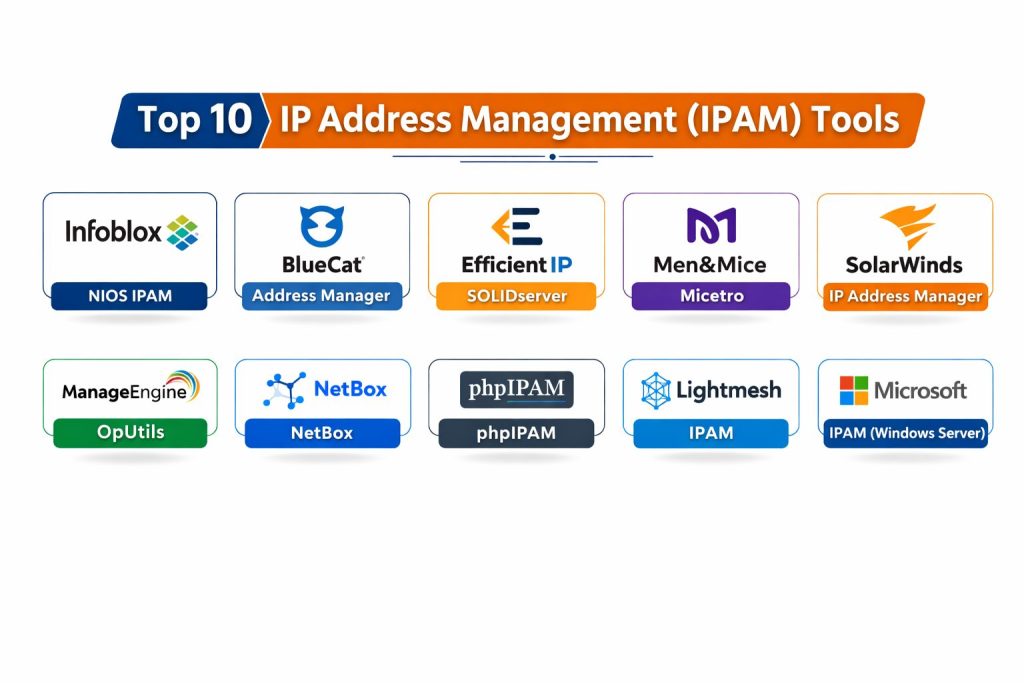
Top 10 IP Address Management (IPAM) Tools
1 — Infoblox NIOS IPAM
A widely used enterprise-grade approach to managing IP space alongside DNS and DHCP operations. Often chosen by large organizations that want centralized control, strong operational processes, and consistent network services.
Key Features
- Centralized IP space planning with subnet and range control
- Workflow-friendly management for allocations and reservations
- Discovery and reconciliation patterns that help reduce drift
- Reporting for utilization and operational visibility
- Strong fit for organizations standardizing DDI operations
Pros
- Strong enterprise fit for teams that want structured control
- Mature ecosystem for large-scale network operations
Cons
- Typically higher cost than lightweight alternatives
- Setup and governance can require disciplined operational ownership
Platforms / Deployment
Varies / N/A
Security and Compliance
Not publicly stated
Integrations and Ecosystem
Infoblox is commonly used as a central system that other network processes depend on, so integrations often focus on operational workflows and automation.
- API-based automation support varies by deployment and licensing
- Common alignment with service workflows and network operations tooling
- Integration outcomes depend on how teams standardize DNS and DHCP processes
Support and Community
Varies / Not publicly stated
2 — BlueCat Address Manager
A well-known enterprise IPAM option often used when teams want structured governance, lifecycle control for IP space, and clean operational alignment across network services.
Key Features
- IP planning and structured allocation workflows
- Delegation patterns for teams managing different sites or segments
- Reporting for capacity, utilization, and operational visibility
- Support for organized management of IP resources at scale
- Strong fit for governance-heavy environments
Pros
- Good fit for policy-driven enterprise operations
- Helps teams standardize allocations and ownership
Cons
- Can be heavier than what small teams need
- Adoption improves only when process and ownership are clear
Platforms / Deployment
Varies / N/A
Security and Compliance
Not publicly stated
Integrations and Ecosystem
BlueCat is commonly used in environments where network changes are controlled and tracked. Integrations often support consistent workflows.
- Integration approaches vary by organization and deployment style
- Common focus on operational alignment and automation hooks
- Works best when teams define who owns changes and approvals
Support and Community
Varies / Not publicly stated
3 — EfficientIP SOLIDserver
An IPAM platform often associated with unified DDI operations and structured management for organizations that want consistent control of IP records and related services.
Key Features
- Centralized IP planning and hierarchical subnet management
- DDI-oriented workflows for reducing inconsistencies
- Reporting for utilization and operational oversight
- Automation and workflow approaches vary by deployment
- Useful for multi-site environments with shared governance needs
Pros
- Strong fit when operational consistency is the priority
- Helpful for teams that want repeatable allocation patterns
Cons
- May require process maturity to get full benefit
- Complexity can be more than small teams need
Platforms / Deployment
Varies / N/A
Security and Compliance
Not publicly stated
Integrations and Ecosystem
EfficientIP SOLIDserver is commonly used as a core system for IP records, often integrated into broader network operations.
- Integration options vary by environment and licensing
- Often aligned with DDI workflows and operational automation
- Best results come from standardized naming and allocation conventions
Support and Community
Varies / Not publicly stated
4 — Men&Mice Micetro
A practical IPAM option often chosen for operational clarity, multi-vendor DNS and DHCP alignment, and usability that works across teams without overcomplicating daily work.
Key Features
- IP planning with structured subnet and range management
- Discovery-based alignment to reduce mismatch between records and reality
- Practical workflows for allocations, reservations, and documentation
- Reporting to support capacity planning and utilization tracking
- Works well in environments with mixed infrastructure patterns
Pros
- Strong balance of usability and operational control
- Helpful for teams dealing with multi-site and mixed environments
Cons
- Advanced governance needs may require additional process design
- Deep customization requirements can vary by organization
Platforms / Deployment
Varies / N/A
Security and Compliance
Not publicly stated
Integrations and Ecosystem
Micetro often fits best when teams need operational visibility and consistent control across network services.
- Integration options vary based on existing DNS and DHCP ecosystem
- Common use in environments where discovery and reconciliation matter
- Works best with clear ownership and change workflows
Support and Community
Varies / Not publicly stated
5 — SolarWinds IP Address Manager
A widely used IPAM option in many IT operations environments, commonly selected for visibility, operational reporting, and practical management in teams that value straightforward dashboards.
Key Features
- IP tracking with subnet utilization visibility
- Discovery-style scanning to highlight mismatches and conflicts
- Operational reports and alerting patterns for common IP risks
- Practical workflows for reservations and documentation
- Fits well in environments that already use monitoring stacks
Pros
- Strong operational visibility for day-to-day IP tasks
- Useful reporting for utilization and risk detection
Cons
- Deep enterprise governance needs may require stronger workflow controls
- Best value depends on overall ecosystem fit and licensing
Platforms / Deployment
Varies / N/A
Security and Compliance
Not publicly stated
Integrations and Ecosystem
SolarWinds IP Address Manager is often deployed alongside broader IT operations tools, where visibility and reporting are key.
- Integrations vary by environment and toolchain
- Often used in monitoring-centric operating models
- Automation depth depends on how teams structure change workflows
Support and Community
Varies / Not publicly stated
6 — ManageEngine OpUtils
A tool often used by IT teams that want practical IP and switch port visibility, with a focus on operational tasks and manageable adoption for small and mid-sized teams.
Key Features
- IP management workflows suited to day-to-day operations
- Visibility patterns that support troubleshooting and planning
- Reporting for utilization and address tracking
- Works well for teams balancing multiple network tasks
- Practical interface for routine allocation work
Pros
- Good value for SMB and mid-sized teams
- Often easier to adopt than heavier enterprise platforms
Cons
- Enterprise-scale governance needs may exceed typical usage patterns
- Advanced automation depth varies by environment
Platforms / Deployment
Varies / N/A
Security and Compliance
Not publicly stated
Integrations and Ecosystem
OpUtils often fits teams that want a practical operational layer without building a large governance program first.
- Integration patterns depend on existing IT operations tooling
- Common usage is visibility and tracking for daily tasks
- Best results come from consistent documentation habits
Support and Community
Varies / Not publicly stated
7 — NetBox
A popular infrastructure source-of-truth platform used for IPAM and data center infrastructure documentation. Often chosen by teams that want structured modeling, disciplined documentation, and automation-friendly workflows.
Key Features
- IP planning with structured prefixes, subnets, and assignments
- Source-of-truth approach for infrastructure records
- Strong modeling for sites, tenants, and network objects
- API-first mindset that supports automation-driven workflows
- Large community ecosystem for extensions and operational patterns
Pros
- Strong fit for automation-driven infrastructure teams
- Excellent value when disciplined documentation is part of the culture
Cons
- Requires process discipline to keep data accurate
- Advanced DNS and DHCP workflows may need external alignment
Platforms / Deployment
Varies / N/A
Security and Compliance
Not publicly stated
Integrations and Ecosystem
NetBox is frequently used as the system that other workflows reference, especially when teams want predictable, structured data.
- API-based integrations support automation pipelines
- Extensibility depends on deployment approach and team practices
- Works best with clear naming rules, ownership, and review habits
Support and Community
Strong community presence; formal support varies by distribution and hosting approach.
8 — phpIPAM
An open-source IPAM tool often used by teams that want a straightforward system for tracking IP space without heavy licensing cost. Commonly adopted for basic to moderate IP tracking needs.
Key Features
- Subnet and address tracking with practical organization
- Role-based access patterns vary by setup
- Reporting for basic utilization and documentation
- Flexible deployment choices depending on team preference
- Suitable for teams moving away from spreadsheets
Pros
- Very strong value for budget-focused teams
- Useful for getting structured IP tracking in place quickly
Cons
- Enterprise governance features may be limited depending on setup
- Integration depth depends on your deployment and customization
Platforms / Deployment
Varies / N/A
Security and Compliance
Not publicly stated
Integrations and Ecosystem
phpIPAM often works best when the goal is reliable IP tracking and simple operational workflows.
- Integration patterns vary by deployment and customization
- Works well as a central record for basic IP ownership
- Best results come from consistent updates and review routines
Support and Community
Community-driven support is common; formal support varies.
9 — Lightmesh IPAM
An IPAM option often positioned for practical IP tracking and operational visibility. Best for teams that want structured IP management without building a heavy governance system.
Key Features
- IP tracking and subnet organization for operational clarity
- Allocation and reservation workflows suited to daily changes
- Reporting patterns for utilization and planning
- Practical UI approach for routine network tasks
- Useful for teams that want a dedicated IP record system
Pros
- Practical option for teams prioritizing straightforward usability
- Helps replace spreadsheet-based workflows with structured tracking
Cons
- Feature depth for enterprise governance may vary
- Integration outcomes depend on environment and deployment model
Platforms / Deployment
Varies / N/A
Security and Compliance
Not publicly stated
Integrations and Ecosystem
Lightmesh IPAM is typically used as a clean operational record system, often paired with existing DNS and DHCP practices.
- Integration approaches vary by environment
- Works best with clear ownership and update discipline
- Automation capability depends on deployment and usage patterns
Support and Community
Varies / Not publicly stated
10 — Microsoft IPAM (Windows Server)
Overview: A built-in approach for Windows-centric environments that want a basic, integrated way to track IP address usage and related network service information inside a Microsoft ecosystem.
Key Features
- Central visibility for IP addressing data in supported environments
- Practical tracking for Windows-first network operations
- Useful for teams that prefer integrated platform approaches
- Reporting and management capabilities depend on environment
- Suitable for basic IP tracking needs in Microsoft-heavy setups
Pros
- Strong value when you already operate a Windows Server ecosystem
- Useful as a starting point for structured IP tracking
Cons
- May not match cross-platform enterprise needs
- Advanced IPAM workflows may require dedicated platforms
Platforms / Deployment
Varies / N/A
Security and Compliance
Not publicly stated
Integrations and Ecosystem
Microsoft IPAM typically fits best when your operations are already aligned with Microsoft administration patterns.
- Ecosystem fit is strongest in Windows-centric environments
- Cross-tool integration depends on your broader network toolchain
- Best results come from clearly defined ownership and routine audits
Support and Community
Varies / Not publicly stated
Comparison Table
| Tool Name | Best For | Platform(s) Supported | Deployment | Standout Feature | Public Rating |
|---|---|---|---|---|---|
| Infoblox NIOS IPAM | Enterprise DDI-focused IP governance | Varies / N/A | Varies / N/A | Centralized IP control at scale | N/A |
| BlueCat Address Manager | Governance-heavy enterprise IP operations | Varies / N/A | Varies / N/A | Policy-driven allocation and ownership | N/A |
| EfficientIP SOLIDserver | Unified DDI operational consistency | Varies / N/A | Varies / N/A | Structured management across services | N/A |
| Men&Mice Micetro | Multi-environment operational clarity | Varies / N/A | Varies / N/A | Balance of usability and control | N/A |
| SolarWinds IP Address Manager | Visibility and reporting for IP operations | Varies / N/A | Varies / N/A | Utilization reporting and conflict detection | N/A |
| ManageEngine OpUtils | Practical IP operations for SMB teams | Varies / N/A | Varies / N/A | Day-to-day usability and value | N/A |
| NetBox | Source-of-truth and automation-friendly IP modeling | Varies / N/A | Varies / N/A | Structured data model and API-first approach | N/A |
| phpIPAM | Budget-focused structured IP tracking | Varies / N/A | Varies / N/A | Strong value and simple adoption | N/A |
| Lightmesh IPAM | Straightforward IP tracking workflows | Varies / N/A | Varies / N/A | Practical operational tracking | N/A |
| Microsoft IPAM (Windows Server) | Windows-centric basic IP tracking | Varies / N/A | Varies / N/A | Integrated platform approach | N/A |
Evaluation and Scoring of IP Address Management (IPAM) Tools
Weights
Core features 25 percent
Ease of use 15 percent
Integrations and ecosystem 15 percent
Security and compliance 10 percent
Performance and reliability 10 percent
Support and community 10 percent
Price and value 15 percent
| Tool Name | Core | Ease | Integrations | Security | Performance | Support | Value | Weighted Total |
|---|---|---|---|---|---|---|---|---|
| Infoblox NIOS IPAM | 9.5 | 7.5 | 9.0 | 8.5 | 8.5 | 8.0 | 6.5 | 8.32 |
| BlueCat Address Manager | 9.0 | 7.5 | 8.5 | 8.0 | 8.0 | 7.5 | 6.5 | 7.98 |
| EfficientIP SOLIDserver | 8.8 | 7.2 | 8.5 | 8.0 | 8.0 | 7.2 | 6.8 | 7.90 |
| Men&Mice Micetro | 8.5 | 8.0 | 8.0 | 7.5 | 7.8 | 7.5 | 7.0 | 7.86 |
| SolarWinds IP Address Manager | 8.0 | 8.2 | 7.8 | 7.0 | 7.8 | 7.8 | 7.2 | 7.74 |
| ManageEngine OpUtils | 7.5 | 8.2 | 7.2 | 6.8 | 7.3 | 7.2 | 8.2 | 7.54 |
| NetBox | 7.8 | 7.2 | 8.0 | 6.5 | 7.5 | 8.0 | 9.0 | 7.78 |
| phpIPAM | 7.2 | 7.0 | 6.8 | 6.0 | 7.0 | 7.5 | 9.2 | 7.30 |
| Lightmesh IPAM | 7.5 | 7.5 | 7.0 | 6.8 | 7.2 | 6.8 | 7.5 | 7.25 |
| Microsoft IPAM (Windows Server) | 7.0 | 6.8 | 6.5 | 7.0 | 7.0 | 6.8 | 9.0 | 7.18 |
How to interpret the scores
These scores are comparative and meant to help you shortlist options based on common buyer priorities. A lower total can still be the best match if it aligns with your environment, team skills, and operating model. Core and integrations usually drive long-term fit, while ease drives adoption speed. Value changes widely by licensing and scale, so treat it as directional. The smartest step is to pick a short list and validate using your real subnets, change workflows, and reporting needs.
Which IP Address Management (IPAM) Tool Is Right for You
Solo or Freelancer
If you manage small labs or client networks and need a structured replacement for spreadsheets, phpIPAM or NetBox can work well when you keep consistent update habits. Choose based on whether you want simple tracking or a broader source-of-truth model.
SMB
SMB teams usually want a practical tool that improves visibility and reduces conflicts without heavy process overhead. ManageEngine OpUtils and SolarWinds IP Address Manager are often aligned with operational visibility and routine workflows. NetBox can also work well if your team already runs automation and wants structured records.
Mid-Market
Mid-market teams typically need reliable discovery, reporting, and controlled delegation across multiple sites. Men&Mice Micetro can be strong for operational balance. EfficientIP SOLIDserver and BlueCat Address Manager can be a better fit when policy and governance become more important.
Enterprise
Enterprises usually prioritize scale, process control, and consistent DDI operations. Infoblox NIOS IPAM, BlueCat Address Manager, and EfficientIP SOLIDserver are commonly aligned with enterprise governance expectations. The best choice depends on how centralized your DNS and DHCP ownership is and how strict your change controls are.
Budget vs Premium
Budget-focused teams often do well with NetBox or phpIPAM if they can maintain data discipline. Premium platforms are usually justified when outages are costly, many teams need controlled delegation, and audit trails and standard workflows are required.
Feature Depth vs Ease of Use
Feature depth often increases complexity. If ease and quick adoption matter most, choose tools that are simple to operate daily and require fewer approvals. If controlled workflows and ownership are critical, accept more structure in exchange for fewer incidents and clearer accountability.
Integrations and Scalability
If you rely on automation, service workflows, and repeatable change practices, prioritize API access, structured data models, and consistent naming rules. For scaling across sites, focus on delegation, reporting, discovery, and a clear operating model for who owns each segment.
Security and Compliance Needs
When you have strict audit needs, prioritize role-based access control, change logs, and clear ownership records. If security claims are unclear, treat them as not publicly stated and validate through internal testing and vendor discussions. A secure IPAM approach is usually a combination of tool controls and disciplined operational process.
Frequently Asked Questions
1. What problem does an IPAM tool solve that spreadsheets cannot
Spreadsheets do not reliably prevent conflicts, drift, or missing ownership during fast changes. IPAM tools create a single place to track usage, reservations, history, and accountability.
2. How long does implementation usually take
It depends on how many subnets and sites you have and how clean your current records are. A phased rollout often works best: import, reconcile, then standardize change workflows.
3. Do I need DNS and DHCP management together with IPAM
Not always, but it helps. Many outages happen when IP changes are not aligned with DNS or DHCP, so DDI alignment reduces mismatch and improves operational accuracy.
4. What are common mistakes teams make with IPAM
The biggest mistake is treating IPAM as a one-time import. Without ownership, routine review, and reconciliation, records become stale and trust in the system drops.
5. How do I keep IP data accurate over time
Assign clear ownership, define a simple change process, and run regular reconciliation. Add reporting routines so teams catch drift early instead of during incidents.
6. What should I prioritize for multi-site networks
Prioritize delegation, consistent naming standards, and reporting for utilization and conflicts. Multi-site success depends on governance and routine operational habits.
7. How should I evaluate automation and integrations
Focus on whether the tool supports your workflow style: approvals, change logging, and API-based updates. Validate by testing a small set of real tasks end to end.
8. Is IPv6 support important even if I mainly use IPv4
Yes for long-term planning. Even if you are not fully migrated, tools that support structured IPv6 planning reduce future rework and improve segmentation options.
9. How do I choose between open-source and enterprise platforms
Open-source can be excellent when teams have discipline and want cost efficiency. Enterprise platforms are usually justified when scale, auditability, and controlled operations are critical.
10. What is the best next step after reading this guide
Shortlist two or three tools, run a small pilot using real subnets and real change tasks, and score them on data accuracy, ease of operations, reporting, and integration fit.
Conclusion
IPAM tools are not just for tracking addresses; they are about preventing outages, improving change speed, and creating clear ownership for network resources. The right choice depends on your scale, operational maturity, and whether you need tight alignment with DNS and DHCP. Enterprise teams often value strong governance, auditability, and consistent DDI operations, while SMB and smaller teams may prioritize ease of use and fast adoption. Open-source options can deliver excellent value when data discipline is strong. The most practical next step is to shortlist two or three options, pilot them with real subnets and real workflows, validate reporting and reconciliation, and choose the tool that your team will actually maintain every day.