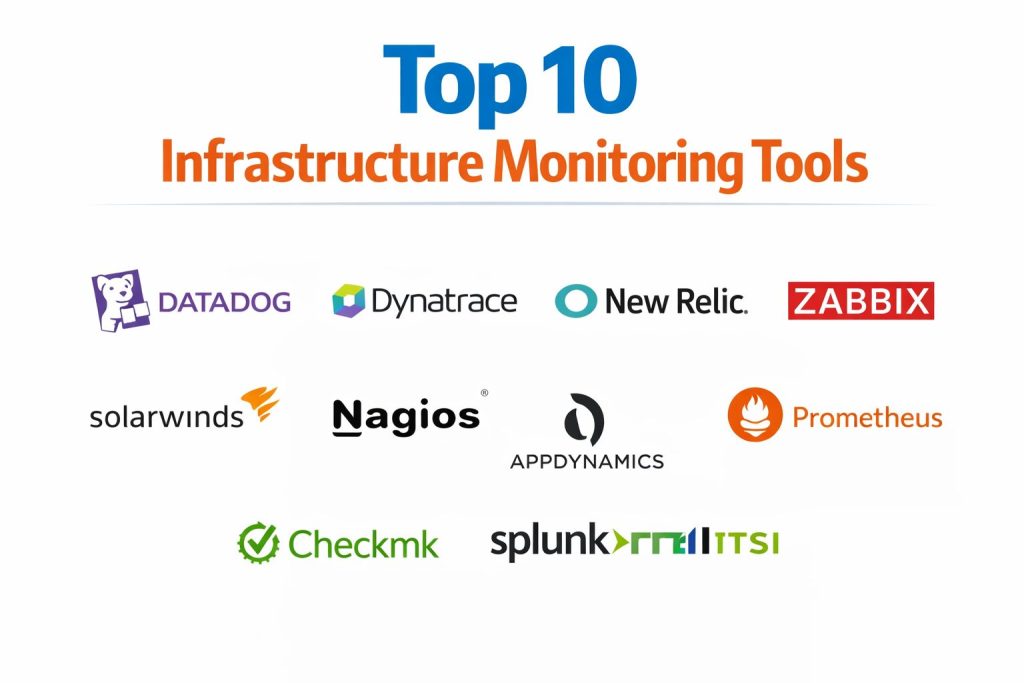
Introduction
Infrastructure monitoring tools are the specialized systems used to track the health, performance, and availability of an organization’s technology stack. These platforms collect telemetry data from various sources—including physical servers, virtual machines, cloud instances, network hardware, and storage systems—to provide a comprehensive view of how resources are being utilized. In a modern enterprise environment, these tools act as the “nervous system” of IT operations, constantly observing thousands of metrics to ensure that the underlying hardware and software layers are functioning correctly. By analyzing patterns in CPU load, memory consumption, network latency, and disk I/O, monitoring systems allow engineers to identify potential failures before they impact the end-user experience.
The critical importance of these tools has escalated as businesses move toward hybrid and multi-cloud architectures. Unlike legacy environments where assets were static, today’s infrastructure is dynamic, often scaling up and down in seconds based on demand. This volatility requires monitoring solutions that can automatically discover new assets and integrate them into the visibility pipeline without manual intervention. Beyond simple uptime checks, high-performance monitoring now includes deep-packet inspection, log aggregation, and real-time visualization. For a professional organization, selecting the right monitoring tool is not just a technical requirement but a strategic one; it directly influences the mean time to repair (MTTR) and ensures that service level agreements (SLAs) are consistently met across the entire digital estate.
Best for: Cloud-native enterprises, Site Reliability Engineering (SRE) teams, managed service providers, and large-scale data center operations that require real-time visibility and automated incident response.
Not ideal for: Simple, non-critical websites with minimal traffic or organizations that do not have a dedicated technical team to manage and act upon the telemetry data being generated.
Key Trends in Infrastructure Monitoring Tools
The industry is currently moving toward “observability” rather than just monitoring. While monitoring tells you when something is broken, observability helps you understand why it happened by correlating metrics, logs, and traces. Another major trend is the integration of agentic artificial intelligence, where autonomous agents not only detect anomalies but also execute pre-defined scripts to remediate issues, such as restarting a service or scaling a cluster, without human oversight. Open standards, such as OpenTelemetry, are also becoming the baseline, allowing organizations to switch between different monitoring backends without having to re-instrument their entire infrastructure.
Predictive analytics is also seeing a surge, where machine learning models analyze historical data to forecast capacity needs and identify “silent failures” that don’t trigger traditional threshold alerts. We are also seeing a convergence of security and monitoring, often referred to as DevSecOps integration, where infrastructure tools monitor for unauthorized access patterns alongside performance metrics. Finally, FinOps is being integrated directly into monitoring dashboards, giving teams real-time visibility into the cost implications of their infrastructure choices, helping to curb “cloud sprawl” and optimize resource spending.
How We Selected These Tools
The selection of these tools was based on their reliability in mission-critical environments and their ability to scale alongside complex modern architectures. We prioritized platforms that offer a high degree of automation, particularly in the areas of asset discovery and root-cause analysis. Market longevity was considered, but only when paired with modern feature sets that support cloud-native technologies like Kubernetes and serverless functions. We also looked for tools that provide a low “noise-to-signal” ratio, ensuring that alerts are meaningful rather than overwhelming for operations teams.
Interoperability was another major factor; the best tools on this list are those that can ingest data from a wide variety of third-party sources and export it to other business intelligence or security platforms. We assessed the total cost of ownership, looking at both the license fees and the human capital required to maintain the platform. Finally, the strength of the developer community and the availability of extensive technical documentation were evaluated to ensure that users have a clear path for troubleshooting and expanding their monitoring capabilities.
1. Datadog
Datadog is a comprehensive, SaaS-based observability platform that unifies metrics, traces, and logs from across the entire technology stack. It is designed for modern cloud environments, offering over 700 native integrations that allow for near-instant visibility into cloud services, databases, and containers. The platform is highly regarded for its ability to correlate different data types, such as seeing how a spike in infrastructure CPU usage relates to a specific application error in a trace.
Key Features
The platform features “Watchdog AI,” an automated engine that detects anomalies and provides root-cause analysis without manual configuration. Its infrastructure monitoring module provides high-resolution metrics with a 15-second granularity, ensuring that even brief performance spikes are captured. Users can create highly customizable dashboards that combine business and technical data. It includes a specialized “Live Process” view that monitors every process running across the fleet in real-time. Additionally, it offers powerful security monitoring that identifies threats by analyzing infrastructure telemetry.
Pros
It provides an incredibly fast setup process with a massive library of out-of-the-box dashboards. The unified nature of the platform significantly reduces the “context switching” that occurs when moving between different monitoring tools.
Cons
The pricing model can become complex and expensive as more modules like logs and APM are added. Some users find the sheer amount of data available can be overwhelming without proper filtering.
Platforms and Deployment
SaaS-based with agents available for Windows, macOS, and Linux.
Security and Compliance
Adheres to SOC 2, HIPAA, and PCI-DSS standards, with robust role-based access controls and data encryption both at rest and in transit.
Integrations and Ecosystem
Offers over 700 integrations, including all major cloud providers (AWS, Azure, GCP), Kubernetes, and common DevOps tools like Slack and PagerDuty.
Support and Community
Provides extensive professional documentation, 24/7 technical support, and a large global community of users.
2. Dynatrace
Dynatrace is an AI-powered observability platform built for high-scale enterprise environments. It is famous for its “OneAgent” technology, which automatically discovers and instruments every component of the stack, from the host level down to the individual lines of code. The platform is designed to handle the complexity of multi-cloud and hybrid environments where manual monitoring is no longer feasible.
Key Features
The “Davis AI” engine provides deterministic root-cause analysis, identifying the exact source of a problem rather than just providing a list of alerts. It features “Smartscape” topology mapping, which visualizes all dependencies in the environment in real-time. The platform includes a unified data lakehouse called “Grail” for exabyte-scale analytics without the need for indexing. It provides deep visibility into Kubernetes clusters, including pod and node health. Furthermore, it offers integrated application security that detects vulnerabilities within the runtime environment.
Pros
The automation capabilities are among the best in the industry, significantly reducing the manual work required for setup and maintenance. It excels at managing hyperscale environments with over 100,000 hosts.
Cons
The cost is on the higher end of the spectrum, making it more suitable for large enterprises than smaller teams. The complexity of its advanced features can lead to a longer learning curve for new administrators.
Platforms and Deployment
Available as both SaaS and a self-managed (Managed) version for Windows, Linux, and Unix.
Security and Compliance
Holds FedRAMP authorization and is compliant with GDPR, HIPAA, and various other global security standards.
Integrations and Ecosystem
Deeply integrates with enterprise ecosystems like Cisco, SAP, and major cloud platforms, and supports OpenTelemetry natively.
Support and Community
Offers a dedicated customer success manager for larger accounts and maintains a highly technical community forum.
3. New Relic
New Relic provides an “all-in-one” observability platform that emphasizes ease of use and rapid data visualization. It is structured around a “telemetry data platform” that ingests data from any source and provides a suite of applications for analyzing that data. The platform is popular among organizations that want a centralized view of their digital performance without a fragmented toolset.
Key Features
The platform includes an “Errors Inbox” that centralizes all errors across the stack for easier prioritization. It features “Ask AI,” a generative AI assistant that allows users to query their monitoring data using natural language. Its infrastructure monitoring includes dedicated views for Kubernetes, AWS, and on-premises servers. The platform provides “Pathpoint,” a feature that maps technical performance directly to business processes and user journeys. It also includes built-in log management that automatically correlates logs with infrastructure metrics.
Pros
The pricing model is based on data ingestion and user seats, which many organizations find more predictable than host-based models. The user interface is intuitive and makes it easy for non-experts to build meaningful dashboards.
Cons
The UI can occasionally experience lag when dealing with very high data volumes. Some users have noted that customer support response times can vary depending on the subscription tier.
Platforms and Deployment
SaaS-based with cross-platform agents for Linux, Windows, and macOS.
Security and Compliance
Compliant with SOC 2, HIPAA, and GDPR, providing features like automated log obfuscation to protect sensitive data.
Integrations and Ecosystem
Strong integration with modern developer workflows, including Jira, Slack, and all major public cloud providers.
Support and Community
Offers a comprehensive “New Relic University” for training, along with 24/7 support and a robust user community.
4. Zabbix
Zabbix is a mature, open-source monitoring solution that is highly favored for its flexibility and lack of licensing fees. It is a reliable choice for organizations that manage a mix of traditional data center hardware, network devices, and modern virtualized environments. Because it is self-hosted, it offers organizations complete control over their monitoring data.
Key Features
The software supports both agent-based and agentless monitoring using protocols like SNMP, IPMI, and JMX. It includes a highly flexible template system that makes it easy to apply consistent monitoring settings across thousands of similar devices. Its “LPD” (Low-Level Discovery) feature automatically finds and creates items, triggers, and graphs for newly added resources. The platform supports complex alerting logic, including escalations and automated remediation scripts. It also features a built-in “Web Monitoring” tool to track the availability of websites and services.
Pros
Being open-source, there are no software licensing costs, making it highly cost-effective for large-scale deployments. It is incredibly lightweight and can run on modest hardware while monitoring thousands of devices.
Cons
The initial configuration is more manual compared to SaaS solutions, requiring a higher level of technical expertise. The web interface, while functional, can feel dated compared to modern cloud-native platforms.
Platforms and Deployment
Self-hosted on Linux and Unix; agents available for virtually all operating systems.
Security and Compliance
Supports TLS encryption for all communications between components and integrates with external secret vaults like HashiCorp Vault.
Integrations and Ecosystem
Has a vast community-driven library of templates and webhooks for integrating with ITSM tools and cloud services.
Support and Community
Commercial support and training are available from the vendor, backed by an enormous global community of contributors.
5. Prometheus & Grafana
While technically two separate tools, Prometheus and Grafana are almost always used together as the de facto standard for cloud-native and Kubernetes monitoring. Prometheus is a time-series database and metric scraper, while Grafana is the world’s leading visualization engine. This combination is prized for its high performance and “monitor-as-code” approach.
Key Features
Prometheus uses a “pull-based” model, where the server periodically scrapes metrics from targets, making it ideal for ephemeral microservices. It features “PromQL,” a powerful query language designed specifically for multidimensional time-series data. Grafana provides a “single pane of glass” visualization layer that can pull data from Prometheus and dozens of other sources simultaneously. The combination allows for highly dynamic dashboards that update in real-time. It also includes an “Alertmanager” for complex routing and deduplication of alerts.
Pros
It is the standard for Kubernetes environments, with almost every modern cloud tool providing a native Prometheus metrics endpoint. The visualization capabilities of Grafana are widely considered the best in the market.
Cons
Prometheus is not designed for long-term data retention; users typically need to add an additional tool like Thanos or Mimir for historical storage. The setup is highly technical and lacks an “all-in-one” installer.
Platforms and Deployment
Typically deployed as containers within a Kubernetes cluster or as local binaries on Linux/Unix.
Security and Compliance
Security is primarily handled at the network and infrastructure level, though Grafana offers robust user authentication and role-based permissions.
Integrations and Ecosystem
An unmatched ecosystem of “Exporters” that can turn data from almost any system into a Prometheus-readable format.
Support and Community
Entirely community-driven with extensive documentation and millions of users worldwide; commercial versions are available via companies like Grafana Labs.
6. SolarWinds Observability
SolarWinds is a long-standing leader in infrastructure monitoring, recently pivoting toward a unified SaaS and self-hosted observability platform. It is particularly strong in network and hybrid-cloud monitoring, providing deep visibility into the connection between hardware and the applications running on it.
Key Features
The platform features “NetPath,” which provides a hop-by-hop visualization of a network path, even across the public internet. It includes “PerfStack,” a tool that allows users to drag and drop different metrics onto a single timeline to correlate performance across servers, storage, and network. Its hybrid cloud observability features automated discovery of assets across on-prem and cloud environments. It provides intelligent maps that show relationships and dependencies between infrastructure entities. The software also includes AI-powered anomaly detection to reduce alert noise.
Pros
It is exceptionally strong for organizations with complex networking needs and physical hardware. The platform’s ability to provide a unified view across very different types of infrastructure is a significant time-saver.
Cons
The setup can be resource-intensive, particularly for the self-hosted versions. Performance may lag slightly when managing extremely large volumes of data on a single polling engine.
Platforms and Deployment
Available as a SaaS solution or a self-hosted platform on Windows Server.
Security and Compliance
The company has invested heavily in a “Secure by Design” initiative, offering hardened build environments and robust encryption for all customer data.
Integrations and Ecosystem
Broad support for enterprise hardware vendors (Cisco, HP, Dell) and deep integration with the Microsoft ecosystem and major cloud providers.
Support and Community
Offers a massive community platform called “THWACK” where thousands of IT professionals share templates and best practices.
7. Nagios
Nagios is one of the oldest and most trusted names in the monitoring world. Known for its “if it can be scripted, it can be monitored” philosophy, it remains a staple for IT departments that need a rock-solid, proven tool for tracking uptime and service health.
Key Features
The core engine is a highly efficient scheduler that runs plugins to check the status of hosts and services. It features an “Event Handler” system that can automatically trigger scripts to fix problems when an alert is generated. The platform includes a “Multi-Stack” view that provides a high-level summary of the entire infrastructure. Its notification system is incredibly robust, allowing for complex dependencies that prevent alert storms. Thousands of community-developed plugins are available to monitor everything from environmental sensors to custom applications.
Pros
It is incredibly stable and has a tiny resource footprint. Because it has been around for decades, there is almost no technical scenario that hasn’t already been solved by the community.
Cons
The configuration is primarily text-based, which can be tedious and prone to errors. The user interface is very basic and lacks the modern “flashy” dashboards of its SaaS competitors.
Platforms and Deployment
Self-hosted on Linux and Unix.
Security and Compliance
Configuration is handled locally, giving organizations total control over data security. It supports various secure authentication methods for its web interface.
Integrations and Ecosystem
Thousands of plugins are available via the Nagios Exchange, making it one of the most extensible tools in history.
Support and Community
The community is massive and highly technical, with professional support available for the commercial “XI” version.
8. AppDynamics (Cisco)
AppDynamics, part of the Cisco ecosystem, is a premium observability platform that focuses on “Business Observability.” It is designed to show how infrastructure performance directly impacts business outcomes, such as transaction success rates and revenue.
Key Features
The platform features “Cognition Engine,” an AI/ML layer that automates anomaly detection and reduces the time to identify root causes. It provides “Business iQ,” a dashboard that correlates technical metrics with business KPIs in real-time. The infrastructure monitoring component offers deep visibility into servers, databases, and networks with a focus on how they support specific applications. It includes automated topology mapping that updates as the environment changes. Additionally, it offers “Network Visibility” that identifies how network issues are affecting application performance.
Pros
It is unparalleled in its ability to translate technical data into language that business leaders can understand. The integration with the broader Cisco hardware and software stack is a major benefit for many enterprises.
Cons
The platform is complex and often requires professional services for the initial setup. It is one of the more expensive options on the market, targeted squarely at the high-end enterprise.
Platforms and Deployment
Available as both SaaS and on-premises for Windows and Linux.
Security and Compliance
Enterprise-grade security features, including role-based access and integration with corporate identity providers like Okta and Ping.
Integrations and Ecosystem
Excellent integration with Cisco networking gear and a wide range of enterprise software, including SAP and IBM middleware.
Support and Community
Provides top-tier professional support, dedicated account managers, and a global network of certified implementation partners.
9. Checkmk
Checkmk is a powerful, highly efficient monitoring solution that is popular in Europe and gaining traction globally. It is designed to be a “pragmatic” tool that is easy to deploy while still providing deep technical insights into a hybrid IT estate.
Key Features
The platform uses a unique “Rule-Based Configuration” system that makes it easy to manage large, complex environments without creating thousands of individual checks. It features a high-performance monitoring core that can process millions of checks per minute with very low CPU overhead. The software includes over 2,000 official plugins that are maintained by the vendor. It provides a “Hardware/Software Inventory” that automatically tracks changes in the infrastructure. Its dashboards are clean, modern, and focused on providing a clear overview of the system state.
Pros
The automation of service discovery is exceptionally well-implemented, often finding and configuring checks that other tools miss. It is significantly more resource-efficient than many of its competitors.
Cons
The documentation, while comprehensive, can sometimes be more detailed in German than in other languages. It lacks some of the deep “application-side” tracing found in specialized APM tools.
Platforms and Deployment
Self-hosted on Linux; monitoring agents available for all major operating systems.
Security and Compliance
Supports secure, encrypted communication and is often used in highly regulated industries due to its on-premises deployment model.
Integrations and Ecosystem
Supports a wide range of integrations via its plugin API and can export data to Grafana for advanced visualization.
Support and Community
Strong community and professional support are available, with a focus on engineering-led problem solving.
10. Splunk IT Service Intelligence (ITSI)
Splunk ITSI is an AIOps-driven monitoring and analytics platform that leverages the power of the Splunk log management engine. it is designed to provide a “service-level” view of the infrastructure, helping organizations understand the health of their entire digital business.
Key Features
The platform uses machine learning to create “Service Health Scores” that aggregate metrics from multiple sources into a single percentage. It features “Glass Tables,” which are highly customizable visualizations that can show technical data overlaid on a business process map. The “Deep Dive” utility allows users to compare different metrics side-by-side to find correlations during an outage. Its “Event Analytics” module uses AI to group thousands of related alerts into a single actionable “Episode.” It also provides predictive analytics to forecast potential service degradations.
Pros
It is the best choice for organizations that are already using Splunk for logs, as it allows for seamless transition between metrics and the underlying log data. The AI capabilities for alert grouping are world-class.
Cons
The platform has a steep learning curve and requires significant administrative effort to tune the machine learning models. The cost can be very high, especially as data volume increases.
Platforms and Deployment
Available as a SaaS solution or self-managed on Windows and Linux.
Security and Compliance
Maintains the highest levels of security certifications, including SOC 2, HIPAA, and various military-grade authorizations.
Integrations and Ecosystem
Integrates with almost any data source imaginable via the Splunk “Apps” ecosystem, which contains thousands of pre-built integrations.
Support and Community
Offers a massive global user group network, extensive online training, and premium enterprise support services.
Comparison Table
| Tool Name | Best For | Platform(s) Supported | Deployment | Standout Feature | Public Rating |
| 1. Datadog | Cloud-Native Ops | Win, Mac, Linux | SaaS | 700+ Native Integrations | 4.6/5 |
| 2. Dynatrace | Enterprise Hyper-scale | Win, Linux, Unix | Hybrid | Davis AI Root Cause | 4.7/5 |
| 3. New Relic | Unified Observability | Win, Mac, Linux | SaaS | AI Natural Language Query | 4.4/5 |
| 4. Zabbix | Hybrid/Open-Source | Linux, Unix | Local | Rule-based Template System | 4.5/5 |
| 5. Prometheus/Grafana | Kubernetes/SRE | Linux, Unix | Container | PromQL & Best-in-class UI | 4.8/5 |
| 6. SolarWinds | Network & Hybrid | Windows Server | Hybrid | NetPath Visualization | 4.3/5 |
| 7. Nagios | Stable Uptime | Linux, Unix | Local | Massive Plugin Library | 4.1/5 |
| 8. AppDynamics | Business Outcomes | Win, Linux | Hybrid | Business Transaction Map | 4.2/5 |
| 9. Checkmk | Efficient Hybrid | Linux | Local | Smart Service Discovery | 4.5/5 |
| 10. Splunk ITSI | Log-centric AIOps | Win, Linux | Hybrid | Service Health Scoring | 4.4/5 |
Evaluation & Scoring of Infrastructure Monitoring Tools
The scoring below is a comparative model intended to help shortlisting. Each criterion is scored from 1–10, then a weighted total from 0–10 is calculated using the weights listed. These are analyst estimates based on typical fit and common workflow requirements, not public ratings.
Weights:
- Core features – 25%
- Ease of use – 15%
- Integrations & ecosystem – 15%
- Security & compliance – 10%
- Performance & reliability – 10%
- Support & community – 10%
- Price / value – 15%
| Tool Name | Core (25%) | Ease (15%) | Integrations (15%) | Security (10%) | Performance (10%) | Support (10%) | Value (15%) | Weighted Total |
| 1. Datadog | 9 | 9 | 10 | 9 | 8 | 9 | 6 | 8.55 |
| 2. Dynatrace | 10 | 6 | 9 | 10 | 10 | 9 | 5 | 8.50 |
| 3. New Relic | 8 | 9 | 9 | 9 | 8 | 8 | 7 | 8.20 |
| 4. Zabbix | 8 | 5 | 7 | 8 | 9 | 8 | 10 | 7.75 |
| 5. Prometheus | 9 | 4 | 8 | 6 | 10 | 8 | 10 | 7.90 |
| 6. SolarWinds | 8 | 7 | 9 | 9 | 7 | 9 | 6 | 7.70 |
| 7. Nagios | 7 | 3 | 10 | 7 | 9 | 8 | 10 | 7.50 |
| 8. AppDynamics | 9 | 7 | 8 | 9 | 8 | 9 | 5 | 7.95 |
| 9. Checkmk | 8 | 8 | 8 | 9 | 10 | 8 | 8 | 8.30 |
| 10. Splunk ITSI | 9 | 5 | 10 | 10 | 7 | 8 | 5 | 7.65 |
How to interpret the scores:
- Use the weighted total to shortlist candidates, then validate with a pilot.
- A lower score can mean specialization, not weakness.
- Security and compliance scores reflect controllability and governance fit, because certifications are often not publicly stated.
- Actual outcomes vary with assembly size, team skills, templates, and process maturity.
Which Infrastructure Monitoring Tool Is Right for You?
Solo / Freelancer
For an individual, the priority is a tool that is either free or has a very low entry price. Since time is a limited resource, a platform that is easy to install and requires little ongoing maintenance is ideal. Open-source tools with large communities are often the best starting point as they provide a wealth of free learning resources.
SMB
Small and medium-sized businesses should look for a “hassle-free” SaaS solution. These organizations typically don’t have the resources to manage the infrastructure for their monitoring tool, so a cloud-based provider that handles the data storage and scaling is a better investment, even if it comes with a monthly fee.
Mid-Market
Mid-market companies are often in the process of scaling. They need a tool that can grow with them, offering advanced features like automated discovery and deep-cloud integration, but without the extreme price tag of high-end enterprise solutions. Flexibility and the ability to hire talent who already know the tool are key.
Enterprise
For the enterprise, the focus is on automation, security, and global visibility. These organizations need platforms that can handle millions of data points across multiple regions and cloud providers. The ability to integrate with existing security and ITSM tools is non-negotiable, as is 24/7 professional support.
Budget vs Premium
The decision here often rests on the “build vs. buy” argument. Budget-conscious teams can achieve world-class monitoring with open-source tools if they have the internal expertise to build and maintain them. Premium tools, conversely, charge a high price to automate that maintenance and provide a more cohesive user experience.
Feature Depth vs Ease of Use
Some tools offer infinite customization but require a dedicated engineer to manage them. Others are “plug-and-play” but might lack the depth needed for highly specialized troubleshooting. Organizations must decide if they need a “Swiss Army knife” that does everything or a specialized tool for one specific part of their stack.
Integrations & Scalability
In a modern pipeline, the monitoring tool cannot be an island. It must integrate with deployment pipelines, communication platforms, and incident management systems. A tool that is difficult to integrate will eventually become a bottleneck as the organization’s technology stack evolves.
Security & Compliance Needs
For highly regulated industries like finance or healthcare, the location and handling of data are paramount. These users often prefer self-hosted or “private cloud” deployments where they have full control over the data lifecycle, ensuring they meet strict legal and industry compliance standards.
Frequently Asked Questions (FAQs)
1. What is the difference between an agent and agentless monitoring?
An agent is a small piece of software installed directly on the target system to collect deep data, whereas agentless monitoring uses standard network protocols like SNMP to query the system from a distance. Agents provide more detail but require more management.
2. How does infrastructure monitoring differ from application performance monitoring (APM)?
Infrastructure monitoring tracks the health of the hardware and OS (CPU, RAM, Disk), while APM looks at the code itself, tracking how long functions take to execute and where errors are occurring within the software.
3. What is AIOps in the context of monitoring?
AIOps stands for Artificial Intelligence for IT Operations. It refers to the use of machine learning to analyze the massive amounts of data generated by monitoring tools to find patterns, group related alerts, and predict future problems.
4. Can monitoring tools help with cloud cost management?
Yes, many modern tools now include features that track resource usage alongside cost data from cloud providers, allowing teams to see which systems are underutilized and could be downsized to save money.
5. Why is real-time monitoring important?
Real-time monitoring allows teams to see issues as they happen, often catching “micro-outages” that might not be visible in 5-minute averages. This immediate feedback is essential for maintaining high-availability services.
6. What is a “Single Pane of Glass” in monitoring?
This refers to a dashboard that pulls data from multiple different sources and tools into one unified view. It prevents engineers from having to log into five different systems to understand the state of the infrastructure.
7. How do monitoring tools handle alert fatigue?
Advanced tools use techniques like alert grouping, dependency mapping, and threshold tuning to ensure that engineers only receive notifications for critical issues that require human intervention, rather than thousands of minor pings.
8. Is it possible to monitor legacy hardware with modern tools?
Yes, most professional tools still support legacy protocols like SNMP and WMI, allowing them to monitor older servers, switches, and storage arrays alongside modern cloud-native resources.
9. What role does OpenTelemetry play in monitoring?
OpenTelemetry is a standardized framework for collecting and exporting telemetry data. It prevents “vendor lock-in” by allowing you to change your monitoring platform without having to rewrite the code that generates the data.
10. How much data should I be collecting?
While it’s tempting to collect everything, this can lead to high costs and noise. The best practice is to start with the “Golden Signals” (Latency, Traffic, Errors, and Saturation) and add more granular data only where it provides specific troubleshooting value.
Conclusion
Navigating the landscape of infrastructure monitoring requires a strategic approach that moves beyond simply checking if a server is “up.” As environments become more complex and decentralized, the true value of a monitoring tool lies in its ability to provide actionable context across the entire stack. Whether you opt for a high-touch, open-source setup like Prometheus or a fully automated enterprise engine like Dynatrace, the goal remains the same: ensuring that your technology serves the business without interruption. By investing in a tool that aligns with your technical maturity and organizational goals, you create a resilient foundation that allows your team to innovate with confidence. The right monitoring strategy doesn’t just prevent downtime; it provides the data-driven insights necessary to optimize performance and drive long-term technical excellence across your digital infrastructure.