Introduction
Industrial Automation SCADA Systems help organizations monitor, control, and optimize industrial processes across factories, utilities, oil and gas sites, water plants, and large infrastructure. In simple terms, SCADA collects live signals from equipment, shows operators what is happening on screens, raises alarms when something goes wrong, and lets authorized users control devices safely. These systems matter because operations teams need higher uptime, safer processes, and faster response while handling more assets and more data. SCADA also supports reporting, compliance evidence, and continuous improvement by turning raw machine signals into usable insights.
Common use cases include: monitoring power substations and distribution networks, controlling water treatment and pumping stations, supervising production lines in manufacturing, tracking pipelines and remote assets, and managing alarms and maintenance workflows. When selecting a SCADA system, evaluate: protocol support, reliability, alarm management quality, historian and reporting strength, scalability, redundancy options, cybersecurity controls, integration with PLCs and IIoT, engineering tools and maintainability, licensing model, and long-term vendor support.
Best for: industrial operators, utilities, plant engineers, OT teams, system integrators, and manufacturing leaders who need real-time visibility and control.
Not ideal for: teams that only need basic dashboards without control, or purely IT monitoring scenarios where an OT-grade SCADA stack is unnecessary.
Key Trends in Industrial Automation SCADA Systems
- Stronger security expectations with role-based access, tighter auditability, and hardened deployment patterns.
- Hybrid architectures where local control stays on-site while analytics and reporting extend outward safely.
- Wider protocol coverage and gateway patterns to connect mixed-vendor PLC and field device fleets.
- More emphasis on alarm rationalization to reduce nuisance alarms and operator fatigue.
- Better support for high-availability designs with redundancy across servers, networks, and data layers.
- Easier integration with historians, MES, and maintenance systems for full operational context.
- Operator experience improvements with modern visualization, faster navigation, and consistent design standards.
- Growth in remote asset monitoring at scale, especially in utilities and distributed infrastructure.
How We Selected These Tools (Methodology)
- Selected widely used SCADA platforms with strong credibility in industrial and utility environments.
- Prioritized tools known for reliability, large deployments, and long-term support stability.
- Considered protocol flexibility, integration depth, and suitability for mixed-vendor environments.
- Looked at engineering experience for configuration, maintenance, and lifecycle management.
- Included platforms that fit different segments: utilities, manufacturing, and large multi-site operations.
- Evaluated scalability patterns, redundancy options, and alarm management maturity.
- Considered ecosystem strength: integrator availability, training resources, and community adoption.
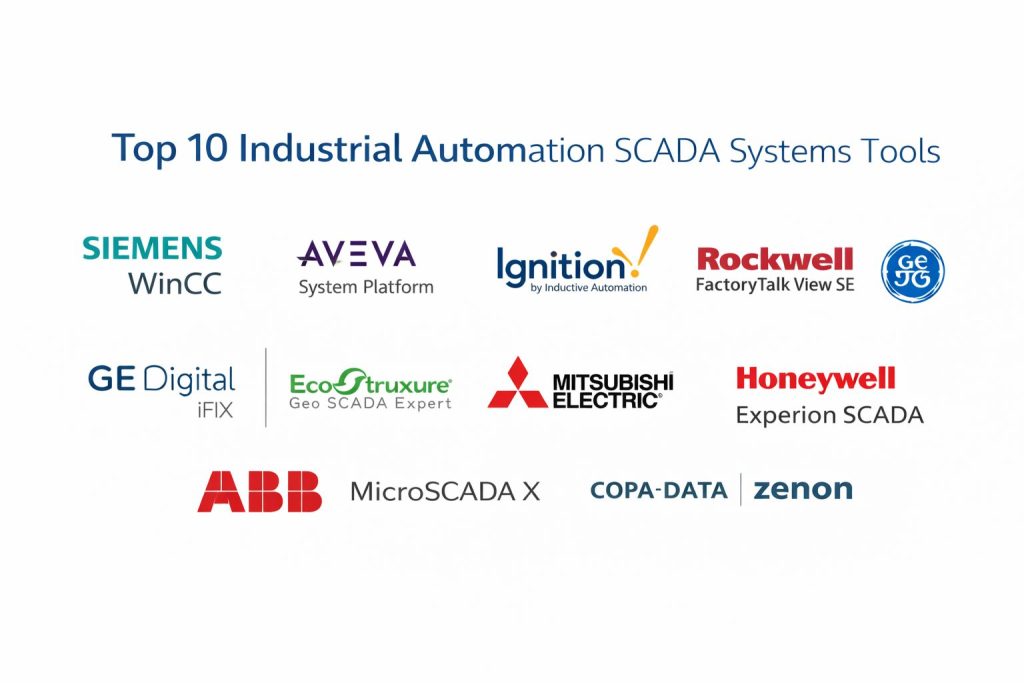
Top 10 Industrial Automation SCADA Systems Tools
1 — Siemens WinCC
A widely adopted SCADA and HMI platform used for industrial automation environments that need strong engineering workflows and scalable visualization.
Key Features
- Operator visualization and control for industrial processes
- Alarm management and event handling for plant operations
- Scalable architectures for multi-station deployments
- Engineering tools for configuring screens and logic interactions
- Integration patterns for common industrial control ecosystems
Pros
- Strong fit for plants standardizing on Siemens automation stacks
- Proven at scale for many industrial deployment types
Cons
- Best results often depend on consistent engineering standards
- Cross-vendor integration depth varies by project design
Platforms / Deployment
Windows, Self-hosted
Security and Compliance
Not publicly stated
Integrations and Ecosystem
WinCC commonly fits into industrial automation ecosystems and supports integration through established industrial connectivity patterns.
- Industrial protocol connectivity (varies by setup)
- Integrator ecosystem and partner availability
- Works well in standardized automation environments
Support and Community
Strong integrator ecosystem and professional support options; community strength varies by region.
2 — AVEVA System Platform
A scalable industrial visualization and operations platform used for large plants and multi-site systems that need strong data modeling and operational consistency.
Key Features
- Object-based engineering for reusable templates
- Centralized visualization and alarm handling
- Scalable architectures for large deployments
- Operational dashboards and workflow consistency patterns
- Integration with broader industrial software layers (varies by environment)
Pros
- Strong for large environments needing standardization
- Reusable objects reduce engineering time at scale
Cons
- Implementation can be complex for smaller teams
- Licensing and architecture planning require careful design
Platforms / Deployment
Windows, Self-hosted
Security and Compliance
Not publicly stated
Integrations and Ecosystem
AVEVA System Platform often sits at the center of larger industrial operations stacks and can integrate with many OT and operations systems.
- Integration patterns with historians and operations layers (varies)
- Strong partner and integrator ecosystem
- Template-driven engineering supports scaling
Support and Community
Professional support and integrator availability are strong; outcomes depend on partner quality and project governance.
3 — Ignition by Inductive Automation
A flexible SCADA platform known for fast development, strong connectivity patterns, and practical scaling for manufacturers and integrators.
Key Features
- Tag-based architecture for rapid configuration
- Strong visualization and control workflows for plant operations
- Flexible gateway approach for multi-site connectivity
- Scripting and extensibility for custom workflows
- Practical integration options for mixed environments
Pros
- Fast to build and iterate when teams have clear standards
- Strong fit for integrators and modern industrial architectures
Cons
- Governance is needed to avoid inconsistent project structures
- Advanced use often depends on engineering skill and standards
Platforms / Deployment
Windows / Linux, Self-hosted
Security and Compliance
Not publicly stated
Integrations and Ecosystem
Ignition is often used as a connectivity and visualization layer across mixed-vendor environments.
- Broad connectivity approaches for industrial systems (varies)
- Extensible scripting for custom integrations
- Large integrator adoption improves implementation options
Support and Community
Strong community presence and documentation; support tiers vary by plan and partner.
4 — Rockwell FactoryTalk View SE
A common SCADA platform in Rockwell-centric plants, designed for scalable visualization and centralized supervision.
Key Features
- Distributed visualization for multi-client environments
- Alarm and event workflows for operations teams
- Engineering tools aligned with Rockwell ecosystems
- Centralized project management for larger deployments
- Practical scaling options for plant-level supervision
Pros
- Strong fit for Rockwell-heavy manufacturing environments
- Familiar workflows for teams using Rockwell stacks
Cons
- Best fit is often within Rockwell-standard environments
- Cross-vendor integration may require additional design effort
Platforms / Deployment
Windows, Self-hosted
Security and Compliance
Not publicly stated
Integrations and Ecosystem
FactoryTalk View SE commonly integrates well in Rockwell environments and can be extended through established integration approaches.
- Integration with Rockwell control and operations layers (varies)
- Strong integrator ecosystem in many regions
- Works best with consistent plant standards
Support and Community
Good vendor support and partner availability; community strength varies by region and industry.
5 — GE Digital iFIX
A mature SCADA platform used in many industrial environments for visualization, alarming, and operations oversight.
Key Features
- Operator visualization and control capabilities
- Alarm handling and event tracking for operations
- Scalable deployment patterns for plant monitoring
- Engineering tools for building and maintaining projects
- Support for integrations through common industrial patterns
Pros
- Proven platform with long production history
- Practical for many traditional SCADA deployments
Cons
- Modernization may require careful UI and architecture planning
- Project consistency depends on engineering discipline
Platforms / Deployment
Windows, Self-hosted
Security and Compliance
Not publicly stated
Integrations and Ecosystem
iFIX often integrates through standard industrial connectivity and can fit into many existing OT environments.
- Common connectivity approaches for OT systems (varies)
- Works well in brownfield modernization projects
- Integration scope depends on architecture choices
Support and Community
Established user base and documentation; support tiers vary.
6 — Schneider Electric EcoStruxure Geo SCADA Expert
A SCADA platform widely used for utilities and distributed infrastructure, focused on reliable supervision of large remote asset fleets.
Key Features
- Strong remote telemetry supervision patterns
- Alarm management for distributed operations
- Scalability for large numbers of remote sites
- Practical reporting and operational visibility workflows
- Utility-oriented engineering and operational approaches
Pros
- Strong fit for utilities and remote asset monitoring
- Designed for large distributed environments
Cons
- May be more specialized than needed for simple factory-only cases
- Architecture planning is important for large deployments
Platforms / Deployment
Windows, Self-hosted
Security and Compliance
Not publicly stated
Integrations and Ecosystem
Geo SCADA Expert is often used in utility operations and integrates through established utility and OT connectivity practices.
- Fits distributed telemetry architectures (varies)
- Common integration patterns for utility operations systems
- Strong partner ecosystem in utility sectors
Support and Community
Good vendor and partner support; community is stronger in utility-oriented domains.
7 — Mitsubishi Electric GENESIS64
A SCADA platform used for industrial visualization and operations, known for scalable display and integration options depending on the environment.
Key Features
- Operator visualization and control for industrial systems
- Alarm and event monitoring for plant operations
- Scalability patterns for multi-station monitoring
- Engineering workflows for building consistent operator screens
- Integration approaches for common industrial environments
Pros
- Suitable for industrial operations needing structured visualization
- Can scale well when engineered consistently
Cons
- Integration depth can depend on environment and design
- Outcomes vary based on project standards and implementation quality
Platforms / Deployment
Windows, Self-hosted
Security and Compliance
Not publicly stated
Integrations and Ecosystem
GENESIS64 commonly integrates via industrial connectivity patterns and is often used where structured visualization is a priority.
- Connectivity patterns for industrial systems (varies)
- Partner ecosystem depends on region
- Works best with strong engineering standards
Support and Community
Documentation and partner support vary by region; adoption depends on local ecosystem.
8 — Honeywell Experion SCADA
A SCADA platform associated with process and industrial environments where reliability, operational discipline, and strong vendor support are priorities.
Key Features
- Operator control and visualization for industrial processes
- Alarm and event handling designed for operations teams
- Scalable architectures for plant and multi-area supervision
- Engineering workflows aligned to industrial operations
- Practical integration options depending on site architecture
Pros
- Strong fit for process-oriented environments
- Vendor ecosystem can support large operational programs
Cons
- Implementation can be heavier than lightweight SCADA stacks
- Costs and deployment effort may be higher for smaller teams
Platforms / Deployment
Windows, Self-hosted
Security and Compliance
Not publicly stated
Integrations and Ecosystem
Experion SCADA commonly sits in structured industrial operations environments with established integration practices.
- Integration patterns for process operations stacks (varies)
- Strong vendor and partner support in many industrial sectors
- Best results with consistent governance and standards
Support and Community
Professional support options and partner ecosystem; community is more enterprise and sector-driven.
9 — ABB MicroSCADA X
A SCADA platform often used in power and utility environments for supervising networks, substations, and distributed infrastructure.
Key Features
- Supervision and control for utility operations workflows
- Alarm and event management for network reliability
- Scalability for distributed systems and operational centers
- Engineering support for utility monitoring requirements
- Operational visibility patterns suited to infrastructure environments
Pros
- Strong fit for utility and power sector use cases
- Designed for reliable supervision of distributed assets
Cons
- May be more specialized than required for general manufacturing
- Deployment success depends on domain expertise and standards
Platforms / Deployment
Windows, Self-hosted
Security and Compliance
Not publicly stated
Integrations and Ecosystem
MicroSCADA X fits utility architectures and integrates through common utility and OT approaches.
- Utility connectivity and integration patterns (varies)
- Works with operational center workflows
- Strong fit where utility standards are important
Support and Community
Good vendor support; community is strongest in utility-focused regions and sectors.
10 — COPA-DATA zenon
A SCADA platform used across manufacturing and energy environments, often chosen for flexible engineering, visualization, and scalable operational supervision.
Key Features
- Visualization and control workflows for industrial operations
- Alarm handling and event visibility for operators
- Engineering support for building reusable project patterns
- Scalability options for plant and multi-site supervision
- Integration approaches for mixed industrial environments
Pros
- Flexible for different industries and deployment sizes
- Strong fit for teams standardizing reusable engineering patterns
Cons
- Best outcomes require governance and consistent design rules
- Integration and scaling depend on architecture choices
Platforms / Deployment
Windows, Self-hosted
Security and Compliance
Not publicly stated
Integrations and Ecosystem
zenon often integrates across mixed industrial systems and benefits from consistent project templates and standards.
- Industrial connectivity patterns (varies)
- Partner ecosystem in industrial automation domains
- Template-driven engineering supports scaling
Support and Community
Professional support and partner availability; community varies by region and industry.
Comparison Table
| Tool Name | Best For | Platform(s) Supported | Deployment | Standout Feature | Public Rating |
|---|---|---|---|---|---|
| Siemens WinCC | Siemens-standard industrial plants | Windows | Self-hosted | Scalable operator visualization | N/A |
| AVEVA System Platform | Large plant standardization | Windows | Self-hosted | Object-based engineering templates | N/A |
| Ignition by Inductive Automation | Modern mixed-vendor integration | Windows, Linux | Self-hosted | Gateway and tag-based flexibility | N/A |
| Rockwell FactoryTalk View SE | Rockwell-centric manufacturing | Windows | Self-hosted | Distributed HMI and SCADA supervision | N/A |
| GE Digital iFIX | Traditional SCADA modernization | Windows | Self-hosted | Mature operational monitoring | N/A |
| Schneider Electric EcoStruxure Geo SCADA Expert | Utilities and remote assets | Windows | Self-hosted | Distributed telemetry supervision | N/A |
| Mitsubishi Electric GENESIS64 | Industrial visualization programs | Windows | Self-hosted | Scalable visualization workflows | N/A |
| Honeywell Experion SCADA | Process and industrial operations | Windows | Self-hosted | Operations-oriented control workflows | N/A |
| ABB MicroSCADA X | Power and utility networks | Windows | Self-hosted | Utility-grade network supervision | N/A |
| COPA-DATA zenon | Multi-industry SCADA deployments | Windows | Self-hosted | Flexible engineering standardization | N/A |
Evaluation and Scoring of Industrial Automation SCADA Systems
Weights
Core features 25 percent
Ease of use 15 percent
Integrations and ecosystem 15 percent
Security and compliance 10 percent
Performance and reliability 10 percent
Support and community 10 percent
Price and value 15 percent
| Tool Name | Core | Ease | Integrations | Security | Performance | Support | Value | Weighted Total |
|---|---|---|---|---|---|---|---|---|
| Siemens WinCC | 8.8 | 7.2 | 7.8 | 6.5 | 8.2 | 7.8 | 6.8 | 7.70 |
| AVEVA System Platform | 9.0 | 6.8 | 8.2 | 6.5 | 8.4 | 7.6 | 6.4 | 7.73 |
| Ignition by Inductive Automation | 8.6 | 8.0 | 8.6 | 6.2 | 8.0 | 8.0 | 8.2 | 8.05 |
| Rockwell FactoryTalk View SE | 8.2 | 7.0 | 7.6 | 6.2 | 7.8 | 7.6 | 6.6 | 7.37 |
| GE Digital iFIX | 7.8 | 7.0 | 7.2 | 6.0 | 7.6 | 7.2 | 7.2 | 7.19 |
| Schneider Electric EcoStruxure Geo SCADA Expert | 8.4 | 7.2 | 7.8 | 6.4 | 8.2 | 7.6 | 6.8 | 7.56 |
| Mitsubishi Electric GENESIS64 | 7.8 | 7.2 | 7.4 | 6.0 | 7.6 | 7.0 | 7.0 | 7.17 |
| Honeywell Experion SCADA | 8.6 | 6.6 | 7.6 | 6.4 | 8.2 | 7.8 | 6.2 | 7.49 |
| ABB MicroSCADA X | 8.4 | 6.8 | 7.6 | 6.4 | 8.4 | 7.6 | 6.4 | 7.51 |
| COPA-DATA zenon | 8.2 | 7.4 | 7.8 | 6.2 | 8.0 | 7.4 | 7.0 | 7.55 |
How to interpret the scores
These scores are comparative and help you shortlist based on typical SCADA buying priorities. A slightly lower total can still be the best fit if the tool matches your industry domain, device landscape, and engineering skill set. Core and integrations affect long-term pipeline stability, while ease affects onboarding and maintainability. Security is treated cautiously because public details vary, so you should validate controls during evaluation. Use the table for narrowing, then run a pilot on real assets and alarm scenarios.
Which Industrial Automation SCADA System Is Right for You
Solo or Freelancer
If you are a system integrator working alone or in a very small team, prioritize a tool that is quick to build, easy to iterate, and flexible for mixed-vendor connectivity. Ignition by Inductive Automation is often a strong fit here because projects can be structured cleanly with good reuse patterns. Also, focus on building a reusable template library so each new customer project starts faster.
SMB
For small and medium plants, aim for reliable operations, predictable alarms, and simple maintenance workflows. Siemens WinCC or Rockwell FactoryTalk View SE can work well when your automation stack already aligns with those ecosystems. If your environment is mixed-vendor, Ignition by Inductive Automation can reduce friction by acting as a flexible integration and visualization layer.
Mid-Market
Mid-market organizations often need multi-site supervision, standard engineering templates, and structured operations practices. AVEVA System Platform is strong for template-driven standardization across plants, while COPA-DATA zenon can fit multi-industry deployments when engineering patterns are standardized. If remote assets are involved, Schneider Electric EcoStruxure Geo SCADA Expert can be a strong operational fit.
Enterprise
Enterprises usually optimize for long-term support, governance, and reliability under high operational load. AVEVA System Platform, Honeywell Experion SCADA, and Siemens WinCC are common choices where structured programs, partner ecosystems, and consistent standards matter. Utilities and grid environments often prioritize ABB MicroSCADA X or Schneider Electric EcoStruxure Geo SCADA Expert due to distributed infrastructure needs.
Budget vs Premium
Budget choices often prioritize faster engineering and acceptable reliability, while premium choices prioritize deep standardization, vendor support programs, and long-term lifecycle plans. Ignition by Inductive Automation can offer strong value when teams can implement good governance. AVEVA System Platform and Honeywell Experion SCADA may suit premium, structured operational programs where standardization is critical.
Feature Depth vs Ease of Use
If you want deep template standardization and large program governance, AVEVA System Platform can be compelling but may take longer to implement well. If you want fast iteration and approachable development, Ignition by Inductive Automation often stands out. WinCC and FactoryTalk View SE are strong when your existing environment already fits their approach.
Integrations and Scalability
For mixed device landscapes, prioritize protocol flexibility and integration patterns that reduce custom glue work. Ignition by Inductive Automation is often used as a connectivity hub. For long-term scalability, focus on redundancy, data handling patterns, and consistent alarm philosophies. Utility-focused tools often excel in distributed asset scalability.
Security and Compliance Needs
SCADA security is not only a product feature decision, it is also a deployment discipline decision. Prioritize strong role-based control, segmented networks, least-privilege access, controlled engineering access, and auditability. When security claims are not publicly stated, validate during selection with a structured checklist and a realistic threat model for OT environments.
Frequently Asked Questions
1. What does a SCADA system actually do
SCADA collects real-time data from field devices, shows it on operator screens, raises alarms, and enables control actions under defined permissions. It also helps teams track events, trends, and operational performance.
2. How is SCADA different from HMI
HMI is usually a local interface for one machine or area, while SCADA typically supervises many devices across a plant or multiple sites. SCADA also includes broader alarm management, data aggregation, and centralized control features.
3. What protocols should I care about when choosing SCADA
It depends on your devices, but you should confirm support for the protocols used by your PLCs, RTUs, and meters. Also check how easily the system handles gateways, mixed vendors, and future device additions.
4. What are common mistakes during SCADA implementation
Common mistakes include poor alarm design, inconsistent naming standards, no redundancy planning, and weak user access governance. Another frequent issue is building screens without an operator-centric workflow design.
5. How do I reduce alarm floods and nuisance alarms
Start with alarm rationalization, define priorities clearly, and avoid alarms for normal process variation. Use deadbands, delays, and proper thresholds so operators only see alarms that require action.
6. Can a SCADA system scale to many remote sites
Yes, but scalability depends on architecture design, network reliability, and data handling. For many remote sites, prioritize store-and-forward patterns, redundancy, and efficient communications design.
7. What security controls should I validate in a SCADA tool
Validate role-based access, audit logs, multi-factor options, secure engineering access, and how credentials are managed. Also validate how the system fits into network segmentation and patching practices.
8. Do I need a historian with SCADA
Many SCADA systems can store trends, but a historian is often used when you need long-term high-resolution storage, reporting, and analytics. The best approach depends on reporting requirements and data retention goals.
9. How long does a SCADA deployment typically take
It depends on site size, device count, and standards maturity. A small plant project can be quicker, while multi-site standardization programs take longer due to governance, templates, testing, and training.
10. What is the best way to run a SCADA pilot
Choose one production area or a small set of assets, build a standard tag model, create operator screens, and test real alarm scenarios. Validate performance, maintainability, integration effort, and security fit before scaling.
Conclusion
The best Industrial Automation SCADA System depends on your industry, device landscape, operational maturity, and the kind of reliability you must guarantee. If you are already standardized on a specific automation ecosystem, tools like Siemens WinCC or Rockwell FactoryTalk View SE can reduce integration friction and simplify maintenance. For large programs needing reusable engineering templates and consistent multi-site standards, AVEVA System Platform or COPA-DATA zenon can be strong choices when governance is in place. Utilities and distributed infrastructures often benefit from platforms designed around remote telemetry and high availability, such as Schneider Electric EcoStruxure Geo SCADA Expert or ABB MicroSCADA X. A smart next step is to shortlist two or three options, run a pilot using real alarms and devices, validate redundancy and security requirements, and confirm your long-term support strategy.