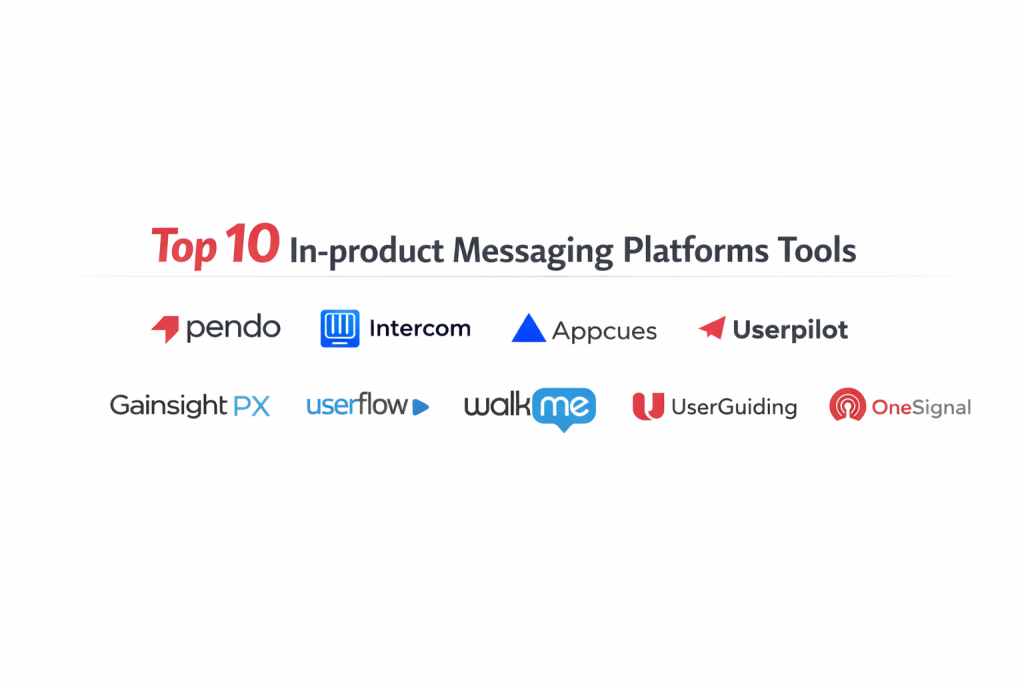
Introduction
In-product messaging has evolved from simple pop-ups into a sophisticated layer of the user experience that guides, educates, and converts users directly within the application interface. These platforms allow product teams to deploy communication flows—such as onboarding tours, feature announcements, and feedback surveys—without requiring a developer to push new code. By intercepting the user at the precise moment of interaction, in-product messaging addresses the “forgetting curve” that often follows traditional email marketing. The goal is to reduce time-to-value by providing contextual assistance exactly when a user encounters a specific feature or friction point.
For modern digital products, the “quiet” application is often a failing one. Organizations now leverage these tools to drive product-led growth by identifying behavioral triggers that signal a user is ready for an upsell or needs help to avoid churn. Selecting the right platform requires an evaluation of how well the tool integrates with existing data stacks, its impact on application performance (latency), and the granularity of its segmentation engine. High-performance teams look for solutions that offer a balance between a robust no-code builder and the technical depth needed to handle complex user attributes and cross-platform consistency.
Best for: SaaS growth teams, product managers focusing on user activation, customer success departments, and UX designers looking to implement non-intrusive guidance.
Not ideal for: Simple static websites with no logged-in user state, or applications that require 100% hard-coded, custom-built interfaces where third-party scripts are strictly prohibited by security architecture.
Key Trends in In-product Messaging Platforms
The industry is rapidly shifting toward AI-powered “copilots” that can generate messaging copy and suggest optimal trigger times based on historical user patterns. There is also a significant move toward “headless” in-app messaging, where the platform provides the logic and targeting while the host application retains full control over the visual rendering. This ensures that the messaging feels entirely native and avoids the “third-party plugin” look that can sometimes distract users.
Furthermore, we are seeing a convergence of product analytics and messaging into unified “experience layers.” Instead of having separate tools for tracking and talking, teams now prefer single-pane-of-glass solutions that can correlate a specific message directly to a lift in feature adoption. Privacy-first engineering is also a major trend, with platforms offering more localized data processing and sophisticated consent management to align with global data protection standards.
How We Selected These Tools
The selection process for this list focused on platforms that provide a reliable bridge between user data and real-time engagement. We prioritized tools that offer high “builder flexibility,” meaning they allow non-technical users to create complex, multi-step flows without breaking the application’s UI. Another major criterion was the robustness of the targeting engine; a tool is only as good as its ability to show the right message to the right person at the right time.
Performance impact was heavily scrutinized, favoring tools with lightweight SDKs that do not degrade the end-user’s load times. We also looked at the maturity of the integration ecosystem, specifically how easily these platforms sync with common CRMs and data warehouses. Finally, we considered the vendor’s reputation for uptime and security compliance, ensuring that these tools are suitable for enterprise-grade deployments where stability is non-negotiable.
1. Pendo
Pendo is an enterprise-grade platform that combines powerful in-app messaging with deep behavioral analytics. It allows teams to see exactly what users are doing before they decide which messages to trigger. Its “Guides” feature is highly regarded for its ability to target users based on their actual usage history within the product.
Key Features
The platform features a visual designer that allows for the creation of tooltips, lightboxes, and banners without writing code. It offers a unique “Resource Center” where users can access help articles and announcements on demand. Its segmentation engine can pull in data from external sources to create highly specific user cohorts. Pendo also provides detailed “Pathways” and “Funnels” to visualize how messages affect user behavior. Additionally, it supports mobile-native applications, providing a consistent experience across web and handheld devices.
Pros
The combination of analytics and messaging in one tool is a massive advantage for data-driven teams. It is built to scale, making it a favorite for large-scale enterprise applications.
Cons
The platform can be quite expensive, placing it out of reach for many early-stage startups. Because of its vast feature set, it requires more time to fully master than simpler alternatives.
Platforms and Deployment
Web, iOS, and Android. It is deployed via a small snippet of JavaScript or a mobile SDK.
Security and Compliance
Pendo is SOC 2 Type II compliant and maintains strict adherence to GDPR and HIPAA standards for data privacy.
Integrations and Ecosystem
It boasts deep integrations with Salesforce, HubSpot, Zendesk, and major data warehouses like Snowflake.
Support and Community
Offers a comprehensive “Pendo Academy,” extensive documentation, and dedicated customer success managers for enterprise clients.
2. Intercom
Intercom is a leader in conversational relationship platforms, famous for its “Messenger” widget. While it started with chat, it has expanded into a full suite of in-product messaging tools including tours, tooltips, and banners that work alongside its AI-driven support bot.
Key Features
Its “Product Tours” feature provides interactive, multi-step walkthroughs to guide new users through their first session. The platform includes an AI agent that can resolve common queries before they reach a human agent. It offers “Series,” a visual orchestration tool for building multi-channel journeys that span in-app messages and emails. The “Checklists” feature helps gamify the onboarding process by showing users their progress. It also provides high-fidelity mobile carousels for a polished mobile onboarding experience.
Pros
Intercom provides a unified experience for support, marketing, and product engagement, reducing the need for multiple tools. Its UI is widely considered one of the most polished in the industry.
Cons
Pricing can become unpredictable as it often scales based on the number of people reached. Some users find the in-app tours to be less customizable in terms of complex CSS styling compared to niche competitors.
Platforms and Deployment
Web, iOS, and Android. Deployed through a unified messenger snippet.
Security and Compliance
Adheres to GDPR, SOC 2, and offers regional data hosting options for European customers.
Integrations and Ecosystem
Extensive marketplace with hundreds of apps, including tight links to Slack, GitHub, and Jira.
Support and Community
Strong community forums and a very responsive support team available through their own messenger.
3. Appcues
Appcues is a pioneer in the no-code user engagement space, focusing on helping non-technical growth teams create flows in minutes. It is designed to sit on top of your application and interact with elements without requiring developer intervention for every change.
Key Features
The browser-based “Flow Builder” lets you point and click on your live app to attach tooltips and modals. It includes a built-in NPS (Net Promoter Score) tool to capture user sentiment at the right moment. The “Checklists” feature is highly effective at driving users toward their “Aha!” moment. It offers robust A/B testing for messaging flows to determine which version drives better conversion. It also features “Events Explorer,” which helps non-technical users track application events for better targeting.
Pros
Extremely easy to set up and use, making it ideal for teams that want to move fast. It is purely focused on the user experience layer, making it very specialized and refined.
Cons
It lacks the deep, built-in behavioral analytics found in platforms like Pendo. For very complex enterprise needs, the targeting logic may feel slightly less granular.
Platforms and Deployment
Web and Mobile (via mobile-specific SDKs).
Security and Compliance
SOC 2 Type II compliant and fully aligned with GDPR requirements.
Integrations and Ecosystem
Strong connections to analytics tools like Amplitude and Mixpanel, as well as CRM platforms.
Support and Community
Excellent “Product-Led Hub” for learning and highly rated customer support.
4. Userpilot
Userpilot is a growth-focused platform designed specifically for mid-market SaaS companies. It prioritizes “Product-Led Growth” by providing tools that help increase feature adoption and user retention through highly contextual messaging.
Key Features
It offers a powerful suite of UI patterns including modals, slide-outs, and driven actions. Its “command center” allows teams to manage all in-app content from a single dashboard. The platform features advanced “Contextual Triggering,” which ensures messages only appear when a user meets specific behavioral criteria. It also includes a native feedback system for collecting surveys and ratings. Their “Resource Center” is highly customizable and can integrate with external knowledge bases.
Pros
Offers a very strong balance of features for its price point. The platform is built specifically for SaaS, meaning the features are highly relevant to typical software growth cycles.
Cons
It is primarily focused on web applications, so those needing deep mobile-native support might need to look elsewhere. The interface can sometimes feel dense due to the number of options available.
Platforms and Deployment
Web-based applications via a JavaScript snippet and Chrome extension for the builder.
Security and Compliance
Compliant with GDPR and SOC 2 standards.
Integrations and Ecosystem
Integrates well with the standard “modern data stack,” including Segment, Google Analytics, and various CRMs.
Support and Community
Known for very fast support response times and a wealth of educational content on SaaS growth.
5. Chameleon
Chameleon is the platform of choice for teams that demand deep customization and high-quality design. It is built for companies that want their in-product messages to feel 100% native to their brand’s aesthetic.
Key Features
The platform offers the most granular styling controls in the market, including advanced CSS customization. It includes a unique “HelpBar” feature that acts like an AI-powered, searchable interface for your app. The “Debugger” tool is a standout, allowing teams to troubleshoot why a message did or did not show to a specific user. It also supports “Micro-surveys” that are designed to be non-intrusive. Chameleon’s architecture is built to be “developer-friendly,” allowing for deep technical hooks if needed.
Pros
Messages created with Chameleon rarely look like “pop-ups” because they blend so well with the host UI. The “HelpBar” is a modern, innovative take on user assistance.
Cons
The deep level of customization can lead to a slightly longer setup time for the perfect look. It is a premium product with a price point that reflects its advanced capabilities.
Platforms and Deployment
Web applications. Deployed via JavaScript.
Security and Compliance
SOC 2, GDPR, and HIPAA compliant.
Integrations and Ecosystem
Exceptional integration with Slack for real-time alerts on user feedback, and deep links to Segment and Mixpanel.
Support and Community
High-touch technical support and a specialized community focused on UX and product-led strategy.
6. Gainsight PX
Gainsight PX (Product Experience) is an enterprise solution that connects customer success data with in-app engagements. It is designed for large organizations that want to use product usage data to drive their overall customer success strategy.
Key Features
The platform provides a “Knowledge Center Bot” that serves as a hub for all user help resources. It features “Product Mapper,” which allows you to define your product’s features and track adoption without code. The “Retention Analytics” suite is world-class, showing exactly how in-app messages correlate with long-term user stay. It offers automated “Engagements” that can be triggered by a user’s “Health Score.” It also supports cross-product tracking for companies with multiple software offerings.
Pros
It is the most powerful tool for connecting what happens inside the product to the overall customer lifecycle. Its analytics are deep enough to satisfy professional data scientists.
Cons
The platform is very complex and generally requires a dedicated person or team to manage effectively. It is positioned at a high enterprise price point.
Platforms and Deployment
Web and Mobile.
Security and Compliance
Full enterprise-grade compliance including SOC 2, GDPR, and ISO 27001.
Integrations and Ecosystem
Naturally integrates perfectly with the Gainsight CS platform, as well as major CRM and BI tools.
Support and Community
Enterprise-level support with dedicated success plans and a large global user community.
7. Userflow
Userflow is a modern, lightweight, and incredibly fast platform for building in-app tours and checklists. It has gained a massive following among startups and mid-market companies who value speed and a clean, intuitive UI.
Key Features
The “Userflow Builder” is a sidebar-based editor that is remarkably fast and uses logic-based flows to create complex paths. It features “Checklists” and “Resource Centers” that are very easy to style to match your brand. The platform natively supports “Versioning” and “Environments,” allowing you to test flows in a dev environment before going live. It includes a lightweight snippet that minimizes any impact on application performance. It also offers integrated NPS and multi-question surveys.
Pros
It is widely considered to have the fastest and most intuitive builder interface in the category. The pricing is transparent and more accessible for growing teams.
Cons
While it is growing fast, it may lack some of the very deep “big data” processing capabilities found in Pendo or Gainsight. It is focused heavily on the “flow” rather than deep behavioral analysis.
Platforms and Deployment
Web applications via a JavaScript snippet.
Security and Compliance
SOC 2 Type II and GDPR compliant.
Integrations and Ecosystem
Solid integrations with Segment, Amplitude, and various help desk tools.
Support and Community
Provides excellent documentation and direct chat support from a highly technical team.
8. WalkMe
WalkMe is the “Digital Adoption Platform” (DAP) that created this category. It is an enterprise powerhouse focused on helping both employees and customers navigate complex software ecosystems, often across multiple different applications.
Key Features
The “Smart Walk-Thru” technology provides context-aware guidance that can cross between different software platforms seamlessly. It includes “WalkMe Workstation,” a unified interface for employees to find information across all company apps. The platform uses “ActionBot” to allow users to complete tasks via a chat interface. It provides “Session Playback” to see where users are getting stuck in real-time. The “Data Insights” engine uses AI to proactively identify areas where users need more guidance.
Pros
Unrivaled for large organizations with complex internal software needs. It can be implemented on top of third-party software (like Salesforce or SAP) without needing access to the underlying code.
Cons
It is one of the most expensive and complex solutions available. The implementation process is significant and usually requires specialized “WalkMe Builders.”
Platforms and Deployment
Web, Desktop, and Mobile.
Security and Compliance
Holds virtually every major security certification, including FedRAMP for government use.
Integrations and Ecosystem
Deeply integrated with almost every major enterprise software platform in existence.
Support and Community
Offers a global professional services team, a formal certification program, and a massive community of DAP professionals.
9. UserGuiding
UserGuiding is an accessible, no-code solution that focuses on the essentials of in-app onboarding. It is an excellent choice for smaller companies or those just starting their journey with in-product messaging.
Key Features
The platform uses a browser-extension-based builder, which makes it very quick to start creating guides. It offers “Checklists” to track user progress and “Resource Centers” for self-service support. It includes basic analytics to track how many users are completing your flows. The platform supports “Segmentation” so you can show different messages to different types of users. It also features a “NPS” tool to gather quick user feedback within the app.
Pros
Very cost-effective compared to the enterprise giants on this list. It is designed for people who want to set up an onboarding flow in a few hours rather than a few weeks.
Cons
The analytics and targeting logic are not as deep as more advanced platforms. It may lack the high-end customization options required by large design teams.
Platforms and Deployment
Web applications.
Security and Compliance
GDPR compliant and offers standard data protection agreements for users.
Integrations and Ecosystem
Integrates with basic tools like Google Analytics, Intercom, and Slack.
Support and Community
Responsive email and chat support with a good library of video tutorials.
10. OneSignal
OneSignal is a comprehensive customer engagement platform that has expanded from push notifications into a robust in-app messaging solution. It is unique because it allows for a unified strategy across push, email, SMS, and in-product messages.
Key Features
The platform features a “Visual Editor” for creating in-app modals and banners that look great on both web and mobile. It provides “Behavioral Automation” to trigger messages based on specific user actions or events. It supports “Liquid Syntax” for deep personalization within the message content. The platform’s real strength is its “Omnichannel Orchestration,” which prevents sending the same message over different channels. It also offers “Real-time Analytics” to see the immediate impact of a campaign.
Pros
Excellent for teams that want a single platform for all their messaging needs, not just in-app. Its mobile support is among the best in the industry.
Cons
As a generalist messaging platform, its “product tour” and “walkthrough” capabilities are not as specialized as those in Appcues or Userpilot. It lacks native “Checklist” features for onboarding.
Platforms and Deployment
Web, iOS, Android, and various game engines like Unity.
Security and Compliance
SOC 2 Type II compliant and maintains strict GDPR and CCPA adherence.
Integrations and Ecosystem
Massive integration list including most major analytics, CRM, and automation tools.
Support and Community
Large developer community and extensive documentation for technical implementation.
Comparison Table
| Tool Name | Best For | Platform(s) Supported | Deployment | Standout Feature | Public Rating |
| 1. Pendo | Enterprise Analytics | Web, Mobile | Snippet/SDK | Integrated Product Data | 4.5/5 |
| 2. Intercom | Support & Onboarding | Web, Mobile | Messenger | Conversational AI Bot | 4.4/5 |
| 3. Appcues | Rapid No-Code Flows | Web, Mobile | Snippet/SDK | Intuitive Flow Builder | 4.6/5 |
| 4. Userpilot | Mid-market SaaS | Web | Snippet | Contextual Triggering | 4.7/5 |
| 5. Chameleon | Custom Native UX | Web | Snippet | HelpBar & CSS Control | 4.8/5 |
| 6. Gainsight PX | Customer Success | Web, Mobile | Snippet/SDK | Product Mapping Tool | 4.3/5 |
| 7. Userflow | Speed & Modern UI | Web | Snippet | Sidebar Flow Editor | 4.9/5 |
| 8. WalkMe | Digital Adoption | Web, Desktop | Extension/SDK | Cross-App Guidance | 4.2/5 |
| 9. UserGuiding | SMB Essentials | Web | Snippet | Easy Setup Extension | 4.1/5 |
| 10. OneSignal | Omnichannel Scale | Web, Mobile | SDK | Mobile Push Sync | 4.5/5 |
Evaluation & Scoring of In-product Messaging Platforms
The scoring below is a comparative model intended to help shortlisting. Each criterion is scored from 1–10, then a weighted total from 0–10 is calculated using the weights listed. These are analyst estimates based on typical fit and common workflow requirements, not public ratings.
Weights:
- Core features – 25%
- Ease of use – 15%
- Integrations & ecosystem – 15%
- Security & compliance – 10%
- Performance & reliability – 10%
- Support & community – 10%
- Price / value – 15%
| Tool Name | Core (25%) | Ease (15%) | Integrations (15%) | Security (10%) | Performance (10%) | Support (10%) | Value (15%) | Weighted Total |
| 1. Pendo | 10 | 5 | 10 | 10 | 8 | 10 | 6 | 8.40 |
| 2. Intercom | 8 | 9 | 10 | 9 | 8 | 9 | 7 | 8.55 |
| 3. Appcues | 9 | 10 | 8 | 9 | 9 | 9 | 8 | 8.90 |
| 4. Userpilot | 9 | 8 | 9 | 9 | 8 | 10 | 9 | 8.85 |
| 5. Chameleon | 8 | 7 | 9 | 9 | 9 | 9 | 7 | 8.10 |
| 6. Gainsight PX | 10 | 4 | 9 | 10 | 7 | 9 | 6 | 7.90 |
| 7. Userflow | 8 | 10 | 8 | 9 | 10 | 9 | 9 | 9.00 |
| 8. WalkMe | 10 | 3 | 10 | 10 | 6 | 10 | 5 | 7.75 |
| 9. UserGuiding | 6 | 10 | 7 | 8 | 9 | 8 | 10 | 7.85 |
| 10. OneSignal | 7 | 8 | 9 | 9 | 9 | 8 | 9 | 8.20 |
How to interpret the scores:
- Use the weighted total to shortlist candidates, then validate with a pilot.
- A lower score can mean specialization, not weakness.
- Security and compliance scores reflect controllability and governance fit, because certifications are often not publicly stated.
- Actual outcomes vary with assembly size, team skills, templates, and process maturity.
Which In-product Messaging Platform Is Right for You?
Solo / Freelancer
For those managing projects solo, the primary need is a tool that requires zero maintenance and provides immediate results. A solution that offers a free tier or an affordable entry point for low user volumes is best, allowing you to build basic onboarding without any technical complexity.
SMB
Small to medium businesses should look for tools that offer the most “bang for the buck” by including features like NPS surveys and checklists as standard. These teams need to iterate quickly on growth experiments, so a fast, visual builder is more important than deep enterprise compliance features.
Mid-Market
Mid-market SaaS companies are often in a scaling phase where feature adoption is the key metric. They require more sophisticated segmentation and better integration with their existing data stack (like Segment or Amplitude) to ensure their messaging is truly contextual.
Enterprise
For the enterprise, the conversation is dominated by security, scalability, and cross-departmental coordination. These organizations need tools that can handle millions of users across multiple products, offering features like Single Sign-On (SSO), role-based access control, and dedicated support teams.
Budget vs Premium
Budget solutions are perfect for validating the need for in-app messaging. However, premium solutions often pay for themselves through better targeting—showing fewer, more relevant messages leads to higher conversion and less user annoyance.
Feature Depth vs Ease of Use
If your product is highly complex (like a professional CAD tool), you need a platform with deep feature depth. If your app is a simple task manager, an easy-to-use tool that focuses on quick “tours” is more than sufficient.
Integrations & Scalability
Always consider the long-term data strategy. A tool that cannot pass its engagement data back to your CRM or analytics platform will eventually become a “data silo,” limiting your ability to measure the true ROI of your messaging efforts.
Security & Compliance Needs
In regulated industries like FinTech or HealthTech, security is the first hurdle. Ensure the platform offers the necessary certifications (like HIPAA or SOC 2) before investing time in the technical implementation.
Frequently Asked Questions (FAQs)
1. Does in-product messaging slow down my application?
Most modern platforms use asynchronous loading, meaning the messaging script doesn’t stop the rest of your app from loading. However, choosing a tool with a lightweight, optimized SDK is essential for maintaining a high-performance user experience.
2. Can these tools work on mobile apps?
Yes, many of the top providers offer native SDKs for iOS and Android. It is important to distinguish between “web-view” messages and truly native mobile messages, as the latter provide a much smoother user experience.
3. What is the difference between a tooltip and a modal?
A tooltip is a small box attached to a specific UI element, used for contextual help. A modal is a larger window that sits in the center of the screen, used for high-impact announcements like new feature launches.
4. How do I avoid “message fatigue” for my users?
Use “frequency capping” and sophisticated targeting. Instead of showing the same message to everyone, only trigger it for users who haven’t performed a specific action. Most platforms allow you to set rules on how many messages a user sees per session.
5. Do I need a developer to set these up?
Initially, a developer is usually needed to install a small snippet of code or an SDK. Once that is done, most platforms allow product managers and marketers to create and launch messages completely code-free.
6. Can I A/B test my in-app messages?
Most high-end platforms offer built-in A/B testing. You can test different headlines, colors, or even different trigger times to see which version leads to more users completing a specific task.
7. Are these tools GDPR compliant?
The top-tier platforms are designed with GDPR in mind, offering features like data anonymization, localized hosting, and tools to manage user consent for tracking and messaging.
8. Can I use these tools for internal employee training?
Absolutely. Platforms like WalkMe are specifically built for this, but many companies use tools like Appcues or Userflow to create guides for their own internal software to help onboard new employees.
9. How do I measure the success of an in-app message?
Look beyond “click-through rates.” The real metric is “feature adoption”—did the user perform the action the message was encouraging? Most platforms link messages directly to these “event-based” success metrics.
10. Can I target users based on their subscription tier?
Yes, by passing “user attributes” (like ‘plan_type: pro’) to the messaging platform, you can ensure that a “Pro” feature announcement is only shown to users on the Pro plan or those eligible for an upgrade.
Conclusion
In-product messaging has transitioned from a luxury to an essential utility for any software company aiming for sustainable, product-led growth. The ability to speak to your users while they are actively engaged with your product provides a level of relevance that no external channel can match. Whether you are a startup looking for the speed of a tool like Userflow or an enterprise requiring the deep analytical insights of Pendo, the key is to prioritize the user’s journey over the simple delivery of notifications. By focusing on contextual, non-intrusive, and data-driven communication, you can significantly lower the barrier to user success and drive long-term loyalty. As the market moves toward AI-assisted orchestration, choosing a platform that prioritizes interoperability and performance will ensure your product remains competitive and user-centric.
I love how this list breaks down in-product messaging tools, making it so much easier to pick a winner.