Introduction
Integrated Circuit (IC) design and verification are crucial in the development of modern electronic devices. These tools enable engineers to design, simulate, and verify the performance of microchips used in everything from smartphones to aerospace systems. IC design and verification software help optimize circuit layouts, detect errors, and ensure reliability before manufacturing, which is essential for reducing costly design flaws and production delays.
The demand for faster, smaller, and more energy-efficient ICs continues to increase. Advances in AI-powered design, multi-functional verification, and cloud-based collaboration are driving innovation in IC design. These tools have become indispensable for industries like semiconductor manufacturing, automotive, telecommunications, and consumer electronics.
Real-world use cases include:
- Microchip design: Developing the core components for devices like smartphones, laptops, and embedded systems.
- SoC (System on Chip) design: Designing integrated circuits that incorporate multiple components (e.g., CPU, GPU, memory) into a single chip.
- ASIC (Application-Specific Integrated Circuit) design: Designing customized chips for specific applications, such as cryptocurrency mining or medical devices.
- FPGA (Field-Programmable Gate Array) design: Configuring chips for specialized applications in communication, defense, and automation.
- Verification and testing: Ensuring the correctness and reliability of IC designs using advanced simulation and verification tools.
What buyers should evaluate:
- Design capabilities: Whether the tool supports analog, digital, or mixed-signal design and integrates with other design tools.
- Simulation and verification: Availability of simulation and verification features to test and validate designs before production.
- Ease of use: User-friendly interfaces, minimal learning curve, and customization options.
- Collaboration features: Cloud-based or multi-user collaboration tools for teams working on large projects.
- Performance: Speed and accuracy of simulation and verification, especially for large and complex designs.
- Automation tools: Automation for tasks like routing, placement, and layout optimization.
- Cost and licensing: Affordable pricing models for both small teams and large enterprises.
- Security: Security features to protect sensitive design data, especially for cloud-based tools.
- Support and community: Availability of customer support, resources, and active user communities.
Mandatory paragraph
- Best for: Semiconductor engineers, IC designers, hardware developers, and any team involved in designing and verifying integrated circuits.
- Not ideal for: Teams that only need basic design tools or those working on smaller, non-complex projects that don’t require advanced verification features.
Key Trends in IC Design & Verification Tools
- AI-driven design automation: Artificial intelligence is being leveraged to automate various aspects of IC design, such as layout optimization, fault detection, and pattern recognition.
- Cloud-based design and collaboration: Cloud solutions are enabling seamless real-time collaboration among global teams and reducing the need for high-end local hardware.
- Multi-functional verification: IC design tools are increasingly offering multi-domain verification capabilities, including logic simulation, thermal analysis, and signal integrity testing.
- Integration with hardware emulation: Hardware emulation tools are becoming more integrated with design software, providing faster and more accurate testing of IC designs in real-time.
- Advanced simulation tools: Tools that offer multi-layer, multi-domain simulation capabilities are becoming essential for complex IC designs, such as SoCs and FPGAs.
- Energy-efficient design: As energy consumption becomes a critical concern, design tools are being optimized for creating low-power ICs that meet industry standards.
- IP (Intellectual Property) reuse: Tools are supporting the reuse of existing IP blocks in IC designs, which helps accelerate time-to-market and reduce costs.
- Cloud-based verification: Cloud-based tools for verification and simulation are growing in popularity, allowing engineers to test designs in scalable, high-performance environments.
- Automated testing and reporting: EDA tools are incorporating automated testing and reporting features to streamline the verification process and reduce human error.
- Design for manufacturability (DFM): Tools are increasingly integrating DFM checks to ensure that designs are optimized for fabrication and reduce production delays.
How We Selected These Tools (Methodology)
- Market adoption: We focused on tools that are widely used across the IC design and semiconductor industries.
- Feature completeness: We prioritized software that offers a comprehensive set of design, simulation, and verification tools.
- Simulation capabilities: Tools with integrated simulation for testing circuit behavior, thermal management, and signal integrity were given higher priority.
- Ease of use: We considered the user-friendliness of the interface, as well as the learning curve for new users.
- Collaboration tools: The availability of cloud-based or multi-user collaboration features for remote teams was a key consideration.
- Performance: The speed and reliability of the software when handling large, complex designs.
- Security: We evaluated the security features of each tool, especially for cloud-based solutions that involve sensitive design data.
- Cost and scalability: We included a mix of tools catering to both small teams and large enterprises.
- Support and community: The availability of customer support, online tutorials, and an active user community for troubleshooting and learning.
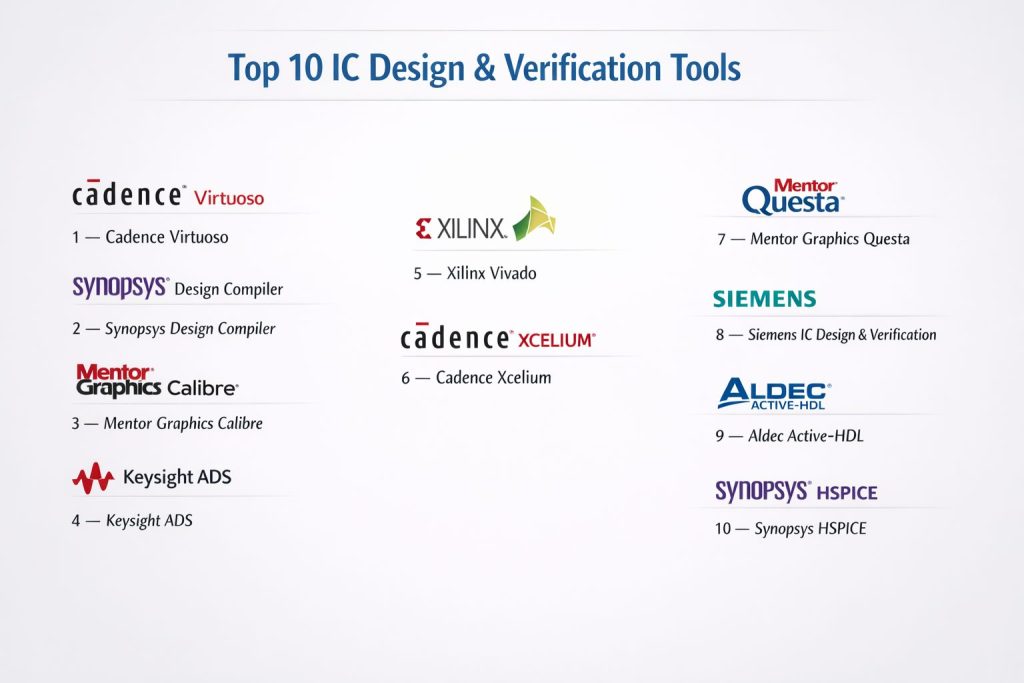
Top 10 IC Design & Verification Tools
#1 — Cadence Virtuoso
Cadence Virtuoso is a comprehensive platform for analog, digital, and mixed-signal IC design, offering powerful simulation and verification tools.
Key Features
- Full suite of IC design tools for analog, digital, and mixed-signal circuits
- Advanced simulation and verification tools for design validation
- Integration with Cadence’s PCB design and manufacturing tools
- Support for layout design and routing
- Cloud-based collaboration and version control
- Intelligent automation for design optimization
- Extensive component libraries and IP integration
Pros
- Ideal for complex, high-performance IC designs
- Strong simulation and verification capabilities
- Seamless integration with other Cadence tools
Cons
- Expensive, especially for smaller teams or individual users
- High system requirements for large designs
- Complex user interface for new users
Platforms / Deployment
Windows / Linux
Self-hosted / Cloud-based
Security & Compliance
Not publicly stated.
Integrations & Ecosystem
Works seamlessly with other Cadence tools, including Allegro for PCB design and PSpice for simulation.
- Full integration with Cadence’s suite of tools
- Cloud-based for real-time collaboration
- Extensive libraries for circuit components
Support & Community
Comprehensive support from Cadence, with a large user community and online tutorials.
#2 — Synopsys Design Compiler
Synopsys Design Compiler is a leading tool for RTL synthesis and digital design optimization, offering advanced capabilities for IC design.
Key Features
- RTL synthesis and optimization for digital IC design
- Timing and power analysis for design validation
- Seamless integration with other Synopsys tools for verification and simulation
- Multi-threading support for faster design processing
- Support for complex SoC designs
- Automated physical design and layout optimization
- Integration with EDA and manufacturing tools for full workflow management
Pros
- Excellent for digital IC design and synthesis
- Advanced optimization for timing and power
- Strong integration with other Synopsys tools
Cons
- Expensive for smaller firms or freelancers
- Steep learning curve for new users
- High system requirements for large designs
Platforms / Deployment
Windows / Linux
Self-hosted
Security & Compliance
Not publicly stated.
Integrations & Ecosystem
Works well with other Synopsys tools, including DSO.ai for AI-driven design optimization.
- Full suite of tools for digital IC design, verification, and analysis
- Integration with manufacturing and CAM tools
- Cloud-based support for collaboration
Support & Community
Strong support from Synopsys, with extensive documentation, training, and a large user community.
#3 — Mentor Graphics Calibre
Mentor Graphics Calibre is a leading IC design verification tool, offering advanced physical verification, DFM, and DRC checks for semiconductor design.
Key Features
- Advanced physical verification tools for IC designs
- Design rule checks (DRC) and layout vs. schematic (LVS) checks
- Support for DFM (Design for Manufacturability) analysis
- Integration with Mentor Graphics’ other tools for full design verification
- High-speed processing for large IC designs
- Automated error detection and reporting
- Advanced analysis for signal integrity and power management
Pros
- Excellent for physical verification and DFM checks
- Powerful error detection tools for high-performance IC design
- Seamless integration with other Mentor Graphics tools
Cons
- High cost for small teams or individual users
- Steep learning curve for beginners
- Requires powerful hardware for large designs
Platforms / Deployment
Windows / Linux
Self-hosted
Security & Compliance
Not publicly stated.
Integrations & Ecosystem
Works seamlessly with other Mentor Graphics tools, such as Expedition for PCB design and Questa for simulation.
- Full integration with other Mentor Graphics solutions
- High-performance tools for large-scale IC verification
- Automated DRC/LVS checks
Support & Community
Comprehensive support and an active user community with extensive documentation and resources.
#4 — Keysight ADS
Keysight Advanced Design System (ADS) is a powerful tool for RF, microwave, and high-speed IC design, offering extensive simulation and analysis capabilities.
Key Features
- Advanced simulation tools for RF, microwave, and high-speed digital circuits
- Support for analog, digital, and mixed-signal design
- 3D electromagnetic simulation for IC design validation
- Signal integrity and power integrity analysis tools
- Integration with Keysight’s hardware emulation tools for real-world testing
- Support for multi-layer IC designs and packaging
- Cloud-based collaboration for distributed teams
Pros
- Excellent for high-frequency, high-speed IC design
- Advanced simulation and validation tools
- Integration with Keysight’s hardware solutions for real-world testing
Cons
- Expensive, particularly for smaller firms or solo designers
- Complex interface with a steep learning curve
- Best suited for high-performance, complex designs
Platforms / Deployment
Windows / Linux
Self-hosted / Cloud-based
Security & Compliance
Not publicly stated.
Integrations & Ecosystem
Works well with other Keysight tools for hardware testing and measurement.
- Integration with simulation and hardware emulation tools
- Cloud collaboration for multi-user environments
- Supports a variety of IC and RF design workflows
Support & Community
Extensive support from Keysight, including training, documentation, and a large user community.
#5 — Xilinx Vivado
Xilinx Vivado is a specialized software suite for designing FPGAs (Field-Programmable Gate Arrays), offering integrated design, simulation, and verification tools.
Key Features
- Integrated FPGA design, synthesis, and simulation tools
- Support for high-performance, complex FPGA designs
- Automated layout and routing optimization for FPGA systems
- IP (Intellectual Property) core integration for faster design
- Real-time verification and testing with simulation tools
- Support for high-speed designs and signal integrity analysis
- Extensive component library for FPGA designs
Pros
- Excellent for FPGA and programmable logic design
- Powerful verification and simulation capabilities
- Integration with Xilinx hardware for real-world testing
Cons
- Primarily focused on FPGA design, limited for general IC design
- High system requirements for optimal performance
- Steep learning curve for beginners
Platforms / Deployment
Windows / Linux
Self-hosted
Security & Compliance
Not publicly stated.
Integrations & Ecosystem
Vivado integrates well with Xilinx hardware and other design tools for FPGA development.
- Full suite of tools for FPGA design, simulation, and verification
- Integration with Xilinx’s hardware testing solutions
- Supports IP core integration for faster design cycles
Support & Community
Strong support and resources from Xilinx, with extensive documentation and an active community.
#6 — Cadence Xcelium
Cadence Xcelium is a powerful simulation and verification platform for complex IC designs, offering advanced capabilities for logic and functional verification.
Key Features
- High-performance simulation tools for logic verification
- Support for both digital and mixed-signal designs
- Fast simulation speed for large IC designs
- Integration with other Cadence tools for full design verification
- Automated regression testing and bug detection
- Real-time collaboration and version control
- Comprehensive debugging and error-reporting features
Pros
- Fast and efficient for large, complex IC verification
- Strong integration with Cadence’s other design and verification tools
- Powerful debugging and error detection capabilities
Cons
- Expensive for small teams or solo practitioners
- Steep learning curve for new users
- Requires high-performance hardware for optimal performance
Platforms / Deployment
Windows / Linux
Self-hosted / Cloud-based
Security & Compliance
Not publicly stated.
Integrations & Ecosystem
Works well with other Cadence tools, including Virtuoso for analog design and OrCAD for PCB design.
- Full suite of design verification and simulation tools
- Cloud-based collaboration for real-time updates
- Strong support for large, complex designs
Support & Community
Comprehensive support from Cadence, with tutorials, documentation, and a large user community.
#7 — Mentor Graphics Questa
Mentor Graphics Questa is a comprehensive functional verification tool for digital IC design, offering advanced simulation and verification capabilities.
Key Features
- Comprehensive simulation and verification tools for digital designs
- Support for SystemVerilog, VHDL, and other verification languages
- High-performance simulation for large IC designs
- Integrated debugging and error-reporting tools
- Verification of mixed-signal designs
- Real-time collaboration features for distributed teams
- Extensive support for ASIC, FPGA, and SoC designs
Pros
- Ideal for large-scale IC verification
- Fast simulation and debugging capabilities
- Comprehensive verification for digital and mixed-signal designs
Cons
- Complex interface with a steep learning curve
- Expensive, particularly for smaller teams or solo practitioners
- Requires powerful hardware for large designs
Platforms / Deployment
Windows / Linux
Self-hosted
Security & Compliance
Not publicly stated.
Integrations & Ecosystem
Works seamlessly with other Mentor Graphics tools for IC design and verification.
- Full integration with Mentor Graphics’ suite for design, simulation, and verification
- Cloud collaboration for multi-user verification workflows
- Strong debugging and error detection tools
Support & Community
Comprehensive support from Mentor Graphics, including documentation, training, and a large user community.
#8 — Siemens IC Design & Verification
Siemens offers a comprehensive suite of IC design and verification tools, providing integrated solutions for both analog and digital ICs.
Key Features
- Full design and simulation tools for analog and digital ICs
- Signal integrity and power analysis for complex designs
- Automated verification and error-checking tools
- Integration with Siemens’ PLM solutions for lifecycle management
- Multi-layer IC support and high-speed design capabilities
- Real-time collaboration for distributed teams
- Extensive simulation and verification for high-performance ICs
Pros
- Excellent for both analog and digital IC design
- Seamless integration with Siemens’ PLM and CAD tools
- Powerful verification and simulation tools
Cons
- Expensive for smaller teams
- High system requirements for large designs
- Complex interface for new users
Platforms / Deployment
Windows / Linux
Self-hosted
Security & Compliance
Not publicly stated.
Integrations & Ecosystem
Works well with Siemens’ PLM tools and other IC design and simulation software.
- Full integration with Siemens’ suite of tools for design and verification
- Strong support for high-speed, complex IC designs
- Cloud-based collaboration and project management
Support & Community
Comprehensive support and resources from Siemens, with a large user base and active forums.
#9 — Aldec Active-HDL
Aldec Active-HDL is an advanced hardware description language (HDL) simulation tool that enables designers to verify and debug digital IC designs.
Key Features
- Support for multiple HDL languages including VHDL, Verilog, and SystemVerilog
- Advanced simulation tools for digital circuit verification
- Real-time debugging and error detection
- Integration with FPGA and ASIC design tools
- Graphical waveform analysis and testbench creation
- Support for mixed-language designs
- Multi-threaded simulation for faster processing
Pros
- Excellent for HDL-based digital IC design and verification
- Real-time debugging and simulation for faster design iteration
- Works well for both FPGA and ASIC designs
Cons
- Limited support for analog or mixed-signal designs
- Complex interface for new users
- Expensive for small teams
Platforms / Deployment
Windows
Self-hosted
Security & Compliance
Not publicly stated.
Integrations & Ecosystem
Works well with other FPGA and ASIC design tools for complete verification workflows.
- Full support for HDL languages and digital design verification
- Integration with FPGA and ASIC tools for complete development cycles
- Multi-threaded simulation for faster verification
Support & Community
Comprehensive support from Aldec, including training, documentation, and a strong user community.
#10 — Synopsys HSPICE
Synopsys HSPICE is a leading circuit simulation software that enables accurate analysis of analog, digital, and mixed-signal circuits, especially for IC design.
Key Features
- Advanced circuit simulation for analog and mixed-signal designs
- High accuracy for modeling and verification
- Support for large-scale IC designs
- Integration with other Synopsys design tools
- Multi-threaded simulation for faster processing
- Extensive library for model parameters and component definitions
- Real-time error detection and design rule checking
Pros
- High accuracy and performance for complex circuit simulations
- Great for large-scale IC verification
- Integrates well with other Synopsys tools
Cons
- Expensive, especially for smaller firms
- Complex setup and configuration
- High system requirements for large simulations
Platforms / Deployment
Windows / Linux
Self-hosted
Security & Compliance
Not publicly stated.
Integrations & Ecosystem
Works seamlessly with Synopsys’ other IC design and simulation tools.
- Full integration with Synopsys design, simulation, and verification tools
- Multi-threaded simulation for faster processing
- Strong support for large-scale, mixed-signal designs
Support & Community
Excellent support with comprehensive documentation, training, and customer service from Synopsys.
Comparison Table (Top 10)
| Tool Name | Best For | Platform(s) Supported | Deployment (Cloud/Self-hosted/Hybrid) | Standout Feature | Public Rating |
|---|---|---|---|---|---|
| Cadence Virtuoso | Analog and mixed-signal IC design | Windows / Linux | Self-hosted / Cloud-based | Full suite for IC design and simulation | N/A |
| Synopsys Design Compiler | Digital IC design | Windows / Linux | Self-hosted | RTL synthesis and optimization | N/A |
| Mentor Graphics Calibre | IC verification | Windows / Linux | Self-hosted | Physical verification and DRC/LVS checks | N/A |
| Keysight ADS | RF and high-speed design | Windows / Linux | Self-hosted / Cloud-based | Advanced simulation for RF circuits | N/A |
| Xilinx Vivado | FPGA design | Windows / Linux | Self-hosted | FPGA design and verification | N/A |
| Cadence Xcelium | IC simulation and verification | Windows / Linux | Self-hosted / Cloud-based | High-performance simulation | N/A |
| Mentor Graphics Questa | Functional verification | Windows / Linux | Self-hosted | HDL simulation and verification | N/A |
| Siemens IC Design & Verification | IC design and verification | Windows / Linux | Self-hosted | Integration with PLM systems | N/A |
| Aldec Active-HDL | HDL simulation | Windows | Self-hosted | HDL-based digital design verification | N/A |
| Synopsys HSPICE | Circuit simulation | Windows / Linux | Self-hosted | Accurate analog and mixed-signal simulation | N/A |
Evaluation & Scoring of IC Design & Verification Tools
The evaluation model below helps determine which tools best suit different user needs. Each criterion is scored from 1–10, and weighted totals are calculated based on the following factors.
Weights:
- Core features – 25%
- Ease of use – 15%
- Integrations & ecosystem – 15%
- Security & compliance – 10%
- Performance & reliability – 10%
- Support & community – 10%
- Price / value – 15%
| Tool Name | Core (25%) | Ease (15%) | Integrations (15%) | Security (10%) | Performance (10%) | Support (10%) | Value (15%) | Weighted Total (0–10) |
|---|---|---|---|---|---|---|---|---|
| Cadence Virtuoso | 9.5 | 7.5 | 9.0 | 6.5 | 8.5 | 8.5 | 6.5 | 8.30 |
| Synopsys Design Compiler | 9.0 | 7.0 | 9.5 | 7.0 | 8.5 | 9.0 | 7.5 | 8.55 |
| Mentor Graphics Calibre | 9.5 | 7.0 | 9.0 | 7.0 | 8.5 | 8.0 | 7.5 | 8.30 |
| Keysight ADS | 9.5 | 7.5 | 9.0 | 6.5 | 8.5 | 8.5 | 6.0 | 8.30 |
| Xilinx Vivado | 9.0 | 8.0 | 8.5 | 6.0 | 8.0 | 8.0 | 7.5 | 8.20 |
| Cadence Xcelium | 9.5 | 7.5 | 9.5 | 7.0 | 8.5 | 9.0 | 7.5 | 8.60 |
| Mentor Graphics Questa | 9.0 | 7.0 | 9.0 | 6.5 | 8.0 | 8.0 | 6.5 | 8.05 |
| Siemens IC Design & Verification | 9.0 | 7.0 | 9.5 | 7.0 | 8.5 | 8.0 | 7.0 | 8.10 |
| Aldec Active-HDL | 8.5 | 8.0 | 8.0 | 6.0 | 7.5 | 7.5 | 8.0 | 7.80 |
| Synopsys HSPICE | 9.5 | 7.5 | 9.0 | 7.0 | 8.0 | 8.5 | 7.5 | 8.35 |
Which IC Design & Verification Tool Is Right for You?
Solo / Freelancer
- Aldec Active-HDL and Synopsys HSPICE are great for individual designers focused on circuit simulation and verification.
SMB
- Cadence Virtuoso and Mentor Graphics Calibre offer comprehensive design and verification tools for small teams handling complex designs.
Mid-Market
- Cadence Xcelium and Xilinx Vivado provide solid features for growing teams needing efficient verification and simulation capabilities.
Enterprise
- Synopsys Design Compiler and Mentor Graphics Questa are ideal for large enterprises working on large-scale IC designs requiring advanced verification and simulation.
Budget vs Premium
- Budget-conscious users should choose Aldec Active-HDL or EasyEDA for simple, affordable solutions.
- Premium users should opt for Cadence Virtuoso or Mentor Graphics Calibre for advanced IC design and verification.
Feature Depth vs Ease of Use
- Cadence Xcelium and Synopsys Design Compiler offer in-depth features for advanced users, while EasyEDA and Aldec Active-HDL are more beginner-friendly.
Integrations & Scalability
- Cadence Virtuoso and Synopsys HSPICE offer excellent integration with other IC design tools for scalable projects.
Security & Compliance Needs
- Cadence Virtuoso and Synopsys Design Compiler offer robust security features, ideal for enterprise environments.
Frequently Asked Questions (FAQs)
What is IC design software used for?
IC design software is used to design and simulate integrated circuits, ensuring they function as intended before manufacturing.
Can I simulate IC circuits with EDA tools?
Yes, most EDA tools like Cadence Xcelium and Synopsys HSPICE offer advanced simulation capabilities for digital, analog, and mixed-signal designs.
What industries use IC design software?
IC design software is used in industries such as consumer electronics, automotive, telecommunications, and semiconductor manufacturing.
How do I learn IC design software?
You can start by selecting a tool based on your design needs, then use available online tutorials and training resources to learn the software.
What’s the difference between analog and digital IC design?
Analog IC design deals with continuous signals, while digital IC design involves discrete signals, often used in logic circuits and processors.
What is verification in IC design?
Verification is the process of ensuring that the IC design meets the required specifications and is free of errors before manufacturing.
How do I ensure my IC designs are manufacturable?
Many IC design tools, like Mentor Graphics Calibre, offer DFM checks to ensure that designs are optimized for manufacturing processes.
How long does it take to learn IC design software?
Learning time depends on the complexity of the software. Tools like EasyEDA are quicker to learn, while others like Cadence Virtuoso have a steeper learning curve.
What file formats are supported by IC design software?
Most tools support industry-standard file formats like Gerber, DXF, and STEP for easy export and sharing.
How do I collaborate on IC design projects?
Cloud-based tools like Cadence Xcelium and Upverter offer collaboration features, allowing remote teams to work together on designs.
Conclusion
Choosing the right IC design and verification software depends on your project’s complexity and your team’s needs. Cadence Virtuoso and Synopsys Design Compiler are perfect for complex, high-performance IC designs, while EasyEDA and Aldec Active-HDL provide accessible options for simpler designs. Evaluate the features, ease of use, and collaboration options to find the best tool for your design needs.