Introduction
Home automation hubs are the central control systems that connect and manage smart devices such as lights, sensors, locks, thermostats, cameras, and appliances. Instead of controlling each device in a separate app, a hub helps you create one place for automation rules, scenes, schedules, and alerts. This becomes especially useful when you want devices from different brands to work together in a practical and reliable way.
These tools matter because smart homes are no longer limited to simple voice commands. Many users now want advanced automations such as motion-based lighting, energy-saving routines, security alerts, occupancy detection, and multi-room control. Buyers should evaluate device compatibility, local control vs cloud dependence, automation depth, ease of setup, reliability, ecosystem maturity, privacy and security options, backup and recovery options, app quality, and long-term scalability.
Best for: homeowners, renters, smart home hobbyists, integrators, and small offices that want centralized control and automation.
Not ideal for: users who only need one or two smart devices and are comfortable using separate brand apps without advanced automation.
Key Trends in Home Automation Hubs
- Matter support is becoming a major buying factor because users want easier cross-brand compatibility.
- Thread-based networking is improving device responsiveness and reducing dependence on older hub protocols.
- Local automation processing is becoming more important for speed, privacy, and reliability during internet outages.
- AI-driven routines and predictive automation suggestions are starting to improve setup for non-technical users.
- Energy monitoring and power optimization features are becoming a stronger reason to choose a hub platform.
- Security-focused automation is expanding, including occupancy simulation, zone-based alerts, and event-driven actions.
- Multi-admin and family access management is improving to support shared homes and role-based controls.
- Hybrid cloud plus local control models are becoming common to balance convenience and resilience.
- Dashboard customization is now a key differentiator for power users and integrators.
- Integration depth with voice assistants remains important, but buyers increasingly prioritize automation quality over voice control alone.
How We Selected These Tools (Methodology)
- Selected widely recognized hubs and platforms used in real homes and smart home communities.
- Included a mix of consumer-friendly, enthusiast-grade, and advanced self-managed options.
- Evaluated automation depth, rule-building flexibility, and scene creation capabilities.
- Considered device ecosystem support across common smart home categories.
- Included both cloud-oriented and local-control-first solutions for balanced coverage.
- Assessed community strength, documentation quality, and long-term extensibility.
- Considered scalability for single-room setups through whole-home automation.
- Reviewed practical fit across beginners, SMB-style setups, and advanced users.
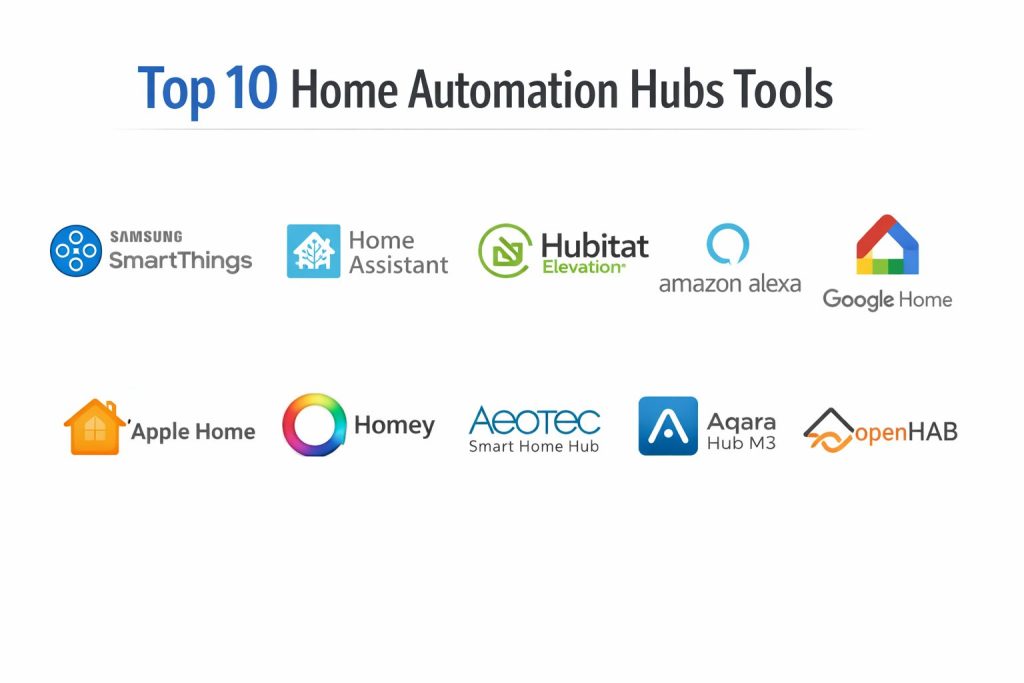
Top 10 Home Automation Hubs
1 — Samsung SmartThings
A popular smart home platform and hub ecosystem designed for broad device compatibility and user-friendly automation for mainstream households.
Key Features
- Broad support for many smart home device categories
- Scene creation and routine automation for daily use
- Mobile app for centralized device management
- Strong integration with popular voice assistants
- Support for modern smart home standards in newer setups
- Household sharing and remote access controls
Pros
- Easy to start for most users
- Broad ecosystem compatibility for mainstream smart devices
- Good balance between convenience and automation features
Cons
- Some advanced automations may feel limited for power users
- Experience can vary depending on device brand quality
- Cloud reliance can affect behavior in outage scenarios
Platforms / Deployment
Cloud and Hub-based hybrid platform, Mobile app-centric
Security and Compliance
Varies / Not publicly stated
Integrations and Ecosystem
SmartThings has a broad consumer ecosystem and works well for users who want one app for multiple brands.
- Supports many lights, sensors, plugs, locks, and appliances
- Works with common voice assistant ecosystems
- Supports automation routines across mixed device types
- Ecosystem depth varies by region and device generation
Support and Community
Strong consumer user base and community discussions; support quality can vary by device and region.
2 — Home Assistant
A powerful home automation platform focused on local control, privacy, and deep customization for advanced users and enthusiasts.
Key Features
- Strong local automation engine with advanced rule logic
- Broad integration library across consumer and niche devices
- Custom dashboards and flexible UI configuration
- Local-first approach for privacy-sensitive setups
- Extensive automation triggers, conditions, and actions
- Backup, restore, and system customization options
Pros
- Exceptional flexibility and automation depth
- Strong local control and privacy posture
- Huge community and rapid integration growth
Cons
- Steeper learning curve for beginners
- Setup and maintenance may require technical effort
- Some integrations need manual configuration and troubleshooting
Platforms / Deployment
Self-hosted, Appliance-style deployment, Local-first platform
Security and Compliance
Varies / Not publicly stated
Integrations and Ecosystem
Home Assistant is one of the strongest choices for integration breadth and custom automation design.
- Large integration ecosystem across brands and protocols
- Community extensions and advanced add-ons
- Dashboard customization for rooms, roles, and use cases
- Strong fit for power users and complex mixed-brand homes
Support and Community
Very strong community, extensive guides, and active forums; official support model depends on deployment choices.
3 — Hubitat Elevation
A home automation hub designed for local automation execution, fast response times, and advanced rules without heavy cloud dependence.
Key Features
- Local automation processing for speed and reliability
- Built-in rule engine for complex automations
- Strong support for common smart home device classes
- Dashboards for local control and monitoring
- Z-Wave and Zigbee oriented smart home workflows
- Reduced dependency on cloud services for core automations
Pros
- Fast automations due to local processing
- Strong choice for users who want reliability over flashy UI
- Good balance of depth and dedicated hub simplicity
Cons
- Interface can feel less polished than consumer-first platforms
- Learning curve for advanced rule logic
- Ecosystem breadth may require compatibility checks before buying devices
Platforms / Deployment
Dedicated Hub, Local processing, Self-hosted-style appliance
Security and Compliance
Varies / Not publicly stated
Integrations and Ecosystem
Hubitat is known for practical local control and strong automation logic for compatible devices.
- Supports many Zigbee and Z-Wave device categories
- Integrates with voice assistants and selected cloud services
- Good automation depth for device-to-device routines
- Compatibility should be checked before large purchases
Support and Community
Active enthusiast community and knowledge base; support experience varies by user skill level.
4 — Amazon Alexa
A mainstream smart home control platform centered on voice control, routines, and broad consumer device compatibility.
Key Features
- Voice-first smart home control across many device types
- Routine builder for common home automations
- Broad consumer device ecosystem support
- Multi-room voice control and household usage features
- App-based device grouping and scenes
- Easy onboarding for mainstream smart plugs, lights, and switches
Pros
- Very easy to adopt for beginners
- Large device ecosystem and broad consumer support
- Strong voice control experience for daily tasks
Cons
- Automation depth may be limited for advanced users
- Heavy cloud dependence for many workflows
- Complex multi-condition logic can be less flexible than enthusiast hubs
Platforms / Deployment
Cloud platform with supported speakers/displays and app control
Security and Compliance
Varies / Not publicly stated
Integrations and Ecosystem
Alexa is strongest in broad consumer adoption and voice-driven routines.
- Supports many mainstream smart home brands
- Good device grouping and routine automation for common needs
- Works well as a voice layer even when another hub handles logic
- Ecosystem quality varies by third-party skill integration
Support and Community
Large user base and easy-to-find setup content; advanced automation support is more limited.
5 — Google Home
A smart home platform focused on app-based and voice-based control with strong integration into the broader Google ecosystem.
Key Features
- Centralized smart home control in a familiar app experience
- Voice assistant integration for commands and routines
- Device grouping, room assignments, and scenes
- Automation routines for time, presence, and triggers
- Strong fit for users already using Google services
- Easy setup for many consumer devices
Pros
- User-friendly app experience for mainstream households
- Good voice control and ecosystem convenience
- Practical for mixed devices in simple to moderate setups
Cons
- Advanced automation flexibility may be limited for power users
- Some workflows depend heavily on cloud availability
- Device-specific capabilities can vary by manufacturer implementation
Platforms / Deployment
Cloud platform with app and supported smart displays/speakers
Security and Compliance
Varies / Not publicly stated
Integrations and Ecosystem
Google Home works well for users who want clean control of common smart home devices with voice and app support.
- Strong fit for lights, plugs, thermostats, and cameras in supported ecosystems
- Routine automation for daily household tasks
- Works with many mainstream device brands
- Deep customization is lower than enthusiast-focused hubs
Support and Community
Large mainstream user community and easy onboarding resources.
6 — Apple Home
A smart home platform built around privacy-focused home control, automation, and device management within the Apple ecosystem.
Key Features
- Centralized home control with strong Apple ecosystem integration
- Scene and automation support for daily routines
- Secure remote access through supported home hubs
- Clean interface and reliable room-based organization
- Strong focus on user privacy and controlled ecosystem behavior
- Multi-user household sharing support
Pros
- Strong user experience for Apple households
- Good privacy reputation and polished controls
- Reliable daily automations for supported devices
Cons
- Device compatibility can be more selective than open ecosystems
- Best experience often requires Apple ecosystem commitment
- Advanced automation depth may be limited versus enthusiast platforms
Platforms / Deployment
Cloud-assisted ecosystem with local home hub processing support
Security and Compliance
Varies / Not publicly stated
Integrations and Ecosystem
Apple Home is best for users who prioritize polished control and privacy within a curated device ecosystem.
- Strong fit for compatible accessories and Apple-centric homes
- Good automation for scenes, schedules, and presence use cases
- Works well for family sharing and role-based access in homes
- Compatibility should be checked before device purchases
Support and Community
Strong mainstream support resources and active user communities focused on compatible devices.
7 — Homey
A flexible home automation hub platform designed to simplify multi-brand smart home automation while still offering stronger automation depth than many mainstream apps.
Key Features
- Multi-protocol smart home support in a dedicated hub ecosystem
- Flow-based automation builder for complex routines
- App ecosystem for integrating many device brands
- Dashboard and control options for mixed smart homes
- Strong support for scenes and event-driven automations
- Designed to unify a fragmented smart home setup
Pros
- Good balance between usability and automation depth
- Strong option for mixed-brand homes
- Flow automation style is approachable and powerful
Cons
- Device support quality can vary by integration app
- Advanced users may still prefer more technical platforms
- Costs can be higher than basic consumer-only control options
Platforms / Deployment
Dedicated Hub and platform app, Hybrid cloud and local behavior
Security and Compliance
Varies / Not publicly stated
Integrations and Ecosystem
Homey is attractive for households with many brands and automation needs beyond basic routines.
- Broad app-based integration ecosystem
- Flow logic supports practical multi-step home automations
- Good centralization for fragmented smart device setups
- Integration depth varies by community or vendor app quality
Support and Community
Active community and documentation; support quality depends on region and product tier.
8 — Aeotec Smart Home Hub
A dedicated smart home hub device often used with the SmartThings ecosystem, offering a hardware-first way to run centralized home automation.
Key Features
- Dedicated hub hardware for home automation control
- Works well for users wanting a hub-based setup rather than app-only control
- Supports common smart home device categories through compatible ecosystems
- Enables routines, scenes, and household automation workflows
- Practical for centralized smart home expansion
- Remote management through paired platform apps
Pros
- Dedicated hub approach can improve stability for larger setups
- Good fit for users already invested in compatible ecosystems
- Easier scaling than managing many standalone apps
Cons
- Functionality depends heavily on paired platform ecosystem
- Advanced automation depth depends on platform capabilities
- Device compatibility still requires checking before purchase
Platforms / Deployment
Dedicated Hub, Hybrid platform behavior
Security and Compliance
Varies / Not publicly stated
Integrations and Ecosystem
Aeotec Smart Home Hub is typically used as the hardware foundation for a broader smart home platform experience.
- Strong fit for centralized device pairing and management
- Works with mixed device categories in supported ecosystems
- Good path for users expanding from small setups to full-home automation
- Capabilities vary by platform updates and device compatibility
Support and Community
Support and community strength often track the platform ecosystem used with the hub.
9 — Aqara Hub M3
A smart home hub designed for centralized control of compatible devices with a strong focus on home automation, sensors, and connected household experiences.
Key Features
- Dedicated hub control for compatible smart home devices
- Strong fit for sensor-driven automations and routines
- App-based scene creation and rule management
- Supports centralized control for expanding home setups
- Practical for security and comfort automation scenarios
- Designed for mixed room and multi-device coordination
Pros
- Strong choice for users building automation around sensors
- Dedicated hub model supports centralized control
- Good fit for households wanting practical automation without deep technical setup
Cons
- Best experience depends on compatible ecosystem devices
- Advanced cross-brand automation may require careful planning
- Some users may outgrow app-based logic depth over time
Platforms / Deployment
Dedicated Hub with app-based management, Hybrid behavior
Security and Compliance
Varies / Not publicly stated
Integrations and Ecosystem
Aqara Hub M3 is often used in homes where sensor-based automation and centralized routines are high priorities.
- Strong automation potential for sensors, switches, and room control
- Good centralized management for compatible devices
- Useful for comfort, energy, and alert-based routines
- Compatibility depth varies across third-party ecosystems
Support and Community
Growing smart home user community and practical setup resources for supported devices.
10 — openHAB
An open-source home automation platform focused on flexibility, protocol support, and deep customization for advanced users and integrators.
Key Features
- Open-source platform with broad protocol and device support
- Rule engine for advanced automation logic
- Strong customization for dashboards and interfaces
- Flexible deployment options for self-managed setups
- Extensible architecture for complex smart home projects
- Good fit for long-term, highly tailored automation systems
Pros
- Highly customizable for advanced smart home needs
- Strong choice for self-managed and privacy-focused setups
- Broad extensibility for complex use cases
Cons
- Steeper learning curve and setup complexity
- Requires ongoing maintenance and technical confidence
- UI and onboarding can feel less friendly for beginners
Platforms / Deployment
Self-hosted, Local and hybrid deployment options
Security and Compliance
Varies / Not publicly stated
Integrations and Ecosystem
openHAB is a strong option for users who want control, extensibility, and long-term customization over convenience-first setup.
- Broad protocol and integration support
- Powerful rules for advanced automation scenarios
- Flexible dashboard and interface customization
- Best for users comfortable with setup and maintenance
Support and Community
Active open-source community, forums, and community-driven documentation.
Comparison Table
| Tool Name | Best For | Platform(s) Supported | Deployment | Standout Feature | Public Rating |
|---|---|---|---|---|---|
| Samsung SmartThings | Mainstream multi-brand smart homes | Mobile app and hub ecosystem | Hybrid | Broad consumer compatibility | N/A |
| Home Assistant | Power users and local control | Self-hosted platform | Self-hosted | Deep local automation and customization | N/A |
| Hubitat Elevation | Local automation reliability | Dedicated hub platform | Local hub | Fast local automations | N/A |
| Amazon Alexa | Voice-first smart homes | App plus smart speakers/displays | Cloud | Easy voice control and routines | N/A |
| Google Home | Mainstream app and voice control | App plus smart speakers/displays | Cloud | Clean consumer smart home control | N/A |
| Apple Home | Privacy-focused Apple households | Apple ecosystem home control | Hybrid | Polished Apple ecosystem automation | N/A |
| Homey | Mixed-brand automation with flow logic | Dedicated hub and app platform | Hybrid | Flow-based automation builder | N/A |
| Aeotec Smart Home Hub | Dedicated hub for compatible ecosystem users | Dedicated hub hardware | Hybrid | Hub-based centralized control | N/A |
| Aqara Hub M3 | Sensor-driven household automation | Dedicated hub with app management | Hybrid | Practical sensor-based automation | N/A |
| openHAB | Advanced self-managed smart homes | Self-hosted platform | Self-hosted | Open-source flexibility and rules | N/A |
Evaluation and Scoring of Home Automation Hubs
Weights
Core features 25 percent
Ease of use 15 percent
Integrations and ecosystem 15 percent
Security and compliance 10 percent
Performance and reliability 10 percent
Support and community 10 percent
Price and value 15 percent
| Tool Name | Core | Ease | Integrations | Security | Performance | Support | Value | Weighted Total |
|---|---|---|---|---|---|---|---|---|
| Samsung SmartThings | 8.5 | 8.5 | 8.5 | 6.5 | 8.0 | 8.0 | 8.0 | 8.08 |
| Home Assistant | 9.5 | 6.5 | 9.5 | 7.0 | 8.5 | 9.0 | 9.0 | 8.58 |
| Hubitat Elevation | 8.5 | 7.0 | 8.0 | 6.5 | 8.5 | 7.5 | 8.0 | 7.88 |
| Amazon Alexa | 7.5 | 9.0 | 8.5 | 6.0 | 7.5 | 8.0 | 8.5 | 7.88 |
| Google Home | 7.5 | 8.5 | 8.0 | 6.0 | 7.5 | 8.0 | 8.0 | 7.63 |
| Apple Home | 8.0 | 8.5 | 7.5 | 7.0 | 8.0 | 8.0 | 7.5 | 7.83 |
| Homey | 8.5 | 8.0 | 8.5 | 6.5 | 8.0 | 7.5 | 7.5 | 8.00 |
| Aeotec Smart Home Hub | 7.5 | 8.0 | 8.0 | 6.5 | 8.0 | 7.5 | 7.5 | 7.65 |
| Aqara Hub M3 | 7.5 | 8.0 | 7.5 | 6.5 | 8.0 | 7.0 | 8.0 | 7.55 |
| openHAB | 9.0 | 5.5 | 9.0 | 7.0 | 8.0 | 8.5 | 9.0 | 8.10 |
These scores are comparative and meant to help shortlist options, not declare one universal winner. A lower total can still be the best fit if it matches your device mix, automation style, and comfort with setup complexity. Core and integrations matter most for long-term scalability, while ease of use matters most for adoption and daily use. Value changes depending on how much time you can invest in setup and maintenance versus paying for convenience.
Which Home Automation Hub Is Right for You
Solo or Renter
If you want simple setup with mainstream devices and minimal technical work, Samsung SmartThings, Amazon Alexa, or Google Home are strong starting points. They offer quick wins for lights, plugs, and routines. If privacy and local control matter more than convenience, Home Assistant can still work well, but only if you are comfortable with setup and maintenance.
SMB
For small offices, workshops, or home-office environments, reliability and routine scheduling matter more than flashy app features. Hubitat Elevation is a strong option when local processing and predictable device behavior are important. Homey is also a good choice when you need mixed-brand support and better automation flow logic without going fully technical.
Mid-Market
Larger homes and more complex automations benefit from stronger rule engines and better device orchestration. Home Assistant is often the best fit for advanced mixed-brand setups, while Hubitat Elevation offers a more appliance-like local automation experience. openHAB becomes valuable when you need high customization and are comfortable with self-managed infrastructure.
Enterprise
For enterprise-style smart building pilots or advanced custom control environments, Home Assistant and openHAB are often stronger because of extensibility, integration breadth, and self-managed control options. The right choice depends on whether your team prioritizes fast deployment, long-term customization, or integration with internal systems and facility processes.
Budget vs Premium
Budget-focused users often choose Amazon Alexa or Google Home for low-friction entry, especially when starting with common devices. Home Assistant and openHAB can deliver very high value over time, but they cost more in effort and learning. Premium users who want convenience plus stronger hub-based control may prefer Homey, Hubitat Elevation, or a curated ecosystem built around Apple Home.
Feature Depth vs Ease of Use
If you want maximum automation depth, Home Assistant and openHAB lead the list. If you want the easiest day-to-day setup and family usage, Amazon Alexa, Google Home, and Apple Home are usually more approachable. Homey and Hubitat Elevation sit in the middle, offering more automation power than consumer-first apps without the same level of self-management as open-source platforms.
Integrations and Scalability
Home Assistant and openHAB are top choices when integration breadth and long-term flexibility matter most. Samsung SmartThings and Homey work well for mixed-brand households that want simpler management. Before scaling, verify device compatibility, protocol support, and how the platform handles backups, migration, and future standards.
Security and Compliance Needs
Most home automation hubs are not selected through formal enterprise compliance checklists, so buyers should treat public security details carefully. If security is a major concern, prioritize local control, strong account protection practices, device update habits, network segmentation, and limited third-party integrations. For cloud-heavy platforms, review account security options and household access controls before expanding your deployment.
Frequently Asked Questions
1. Do I really need a home automation hub if I already have smart devices
If you only have a few devices, separate apps may be enough. A hub becomes valuable when you want multiple brands to work together through shared routines and automations.
2. What is the difference between local and cloud automation
Local automation runs inside your home and usually responds faster with better reliability during internet outages. Cloud automation is easier for many users but depends more on internet service and vendor platforms.
3. Which hub is easiest for beginners
Amazon Alexa, Google Home, and Samsung SmartThings are usually easier for beginners because setup is simple and common devices are well supported. Advanced platforms offer more power but require more effort.
4. Which option is best for privacy-focused users
Home Assistant, Hubitat Elevation, and openHAB are often preferred when local control and data minimization matter. Privacy also depends on your device brands, cloud accounts, and network setup practices.
5. Can I mix Zigbee, Z-Wave, Thread, and Wi-Fi devices
Yes, but support depends on the hub and the exact devices you buy. Always check compatibility before purchasing in bulk, especially for locks, sensors, and niche accessories.
6. What is the biggest mistake people make when building a smart home
A common mistake is buying devices based on price or app ratings without checking compatibility with the chosen hub. Another mistake is scaling too fast before testing automation reliability.
7. Can I migrate from one hub platform to another later
Yes, but migration can take time because automations, scenes, and device pairings often need to be rebuilt. Planning your device standards early can reduce migration pain later.
8. Which hub is best for advanced automations
Home Assistant and openHAB are usually the strongest for advanced automation logic and customization. Hubitat Elevation is also strong when you want local automations in a more dedicated hub format.
9. Are voice assistants enough for a full smart home setup
Voice assistants are excellent for commands and simple routines, but complex multi-condition automations often need a stronger hub or automation platform. Many homes use both together.
10. How should I choose the right hub before buying devices
Start by listing your must-have devices, protocols, and automation goals. Then shortlist two or three hubs, check compatibility, test a small pilot setup, and expand only after reliability is proven.
Conclusion
Choosing the right home automation hub depends on how much control, flexibility, and maintenance effort you want to handle. If you want convenience and quick setup, Samsung SmartThings, Amazon Alexa, Google Home, and Apple Home offer smooth entry points for most households. If you want local control, deeper automation logic, and better long-term customization, Home Assistant, Hubitat Elevation, and openHAB are stronger choices. Homey provides a useful middle path for mixed-brand homes that need more than basic routines. The best next step is to define your device list, automation goals, and privacy expectations, then run a small pilot before scaling across your entire home.