Introduction
Help Desk and Service Desk software are essential platforms designed to manage, track, and resolve customer or employee technical issues and service requests. While “Help Desk” typically refers to tools focused on fixing immediate technical problems (incident management), “Service Desk” software often encompasses a broader IT Service Management (ITSM) approach, including change management and asset tracking. In the landscape, these tools have evolved into AI-first command centers that predict service outages and automate the vast majority of Tier-1 support tickets.
In a modern business context, these platforms are no longer just repositories for emails. they are integrated ecosystems that connect chat, voice, social media, and internal systems into a single “pane of glass.” With the rise of hybrid work, service desks now prioritize employee experience (EX) by offering self-service portals and automated onboarding workflows that reduce the burden on IT departments.
Real-World Use Cases:
- Customer Support: Managing high volumes of external customer inquiries via multiple channels.
- Internal IT Support: Handling hardware requests and software troubleshooting for employees.
- HR Service Delivery: Streamlining employee onboarding, benefits inquiries, and payroll questions.
- Facilities Management: Tracking physical maintenance requests for corporate offices.
- Compliance Auditing: Maintaining a permanent record of all system changes and access requests for security audits.
Evaluation Criteria for Buyers:
- AI & Automation Capabilities: Does it offer automated ticket routing and AI-generated responses?
- Multichannel Support: Can it unify tickets from email, Slack, Teams, and live chat?
- Ease of Implementation: How quickly can the platform be deployed across the organization?
- SLA Management: Can it track and alert teams based on Service Level Agreements?
- Scalability: Will the performance remain stable as ticket volume increases?
- Customization: How flexible are the workflows and ticket forms?
Mandatory Paragraph
- Best for: IT departments, customer success teams, and enterprise operations looking to centralize communication and automate repetitive service tasks.
- Not ideal for: Very small teams with only one or two agents who can manage requests via a shared inbox, or companies looking for a full-scale CRM rather than a support-focused tool.
Key Trends in Help Desk & Service Desk Software
- Predictive Incident Management: AI analyzing patterns to alert IT of potential system failures before they occur.
- Generative AI Agents: Large Language Models (LLMs) handling complex customer queries without human intervention.
- Conversational Ticketing: Supporting “chat-ops” where tickets are created and resolved entirely within Slack or Microsoft Teams.
- No-Code Workflow Builders: Allowing non-technical managers to create complex automation rules without writing code.
- Hyper-Personalized Self-Service: Portals that show users relevant articles based on their specific hardware and job role.
- Unified Asset Management: Direct integration between service tickets and the physical or virtual assets involved.
How We Selected These Tools (Methodology)
- Market Adoption: We prioritized platforms with a significant global user base and proven reliability.
- Feature Completeness: Only tools offering a full range of ticketing, reporting, and automation were included.
- Integration Ecosystem: We looked for software that plays well with standard office suites and developer tools.
- AI Maturity: Preference was given to tools with natively integrated AI rather than bolt-on solutions.
- Security Standards: We evaluated the transparency of security features like encryption and access controls.
- User Feedback: Consideration was given to general industry sentiment regarding user interface and ease of use.
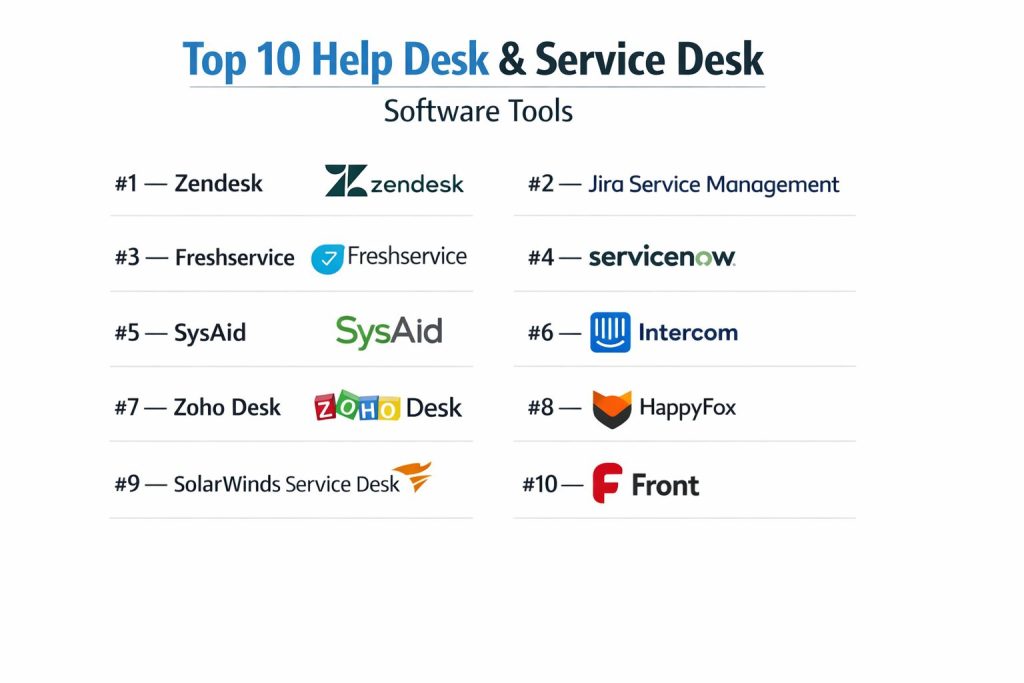
Top 10 Help Desk & Service Desk Software Tools
#1 — Zendesk
A versatile, leader in the customer service space known for its robust multichannel support and extensive marketplace.
Key Features
- Zendesk AI: Advanced bots that suggest solutions to customers and summarize tickets for agents.
- Unified Agent Workspace: A single interface for managing email, chat, phone, and social messaging.
- Side Conversations: Allows agents to collaborate with internal teams without leaving the ticket.
- Custom Objects: Flexibility to store and use data specific to your business within Zendesk.
- Advanced Reporting: Detailed analytics via Zendesk Explore to track team performance.
Pros
- Extremely scalable for growing businesses.
- Thousands of third-party integrations available.
Cons
- Can become very expensive as you add modules.
- The complexity requires a dedicated administrator for large setups.
Platforms / Deployment
- Web / iOS / Android
- Cloud
Security & Compliance
- SSO/SAML, MFA, RBAC
- Not publicly stated
Integrations & Ecosystem
Zendesk offers one of the largest app marketplaces in the industry, connecting with almost every major business tool.
- Salesforce
- Slack
- Jira
- Shopify
Support & Community
Comprehensive documentation, a large community forum, and various professional support tiers.
#2 — Jira Service Management
Atlassian’s ITSM solution that bridges the gap between development, IT, and operations teams.
Key Features
- DevOps Integration: Seamless links between IT tickets and development issues in Jira Software.
- Asset & Configuration Management: Built-in tracking for hardware, software, and dependencies.
- Knowledge Base Integration: Powered by Confluence to deflect tickets through self-service.
- Automation Engine: Powerful rule-based triggers for ticket routing and escalation.
- Incident Command Center: Centralized hub for managing major outages and team responses.
Pros
- Perfect for teams already using the Atlassian ecosystem.
- Strong focus on ITIL-aligned processes.
Cons
- The interface can feel “technical” and overwhelming for non-IT users.
- Setup can be complex due to the high level of configurability.
Platforms / Deployment
- Web / Windows / macOS / iOS / Android
- Cloud / Self-hosted
Security & Compliance
- SSO, MFA, Encryption
- SOC 2, ISO 27001, GDPR
Integrations & Ecosystem
Directly integrates with the entire Atlassian suite and hundreds of DevOps tools.
- Confluence
- Bitbucket
- Slack
- Opsgenie
Support & Community
Very strong community support (Atlassian Community) and extensive online documentation.
#3 — Freshservice
A modern, intuitive ITSM solution designed to be easy to use for both agents and employees.
Key Features
- Freddy AI: Predictive AI for ticket field suggestions and automated solution articles.
- Service Catalog: An Amazon-like portal for employees to request hardware and services.
- No-Code Workflow Automator: Drag-and-drop tool for automating internal processes.
- Project Management: Integrated project tracking within the service desk environment.
- Inventory Management: Auto-discovery of assets across the corporate network.
Pros
- Highly intuitive UI with a very low learning curve.
- Fast implementation times compared to legacy enterprise tools.
Cons
- AI features often require higher-tier plans.
- Customization options are slightly more limited than Jira or ServiceNow.
Platforms / Deployment
- Web / iOS / Android
- Cloud
Security & Compliance
- SSO, MFA, RBAC
- Not publicly stated
Integrations & Ecosystem
Offers a wide range of integrations through the Freshworks Marketplace.
- Microsoft Teams
- G Suite
- Zoom
- TeamViewer
Support & Community
Good documentation and active user forums; 24/5 support included in most plans.
#4 — ServiceNow
The powerhouse of enterprise IT operations, offering a comprehensive platform for digital transformation.
Key Features
- Now Platform: A massive ecosystem for managing workflows across the entire enterprise.
- Predictive Intelligence: Machine learning that automatically categorizes and assigns tickets.
- Virtual Agent: Advanced AI chatbot for resolving common requests instantly.
- Performance Analytics: Real-time visibility into business processes and KPIs.
- CMDB: A robust Configuration Management Database for tracking complex IT infrastructure.
Pros
- Unmatched scalability for the world’s largest organizations.
- Ability to automate workflows far beyond the IT department.
Cons
- Extremely high cost and long implementation cycles.
- Requires specialized certified developers to manage effectively.
Platforms / Deployment
- Web / iOS / Android
- Cloud / Hybrid
Security & Compliance
- SSO/SAML, MFA, Audit Logs
- ISO 27001, SOC 2, HIPAA
Integrations & Ecosystem
Designed to sit at the center of a corporate IT stack with massive extensibility.
- Microsoft Azure
- AWS
- SAP
- Workday
Support & Community
Enterprise-grade support and a massive ecosystem of implementation partners.
#5 — SysAid
An ITIL-aligned service desk that emphasizes automation and integrated asset management.
Key Features
- SysAid Copilot: Generative AI for agents and end-users to speed up resolution.
- One-Click Asset Management: Direct visibility of a user’s hardware from within the ticket.
- Advanced Automation: Automated password resets and software deployments.
- Patch Management: Integrated tool for keeping systems secure and updated.
- Reporting & Dashboards: Customizable views for monitoring department performance.
Pros
- Strong focus on reducing manual labor through automation.
- Native asset management is a huge time-saver.
Cons
- Interface can feel a bit dated compared to Freshservice.
- Pricing is not transparent and requires a sales quote.
Platforms / Deployment
- Web / Windows / macOS / iOS / Android
- Cloud / Self-hosted
Security & Compliance
- SSO, MFA, RBAC
- Not publicly stated
Integrations & Ecosystem
Strong integrations with IT management and communication tools.
- Microsoft Teams
- Active Directory
- Slack
- TeamViewer
Support & Community
Good documentation and a dedicated “Pathfinder” community for users.
#6 — Intercom
A customer communication platform that uses a messenger-first approach to support.
Key Features
- Fin AI Agent: A highly capable AI chatbot that answers questions based on your help center.
- Messenger-First Inbox: Provides a modern, chat-like experience for support interactions.
- Product Tours: Built-in tools to guide users through software features.
- Shared Inbox: Collaborative space for teams to manage conversations.
- Outbound Messages: Tools to proactively reach out to customers before they have issues.
Pros
- Provides the most modern and “human” customer experience.
- Excellent for SaaS companies and web-based apps.
Cons
- Not designed for complex ITIL or internal IT service management.
- Pricing can escalate rapidly based on the number of people reached.
Platforms / Deployment
- Web / iOS / Android
- Cloud
Security & Compliance
- SSO, MFA
- SOC 2, GDPR
Integrations & Ecosystem
Connects well with modern marketing and sales stacks.
- HubSpot
- Stripe
- GitHub
- Slack
Support & Community
Strong online resources and a vibrant community of “Intercom Heroes.”
#7 — Zoho Desk
A context-aware help desk that is part of the massive Zoho ecosystem, ideal for small to mid-sized businesses.
Key Features
- Zia AI: An assistant that labels tickets, detects sentiment, and suggests replies.
- Work Modes: Organizes tickets based on urgency, status, or customer type.
- Multi-Department Support: Allows separate support portals for different brands or teams.
- Self-Service Portal: Customizable help center with forums and FAQs.
- Telephony Integration: Built-in call management within the support dashboard.
Pros
- Exceptional value for money, especially for small teams.
- Deep integration with other Zoho applications.
Cons
- The interface can be cluttered with too many options.
- Support response times can be slow on lower-tier plans.
Platforms / Deployment
- Web / iOS / Android
- Cloud
Security & Compliance
- SSO, MFA, RBAC
- Not publicly stated
Integrations & Ecosystem
Part of the Zoho suite, but also connects to many third-party apps.
- Zoho CRM
- Slack
- Microsoft Teams
- Zapier
Support & Community
Large community and plenty of video tutorials; 24/5 support.
#8 — HappyFox
A feature-rich help desk software known for its simplicity and powerful ticket management.
Key Features
- Smart Rules: Automated ticket assignment and categorization based on conditions.
- Canned Actions: One-click replies and actions to speed up common tasks.
- Multichannel Ticketing: Converts emails, chats, and social posts into tickets.
- Internal Knowledge Base: A private repository for team-only documentation.
- Satisfaction Surveys: Built-in feedback loops to measure customer sentiment.
Pros
- Very clean and uncluttered user interface.
- Excellent reporting and dashboard visuals.
Cons
- Lacks some of the advanced ITSM features found in Jira or ServiceNow.
- No free version available for very small teams.
Platforms / Deployment
- Web / iOS / Android
- Cloud
Security & Compliance
- SSO, MFA, RBAC
- Not publicly stated
Integrations & Ecosystem
Strong support for major business apps through its marketplace.
- Salesforce
- Shopify
- Slack
- Microsoft Teams
Support & Community
Offers strong email and phone support with a clear knowledge base.
#9 — SolarWinds Service Desk
A cloud-native ITSM platform built for IT professionals who need deep visibility into their technology stack.
Key Features
- Incident Management: Streamlined workflow for identifying and resolving IT issues.
- Asset Discovery: Automatic tracking of software and hardware across the organization.
- Service Portal: A centralized place for users to submit requests and find answers.
- Change Management: Tools to plan, track, and roll back system changes.
- Risk Detection: AI that identifies potential risks in service changes.
Pros
- Very strong asset management and tracking capabilities.
- ITIL-ready workflows out of the box.
Cons
- Can be more technical than competitors like Freshservice.
- Pricing is at the higher end for small businesses.
Platforms / Deployment
- Web / iOS / Android
- Cloud
Security & Compliance
- SSO, MFA, Audit Logs
- Not publicly stated
Integrations & Ecosystem
Integrates well with other SolarWinds monitoring products.
- Jira
- Slack
- Microsoft Teams
- Zapier
Support & Community
Access to the “THWACK” community, which is one of the largest IT forums.
#10 — Front
A collaborative email platform that transforms shared inboxes into a help desk-like experience.
Key Features
- Shared Inboxes: Allows teams to collaborate on emails, SMS, and chat messages.
- Internal Comments: Chat with teammates inside an email thread without the customer seeing.
- Automated Routing: Assigns messages to the right person based on keywords or sender.
- Analytics: Tracks response times and volume for shared accounts.
- Message Templates: Standardized replies to common questions.
Pros
- Maintains a personal “email” feel rather than a “ticket” feel.
- Very easy to adopt for teams moving from Gmail or Outlook.
Cons
- Not a full ITSM solution; lacks asset and change management.
- Limited reporting compared to dedicated help desk tools.
Platforms / Deployment
- Web / Windows / macOS / iOS / Android
- Cloud
Security & Compliance
- SSO, MFA
- SOC 2, GDPR
Integrations & Ecosystem
Connects with CRM and project management tools to keep data synced.
- Salesforce
- HubSpot
- Jira
- Slack
Support & Community
Good online help center and responsive email support.
Comparison Table (Top 10)
| Tool Name | Best For | Platform(s) Supported | Deployment | Standout Feature | Public Rating |
| Zendesk | Customer Support | Win, Mac, iOS, Android | Cloud | Zendesk AI | 4.4 |
| Jira Service Management | DevOps/IT Teams | Win, Mac, iOS, Android | Hybrid | Jira Integration | 4.5 |
| Freshservice | Mid-Market ITSM | Web, iOS, Android | Cloud | Freddy AI | 4.6 |
| ServiceNow | Large Enterprise | Web, iOS, Android | Hybrid | Now Platform | 4.4 |
| SysAid | Asset-Heavy IT | Win, Mac, iOS, Android | Hybrid | SysAid Copilot | 4.5 |
| Intercom | SaaS/Web Support | Web, iOS, Android | Cloud | Fin AI Agent | 4.5 |
| Zoho Desk | SMB Value | Web, iOS, Android | Cloud | Zia AI | 4.4 |
| HappyFox | Simplicity | Web, iOS, Android | Cloud | Smart Rules | 4.5 |
| SolarWinds | IT Professionals | Web, iOS, Android | Cloud | Risk Detection | 4.3 |
| Front | Email Collaboration | Win, Mac, iOS, Android | Cloud | Shared Inboxes | 4.7 |
Evaluation & Scoring of Help Desk & Service Desk Software
| Tool Name | Core (25%) | Ease (15%) | Integrations (15%) | Security (10%) | Performance (10%) | Support (10%) | Value (15%) | Weighted Total |
| Zendesk | 9 | 7 | 10 | 8 | 9 | 8 | 7 | 8.45 |
| Jira Service Management | 9 | 6 | 9 | 9 | 9 | 8 | 8 | 8.25 |
| Freshservice | 8 | 9 | 8 | 8 | 9 | 8 | 8 | 8.25 |
| ServiceNow | 10 | 4 | 10 | 10 | 10 | 9 | 5 | 8.30 |
| SysAid | 8 | 7 | 8 | 8 | 8 | 8 | 8 | 7.85 |
| Intercom | 7 | 9 | 8 | 8 | 9 | 8 | 6 | 7.70 |
| Zoho Desk | 7 | 7 | 8 | 8 | 8 | 7 | 10 | 7.75 |
| HappyFox | 7 | 9 | 7 | 8 | 8 | 8 | 7 | 7.65 |
| SolarWinds | 8 | 7 | 7 | 8 | 8 | 8 | 7 | 7.65 |
| Front | 6 | 10 | 8 | 8 | 9 | 8 | 8 | 7.90 |
The scores above are comparative across the industry. Tools like ServiceNow score higher in “Core” features due to their immense breadth, whereas tools like Front or Freshservice score higher in “Ease of Use.”
Which Help Desk & Service Desk Software Tool Is Right for You?
Solo / Freelancer
For individuals, Front or the free tier of Zoho Desk are the best options. They provide enough organization to keep track of requests without the overhead of a complex ITSM system.
SMB
Zoho Desk and Freshservice offer the best balance of features and price for small to medium businesses. They are easy to set up and grow with your team.
Mid-Market
Freshservice and Zendesk are the primary contenders here. Zendesk is better for customer-facing teams, while Freshservice is often preferred for internal IT departments.
Enterprise
ServiceNow and Jira Service Management are designed for the complexities of large-scale operations. ServiceNow is the gold standard for global enterprises, while Jira is better for tech-heavy organizations.
Budget vs Premium
Zoho Desk is the standout budget choice. ServiceNow and Zendesk are premium options that require a larger financial and time commitment.
Feature Depth vs Ease of Use
If you need deep ITIL features, Jira or ServiceNow are your go-to. If you want a tool your team will enjoy using immediately, Front or Intercom are better picks.
Integrations & Scalability
Zendesk and Salesforce-integrated tools offer the best scalability for customer support. Jira offers the best integration for software development environments.
Security & Compliance Needs
Enterprises with strict regulatory requirements should look at ServiceNow or Jira Service Management (Data Center edition), as they offer the most comprehensive audit and residency options.
Frequently Asked Questions (FAQs)
What is the difference between a Help Desk and a Service Desk?
A Help Desk is generally focused on tactical, immediate fixes. A Service Desk takes a more strategic approach, managing the entire lifecycle of IT services.
How does AI help in a Service Desk?
AI can automatically categorize tickets, suggest articles to users, and even resolve common issues like password resets without human intervention.
Do these tools support remote workers?
Yes, most modern platforms are cloud-based and offer mobile apps and integrations with tools like Slack and Teams for remote accessibility.
Is ITIL compliance necessary?
It depends on your organization. ITIL is a set of best practices for IT service management that helps ensure consistency and quality as you scale.
How long does it take to implement a new Service Desk?
Simple tools like Front can be set up in hours. Enterprise solutions like ServiceNow can take several months to fully configure.
Can I use these tools for non-IT departments?
Absolutely. Many companies use these platforms for HR, Facilities, and Finance to manage internal employee requests.
What is ticket deflection?
Ticket deflection is the process of providing users with self-service answers (like FAQs) so they can solve their own problems without needing to contact an agent.
How is pricing usually calculated?
Most vendors charge a monthly fee per “agent” or “technician.” Some also charge based on the number of end-users or total tickets.
Can I migrate data from one tool to another?
Most platforms offer CSV imports or APIs, but complex migrations often require specialized migration tools or services.
What are SLAs and why do they matter?
Service Level Agreements (SLAs) define the expected response and resolution times. They help teams prioritize tickets and ensure customers receive timely support.
Conclusion
Selecting the right Help Desk or Service Desk software requires balancing AI-driven efficiency with a user-friendly experience. While ServiceNow remains the giant for global enterprises, tools like Freshservice and Zendesk offer powerful, modern alternatives for the mid-market. For those who prioritize team collaboration within email, Front is an excellent choice. We recommend starting with a trial of two or three tools to see which best fits your team’s specific workflow and automation needs.