Introduction
Headless CMS is a back-end-only content management system. Imagine a traditional CMS like a body with a fixed head; the “body” is where you store your articles and images, and the “head” is the specific website where that content is displayed. A Headless CMS cuts off that fixed head. Instead, it stores your content in a central repository and delivers it via an “API” (a digital delivery service) to any device—whether it’s a smartphone, a website, a smartwatch, or a smart fridge.
Headless CMS has become the standard for modern businesses. We are no longer just building websites; we are building ecosystems. Companies now need to push consistent information to mobile apps, AR/VR headsets, and AI assistants simultaneously. A headless approach allows developers to build high-performance frontends while giving marketing teams a single place to manage all their messaging.
Real-World Use Cases
- Omnichannel E-commerce: Managing product descriptions once and syncing them across a web store, a native mobile app, and social media marketplaces.
- Corporate Learning Portals: Delivering training materials to internal web portals and specialized employee mobile apps.
- IoT & Smart Devices: Pushing real-time updates or informational content to smart home displays and automotive dashboards.
- Localized Global Branding: Managing a single content source and using automated workflows to translate and distribute it across dozens of regional websites.
- Financial Services: Delivering secure, personalized account updates and market data across secure banking apps and public-facing informational sites.
Evaluation Criteria for Buyers
Selecting the right platform requires looking at several technical and operational factors:
- API Performance: How fast can the system deliver content under heavy traffic?
- Content Modeling: Does it offer the flexibility to create custom data structures (text, images, references)?
- Developer Experience: Are the SDKs and documentation clear for modern frameworks like Next.js or Remix?
- Marketer Tools: Does it include a visual editor or “live preview” so non-technical users can see changes before publishing?
- AI Orchestration: Does it feature built-in AI for tagging, translation, or content generation?
- Security Protocols: Does it offer SSO, RBAC, and data encryption at rest and in transit?
- Scalability: Can the system handle millions of API calls without a drop in performance?
- Cost Predictability: Is the pricing based on seats, bandwidth, or content volume?
Best for: Organizations that need to deliver content across multiple platforms, developers who want complete freedom over their tech stack, and enterprise teams managing complex, global digital footprints.
Not ideal for: Simple, one-page personal blogs or small businesses that prefer a “drag-and-drop” website builder (like Squarespace) where the design and content are bundled together.
Key Trends in Headless CMS
- The Rise of Agentic CMS: Modern systems are evolving from passive storage to active participants. In 2026, AI “agents” within the CMS can automatically audit content for brand voice, check for SEO compliance, and even suggest structural changes.
- Visual Editing 2.0: The “headless” tradeoff used to be a lack of visual previews. New frameworks have solved this, offering real-time, drag-and-drop visual builders that sit on top of the headless API.
- Content Federation: Leading platforms now allow you to “federate” or pull in data from other sources (like a Shopify store or a Jira board) and manage it all through a single CMS interface.
- Edge-Native Delivery: CMS providers are increasingly deploying content via “Edge” computing, meaning the data is stored closer to the user’s physical location to ensure near-zero latency.
- Zero-Trust Security Models: With the increase in data breaches, 2026 standards require CMS platforms to implement zero-trust architectures, where every API request is strictly verified.
- Composable Everything: Businesses are moving away from “all-in-one” suites. The focus is now on “composability,” where the CMS is just one high-quality piece of a larger software puzzle.
- Native GraphQL Superiority: While REST APIs are still common, GraphQL has become the dominant language for headless systems because it allows developers to request exactly the data they need, nothing more.
- Automated Localization: AI-integrated workflows now handle the heavy lifting of multi-language support, allowing for instant “draft” translations that humans only need to review.
How We Selected These Tools (Methodology)
To identify the top 10 Headless CMS tools, we applied a comprehensive evaluation logic:
- Market Mindshare: We looked at which tools are currently favored by the developer community and major enterprise players.
- API Maturity: We prioritized platforms that offer robust, well-documented REST and GraphQL endpoints.
- Feature Breadth: The selection includes tools that offer everything from basic content storage to advanced AI-driven personalization.
- Performance Reliability: We assessed public uptime data and speed signals to ensure these tools can handle enterprise-level loads.
- Security Compliance: Every tool on this list was checked for standard security features like Role-Based Access Control (RBAC) and data encryption.
- Community & Support: We evaluated the strength of the ecosystem, including the availability of plugins, community forums, and professional support.
- User Experience (UX): We considered the interface quality for both the developers setting up the system and the marketers using it daily.
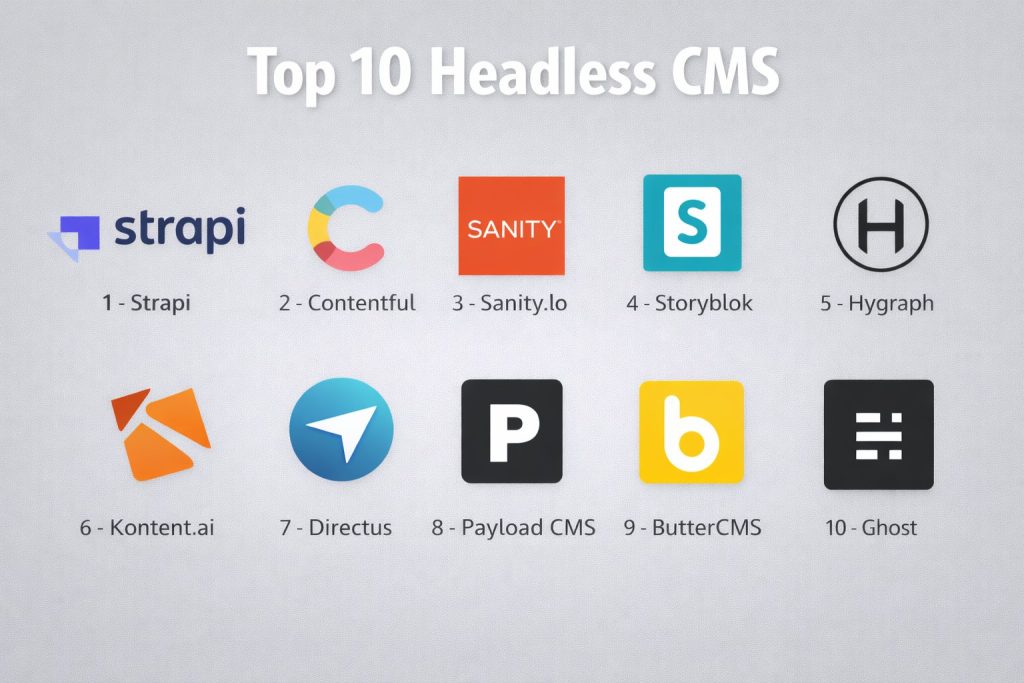
Top 10 Headless CMS Tools
#1 — Strapi
An open-source, Node.js-based headless CMS that gives developers full control over their code and hosting. It is highly customizable and popular for its “self-hosted” flexibility.
Key Features
- Content-Type Builder: A visual interface to build complex data structures and relationships without writing code.
- Customizable Admin Panel: The dashboard is built with React, allowing developers to modify it to fit their brand or workflow.
- Self-Host or Cloud: Offers the freedom to host on your own servers (on-premise) or use the managed “Strapi Cloud” service.
- API-First Design: Automatically generates REST or GraphQL endpoints for every content type you create.
- Plugin Ecosystem: A vast marketplace of community-built plugins for everything from SEO to email integrations.
- Media Library: A central hub to manage all digital assets with built-in optimization tools.
- Role-Based Access Control: Granular permissions to ensure users only see and edit what they are supposed to.
Pros
- Complete ownership of data and infrastructure when self-hosted.
- Extremely developer-friendly with a modern tech stack (JavaScript/TypeScript).
- No “per-user” licensing fees for the community version, making it very cost-effective.
Cons
- Requires technical knowledge for initial setup, maintenance, and deployment.
- Self-hosting means the burden of security updates and scaling falls on your internal team.
Platforms / Deployment
- Web / Windows / macOS / Linux
- Cloud / Self-hosted / Hybrid
Security & Compliance
- SSO, MFA, RBAC, and encryption.
- GDPR compliant (depending on hosting configuration).
Integrations & Ecosystem
Strapi is built for the modern JS ecosystem. It integrates seamlessly with frontend frameworks like Next.js, Nuxt, and SvelteKit.
- Official plugins for Algolia (search) and SendGrid (email).
- Deep integration with hosting providers like Vercel and Netlify.
- Support for various databases including PostgreSQL, MySQL, and MariaDB.
Support & Community
Boasts one of the largest open-source communities in the CMS world. Strapi provides extensive documentation, a community forum, and a dedicated Discord server for real-time help.
#2 — Contentful
A pioneering enterprise-grade “Content Platform” that focuses on large-scale content delivery across global teams. It is built for speed and reliability.
Key Features
- Structured Content: Focuses on content as data, allowing it to be reused across any number of digital channels.
- Compose & Launch: Specialized tools for marketing teams to build pages and manage entire campaigns visually.
- App Framework: Allows businesses to build custom apps that live directly within the Contentful interface.
- Advanced Governance: Features like “Environments” allow teams to test changes in a sandbox before going live.
- Global Delivery Network: Uses a highly optimized CDN to serve content with millisecond latency worldwide.
- Contentful AI: Native AI tools for generating headlines, summaries, and translating content in real-time.
- Rich Text Editor: A robust editor that produces clean JSON data, ensuring it looks perfect on any device.
Pros
- Exceptional reliability and performance for high-traffic enterprise sites.
- Strong focus on “content as code,” which developers love for automation.
- Excellent governance features for large organizations with strict approval workflows.
Cons
- Can become very expensive as you move beyond the free tier into “Team” or “Enterprise” plans.
- The learning curve for non-technical editors is steeper compared to more visual tools.
Platforms / Deployment
- Web-based
- Cloud (SaaS)
Security & Compliance
- SSO/SAML, SCIM, MFA, and Audit Logs.
- SOC 2 Type 2, ISO 27001, GDPR, and HIPAA compliant.
Integrations & Ecosystem
Contentful has one of the most mature app marketplaces in the industry.
- Native integrations with Shopify, BigCommerce, and Salesforce.
- Connects with marketing tools like Marketo and Google Analytics.
- Extensive CLI for developer automation.
Support & Community
Provides 24/7 premium support for enterprise customers, a comprehensive “Contentful Learning” portal, and a massive ecosystem of agency partners.
#3 — Sanity.io
A highly flexible platform that treats content as “structured data.” It is best known for its real-time collaborative editing and fully customizable studio.
Key Features
- Sanity Studio: An open-source editing environment built with React that can be customized with infinite plugins.
- Content Lake: A real-time, hosted database where all your content lives and is indexed for instant search.
- GROQ & GraphQL: Supports both its own powerful query language (GROQ) and standard GraphQL.
- Real-time Collaboration: Multiple users can edit the same document simultaneously, similar to Google Docs.
- Portable Text: A unique way of handling rich text that turns every element into a data point for total frontend control.
- Asset Pipeline: Automatically handles image resizing, cropping, and metadata extraction.
- Conditional Fields: Ability to show or hide editing fields based on the content being entered.
Pros
- The most flexible content modeling on the market; if you can imagine it, you can build it.
- Superb developer experience with a local-first development workflow for the Studio.
- Fair and transparent “pay-as-you-go” pricing model.
Cons
- Requires more “upfront” development time to set up the Studio than a pre-configured CMS.
- GROQ is a powerful query language but represents another thing for new developers to learn.
Platforms / Deployment
- Web / Windows / macOS / Linux
- Cloud (Content Lake) with Self-hosted or Cloud Studio
Security & Compliance
- RBAC, MFA, and Audit Trails.
- SOC 2 Type 2 and GDPR compliant.
Integrations & Ecosystem
Sanity is built to be the “source of truth” in a composable stack.
- Deep integrations with Next.js, Gatsby, and Remix.
- E-commerce connectors for Shopify and Commercetools.
- Vast library of community plugins for maps, color pickers, and SEO.
Support & Community
Excellent documentation and a very engaged community on Slack. Sanity also offers professional support tiers for high-stakes projects.
#4 — Storyblok
A headless CMS that stands out for its visual, component-based editor. It bridges the gap between the headless world and the visual ease of WordPress.
Key Features
- Visual Editor: Real-time preview where marketers can drag and drop components and see exactly what the page will look like.
- Component-Based: Content is built using reusable “blocks,” making it easy to assemble new pages quickly.
- Internationalization: Strong built-in tools for managing multi-language content within the same interface.
- Content Staging: Allows for grouping changes into “Releases” for scheduled, coordinated publishing.
- Image Service: On-the-fly image optimization and transformation to keep site speeds high.
- Asset Manager: A clean interface to manage tags, folders, and metadata for all your digital assets.
- App Directory: A collection of internal apps to extend the functionality of the editor.
Pros
- Arguably the best experience for non-technical marketing teams.
- Visual previews work out-of-the-box with most modern frontend frameworks.
- Powerful enough for developers but simple enough for content creators.
Cons
- The component-based approach requires developers to think differently about content structure.
- Some advanced features are locked behind higher pricing tiers.
Platforms / Deployment
- Web-based
- Cloud (SaaS)
Security & Compliance
- SSO, MFA, and RBAC.
- ISO 27001 and GDPR compliant.
Integrations & Ecosystem
Storyblok focuses on being the visual layer for your stack.
- Strong ties to Vue.js, Nuxt, and React.
- Integrations with personalization tools like Optimizely.
- Connectors for major e-commerce platforms.
Support & Community
Offers a strong partner program for agencies, detailed technical documentation, and reliable email and chat support.
#5 — Hygraph
Formerly known as GraphCMS, this is a “federated” headless CMS that allows you to treat multiple data sources as a single GraphQL API.
Key Features
- Content Federation: Pull data from external APIs (like stock levels or shipping data) and serve it through the CMS.
- Native GraphQL: Built from the ground up on GraphQL, ensuring high-performance data fetching.
- Content Staging: Powerful environment management for safe development and testing.
- Rich Content Modeling: Support for enumerations, references, and nested components.
- Asset Management: Integrated DAM with smart transformations and global CDN delivery.
- Localization: Native support for localizing content across infinite locales.
- Custom Workflows: Define exact publishing stages (Draft, Review, QA, Published).
Pros
- The best choice for projects that need to combine data from many different services.
- High performance for data-heavy applications.
- Clean, modern interface that is easy for both developers and editors to navigate.
Cons
- Less focus on “visual” editing compared to Storyblok.
- Pricing can scale quickly for large, complex data federation projects.
Platforms / Deployment
- Web-based
- Cloud (SaaS)
Security & Compliance
- SSO, RBAC, and Audit Logs.
- SOC 2 Type 2 and GDPR compliant.
Integrations & Ecosystem
Hygraph is the “API Hub.”
- Connects to any service with a REST or GraphQL API.
- Native support for Next.js, Gatsby, and Apollo.
- Integrations with Algolia and Netlify.
Support & Community
Strong technical support, an active Slack community, and very clear documentation specifically for GraphQL developers.
#6 — Kontent.ai
A highly specialized “Agentic” CMS that focuses on the content lifecycle, offering advanced governance and AI-driven automation for large enterprises.
Key Features
- Mission Control: A centralized dashboard to monitor team productivity, workflows, and content plans.
- Agentic AI: Autonomous agents that handle routine tasks like localization, metadata generation, and tone checks.
- Web Spotlight: A visual editing experience that gives marketers a “website view” of their content.
- Collections: Ability to group content into “spaces” for different brands or regional teams.
- Custom Workflows: Extremely detailed approval processes with built-in commenting and collaboration.
- Omnichannel Delivery: Reliable APIs for delivering content to web, mobile, and voice.
- Taxonomy & Tagging: Advanced classification tools to keep thousands of content pieces organized.
Pros
- Unrivaled for large organizations with strict compliance and governance needs.
- AI integration is far more advanced than a simple “GPT-wrapper.”
- Strong focus on “Content Operations” rather than just storage.
Cons
- Can be overwhelming for small teams or simple projects.
- Premium enterprise pricing reflects its high-end feature set.
Platforms / Deployment
- Web-based
- Cloud (SaaS)
Security & Compliance
- SSO, RBAC, SCIM, and advanced encryption.
- ISO 27001, SOC 2 Type 2, GDPR, and HIPAA compliant.
Integrations & Ecosystem
Kontent.ai is designed to live at the center of a Digital Experience Platform (DXP).
- Deep integrations with Azure, Google Cloud, and AWS.
- Connectors for enterprise CRM and ERP systems.
- SDKs for all major programming languages.
Support & Community
Provides world-class enterprise support, dedicated account managers, and a deep library of educational resources through Kontent.ai Academy.
#7 — Directus
An open-source “Data Platform” that layers a headless CMS directly on top of your existing SQL database without migrating your data.
Key Features
- Database First: It doesn’t own your data; it simply connects to your PostgreSQL, MySQL, or SQL Server database.
- Dynamic API: Instantly creates REST and GraphQL endpoints for your entire database structure.
- Directus Insights: Build custom dashboards and data visualizations directly within the CMS.
- Modular Architecture: Everything in Directus is a module that can be enabled or disabled.
- Zero Logic Lock-in: You can stop using Directus at any time and your raw data remains untouched in your database.
- Directus Flows: A visual automation builder to create triggers and actions (like sending a Slack alert on new content).
- White-labeling: Fully customize the look and feel of the admin panel to match your client’s brand.
Pros
- Perfect for teams that already have a structured database and don’t want to move their data.
- Extremely flexible—it acts more like a “backend-as-a-service” than just a CMS.
- Open-source version is incredibly powerful and feature-complete.
Cons
- Not ideal for teams that don’t want to manage or think about a SQL database.
- The sheer number of data-management options can be confusing for simple “blog-only” users.
Platforms / Deployment
- Web / Windows / macOS / Linux
- Cloud / Self-hosted / Hybrid
Security & Compliance
- SSO, MFA, RBAC, and Policy-based access.
- SOC 2 Type 2 and GDPR compliant (Cloud).
Integrations & Ecosystem
Directus is a developer’s playground.
- Integrates with any tool via webhooks and its powerful API.
- Native SDKs for JavaScript and TypeScript.
- Supports external authentication like Google, GitHub, and Okta.
Support & Community
Vibrant community on GitHub and Discord, extensive video tutorials, and professional support for cloud customers.
#8 — Payload CMS
A developer-focused, code-first headless CMS built specifically for the Next.js and Node.js ecosystem. It is fast, lightweight, and incredibly powerful.
Key Features
- Code-First Schema: You define your content models in simple TypeScript/JavaScript files rather than a GUI.
- Deep Next.js Integration: Built to work perfectly with the world’s most popular React framework.
- Field-Level Hooks: Run custom code at the moment a specific field is updated or saved.
- Authentication Included: Built-in user management and secure authentication for your apps.
- Versions & Drafts: Robust system to track every change and manage complex publishing states.
- Custom UI Components: Replace any part of the admin panel with your own custom React components.
- Local API: Use Payload directly within your server-side code without making external network calls.
Pros
- The fastest development experience for modern full-stack JavaScript developers.
- No database lock-in—supports both MongoDB and Postgres.
- Extremely lean with no “bloat,” leading to incredible performance.
Cons
- Requires a developer to set up and manage content models (no “no-code” modeling).
- The community is smaller compared to giants like Strapi or Contentful.
Platforms / Deployment
- Web / Windows / macOS / Linux
- Cloud / Self-hosted
Security & Compliance
- RBAC, MFA, and secure cookie-based auth.
- MIT licensed (Open Source).
Integrations & Ecosystem
Payload is built to be extended.
- Seamlessly connects with AWS S3, Google Cloud Storage, and Azure for assets.
- Works perfectly with any frontend (React, Vue, mobile).
- Rich ecosystem of official and community plugins.
Support & Community
While younger, the community is highly technical and helpful on Discord. Documentation is world-class and written for developers by developers.
#9 — ButterCMS
A marketing-first headless CMS that aims to be the fastest to implement. It includes a built-in blog engine, making it a favorite for SEO-heavy projects.
Key Features
- Built-in Blog Engine: Unlike other headless tools, it comes with a pre-configured blog structure for instant setup.
- Component-Based Pages: Marketers can build complex landing pages without developer help.
- Digital Asset Management: Centralized hub for images and files with built-in compression.
- Write-API: Allows you to programmatically push content into the CMS.
- Localization: Simple workflows to manage content for global audiences.
- SEO Support: Built-in fields and checks to ensure content is optimized for search engines.
- Flexible Navigation: Visual tool to manage site menus and hierarchies.
Pros
- The fastest “time-to-launch” for a marketing site or blog.
- Requires very little technical setup compared to other headless options.
- Excellent customer support that will even help with code integration.
Cons
- Less flexible for extremely complex, custom data structures than Sanity or Hygraph.
- The interface feels a bit more “traditional” and less “app-like” than competitors.
Platforms / Deployment
- Web-based
- Cloud (SaaS)
Security & Compliance
- SSO, MFA, and RBAC.
- GDPR compliant.
Integrations & Ecosystem
ButterCMS is built for marketers who use other SaaS tools.
- Connects with Slack, Salesforce, and Marketo.
- Support for all major frameworks (React, Angular, Vue, .NET, Ruby).
- Official SDKs for nearly every programming language.
Support & Community
Known for their “white-glove” support, including live chat and direct developer assistance to ensure your integration is successful.
#10 — Ghost
While often seen as a traditional blog platform, Ghost is a powerful, modern Headless CMS focused specifically on publishing, newsletters, and subscriptions.
Key Features
- Native Membership & Subs: Built-in tools to manage free and paid subscribers without third-party tools.
- Newsletter Delivery: One-click publishing that sends your content directly to your email list.
- Advanced SEO: Out-of-the-box support for sitemaps, structured data, and meta tags.
- Clean JSON API: A read-only Content API that makes it easy to build custom frontends.
- Modern Editor: A distraction-free, card-based editor that supports rich media and dynamic embeds.
- ActivityPub Support: In 2026, Ghost allows you to federate your content to the “Fediverse” (Mastodon, Threads).
- Developer Friendly: Built on a clean Node.js stack with a robust CLI for management.
Pros
- The absolute best choice for creators and companies focusing on “owned” audiences (newsletters).
- Lightning-fast performance and clean code.
- Very intuitive for writers who want a “distraction-free” environment.
Cons
- Limited for complex non-blogging use cases (like product catalogs or enterprise data).
- Customizing the backend logic is harder than with a general-purpose CMS like Strapi.
Platforms / Deployment
- Web / Windows / macOS / Linux
- Cloud (Ghost Pro) / Self-hosted
Security & Compliance
- MFA, RBAC, and secure member logins.
- GDPR compliant.
Integrations & Ecosystem
Ghost is built to connect with the modern web.
- Over 1,000 integrations via Zapier.
- Deep integrations with Stripe for payments.
- Support for any frontend framework via the Content API.
Support & Community
Strong community forum, extensive tutorials, and priority support for Ghost(Pro) customers.
Comparison Table (Top 10)
| Tool Name | Best For | Platform(s) Supported | Deployment | Standout Feature | Public Rating |
| Strapi | Open-source control | Win, Mac, Linux | Hybrid | Self-hosted control | 4.6/5 |
| Contentful | Global Enterprise | Web | Cloud | Content Platform | 4.5/5 |
| Sanity.io | Real-time Collab | Win, Mac, Linux | Cloud | Real-time Studio | 4.7/5 |
| Storyblok | Visual Editing | Web | Cloud | Visual Editor | 4.6/5 |
| Hygraph | Data Federation | Web | Cloud | Federated Content | 4.4/5 |
| Kontent.ai | Enterprise Governance | Web | Cloud | Agentic AI | 4.3/5 |
| Directus | SQL Databases | Win, Mac, Linux | Hybrid | Database Mirroring | 4.8/5 |
| Payload CMS | JS Developers | Win, Mac, Linux | Hybrid | Code-First Schema | 4.7/5 |
| ButterCMS | Fast Marketing Setup | Web | Cloud | Built-in Blog Engine | 4.4/5 |
| Ghost | Publishing & Subs | Win, Mac, Linux | Hybrid | Newsletter Native | 4.8/5 |
Evaluation & Scoring of Headless CMS
| Tool Name | Core (25%) | Ease (15%) | Integrations (15%) | Security (10%) | Performance (10%) | Support (10%) | Value (15%) | Weighted Total |
| Strapi | 9 | 6 | 8 | 7 | 8 | 7 | 10 | 8.1 |
| Contentful | 10 | 5 | 10 | 10 | 10 | 9 | 5 | 8.2 |
| Sanity.io | 10 | 4 | 9 | 9 | 10 | 8 | 8 | 8.3 |
| Storyblok | 8 | 10 | 8 | 8 | 9 | 8 | 7 | 8.2 |
| Hygraph | 9 | 6 | 10 | 8 | 9 | 8 | 7 | 8.1 |
| Kontent.ai | 9 | 5 | 8 | 10 | 9 | 9 | 6 | 7.8 |
| Directus | 10 | 7 | 9 | 9 | 9 | 8 | 9 | 8.7 |
| Payload CMS | 9 | 4 | 8 | 8 | 10 | 8 | 10 | 7.9 |
| ButterCMS | 7 | 9 | 8 | 8 | 9 | 10 | 6 | 7.8 |
| Ghost | 8 | 9 | 7 | 8 | 10 | 7 | 10 | 8.4 |
How to Interpret These Scores
- 0–5: Specialized or niche tools that may have significant limitations for general use.
- 6–8: Robust performers that lead in specific areas like visual editing or ease of use.
- 9–10: Industry leaders in performance, scalability, or developer freedom.
- Note: Scoring is based on comparative market analysis. A “4” in Ease of Use for Sanity reflects the initial setup complexity, not the quality of the product.
Which Headless CMS Tool Is Right for You?
Solo / Freelancer
For an individual, Ghost or Strapi (Community Edition) are excellent choices. Ghost is perfect if you want to focus on writing and newsletters, while Strapi provides a powerful, free platform for building custom client applications.
SMB
Small to mid-sized businesses should look at ButterCMS or Storyblok. These tools minimize the technical overhead, allowing small marketing teams to manage content and launch pages without a constant need for developer intervention.
Mid-Market
Companies that have a dedicated dev team but need to scale quickly should consider Sanity.io or Directus. Both offer the flexibility to build unique digital experiences without the massive price tag of the top-tier enterprise suites.
Enterprise
For global organizations, Contentful and Kontent.ai are the clear leaders. Their focus on security, governance, and AI orchestration makes them suitable for managing complex content ecosystems across hundreds of countries and languages.
Budget vs Premium
- Budget: Blender is to 3D what Strapi is to CMS—free, powerful, and community-driven. Directus also offers incredible value for self-hosted projects.
- Premium: Contentful is the “Adobe” of the headless world—expensive, but reliable and feature-packed for the world’s biggest brands.
Feature Depth vs Ease of Use
If you need absolute control and “feature depth,” Sanity.io is your tool. If you need a site up by Friday and want “ease of use,” ButterCMS or Storyblok will get you there faster.
Integrations & Scalability
For projects that are part of a larger “composable” stack, Hygraph and Contentful offer the most mature integration patterns and the ability to scale to millions of users.
Security & Compliance Needs
If your organization is in a regulated industry (like finance or health), prioritize Contentful or Kontent.ai, as they hold the most certifications (SOC 2, ISO, HIPAA) out of the box.
Frequently Asked Questions (FAQs)
What is the biggest difference between a traditional and a headless CMS?
A traditional CMS (like standard WordPress) dictates how your content is displayed on a website. A headless CMS has no “head” or frontend, instead delivering raw content via an API, allowing you to display it on any device or platform you choose.
Is a headless CMS more secure than a traditional one?
Generally, yes. Because the content delivery is separate from the management interface, the “attack surface” is smaller. There is no direct connection between the database and the public website, making it much harder for hackers to inject malicious code.
Do I need a developer to use a headless CMS?
Yes, for the initial setup and to build the frontend (website or app) that displays the content. However, once the system is configured, marketing and content teams can usually manage the content daily without any coding knowledge.
Why is GraphQL often mentioned with headless CMS?
GraphQL is a modern API language that allows a developer to request exactly the data they need and nothing more. This makes websites and apps load much faster, especially on mobile devices with slower internet connections.
Can I migrate my content from WordPress to a headless CMS?
Yes, most headless platforms have migration tools or APIs that allow you to import your existing content. However, you will need to redesign and rebuild your frontend, as your old WordPress theme will not work with a headless system.
What does “Composable Architecture” mean?
It refers to a philosophy where you build your software stack using the best possible individual components (a headless CMS for content, Shopify for commerce, Algolia for search) rather than one giant, rigid “all-in-one” suite.
Is headless CMS more expensive than traditional options?
It can be. While many tools have free tiers, the cost of the CMS plus the development of a custom frontend can be higher upfront. However, the long-term benefits in speed, security, and scalability often provide a much higher return on investment.
How does a headless CMS help with SEO in 2026?
Because you have total control over the frontend, you can build a site that is incredibly fast and optimized for Google’s “Core Web Vitals.” Most headless tools also allow you to create custom SEO metadata fields for every piece of content.
What is “Content Federation”?
It is a feature where a CMS can pull in and display data from other APIs (like a CRM or a product database) as if it were native content. This allows you to manage everything from a single dashboard.
Which headless CMS is the easiest to start with?
ButterCMS and Storyblok are widely considered the easiest for beginners because they provide a more visual experience and built-in structures (like blogs) that require less initial coding.
Conclusion
The transition to headless architecture is no longer a trend; it is a fundamental shift in how digital experiences are built and managed. Whether you are a solo creator looking for the simplicity of Ghost, a developer who wants the code-first power of Payload, or an enterprise requiring the governance of Contentful, there is a tool on this list for your specific context.