INTRODUCTION
GPU observability and profiling tools are the specialized software solutions required to monitor, analyze, and optimize the performance of Graphics Processing Units. As the reliance on accelerated computing for Artificial Intelligence, Large Language Model training, and high-fidelity rendering grows, these tools have become indispensable for DevOps, Site Reliability Engineers (SREs), and Data Scientists. They work by interfacing with hardware drivers and low-level APIs to collect telemetry data—such as kernel execution times, memory bandwidth utilization, thermal status, and power consumption—enabling technical teams to identify bottlenecks and maximize hardware ROI.
In professional environments, these tools serve as the diagnostic foundation for maintaining system uptime and operational efficiency. They allow engineers to transition from “vibe-based” performance tuning to data-driven optimization, which is critical when managing expensive enterprise-grade clusters. Beyond simple monitoring, advanced profiling tools provide deep insights into instruction-level issues, memory latency, and multi-node communication overhead. Choosing the right tool ensures that costly GPU resources are not left idle and that performance-critical applications meet their rigorous service-level objectives.
Best for: Machine Learning engineers, high-performance computing (HPC) researchers, cloud infrastructure managers, and game developers who require granular visibility into silicon-level performance.
Not ideal for: General-purpose office application monitoring, basic web development troubleshooting, or environments that rely solely on CPU-based processing without hardware acceleration.
KEY TRENDS IN GPU OBSERVABILITY & PROFILING TOOLS
The industry is rapidly shifting toward “real-time, zero-instrumentation” observability, where tools can capture high-fidelity metrics without requiring manual code changes. Another significant trend is the integration of AIOps, which uses machine learning to predict GPU failures or thermal throttling before they occur. There is a marked movement toward the “Single Pane of Glass” philosophy, where GPU metrics are no longer siloed but are integrated directly into enterprise-wide observability stacks like Prometheus and Datadog.
Furthermore, the rise of “Green Computing” is forcing a focus on energy efficiency profiling, with tools now reporting performance-per-watt as a primary metric. Cloud-native GPU monitoring is also maturing, with better support for multi-tenant environments and containerized workloads. We are seeing an increase in automated root-cause analysis, where tools can correlate a drop in GPU utilization with specific network bottlenecks or data-loading latencies in the AI pipeline.
METHODOLOGY
Our evaluation of the top ten GPU observability and profiling tools is based on a multi-dimensional analysis of technical depth, ecosystem compatibility, and enterprise readiness. We prioritized tools that offer native support for the most common hardware architectures and those that provide high-resolution telemetry with minimal performance overhead. Reliability was assessed through the lens of industry adoption in production AI environments and the frequency of updates to support new hardware generations.
We also examined the security posture of these tools, specifically looking for features like Role-Based Access Control (RBAC) and compliance with industry standards such as SOC 2. The depth of the integration ecosystem was a key factor, as the ability to export data to common visualization platforms is essential for modern DevOps workflows. Finally, we reviewed the quality of documentation and technical support, which are critical for resolving complex hardware-software interaction issues.
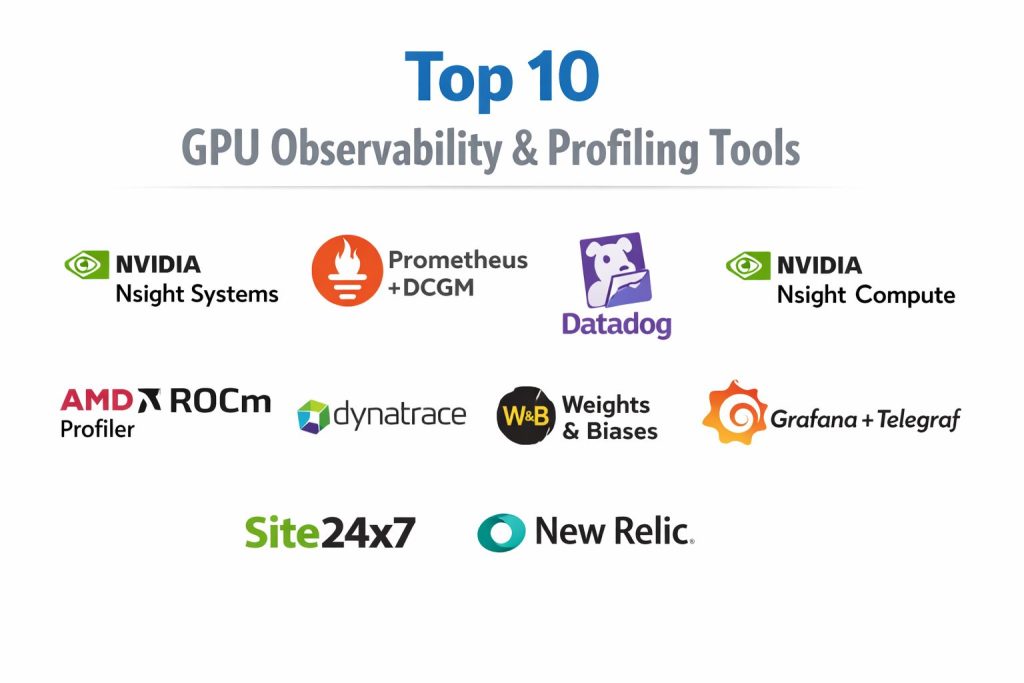
TOP 10 GPU OBSERVABILITY & PROFILING TOOLS
1. NVIDIA Nsight Systems
NVIDIA Nsight Systems is a system-wide performance analysis tool designed to visualize an application’s algorithms across the CPU and GPU. It provides a unified timeline that helps developers identify issues such as thread synchronization bottlenecks, slow memory transfers, and GPU starvation. It is considered the gold standard for profiling complex AI and HPC applications.
The tool excels at showing the relationship between various system components, allowing users to see exactly when the GPU is waiting for data from the CPU or network. It supports a wide range of APIs including CUDA, OptiX, and Vulkan, making it versatile for both compute and graphics tasks.
Pros:
Provides an extremely detailed, high-resolution timeline of all system activities. It is highly effective at identifying gaps in GPU utilization that are caused by external factors like disk I/O or CPU threading.
Cons:
The interface is professional-grade and can be overwhelming for beginners. The sheer volume of data collected can lead to large trace files that require significant storage and processing power to analyze.
Platforms / Deployment:
Windows / Linux
Desktop / Remote
Security & Compliance:
RBAC, MFA Support
Not publicly stated
Integrations & Ecosystem:
Integrates deeply with the entire NVIDIA developer stack and can export data for further analysis in various formats.
Support & Community:
Extensive professional documentation and a large community of expert users across the global AI research sector.
2. Prometheus with DCGM-Exporter
Prometheus, when combined with the NVIDIA Data Center GPU Manager (DCGM) Exporter, forms the most popular open-source stack for cluster-level GPU monitoring. It allows teams to scrape GPU metrics like utilization, temperature, and memory usage into a time-series database for long-term analysis and alerting.
This combination is specifically built for Kubernetes environments, where it can automatically discover GPU nodes and report on their health. It provides the foundation for building custom dashboards that track hardware performance across hundreds or thousands of nodes.
Pros:
It is the industry standard for cloud-native observability and offers incredible scalability. The solution is open-source and highly customizable through the PromQL query language.
Cons:
Requires significant initial setup and configuration of the monitoring stack. It provides high-level observability but does not offer the deep, instruction-level profiling found in dedicated tools like Nsight.
Platforms / Deployment:
Linux (Kubernetes / Docker)
Cloud / On-prem
Security & Compliance:
SAML/SSO, TLS Encryption
SOC 2 Compliance
Integrations & Ecosystem:
Native integration with Grafana for visualization and Alertmanager for incident notification.
Support & Community:
Massive global community support and extensive third-party tutorials.
3. Datadog GPU Monitoring
Datadog offers a comprehensive, managed observability platform that includes specialized agents for GPU telemetry. It is designed for enterprises that want a unified view of their entire infrastructure, correlating GPU performance with application logs, traces, and business metrics.
The platform uses machine learning to establish performance baselines and automatically alert users to anomalies. It provides pre-configured dashboards that display critical GPU health data without the need for manual setup.
Pros:
Eliminates the complexity of managing your own monitoring infrastructure. It offers superior correlation capabilities, linking hardware performance directly to user-facing application issues.
Cons:
The cost can scale rapidly based on the number of metrics and the volume of data ingested. Some users may prefer more control over their data than a SaaS platform provides.
Platforms / Deployment:
Windows / Linux / macOS
SaaS (Cloud)
Security & Compliance:
SOC 2, HIPAA, GDPR
MFA, RBAC, SSO
Integrations & Ecosystem:
Supports over 500 integrations, making it easy to connect GPU data with almost any other modern technology.
Support & Community:
Provides 24/7 enterprise-grade support and a wealth of professional training resources.
4. NVIDIA Nsight Compute
While Nsight Systems looks at the whole system, Nsight Compute is a dedicated kernel profiler for CUDA applications. It provides detailed performance metrics and hardware speed-of-light analysis for every individual GPU kernel executed.
It is used to fine-tune the performance of specific mathematical operations, providing suggestions on how to optimize register usage, memory access patterns, and instruction throughput.
Pros:
Provides the deepest possible insight into how a specific piece of code is running on the GPU hardware. Includes an “Advice” system that suggests specific code changes to improve performance.
Cons:
It has a significant performance overhead while profiling, making it unsuitable for real-time production monitoring. It requires a very high level of technical knowledge to interpret the results.
Platforms / Deployment:
Windows / Linux
Desktop / Remote
Security & Compliance:
Not publicly stated
Integrations & Ecosystem:
Works in tandem with Nsight Systems to provide a complete profiling workflow from the system level down to the individual instruction.
Support & Community:
Supported by NVIDIA’s professional developer relations team and extensive technical forums.
5. Grafana with Telegraf
Grafana is often used as the visualization layer for GPU data collected by Telegraf, a plugin-driven server agent. The Telegraf NVIDIA SMI plugin can collect detailed metrics from the hardware and send them to various databases for visualization in Grafana.
This setup is highly flexible and can be used to monitor GPUs in non-containerized environments or legacy data centers where Kubernetes is not present.
Pros:
Highly customizable visualization with a vast library of community-designed GPU dashboards. It supports a wide variety of backend data sources, providing extreme architectural flexibility.
Cons:
Managing the various components of the stack (Telegraf, InfluxDB/Prometheus, Grafana) requires ongoing maintenance and technical expertise.
Platforms / Deployment:
Windows / Linux
On-prem / Cloud
Security & Compliance:
RBAC, MFA, SSO
SOC 2, GDPR
Integrations & Ecosystem:
Telegraf has hundreds of input and output plugins, making it a “Swiss Army knife” for data collection and routing.
Support & Community:
Strong open-source community and professional support available through Grafana Labs.
6. AMD ROCm Profiler (omniperf)
For organizations using AMD hardware, the ROCm Profiler and the newer omniperf tool are the essential choices. These tools provide performance analysis for GPU kernels running on the ROCm open software platform.
Omniperf provides a high-level overview of GPU performance, identifying which hardware units are the primary bottlenecks. It is designed to help developers optimize their code for AMD’s CDNA and RDNA architectures.
Pros:
Tailored specifically for AMD hardware, offering insights that general-purpose tools cannot provide. It is part of an open-source ecosystem, encouraging transparency and community contribution.
Cons:
The ecosystem and documentation are generally considered less mature than NVIDIA’s equivalent tools. It has a smaller community of users, which can make troubleshooting more difficult.
Platforms / Deployment:
Linux
On-prem / Cloud
Security & Compliance:
Not publicly stated
Integrations & Ecosystem:
Integrates with other ROCm tools and can export data for visualization in common analysis platforms.
Support & Community:
Supported by AMD and a dedicated community of researchers in the HPC and AI space.
7. Dynatrace with AI-Observability
Dynatrace provides an automated, AI-driven observability platform that includes support for GPU-accelerated workloads. Its Davis AI engine automatically discovers dependencies and maps the relationship between GPUs and the applications they serve.
The platform focuses on “causal AI,” which goes beyond simple correlation to provide the exact root cause of a performance degradation or failure in the GPU cluster.
Pros:
Extremely low manual effort required for setup and maintenance. It is designed for massive scale and can manage tens of thousands of GPUs across global regions effortlessly.
Cons:
The enterprise-focused pricing model may be prohibitive for smaller teams. Its automated nature can sometimes feel like a “black box” to engineers who want deep manual control.
Platforms / Deployment:
Windows / Linux
SaaS / Managed
Security & Compliance:
SOC 2, ISO 27001, FedRAMP
RBAC, MFA, SSO
Integrations & Ecosystem:
Extensive support for cloud-native technologies and deep integration with enterprise ITSM tools.
Support & Community:
Offers premium enterprise support and a comprehensive “Dynatrace University” for training.
8. Weights & Biases (W&B)
Weights & Biases is a developer-first platform designed specifically for machine learning experiment tracking. While not a general-purpose monitoring tool, its system monitoring features provide excellent visibility into GPU utilization and thermals during model training.
It allows researchers to see exactly how their model architecture and hyperparameters affect GPU consumption, helping to optimize training efficiency and costs.
Pros:
Integrated directly into the ML development workflow, making it very easy for researchers to use. It provides excellent collaborative features for sharing performance data among team members.
Cons:
It is not designed for infrastructure-level monitoring or SRE tasks. Its telemetry is captured at a lower frequency than dedicated profiling tools.
Platforms / Deployment:
Windows / Linux / macOS
SaaS / Self-hosted
Security & Compliance:
SOC 2 Type II, HIPAA
SSO, RBAC
Integrations & Ecosystem:
Integrates seamlessly with PyTorch, TensorFlow, and almost every major machine learning framework.
Support & Community:
Active community of AI researchers and excellent documentation for data science workflows.
9. Site24x7 GPU Monitoring
Site24x7 provides a reliable, easy-to-deploy monitoring solution for GPUs through its plugin architecture. It is designed for IT operations teams who need to monitor the health of graphics units alongside their other servers and network equipment.
The tool provides essential metrics like GPU memory usage, temperature, and fan speed, with an integrated alerting system that notifies administrators via multiple channels when thresholds are exceeded.
Pros:
Very fast setup with a simple agent installation. It provides a good balance of features for general IT monitoring without the complexity of a full profiling suite.
Cons:
Lacks the deep kernel-level profiling and AI-specific metrics found in more specialized developer tools.
Platforms / Deployment:
Windows / Linux
Cloud (SaaS)
Security & Compliance:
SOC 2, ISO 27001
SAML/SSO, MFA
Integrations & Ecosystem:
Part of the broader Zoho/ManageEngine ecosystem, allowing for easy integration with existing IT management workflows.
Support & Community:
Professional technical support and a solid knowledge base for common monitoring scenarios.
10. New Relic Infrastructure
New Relic provides an observability platform that includes specialized monitoring for GPUs, particularly in Kubernetes and cloud environments. It focuses on providing a clear visual representation of how GPU resources are being utilized across different clusters and namespaces.
The platform’s “Workloads” feature allows engineers to group GPUs with the specific services they support, providing a business-centric view of hardware performance.
Pros:
Excellent visualization capabilities with a focus on ease of use. It offers a powerful query language (NRQL) for creating highly specific custom alerts and dashboards.
Cons:
The pricing model, based on users and data ingestion, can become complex and expensive for large-scale GPU deployments.
Platforms / Deployment:
Windows / Linux / macOS
SaaS (Cloud)
Security & Compliance:
SOC 2, HIPAA, GDPR
RBAC, MFA, SSO
Integrations & Ecosystem:
Strong support for OpenTelemetry and a wide range of cloud-native integrations.
Support & Community:
Large user community and a professional support team with specialized knowledge in cloud observability.
COMPARISON TABLE
| Tool Name | Best For | Platform(s) Supported | Deployment | Standout Feature | Public Rating |
| 1. NVIDIA Nsight Systems | System Profiling | Windows, Linux | Desktop | Unified Timeline | N/A |
| 2. Prometheus + DCGM | K8s Monitoring | Linux | On-prem/Cloud | Scalability | 4.7/5 |
| 3. Datadog | Enterprise APM | Windows, Linux | SaaS | ML Anomaly Detection | 4.6/5 |
| 4. NVIDIA Nsight Compute | Kernel Tuning | Windows, Linux | Desktop | Advice System | N/A |
| 5. Grafana + Telegraf | Custom Viz | Windows, Linux | On-prem/Cloud | Dashboard Library | 4.8/5 |
| 6. AMD ROCm Profiler | AMD Hardware | Linux | On-prem | Open Ecosystem | N/A |
| 7. Dynatrace | Automated Ops | Windows, Linux | SaaS/Managed | Davis Causal AI | 4.5/5 |
| 8. Weights & Biases | ML Experiments | Win, Linux, Mac | SaaS/Self-host | Research Collab | 4.8/5 |
| 9. Site24x7 | IT Operations | Windows, Linux | SaaS | Simple Setup | 4.3/5 |
| 10. New Relic | Cloud-Native Viz | Win, Linux, Mac | SaaS | NRQL Flexibility | 4.5/5 |
EVALUATION & SCORING OF GPU OBSERVABILITY & PROFILING TOOLS
The scoring below is a comparative model intended to help shortlisting. Each criterion is scored from 1–10, then a weighted total from 0–10 is calculated using the weights listed. These are analyst estimates based on typical fit and common workflow requirements, not public ratings.
Weights:
- Core features – 25%
- Ease of use – 15%
- Integrations & ecosystem – 15%
- Security & compliance – 10%
- Performance & reliability – 10%
- Support & community – 10%
- Price / value – 15%
| Tool Name | Core (25%) | Ease (15%) | Integrations (15%) | Security (10%) | Performance (10%) | Support (10%) | Value (15%) | Weighted Total |
| 1. Nsight Systems | 10 | 4 | 8 | 7 | 8 | 9 | 7 | 8.00 |
| 2. Prometheus + DCGM | 9 | 5 | 10 | 9 | 9 | 8 | 10 | 8.60 |
| 3. Datadog | 8 | 9 | 10 | 10 | 8 | 10 | 6 | 8.45 |
| 4. Nsight Compute | 10 | 3 | 7 | 7 | 5 | 9 | 7 | 7.35 |
| 5. Grafana + Telegraf | 8 | 6 | 9 | 8 | 9 | 7 | 9 | 8.00 |
| 6. AMD ROCm | 8 | 4 | 7 | 6 | 8 | 7 | 8 | 7.20 |
| 7. Dynatrace | 8 | 10 | 9 | 10 | 9 | 9 | 5 | 8.40 |
| 8. Weights & Biases | 7 | 9 | 9 | 9 | 8 | 9 | 8 | 8.20 |
| 9. Site24x7 | 6 | 9 | 7 | 9 | 9 | 8 | 8 | 7.60 |
| 10. New Relic | 8 | 8 | 9 | 10 | 8 | 9 | 6 | 8.10 |
How to interpret the scores:
- Use the weighted total to shortlist candidates, then validate with a pilot.
- A lower score can mean specialization, not weakness.
- Security and compliance scores reflect controllability and governance fit, because certifications are often not publicly stated.
- Actual outcomes vary with assembly size, team skills, templates, and process maturity.
WHICH GPU OBSERVABILITY & PROFILING TOOL IS RIGHT FOR YOU?
Solo / Freelancer
For individual developers or small research projects, Weights & Biases is often the best choice for tracking experiments. If deep profiling is needed, NVIDIA Nsight is free and provides professional-grade depth.
SMB
Small businesses with limited DevOps resources should consider Datadog or Site24x7. These tools provide out-of-the-box monitoring that reduces the need for manual configuration and maintenance.
Mid-Market
Organizations with an established Kubernetes presence will find the best balance of cost and power in the Prometheus and Grafana stack. It allows for high scalability without the per-node licensing costs of enterprise SaaS.
Enterprise
Large-scale enterprises requiring strict compliance and automated root-cause analysis should look toward Dynatrace or Datadog. These platforms offer the governance and security features necessary for global operations.
Budget vs Premium
Blender and the Prometheus stack are the leaders for cost-conscious teams. In contrast, Dynatrace and Datadog represent the premium end, trading high licensing fees for reduced operational toil.
Feature Depth vs Ease of Use
NVIDIA Nsight tools offer the most technical depth but have the steepest learning curve. Site24x7 and Weights & Biases prioritize a user-friendly experience for those who need high-level insights quickly.
Integrations & Scalability
Prometheus and Datadog are the clear winners for integration-heavy environments, offering the most robust APIs and pre-built connectors for modern infrastructure.
Security & Compliance Needs
For organizations in regulated industries like finance or healthcare, Dynatrace and Datadog provide the most comprehensive set of security certifications and administrative controls.
FREQUENTLY ASKED QUESTIONS (FAQS)
What is the difference between observability and profiling?
Observability is about continuous monitoring of high-level health metrics like utilization and temperature. Profiling is a deep-dive analysis of specific code execution to find technical bottlenecks.
Do these tools support AMD and Intel GPUs?
While NVIDIA dominates the market, tools like ROCm Profiler support AMD, and others like Datadog or Prometheus can monitor a variety of hardware through specific exporters.
How much performance overhead do these tools add?
Observability tools like Prometheus usually add less than 1% overhead. Deep profiling tools like Nsight Compute can significantly slow down execution while active.
Is it possible to monitor GPUs in a virtualized environment?
Yes, most modern tools can monitor virtual GPUs (vGPUs) as long as the underlying hypervisor or driver supports the necessary telemetry passthrough.
Why is GPU temperature monitoring important?
GPUs throttle their performance when they get too hot. Monitoring temperature helps prevent hardware damage and ensures consistent performance under heavy workloads.
Can I use these tools for crypto mining monitoring?
Yes, tools like Telegraf and Prometheus are frequently used to monitor the efficiency and health of mining rigs across large-scale operations.
Do I need to install an agent on every machine?
Most observability platforms require a small agent or exporter to be installed on each GPU node to collect and transmit data to the central dashboard.
Can these tools alert me via Slack or Microsoft Teams?
Yes, most enterprise and open-source monitoring stacks support integration with major communication platforms for real-time alerting.
What metric is most important for AI training?
GPU Utilization and Memory Bandwidth are critical. High utilization with low memory bandwidth often indicates a data-loading bottleneck in the training pipeline.
Are there any free tools available?
Yes, NVIDIA Nsight, Blender (for rendering), and the Prometheus/Grafana stack are essentially free to use, though they may require your own hardware and management time.
CONCLUSION
Implementing a robust GPU observability and profiling strategy is no longer optional for organizations looking to lead in the age of accelerated computing. The choice of tool depends heavily on the specific role of the user—whether they are a developer optimizing a single kernel or an SRE managing a global cluster. While open-source solutions like Prometheus offer unmatched flexibility and cost-effectiveness, enterprise SaaS platforms like Datadog provide the automation and security required for mission-critical production environments. By carefully matching these tools to your technical requirements and operational budget, you can ensure that your GPU infrastructure remains a high-performance asset rather than a costly bottleneck.
This breakdown of GPU tools is a lifesaver for anyone trying to optimize their hardware performance easily.