Introduction
GPU cluster scheduling tools have become the critical backbone of the modern high-performance computing (HPC) and artificial intelligence (AI) landscape. As organizations scale their deep learning models and generative AI initiatives, the efficient management of expensive hardware resources like NVIDIA H100s or A100s is no longer a luxury but a fundamental operational requirement. These tools act as the intelligent traffic controllers of a data center, ensuring that massive computational tasks are distributed across available GPUs in a way that maximizes throughput, minimizes latency, and prevents resource starvation. Unlike traditional CPU scheduling, GPU scheduling must account for specific hardware constraints such as NVLink topology, memory bandwidth, and the unique parallel processing nature of graphical processing units.
In the current era of large-scale model training, the complexity of managing GPU clusters has grown exponentially. A robust scheduler must be able to handle “gang scheduling” for distributed training, manage multi-instance GPU (MIG) configurations, and provide fair-share access to diverse teams of data scientists and researchers. Without a sophisticated orchestration layer, organizations often face underutilized hardware, long job queues, and high operational costs due to inefficient resource allocation. Evaluating these tools requires a deep dive into their ability to handle heterogenous hardware, their support for containerized workloads, and their integration with modern machine learning frameworks. For any enterprise investing in AI infrastructure, the scheduler is the primary driver of return on investment for their hardware spend.
Best for: AI infrastructure engineers, MLOps teams, research institutions, and enterprise data centers managing high-density GPU environments for model training and inference.
Not ideal for: Small teams with single-workstation setups, organizations purely utilizing serverless AI APIs, or environments with very low computational demand where manual resource allocation is still feasible.
Key Trends in GPU Cluster Scheduling Tools
The most significant trend in the industry is the shift toward “Topology-Aware Scheduling,” where the software understands the physical connections between GPUs to optimize data transfer speeds. By placing interconnected tasks on GPUs linked by high-speed interconnects like NVLink, schedulers can drastically reduce training times for large models. We are also seeing a massive move toward unified orchestration, where GPU scheduling is being deeply integrated into Kubernetes, allowing organizations to manage their AI workloads alongside their standard microservices in a single, consistent environment.
Dynamic resource sharing is another dominant trend, with tools now offering the ability to “fractionalize” GPUs so multiple small tasks can run on a single physical unit without interference. This is particularly important for inference workloads and small-scale development. There is also an increased focus on energy-aware scheduling, where the tool can shift workloads to different times or hardware configurations to minimize the carbon footprint of massive training runs. Furthermore, the rise of “Hybrid-Cloud Bursting” allows schedulers to automatically move local job overflows to public cloud GPU instances, ensuring that research deadlines are met even when local capacity is exceeded.
How We Selected These Tools
Our selection process involved a rigorous assessment of technical performance signals and market adoption across the most demanding AI research and production environments. We prioritized tools that demonstrate a deep understanding of GPU-specific hardware features, such as peer-to-peer communication and thermal management. A key criterion was the “scheduling efficiency,” evaluating how well the tool reduces idle time and handles complex, multi-node distributed training jobs. We looked for a balance between traditional, battle-tested HPC schedulers and modern, container-first orchestration platforms.
Scalability was a non-negotiable factor; we selected tools that can manage everything from a small cluster of eight GPUs to massive installations with tens of thousands of units. We scrutinized the ability of these tools to integrate with popular ML frameworks and version control systems, ensuring they fit seamlessly into a professional MLOps pipeline. Security features, such as multi-tenancy and secure job isolation, were also heavily weighted to ensure that sensitive research data remains protected. Finally, we assessed the community and commercial support ecosystems to ensure that organizations have access to the expertise required for complex cluster configurations.
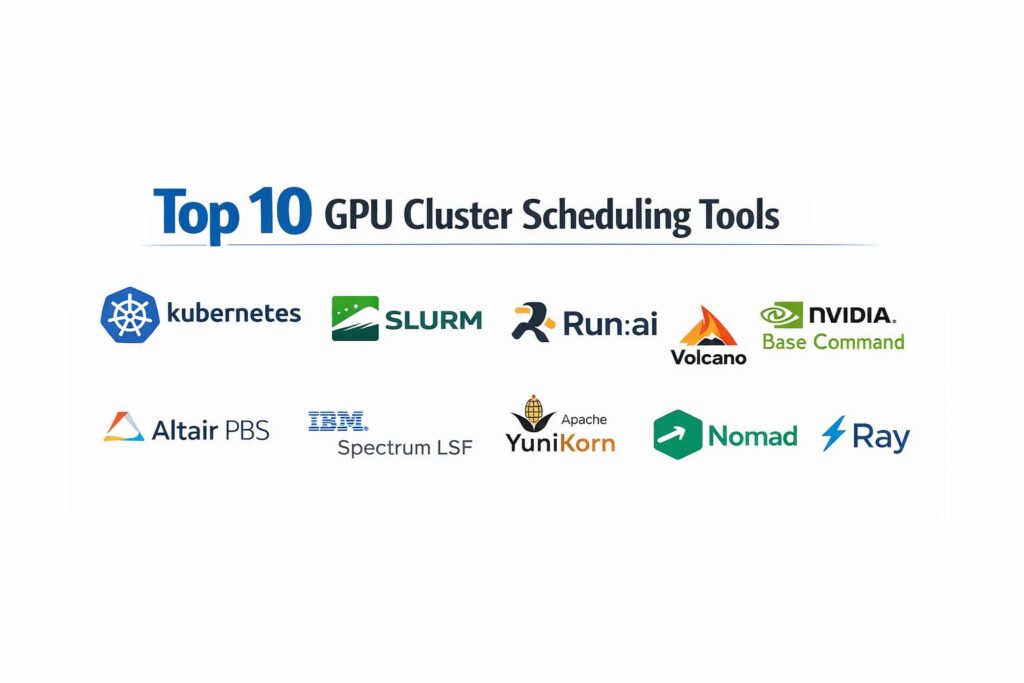
1. Kubernetes with NVIDIA GPU Operator
Kubernetes has become the de facto standard for container orchestration, and when paired with the NVIDIA GPU Operator, it transforms into a powerhouse for GPU cluster scheduling. It allows teams to automate the management of GPU resources just as they would with standard CPU and memory, providing a unified platform for modern cloud-native AI applications.
Key Features
The platform features automated driver management and device plugin installation, ensuring that the cluster is always ready for GPU workloads. It includes support for Multi-Instance GPU (MIG) which allows a single A100 or H100 to be partitioned into several independent instances. The system offers robust horizontal autoscaling, allowing the cluster to grow or shrink based on the demand of the job queue. It features a sophisticated “Taints and Tolerations” system for precise workload placement. Additionally, it integrates with various third-party schedulers like Volcano or Yunikorn for more advanced batch processing needs.
Pros
It provides a single, unified platform for both AI workloads and standard web services. The massive ecosystem of plugins and community support makes it highly adaptable to any enterprise environment.
Cons
The initial setup and ongoing management of Kubernetes is notoriously complex and requires a high level of specialized expertise. It can introduce more overhead than traditional “bare-metal” HPC schedulers.
Platforms and Deployment
Web-based management, Linux-based nodes. It can be deployed on-premise, in the cloud, or in hybrid configurations.
Security and Compliance
Industry-leading security with Role-Based Access Control (RBAC), pod security policies, and support for encrypted secrets.
Integrations and Ecosystem
Integrates with almost every modern tool in the DevOps and MLOps space, including Prometheus for monitoring and Helm for package management.
Support and Community
Supported by a massive global community and every major cloud provider, with extensive documentation and professional certification programs.
2. Slurm Workload Manager
Slurm is the legendary, open-source workload manager that powers the majority of the world’s top supercomputers. It is a highly configurable, “bare-metal” scheduler designed specifically for high-performance computing tasks where every microsecond of performance counts.
Key Features
The platform features a highly efficient “Backfill Scheduling” algorithm that maximizes cluster utilization by fitting smaller, shorter jobs into gaps between larger tasks. It includes native support for GRES (Generic Resources), allowing for granular control over GPU allocation. The system offers sophisticated “Fair-Share” scheduling to ensure that diverse research teams get an equitable amount of compute time over the long term. It features a robust accounting system for tracking resource usage by user, group, or project. It also supports complex job dependencies and arrays for massive parallel processing.
Pros
It has extremely low overhead, making it the fastest choice for raw computational throughput. Its reliability is proven across the most demanding research installations in the world.
Cons
The interface is primarily command-line driven, which can be intimidating for modern developers used to web GUIs. Configuration requires deep systems administration knowledge.
Platforms and Deployment
Linux-based. Typically deployed on-premise in dedicated data centers.
Security and Compliance
Features robust munge-based authentication and granular permission systems for multi-user environments.
Integrations and Ecosystem
Deeply integrated with traditional HPC tools like MPI and various parallel file systems like Lustre or GPFS.
Support and Community
Backed by a professional community and several commercial support entities that provide enterprise-grade assistance.
3. Run:ai
Run:ai is a specialized orchestration layer built on top of Kubernetes that is designed specifically to optimize AI workloads. It introduces a “virtualization” layer for GPUs, allowing for much more flexible and efficient resource sharing than standard orchestration tools.
Key Features
The platform features “GPU Fractionalization,” allowing multiple users to share a single GPU for small tasks like debugging or light inference. It includes a sophisticated “Dynamic Proportional Fairness” scheduler that automatically reallocates idle GPUs to the teams that need them most. The system offers a simplified, researcher-friendly interface that removes the complexity of Kubernetes for the end user. It features automated “Job Preemption,” where low-priority tasks are paused to make room for high-priority training runs. It also provides deep visibility into GPU utilization and bottlenecks.
Pros
It significantly increases GPU utilization rates, often moving organizations from 20% to 80% efficiency. The user experience is tailored specifically for the needs of data scientists.
Cons
It is a premium, commercial product with a cost that reflects its high-end optimization capabilities. It requires an existing Kubernetes foundation to function.
Platforms and Deployment
Web-based management, running on Kubernetes-based clusters.
Security and Compliance
Enterprise-grade security with SSO integration and secure multi-tenancy for sensitive research projects.
Integrations and Ecosystem
Integrates seamlessly with popular data science tools like Jupyter Notebooks, PyTorch, and TensorFlow.
Support and Community
Provides dedicated enterprise support and a growing community of AI infrastructure professionals.
4. Volcano
Volcano is an open-source batch scheduling system built specifically for high-performance workloads on Kubernetes. It addresses the “missing pieces” of standard Kubernetes by providing the batch scheduling features that were traditionally only found in tools like Slurm.
Key Features
The platform features “Gang Scheduling,” which ensures that all the pods in a distributed training job are scheduled at the exact same time or none are scheduled at all. It includes support for “Bin-Packing,” which clusters jobs on the fewest number of nodes possible to save energy or leave room for larger tasks. The system offers sophisticated queue management with priority levels and resource quotas. It features automated job retries and back-off policies for resilient batch processing. It also supports various “Fair-Share” policies to prevent single users from monopolizing the cluster.
Pros
It brings the power of traditional HPC scheduling to the flexibility of the Kubernetes ecosystem. It is an excellent choice for organizations that want to run massive AI training jobs on cloud-native infrastructure.
Cons
As an open-source project, the documentation can sometimes lag behind the latest features. It requires a solid understanding of both Kubernetes and batch scheduling concepts.
Platforms and Deployment
Runs as a native Kubernetes controller.
Security and Compliance
Adheres to standard Kubernetes security protocols and supports secure namespaces for multi-tenancy.
Integrations and Ecosystem
A CNCF sandbox project that integrates with Argo, Kubeflow, and other cloud-native AI tools.
Support and Community
Strong community support from major tech companies and a growing ecosystem of contributors.
5. NVIDIA Base Command Manager
NVIDIA Base Command Manager is a comprehensive cluster management solution designed to handle the entire lifecycle of an AI data center. It is the evolution of the Bright Cluster Manager, optimized specifically for NVIDIA’s DGX systems and high-performance GPU environments.
Key Features
The platform features a “Single Pane of Glass” management interface for monitoring hardware health, networking, and job scheduling. It includes automated provisioning tools that can set up a massive GPU cluster from bare metal in minutes. The system offers a “Multi-Stack” capability, allowing users to run Kubernetes and Slurm simultaneously on the same hardware. It features deep integration with NVIDIA’s hardware monitoring tools for tracking GPU temperature, power, and memory health. It also provides automated health checks and alerts to prevent hardware failure from ruining long training runs.
Pros
It is the most comprehensive tool for managing both the software and the hardware of a GPU cluster. The ability to run multiple types of schedulers on the same hardware provides ultimate flexibility.
Cons
It is a premium product typically bundled with high-end hardware, making it less accessible for teams using commodity GPUs. The licensing model can be complex for hybrid environments.
Platforms and Deployment
Linux-based management server, supporting both on-premise and cloud nodes.
Security and Compliance
Enterprise-grade security with support for secure boot, encrypted storage, and detailed audit logging.
Integrations and Ecosystem
Deeply integrated with the entire NVIDIA AI Enterprise software stack.
Support and Community
Backed by NVIDIA’s world-class professional support and a vast ecosystem of certified partners.
6. Altair PBS Professional
Altair PBS Professional is a battle-tested workload manager and job scheduler used by many of the world’s largest commercial enterprises. It is known for its ability to handle extremely complex, high-concurrency environments with a focus on business-level service level agreements (SLAs).
Key Features
The platform features “Custom Scheduling Policies” that allow businesses to align GPU usage with their specific project priorities and budgets. It includes a powerful “Simulation” tool that lets administrators test “what-if” scenarios before changing cluster policies. The system offers robust “Multi-Cluster Bursting,” allowing jobs to automatically spill over into public cloud GPUs when local resources are full. It features advanced GPU management that can track license usage alongside hardware resources. It also provides a comprehensive web-based portal for both administrators and end users.
Pros
It is one of the most stable and reliable schedulers for large-scale commercial use. The support for complex business logic in scheduling is unmatched by open-source alternatives.
Cons
The software is commercial and can be expensive for smaller research groups. Its depth of features leads to a significant administrative learning curve.
Platforms and Deployment
Windows and Linux-based nodes. Supports on-premise, cloud, and hybrid deployments.
Security and Compliance
FIPS 140-2 compliant and supports various industry-specific security certifications.
Integrations and Ecosystem
Integrates with a wide range of commercial engineering and simulation tools, as well as modern AI frameworks.
Support and Community
Offers tiered professional support with 24/7 options and a global network of specialized consultants.
7. IBM Spectrum LSF
IBM Spectrum LSF is an enterprise-grade workload management system designed for high-throughput and high-performance computing. It is particularly strong in environments that require the management of heterogeneous GPU clusters across multiple global locations.
Key Features
The platform features a “Predictive Scheduling” engine that uses historical data to estimate job completion times and optimize the queue. It includes advanced support for NVIDIA NVLink topology, ensuring that distributed training jobs are placed on the fastest possible interconnects. The system offers a “Resource Connector” that can automatically provision and de-provision GPU instances in the cloud. It features a robust multi-user environment with strict resource isolation and quota management. It also provides a high-performance “Data Manager” for ensuring that training data is available on the right nodes before a job starts.
Pros
It is highly scalable and can manage some of the world’s largest and most complex GPU environments. The integration with IBM’s broader enterprise software suite provides a cohesive experience for large firms.
Cons
The licensing and setup costs are high, making it an enterprise-only solution. It is a massive system that requires dedicated staff to maintain.
Platforms and Deployment
Linux and Windows support. Optimized for hybrid-cloud environments.
Security and Compliance
Extensive enterprise security features including support for multi-factor authentication and secure audit trails.
Integrations and Ecosystem
Deeply integrated with IBM’s AI and data platforms, as well as major cloud providers.
Support and Community
Provides global, 24/7 enterprise support and a large network of professional users in the Fortune 500.
8. Apache Yunikorn
Apache Yunikorn is a light-weight, universal resource scheduler designed for large-scale distributed systems. It was built to solve the resource management challenges of big data and AI workloads running on containerized platforms like Kubernetes.
Key Features
The platform features “Hierarchical Resource Queues,” allowing organizations to mirror their internal department structure within the scheduler. It includes a “Quota Management” system that prevents any single group from exceeding their pre-defined budget or resource limit. The system offers a “Pluggable Architecture” that can support different types of resources, including GPUs, CPUs, and specialized AI accelerators. It features a sophisticated “Job Ordering” engine that supports FIFO, Priority, and State-aware scheduling. It also provides a detailed web UI for monitoring queue health and resource distribution.
Pros
It is highly efficient and adds very little overhead to the cluster. Its hierarchical approach is perfect for large organizations with many different teams sharing a single GPU pool.
Cons
It is a more specialized tool and may require more integration effort than “all-in-one” platforms. The community is smaller than that of Kubernetes or Slurm.
Platforms and Deployment
Runs on top of Kubernetes or as a standalone resource manager.
Security and Compliance
Leverages the security model of the underlying platform (e.g., Kubernetes RBAC).
Integrations and Ecosystem
A top-level Apache project that integrates with Spark, Flink, and various AI frameworks.
Support and Community
Driven by an active open-source community with support from major tech companies.
9. Nomad (by HashiCorp)
Nomad is a simple and flexible workload orchestrator that allows organizations to manage both containerized and non-containerized applications. It is often cited as a more streamlined and easier-to-manage alternative to Kubernetes for GPU scheduling.
Key Features
The platform features a “Single Binary” architecture that makes it incredibly easy to install and maintain across a cluster. It includes native support for GPU device detection and scheduling via a simple configuration file. The system offers “Federation” capabilities, allowing a single Nomad control plane to manage GPU clusters across multiple regions and clouds. It features a highly efficient “Bin-Packing” scheduler that optimizes for resource density. It also supports “Task Dependencies,” making it easy to build complex AI pipelines.
Pros
It is much simpler to operate than Kubernetes, making it ideal for smaller teams or those with limited DevOps resources. It is highly flexible and can schedule almost any type of workload.
Cons
The ecosystem of third-party AI tools is smaller than that of Kubernetes. It lacks some of the advanced batch-specific features found in tools like Slurm or Volcano.
Platforms and Deployment
Windows, Linux, and macOS. Extremely lightweight and easy to deploy on-premise or in the cloud.
Security and Compliance
Integrates with HashiCorp Vault for secure secret management and offers robust ACLs.
Integrations and Ecosystem
Deeply integrated with the HashiCorp stack (Terraform, Consul, Vault).
Support and Community
Backed by HashiCorp’s professional support and a very active, helpful community.
10. Ray
Ray is not just a scheduler, but a distributed framework specifically designed for scaling AI and Python applications. It includes its own internal resource manager and scheduler that is optimized for the dynamic, fine-grained tasks common in machine learning.
Key Features
The platform features “Actor-Based Scheduling,” which allows for the dynamic creation and movement of tasks based on resource availability. It includes a built-in “Ray Train” and “Ray Tune” module for distributed training and hyperparameter optimization. The system offers a “Global Control Store” that tracks the state of all resources and tasks across the cluster. It features automated “Object Spilling,” which handles memory management by moving data between RAM and disk. It also provides a “Dashboard” for visualizing task execution and GPU utilization in real-time.
Pros
It is the most “developer-friendly” option for scaling Python-based AI code. The scheduler is uniquely suited for the “messy,” dynamic workloads of reinforcement learning and LLM fine-tuning.
Cons
It is a higher-level framework and may not be suitable for managing a general-purpose data center. It can be more complex to optimize for raw infrastructure performance than a lower-level scheduler.
Platforms and Deployment
Python-based, running on Linux nodes or on top of Kubernetes.
Security and Compliance
Provides basic authentication and isolation, but usually relies on the underlying infrastructure for high-level security.
Integrations and Ecosystem
Integrates natively with PyTorch, TensorFlow, and almost every major Python data science library.
Support and Community
Backed by Anyscale and a massive community of AI researchers and developers.
Comparison Table
| Tool Name | Best For | Platform(s) Supported | Deployment | Standout Feature | Public Rating |
| 1. Kubernetes | Cloud-Native / Unified | Linux | Hybrid | GPU Operator / MIG | 4.8/5 |
| 2. Slurm | HPC / Bare-Metal | Linux | On-Premise | Backfill Scheduling | 4.9/5 |
| 3. Run:ai | AI Optimization | Linux (K8s) | Hybrid | GPU Fractionalization | 4.7/5 |
| 4. Volcano | Batch / Cloud-Native | Linux (K8s) | Cloud/Hybrid | Gang Scheduling | 4.5/5 |
| 5. NVIDIA Base | DGX / Data Center | Linux | On-Premise | Bare-Metal Provisioning | 4.8/5 |
| 6. Altair PBS | Commercial / SLA | Win, Linux | Hybrid | Multi-Cluster Bursting | 4.6/5 |
| 7. IBM Spectrum | Enterprise / Global | Win, Linux | Hybrid | NVLink Topology-Aware | 4.5/5 |
| 8. Apache Yunikorn | Hierarchical / Quota | Linux (K8s) | Hybrid | Hierarchical Queues | 4.4/5 |
| 9. Nomad | Simplicity / Versatile | Win, Linux, Mac | Hybrid | Single Binary / Federation | 4.6/5 |
| 10. Ray | Python / Distributed | Linux | Hybrid | Actor-Based Scaling | 4.8/5 |
Evaluation & Scoring of GPU Cluster Scheduling Tools
The scoring below is a comparative model intended to help shortlisting. Each criterion is scored from 1–10, then a weighted total from 0–10 is calculated using the weights listed. These are analyst estimates based on typical fit and common workflow requirements, not public ratings.
Weights:
- Core features – 25%
- Ease of use – 15%
- Integrations & ecosystem – 15%
- Security & compliance – 10%
- Performance & reliability – 10%
- Support & community – 10%
- Price / value – 15%
| Tool Name | Core (25%) | Ease (15%) | Integrations (15%) | Security (10%) | Performance (10%) | Support (10%) | Value (15%) | Weighted Total |
| 1. Kubernetes | 9 | 3 | 10 | 10 | 8 | 10 | 8 | 8.25 |
| 2. Slurm | 10 | 2 | 8 | 9 | 10 | 8 | 10 | 8.10 |
| 3. Run:ai | 9 | 8 | 9 | 9 | 9 | 9 | 7 | 8.65 |
| 4. Volcano | 8 | 6 | 8 | 8 | 9 | 7 | 9 | 7.90 |
| 5. NVIDIA Base | 10 | 7 | 9 | 10 | 10 | 10 | 6 | 8.80 |
| 6. Altair PBS | 9 | 6 | 8 | 10 | 9 | 9 | 7 | 8.30 |
| 7. IBM Spectrum | 9 | 5 | 8 | 10 | 10 | 9 | 6 | 8.00 |
| 8. Apache Yunikorn | 8 | 7 | 8 | 8 | 8 | 7 | 9 | 7.95 |
| 9. Nomad | 7 | 10 | 7 | 9 | 8 | 8 | 9 | 8.05 |
| 10. Ray | 8 | 9 | 10 | 7 | 9 | 8 | 9 | 8.60 |
How to interpret the scores:
- Use the weighted total to shortlist candidates, then validate with a pilot.
- A lower score can mean specialization, not weakness.
- Security and compliance scores reflect controllability and governance fit, because certifications are often not publicly stated.
- Actual outcomes vary with assembly size, team skills, templates, and process maturity.
Which GPU Cluster Scheduling Tool Is Right for You?
Solo / Founder-Led
For a small team starting with a single node or a tiny cluster, simplicity and developer speed are paramount. You need a tool that doesn’t require a dedicated DevOps team to keep running. A lightweight orchestrator that allows you to schedule Python tasks directly or a simple container runner will allow you to focus on your model development rather than infrastructure management.
Small Research Team
Academic and small research groups should prioritize cost-effectiveness and raw performance. Open-source tools that run on bare metal allow you to squeeze every ounce of power out of your hardware without paying license fees. A system that supports fair-share scheduling is vital here to ensure that all students and researchers get their needed time on the GPUs.
Mid-Market AI Startup
Growing startups need a balance between the flexibility of containers and the efficiency of specialized AI scheduling. You should look for tools that can run on standard cloud-native infrastructure but provide the AI-specific “magic” like GPU sharing and job preemption. This allows you to scale your team and your compute resources without hitting a technical wall.
Enterprise Data Center
Large enterprises require a “Single Pane of Glass” to manage thousands of GPUs across global sites. At this scale, hardware health monitoring, strict security compliance, and integration with enterprise identity management are just as important as the scheduling algorithm itself. You need a tool that can provide a consolidated view of your entire AI infrastructure spend and utilization.
Budget vs Premium
If budget is the primary concern, open-source standards like Kubernetes and Slurm provide professional-grade power for zero licensing cost, provided you have the in-house talent to manage them. Premium commercial tools, however, can often pay for themselves by doubling or tripling your hardware utilization, effectively giving you “more GPUs” for the same hardware spend.
Feature Depth vs Ease of Use
Highly specialized AI schedulers offer advanced features like topology-awareness and fractional GPUs but can be complex to integrate. Simplified orchestrators are much faster to deploy and easier to use but may lack the fine-grained control needed for massive, multi-node distributed training jobs.
Integrations & Scalability
Your scheduler must be able to scale as your model sizes grow. A tool that works well for a single node might fail when you need to coordinate a thousand-node training run over an InfiniBand network. Ensure your chosen tool has a proven track record at the scale you plan to reach in the next few years.
Security & Compliance Needs
In industries like finance, healthcare, or defense, security is the non-negotiable first requirement. You must select a scheduler that supports strict multi-tenancy, job isolation, and detailed audit logging to ensure that your proprietary models and datasets are never compromised, even in a shared cluster environment.
Frequently Asked Questions (FAQs)
1. What is the difference between a CPU scheduler and a GPU scheduler?
A CPU scheduler manages many short, independent tasks. A GPU scheduler must manage long-running, parallel tasks that often have specific hardware requirements, such as needing multiple GPUs connected by high-speed NVLink or specific memory bandwidth.
2. What is “Gang Scheduling” in AI training?
Gang scheduling is a technique where a group of related tasks (like the different parts of a distributed training job) are all scheduled to start at the exact same time. If the cluster doesn’t have enough room for the whole “gang,” none of them start, preventing wasted resources.
3. Can I share a single GPU between multiple users?
Yes, modern tools allow for this through technologies like NVIDIA Multi-Instance GPU (MIG) or software-based fractionalization. This is excellent for development work, though high-end training jobs usually still require dedicated, full GPUs.
4. Why is “Topology-Awareness” important?
GPUs communicate with each other at different speeds depending on how they are physically connected. A topology-aware scheduler places related tasks on GPUs with the fastest connections (like NVLink), which can significantly speed up training.
5. Is Kubernetes better than Slurm for AI?
It depends on your goals. Kubernetes is better for cloud-native, containerized workflows and unified management. Slurm is better for raw, bare-metal performance and traditional high-performance computing research environments.
6. What is “Preemption” in GPU scheduling?
Preemption is the ability of a scheduler to pause a low-priority job (like a routine data check) to immediately start a high-priority job (like a critical model training run). The paused job is resumed later when resources become available.
7. How do I prevent one user from hogging all the GPUs?
Most professional schedulers use “Fair-Share” or “Quota Management” policies. These systems track how much compute time each user has had and prioritize those who have used less, ensuring everyone gets equitable access over time.
8. Do these tools work with cloud GPUs like AWS or Google Cloud?
Yes, most modern schedulers are “cloud-aware” and can manage instances in the public cloud, on-premise, or in hybrid configurations, often allowing for “bursting” to the cloud when local capacity is full.
9. What is “Bin-Packing” in scheduling?
Bin-packing is a strategy where the scheduler tries to fill up nodes as much as possible before starting a new node. This leaves other nodes completely empty, which is more energy-efficient and leaves room for very large jobs that need an entire node.
10. How do these tools handle hardware failures?
Professional schedulers monitor hardware health in real-time. If a GPU fails or starts overheating, the scheduler can automatically “drain” that node, stopping new jobs from starting there and moving running jobs to healthy hardware.
Conclusion
In the modern AI-driven enterprise, the GPU cluster scheduler is the engine that determines the velocity of innovation. As model sizes continue to grow and hardware costs remain high, the ability to orchestrate these resources with precision is a core competitive advantage. Whether you opt for the proven reliability of traditional HPC tools or the flexible, cloud-native approach of modern container orchestration, the goal remains the same: maximizing the throughput of your research and development teams. By selecting a tool that balances raw performance with operational ease and security, you create a scalable foundation that can support the most ambitious AI initiatives of the future.