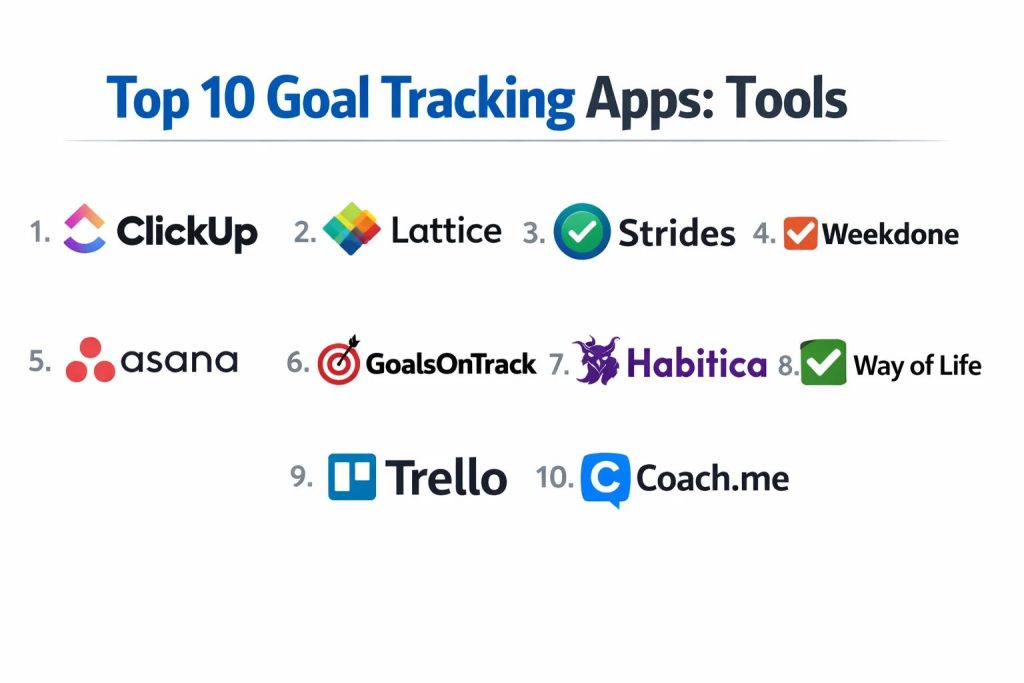
Introduction
Goal tracking software has evolved into a sophisticated discipline of strategic alignment, moving far beyond simple digital checklists to become the operational nervous system for personal and professional growth. These platforms utilize behavioral psychology frameworks such as Objectives and Key Results or Specific, Measurable, Achievable, Relevant, and Time-bound methodologies to transform abstract ambitions into quantifiable data points. For the modern enterprise, these tools are indispensable for bridging the gap between high-level corporate strategy and the daily execution cycles of distributed teams. By providing real-time visibility into progress, they eliminate the information silos that traditionally lead to missed milestones and misaligned efforts.
The necessity of implementing a robust tracking solution is driven by the increasing complexity of project ecosystems and the shift toward outcome-based performance management. Organizations now require platforms that can handle multi-level hierarchies, where individual contributions roll up into departmental targets and eventually into organizational missions. When selecting a platform, decision-makers must evaluate the system’s ability to integrate with existing data streams, the strength of its analytical reporting, and the flexibility of its interface to accommodate different workflows. A well-chosen tool doesn’t just record history; it predicts bottlenecks and fosters a culture of accountability that is essential for long-term scalability and competitive advantage in a data-driven market.
Best for: Strategic leadership teams, high-performance project managers, personal development enthusiasts, and organizations moving toward transparent, data-backed performance cultures.
Not ideal for: One-time simple tasks with no long-term significance or users who prefer manual, non-digital record-keeping for their personal routines.
Key Trends in Goal Tracking Software
The integration of artificial intelligence is currently the most significant trend, with systems now capable of analyzing historical performance to suggest realistic targets and automatically flagging goals that are at risk of falling behind. Real-time data synchronization is also becoming standard, allowing goals to be updated automatically based on activity in third-party development or sales tools. There is a growing emphasis on “social accountability,” where progress is shared across internal feeds to drive engagement through peer recognition and collaborative support.
Mobile-first accessibility has transitioned from a feature to a requirement, as users demand the ability to update progress and receive nudge notifications while on the move. We are also seeing a convergence of performance management and goal tracking, where the achievement of objectives is directly tied to professional development pathways and compensation reviews. Privacy and security frameworks have also matured, with enterprise tools now offering sophisticated encryption and compliance standards that were previously only seen in financial or healthcare software.
How We Selected These Tools
Our selection process involved a rigorous assessment of technical stability, feature depth, and user adoption rates across various market segments. We prioritized platforms that demonstrate a clear architectural focus on goal-setting rather than general task management, ensuring the tools provide genuine strategic value. We analyzed the robustness of their API ecosystems to determine how easily they fit into a larger professional software stack. User interface logic was also a primary consideration, as high adoption rates depend heavily on how intuitive and friction-free the entry of data feels for the end-user.
Security protocols were scrutinized to ensure that sensitive strategic data is protected through industry-standard encryption and access controls. We also looked at the longevity and update frequency of each developer to ensure the platforms are actively maintained and evolving with the market. Community support and the quality of customer success resources were evaluated to ensure that organizations can successfully implement these tools at scale. Finally, we balanced our list between specialized personal habit trackers and enterprise-grade alignment platforms to provide a comprehensive view of the best solutions available today.
1. ClickUp
ClickUp is an all-in-one productivity platform that treats goal tracking as a central pillar of its ecosystem. It allows users to create high-level “Goals” which are then broken down into specific “Targets” that can be measured by numbers, currency, or completed tasks. It is exceptionally powerful for teams that want their objectives to live exactly where their work happens.
Key Features
The platform features a visual progress percentage that updates automatically as linked tasks are completed. It supports multiple folders for organizing different categories of goals and provides a dashboard view for a high-level summary of team performance. Users can set custom access permissions for sensitive strategic objectives. It also includes an automated reminder system to ensure users regularly check in on their progress.
Pros
It offers immense flexibility, allowing it to adapt to almost any goal-setting framework. The free version is highly generous, providing access to sophisticated features that competitors often lock behind paywalls.
Cons
The sheer number of features can make the initial setup feel overwhelming for new users. Some users report occasional performance lag when managing a very large volume of goals and tasks.
Platforms and Deployment
Web, Windows, macOS, Linux, iOS, and Android. It is a cloud-based SaaS deployment.
Security and Compliance
SOC 2 Type II compliant with 250-bit SSL encryption and multi-factor authentication.
Integrations and Ecosystem
Integrates with over 1,000 tools including Slack, GitHub, and Google Drive, making it a highly connected hub for data-driven goal tracking.
Support and Community
Extensive documentation, 24/7 customer support, and a massive community of certified consultants and power users.
2. Lattice
Lattice is a specialized “People Success” platform designed for HR and leadership teams to align individual performance with company-wide OKRs. It focuses heavily on the human element of goal tracking, integrating objectives into 1:1 meetings and performance review cycles.
Key Features
The software provides a “Goal Alignment Map” that visually demonstrates how every individual’s work contributes to the organization’s mission. It includes automated pulse surveys to gauge how employees feel about their progress. Managers can pull active goals directly into meeting agendas for real-time discussion. It also features a public praise system where achievements are celebrated in a social feed.
Pros
It bridges the gap between goal tracking and career development better than almost any other tool. The interface is clean, professional, and designed to foster meaningful conversations.
Cons
It is strictly an enterprise-focused tool and is not suitable for individual or solo use. The pricing model can become expensive for rapidly growing teams.
Platforms and Deployment
Web-based with dedicated mobile applications for iOS and Android.
Security and Compliance
Highly secure with SOC 2 Type II, GDPR, and HIPAA compliance, making it suitable for sensitive corporate environments.
Integrations and Ecosystem
Connects deeply with HRIS systems like Workday and BambooHR, as well as communication tools like Slack and Microsoft Teams.
Support and Community
Provides dedicated account managers for enterprise clients and a library of resources focused on management best practices.
3. Strides
Strides is the premier choice for individuals who want a powerful, data-rich environment for tracking personal goals and habits. It is known for its beautiful visualization and its “track anything” flexibility, allowing users to monitor progress through four different tracker types.
Key Features
The app utilizes a “Green/Red” pace line system that immediately shows if you are on track to meet your deadline. It provides over 150 pre-made templates for common goals like fitness, finance, and skill-building. The dashboard offers a “Project” view for multi-step goals and a “Habit” view for recurring daily actions. It also features advanced reporting that highlights streaks and success rates over long periods.
Pros
The visual reports are among the best in the industry, providing clear motivation through data. The “Pace” feature is particularly effective for managing goals with specific deadlines.
Cons
It is primarily focused on the Apple ecosystem, which limits its utility for teams or individuals using Windows or Android. The free version limits the number of active trackers.
Platforms and Deployment
iOS, macOS, and Apple Watch. It is a local app with iCloud synchronization.
Security and Compliance
Uses standard Apple iCloud security protocols for data encryption and privacy protection.
Integrations and Ecosystem
Integrates with Apple Health to automatically pull in data for fitness and wellness goals.
Support and Community
Responsive email support and a focused user base that shares custom tracking templates and success strategies.
4. Weekdone
Weekdone is a dedicated OKR (Objectives and Key Results) software designed specifically for small to medium-sized businesses. It emphasizes the “Weekly Check-in” ritual, ensuring that long-term goals remain relevant through frequent, small-scale updates.
Key Features
The platform uses a “Plans, Progress, Problems” (PPP) reporting system to keep teams aligned every week. It features a visual hierarchy tree that shows the relationship between company, department, and individual objectives. Automated weekly reports are generated and emailed to leadership. It also includes a feedback system that allows team members to comment on each other’s progress and offer support.
Pros
It is exceptionally effective at instilling the discipline required to make OKRs successful in a team environment. The reporting is concise and provides high-level visibility for executives.
Cons
The interface can feel a bit technical and less “modern” compared to some newer productivity apps. It requires a strong commitment to the OKR philosophy to be effective.
Platforms and Deployment
Web, iOS, and Android. It is a cloud-hosted solution.
Security and Compliance
GDPR compliant with secure data hosting and role-based access controls.
Integrations and Ecosystem
Offers solid integrations with Slack, Microsoft Teams, Jira, and Asana to sync task progress with high-level goals.
Support and Community
Offers free OKR coaching for teams, which is a significant value-add for organizations new to the framework.
5. Asana
Asana has expanded its project management roots to include a robust “Goals” module that connects high-level strategy to the actual tasks being performed by team members. It is the ideal choice for organizations that want a direct, visual link between their roadmap and daily work.
Key Features
The Goals feature allows for the creation of “Company Goals” and “Team Goals” that can be tracked by percentage, numeric value, or a binary “Yes/No.” It provides a progress bird’s-eye view across multiple projects. Goals can be linked to specific sub-tasks, ensuring that when work is finished, the goal updates automatically. It also features a status update system for narrative context on progress.
Pros
The integration between goals and tasks is seamless, reducing the manual labor of updating progress. The user interface is highly polished and encourages high adoption rates within teams.
Cons
The Goals feature is only available in the higher-tier paid plans, which might be a barrier for smaller teams. It is a generalist tool that may lack some of the psychological “nudge” features of specialized habit trackers.
Platforms and Deployment
Web, Windows, macOS, iOS, and Android. Cloud-based SaaS.
Security and Compliance
Enterprise-grade security with SOC 2 Type II compliance, SSO support, and advanced data residency options.
Integrations and Ecosystem
Boasts a massive integration library with tools like Salesforce, Tableau, and Zoom, allowing goals to be informed by diverse data sources.
Support and Community
Offers the “Asana Academy” for training and a global network of partners and community forums.
6. GoalsOnTrack
GoalsOnTrack is a comprehensive web-based tool designed for high achievers who follow the SMART goal framework. It goes beyond simple tracking by providing a complete system for planning, executing, and journaling throughout the goal lifecycle.
Key Features
The software features a “SMART Goal Wizard” that guides users through the process of defining valid objectives. It includes a vision board for visual motivation and a goal journal for recording reflections. The dashboard tracks multi-level sub-goals and milestones. It also features a built-in time tracker to monitor exactly how much effort is being invested into specific objectives.
Pros
It is one of the few tools that strictly enforces the SMART methodology, ensuring goals are well-defined. The inclusion of a vision board and journal makes it a holistic personal development tool.
Cons
The user interface feels dated compared to modern mobile apps. There is no free version, although it offers a trial period for new users.
Platforms and Deployment
Web, iOS, and Android. It is a cloud-synchronized service.
Security and Compliance
Standard web encryption and data protection policies suitable for personal and professional use.
Integrations and Ecosystem
Integrates with popular calendar apps like Google Calendar and Outlook to sync goal-related tasks.
Support and Community
Direct email support and a wealth of educational content on goal-setting psychology and productivity.
7. Habitica
Habitica takes a unique approach by gamifying goal tracking, turning your life into a role-playing game. It is designed for those who struggle with traditional productivity tools and need an element of fun and social pressure to stay consistent.
Key Features
Users create an avatar that gains experience and gold when tasks are completed. Forgetting to track a habit results in the character losing health. It features “Quests” where groups of friends or colleagues must complete their real-world goals to defeat a boss together. The app includes “Guilds” for community challenges and social interaction.
Pros
The social accountability and gamified rewards are highly effective for maintaining long-term motivation. It is completely free for the core experience, making it highly accessible.
Cons
The RPG aesthetic is not suitable for a formal corporate environment. The system can be “cheated” easily since it relies entirely on self-reporting.
Platforms and Deployment
Web, iOS, and Android. It is an open-source, cloud-based platform.
Security and Compliance
Basic account security; however, as an open-source project, it lacks some enterprise-level certifications.
Integrations and Ecosystem
Offers a public API that has allowed the community to build various extensions and third-party integrations.
Support and Community
An incredibly active and welcoming community that manages the game’s development and supports new users through various guilds.
8. Way of Life
Way of Life is a minimalist habit tracker known for its unique “Color-coded Grid” view. It is built for speed, allowing users to log multiple habits and goals in just a few seconds each day, making it perfect for those who find complex apps too time-consuming.
Key Features
The core feature is a simple grid where you mark a day as “Yes,” “No,” or “Skip.” It provides powerful trend charts that help identify which days of the week are your most and least productive. The app includes a diary function for adding notes to your entries. It also features a robust reminder system that can be customized for different habits and times of day.
Pros
It is likely the fastest logging experience on the market. The visual trends are easy to read and provide immediate insight into behavioral patterns.
Cons
It is strictly for habit and goal logging and does not offer task management or team collaboration features. The free version is limited to three habits.
Platforms and Deployment
iOS and Android. It is a mobile-first local application.
Security and Compliance
Data is stored locally on the device with options for encrypted cloud backups.
Integrations and Ecosystem
Focused on being a standalone tool; it does not offer extensive integrations with other productivity software.
Support and Community
Simple FAQ section and responsive developer support via email.
9. Trello
Trello utilizes a Kanban-style board system that is surprisingly effective for goal tracking, especially for visual thinkers. By using cards to represent goals and lists to represent stages of progress, it provides a clear, spatial overview of a roadmap.
Key Features
The “Butler” automation tool can move cards between lists when certain criteria are met, such as checking off all items on a checklist. Users can add custom labels, due dates, and attachments to every goal card. The “Dashboard View” provides a visual summary of card statuses across the entire board. It also supports “Power-Ups” that add extra functionality like calendar views or advanced reporting.
Pros
The drag-and-drop interface is incredibly intuitive and requires almost no training. It is highly visual, making it easy to see where bottlenecks are occurring in a multi-stage goal.
Cons
It lacks a native hierarchy for “Parent” and “Child” goals without using specialized third-party Power-Ups. Large boards with hundreds of cards can become visually cluttered.
Platforms and Deployment
Web, Windows, macOS, iOS, and Android. Cloud-based SaaS.
Security and Compliance
Backed by Atlassian’s enterprise security, including SOC 2 compliance and robust SSO options.
Integrations and Ecosystem
One of the best in the market, with hundreds of Power-Ups that connect to virtually every other business application.
Support and Community
Massive user community and extensive documentation provided by Atlassian.
10. Coach.me
Coach.me is a unique platform that combines a simple habit tracker with a marketplace for professional human coaching. It is designed for individuals who have tried tracking themselves but realize they need external accountability to reach the next level.
Key Features
The app features a community-driven habit tracker where you can see others who are working on the same goals. It provides a direct interface to hire a personal coach for a weekly fee. These coaches provide daily check-ins and personalized advice through a built-in chat. The tracker itself provides basic streak data and progress reports.
Pros
The access to real human coaches is a game-changer for those who need more than just digital notifications. The community support for specific habits is very encouraging.
Cons
The tracking features are very basic compared to specialized apps like Strides or Way of Life. The cost of personal coaching can add up quickly.
Platforms and Deployment
Web, iOS, and Android. Cloud-based service.
Security and Compliance
Standard encryption for messages and financial information; however, it lacks broad enterprise certifications.
Integrations and Ecosystem
Primarily a standalone platform focused on the relationship between the user, the community, and the coach.
Support and Community
Driven by its community of users and professional coaches, offering a high level of social engagement.
Comparison Table
| Tool Name | Best For | Platform(s) Supported | Deployment | Standout Feature | Public Rating |
| 1. ClickUp | All-in-One Teams | Win, Mac, Linux, Mob | Cloud | Automated Progress | 4.7/5 |
| 2. Lattice | HR & Enterprise | Web, iOS, Android | Cloud | Goal Alignment Maps | 4.6/5 |
| 3. Strides | Apple Power Users | iOS, Mac, Watch | Local | Pace Line Tracking | 4.8/5 |
| 4. Weekdone | SMB OKR Discipline | Web, iOS, Android | Cloud | Weekly PPP Reports | 4.5/5 |
| 5. Asana | Project-Driven Goals | Web, Win, Mac, Mob | Cloud | Task-to-Goal Sync | 4.7/5 |
| 6. GoalsOnTrack | SMART Methodology | Web, iOS, Android | Cloud | Vision Board/Journal | 4.2/5 |
| 7. Habitica | Gamification | Web, iOS, Android | Cloud | Social RPG Quests | 4.4/5 |
| 8. Way of Life | Minimalist Logging | iOS, Android | Local | Color-coded Grid | 4.8/5 |
| 9. Trello | Visual Board Tracking | Web, Win, Mac, Mob | Cloud | Kanban Automation | 4.5/5 |
| 10. Coach.me | Human Accountability | Web, iOS, Android | Cloud | Professional Coaching | 4.1/5 |
Evaluation & Scoring of Goal Tracking Apps
The scoring below is a comparative model intended to help shortlisting. Each criterion is scored from 1–10, then a weighted total from 0–10 is calculated using the weights listed. These are analyst estimates based on typical fit and common workflow requirements, not public ratings.
Weights:
- Core features – 25%
- Ease of use – 15%
- Integrations & ecosystem – 15%
- Security & compliance – 10%
- Performance & reliability – 10%
- Support & community – 10%
- Price / value – 15%
| Tool Name | Core (25%) | Ease (15%) | Integrations (15%) | Security (10%) | Performance (10%) | Support (10%) | Value (15%) | Weighted Total |
| 1. ClickUp | 10 | 6 | 10 | 9 | 7 | 9 | 10 | 8.85 |
| 2. Lattice | 9 | 8 | 9 | 10 | 9 | 9 | 6 | 8.45 |
| 3. Strides | 8 | 10 | 5 | 7 | 10 | 7 | 8 | 8.05 |
| 4. Weekdone | 9 | 7 | 8 | 8 | 8 | 10 | 7 | 8.25 |
| 5. Asana | 9 | 9 | 10 | 9 | 9 | 9 | 7 | 8.75 |
| 6. GoalsOnTrack | 8 | 6 | 6 | 7 | 8 | 7 | 8 | 7.15 |
| 7. Habitica | 7 | 9 | 7 | 5 | 9 | 10 | 10 | 7.90 |
| 8. Way of Life | 7 | 10 | 4 | 7 | 10 | 7 | 9 | 7.85 |
| 9. Trello | 8 | 10 | 10 | 9 | 8 | 9 | 9 | 8.95 |
| 10. Coach.me | 6 | 9 | 4 | 6 | 8 | 8 | 7 | 6.85 |
How to interpret the scores:
- Use the weighted total to shortlist candidates, then validate with a pilot.
- A lower score can mean specialization, not weakness.
- Security and compliance scores reflect controllability and governance fit, because certifications are often not publicly stated.
- Actual outcomes vary with assembly size, team skills, templates, and process maturity.
Which Goal Tracking App Tool Is Right for You?
Solo / Freelancer
For individuals managing their own career trajectory, a tool that balances habit formation with task management is ideal. Look for platforms that offer high personal customization and visual motivation without requiring a corporate setup.
SMB
Small businesses need a system that enforces a proven framework like OKRs without becoming a full-time job to manage. The best choice is a tool that automates reporting and keeps everyone aligned with minimal friction during weekly meetings.
Mid-Market
Growing companies should prioritize integrations. Your goal tracking tool must be able to pull data from your sales, marketing, and development software so that progress updates are accurate and based on real-world activity.
Enterprise
At the enterprise level, security and hierarchy are paramount. You need a platform that can handle complex permissions and roll up thousands of individual goals into a cohesive corporate strategy while meeting strict compliance standards.
Budget vs Premium
If budget is a primary concern, open-source and free-tier tools offer incredible power for zero cost. However, premium tools often provide the advanced automation and security features that save enough time to justify their subscription cost.
Feature Depth vs Ease of Use
Highly technical teams may prefer node-based or deep-layered tools that allow for intricate data manipulation. In contrast, creative or non-technical teams will find more success with visual, drag-and-drop interfaces that don’t require a manual to understand.
Frequently Asked Questions (FAQs)
1. What are OKRs and how do they differ from regular goals?
Objectives and Key Results focus on aggressive, qualitative objectives paired with several quantitative key results used to measure achievement. They are generally more ambitious and dynamic than traditional static goal-setting.
2. Can these apps help with breaking bad habits?
Yes, several specialized habit trackers allow you to create “negative” goals where you track your success in avoiding a specific behavior, providing the same data and motivation used for building positive habits.
3. Is data security a concern for personal goal tracking?
Strategic plans can be sensitive. It is important to choose tools that use industry-standard encryption, especially if you are recording financial targets or proprietary business ideas.
4. How many goals should I track at once?
Research suggests that focusing on 3 to 5 major objectives at a time is most effective. Tracking too many goals can lead to “goal fatigue” and reduced performance across all areas.
5. Do goal tracking apps work for teams?
Absolutely. Many of the top platforms are built specifically for teams, providing shared visibility and collaborative tools that ensure everyone is working toward the same organizational milestones.
6. What is “Self-Monitoring” in the context of these apps?
Self-monitoring is the psychological practice of observing and recording your own behavior. Goal tracking apps facilitate this by making the process of recording data fast and rewarding, which significantly increases the likelihood of success.
7. Can I export my data if I want to switch apps?
Most professional-grade tools offer CSV or JSON export options, allowing you to take your historical progress data with you if you decide to move to a different platform.
8. Do these tools work offline?
Mobile-first applications usually offer an offline mode that syncs your data once you are back online, which is vital for users who track habits while traveling or in areas with poor connectivity.
9. Are there free versions that are actually useful?
Several platforms offer “Free Forever” tiers that include all the essential tracking features, making them perfect for individuals or small startups on a tight budget.
10. How often should I update my goal tracking app?
For daily habits, updates should be immediate. for high-level professional goals, a weekly check-in is usually sufficient to maintain alignment and momentum without it becoming a distraction.
Conclusion
Implementing a goal tracking system is a transformative step toward operational excellence and personal mastery. The tools listed here represent the pinnacle of modern achievement software, offering a diverse range of philosophies—from the rigorous structure of enterprise OKRs to the engaging psychology of gamified habits. The most successful implementations occur when the chosen software matches the culture of the team and the complexity of the objectives. By digitizing your ambitions, you move from the realm of wishful thinking into a disciplined framework of accountability and measurable progress. Whether you are an individual pursuing a new skill or a leader aligning a global workforce, the right platform serves as a powerful catalyst for turning strategic vision into tangible reality. As these tools continue to integrate deeper AI and real-time data features, the ability to track, analyze, and achieve goals will only become more streamlined and effective.