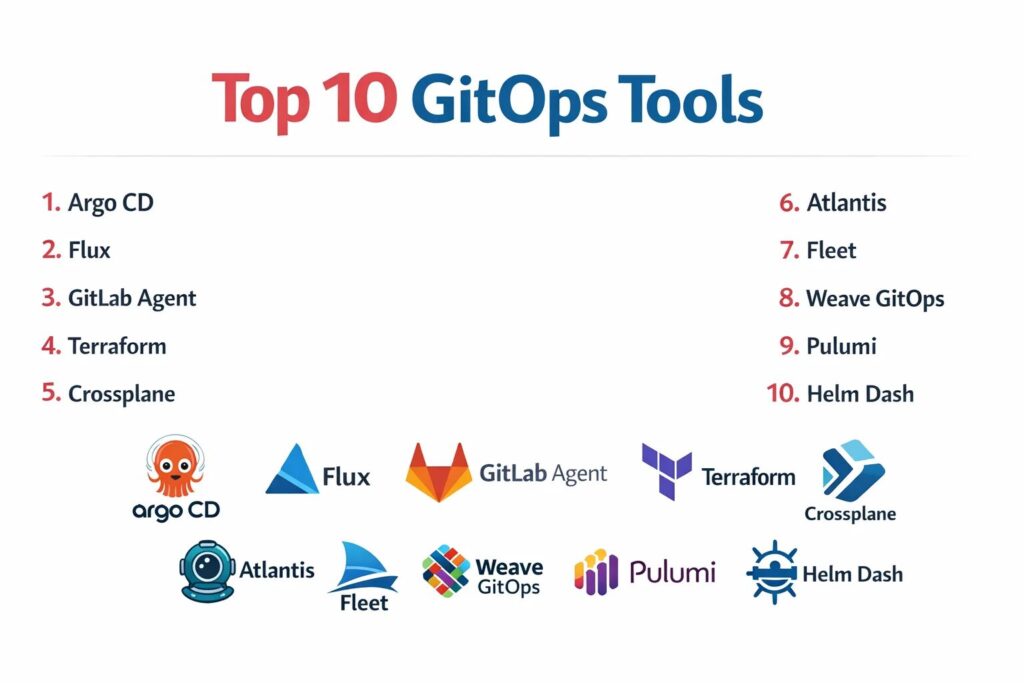
Introduction
GitOps represents a paradigm shift in modern infrastructure management, applying the same rigor and version control used in software development to the world of operations. At its core, GitOps is an operational framework that takes DevOps best practices—such as version control, collaboration, compliance, and CI/CD—and applies them to infrastructure automation. By using a Git repository as the “single source of truth,” these tools ensure that the actual state of a system is always synchronized with its desired state. This approach provides a high-level abstraction that allows teams to manage complex, cloud-native environments with greater transparency, security, and velocity.
In the current landscape of hyper-distributed systems, the necessity of a dedicated GitOps tool is driven by the need for declarative stability. Manual configurations and “snowflake” servers are significant liabilities that lead to configuration drift and security vulnerabilities. GitOps tools mitigate these risks by continuously monitoring the environment and automatically correcting any unauthorized changes to the live system. When selecting a platform, organizations must evaluate the tool’s ability to handle multi-cluster management, the seamlessness of its integration with existing CI/CD pipelines, and the strength of its security protocols for protecting sensitive secrets and credentials.
Best for: DevOps engineers, Site Reliability Engineers (SREs), and platform teams managing Kubernetes environments or cloud-native infrastructure that require automated, auditable, and repeatable deployment workflows.
Not ideal for: Organizations with entirely legacy, non-containerized environments, or very small teams managing a handful of static servers where the overhead of a GitOps controller may outweigh the benefits of manual updates.
Key Trends in GitOps Tools
The integration of GitOps into broader platform engineering initiatives is a dominant trend, with tools now focusing on providing a “developer portal” experience that masks the complexity of underlying clusters. We are seeing a significant move toward “multi-tenancy at scale,” where a single GitOps controller can manage hundreds of disparate clusters across different cloud providers while maintaining strict isolation between teams. This shift is essential for global organizations that need to maintain consistent compliance and security policies across diverse geographical regions.
Security has evolved from a secondary consideration to a core component of the GitOps lifecycle, with secret management becoming increasingly sophisticated. Modern tools now offer native integrations with hardware security modules and external vault providers to ensure that credentials never exist in plain text within a Git repository. Additionally, the rise of “Policy-as-Code” allows teams to automatically validate configurations against security benchmarks before they are ever applied to production. We are also witnessing the emergence of AI-driven observability within GitOps pipelines, which can predict the potential impact of a deployment based on historical data.
How We Selected These Tools
Our selection process involved a rigorous assessment of technical maturity and ecosystem adoption within the cloud-native community. We prioritized tools that are widely recognized as industry standards and are actively maintained by robust open-source communities or reputable enterprise vendors. A key criterion was the “reconciliation logic,” evaluating how efficiently and reliably the tool identifies and corrects drift between the Git repository and the live environment. We looked for a balance between specialized Kubernetes operators and broader infrastructure-as-code orchestrators.
Scalability was a major factor; we selected tools that can support everything from a single development cluster to massive, multi-cloud production environments. We scrutinized the extensibility of each tool, specifically its ability to integrate with popular observability, secret management, and CI/CD platforms. Security features, such as role-based access control and audit logging, were prioritized to ensure alignment with enterprise compliance requirements. Finally, we assessed the ease of implementation and the quality of the user interface, ensuring the list provides viable options for teams at various stages of their GitOps journey.
1. Argo CD
Argo CD is a declarative, GitOps continuous delivery tool for Kubernetes. It is perhaps the most popular tool in the category, known for its powerful web interface and its ability to manage the lifecycle of applications across multiple clusters. It excels in visualizing the health of resources and providing a clear path for automated synchronization.
Key Features
The platform features an automated “Self-Healing” capability that instantly reverts any changes made to a cluster that do not match the Git repository. It includes a robust web UI that provides a real-time view of application state and resource relationships. The system supports multiple configuration management tools including Helm, Kustomize, and Ksonnet. It offers deep multi-tenancy support with fine-grained role-based access control. Additionally, it provides SSO integration and a powerful CLI for automation-heavy environments.
Pros
The visual dashboard makes it incredibly easy for developers to see why a deployment failed or where a resource is out of sync. It is highly scalable and can manage thousands of applications across many clusters.
Cons
The initial setup can be complex, particularly when configuring secure multi-tenancy. It is strictly limited to Kubernetes, making it unsuitable for non-containerized infrastructure.
Platforms and Deployment
Kubernetes-native; typically deployed as a controller within a cluster.
Security and Compliance
Supports SSO, SAML, and OIDC; offers granular RBAC and audit logs for every synchronization action.
Integrations and Ecosystem
Deeply integrated with the CNCF ecosystem, including Prometheus, Grafana, and various Git providers like GitHub and GitLab.
Support and Community
Maintained by a massive open-source community under the CNCF; professional support is available via third-party vendors.
2. Flux
Flux is a set of continuous and progressive delivery solutions for Kubernetes that are open and extensible. It is the original GitOps tool and is known for its “micro-service” architecture, where different controllers handle different parts of the GitOps lifecycle, such as source management and image reflection.
Key Features
The tool features the “GitOps Toolkit,” a set of specialized APIs and controllers that can be used to build custom GitOps pipelines. It includes an automated image update feature that can detect new container images and update the Git repository automatically. The system supports multi-tenancy and is designed to be highly secure by default. It features a decentralized architecture where each cluster can manage its own state independently. It also offers native support for Helm and Kustomize.
Pros
The modular architecture allows teams to use only the components they need, reducing overhead. It is widely considered one of the most secure GitOps tools due to its minimal permissions model.
Cons
It lacks a native, feature-rich web UI like Argo CD, often requiring third-party dashboards for visualization. The CLI-centric workflow can have a steeper learning curve for some users.
Platforms and Deployment
Kubernetes-native; deployed via the Flux CLI as a set of controllers.
Security and Compliance
Follows the principle of least privilege; supports signed Git commits and encrypted secrets via SOPS.
Integrations and Ecosystem
Highly compatible with various cloud providers and integrates seamlessly with Helm and GitHub Actions.
Support and Community
A CNCF graduated project with a very large, active community and extensive documentation.
3. GitLab Agent for Kubernetes
The GitLab Agent for Kubernetes is a robust GitOps solution that bridges the gap between the GitLab CI/CD platform and Kubernetes clusters. It allows for a pull-based deployment model where the agent resides in the cluster and pulls configuration updates from GitLab.
Key Features
The platform features a dedicated “Agent Server” that handles secure communication between the cluster and the Git repository. It includes an integrated “Security Dashboard” that identifies vulnerabilities within the cluster resources. The system supports both pull-based GitOps and push-based CI/CD workflows within the same interface. It offers native integration with GitLab’s secret management and environment tracking. Additionally, it provides real-time alerts for configuration drift and unauthorized changes.
Pros
It provides a seamless experience for teams already using GitLab, consolidating the entire development and operations lifecycle into one tool. The setup is significantly simplified compared to standalone controllers.
Cons
The full range of features is heavily dependent on the GitLab ecosystem, making it less attractive for teams using other Git providers. Advanced multi-cluster management can be complex.
Platforms and Deployment
Kubernetes-resident agent; cloud-based or self-hosted GitLab server.
Security and Compliance
Leverages GitLab’s enterprise security features including SOC 2 and GDPR compliance; supports secure tunnel communication.
Integrations and Ecosystem
Natively integrated with GitLab CI, Auto DevOps, and the GitLab container registry.
Support and Community
Backed by GitLab’s professional support tiers and a large community of enterprise users.
4. Terraform (with Cloud/Enterprise GitOps)
While Terraform is primarily an Infrastructure-as-Code tool, its Cloud and Enterprise versions offer robust GitOps workflows. It allows teams to manage not just Kubernetes, but the entire underlying cloud infrastructure using a Git-driven, declarative model.
Key Features
The platform features “VCS-driven Workflows” that automatically trigger a plan and apply whenever a pull request is merged. It includes “Sentinel” for policy-as-code, ensuring that every infrastructure change complies with corporate security standards. The system offers a private module registry for sharing reusable infrastructure components. It features state management that is securely stored and versioned. It also provides a visual “Run Dashboard” for tracking the history of infrastructure changes across environments.
Pros
It is the most versatile tool on this list, capable of managing providers ranging from AWS and Azure to SaaS platforms. The policy-as-code features are industry-leading for compliance-heavy sectors.
Cons
It is not a Kubernetes operator, so it doesn’t “reconcile” in the same way Argo or Flux does; it relies on scheduled runs or triggers. Costs for the Enterprise version can be significant.
Platforms and Deployment
SaaS (Terraform Cloud) or self-hosted (Terraform Enterprise).
Security and Compliance
SOC 2, ISO 27001, and HIPAA compliant; features robust RBAC and secret masking.
Integrations and Ecosystem
Unrivaled ecosystem of providers covering almost every major cloud and software service in existence.
Support and Community
Backed by HashiCorp’s professional support and an enormous global community of practitioners.
5. Crossplane
Crossplane is an open-source Kubernetes add-on that transforms your cluster into a universal control plane. It extends the GitOps model beyond Kubernetes resources to allow for the management of cloud services and on-premises infrastructure using the same declarative API.
Key Features
The tool features “Compositions,” which allow platform teams to bundle multiple cloud resources into a single, simplified custom resource for developers. It includes a vast library of “Providers” for AWS, GCP, Azure, and more. The system treats cloud services just like Kubernetes pods, enabling them to be versioned and managed in Git. It features a continuous reconciliation loop that ensures cloud infrastructure never drifts from its intended state. It also supports multi-cloud strategies by providing a consistent interface across different providers.
Pros
It allows teams to use the same GitOps tools (like Argo or Flux) to manage both their applications and their cloud infrastructure. It effectively eliminates the need for separate IaC tools in many scenarios.
Cons
The concept of “Compositions” can be difficult to grasp initially. Managing non-Kubernetes resources via the Kubernetes API can lead to very large and complex YAML files.
Platforms and Deployment
Kubernetes-native; installed as an extension on an existing cluster.
Security and Compliance
Inherits Kubernetes RBAC security; depends on provider-specific credentials managed via Kubernetes secrets.
Integrations and Ecosystem
Works seamlessly with Argo CD and Flux; supported by major cloud providers through the Upbound ecosystem.
6. Atlantis
Atlantis is a specialized GitOps tool for Terraform. It provides a unified workflow for collaborating on Terraform changes via pull requests, ensuring that infrastructure is always deployed from a central source of truth rather than an individual’s workstation.
Key Features
The platform features “Pull Request Comments,” where users can run terraform plan and apply directly from the Git interface. It includes a locking mechanism that prevents multiple users from modifying the same infrastructure state simultaneously. The system provides a clear audit trail of who changed what and when within the Git history. It supports multiple Terraform versions and custom workflows. It also offers integration with GitHub, GitLab, and Bitbucket for a seamless developer experience.
Pros
It drastically improves collaboration for infrastructure teams by moving the “Apply” step into the peer-review process. It is a lightweight solution that is easy to deploy and manage.
Cons
It is strictly limited to Terraform and does not provide continuous reconciliation like Kubernetes-native tools. It requires a server to be managed and hosted by the team.
Platforms and Deployment
Self-hosted; typically deployed as a binary or container.
Security and Compliance
Security depends on the hosting environment; supports GitHub/GitLab webhook secrets for authentication.
Integrations and Ecosystem
Integrates with all major Git providers and works with standard Terraform providers.
7. Fleet (by SUSE/Rancher)
Fleet is a GitOps controller designed specifically for managing Kubernetes at massive scale. It is capable of managing tens of thousands of clusters across various environments, making it a favorite for edge computing and large-scale IoT deployments.
Key Features
The tool features “Bundle” management, where configurations are grouped and deployed to specific clusters based on labels. It includes a decentralized architecture that reduces the load on the central control plane. The system supports multi-cluster “Targeting,” allowing for complex rollouts across different geographical regions. It features native integration with the Rancher management platform. It also provides a simplified dashboard for tracking the synchronization status of thousands of clusters simultaneously.
Pros
It is arguably the most scalable GitOps tool on the market, specifically built for “Fleet” management. The label-based targeting makes managing complex environments much more intuitive.
Cons
The standalone documentation can be less comprehensive than Argo or Flux, as it is often used as part of the Rancher ecosystem. It may be overkill for organizations with only a few clusters.
Platforms and Deployment
Kubernetes-native; integrated into Rancher or available as a standalone installation.
Security and Compliance
Leverages Rancher’s enterprise security framework; supports secure multi-cluster communication.
Integrations and Ecosystem
Tightly integrated with Rancher, K3s, and various SUSE enterprise solutions.
8. Weave GitOps
Weave GitOps is an enterprise-ready GitOps platform built on top of Flux. It provides an intuitive web interface and additional management features that simplify the adoption of GitOps for large teams.
Key Features
The platform features a “Global Dashboard” that provides visibility into the state of all Flux-managed clusters. It includes “Profiles” which are pre-configured sets of applications and policies that can be easily deployed to new clusters. The system offers an “Automated Pipeline” view that shows the flow of changes from Git to production. It features deep integration with the Weave GitOps Core for high-performance reconciliation. It also provides enterprise-grade support and specialized training.
Pros
It adds a much-needed visual layer to Flux, making it more accessible to developers and management. The “Profiles” feature significantly speeds up the bootstrapping of new environments.
Cons
The advanced enterprise features require a paid subscription. It is essentially a wrapper around Flux, so its core functionality is limited by what Flux can do.
Platforms and Deployment
Kubernetes-native; available as a free core version or an enterprise edition.
Security and Compliance
Enhances Flux security with enterprise RBAC and audit logging features.
Integrations and Ecosystem
Natively compatible with all Flux controllers and standard Kubernetes tools.
9. Pulumi (with Pulumi Deployments)
Pulumi is a modern Infrastructure-as-Code tool that allows you to use general-purpose programming languages like Python and TypeScript. Its “Pulumi Deployments” feature provides a GitOps-style automation platform for managing these infrastructure stacks.
Key Features
The platform features “Deployment Settings” that allow for the automatic triggering of updates based on Git commits. It includes a “Rest API” that allows for the programmatic management of infrastructure deployments. The system supports “Review Stacks,” which automatically create a temporary infrastructure environment for every pull request. It features a visual “Console” for tracking the health and history of all deployments. It also offers native secret management that is encrypted with the Pulumi service key.
Pros
It allows developers to use the languages they already know, reducing the friction between app development and infrastructure. The “Review Stacks” feature is a major advantage for quality assurance.
Cons
It is a proprietary service, which may be a concern for organizations committed to 100% open-source tools. The logic is more “push” based than the “pull” based model of Flux or Argo.
Platforms and Deployment
SaaS (Pulumi Cloud) or self-hosted (Pulumi Business Critical).
Security and Compliance
SOC 2 compliant; features robust encryption for secrets and state data.
Integrations and Ecosystem
Supports all major cloud providers and integrates with standard CI/CD tools.
10. Helm Dashboard (by Komodor)
While Helm is a package manager, the Helm Dashboard provides a GitOps-adjacent experience by allowing teams to visualize and manage Helm releases within a cluster. It is often used as a lightweight alternative to a full GitOps controller for smaller environments.
Key Features
The tool features a “Visual Release History” that shows every version of a Helm chart deployed to the cluster. It includes a “Diff View” that allows users to see exactly what changed between two releases. The system provides an easy way to rollback to a previous version with a single click. It features a simple web UI that can be run locally or within the cluster. It also offers a “Validation” feature that checks for common errors in Helm charts before they are deployed.
Pros
It is extremely easy to use and provides immediate value for teams already using Helm. It requires no complex configuration or dedicated infrastructure to run.
Cons
It is not a true GitOps tool as it does not perform continuous reconciliation or drift detection. It is more of a management UI than an automation platform.
Platforms and Deployment
Local binary or Kubernetes-resident pod.
Security and Compliance
Depends on the security of the Kubernetes API and the user’s access credentials.
Integrations and Ecosystem
Works with any standard Helm chart and integrates with the Komodor observability platform.
Comparison Table
| Tool Name | Best For | Platform(s) Supported | Deployment | Standout Feature | Public Rating |
| 1. Argo CD | Visual K8s Management | Kubernetes | Cluster-resident | Self-Healing Dashboard | 4.8/5 |
| 2. Flux | Secure K8s Automation | Kubernetes | Cluster-resident | Modular Toolkit | 4.7/5 |
| 3. GitLab Agent | GitLab Power Users | Kubernetes | Agent-based | Integrated Security | 4.6/5 |
| 4. Terraform | Universal Cloud IaC | Cloud-Native | SaaS / Hybrid | Sentinel Policy-as-Code | 4.7/5 |
| 5. Crossplane | Universal Control Plane | Kubernetes | Cluster-resident | Cloud Resource Compositions | 4.6/5 |
| 6. Atlantis | Collaborative Terraform | Self-hosted | Binary / Container | PR-driven Workflows | 4.5/5 |
| 7. Fleet | Massive Scale Edge | Kubernetes | Multi-cluster | Label-based Targeting | 4.4/5 |
| 8. Weave GitOps | Flux Visualization | Kubernetes | Cluster-resident | Application Profiles | 4.5/5 |
| 9. Pulumi | Language-native IaC | Cloud-Native | SaaS / Hybrid | Review Stacks | 4.7/5 |
| 10. Helm Dash | Lightweight Helm Mgmt | Kubernetes | Local / Pod | Visual Diff & Rollback | 4.3/5 |
Evaluation & Scoring of GitOps Tools
The scoring below is a comparative model intended to help shortlisting. Each criterion is scored from 1–10, then a weighted total from 0–10 is calculated using the weights listed. These are analyst estimates based on typical fit and common workflow requirements, not public ratings.
Weights:
- Core features – 25%
- Ease of use – 15%
- Integrations & ecosystem – 15%
- Security & compliance – 10%
- Performance & reliability – 10%
- Support & community – 10%
- Price / value – 15%
| Tool Name | Core (25%) | Ease (15%) | Integrations (15%) | Security (10%) | Performance (10%) | Support (10%) | Value (15%) | Weighted Total |
| 1. Argo CD | 10 | 7 | 9 | 9 | 9 | 8 | 9 | 8.85 |
| 2. Flux | 10 | 6 | 8 | 10 | 10 | 8 | 9 | 8.70 |
| 3. GitLab Agent | 8 | 9 | 10 | 9 | 8 | 9 | 8 | 8.65 |
| 4. Terraform | 9 | 7 | 10 | 10 | 8 | 10 | 7 | 8.45 |
| 5. Crossplane | 9 | 5 | 8 | 8 | 9 | 7 | 8 | 7.75 |
| 6. Atlantis | 7 | 8 | 7 | 7 | 8 | 7 | 9 | 7.35 |
| 7. Fleet | 9 | 6 | 7 | 8 | 10 | 7 | 8 | 8.00 |
| 8. Weave GitOps | 8 | 8 | 8 | 9 | 9 | 8 | 8 | 8.20 |
| 9. Pulumi | 8 | 8 | 9 | 9 | 8 | 9 | 7 | 8.20 |
| 10. Helm Dash | 6 | 10 | 7 | 6 | 8 | 6 | 9 | 7.15 |
How to interpret the scores:
- Use the weighted total to shortlist candidates, then validate with a pilot.
- A lower score can mean specialization, not weakness.
- Security and compliance scores reflect controllability and governance fit, because certifications are often not publicly stated.
- Actual outcomes vary with assembly size, team skills, templates, and process maturity.
Which GitOps Tool Tool Is Right for You?
Solo / Founder-Led
For a solo founder managing a single Kubernetes cluster, simplicity is the primary goal. You should look for a tool that requires minimal maintenance and provides a clear, visual overview of your deployments. A tool that integrates directly with your existing Git provider and offers “one-click” rollbacks will allow you to focus on building your product rather than managing your infrastructure.
Small Nonprofit
Organizations with limited technical resources should prioritize ease of use and cost-effectiveness. A lightweight management tool or a GitOps agent provided by your existing CI/CD platform is often the best choice. This approach avoids the need for a dedicated DevOps engineer while still providing the benefits of automated, version-controlled deployments for your public-facing applications.
Mid-Market
Mid-sized companies should focus on standardization and security as their team grows. At this scale, adopting a mature tool with strong community support like Flux or Argo CD is a strategic move. These tools provide the necessary role-based access control and auditability to meet growing compliance needs while enabling multiple teams to work on the same clusters without conflict.
Enterprise
For global organizations, multi-cluster management and policy-as-code are the top priorities. You need a platform that can handle massive scale across multiple cloud providers and edge locations. A universal control plane or a dedicated fleet management tool is essential to ensure that security and compliance policies are enforced consistently across the entire organization.
Budget vs Premium
If budget is the primary concern, the leading open-source Kubernetes operators provide world-class power for zero licensing fees. However, premium enterprise platforms often justify their cost by providing dedicated support, simplified management UIs, and advanced compliance features that can save significant engineering time for large teams.
Feature Depth vs Ease of Use
Highly specialized tools offer unparalleled power for complex simulations and simulations but require a deep understanding of Kubernetes internals. Conversely, more intuitive tools might have a lower ceiling for customization but allow a broader range of staff members to manage infrastructure changes safely and effectively.
Integrations & Scalability
Your GitOps tool must be able to communicate with the rest of your technical stack, from your container registry to your observability platform. As you scale, the ability to manage hundreds of clusters from a single Git repository becomes a vital technical requirement for maintaining operational sanity.
Security & Compliance Needs
In regulated industries like finance or healthcare, your GitOps choice is a legal decision as much as a technical one. Ensure the tool supports encrypted secrets, secure multi-tenancy, and provides a clear audit trail of every change. The ability to automatically validate configurations against security benchmarks is a major advantage for maintaining compliance.
Frequently Asked Questions (FAQs)
1. What is the main difference between Push-based and Pull-based GitOps?
In a push-based model, a CI/CD tool pushes changes to the environment. In a pull-based model, an agent inside the environment monitors Git and pulls changes. Pull-based is generally considered more secure as it does not require external access to the cluster.
2. Can GitOps be used for non-Kubernetes infrastructure?
Yes, while it started with Kubernetes, tools like Crossplane and Terraform allow you to apply GitOps principles to manage cloud services, databases, and network configurations using a version-controlled, declarative model.
3. Does GitOps replace my existing CI/CD pipeline?
GitOps typically replaces the “CD” (Continuous Delivery) part of your pipeline. You still use CI tools like Jenkins or GitHub Actions to build and test your code, but the GitOps tool handles the actual deployment to the environment.
4. How does GitOps handle secrets like passwords and API keys?
GitOps tools should never store secrets in plain text in Git. Instead, they use integrations with tools like HashiCorp Vault, AWS Secrets Manager, or encrypted solutions like Sealed Secrets or SOPS to manage credentials securely.
5. What happens if someone manually changes a resource in the cluster?
A true GitOps tool will detect this “drift” during its next reconciliation loop. Depending on its configuration, it will either send an alert or automatically revert the change back to the state defined in the Git repository.
6. Is GitOps suitable for small teams?
Yes, GitOps provides a clear audit trail and makes rollbacks easy, which is valuable for any size team. However, the initial setup may be more effort than manual deployments for very small, simple projects.
7. How do I handle rollbacks in a GitOps workflow?
Rolling back is as simple as reverting the commit in your Git repository. Once the Git state is changed back to the previous version, the GitOps tool will automatically update the environment to match.
8. Can I manage multiple environments like Dev, Staging, and Prod with GitOps?
Yes, most teams use different folders or branches in their Git repository to represent different environments. The GitOps tool can be configured to watch these specific locations and sync them to the corresponding clusters.
9. Does GitOps work with Helm charts?
Yes, most leading GitOps tools have native support for Helm. They can track a specific version of a Helm chart in a repository and automatically update the cluster when a new version is released.
10. What are the common mistakes when adopting GitOps?
The most common mistakes include storing plain-text secrets in Git, not having a clear strategy for multi-tenancy, and failing to automate the update of image tags, which leads to “manual” GitOps.
Conclusion
GitOps has moved beyond being a niche Kubernetes trend to become the foundational architecture for modern platform engineering. By centralizing the operational state in Git, organizations can achieve a level of transparency, security, and velocity that was previously impossible. Whether you are managing a single application or a global fleet of clusters, the adoption of a GitOps tool provides the scalable infrastructure and automated guardrails necessary to navigate the complexities of cloud-native environments. The transition to GitOps is not just a technical change, but a cultural shift that empowers teams to deliver more reliable software at a faster pace.