Introduction
Git clients are applications that provide a visual or command-assisted way to work with Git repositories. They simplify version control by helping developers manage code changes, branches, commits, merges, and collaboration without relying only on command-line instructions. These tools improve productivity, reduce mistakes, and make repository management more accessible for both beginners and experienced engineering teams.
Modern software delivery depends heavily on distributed version control, collaborative workflows, and secure code management. Git clients now play a critical role in daily development, continuous integration pipelines, documentation versioning, and release coordination across organizations of every size. They also support visual history tracking, conflict resolution, and integration with development platforms that streamline teamwork.
Common real-world uses include managing application source code, reviewing changes before deployment, coordinating distributed development teams, maintaining documentation history, and supporting automated delivery pipelines. Buyers typically evaluate usability, performance with large repositories, integration with hosting platforms, security controls, collaboration features, cross-platform support, automation capability, and long-term maintainability.
Best for developers, DevOps engineers, technical teams, and organizations that manage collaborative codebases or structured version history.
Not ideal for individuals who only edit single files locally, use simple cloud storage for sharing, or do not require structured version tracking.
Key Trends in Git Clients
- Increasing visual workflows that reduce command-line dependency
- Built-in support for pull requests, reviews, and collaboration
- Tighter integration with continuous integration and delivery systems
- Improved performance for very large repositories and monorepos
- Enhanced authentication, encryption, and access control mechanisms
- Cross-platform desktop experiences with consistent interfaces
- Automation features for repetitive version control tasks
- Offline-first repository management with smart synchronization
- Embedded code comparison and conflict resolution improvements
- Growing focus on developer productivity and onboarding simplicity
How These Tools Were Selected
- Strong global adoption among development teams
- Reliable performance with small and large repositories
- Complete coverage of commit, branch, merge, and history workflows
- Evidence of active maintenance and ecosystem relevance
- Integration capability with major repository hosting platforms
- Usability for beginners alongside depth for advanced users
- Availability across operating systems and environments
- Balance between free, open, and commercial solutions
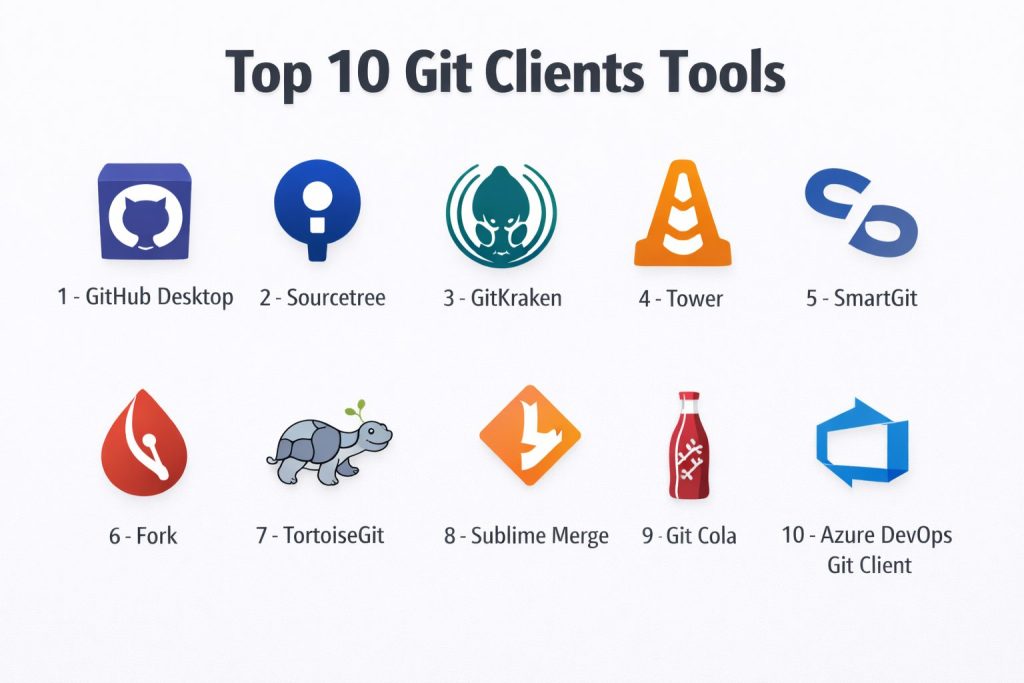
Top 10 Git Clients
1 — GitHub Desktop
A simplified graphical interface designed to help developers manage repositories, commits, and branches with minimal complexity.
Key Features
- Visual commit and history tracking
- Branch creation and merging tools
- Built-in repository synchronization
- Conflict resolution assistance
- Clean beginner-friendly interface
Pros
- Easy onboarding experience
- Smooth integration with hosted repositories
Cons
- Limited advanced customization
- Focused primarily on a single hosting ecosystem
Platforms / Deployment
Windows, macOS — Self-hosted
Security & Compliance
Not publicly stated
Integrations & Ecosystem
- Repository hosting synchronization
- Authentication support
- Local development workflows
Support & Community
Widely used with accessible documentation and tutorials.
2 — Sourcetree
A graphical Git client offering detailed repository visualization and workflow control for individual developers and teams.
Key Features
- Interactive commit history view
- Branch and merge visualization
- Support for large repositories
- Staging and patch management
- Multiple repository hosting connections
Pros
- Rich visual workflow tools
- Free for individual use
Cons
- Interface complexity for beginners
- Performance may vary with very large histories
Platforms / Deployment
Windows, macOS — Self-hosted
Security & Compliance
Not publicly stated
Integrations & Ecosystem
- Repository hosting services
- Authentication methods
- Local tooling extensions
Support & Community
Active user base with community guides.
3 — GitKraken
A modern Git client focused on productivity, collaboration, and visual clarity across development environments.
Key Features
- Visual commit graph navigation
- Built-in pull request management
- Cross-platform consistency
- Integrated terminal access
- Collaboration insights
Pros
- Intuitive interface design
- Strong productivity features
Cons
- Advanced features require paid plans
- Resource usage may be higher than lightweight tools
Platforms / Deployment
Windows, macOS, Linux — Self-hosted
Security & Compliance
Not publicly stated
Integrations & Ecosystem
- Repository hosting integrations
- Issue tracking connections
- Authentication providers
Support & Community
Commercial support with active learning resources.
4 — Tower
A professional Git client designed for developers who require precision, speed, and advanced workflow control.
Key Features
- Advanced commit management
- Interactive rebase support
- Conflict resolution tools
- Repository search capability
- Performance optimization
Pros
- Powerful professional workflow
- Reliable stability
Cons
- Commercial licensing required
- Learning curve for new users
Platforms / Deployment
Windows, macOS — Self-hosted
Security & Compliance
Not publicly stated
Integrations & Ecosystem
- Hosting platform connectivity
- Automation hooks
- Authentication systems
Support & Community
Professional documentation and responsive support.
5 — SmartGit
A cross-platform Git client built for professional teams needing deep repository management and enterprise usability.
Key Features
- Comprehensive Git workflow support
- Integrated file comparison
- Repository history exploration
- Merge conflict handling
- Multiple repository management
Pros
- Feature-rich environment
- Stable across platforms
Cons
- Interface may feel dense
- Commercial licensing for business use
Platforms / Deployment
Windows, macOS, Linux — Self-hosted
Security & Compliance
Not publicly stated
Integrations & Ecosystem
- Hosting integrations
- Authentication systems
- Toolchain compatibility
Support & Community
Established user community and vendor documentation.
6 — Fork
A lightweight yet powerful Git client focused on speed, simplicity, and efficient daily workflows.
Key Features
- Fast repository operations
- Clean visual interface
- Interactive staging
- Branch management
- Merge conflict assistance
Pros
- High performance
- Easy navigation
Cons
- Smaller ecosystem
- Limited enterprise features
Platforms / Deployment
Windows, macOS — Self-hosted
Security & Compliance
Not publicly stated
Integrations & Ecosystem
- Hosting synchronization
- Authentication support
- Local workflow tooling
Support & Community
Growing community with practical guides.
7 — TortoiseGit
A Windows-based Git client integrated directly into the file explorer for convenient version control operations.
Key Features
- Context-menu Git actions
- Overlay status icons
- Commit and log dialogs
- Patch creation support
- Integration with development tools
Pros
- Deep operating system integration
- Free and open usage
Cons
- Limited to a single platform
- Interface feels traditional
Platforms / Deployment
Windows — Self-hosted
Security & Compliance
Not publicly stated
Integrations & Ecosystem
- Explorer integration
- Development tool compatibility
- Authentication support
Support & Community
Long-standing community documentation.
8 — Sublime Merge
A fast and responsive Git client designed to complement modern code editing workflows.
Key Features
- High-speed commit navigation
- Powerful search across history
- Clean visual diff tools
- Command palette control
- Lightweight performance
Pros
- Extremely fast interface
- Smooth developer experience
Cons
- Smaller collaboration feature set
- Commercial licensing for extended use
Platforms / Deployment
Windows, macOS, Linux — Self-hosted
Security & Compliance
Not publicly stated
Integrations & Ecosystem
- Editor workflow pairing
- Authentication handling
- Repository hosting support
Support & Community
Active developer community and documentation.
9 — Git Cola
An open graphical Git client focused on simplicity and transparency for everyday repository tasks.
Key Features
- Commit staging interface
- History browsing
- Branch operations
- Lightweight resource usage
- Open customization
Pros
- Free and open environment
- Minimal system requirements
Cons
- Basic interface design
- Limited enterprise tooling
Platforms / Deployment
Windows, macOS, Linux — Self-hosted
Security & Compliance
Not publicly stated
Integrations & Ecosystem
- Standard Git compatibility
- Script customization
- Local workflow support
Support & Community
Community-driven documentation and forums.
10 — Azure DevOps Git Client
Integrated repository experience within a broader development lifecycle platform supporting enterprise collaboration.
Key Features
- Repository management
- Pull request workflows
- Access control handling
- Pipeline integration
- Collaboration visibility
Pros
- Strong enterprise alignment
- Unified lifecycle environment
Cons
- Requires platform adoption
- Complexity for small teams
Platforms / Deployment
Web, Windows, macOS — Cloud or Hybrid
Security & Compliance
Not publicly stated
Integrations & Ecosystem
- Continuous integration pipelines
- Project tracking systems
- Authentication services
Support & Community
Enterprise documentation and structured support.
Comparison Table
| Tool Name | Best For | Platforms | Deployment | Standout Feature | Public Rating |
|---|---|---|---|---|---|
| GitHub Desktop | Beginners | Desktop | Self-hosted | Simple workflow | N/A |
| Sourcetree | Visual control | Desktop | Self-hosted | History visualization | N/A |
| GitKraken | Productivity | Desktop | Self-hosted | Visual collaboration | N/A |
| Tower | Professionals | Desktop | Self-hosted | Advanced workflows | N/A |
| SmartGit | Teams | Desktop | Self-hosted | Full feature depth | N/A |
| Fork | Speed | Desktop | Self-hosted | Fast performance | N/A |
| TortoiseGit | Windows users | Windows | Self-hosted | Explorer integration | N/A |
| Sublime Merge | Lightweight speed | Desktop | Self-hosted | Rapid navigation | N/A |
| Git Cola | Open simplicity | Desktop | Self-hosted | Minimal footprint | N/A |
| Azure DevOps Git | Enterprise | Web and desktop | Hybrid | Lifecycle integration | N/A |
Evaluation & Scoring
| Tool | Core | Ease | Integrations | Security | Performance | Support | Value | Total |
|---|---|---|---|---|---|---|---|---|
| GitHub Desktop | 7 | 9 | 7 | 6 | 8 | 8 | 9 | 7.9 |
| Sourcetree | 8 | 7 | 8 | 6 | 7 | 7 | 9 | 7.6 |
| GitKraken | 9 | 8 | 9 | 6 | 8 | 8 | 7 | 8.2 |
| Tower | 9 | 7 | 8 | 6 | 9 | 8 | 6 | 8.0 |
| SmartGit | 9 | 6 | 8 | 6 | 8 | 8 | 6 | 7.8 |
| Fork | 8 | 8 | 7 | 5 | 9 | 7 | 8 | 8.0 |
| TortoiseGit | 7 | 7 | 7 | 5 | 7 | 7 | 9 | 7.2 |
| Sublime Merge | 8 | 8 | 7 | 5 | 9 | 7 | 7 | 7.9 |
| Git Cola | 6 | 7 | 6 | 5 | 7 | 6 | 9 | 6.9 |
| Azure DevOps Git | 9 | 6 | 9 | 7 | 8 | 8 | 6 | 8.1 |
Scores represent relative comparison rather than absolute measurement.
Higher totals indicate balanced usability, capability, and ecosystem strength.
Teams should prioritize workflow compatibility over numeric ranking.
Security, integration depth, and collaboration needs often outweigh ease of use.
Which Git Client Is Right for You
Solo / Freelancer
Solo developers benefit from simplicity and speed.
SMB
Small teams need visual collaboration and integration.
Mid-Market
Growing organizations require scalability and governance.
Enterprise
Enterprises prioritize security, lifecycle integration, and control.
Budget vs Premium
Budget considerations influence long-term sustainability.
Feature Depth vs Ease of Use
Ease of learning must balance with advanced capability.
Integrations & Scalability
Integration depth supports automation and delivery maturity.
Security & Compliance Needs
Security validation becomes critical at organizational scale.
Frequently Asked Questions
1. What is a Git client used for?
It provides a visual or simplified way to manage repositories, commits, and collaboration without relying only on command-line tools.
2. Are Git clients necessary for developers?
They are optional but improve productivity, reduce mistakes, and simplify complex workflows.
3. Do Git clients support collaboration features?
Many include pull requests, reviews, and synchronization with hosting platforms.
4. Can beginners learn Git faster using a client?
Yes, graphical interfaces make concepts like branching and merging easier to understand.
5. Are free Git clients sufficient for professional work?
Many free tools are powerful enough, though enterprises may require advanced governance.
6. Do Git clients affect repository performance?
Performance depends on optimization and repository size handling.
7. Is security important in Git clients?
Yes, authentication, permissions, and encrypted communication are essential for teams.
8. Can teams switch Git clients easily?
Yes, since repositories remain compatible across tools.
9. Do Git clients integrate with automation pipelines?
Several connect with build, test, and deployment workflows.
10. What should teams evaluate before choosing one?
Usability, integrations, performance, security, and long-term scalability.
Conclusion
Selecting the right Git client is ultimately about aligning developer experience with organizational workflow needs. Some tools emphasize simplicity and fast onboarding, while others focus on deep control, enterprise governance, or seamless lifecycle integration. Teams should evaluate how frequently they collaborate, how large their repositories grow, and how important automation, security, and platform integration are to daily work. Running a short internal trial with a small group of developers can reveal usability challenges, performance behavior, and compatibility with existing processes. A thoughtful decision ensures smoother collaboration, reduced errors, and long-term productivity improvements across the entire software delivery lifecycle.