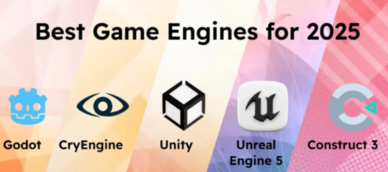
Introduction
In 2026, game development is more dynamic and competitive than ever. With the gaming industry generating billions of dollars globally, having the right game engine tool is crucial to creating high-quality games. Game engines are essential software frameworks that provide the tools needed to develop, create, and deploy video games. These tools handle everything from physics simulation, 3D rendering, to audio management, and are the backbone of any game creation process.
With new advancements in technology, game engines have become more powerful, versatile, and accessible for developers of all skill levels. Whether you are a seasoned developer working on a AAA title or an indie game creator with limited resources, choosing the right game engine can significantly impact the game’s success. This article will provide an in-depth look at the top 10 game engine tools in 2026, their features, pros, cons, and what kind of developers should use them.
Top 10 Game Engine Tools in 2026
1. Unity
Short Description:
Unity is a versatile, cross-platform game engine used to create both 2D and 3D games. With an extensive asset store and a highly flexible scripting system, Unity is widely used by indie developers and large studios alike.
Key Features:
- Multi-platform support (PC, mobile, console, AR/VR)
- Real-time rendering and high-quality visuals
- Asset Store with a huge range of assets and tools
- Extensive scripting with C#
- Large community and documentation
- Built-in physics engine and lighting systems
Pros & Cons:
Pros:
- Highly customizable with a large community
- Easy to learn, especially for beginners
- Excellent for both 2D and 3D games
Cons:
- Can be performance-heavy with complex games
- The free version has limitations for larger teams
2. Unreal Engine 5
Short Description:
Unreal Engine 5, developed by Epic Games, is known for its high-fidelity graphics and is often used for developing AAA games. With tools like Nanite and Lumen, it provides ultra-realistic rendering and dynamic lighting systems.
Key Features:
- Photorealistic rendering with Nanite technology
- Dynamic global illumination with Lumen
- Blueprints visual scripting system
- Cross-platform support (including next-gen consoles)
- High-quality asset pipeline and free resources
Pros & Cons:
Pros:
- Best-in-class graphics rendering
- Free to use with royalties on revenue
- Large community and support
Cons:
- Steeper learning curve for beginners
- Requires powerful hardware to run efficiently
3. Godot Engine
Short Description:
Godot is an open-source, cross-platform game engine ideal for 2D game development. It offers a unique scene system and is best suited for those looking for flexibility and full control over the game development process.
Key Features:
- Full open-source license
- Lightweight and highly efficient
- Excellent for 2D games with native tools
- Flexible scene system and node-based structure
- GDScript and C# for scripting
Pros & Cons:
Pros:
- Fully open-source and free
- Lightweight with a fast learning curve
- Great for 2D games and prototyping
Cons:
- Less support for 3D compared to other engines
- Smaller community and fewer assets available
4. CryEngine
Short Description:
CryEngine is a powerful, graphics-focused engine used for creating highly immersive and visually stunning games. It’s perfect for developers who prioritize realism and AAA-quality graphics.
Key Features:
- Realistic rendering with CryEngine’s advanced visual effects
- High-quality audio and physics systems
- Full source code access for developers
- Supports virtual reality development
- Cross-platform compatibility
Pros & Cons:
Pros:
- Exceptional graphics and visual effects
- High-performance rendering
- Free to use with royalties for commercial use
Cons:
- Steep learning curve
- Smaller community compared to Unity or Unreal
5. Amazon Lumberyard
Short Description:
Amazon Lumberyard is a free game engine that focuses on deep integration with Amazon Web Services (AWS) and Twitch. It’s geared towards developers looking to build games with online multiplayer components or streaming features.
Key Features:
- Deep AWS and Twitch integration
- Visual scripting via Script Canvas
- Cross-platform support
- Advanced physics and AI systems
- Full access to source code
Pros & Cons:
Pros:
- Seamless integration with cloud services
- Strong multiplayer and networking features
- Free to use with no royalties
Cons:
- Lacks a large user community compared to Unity
- Can be overwhelming for small teams with limited resources
6. Cocos2d
Short Description:
Cocos2d is a game development framework that is perfect for creating 2D games and mobile apps. It’s lightweight and widely used for mobile game development due to its simple setup and ease of use.
Key Features:
- Focused on 2D game development
- Multi-platform support (iOS, Android, HTML5)
- Integrated with C++ and Lua for scripting
- Open-source and free to use
- Lightweight and optimized for mobile
Pros & Cons:
Pros:
- Highly optimized for mobile games
- Easy-to-use and beginner-friendly
- Open-source with a large community
Cons:
- Lacks support for 3D game development
- Smaller toolset compared to larger engines
7. RPG Maker
Short Description:
RPG Maker is a game engine specifically designed for creating 2D role-playing games. With its easy drag-and-drop functionality and no-coding requirements, it’s ideal for non-programmers wanting to build simple yet captivating RPGs.
Key Features:
- Specialized for 2D RPGs
- Drag-and-drop interface with no coding required
- Large library of assets and pre-designed templates
- Multi-platform publishing
- Event-based scripting system
Pros & Cons:
Pros:
- Simple for beginners to get started with
- Great for prototyping or making small games
- Extensive community resources
Cons:
- Limited to RPG genres
- Cannot handle complex games or 3D graphics
8. GameMaker Studio 2
Short Description:
GameMaker Studio 2 is a popular 2D game engine that allows developers to create both simple and advanced games. It’s known for its intuitive drag-and-drop interface and scripting options.
Key Features:
- Drag-and-drop interface for easy game creation
- Multi-platform export options
- Powerful GML scripting language for advanced developers
- Robust game development tools
- Marketplace for additional assets
Pros & Cons:
Pros:
- Great for 2D games and rapid prototyping
- Easy-to-learn interface
- Affordable pricing
Cons:
- Less powerful for 3D game development
- Limited community support for advanced features
9. Defold
Short Description:
Defold is a lightweight, cross-platform game engine known for its simple yet powerful tools for 2D game development. It offers strong integration with analytics and cloud services.
Key Features:
- Focused on 2D game creation
- Multi-platform export including mobile, web, and desktop
- Visual scripting tools and Lua scripting support
- Collaborative tools for team development
- Free to use
Pros & Cons:
Pros:
- Lightweight and fast
- Great for small teams or solo developers
- Free with no royalties
Cons:
- Limited to 2D games
- Small community compared to other engines
10. GameSalad
Short Description:
GameSalad is an easy-to-use game engine that doesn’t require coding knowledge. It’s best for hobbyists and new developers who want to create simple mobile games.
Key Features:
- No coding required for game development
- Drag-and-drop interface
- Multi-platform support
- Tutorials and templates available
- Free to start with premium options available
Pros & Cons:
Pros:
- Perfect for beginners and hobbyists
- Great for mobile game creation
- Easy-to-use interface
Cons:
- Limited functionality for advanced features
- Not suitable for complex games
Comparison Table
| Tool Name | Best For | Platform(s) Supported | Standout Feature | Pricing | Rating |
|---|---|---|---|---|---|
| Unity | Indie devs, cross-platform games | Windows, Mac, Linux, PS, Xbox, Mobile | Asset Store, Cross-platform support | Free / Pro version | 4.5/5 |
| Unreal Engine 5 | AAA devs, high-end graphics | Windows, Mac, PS5, Xbox, VR | Nanite & Lumen graphics technology | Free / Royalties | 4.8/5 |
| Godot | 2D games, indie devs | Windows, Mac, Linux, Mobile | Open-source, Lightweight | Free | 4.3/5 |
| CryEngine | AAA games, high-fidelity visuals | Windows, PS4, Xbox | Realistic rendering | Free / Royalties | 4.4/5 |
| Amazon Lumberyard | Multiplayer, cloud games | Windows, PS4, Xbox, VR | AWS Integration | Free | 4.1/5 |
| Cocos2d | Mobile games, 2D development | iOS, Android, Web | Mobile-optimized | Free | 4.2/5 |
| RPG Maker | RPG developers, beginner-friendly | Windows, Mac, Mobile | No-code, Drag-and-drop interface | Paid | 4.0/5 |
| GameMaker Studio 2 | 2D games, prototyping | Windows, Mac, Mobile, Web | Easy-to-learn drag-and-drop | Free / Paid options | 4.3/5 |
| Defold | Indie devs, lightweight games | Windows, Mac, Linux, Mobile | Lua scripting, cloud integration | Free | 4.2/5 |
| GameSalad | Beginners, hobbyists | Mobile, Web | No coding required | Free / Pro version | 3.9/5 |
Which Game Engines Tool is Right for You?
- For Beginners: GameSalad and RPG Maker are excellent choices for those who don’t want to dive into coding.
- For Indie Developers: Unity and Godot are great options with powerful tools, a large community, and flexible features.
- For AAA Studios: Unreal Engine 5 and CryEngine provide top-notch graphics and performance for large-scale games.
- For 2D Game Development: GameMaker Studio 2 and Cocos2d are ideal for lightweight 2D game creation.
- For Cloud-based Multiplayer Games: Amazon Lumberyard offers easy integration with AWS and multiplayer features.
Conclusion
In 2026, the landscape of game development is continually evolving with new game engines offering a wide range of features, from photorealistic rendering to streamlined 2D development tools. Choosing the right engine depends on your development needs, whether you’re creating an indie title, AAA game, or a mobile app. Each game engine listed in this article provides unique strengths suited for different types of developers.
We encourage you to explore demos and free trials to find the best fit for your project and start creating the games of tomorrow.
FAQs
1. What is a game engine?
A game engine is a software framework used to build and create video games, providing essential tools for graphics, physics, and audio, among others.
2. Which game engine is best for mobile games?
Unity and Cocos2d are ideal for mobile game development due to their lightweight nature and multi-platform support.
3. Can I use Unreal Engine for 2D games?
While Unreal Engine excels at 3D games, it can also be used for 2D game development, though it may be overkill for simpler projects.
4. Is Godot really free?
Yes, Godot is completely open-source and free, making it an excellent choice for developers on a budget.
5. How do I choose the right game engine for my project?
Consider factors like your game’s complexity, your team size, the platform(s) you want to target, and your budget when choosing a game engine.
Thanks for putting together such a comprehensive and balanced comparison of the top game engines in 2025 — it’s really helpful to see a lineup of tools evaluated not only by features but also with honest insights into what each one does best and where it might fall short, because choosing the right engine can really shape the entire development process. I appreciate that the article covers a wide range of engines that fit different project types and scales, from highly flexible, full-stack tools ideal for AAA and complex 3D games to lightweight or specialized engines that make rapid prototyping and indie development much more approachable. Breaking down pros and cons around things like cross-platform support, visual scripting, community resources, performance optimization, and ease of learning gives much more practical context than a simple feature list, and that’s exactly what developers need when deciding which technology aligns with their team’s skills and project goals. It’s also great to see attention on things like built-in physics, asset pipelines, and support for emerging platforms, because those often influence developer productivity and final game quality. Overall, this comparison has given me a clearer picture of the game engine landscape in 2025 and will definitely help me narrow down which engines to explore further depending on the type of game I’m building — great resource!