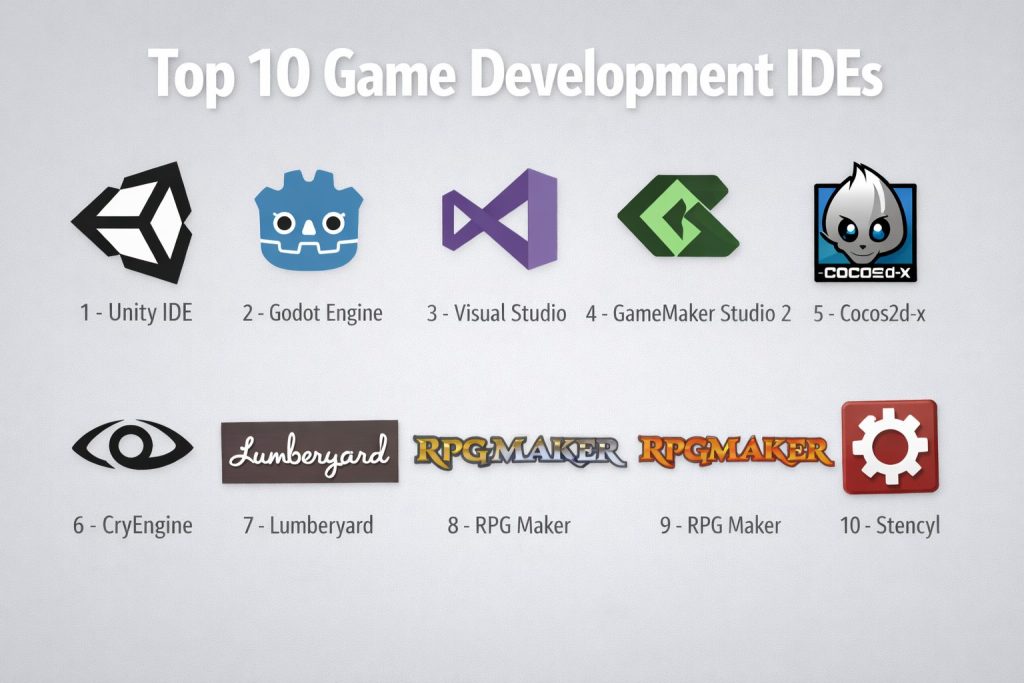
Introduction
Game development IDEs (Integrated Development Environments) are powerful tools used to build, test, and optimize video games. These environments provide everything a developer needs: code editors, debugging tools, compilers, and often additional tools for graphics, physics, and networking. In simple terms, an IDE is where you write, debug, and package your game for delivery, whether it’s a mobile app, PC game, or console title.
Game development has evolved beyond simply writing code. Modern IDEs integrate with game engines, version control systems, and collaboration tools to improve productivity, enhance teamwork, and streamline testing. These platforms also offer specialized features that cater to unique needs in game development, from real-time rendering to interactive level design.
Real-world use cases include:
- Indie game developers building 2D/3D games for mobile and PC
- Large studios developing AAA games with complex physics, AI, and multiplayer components
- Virtual reality and augmented reality (VR/AR) game development
- Educational games, training simulations, and interactive media
- Prototyping and iteration for early-stage concepts and rapid game development
What buyers should evaluate:
- Language support: C++, C#, Python, Lua, etc.
- Engine integration: Unity, Unreal, Godot, etc.
- Toolchain support: debugging, version control, UI design, etc.
- Performance: handling large projects, large game assets, and live debugging
- Collaboration features: real-time code sharing, version control integration
- Asset management: handling textures, models, audio, and animations
- Customization: ability to add extensions, plugins, and scripts
- User interface (UI): ease of navigation and workflow management
- Platform support: targeting mobile, console, or PC game development
- Cost: free vs paid licenses, cost-effectiveness for indie developers
Mandatory paragraph
- Best for: Game developers, from indie developers to large studio teams, working on 2D/3D games, VR/AR applications, and educational simulations. These tools are suitable for anyone building games or interactive media.
- Not ideal for: Teams that only need basic code editing or are working on non-game-related software; for them, a lighter code editor may be more appropriate.
Key Trends in Game Development IDEs and Beyond
- Real-time collaboration features: Tools that enable multiple developers to work on the same project simultaneously, improving productivity and reducing friction in remote or distributed teams.
- Tight integration with game engines: IDEs increasingly integrate directly with game engines like Unity, Unreal, and Godot, reducing friction between design and coding.
- Support for cross-platform development: IDEs that allow for seamless export to multiple platforms (mobile, PC, consoles, VR) from the same codebase are becoming increasingly essential.
- Cloud-based development: Cloud IDEs are enabling developers to code from anywhere and collaborate in real-time without relying on a powerful local machine.
- Debugging improvements: Advanced debugging tools for real-time testing and debugging of complex game environments, multiplayer setups, and 3D assets.
- Enhanced AI integration: IDEs are leveraging AI tools to assist with design, level generation, behavior patterns, and more, reducing manual input for repetitive tasks.
- Integration with version control systems: IDEs now offer built-in or easy integration with version control systems like Git, enabling seamless collaboration and project management.
- Performance-focused features: Tools that allow for profiling game performance, managing frame rates, and improving the rendering pipeline are becoming standard.
- Asset management tools: Streamlined asset integration, management, and optimization, especially in large-scale AAA projects, is becoming a key feature of game development IDEs.
- Streamlined multiplayer game development: As multiplayer games become more complex, many IDEs offer specialized tools for network synchronization, server-client debugging, and performance testing.
How We Selected These Tools (Methodology)
- Chosen based on market recognition and industry adoption in game development.
- Evaluated based on integration with popular game engines (e.g., Unity, Unreal, Godot).
- Focused on core feature completeness: debugging, asset management, cross-platform export, etc.
- Considered performance and scalability for large game projects with complex assets.
- Examined collaboration features, especially for remote teams.
- Looked at the ecosystem of plugins, extensions, and add-ons available for each IDE.
- Weighed cost-effectiveness for indie developers and small studios.
- Assessed support and community strength, including learning resources, forums, and troubleshooting availability.
Top 10 Game Development IDEs
#1 — Unity IDE
A powerful game development IDE built around the Unity game engine, providing both code editing and visual tools for 2D and 3D game creation.
Key Features
- Supports C# for scripting and game logic
- Real-time preview for instant feedback on gameplay mechanics
- Asset store for easy access to pre-made assets and tools
- Cross-platform deployment (mobile, PC, consoles, and VR)
- Strong integration with Unity’s game engine
- Extensive plugin ecosystem for game systems and tools
- Built-in debugging, profiling, and performance optimization tools
Pros
- Extremely popular in indie and professional game development
- Large community and abundant learning resources
- Wide platform support for building and exporting games
Cons
- Can be overwhelming for beginners due to its large feature set
- Some advanced tools are available only through the paid Pro version
- Heavy reliance on the Unity engine
Platforms / Deployment
Windows / macOS
Cloud / Self-hosted
Security & Compliance
Not publicly stated.
Integrations & Ecosystem
Unity integrates seamlessly with a variety of tools for 3D modeling, animation, physics, and AI.
- Integrates with major game engines and game distribution platforms
- Plugin marketplace for additional tools and functionality
- Compatible with version control systems like Git and Perforce
- Strong integration with asset and environment management tools
Support & Community
Large active community, tutorials, and extensive documentation. Professional support is available with Unity Pro.
#2 — Unreal Engine (UE4)
A highly capable game development platform with a built-in IDE for creating AAA games and experiences, providing visual scripting with Blueprint.
Key Features
- C++ and Blueprint visual scripting support for game logic
- Real-time rendering with advanced graphics and effects
- Cross-platform export (PC, consoles, mobile, VR)
- Built-in physics, AI, and multiplayer networking tools
- Marketplace with assets and tools for faster development
- Powerful level design and environment creation tools
- Visual debugging and profiling tools for performance optimization
Pros
- Industry-standard for high-end AAA game development
- Powerful graphical features and rendering tools
- Large community and marketplace for assets and tools
Cons
- Steep learning curve for beginners and non-programmers
- Requires a powerful machine for optimal performance
- Heavier engine compared to lightweight game engines
Platforms / Deployment
Windows / macOS / Linux
Self-hosted
Security & Compliance
Not publicly stated.
Integrations & Ecosystem
Unreal integrates well with a variety of asset creation and simulation tools.
- Compatible with major game distribution platforms
- Extensive marketplace for assets, tools, and plugins
- Integrates well with version control systems like Git
- Works with various middleware tools for simulation, AI, and physics
Support & Community
Large professional community, extensive documentation, and free learning resources. Paid support is available for enterprises.
#3 — Godot Engine
A free, open-source game engine with its own IDE, offering a streamlined approach to 2D and 3D game development with powerful scripting capabilities.
Key Features
- Supports GDScript (Python-like scripting) and C#
- Lightweight and fast performance for 2D games
- Cross-platform export, including web browsers
- Scene system for modular game architecture
- Visual editor for creating game assets and interactions
- Built-in animation tools and shader language
- Open-source with an active development community
Pros
- Completely free and open-source
- Lightweight and easy to learn
- Strong for 2D game development
Cons
- Limited support for 3D games compared to Unity and Unreal
- Smaller community and fewer third-party resources
- May lack some advanced features available in larger engines
Platforms / Deployment
Windows / macOS / Linux
Self-hosted
Security & Compliance
Not publicly stated.
Integrations & Ecosystem
Godot is open-source with community-driven plugins and extensions.
- Integrates with various asset creation tools
- Plugin ecosystem for additional functionality
- Works well with version control systems like Git
- Open-source development tools for customized workflows
Support & Community
Growing active community, open-source documentation, and free learning resources.
#4 — Visual Studio
A powerful IDE often used alongside Unity or Unreal for coding, debugging, and testing. Provides extensive support for C# and C++ game development.
Key Features
- Supports C#, C++, and other major game development languages
- Advanced debugging and profiling tools
- Integration with game engines like Unity and Unreal
- Extensions for game-specific workflows
- Live testing and debugging for real-time game mechanics
- Version control integration with Git, SVN, and Team Foundation Server
Pros
- Comprehensive toolset for game development and coding
- Excellent debugging and performance profiling
- Integrates seamlessly with Unity and Unreal
Cons
- Can be heavy and resource-intensive
- Primarily used for coding, not game design or asset creation
- Requires additional plugins for game-specific workflows
Platforms / Deployment
Windows / macOS
Self-hosted
Security & Compliance
Not publicly stated.
Integrations & Ecosystem
Visual Studio integrates seamlessly with game engines like Unity and Unreal.
- Extension marketplace for game development tools
- Strong support for Git and other version control systems
- Works well with automated build systems and CI/CD pipelines
Support & Community
Extensive community support, professional learning resources, and troubleshooting. Premium support available.
#5 — GameMaker Studio 2
A beginner-friendly IDE for 2D game development, offering an intuitive drag-and-drop interface alongside the flexibility of scripting with GameMaker Language (GML).
Key Features
- Drag-and-drop interface for beginners and non-programmers
- GameMaker Language (GML) for more advanced scripting
- 2D game engine optimized for performance
- Cross-platform export (PC, mobile, HTML5)
- Integrated asset management tools
- Visual editor for designing game logic and interaction
- Marketplace for assets, scripts, and templates
Pros
- Great for 2D game development and prototypes
- Easy-to-learn interface for new developers
- Strong community and resources
Cons
- Limited to 2D game development (not suitable for complex 3D games)
- Not as flexible as full-fledged game engines like Unity or Unreal
- Paid version required for full access to features
Platforms / Deployment
Windows / macOS
Self-hosted
Security & Compliance
Not publicly stated.
Integrations & Ecosystem
GameMaker integrates with various third-party tools for art and sound creation.
- Marketplace for ready-to-use assets and tools
- Supports version control and collaboration
- Integration with popular mobile and PC game distribution platforms
Support & Community
Strong community of indie developers and hobbyists. Paid support available.
#6 — Cocos2d-x
A flexible open-source game development framework primarily used for mobile games, supporting both 2D and simple 3D development.
Key Features
- Supports C++, Lua, and JavaScript for scripting
- Cross-platform export to mobile, PC, and HTML5
- Lightweight and fast for 2D games
- Strong community-driven development and resources
- Built-in physics engine and particle systems
- Open-source with contributions from developers worldwide
Pros
- Completely free and open-source
- Highly customizable for mobile game development
- Strong performance for 2D and simple 3D games
Cons
- Not as feature-rich as Unity or Unreal for complex 3D games
- Smaller community and fewer learning resources
- Requires more coding knowledge compared to drag-and-drop IDEs
Platforms / Deployment
Windows / macOS / Linux
Self-hosted
Security & Compliance
Not publicly stated.
Integrations & Ecosystem
Cocos2d-x integrates with third-party game development tools and libraries.
- Open-source plugins and assets for further customization
- Export workflows depend on platform-specific requirements
- Supports common version control systems like Git
Support & Community
Open-source community with active forums and documentation. Professional support is community-driven.
#7 — CryEngine
A game engine and IDE designed for AAA-quality 3D games, offering powerful rendering capabilities and built-in tools for physics, AI, and more.
Key Features
- Full-featured 3D engine with advanced graphics and rendering
- Physics, AI, and networking tools built-in
- Visual scripting system for non-programmers
- High-level asset management and integration for teams
- Real-time testing and debugging
- Cross-platform export to major consoles, PC, and mobile
Pros
- Outstanding graphical rendering for AAA games
- Strong for high-end, visually complex games
- Visual scripting tool for faster iteration
Cons
- Steep learning curve for beginners
- Less user-friendly compared to Unity or Unreal
- Limited community resources compared to more widely adopted engines
Platforms / Deployment
Windows
Self-hosted
Security & Compliance
Not publicly stated.
Integrations & Ecosystem
CryEngine integrates well with third-party tools for asset creation, simulation, and optimization.
- Plugin marketplace for extended functionality
- Version control support for larger teams
- Compatible with major game distribution platforms
Support & Community
Smaller but dedicated community. Professional support is available through Crytek.
#8 — Lumberyard
Amazon’s free game engine, built on CryEngine, offering tools for developing 3D games and immersive experiences, optimized for integration with AWS services.
Key Features
- Free to use with no upfront costs
- Integrated with Amazon Web Services (AWS) for cloud-based multiplayer
- Supports C++ for scripting and development
- Built-in tools for rendering, physics, and networking
- Real-time debugging and profiling tools
- Cross-platform support for major platforms
Pros
- Deep integration with AWS for multiplayer games
- Free to use with powerful cloud services integration
- Good for 3D games and interactive environments
Cons
- Relatively new with a smaller user base
- Lacks some polish compared to more established engines like Unity or Unreal
- Complex features may be difficult to learn for new users
Platforms / Deployment
Windows
Self-hosted
Security & Compliance
Not publicly stated.
Integrations & Ecosystem
Lumberyard is best suited for cloud-connected games, integrating seamlessly with AWS.
- Built-in support for cloud services and multiplayer
- Version control tools and external plugins available
- Optimized for scalable online game development
Support & Community
Growing community with support options available through AWS.
#9 — RPG Maker
A beginner-friendly game development IDE designed specifically for creating RPG-style games, featuring easy-to-use drag-and-drop mechanics.
Key Features
- Focused on 2D RPG game creation
- Built-in map editor and character creation tools
- Event-driven system for designing game logic
- Asset libraries for characters, tilesets, and environments
- Cross-platform export for PC, mobile, and consoles
- Scripting in Ruby or JavaScript for advanced customization
Pros
- Simple and quick for making RPG games
- No coding experience required for basic games
- Large library of resources and assets
Cons
- Not suitable for complex game types outside of RPG
- Limited customization for non-RPG genres
- Lacks the depth and flexibility of more robust game engines
Platforms / Deployment
Windows / macOS
Self-hosted
Security & Compliance
Not publicly stated.
Integrations & Ecosystem
RPG Maker integrates with external tools for custom assets and scripting.
- Large community-driven resources for asset packs and scripts
- Plugin support for extending functionality
- Easy to use for non-technical users
Support & Community
Large community of hobbyists, modders, and indie developers. Paid support available.
#10 — Stencyl
A drag-and-drop game development tool for creating 2D games without any coding, ideal for indie developers or those new to game development.
Key Features
- Visual scripting system for creating 2D games
- Built-in behavior library for quick game mechanics
- Cross-platform export for HTML5, iOS, and Android
- Easy-to-use interface and intuitive game creation tools
- Ability to extend with code for more complex behavior
- Large community and marketplace for templates and resources
Pros
- Great for beginners and rapid prototyping
- No programming skills required for basic games
- Export to multiple platforms with minimal effort
Cons
- Limited for complex games or custom features
- Not suitable for 3D games
- Lacks some of the flexibility and depth of more robust engines
Platforms / Deployment
Windows / macOS
Self-hosted
Security & Compliance
Not publicly stated.
Integrations & Ecosystem
Stencyl supports additional extensions through its marketplace for expanding game capabilities.
- Easily integrates with external tools for game assets
- Plugin support for extending functionality
- Simple to use, but limited flexibility compared to full engines
Support & Community
Strong community with tutorials, resources, and marketplace content. Support depends on your subscription.
Comparison Table (Top 10)
| Tool Name | Best For | Platform(s) Supported | Deployment (Cloud/Self-hosted/Hybrid) | Standout Feature | Public Rating |
|---|---|---|---|---|---|
| Unity IDE | Cross-platform game development | Windows / macOS | Cloud / Self-hosted | Real-time previews and asset store | N/A |
| Unreal Engine | AAA game development and graphics | Windows / macOS / Linux | Self-hosted | Advanced rendering and real-time tools | N/A |
| Godot Engine | 2D and 3D open-source games | Windows / macOS / Linux | Self-hosted | Open-source and flexible scripting | N/A |
| Visual Studio | Game coding and debugging | Windows / macOS | Self-hosted | Powerful coding and debugging tools | N/A |
| GameMaker Studio 2 | 2D game creation | Windows / macOS | Self-hosted | Drag-and-drop interface for beginners | N/A |
| Cocos2d-x | Mobile game development | Windows / macOS / Linux | Self-hosted | Lightweight for 2D and simple 3D games | N/A |
| CryEngine | AAA 3D game development | Windows | Self-hosted | Exceptional graphical rendering | N/A |
| Lumberyard | Cloud-connected multiplayer games | Windows | Self-hosted | Seamless integration with AWS | N/A |
| RPG Maker | 2D RPG game development | Windows / macOS | Self-hosted | Easy event-driven system for RPGs | N/A |
| Stencyl | 2D game development for beginners | Windows / macOS | Self-hosted | Drag-and-drop interface with cross-platform export | N/A |
Evaluation & Scoring of Game Development IDEs
The scoring model below compares the tools based on practical fit for game development teams. Each tool is rated on core features, ease of use, ecosystem integration, and other critical criteria.
Weights:
- Core features – 25%
- Ease of use – 15%
- Integrations & ecosystem – 15%
- Security & compliance – 10%
- Performance & reliability – 10%
- Support & community – 10%
- Price / value – 15%
| Tool Name | Core (25%) | Ease (15%) | Integrations (15%) | Security (10%) | Performance (10%) | Support (10%) | Value (15%) | Weighted Total (0–10) |
|---|---|---|---|---|---|---|---|---|
| Unity IDE | 9.5 | 8.5 | 9.0 | 6.5 | 8.5 | 9.0 | 7.5 | 8.56 |
| Unreal Engine | 10.0 | 7.0 | 9.5 | 6.5 | 9.0 | 8.5 | 6.0 | 8.38 |
| Godot Engine | 8.0 | 9.0 | 8.5 | 6.0 | 7.0 | 8.0 | 8.0 | 7.88 |
| Visual Studio | 8.5 | 8.0 | 8.0 | 6.5 | 9.0 | 9.0 | 8.5 | 8.28 |
| GameMaker Studio 2 | 7.5 | 9.0 | 7.0 | 5.5 | 6.5 | 8.0 | 8.5 | 7.51 |
| Cocos2d-x | 7.5 | 8.0 | 7.0 | 6.0 | 7.5 | 7.5 | 7.0 | 7.35 |
| CryEngine | 9.0 | 6.0 | 8.5 | 6.5 | 9.0 | 7.5 | 5.0 | 7.70 |
| Lumberyard | 8.5 | 6.5 | 8.0 | 6.5 | 8.5 | 7.5 | 6.5 | 7.65 |
| RPG Maker | 6.5 | 9.5 | 6.0 | 5.0 | 6.0 | 9.0 | 8.5 | 7.50 |
| Stencyl | 6.0 | 9.0 | 6.5 | 5.5 | 6.0 | 8.5 | 9.0 | 7.36 |
How to interpret the scores:
- Use this table to help narrow down your options, then run a small pilot project.
- A lower score can indicate specialization—some tools may be a better fit for certain teams or game types.
- Focus on ecosystem and collaboration needs based on your team’s workflow.
Which Game Development IDE Tool Is Right for You?
Solo / Freelancer
If you’re working alone, you need tools that help you get from concept to completion quickly without too much overhead.
- Choose Godot Engine for its simplicity and open-source model, especially if you’re working on smaller games.
- Choose GameMaker Studio 2 if you’re building 2D games and want a quick prototyping workflow.
SMB
For small teams, productivity, collaboration, and flexibility matter.
- Choose Unity IDE if you need an all-in-one tool for cross-platform development and robust asset integration.
- Choose Unreal Engine if your focus is on high-quality graphics and immersive experiences.
Mid-Market
Mid-market teams often need to balance collaboration, performance, and output scalability.
- Unreal Engine works well for teams making AAA-quality 3D games.
- Unity IDE fits perfectly with mid-market teams developing across platforms and media.
Enterprise
Enterprise teams need highly scalable solutions that integrate well with extensive toolchains.
- Unity IDE is ideal for large teams with diverse development needs.
- Unreal Engine shines when graphical fidelity and large-scale environments are a priority.
Budget vs Premium
- Free or open-source IDEs like Godot Engine and Cocos2d-x are good choices for developers or teams with a limited budget.
- Premium IDEs such as Unity IDE and Unreal Engine provide powerful tools, especially when advanced features, cross-platform deployment, and larger team collaboration are needed.
Feature Depth vs Ease of Use
- Feature depth: Unreal Engine, Unity IDE
- Ease of use: RPG Maker, Stencyl, GameMaker Studio 2
Integrations & Scalability
- If your game will grow over time or include extensive online components, prioritize tools with strong cloud and multiplayer support like Lumberyard and Unreal Engine.
Security & Compliance Needs
Security in game development mostly comes from your pipeline and data management, but some tools offer built-in collaboration features that control access and versioning.
Frequently Asked Questions (FAQs)
What’s the best game engine for beginners?
GameMaker Studio 2 is widely known for being beginner-friendly, offering drag-and-drop features along with simple scripting.
Can I use these IDEs for mobile game development?
Yes, most IDEs listed here, including Unity IDE, Unreal Engine, and Godot Engine, support mobile game development for iOS and Android.
What should I look for in a game development IDE?
Consider scripting language support, cross-platform deployment, performance features, debugging tools, and collaboration options. Make sure to test the IDE with your game type.
Are there free alternatives to premium game engines?
Yes, Godot Engine and Cocos2d-x are excellent open-source options that allow for full customization and flexibility.
How important are assets in game development IDEs?
Integrated asset management tools help you store, edit, and optimize game assets directly in the IDE, speeding up development.
How do I collaborate with my team in a game IDE?
Look for cloud-based IDEs or those with version control and real-time collaboration features. Unity IDE and Onshape are great for teams working together.
What is the learning curve like for these IDEs?
The learning curve varies significantly. GameMaker Studio 2 and Stencyl are easier for beginners, while Unreal Engine and Unity IDE require more time for mastery.
Can I export my game to multiple platforms?
Yes, most modern game IDEs, such as Unity IDE, Unreal Engine, and Godot Engine, offer easy export to various platforms including mobile, PC, and consoles.
Are these tools good for multiplayer games?
Unreal Engine and Lumberyard provide strong tools for networking, multiplayer features, and cloud integration.
How do I debug my game during development?
Many IDEs, such as Unity IDE and Unreal Engine, provide built-in debugging tools to catch issues in real time as you playtest the game.
Conclusion
The right game development IDE depends on your needs, team size, and the type of game you’re building. Unity IDE and Unreal Engine are excellent for large-scale games and high-quality graphics, while Godot Engine and Cocos2d-x provide flexibility with open-source benefits. For rapid prototyping, tools like GameMaker Studio 2 and Stencyl are great for 2D games. Consider your game type, team collaboration needs, and platform requirements when choosing the best tool for your project.