Introduction
In the modern digital ecosystem, form builder tools have transitioned from simple data collection utilities into sophisticated engines for business automation and customer engagement. As an expert in DevOps and platform engineering, I view these tools as critical entry points for data pipelines. A well-designed form is not merely a set of input fields; it is a structured interface that initiates complex workflows, integrates with CRM systems, and triggers automated responses. The shift toward low-code and no-code environments has empowered teams to build high-logic forms that previously required dedicated frontend development.
The strategic importance of choosing the right form builder lies in its ability to balance user experience with backend technical requirements. High-performing organizations prioritize tools that offer robust security protocols—such as HIPAA or GDPR compliance—alongside seamless API connectivity. In this era of rapid digital transformation, the form is often the first touchpoint in a customer’s journey, making its performance, accessibility, and design quality central to a brand’s reputation. Selecting a platform requires a deep understanding of your data architecture and the specific needs of your end-users, ensuring that the tool you deploy today can scale with your organizational complexity.
Best for: Marketing teams, HR departments, customer success managers, and developers who need to bridge the gap between user input and automated backend processes.
Not ideal for: Organizations requiring hyper-niche, custom-coded database interactions that exceed the structural limitations of standard SaaS form frameworks.
Key Trends in Form Builder Tools
The most significant trend in the current landscape is the infusion of generative AI into the form-building process. Modern builders now allow users to generate entire multi-step forms from a single text prompt, significantly reducing the “time-to-deploy” for complex surveys and lead generation funnels. We are also seeing a massive push toward conversational interfaces—moving away from static, intimidating blocks of questions toward one-at-a-time, interactive experiences that mimic a human dialogue, which has been proven to increase completion rates across all industries.
Furthermore, there is a heightened focus on “zero-party data” collection and privacy-first design. With the tightening of global data regulations, form builders are integrating advanced encryption, blockchain-based verification, and localized data residency options as standard features. Integration ecosystems are also becoming “deeper” rather than just “wider,” with native syncs that map complex data objects directly into platforms like Salesforce, HubSpot, and Notion, eliminating the need for intermediary middleware in many standard use cases.
How We Selected These Tools
Our selection process for the top 10 form builder tools involved a rigorous analysis of technical reliability, integration depth, and user experience. We focused on platforms that demonstrate high uptime and fast loading speeds, as even a one-second delay in form rendering can lead to significant drop-off rates. Security was a primary filter; we prioritized tools that provide enterprise-grade encryption and clear compliance certifications to ensure that sensitive data remains protected throughout the collection lifecycle.
Beyond basic functionality, we evaluated the “logic depth” of each tool—specifically how well they handle branching, calculations, and conditional formatting. We also considered the versatility of the deployment options, favoring tools that offer seamless embedding, standalone landing pages, and mobile-responsive designs. Finally, we accounted for market longevity and community support, ensuring that the tools on this list are backed by stable companies with robust documentation and active development roadmaps.
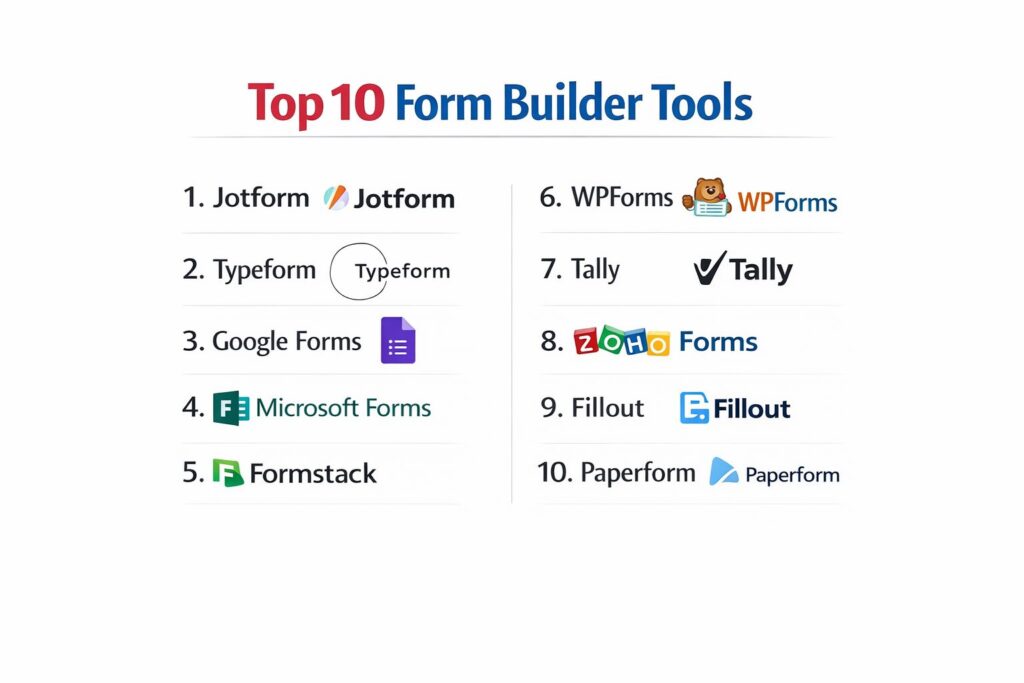
1. Jotform
Jotform stands as a powerhouse in the industry, offering a vast array of features that cater to everything from simple contact forms to complex enterprise-level workflows. It is particularly known for its extensive template library and its ability to handle sophisticated logic and payment processing without requiring a single line of code.
Key Features
The platform offers over 10,000 pre-built templates, covering nearly every imaginable industry and use case. It features a powerful drag-and-drop editor that supports advanced widgets like e-signatures, file uploads, and appointment scheduling. Jotform’s “Smart PDF” feature allows users to turn existing PDF documents into fillable online forms that sync data back into the original layout. It also includes built-in approval workflows, a dedicated mobile app builder, and an AI-powered form generator that creates drafts based on user descriptions.
Pros
Extremely feature-rich with a massive library of widgets and integrations. The “Approvals” feature is excellent for internal corporate processes and HR workflows.
Cons
The interface can feel cluttered and overwhelming for users who only need to build very simple forms. Free tier limits on submissions are relatively strict.
Platforms and Deployment
Web-based platform with native mobile applications for iOS and Android.
Security and Compliance
Offers HIPAA, GDPR, and PCI DSS compliance. Data is protected with 256-bit SSL encryption.
Integrations and Ecosystem
Integrates with over 100 third-party apps, including Google Sheets, Slack, Salesforce, and Stripe.
Support and Community
Provides 24/7 customer support, an extensive user forum, and a comprehensive video tutorial library.
2. Typeform
Typeform revolutionized the industry by introducing the “one-question-at-a-time” conversational format. It focuses heavily on design and user experience, making it the preferred choice for brands that want their forms to feel like an interactive dialogue rather than a tedious task.
Key Features
The platform’s signature feature is its fluid, conversational interface which uses “Logic Jumps” to create personalized paths for each respondent. It includes a built-in library of high-quality photos and videos to enhance form aesthetics. Typeform’s AI features help refine question phrasing and suggest layout improvements to boost engagement. It also offers “VideoAsk,” an interactive video tool for face-to-face asynchronous communication. The platform’s analytics dashboard provides clear insights into drop-off points, helping creators optimize their flows for higher conversion.
Pros
The superior design and conversational flow lead to significantly higher completion rates than traditional forms. It is exceptionally easy to build visually stunning experiences quickly.
Cons
It is one of the more expensive options on the market, especially as submission volumes grow. It lacks the deep “utility” features (like complex calculations) found in Jotform.
Platforms and Deployment
Cloud-based web platform with highly optimized mobile-responsive views.
Security and Compliance
GDPR and HIPAA compliant with secure data encryption at rest and in transit.
Integrations and Ecosystem
Direct integrations with HubSpot, Mailchimp, Airtable, and Zapier for extended connectivity.
Support and Community
Offers a robust Help Center, email support, and a community platform called “Typeform Community” for sharing tips.
3. Google Forms
Google Forms is the go-to solution for anyone needing a fast, free, and reliable way to collect data. As part of the Google Workspace ecosystem, its primary strength lies in its simplicity and its perfect integration with other Google services like Sheets and Drive.
Key Features
The tool provides a clean, straightforward interface for creating surveys, quizzes, and registration forms. It supports basic conditional logic (branching to sections) and automated grading for quizzes. Users can collaborate on forms in real-time, just like in Google Docs. Recent updates have introduced basic AI-powered question suggestions and auto-complete features. All data is automatically piped into Google Sheets for instant analysis, and the platform allows for unlimited forms and responses on the free tier.
Pros
Completely free with no hidden limits on the number of forms or submissions. The learning curve is almost non-existent for anyone familiar with Google Workspace.
Cons
Customization and branding options are very limited. It lacks advanced features like payment processing, file upload limits (within a shared drive), and complex workflows.
Platforms and Deployment
Web-based; works seamlessly across all modern browsers.
Security and Compliance
Inherits Google’s enterprise-grade security and is GDPR compliant within Workspace environments.
Integrations and Ecosystem
Deeply integrated with the Google ecosystem; thousands of third-party add-ons are available in the Workspace Marketplace.
Support and Community
Relies on a massive global user base and extensive documentation within the Google Help Center.
4. Microsoft Forms
Microsoft Forms is the equivalent of Google Forms for the Microsoft 365 ecosystem. It is designed for businesses and educational institutions that need a secure, integrated way to capture feedback and conduct internal assessments.
Key Features
The platform is optimized for quick creation of surveys, polls, and quizzes with built-in “Forms Ideas” that suggest question types based on the title. It integrates natively with Excel for real-time data analysis and with Power Automate for creating complex business workflows. One of its standout features is the integration with Microsoft Teams, allowing forms to be shared and analyzed directly within chat channels. It also supports “Multilingual” forms, allowing respondents to choose their preferred language from a dropdown menu.
Pros
Seamlessly integrated for Microsoft 365 users, requiring no additional logins or subscriptions. Strong accessibility features, including an “Immersive Reader” for respondents.
Cons
The design options are somewhat rigid and corporate. It is not as flexible as third-party tools for complex external marketing funnels.
Platforms and Deployment
Web-based platform accessible via browser and integrated within the Microsoft 365 app suite.
Security and Compliance
Highly secure, meeting enterprise standards for GDPR, HIPAA, and FERPA.
Integrations and Ecosystem
Directly connects with Excel, SharePoint, and Power Automate; limited third-party ecosystem outside of Microsoft.
Support and Community
Backed by Microsoft’s global support infrastructure and extensive enterprise documentation.
5. Formstack
Formstack is an enterprise-grade platform that prioritizes data security and workflow automation. It is less about “simple forms” and more about “business systems,” offering a suite of tools for document generation and digital signatures.
Key Features
Beyond the form builder, Formstack includes “Formstack Documents” for automating PDF and Word doc generation and “Formstack Sign” for legally binding e-signatures. It offers a specialized “Conversion Kit” that includes A/B testing, field bottlenecks, and partial submissions tracking to optimize marketing forms. The platform is highly regarded for its offline data collection capabilities via a dedicated mobile app. It also features advanced “Data Routing” that can send form submissions to different departments based on specific criteria.
Pros
Unrivaled for highly regulated industries like healthcare and finance. The ability to automate entire document workflows from a single form submission is a major time-saver.
Cons
The pricing is geared toward enterprises, making it cost-prohibitive for many small businesses. The interface can be technical and requires a higher level of setup effort.
Platforms and Deployment
Web-based platform with a dedicated offline mobile application for field data collection.
Security and Compliance
Industry-leading security with HIPAA, SOC 2, and GDPR compliance.
Integrations and Ecosystem
Over 200 native integrations, with a particularly strong focus on CRM and ERP systems like Salesforce.
Support and Community
Provides dedicated account managers for enterprise clients and a professional support ticket system.
6. WPForms
WPForms is the most popular drag-and-drop form builder specifically built for WordPress. It is designed to be user-friendly for non-technical website owners while offering enough power for developers to customize as needed.
Key Features
The plugin features a “Smart Conditional Logic” engine that allows users to hide or show fields based on previous answers. It includes specialized templates for contact forms, payment forms, and user registration. The “Form Abandonment” addon allows merchants to capture leads even if the user doesn’t finish the form. WPForms also features a “Conversational Forms” mode similar to Typeform and a “Geolocation” addon that automatically detects a user’s location. The “Lite” version is free and covers basic contact form needs for millions of websites.
Pros
Perfectly integrated into the WordPress dashboard. It is exceptionally fast and lightweight, ensuring it doesn’t slow down the website’s performance.
Cons
Limited to the WordPress ecosystem; it cannot be used as a standalone cloud platform. Most advanced features are locked behind the Pro version.
Platforms and Deployment
WordPress plugin (self-hosted).
Security and Compliance
Supports GDPR compliance features and integrates with popular spam protection tools like hCaptcha and reCAPTCHA.
Integrations and Ecosystem
Connects with major email marketing tools (Mailchimp, Constant Contact) and payment gateways (Stripe, PayPal).
Support and Community
Excellent support documentation and a dedicated team for Pro users, plus a large community of WordPress enthusiasts.
7. Tally
Tally is a modern, minimalist form builder that stands out for its “Notion-like” interface. It has gained a cult following among startups and creators due to its generous free tier and its unique, document-style approach to building forms.
Key Features
The builder uses a “slash command” system (e.g., typing /image or /input) to add elements, making the creation process feel like writing a document. It offers unlimited forms and responses for free, which is rare for a SaaS platform. Tally supports advanced features like “Calculations,” “Answer Piping,” and “Conditional Logic” even on the free plan. It allows for custom domains and “Partial Submissions” in the Pro tier. The design is inherently clean and modern, fitting perfectly into the aesthetic of modern web tools.
Pros
Extremely fast to learn and use. The “Unlimited Responses” on the free tier makes it the best choice for high-volume, low-budget projects.
Cons
Custom branding options are limited on the free version. It does not have as many native “enterprise” integrations as the older players in the space.
Platforms and Deployment
Cloud-based web platform.
Security and Compliance
GDPR compliant and uses secure, encrypted connections for all data transmission.
Integrations and Ecosystem
Native integrations with Notion, Airtable, Slack, and Zapier.
Support and Community
Responsive email support and an active presence on social media and indie-hacker communities.
8. Zoho Forms
Zoho Forms is a versatile, mobile-ready form builder that is part of the extensive Zoho business suite. It is highly optimized for organizations that need to collect data in the field and sync it directly into a CRM or project management system.
Key Features
The platform offers a robust offline mobile app that allows users to collect signatures, scan barcodes, and track GPS locations without an internet connection. It features an “AI Assistant” (Zia) that can generate forms from descriptions. Zoho Forms supports complex multi-level approval workflows and provides a “Mobile SDK” for developers to embed forms into their own mobile apps. It also includes “Task Assignment” features, where form submissions can be automatically turned into tasks for specific team members.
Pros
The best choice for field teams and mobile-first data collection. It offers incredible value when used as part of the wider Zoho One ecosystem.
Cons
The user interface can feel a bit dated and corporate compared to newer tools like Tally or Typeform. The setup for complex workflows can be quite intricate.
Platforms and Deployment
Web-based platform with powerful native apps for iOS and Android.
Security and Compliance
Full GDPR and HIPAA compliance with granular user permissions.
Integrations and Ecosystem
Seamlessly integrated with 40+ Zoho apps and numerous third-party tools via Zoho Flow and Zapier.
Support and Community
Offers 24/5 support for all users and 24/7 for premium tiers, alongside a global network of Zoho consultants.
9. Fillout
Fillout is a rising star in the form-building space, specifically designed for teams that use modern data stacks like Airtable, Notion, and HubSpot. It focuses on making it easy to “update” existing data rather than just creating new entries.
Key Features
The platform’s “killer feature” is its deep two-way sync with Airtable and Notion, allowing users to create forms that can pull in existing records and allow users to update them securely. It includes an AI form builder that can generate complex forms from a PDF or a text prompt. Fillout supports multi-page layouts, sophisticated calculations, and “Scheduling” via integration with Calendly. It also features “Login-protected forms,” allowing organizations to create simple portals for clients or employees to access specific data.
Pros
The integration with Airtable and Notion is arguably the best in the market. It offers a high level of design flexibility and a very modern, polished interface.
Cons
It is a relatively new player, so its integration list with older legacy systems is not as long as competitors like Jotform.
Platforms and Deployment
Cloud-based web platform.
Security and Compliance
SOC 2 and GDPR compliant, with secure authentication options for private forms.
Integrations and Ecosystem
Best-in-class integrations for Airtable, Notion, HubSpot, and Salesforce.
Support and Community
Direct support via chat and email, with a growing community of “no-code” power users.
10. Paperform
Paperform positions itself as a “digital Swiss Army knife,” combining the features of a form builder, a landing page creator, and a light e-commerce platform. It is designed for businesses that want their forms to feel like high-end branded landing pages.
Key Features
The editor is unique because it works like a word processor—you can click anywhere and start typing, adding media and form fields in-line. It includes a robust “Calculations” engine that can handle complex pricing and scoring models. Paperform supports “Appointments” and “Subscriptions,” making it ideal for service-based businesses. It also features “Guided mode,” which provides a conversational one-question-at-a-time experience. The platform’s “Brand Assets” feature allows users to set global themes that apply to all forms automatically.
Pros
The “Doc-style” editor is incredibly intuitive for creative professionals. It is one of the few platforms that successfully blends form functionality with beautiful landing page design.
Cons
The pricing is a bit higher than basic form builders. Some of the more advanced logic features require a bit of time to master due to the unique editor layout.
Platforms and Deployment
Cloud-based web platform.
Security and Compliance
GDPR and PCI DSS compliant, with options for secure file storage.
Integrations and Ecosystem
Over 3,000 integrations via Zapier and Make, along with several key native connections like Stripe and Google Sheets.
Support and Community
Offers fast live chat support and an extensive library of templates and tutorials.
Comparison Table
| Tool Name | Best For | Platform(s) Supported | Deployment | Standout Feature | Public Rating |
| 1. Jotform | Advanced Workflows | Web, iOS, Android | Cloud/Mobile | 10,000+ Templates | 4.7/5 |
| 2. Typeform | Conversational UX | Web | Cloud | One-Question-at-a-Time | 4.5/5 |
| 3. Google Forms | Simple/Free Needs | Web | Cloud | Unlimited Free Responses | 4.4/5 |
| 4. Microsoft Forms | MS 365 Users | Web | Cloud | Excel Live Sync | 4.2/5 |
| 5. Formstack | Regulated Industries | Web, Mobile | Cloud/App | Offline Data Collection | 4.4/5 |
| 6. WPForms | WordPress Users | WordPress Plugin | Self-Hosted | Abandonment Recovery | 4.9/5 |
| 7. Tally | Startups/Indie Hackers | Web | Cloud | Notion-like Editor | 4.8/5 |
| 8. Zoho Forms | Field Ops/SMBs | Web, iOS, Android | Cloud/App | Mobile Barcode/GPS | 4.3/5 |
| 9. Fillout | Airtable/Notion Sync | Web | Cloud | Record Updating (2-way) | 4.8/5 |
| 10. Paperform | Branded Landing Pages | Web | Cloud | Doc-style Editor | 4.6/5 |
Evaluation & Scoring of Form Builder Tools
The scoring below is a comparative model intended to help shortlisting. Each criterion is scored from 1–10, then a weighted total from 0–10 is calculated using the weights listed. These are analyst estimates based on typical fit and common workflow requirements, not public ratings.
Weights:
- Core features – 25%
- Ease of use – 15%
- Integrations & ecosystem – 15%
- Security & compliance – 10%
- Performance & reliability – 10%
- Support & community – 10%
- Price / value – 15%
| Tool Name | Core (25%) | Ease (15%) | Integrations (15%) | Security (10%) | Performance (10%) | Support (10%) | Value (15%) | Weighted Total |
| 1. Jotform | 10 | 8 | 10 | 10 | 9 | 10 | 8 | 9.25 |
| 2. Typeform | 8 | 10 | 9 | 9 | 9 | 9 | 7 | 8.55 |
| 3. Google Forms | 6 | 10 | 6 | 9 | 10 | 7 | 10 | 7.70 |
| 4. Microsoft Forms | 6 | 9 | 7 | 10 | 10 | 8 | 9 | 8.00 |
| 5. Formstack | 10 | 6 | 9 | 10 | 9 | 9 | 6 | 8.40 |
| 6. WPForms | 9 | 10 | 8 | 8 | 10 | 10 | 8 | 9.05 |
| 7. Tally | 8 | 10 | 7 | 8 | 10 | 8 | 10 | 8.70 |
| 8. Zoho Forms | 9 | 7 | 9 | 9 | 9 | 9 | 9 | 8.70 |
| 9. Fillout | 9 | 9 | 10 | 9 | 9 | 8 | 9 | 9.05 |
| 10. Paperform | 8 | 9 | 8 | 8 | 9 | 9 | 7 | 8.20 |
How to interpret the scores:
- Use the weighted total to shortlist candidates, then validate with a pilot.
- A lower score can mean specialization, not weakness.
- Security and compliance scores reflect controllability and governance fit, because certifications are often not publicly stated.
- Actual outcomes vary with assembly size, team skills, templates, and process maturity.
Which Form Builder Tool Is Right for You?
Solo / Freelancer
If you are starting out and need a high-quality form without a high price tag, Tally or Google Forms are the obvious choices. Tally offers a more modern aesthetic and better logic for free, while Google Forms is perfect for those already deep in the Workspace ecosystem.
SMB
For small and medium businesses that need professional branding and payment collection, Typeform or Paperform are excellent for customer-facing funnels. If the website is on WordPress, WPForms is the most efficient and integrated solution available.
Mid-Market
Organizations that need to manage internal workflows, approvals, and complex data collection should look toward Jotform or Fillout. Fillout is especially powerful if the team uses modern database tools like Airtable or Notion to track their leads and projects.
Enterprise
For large-scale operations requiring high security, offline data entry, and strict compliance, Formstack and Zoho Forms are the clear leaders. These platforms offer the administrative controls and reliability required by legal, medical, and governmental sectors.
Budget vs Premium
Google Forms is the undisputed king of budget-friendly data collection. However, for premium experiences where completion rates directly impact revenue (like lead-gen), the investment in Typeform’s conversational UI or Jotform’s deep feature set is usually justified.
Feature Depth vs Ease of Use
Jotform offers the most depth but has a steeper learning curve than the “writing-style” interfaces of Tally or Paperform. Choose your tool based on whether you need a complex technical engine or a beautiful, user-friendly interface.
Integrations & Scalability
Fillout and Jotform offer the most robust integration options for growing teams. A platform that can’t “talk” to your CRM or database will eventually become a bottleneck as your data volume increases.
Security & Compliance Needs
If you handle health data or financial information, do not compromise—use Formstack or the enterprise versions of Jotform. These tools provide the necessary auditing and encryption standards to keep your organization legally protected.
Frequently Asked Questions (FAQs)
1. Is it better to use a WordPress plugin or a standalone cloud form builder?
It depends on your workflow. A WordPress plugin like WPForms is faster for simple site-specific forms, but a cloud builder like Jotform is better for cross-platform data collection and more complex business automations.
2. How do I increase my form completion rates?
Switching to a conversational, “one-question-at-a-time” format (like Typeform) and reducing the number of fields to the absolute minimum are the most effective ways to boost response rates.
3. Can I collect payments securely through these forms?
Yes, most top-tier builders integrate with Stripe, PayPal, and Square. Ensure the builder is PCI DSS compliant to ensure that financial data is handled according to global security standards.
4. What is “conditional logic” in a form?
Conditional logic allows you to change the form based on user input—for example, skipping certain questions or showing a different final “Thank You” page depending on the user’s specific answers.
5. Are free form builders secure?
Google and Microsoft Forms offer enterprise-level security for free. However, for specialized compliance like HIPAA, you usually need to move to the paid “Enterprise” tiers of specialized tools.
6. Can I use these forms offline?
Tools like Zoho Forms and Formstack offer dedicated mobile apps specifically designed for offline field data collection, which then sync to the cloud once an internet connection is restored.
7. What is “two-way sync” in form building?
Two-way sync (offered by Fillout) allows a form to both send data to a database and retrieve/update existing data from that database, which is critical for client portals or inventory management.
8. Do I need coding skills to use these tools?
No, all the tools on this list are “no-code” or “low-code.” They use drag-and-drop interfaces or document-style editors that anyone can master regardless of technical background.
9. Can I store files uploaded through these forms?
Yes, but be aware of storage limits. Most platforms will store the files on their own servers, but you can also integrate them to automatically upload files to Google Drive, Dropbox, or Box.
10. How does AI help in form building?
AI can generate a draft form from a prompt, suggest better wording for questions, automatically categorize responses, and even help in identifying potential spam or fraudulent submissions.
Conclusion
The evolution of form builder tools reflects a broader shift toward democratized data engineering. In the current business climate, the ability to rapidly deploy a secure, high-logic, and integrated form is a competitive advantage that spans every department—from HR and marketing to platform operations. As an expert in technical workflows, I recommend viewing these platforms not as silos, but as critical components of your wider data architecture. The right tool should simplify the user’s experience on the frontend while providing clean, actionable, and secure data to your backend systems. By prioritizing security, integration depth, and user engagement, you ensure that your data collection strategy is resilient enough to handle the complexities of a modern, automated enterprise. Ultimately, the best form builder is the one that removes the friction between a question asked and an action taken.