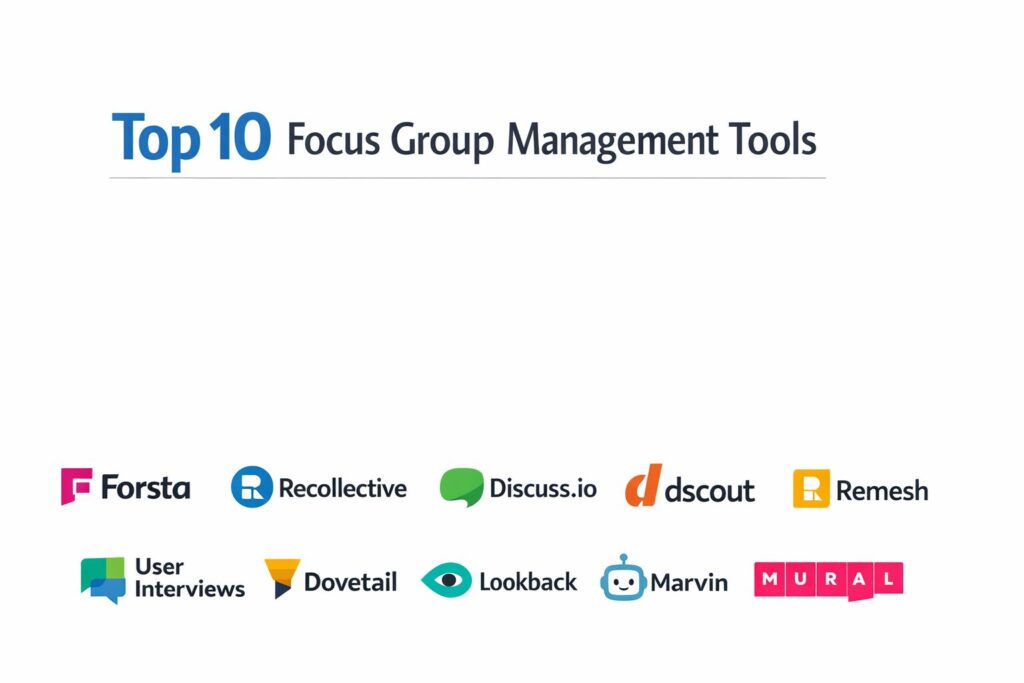
Introduction
Focus group management tools have transitioned from simple scheduling assistants to end-to-end qualitative research ecosystems that leverage high-definition streaming and artificial intelligence. In a globalized market, these platforms allow researchers to transcend geographical boundaries, connecting brands with diverse consumer segments through virtual “backrooms” and asynchronous discussion boards. The primary function of these tools is to preserve the intimacy of human conversation while providing the analytical power of digital data processing. By centralizing participant recruitment, session moderation, and post-study analysis, these platforms enable organizations to move from raw dialogue to actionable strategic insights with unprecedented speed.
The modern qualitative landscape demands more than just a video link; it requires sophisticated tools for participant verification, automated transcription in multiple languages, and collaborative workspaces where stakeholders can tag key moments in real-time. As consumer behavior becomes increasingly complex, the ability to observe non-verbal cues through high-quality video and manage “longitudinal” communities—where feedback is gathered over weeks rather than hours—has become a critical capability. Selecting the right management tool involves balancing the need for a seamless participant experience with the rigorous data security and advanced analysis features required by enterprise-level research teams.
Best for: Market researchers, UX designers, brand strategists, and product managers who require deep qualitative insights through structured group discussions and ethnographic studies.
Not ideal for: Simple quantitative polling without a need for discussion, or internal team meetings that do not require specialized research features like observer “backrooms” or sentiment tagging.
Key Trends in Focus Group Management Tools
The integration of Generative AI is the most significant trend, with platforms now offering “AI Moderation” capable of facilitating thousands of participants simultaneously by clustering similar responses in real-time. We are also seeing the rise of “Synthetic Personas”—AI models built on historical data that can simulate focus group responses to test a hypothesis before engaging real human participants. Asynchronous “Mobile Missions” are becoming a standard feature, allowing participants to record video snippets of their daily lives, providing a more authentic “in-the-moment” perspective than traditional scheduled sessions.
Privacy and ethical AI governance have become paramount, with tools now including automated PII (Personally Identifiable Information) masking in video recordings and transcripts. There is a growing shift toward “Hybrid Research,” where platforms seamlessly bridge the gap between in-person facility recordings and remote digital participants in a single unified dashboard. Additionally, “Real-time Insight Mapping” is replacing traditional post-session reporting, as AI engines now generate executive summaries and highlight reels almost instantly after a session concludes, allowing teams to iterate on products in hours rather than weeks.
How We Selected These Tools
Our selection process focused on platforms that provide a comprehensive “end-to-end” workflow, from participant recruitment and screening to final insight delivery. We prioritized tools that offer specialized “Research-First” video environments, featuring virtual backrooms where observers can communicate without being seen by participants. We evaluated the quality of the integrated AI features, specifically looking for accuracy in automated transcription and the ability to detect emotional sentiment across diverse global accents.
Scalability was a major factor, leading us to include both “Agile” tools for quick UX checks and enterprise platforms capable of managing multi-market global studies. We scrutinized the participant management capabilities, favoring systems that handle complex scheduling, automated reminders, and secure incentive payments. Security certifications were a non-negotiable criterion, ensuring all selected tools meet global standards like GDPR, SOC 2, and HIPAA. Finally, we assessed the collaborative features of each tool, ensuring they support multi-user tagging and the easy sharing of “insight clips” with broader stakeholder groups.
1. Forsta (formerly FocusVision)
Forsta is an enterprise-grade powerhouse in the qualitative world, known for its “InterVu” platform which replicates the traditional focus group facility experience in a high-security digital environment. It is the gold standard for global agencies requiring deep technical control and reliable streaming.
Key Features
The platform features “InterVu,” a purpose-built video conferencing tool that includes a secure virtual backroom for stakeholders. It includes “Revelation,” a module for asynchronous digital diaries and community activities. The system offers integrated global recruitment services with verified respondent panels across 100+ countries. It features real-time “Smart Summaries” that use AI to identify key themes during the live session. It also provides a robust “Video Indexer” that allows researchers to search for specific words or emotional triggers across hundreds of hours of recorded footage.
Pros
Offers the most sophisticated “backroom” experience for remote observers and clients. Its security infrastructure is unmatched, making it a favorite for healthcare and financial research.
Cons
The pricing is high and typically structured for enterprise-level budgets. The interface can be complex for occasional users or smaller research teams.
Platforms and Deployment
Web-based SaaS with dedicated mobile apps for asynchronous missions.
Security and Compliance
Leader in the field with ISO 27001, SOC 2 Type II, and full HIPAA compliance.
Integrations and Ecosystem
Seamlessly integrates with Forsta’s quantitative survey tools for a holistic research view.
Support and Community
Provides high-touch project management and 24/7 technical support during live sessions.
2. Recollective
Recollective is a highly versatile platform that excels at building “Research Communities” that blend live focus groups with long-term asynchronous engagement. It is designed for researchers who want to follow the consumer journey over an extended period.
Key Features
The platform features “Live Video” rooms that support both moderated focus groups and 1-on-1 interviews. It includes a unique “Task-Based” system where participants can complete image markups, card sorts, and video journals at their own pace. The system offers a “Social Intelligence” layer that encourages participant-to-participant interaction in a secure environment. It features an “Automated Reporting” suite that synthesizes community data into visual charts and word clouds. It also provides a flexible branding engine that allows the platform to look and feel like a client’s proprietary community.
Pros
Exceptional at maintaining participant engagement over long-term studies. The mix of live and asynchronous tools provides a more comprehensive data set than live sessions alone.
Cons
Setting up complex asynchronous “journeys” can be time-consuming for the researcher. The per-project pricing can become expensive for very large participant groups.
Platforms and Deployment
Cloud-based SaaS optimized for mobile and desktop browsers.
Security and Compliance
Fully GDPR and CCPA compliant with data residency options in multiple regions.
Integrations and Ecosystem
Offers a robust API for connecting with CRM data and external panel providers.
Support and Community
Known for an excellent help center and “Recollective Academy” for user training.
3. Discuss.io
Discuss.io is built for “Agile Insights,” focusing on removing the friction from conducting global qualitative research. It is a preferred tool for product and marketing teams who need to speak to consumers frequently and quickly.
Key Features
The platform features “Personalized Recruitment,” where the system automatically finds and schedules participants based on specific demographic needs. It includes a “Virtual Backroom” where observers can chat and flag important moments with “Save-a-Clip” buttons. The system offers “Real-time AI Transcription” in over 20 languages, allowing global teams to follow sessions as they happen. It features a “Highlight Reel Creator” that compiles tagged moments into a presentation in minutes. It also includes “Sentiment Analysis” that visually maps the emotional tone of the discussion.
Pros
The speed from “question to insight” is remarkably fast, often allowing for same-day research. The browser-based interface requires no downloads for participants or observers.
Cons
While excellent for live sessions, it has fewer features for deep, asynchronous longitudinal studies. Some advanced branding options are limited on lower tiers.
Platforms and Deployment
Web-based SaaS with no software installation required.
Security and Compliance
SOC 2 Type II certified and compliant with global privacy standards.
Integrations and Ecosystem
Integrates with project management tools and Slack for sharing insights across teams.
Support and Community
Offers dedicated “Support Moderators” who can join live sessions to handle technical issues.
4. dscout
dscout is the leader in “Mobile Ethnography,” focusing on capturing the raw, unpolished reality of consumer behavior through their smartphones. It is essential for UX researchers who want to see products being used in the real world.
Key Features
The platform features “Diary Missions,” where participants submit video, photo, and text responses over days or weeks. It includes “dscout Live,” a browser-based tool for remote interviews and focus groups that captures high-quality screen sharing. The system offers “Express,” a tool for rapid video feedback from a massive pre-screened panel. It features “Automatic Video Tagging” that uses AI to organize clips by demographic and sentiment. It also provides a “Collaborative Canvas” where teams can vote on and organize the best participant clips.
Pros
Provides the most authentic “in-the-moment” qualitative data in the industry. The built-in panel of “scouts” is exceptionally engaged and provides high-quality video content.
Cons
The focus is heavily on mobile-first qualitative data, which may not suit traditional sitting focus group needs. The pricing can be steep for small organizations.
Platforms and Deployment
Native iOS and Android apps for participants; Web-based dashboard for researchers.
Security and Compliance
GDPR compliant with enterprise-grade encryption and secure participant data handling.
Integrations and Ecosystem
Integrates with Dovetail and Miro for deeper analysis and workshop sessions.
Support and Community
Offers “People Nerds,” a vibrant community and blog dedicated to the craft of qualitative research.
5. Remesh
Remesh is a revolutionary platform that uses AI to flip the focus group model, allowing a single moderator to “talk” to up to 1,000 people simultaneously. it is the ultimate tool for qualitative scale.
Key Features
The platform features “AI-Moderated Chat,” where the system clusters a thousand individual responses into major themes in seconds. It includes “Real-time Voting,” where participants can vote on each other’s ideas to reach a group consensus instantly. The system offers “Live Polling” that provides quantitative data alongside qualitative open-ends. It features a “Dynamic Discussion Guide” that allows moderators to pivot based on real-time data visualizations. It also provides “Instant Reporting,” delivering a full analysis of a 1,000-person session immediately after it ends.
Pros
Eliminates “groupthink” because participants can’t see other answers until they submit their own. It allows for the scale of a survey with the depth of a focus group.
Cons
The experience is entirely text-based, so you lose the non-verbal and facial cues of video sessions. It requires a specific moderation style to handle the volume of data.
Platforms and Deployment
Web-based SaaS platform.
Security and Compliance
Maintains high enterprise security standards, including SOC 2 and GDPR compliance.
Integrations and Ecosystem
Designed to export high-level summary data into enterprise strategy decks.
Support and Community
Provides expert moderation consulting to help users manage large-scale sessions effectively.
6. User Interviews
While many platforms focus on the video room, User Interviews focuses on the most difficult part of focus group management: finding and managing the right people. It is a world-class participant CRM and recruitment engine.
Key Features
The platform features “Recruit,” a massive database of over 1 million participants targeted by professional and consumer traits. It includes “Hub,” a private participant CRM for organizations to manage their own research panels. The system offers “Automated Scheduling” that syncs with moderator calendars and handles time zone conversions. It features “Incentive Management,” automatically paying participants in their local currency after a session. It also provides “Screener Logic” to ensure only the most qualified candidates join the focus group.
Pros
Drastically reduces the administrative time spent on recruiting and paying participants. The quality of B2B and “niche” participants is among the best in the industry.
Cons
It is primarily a recruitment and management tool, so you will likely need another platform (like Zoom or Discuss.io) to host the actual video session.
Platforms and Deployment
Web-based platform for both researchers and participants.
Security and Compliance
Fully GDPR and CCPA compliant with secure handling of participant PII.
Integrations and Ecosystem
Integrates with Zoom, Lookback, and Google Calendar to create a seamless workflow.
Support and Community
Offers a dedicated project coordination team for complex recruitment needs.
7. Dovetail
Dovetail is a specialized “Research Repository” that excels at the post-focus group phase, helping teams organize, analyze, and share thousands of qualitative insights in a searchable database.
Key Features
The platform features “Automated Transcription” for any uploaded video or audio file. It includes a “Flexible Tagging System” that allows researchers to highlight key themes across multiple different focus groups. The system offers “Searchable Video Clips,” where you can search for a keyword and see the exact moment a participant said it. It features “Insight Stories,” a way to turn clips and quotes into a digital presentation that stakeholders can explore. It also provides “People Profiles” to track a participant’s history across multiple studies.
Pros
The best tool for preventing research “amnesia” by keeping all past insights in a single, searchable home. The interface is modern, fast, and very intuitive for non-researchers.
Cons
It does not host live focus group sessions; it is designed for the data that comes after the session is over. Setting up a robust taxonomy for tagging takes initial effort.
Platforms and Deployment
Cloud-based SaaS.
Security and Compliance
SOC 2 Type II compliant with data encryption and strong access controls.
Integrations and Ecosystem
Integrates with Zoom, dscout, and Slack to pull in data and push out insights.
Support and Community
Provides a massive library of research templates and a community of “Dovetailers.”
8. Lookback
Lookback is a high-performance tool built for “Moderated UX Research,” making it ideal for focus groups where participants need to interact with a digital product or mobile app live.
Key Features
The platform features “LiveShare,” a tool that captures the participant’s screen, their face, and their voice simultaneously. It includes “Virtual Observer Rooms” where the team can watch the session and chat privately. The system offers “Session Highlights,” allowing moderators to time-stamp important moments with a single click. It features “Participant Links” that work in a browser without requiring the participant to create an account. It also provides “Remote Controlled Testing” for mobile apps, ensuring the researcher stays in control of the experience.
Pros
Extremely lightweight and fast for both the participant and the moderator. It offers the best mobile screen-sharing experience for testing apps and mobile websites.
Cons
It is more focused on 1-on-1 or small group UX testing rather than large-scale traditional focus groups. The analytical tools are basic compared to Dovetail.
Platforms and Deployment
Web-based for researchers; browser-based or app-based for participants.
Security and Compliance
Complies with GDPR and follows industry-standard data protection protocols.
Integrations and Ecosystem
Works well with prototyping tools like Figma and research repositories like Dovetail.
Support and Community
Known for being a developer-friendly tool with straightforward documentation and support.
9. Marvin
Marvin is an AI-powered qualitative data platform that acts like a “Research Assistant,” automating the tedious parts of note-taking and analysis during and after a focus group.
Key Features
The platform features a “Live Notetaker” bot that joins focus group calls to take timestamped, categorized notes. It includes “Global Search” that allows you to search across audio, video, and text in one unified interface. The system offers “AI Summarization” that can turn a 90-minute focus group into a one-page executive summary. It features “Clip Stitching,” where you can select several tags and the system automatically creates a highlight reel. It also provides “Sentiment Mapping” that tracks how group energy changes over the course of a session.
Pros
Saves hours of manual labor by automating the most repetitive parts of qualitative analysis. It is very easy to use for teams that conduct research in Zoom or Teams.
Cons
As an AI-first tool, it requires human oversight to ensure the “nuance” of human emotion isn’t lost in automated summaries. It is a secondary platform that joins your existing calls.
Platforms and Deployment
Cloud-based SaaS.
Security and Compliance
HIPAA and GDPR compliant, with a strong focus on data privacy for healthcare research.
Integrations and Ecosystem
Deeply integrated with Zoom, Microsoft Teams, and Google Meet.
Support and Community
Provides personalized onboarding and a responsive development team for enterprise users.
10. Mural (for Focus Groups)
Mural is a digital whiteboard platform that has become an essential tool for “Interactive Focus Groups,” allowing participants to visually collaborate on concepts, sorting tasks, and brainstorming.
Key Features
The platform features an “Infinite Canvas” where participants can place sticky notes, images, and drawings in real-time. It includes “Facilitation Superpowers,” such as a private “timer,” a “voting” tool, and the ability to “summon” everyone to one part of the board. The system offers hundreds of “Research Templates” for journey mapping and SWOT analysis. It features “Anonymous Mode,” allowing participants to contribute ideas without feeling judged by the group. It also provides “Export to Report,” turning the visual board into a structured document.
Pros
Transforms the focus group from a passive interview into an active, creative workshop. It is the best tool for co-creation and visual concept testing.
Cons
It is not a video tool, so you must use it alongside a platform like Zoom. Some participants may find the whiteboard interface overwhelming without a strong moderator.
Platforms and Deployment
Web-based SaaS with excellent support for tablets and touchscreens.
Security and Compliance
Enterprise-level security including ISO 27001 and SOC 2 Type II compliance.
Integrations and Ecosystem
Integrates with Microsoft Teams, Webex, and Zoom for a unified visual and audio experience.
Support and Community
“Mural University” offers world-class training on visual facilitation and research techniques.
Comparison Table
| Tool Name | Best For | Platform(s) Supported | Deployment | Standout Feature | Public Rating |
| 1. Forsta | Enterprise Research | Web, iOS, Android | Cloud SaaS | Virtual Backrooms | 4.8/5 |
| 2. Recollective | Communities | Web-based | Cloud SaaS | Asynchronous Tasks | 4.7/5 |
| 3. Discuss.io | Agile Insights | Web-based | Cloud SaaS | 20+ Language Transcripts | 4.7/5 |
| 4. dscout | Mobile Ethnography | iOS, Android, Web | Native/Cloud | Diary Missions | 4.8/5 |
| 5. Remesh | Qualitative at Scale | Web-based | Cloud SaaS | AI-Moderated Chat | 4.6/5 |
| 6. User Interviews | Recruitment / CRM | Web-based | Cloud SaaS | 1M+ Participant Database | 4.7/5 |
| 7. Dovetail | Insight Repository | Web-based | Cloud SaaS | Searchable Video Tags | 4.8/5 |
| 8. Lookback | UX / Product Testing | Web, iOS, Android | Browser/Native | Live Screen Sharing | 4.5/5 |
| 9. Marvin | AI Analysis | Web-based | Cloud SaaS | Live AI Notetaker | 4.7/5 |
| 10. Mural | Co-Creation | Web, Tablet | Cloud SaaS | Visual Brainstorming | 4.6/5 |
Evaluation & Scoring of Focus Group Management Tools
The scoring below is a comparative model intended to help shortlisting. Each criterion is scored from 1–10, then a weighted total from 0–10 is calculated using the weights listed. These are analyst estimates based on typical fit and common workflow requirements, not public ratings.
Weights:
- Core features – 25%
- Ease of use – 15%
- Integrations & ecosystem – 15%
- Security & compliance – 10%
- Performance & reliability – 10%
- Support & community – 10%
- Price / value – 15%
| Tool Name | Core (25%) | Ease (15%) | Integrations (15%) | Security (10%) | Performance (10%) | Support (10%) | Value (15%) | Weighted Total |
| 1. Forsta | 10 | 4 | 9 | 10 | 9 | 10 | 6 | 8.30 |
| 2. Recollective | 9 | 8 | 8 | 9 | 9 | 9 | 8 | 8.65 |
| 3. Discuss.io | 9 | 9 | 8 | 9 | 9 | 9 | 8 | 8.80 |
| 4. dscout | 10 | 8 | 7 | 9 | 9 | 9 | 7 | 8.50 |
| 5. Remesh | 8 | 8 | 7 | 9 | 9 | 8 | 8 | 8.05 |
| 6. User Interviews | 8 | 9 | 10 | 9 | 10 | 9 | 9 | 8.95 |
| 7. Dovetail | 9 | 10 | 9 | 9 | 10 | 9 | 9 | 9.30 |
| 8. Lookback | 8 | 9 | 8 | 8 | 9 | 8 | 9 | 8.40 |
| 9. Marvin | 8 | 9 | 9 | 9 | 9 | 9 | 9 | 8.75 |
| 10. Mural | 7 | 8 | 9 | 9 | 9 | 9 | 9 | 8.35 |
How to interpret the scores:
- Use the weighted total to shortlist candidates, then validate with a pilot.
- A lower score can mean specialization, not weakness.
- Security and compliance scores reflect controllability and governance fit, because certifications are often not publicly stated.
- Actual outcomes vary with assembly size, team skills, templates, and process maturity.
Which Focus Group Management Tool Is Right for You?
Solo Users & Freelancers
If you are a one-person team, your greatest challenge is the administrative “overhead” of research. You should focus on tools like User Interviews to find participants quickly and Marvin to handle the heavy lifting of note-taking and transcription. This allows you to focus entirely on moderation and analysis rather than scheduling and manual data entry.
Small Businesses (SMB)
For growing companies, “Value for Money” and “Ease of Use” are the primary drivers. A tool like Discuss.io is ideal because it provides a professional environment with a low learning curve. Dovetail is also a critical investment at this stage, as it ensures that the insights you gather today aren’t lost as your team expands and changes.
Mid-Market Organizations
As your research volume increases, you need more specialized tools for diverse methodologies. Consider Recollective if you want to run ongoing communities, or Lookback if your focus is primarily on digital product and UX improvements. These tools provide a balance of power and flexibility without the extreme cost of top-tier enterprise systems.
Enterprise
For global enterprises, the requirements shift toward data governance and multi-market scale. Forsta is the clear choice for high-stakes brand and healthcare research where security is non-negotiable. Large teams also benefit from Remesh, which allows them to validate global marketing concepts with massive groups in a single afternoon.
Budget vs Premium
On a budget, you can “hack” a focus group by using User Interviews for the people and a standard video tool like Zoom, while using a free digital whiteboard. However, premium solutions like dscout or Forsta offer specialized research features—like “backrooms” and integrated analysis—that significantly increase the quality and speed of the final insights.
Feature Depth vs Ease of Use
If your team includes trained academic or market researchers, the deep coding and analytical features of Forsta or Recollective are invaluable. However, for “democratized” research where designers and product owners are conducting their own sessions, the intuitive, simplified interfaces of Marvin or Lookback will lead to higher adoption and better results.
Integrations & Scalability
A focus group tool should connect your “Qual” data to your “Quant” strategy. Ensure your chosen platform can export data to your research repository (like Dovetail) and integrates with your communication tools (like Slack). Scalability means choosing a tool that can handle a 4-person chat today and a 100-person global community tomorrow.
Security & Compliance Needs
Research involves handling personal opinions and often sensitive visual data. Organizations in the EU or those dealing with healthcare must prioritize GDPR and HIPAA compliant tools. Ensure the platform offers features like automated PII masking and “data residency” to meet the legal requirements of the regions where your participants live.
Frequently Asked Questions (FAQs)
1. What is the difference between a virtual focus group and an online community?
A virtual focus group is typically a one-time, live video session lasting 60-90 minutes. An online community (like those built on Recollective) is a long-term group where participants interact with the brand and each other over several days, weeks, or even months using various tasks and discussion boards.
2. How do I ensure participants show up for the session?
Automated management tools like User Interviews handle this by sending multiple reminders via email and SMS. It is also standard practice to recruit 1-2 “extra” participants (over-recruiting) to ensure that even if there are last-minute dropouts, your group remains the correct size.
3. What is a “virtual backroom” and why is it important?
A virtual backroom is a private digital space where clients and observers can watch the focus group live and chat with each other without the participants or the moderator seeing their conversation. This allows stakeholders to suggest follow-up questions in real-time.
4. Can I conduct focus groups with children or vulnerable populations?
Yes, but this requires specialized tools with enhanced security and consent management. Platforms like Forsta are designed to handle these sensitivities, and you must ensure you have parent/guardian consent and comply with COPPA or local equivalent laws.
5. Is automated AI transcription accurate enough for final reports?
While AI transcription has reached over 90% accuracy, it can still struggle with heavy accents or multiple people talking at once. Most researchers use the AI transcript as a starting point and manually verify the most critical quotes for the final report.
6. How do I pay participants for their time?
Modern management tools have integrated payment systems. Once a session is marked as complete, the platform automatically sends an incentive (usually a digital gift card or cash transfer) to the participant, handling all the currency conversion and tax documentation.
7. Can I test physical products using online tools?
Yes, this is often done through “In-Home Usage Tests” (IHUTs). You ship the product to the participants, and then use a tool like dscout or Lookback for them to record their unboxing experience and use the product live while you observe.
8. What is the ideal size for an online focus group?
For a live video session, the “sweet spot” is usually 4 to 6 participants. This is small enough that everyone has a chance to speak but large enough to foster a diverse range of opinions and group dynamics.
9. How do I prevent “groupthink” in an online session?
Moderators use tools like “private chat” or “anonymous voting” (features found in Remesh and Mural) to have participants submit their individual thoughts before they see what others have said. This ensures that the initial responses are not influenced by the loudest person in the room.
10. Do these platforms support sign language or accessibility needs?
Many platforms are working toward WCAG compliance. For participants with hearing impairments, platforms with high-speed real-time captioning or the ability to bring in a sign language interpreter into the virtual room are essential.
Conclusion
Selecting a focus group management tool is a strategic decision that shapes the quality of your organization’s qualitative intelligence. The best platforms do not just record conversations; they actively assist the researcher in identifying the “why” behind consumer behavior through AI-driven sentiment analysis and visual collaboration. Whether you are an agile startup needing quick feedback or a global enterprise managing complex multi-market studies, there is a tool designed to bridge the gap between human experience and digital data. By investing in the right platform, you ensure that your research is not only rigorous and secure but also capable of delivering the deep, empathetic insights required to thrive in a competitive market.