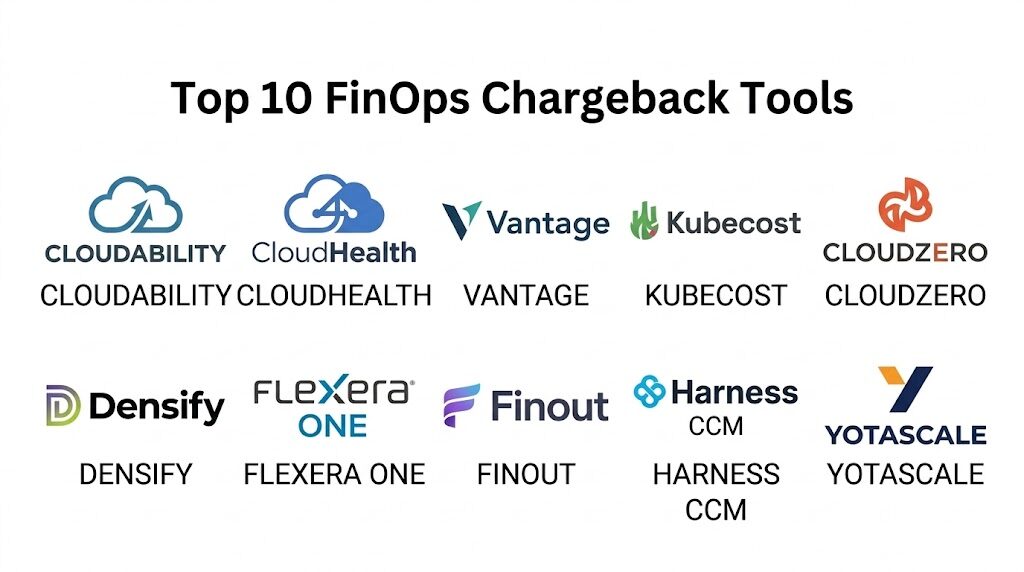
Introduction
FinOps chargeback tools are specialized financial management solutions designed to attribute cloud consumption costs directly to the specific business units, departments, or projects that generated them. In the era of decentralized cloud spending, these tools serve as the mechanical core of “financial accountability,” moving organizations away from a centralized IT tax model toward a consumption-based allocation system. By mapping complex, fragmented billing data from providers like AWS, Azure, and Google Cloud to internal organizational hierarchies, these platforms enable finance teams to issue internal invoices that reflect actual resource utilization. For modern digital enterprises, this technology is the primary driver of cost transparency and unit economic optimization.
The necessity of a dedicated chargeback engine is driven by the sheer complexity of modern cloud billing, which can include millions of individual line items per month. Manual spreadsheets are no longer capable of handling dynamic scaling, shared resource splitting, or the intricate logic required for discount redistribution. A robust chargeback tool enables automated cost allocation, precise identification of “orphaned” resources, and sophisticated reporting that translates technical metadata into business value. When selecting a platform, organizations must evaluate the depth of its multi-cloud ingestion capabilities, the flexibility of its tagging and labeling logic, the strength of its security protocols for sensitive financial data, and the scalability of the data engine to handle enterprise-level telemetry.
Best for: Finance directors, Cloud Centers of Excellence (CCoE), DevOps leads, and engineering managers who need to justify cloud spend and ensure that every dollar invested in the cloud is aligned with a specific business outcome.
Not ideal for: Small startups with a single cloud account and minimal departmental crossover, or organizations with fixed-cost on-premises infrastructure that does not require dynamic consumption-based billing.
Key Trends in FinOps Chargeback Tools
The integration of Artificial Intelligence has moved from a novelty to a core requirement, with systems now offering automated “tagging ” and anomaly detection to identify spend that has not been properly allocated. We are also seeing a significant move toward “Unit Economics” modeling, where chargeback tools do not just report on cost, but correlate that cost with business metrics like “cost per customer” or “cost per transaction.” Real-time allocation is replacing monthly reconciliations, allowing department heads to see their budget consumption as it happens rather than waiting for a month-end report.
Container-level chargeback is another dominant trend, with tools now offering deep visibility into Kubernetes clusters to split shared cluster costs between different microservices or teams. There is a heightened focus on “Shared Cost Allocation,” as organizations adopt sophisticated logic to split the costs of common services like databases, network egress, and support fees based on proportional usage. Furthermore, the “shift-left” financial movement is encouraging the integration of chargeback data directly into engineering dashboards, ensuring that developers understand the financial impact of their architectural decisions during the development lifecycle.
How We Selected These Tools
Our selection process involved a rigorous assessment of market reliability and functional depth specifically within the cloud financial management sector. We prioritized platforms that have demonstrated long-term stability and high user satisfaction scores in professional FinOps communities. A key criterion was the “allocation engine,” evaluating how well each tool handles complex scenarios such as Reserved Instance (RI) sharing, Savings Plan redistribution, and the splitting of unblended versus effective costs. We looked for a balance between automated ease of use and the manual override capabilities required for unique enterprise accounting rules.
Scalability was also a major factor; we selected tools that can grow alongside an organization, from managing a few thousand dollars in monthly spend to multi-billion dollar global cloud footprints. Security certifications were scrutinized to ensure alignment with international standards like SOC 2 and GDPR, which are non-negotiable for organizations handling sensitive corporate financial data. Finally, we assessed the total cost of ownership, including the time required for implementation and the level of professional services needed to maintain the allocation logic as the cloud environment evolves.
1. Apptio Cloudability
Apptio Cloudability is an enterprise-grade FinOps platform built to handle the world’s most complex multi-cloud environments. It offers a comprehensive suite of tools for cost allocation, rightsizing, and architectural optimization, making it the standard for Fortune 500 companies with massive cloud footprints.
Key Features
The platform features a sophisticated “Business Mapping” engine that allows users to create complex rules for categorizing spend based on tags, accounts, or resource metadata. It includes a robust “True Cost” engine that automatically factors in discounts, credits, and amortized prepayments to provide an accurate chargeback figure. Advanced analytics tools allow for deep-dive reporting on container-level costs within Kubernetes environments. It also supports automated data exports to external business intelligence tools for corporate-wide reporting. The system provides a unified view of spend across AWS, Azure, Google Cloud, and Oracle Cloud.
Pros
The level of detail in cost attribution is unmatched, allowing for extremely precise financial reporting. It offers a very strong feature set for managing complex commitment models like Savings Plans.
Cons
The platform is highly complex and usually requires a significant period of configuration and training for the finance team. The licensing cost is high and typically scales based on the total cloud spend managed.
Platforms and Deployment
Web-based (SaaS) with secure API-based data ingestion from cloud providers.
Security and Compliance
Industry-leading security including SOC 2 Type II compliance and robust role-based access controls for sensitive financial data.
Integrations and Ecosystem
Integrates with major ITSM tools like ServiceNow and financial systems for a unified corporate ledger.
Support and Community
Offers a dedicated customer success model and is a founding member of the FinOps Foundation, providing access to a massive network of practitioners.
2. CloudHealth by VMware
CloudHealth is a long-standing leader in the cloud management space, specifically tailored for organizations that require a balance between financial management and operational governance. It is designed to provide a “single pane of glass” for multi-cloud chargeback and policy automation.
Key Features
The standout feature is the “Perspectives” module, which allows users to view their cloud environment through different lenses such as department, project, or cost center without altering the underlying data. It includes automated policy engines that can flag unallocated spend or resources missing mandatory tags. The system features a built-in “Financial Reporting” suite that generates high-level summaries for executives and granular reports for engineers. It also offers specialized tools for managing multi-tenant environments, making it a favorite for managed service providers. Simple, interactive dashboards allow users to track budget vs. actuals in real-time.
Pros
The “Perspectives” engine provides extreme flexibility in how costs are sliced and diced for different stakeholders. It has a very mature and stable feature set developed over many years in the market.
Cons
The user interface can feel dated compared to newer, more agile entrants in the FinOps space. Some users find the configuration of complex allocation rules to be less intuitive than modern competitors.
Platforms and Deployment
Web-based (SaaS) with multi-cloud support.
Security and Compliance
Maintains high standards for data privacy and is SOC 2 compliant, ensuring that financial telemetry is handled securely.
Integrations and Ecosystem
Offers a wide array of native integrations with cloud providers, configuration management tools, and alerting systems.
Support and Community
Known for having a robust documentation library and a large global user base that shares best practices through various forums.
3. Vantage
Vantage is a modern, developer-centric FinOps platform that focuses on providing an intuitive and fast experience for cost allocation and chargeback. it is designed for high-growth tech companies that want a sleek, automated approach to cloud financial management.
Key Features
It includes “Cost Reports” that use a SQL-like query language, allowing technical users to build highly specific allocation logic. The “Virtual Tagging” feature allows finance teams to fix missing or incorrect tags within the platform without needing to change the live cloud environment. It features automated “Autopilot” tools for managing RIs and Savings Plans to ensure maximum discount coverage. The platform offers a unique “Kubernetes Efficiency” view that maps cluster costs directly to pods and labels. It also provides advanced forecasting tools that use historical data to predict future departmental spend.
Pros
The user interface is exceptionally clean and modern, requiring very little training for new users. Its focus on developer experience makes it easier to get engineering buy-in for cost-saving initiatives.
Cons
While powerful, it may lack some of the deep “legacy” enterprise financial features found in older tools like Apptio. Pricing can become expensive as the volume of cloud data increases.
Platforms and Deployment
Cloud-native SaaS accessible via any modern web browser.
Security and Compliance
Maintains rigorous security standards including SOC 2 Type II and offers secure, read-only access to cloud billing data.
Integrations and Ecosystem
Offers deep integrations with AWS, Azure, GCP, Snowflake, and Datadog for a comprehensive view of the entire technology stack.
Support and Community
Provides a modern support experience with active community channels and rapid feature deployment cycles.
4. Kubecost
Kubecost is the industry standard for chargeback and cost allocation within Kubernetes environments. It is designed to solve the “black box” problem of shared cluster costs, providing granular visibility into how individual microservices and teams are consuming resources.
Key Features
The platform uses real-time API data from Kubernetes to track resource requests and usage at the namespace, deployment, and pod level. It features a “Unified Cost View” that combines Kubernetes costs with out-of-cluster cloud services like S3 or RDS. The “Cost Allocation” engine can handle complex scenarios like preemptible/spot instance pricing and multi-tenant clusters. It includes an automation engine that can send budget alerts directly to Slack or Microsoft Teams. The system also offers a “Savings Recommendations” module that identifies over-provisioned containers.
Pros
It provides the most accurate and granular visibility into container costs on the market today. The open-source version allows teams to start gaining visibility without an initial financial commitment.
Cons
The focus is primarily on Kubernetes, so it may not be sufficient as a standalone tool for organizations with significant non-containerized spend. Setting up the full enterprise version can require significant technical effort.
Platforms and Deployment
Self-hosted on Kubernetes clusters or available as a managed SaaS.
Security and Compliance
Since it can be self-hosted, organizations have total control over their data, and the platform supports RBAC and secure authentication.
Integrations and Ecosystem
Integrates natively with Prometheus, Grafana, and all major managed Kubernetes services like EKS, GKE, and AKS.
Support and Community
Offers a very active open-source community and professional support tiers for enterprise customers.
5. CloudZero
CloudZero is an “observability-driven” FinOps platform that treats cloud cost like a dynamic telemetry stream. It is known for its ability to automate the chargeback process by using a “Cost Formation” engine that doesn’t rely solely on perfect tagging.
Key Features
The software features a “Dimensions” engine that uses telemetry data to automatically group costs by product, feature, or team. It features a robust “Anomaly Detection” system that alerts teams to spend spikes within hours rather than days. Users can create custom “Unit Cost” metrics, such as cost per active user or cost per message sent. It offers automated “Discount Management” to help optimize commitments across different cloud providers. The reporting engine is designed to be explored by engineers, allowing them to drill down into the specific resources driving their budget.
Pros
The “Cost Formation” approach solves the “missing tag” problem that plagues many large organizations. It is excellent for companies with complex, rapidly changing cloud architectures.
Cons
The platform’s unique approach can require a shift in mindset for traditional finance teams used to static accounting. Some users may find the initial “map-building” process to be intensive.
Platforms and Deployment
Web-based SaaS.
Security and Compliance
SOC 2 Type II compliant and follows industry-standard data protection regulations for cloud telemetry.
Integrations and Ecosystem
Offers a solid integration marketplace with connections to Snowflake, Datadog, and MongoDB alongside major cloud providers.
Support and Community
Provides a dedicated “FinOps Success Manager” model and a wealth of educational resources on the “Cost Intelligence” methodology.
6. Densify
Densify is a highly specialized resource optimization and chargeback tool that uses machine learning to align cloud supply with application demand. It is designed for enterprise organizations that want to combine financial chargeback with technical rightsizing.
Key Features
The platform features a “Cloud Learning Engine” that analyzes application resource patterns to recommend the perfect instance type. It includes a “Financial Chargeback” module that translates these technical optimizations into departmental savings. Users can manage complex “What-If” scenarios to see the financial impact of migrating workloads between different cloud regions or providers. The software offers automated “Policy Governance” to ensure that teams are adhering to corporate cost standards. It also provides a task management system to track the implementation of rightsizing recommendations.
Pros
It is one of the most technically deep tools for resource optimization on the market. The software provides a clear link between technical efficiency and financial savings.
Cons
The focus is more on “supply and demand” optimization than on simple accounting and invoicing. The interface is functional but can feel more complex than “pure-play” chargeback tools.
Platforms and Deployment
Web-based SaaS.
Security and Compliance
Maintains secure, encrypted data pipelines and follows industry-standard privacy practices for enterprise clients.
Integrations and Ecosystem
Integrates well with Terraform, Ansible, and various CI/CD pipelines to automate the rightsizing process.
Support and Community
Known for having a very high-touch professional services team that assists with the initial implementation and ongoing optimization.
7. Flexera One (formerly RightScale)
Flexera One is a comprehensive IT Asset Management (ITAM) and FinOps platform designed for large-scale enterprise consolidation. It is particularly strong in managing the crossover between traditional software licensing and cloud consumption costs.
Key Features
The system features a “Cloud Cost Optimization” module that handles multi-cloud chargeback across AWS, Azure, GCP, and SaaS applications. It includes advanced tools for managing “Bring Your Own License” (BYOL) scenarios, ensuring that organizations don’t overpay for software in the cloud. The “Billing Center” provides a unified view of all IT spend, including on-premises and cloud resources. It offers sophisticated workflow automation for moves management and budget approvals. The platform also includes a full-featured “SaaS Management” system to track subscription waste.
Pros
It is the ideal tool for organizations that want a single vendor for both cloud FinOps and traditional software asset management. The breadth of the feature set is exceptionally deep for the price.
Cons
The platform is massive and can be overwhelming for teams that only need cloud-specific chargeback. The setup process is intensive and requires significant cross-departmental coordination.
Platforms and Deployment
Web-based SaaS.
Security and Compliance
SOC 2 certified and provides top-tier security for both data and financial transactions, aligning with global enterprise standards.
Integrations and Ecosystem
Designed to be an all-encompassing solution, though it maintains a strong API for connecting to various ITSM and ERP systems.
Support and Community
Offers dedicated account management for large organizations and a very structured training and certification program.
8. Finout
Finout is an “all-in-one” FinOps platform that specializes in creating a “Mega-Bill” for modern technology stacks. It is designed to combine cloud provider costs with third-party SaaS costs like Snowflake, Datadog, and Stripe into a single chargeback report.
Key Features
The platform features a “Virtual Tagging” engine that can attribute costs across different vendors without requiring changes to the underlying providers. It includes a “Cost Governance” module that tracks budget adherence across the entire stack. The software uses “Unit Cost” modeling to show the true cost of a single business transaction across multiple services. It features a “Kubernetes Agentless” integration that provides container visibility without installing complex software. It also offers an automated “Anomaly Detection” suite.
Pros
The ability to see cloud and SaaS costs in one place is a major advantage for modern, multi-vendor stacks. The “Virtual Tagging” system is highly flexible and easy to implement.
Cons
It is a newer entrant in the market, so some niche features found in legacy tools may still be in development. The pricing model is tied to the total managed spend, which can grow quickly.
Platforms and Deployment
Cloud-native SaaS.
Security and Compliance
SOC 2 Type II compliant and utilizes secure, limited-access APIs to gather billing data from vendors.
Integrations and Ecosystem
Has a unique ecosystem of integrations including Snowflake, Datadog, Fastly, and all major cloud providers.
Support and Community
Supported by a fast-growing community of modern FinOps practitioners and offers responsive digital support.
9. Harness Cloud Cost Management
Harness is a broader DevOps platform that includes a powerful, automation-focused Cloud Cost Management module. It is designed for engineering-led organizations that want to integrate cost chargeback directly into their CI/CD pipelines.
Key Features
The platform features “Auto-Stopping” for non-production resources, which can automatically shut down idle environments to save money. It includes “Cost Visibility” into Kubernetes clusters, providing deep attribution for shared resources. The CRM-like “Cost Perspective” tool allows finance teams to map spend to any business entity. It offers “Proactive Budgeting” with AI-driven alerts that trigger before a budget is exceeded. The system also includes “Cloud Cost Governance” to enforce spending limits through automated policies.
Pros
The integration of cost management into the deployment pipeline allows for true “shift-left” FinOps. The “Auto-Stopping” feature provides immediate, tangible ROI.
Cons
The cost management module is most powerful when used as part of the broader Harness ecosystem. It may not be the first choice for “finance-only” teams looking for a standalone accounting tool.
Platforms and Deployment
Web-based SaaS and hybrid options.
Security and Compliance
Uses industry-standard encryption and offers robust security for the entire DevOps pipeline.
Integrations and Ecosystem
Strong native integration with Slack, Jira, and various CI/CD tools alongside the major cloud providers.
Support and Community
Known for being extremely developer-friendly with a vibrant community and very fast technical support.
10. Yotascale
Yotascale is an “engineering-friendly” FinOps platform that focuses on providing high-fidelity cost attribution for complex architectures. It is designed to bridge the gap between technical infrastructure and business finance.
Key Features
The “Smart Mapping” tool uses a combination of tags, labels, and hierarchy data to ensure nearly 100% cost attribution. It features a built-in “Anomaly Detection” engine that filters out expected spikes (like scheduled jobs) to reduce alert fatigue. Users can create custom “Business Views” that show the cost of specific products or engineering teams. The platform includes integrated “Optimization Recommendations” that are validated for technical safety. It also offers “Container Cost Allocation” for modern microservices architectures.
Pros
The focus on reducing “noise” in cost data helps teams focus on the most important financial issues. The user interface is clean and built for collaboration between finance and engineering.
Cons
The platform is primarily focused on AWS and Azure, with support for other clouds being less mature. Some users may find the reporting to be less “modular” than larger enterprise suites.
Platforms and Deployment
Web-based SaaS.
Security and Compliance
Strong data privacy protocols and SOC 2 compliance, ensuring that sensitive corporate spend data is handled securely.
Integrations and Ecosystem
Integrates with Jira, Slack, and various cloud provider APIs to provide a seamless workflow for engineers.
Support and Community
Offers a high-quality “Help Center” and a dedicated success team that specializes in large-scale enterprise deployments.
Comparison Table
| Tool Name | Best For | Platform(s) Supported | Deployment | Standout Feature | Public Rating |
| 1. Cloudability | Enterprise Multi-Cloud | Web-Based | Cloud SaaS | Business Mapping Engine | 4.6/5 |
| 2. CloudHealth | Managed Services / MSP | Web-Based | Cloud SaaS | Perspectives Engine | 4.4/5 |
| 3. Vantage | High-Growth Tech | Web-Based | Cloud SaaS | Virtual Tagging | 4.8/5 |
| 4. Kubecost | Kubernetes-First | Linux / Web | Self-Hosted | Container-Level Detail | 4.7/5 |
| 5. CloudZero | Observability-Driven | Web-Based | Cloud SaaS | Cost Formation Logic | 4.6/5 |
| 6. Densify | Technical Optimization | Web-Based | Cloud SaaS | Machine Learning Rightsizing | 4.4/5 |
| 7. Flexera One | ITAM / FinOps Hybrid | Web-Based | Cloud SaaS | BYOL Management | 4.3/5 |
| 8. Finout | Multi-SaaS Chargeback | Web-Based | Cloud SaaS | Mega-Bill Consolidation | 4.7/5 |
| 9. Harness CCM | Engineering-Led DevOps | Web-Based | Cloud SaaS | Auto-Stopping Feature | 4.6/5 |
| 10. Yotascale | High-Fidelity Attribution | Web-Based | Cloud SaaS | Smart Mapping Tool | 4.5/5 |
Evaluation & Scoring of FinOps Chargeback Tools
The scoring below is a comparative model intended to help shortlisting. Each criterion is scored from 1–10, then a weighted total from 0–10 is calculated using the weights listed. These are analyst estimates based on typical fit and common workflow requirements, not public ratings.
Weights:
- Core features – 25%
- Ease of use – 15%
- Integrations & ecosystem – 15%
- Security & compliance – 10%
- Performance & reliability – 10%
- Support & community – 10%
- Price / value – 15%
| Tool Name | Core (25%) | Ease (15%) | Integrations (15%) | Security (10%) | Performance (10%) | Support (10%) | Value (15%) | Weighted Total |
| 1. Cloudability | 10 | 4 | 9 | 10 | 9 | 9 | 6 | 8.15 |
| 2. CloudHealth | 9 | 5 | 9 | 9 | 8 | 8 | 6 | 7.65 |
| 3. Vantage | 8 | 9 | 9 | 9 | 9 | 9 | 8 | 8.60 |
| 4. Kubecost | 9 | 7 | 8 | 8 | 9 | 8 | 9 | 8.25 |
| 5. CloudZero | 8 | 8 | 8 | 9 | 9 | 9 | 8 | 8.35 |
| 6. Densify | 9 | 6 | 8 | 9 | 10 | 8 | 7 | 8.05 |
| 7. Flexera One | 9 | 5 | 8 | 10 | 8 | 8 | 7 | 7.80 |
| 8. Finout | 8 | 8 | 10 | 8 | 9 | 9 | 8 | 8.45 |
| 9. Harness CCM | 8 | 7 | 8 | 9 | 9 | 8 | 9 | 8.15 |
| 10. Yotascale | 8 | 8 | 7 | 9 | 9 | 9 | 8 | 8.20 |
How to interpret the scores:
- Use the weighted total to shortlist candidates, then validate with a pilot.
- A lower score can mean specialization, not weakness.
- Security and compliance scores reflect controllability and governance fit, because certifications are often not publicly stated.
- Actual outcomes vary with assembly size, team skills, templates, and process maturity.
Which FinOps Chargeback System Tool Is Right for You?
Solo / Freelancer
For early-stage startups with simple cloud footprints, the priority should be on free or open-source visibility tools. You need something that provides immediate clarity on where your seed capital is going without requiring a month of setup. A tool that provides basic alerting and simple tagging checks will suffice until the team grows.
SMB
Growing engineering teams should prioritize ease of use and automated “virtual tagging.” You want to avoid spending hours every week manually fixing billing mistakes. A modern, SaaS-based platform that provides clean dashboards and integrates with your chat tools will help foster a culture of cost awareness without slowing down development.
Mid-Market
Mid-sized organizations need to start thinking about multi-cloud allocation and RI management. You should look for a tool that can handle more than one cloud provider and provide basic “unit economics” like cost per customer. The goal here is to bridge the gap between the finance team’s ledger and the engineering team’s architecture.
Enterprise
Large, complex organizations require a platform that can handle massive data volumes and global security standards. Your priority is “100% attribution,” ensuring that every single line item on a million-dollar bill has an owner. Integration with corporate ERP systems and the ability to manage complex license crossovers are non-negotiable for enterprise scale.
Budget vs Premium
If budget is the primary concern, start with the native tools provided by your cloud vendor or open-source solutions for containers. However, as your spend grows, the “savings found” by a premium tool—through RI optimization and automated waste identification—will almost always far outweigh the licensing cost of the software.
Feature Depth vs Ease of Use
Highly technical tools offer deeper optimization recommendations but can be ignored by staff if they are too hard to navigate. Often, a platform that the average developer can understand and act on in five minutes is more valuable than a technically perfect system that requires a dedicated expert to manage.
Integrations & Scalability
Your chargeback tool must be able to scale as your technology stack evolves. If you plan on moving heavily into Kubernetes or Snowflake, ensure your chosen tool has native support for those services. A tool that only sees one cloud is a tactical fix; a tool that sees your entire stack is a strategic asset.
Security & Compliance Needs
If you handle government contracts, sensitive financial data, or operate in highly regulated regions like the EU, your FinOps tool choice is a security decision. Ensure the platform offers the necessary certifications and supports “least privilege” access to your cloud accounts to minimize any potential security risk.
Frequently Asked Questions (FAQs)
1. What is the difference between showback and chargeback?
Showback is the process of showing a department their cloud costs to raise awareness, but not actually moving any money. Chargeback is the formal process where the finance team actually debits the department’s budget based on their actual cloud consumption.
2. Why is cloud tagging so important for chargeback?
Tags are the primary “metadata” that allow tools to identify who owns a resource. Without consistent tagging, chargeback tools have to rely on complex inference logic, which is much less accurate for fine-grained departmental billing.
3. Can these tools handle shared costs like network egress?
Yes, professional chargeback tools include “Shared Cost” modules that can split common fees based on a percentage of usage, headcount, or other custom business rules to ensure everyone pays their fair share of common infrastructure.
4. How do these tools handle AWS Savings Plans or Azure Reserved Instances?
Advanced tools can “amortize” these costs, meaning they spread the upfront payment across the life of the commitment. They can also ensure that the discount is attributed back to the department that actually used the covered resource.
5. Is it difficult to implement a chargeback system?
The technical connection to the cloud billing API is usually very fast. The “difficult” part is the organizational work of defining your cost centers, improving your tagging hygiene, and agreeing on the rules for splitting shared costs.
6. Do these tools require “write” access to my cloud accounts?
Most chargeback tools only require “read-only” access to your billing and usage data. Some advanced optimization features, like automated rightsizing or instance stopping, may require “write” access, but this is usually optional and highly controlled.
7. Can I use these tools to manage my Snowflake or Datadog costs?
Some modern “multi-SaaS” FinOps tools can now ingest billing data from popular third-party services alongside your cloud provider data, giving you a complete “Mega-Bill” view of your entire modern technology stack.
8. Is data security different for FinOps tools?
Yes, because these tools have a high-level view of your entire infrastructure and corporate spend, they are a high-value target. Therefore, enterprise-grade encryption, SOC 2 compliance, and multi-factor authentication are absolute requirements for any vendor.
9. Can I manage Kubernetes costs with a general cloud cost tool?
Some general tools have basic Kubernetes support, but if your container spend is a large percentage of your bill, you may need a specialized tool that can see “inside” the clusters to provide accurate pod-level attribution.
10. How do I justify the cost of a FinOps tool?
The ROI is usually calculated by looking at the amount of “waste” identified (orphaned resources) and the increased discount coverage (RIs/Savings Plans). In most cases, the tool pays for itself within the first few months by identifying spend that shouldn’t be happening.
Conclusion
In the modern cloud-first economy, FinOps chargeback tools are the essential bridge between engineering velocity and financial control. They transform the “chaotic” telemetry of cloud billing into structured, actionable intelligence that empowers every level of the organization to take ownership of their digital footprint. By establishing a clear link between technical consumption and business value, these platforms foster a culture of accountability that is critical for long-term operational sustainability. The ideal system is one that not only automates the tedious math of cost allocation but also provides the transparent, trustworthy data needed to make high-stakes architectural and financial decisions with total confidence.