INTRODUCTION
File compression software is a fundamental category of utility tools designed to reduce the physical size of digital data for storage, transmission, and archival purposes. By employing sophisticated mathematical algorithms—categorized into lossless and lossy methods—these tools remove redundancies within files, allowing for significant space savings without sacrificing data integrity. In a landscape dominated by high-resolution media and massive enterprise datasets, compression remains vital for optimizing cloud storage costs and accelerating the transfer of information across global networks.
Modern compression utilities have evolved far beyond simple “zipping” functions. They now serve as comprehensive file management hubs, providing advanced security through 256-bit encryption, integrated cloud storage connectors, and multi-volume splitting for large-scale data distribution. For businesses, these tools are essential for meeting data governance standards and ensuring that sensitive attachments are protected during transit. For individual users, they provide a streamlined way to organize sprawling directories into manageable, portable packages.
Best for: IT administrators, data scientists, software developers, creative professionals handling large assets, and enterprise teams requiring secure, encrypted file distribution.
Not ideal for: Users working exclusively with cloud-native formats that do not require local archiving, or those on mobile-only platforms where deep file system manipulation is restricted.
KEY TRENDS IN FILE COMPRESSION SOFTWARE
The current trajectory of compression technology is defined by the rapid adoption of the Zstandard (zstd) algorithm, which offers an unprecedented balance between high compression ratios and real-time speeds. Unlike legacy formats, modern tools are increasingly leveraging multi-core processor architectures to perform parallel compression, drastically reducing the time required for massive archives. Another significant trend is the integration of AI-driven pre-processing, where the software identifies file types and automatically applies the most efficient algorithm for that specific data structure.
Security has also seen a major shift, with tools moving toward post-quantum resilient encryption standards to protect archives against future decryption threats. Cloud-native integration is now a standard expectation, allowing users to compress and upload directly to distributed storage environments in a single click. Furthermore, the rise of the Universal Scene Description (USD) and other complex 3D formats has pushed compression developers to optimize for sparse data sets and non-linear file access within compressed volumes.
METHODOLOGY
To select the top ten tools for this evaluation, we conducted a rigorous analysis of performance metrics, security protocols, and cross-platform reliability. Our primary criteria included the efficiency of the proprietary algorithms, such as RAR5 and 7z, against standard ZIP formats. We evaluated the robustness of encryption implementations, prioritizing tools that offer AES-256 standards and multi-factor authentication for cloud-linked features. Reliability was tested through error-recovery benchmarks, specifically assessing the software’s ability to repair corrupted or truncated archives.
Administrative and enterprise features were also heavily weighted. We examined the availability of command-line interfaces for automated server-side processing and the quality of integration with Windows Shell and macOS Finder. Finally, we reviewed the licensing models and community support structures to ensure that both open-source and commercial options provide adequate documentation and long-term sustainability for professional environments.
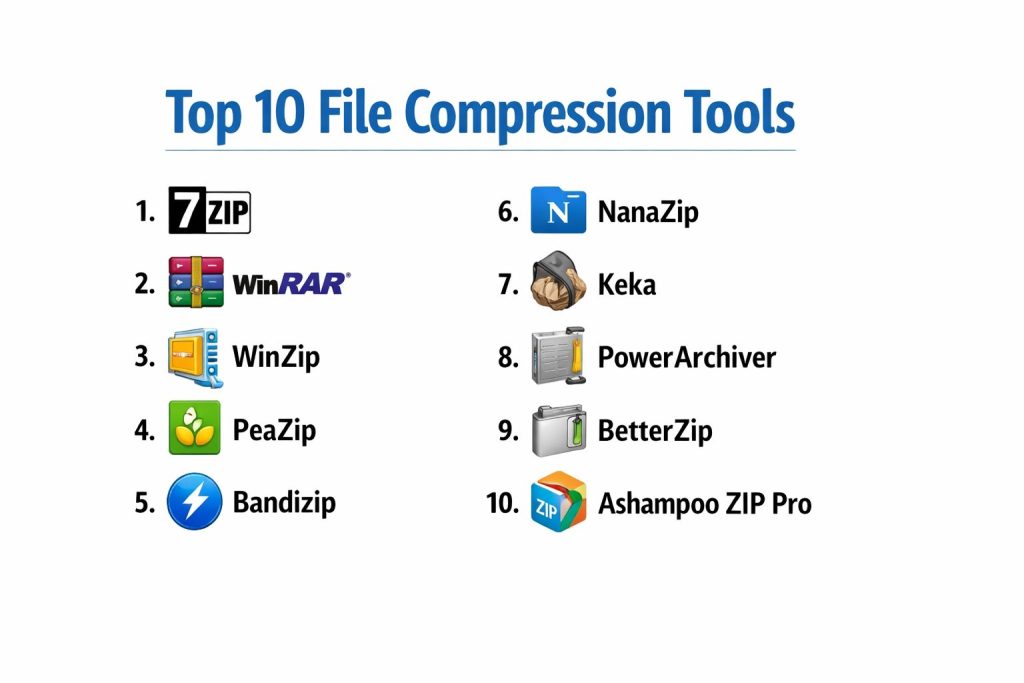
TOP 10 FILE COMPRESSION TOOLS
1. 7-Zip
7-Zip is the leading open-source file archiver, renowned for its high compression ratio and the powerful 7z format. It utilizes the LZMA and LZMA2 algorithms, which consistently outperform standard ZIP compression. As a completely free tool, it has become a staple in IT departments worldwide for its transparency and lack of bloatware.
The software features a highly functional, if utilitarian, file manager and a robust command-line version for advanced automation. It supports a vast array of formats for unpacking, including ISO, RAR, and MSI, while offering strong AES-256 encryption for its native 7z and ZIP formats.
Pros:
It is completely free for both personal and commercial use without any hidden fees. The compression ratio for the 7z format is frequently the best in the industry, saving significant disk space compared to alternatives.
Cons:
The user interface is dated and may feel unintuitive to users accustomed to modern design standards. It lacks some of the advanced file management and cloud integration features found in paid competitors.
Platforms / Deployment:
Windows / Linux (via p7zip)
Desktop / CLI
Security & Compliance:
AES-256 Encryption
Open Source (GNU LGPL)
Integrations & Ecosystem:
Deeply integrates with the Windows Shell, allowing for quick right-click operations. It also provides a plugin for the FAR Manager and is available in over 80 languages.
Support & Community:
Strong community-led support through forums and extensive online documentation.
2. WinRAR
WinRAR is a premier commercial archiver famous for its proprietary RAR format, which offers superior compression and unique recovery features. It is the only tool that can fully create RAR5 archives, providing advanced multi-volume splitting and recovery records that can fix physically damaged files.
Its interface is highly polished, offering a “Wizard” mode for beginners and deep settings for power users. WinRAR is optimized for multimedia compression, automatically detecting the best method for audio and video files to ensure maximum efficiency.
Pros:
The recovery record feature is a lifesaver for long-term backups, allowing users to repair archives that have suffered data corruption. It also features a “speed test” to help users benchmark their hardware’s compression capabilities.
Cons:
It is a paid product, and while it has a famous “trial” period, enterprise users must purchase licenses for legal compliance. The RAR format, while efficient, is proprietary and requires specific software for creation.
Platforms / Deployment:
Windows / macOS / Linux / Android
Desktop / Mobile
Security & Compliance:
AES-256 Encryption, Recovery Records
Not publicly stated
Integrations & Ecosystem:
Features seamless integration with Windows Explorer and supports nearly every existing archive format for extraction, making it a “universal” opener.
Support & Community:
Professional technical support is available for licensed users, alongside a wealth of official tutorials.
3. WinZip
WinZip has transitioned from a simple utility into a comprehensive file management and productivity suite. It focuses heavily on workflow efficiency, offering tools for PDF conversion, image resizing, and secure watermarking alongside its core compression engine.
The software is designed for the modern enterprise, with native connectors for Dropbox, Google Drive, and OneDrive. It allows users to zip and share files via email and social media directly from the interface, and includes a “SafeShare” feature for encrypted transfers.
Pros:
It offers the most extensive feature set of any tool on this list, including cloud management and file conversion. The interface is modern, user-friendly, and optimized for high-productivity environments.
Cons:
The subscription-based pricing model is significantly higher than other options. Some users may find the additional productivity features unnecessary for basic zipping tasks.
Platforms / Deployment:
Windows / macOS / iOS / Android
Cloud / Hybrid
Security & Compliance:
FIPS 140-2, AES-256, SSO/SAML
SOC 2, ISO 27001
Integrations & Ecosystem:
Deep native integration with Microsoft Office and all major cloud storage providers. It acts as a central hub for all file-related tasks.
Support & Community:
Full corporate support with dedicated account management for large enterprise deployments.
4. PeaZip
PeaZip is a powerful open-source tool that prioritizes security and versatility. It supports over 180 file formats and provides a unified GUI for various open-source technologies like 7-Zip, FreeArc, and PAQ.
Its security suite is particularly impressive, offering a built-in password manager, two-factor authentication, and secure file deletion (shredding). It also allows for the creation of encrypted keyfiles for an extra layer of protection during sensitive data transfers.
Pros:
It is one of the most versatile tools available, handling almost any archive format imaginable. The focus on privacy and security features makes it an ideal choice for sensitive environments.
Cons:
The interface can be cluttered due to the sheer number of options and settings available. The performance on some obscure formats can be slower than dedicated tools.
Platforms / Deployment:
Windows / Linux
Desktop / Portable
Security & Compliance:
2FA Support, AES-256, Secure Deletion
Open Source
Integrations & Ecosystem:
Offers a portable version that does not require installation, making it perfect for IT professionals working across multiple systems.
Support & Community:
Active developer community with regular updates and comprehensive wiki-style documentation.
5. Bandizip
Bandizip is a high-speed archiver known for its “Ultra Fast” compression and multi-core processing capabilities. It is designed to be lightweight and efficient, avoiding the heavy system load associated with some larger suites.
A standout feature is its ability to skip files that don’t compress well—such as already compressed videos—automatically, which saves significant time during large batch operations. It also features a high-speed extraction mode and supports Unicode for managing files in different languages.
Pros:
The multi-core support ensures that it utilizes the full power of modern CPUs for faster zipping. The “Archive Previewer” allows users to see the contents of a zip file without opening it.
Cons:
The free version now includes advertisements, which may be a deterrent for professional users. Advanced features like password recovery are locked behind a paid “Professional” tier.
Platforms / Deployment:
Windows / macOS
Desktop
Security & Compliance:
AES-256 Encryption, Password Manager
Not publicly stated
Integrations & Ecosystem:
Integrates cleanly with Windows File Explorer and offers specialized features for handling Japanese, Chinese, and Korean characters in file names.
Support & Community:
Reliable developer support for paid users and a helpful online FAQ for the free version.
6. NanaZip
NanaZip is a modern fork of 7-Zip specifically designed for the Windows 11 ecosystem. It takes the robust 7-Zip engine and wraps it in a “Fluent Design” interface that matches the latest operating system aesthetics.
It resolves the primary complaint about 7-Zip by offering full integration with the new Windows 11 context menus. It also includes support for modern algorithms like Zstandard and Brotli, which are not yet fully implemented in the original 7-Zip.
Pros:
It provides the best “native” feel for Windows 11 users while maintaining the top-tier performance of the 7-Zip engine. It is completely free and open-source.
Cons:
It is strictly limited to the Windows platform. As a newer project, it may not have the decades-long track record of stability that the original 7-Zip possesses.
Platforms / Deployment:
Windows
Desktop
Security & Compliance:
AES-256 Encryption
Open Source
Integrations & Ecosystem:
Perfectly integrated with the Windows 11 shell and supports advanced features like dark mode and high-DPI scaling natively.
Support & Community:
Driven by an active GitHub community with frequent updates and bug fixes.
7. Keka
Keka is the premier file archiver for macOS, known for its simplicity and powerful compression capabilities. It allows Mac users to create 7z, ZIP, and ISO archives with a simple drag-and-drop interface.
It is particularly useful for Mac users who need to share files with Windows users, as it includes an option to exclude “Mac-specific” hidden files (like .DS_Store) that can clutter archives on other operating systems.
Pros:
The interface is elegant and adheres perfectly to macOS design guidelines. It offers excellent performance for the 7z format on Apple Silicon hardware.
Cons:
It is a macOS exclusive, making it unsuitable for mixed-platform environments. While free on the website, the App Store version is a paid “donation” model.
Platforms / Deployment:
macOS
Desktop
Security & Compliance:
AES-256 Encryption
Open Source
Integrations & Ecosystem:
Integrates with the macOS Finder and can be set as the default application for all archive types.
Support & Community:
Excellent support through the developer’s website and a loyal community of Mac users.
8. PowerArchiver
PowerArchiver is a feature-rich commercial utility that positions itself as a faster alternative to WinZip. It features a unique “Advanced Codec Pack” (.pa format) that claims to offer the strongest and fastest compression available today.
It includes a virtual drive feature, allowing users to mount ISO images without burning them to a disc. It also offers a full backup suite and FIPS 140-2 validated encryption, making it a favorite for government and defense contractors.
Pros:
The specialized .pa format offers extreme compression for specific data types. It is one of the few tools to offer FIPS-validated security, which is mandatory for certain industries.
Cons:
The interface can be overwhelming due to the density of features. It is a premium product with a price point that reflects its enterprise focus.
Platforms / Deployment:
Windows
Desktop / CLI / Cloud
Security & Compliance:
FIPS 140-2, OpenPGP, AES-256
SOC 2 Compliance
Integrations & Ecosystem:
Offers extensive cloud support and integration with Microsoft Office. Its command-line interface is highly scriptable for server environments.
Support & Community:
High-level enterprise support and a dedicated ticketing system for technical issues.
9. BetterZip
BetterZip is a sophisticated macOS archiver designed for power users who need more control than what Keka or the built-in Archive Utility provides. It allows users to add or delete files from an archive without having to extract and re-compress the entire volume.
It features a powerful “Direct Editing” mode and a robust search function that can find files within archives across your entire system. It also integrates with macOS Services and AppleScript for advanced workflow automation.
Pros:
The ability to edit archives “in-place” is a major time-saver for professionals. It offers deep customization for how archives are handled and where they are saved.
Cons:
It is a paid tool with no free version available. Like Keka, it is restricted to the macOS ecosystem.
Platforms / Deployment:
macOS
Desktop
Security & Compliance:
AES-256 Encryption, Password Manager
Not publicly stated
Integrations & Ecosystem:
Deep integration with macOS Finder, Alfred, and LaunchBar. It supports a wide range of formats for both reading and writing.
Support & Community:
Highly responsive developer support and detailed documentation for power users.
10. Ashampoo ZIP Pro
Ashampoo ZIP Pro is an all-in-one suite that combines compression with drive encryption and virtual disc management. It is designed for users who want a single tool to handle all their data security and organization needs.
The suite includes a specialized “Office Add-in” that allows users to zip and encrypt documents directly from Word, Excel, or Outlook. it also includes an “Encryption Suite” that can create secure volumes for sensitive local files.
Pros:
It offers a very high “value-per-feature” ratio, providing many tools that usually require separate software. The interface is clean and accessible for non-technical users.
Cons:
The installer can be heavy and may attempt to suggest other Ashampoo products. It is only available for Windows.
Platforms / Deployment:
Windows
Desktop
Security & Compliance:
AES-256, FIPS 140-2 (Optional)
Not publicly stated
Integrations & Ecosystem:
Strong integration with Microsoft Office and Windows Explorer. It also includes cloud browser functionality for managing remote files.
Support & Community:
Professional support through the Ashampoo portal and a massive library of help articles.
COMPARISON TABLE
| Tool Name | Best For | Platform(s) Supported | Deployment | Standout Feature | Public Rating |
| 1. 7-Zip | Power Users / IT | Windows, Linux | Desktop / CLI | 7z Compression Ratio | 4.8/5 |
| 2. WinRAR | Archive Recovery | Win, Mac, Lin, Android | Desktop / Mobile | Recovery Records | 4.7/5 |
| 3. WinZip | Enterprise Workflow | Win, Mac, iOS, Android | Cloud / Hybrid | Cloud Productivity Suite | 4.5/5 |
| 4. PeaZip | Security / Versatility | Windows, Linux | Portable | Secure File Shredder | 4.6/5 |
| 5. Bandizip | Speed / Lightweight | Windows, macOS | Desktop | Multi-core Speed | 4.6/5 |
| 6. NanaZip | Windows 11 Native | Windows | Desktop | Modern Shell Integration | 4.9/5 |
| 7. Keka | macOS Simplicity | macOS | Desktop | Drag-and-Drop 7z | 4.8/5 |
| 8. PowerArchiver | Gov / Defense | Windows | Desktop / CLI | FIPS 140-2 Security | 4.4/5 |
| 9. BetterZip | macOS Power Users | macOS | Desktop | In-place Archive Editing | 4.5/5 |
| 10. Ashampoo ZIP Pro | Office Integration | Windows | Desktop | MS Office Add-ins | 4.3/5 |
EVALUATION & SCORING OF FILE COMPRESSION TOOLS
The scoring below is a comparative model intended to help shortlisting. Each criterion is scored from 1–10, then a weighted total from 0–10 is calculated using the weights listed. These are analyst estimates based on typical fit and common workflow requirements, not public ratings.
Weights:
- Core features – 25%
- Ease of use – 15%
- Integrations & ecosystem – 15%
- Security & compliance – 10%
- Performance & reliability – 10%
- Support & community – 10%
- Price / value – 15%
| Tool Name | Core (25%) | Ease (15%) | Integrations (15%) | Security (10%) | Performance (10%) | Support (10%) | Value (15%) | Weighted Total |
| 1. 7-Zip | 10 | 5 | 8 | 9 | 10 | 6 | 10 | 8.55 |
| 2. WinRAR | 9 | 8 | 9 | 9 | 8 | 8 | 7 | 8.35 |
| 3. WinZip | 8 | 9 | 10 | 9 | 7 | 9 | 5 | 8.05 |
| 4. PeaZip | 9 | 6 | 7 | 10 | 8 | 7 | 10 | 8.15 |
| 5. Bandizip | 8 | 9 | 8 | 8 | 9 | 7 | 8 | 8.20 |
| 6. NanaZip | 9 | 8 | 10 | 9 | 10 | 6 | 10 | 9.05 |
| 7. Keka | 8 | 10 | 9 | 8 | 9 | 7 | 9 | 8.60 |
| 8. PowerArchiver | 9 | 6 | 8 | 10 | 8 | 8 | 6 | 7.85 |
| 9. BetterZip | 8 | 8 | 8 | 8 | 8 | 8 | 6 | 7.70 |
| 10. Ashampoo ZIP Pro | 7 | 8 | 9 | 9 | 7 | 8 | 7 | 7.60 |
How to interpret the scores:
- Use the weighted total to shortlist candidates, then validate with a pilot.
- A lower score can mean specialization, not weakness.
- Security and compliance scores reflect controllability and governance fit, because certifications are often not publicly stated.
- Actual outcomes vary with assembly size, team skills, templates, and process maturity.
WHICH FILE COMPRESSION TOOL IS RIGHT FOR YOU?
Solo / Freelancer
For the individual professional, 7-Zip or NanaZip provides all the power required for daily tasks without any recurring costs. Their ability to handle almost any incoming format makes them the perfect “install and forget” utility.
SMB
Small businesses often benefit from Bandizip or WinRAR. These tools offer a balance of speed and professional reliability, with licensing costs that are manageable for smaller teams.
Mid-Market
Organizations with a mix of macOS and Windows users should look to Keka for their Mac fleet and NanaZip for Windows. This combination ensures that files can be shared across the company without compatibility issues.
Enterprise
WinZip remains the standard for large-scale enterprise environments due to its centralized management, FIPS-compliant security, and deep integration with the Microsoft 365 ecosystem.
Budget vs Premium
7-Zip and PeaZip are the gold standards for zero-cost solutions. WinZip and PowerArchiver represent the premium tier, offering advanced productivity features that justify their price for high-volume corporate use.
Feature Depth vs Ease of Use
WinZip offers the most depth in terms of non-compression features (PDF, sharing, etc.), whereas Keka and NanaZip are designed for maximum ease of use with simplified interfaces.
Integrations & Scalability
NanaZip and WinZip lead the pack in OS and cloud integration respectively. For server-side scalability, the command-line versions of 7-Zip and PowerArchiver are the most robust.
Security & Compliance Needs
If your industry requires strict compliance, PowerArchiver and WinZip are the only choices that offer validated FIPS 140-2 encryption and full audit trails for file sharing.
FREQUENTLY ASKED QUESTIONS (FAQS)
What is the difference between ZIP and 7z?
ZIP is the universal standard supported by almost every OS, while 7z is a modern format that offers significantly better compression ratios but requires a specific tool like 7-Zip to open.
Is WinRAR really free to use forever?
WinRAR technically requires a license after its trial period. While the software continues to function with a reminder, commercial users must purchase a license to stay legally compliant.
Can I password protect a folder without a compression tool?
Most operating systems offer basic encryption (like BitLocker or FileVault), but compression tools provide an easier way to password-protect specific sets of files for sharing.
Why do some files not compress much?
Files like JPEGs, MP3s, and MP4s are already highly compressed. Re-compressing them usually yields very little space savings and can sometimes even make the file slightly larger.
Which tool is fastest for very large files?
Bandizip and NanaZip are currently among the fastest due to their advanced multi-core processing, which allows them to use all available CPU power.
Are open-source tools like 7-Zip safe?
Yes, open-source tools are generally considered very safe because their code is public and regularly audited by the community for security vulnerabilities or malicious code.
How do I fix a “Corrupt Archive” error?
WinRAR is the best tool for this, as it can use its “Recovery Record” (if one was created) to repair the damaged parts of the file and extract the remaining data.
Is it better to compress files before uploading to the cloud?
Yes, it saves bandwidth and storage costs. Additionally, encrypting the archive before uploading adds an extra layer of security beyond the cloud provider’s own protection.
Can I extract a RAR file on a Mac for free?
Yes, tools like The Unarchiver or Keka can extract RAR files on macOS without requiring a paid WinRAR license.
What is AES-256 encryption?
It is a military-grade encryption standard used by all top-tier compression tools. It is currently considered unbreakable by brute-force methods, ensuring your data remains private.
CONCLUSION
Selecting the appropriate file compression tool is a critical decision for optimizing data storage and maintaining information security. Whether you prioritize the unmatched compression ratios of open-source leaders like 7-Zip and NanaZip or the comprehensive workflow features of enterprise suites like WinZip, the right choice depends on your specific operating environment and compliance requirements. Modern tools have successfully bridged the gap between high-performance technical specs and user-friendly interfaces, ensuring that data management remains efficient and secure. As digital files continue to grow in complexity, these utilities will remain an indispensable part of any professional toolkit.