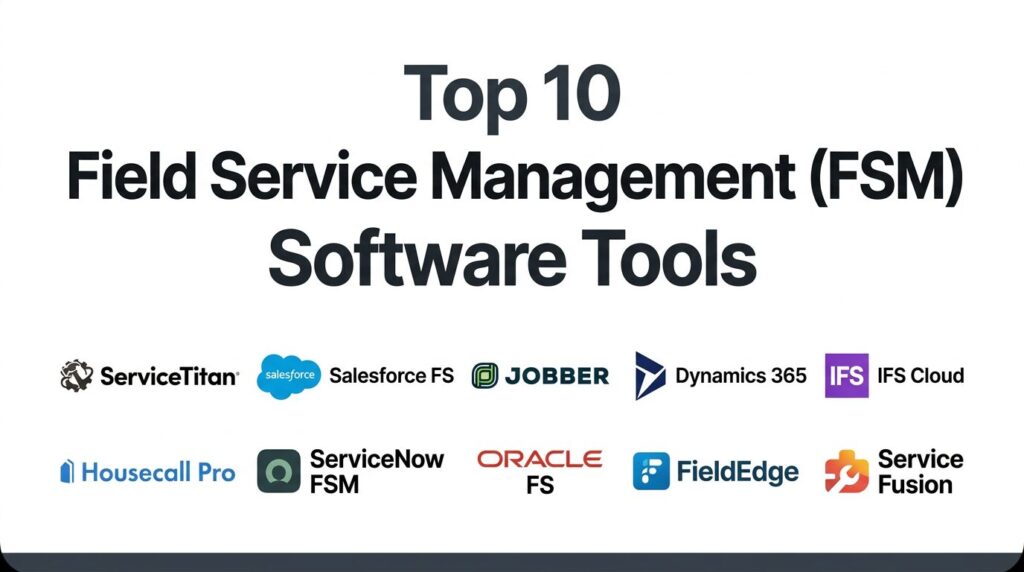
Introduction
Field Service Management (FSM) software has become the digital nervous system for industries relying on mobile workforces, from telecommunications and utilities to specialized trades like HVAC and medical device servicing. In an era where customer expectations for real-time transparency are at an all-time high, FSM solutions bridge the gap between back-office dispatching and on-site execution. These platforms leverage cloud-native architectures to synchronize scheduling, inventory, and billing, ensuring that the right technician—equipped with the right tools and data—arrives at the job site exactly when needed. By digitizing the entire service lifecycle, organizations can eliminate the inefficiencies of manual paperwork and siloed data, transforming their field operations from a cost center into a driver of customer loyalty.
The strategic deployment of FSM tools is no longer a luxury but a competitive necessity for scaling service organizations. Beyond simple scheduling, modern FSM systems utilize sophisticated algorithms and Industrial AI to optimize travel routes, predict equipment failures before they occur, and automate complex service-level agreement (SLA) compliance. This technical maturity allows businesses to maximize “wrench time” for technicians while providing management with high-fidelity analytics into job profitability and resource utilization. Choosing the correct platform requires a deep understanding of your operational complexity; a high-volume residential service business needs a vastly different feature set than a heavy-industrial enterprise managing mission-critical assets.
Best for: Residential and commercial contractors, utility providers, telecommunications firms, and any organization with a mobile workforce that requires real-time coordination and automated billing.
Not ideal for: Purely desk-based service teams or small businesses with static, internal workflows that do not involve off-site dispatching or complex asset maintenance.
Key Trends in Field Service Management Software
The most significant trend currently reshaping the FSM landscape is the shift toward “Predictive Service” powered by the Internet of Things (IoT). Instead of reacting to a customer’s call after a machine breaks, sensors now trigger automated work orders in the FSM system, allowing technicians to perform maintenance before a failure occurs. This proactive model is increasingly tied to “Servitization,” where manufacturers sell “uptime” or “outcomes” rather than just the hardware itself. Additionally, Augmented Reality (AR) has moved from a novelty to a standard field tool, enabling junior technicians to connect with senior experts via live video overlays to solve complex issues on the first visit.
Another dominant trend is the rise of the “Customer-Centric Portal,” which mirrors the Uber-like experience consumers expect. This includes real-time technician tracking, automated SMS arrival notifications, and the ability to approve estimates or pay invoices directly from a mobile device. On the backend, AI-driven dispatching has become more nuanced, moving beyond simple proximity to consider technical skill sets, parts availability on the van, and historical job duration. Lastly, there is a growing focus on “Sustainability Analytics,” where platforms help fleets reduce their carbon footprint by optimizing routes to minimize fuel consumption and idling time.
How We Selected These Tools
Our selection process prioritized platforms that demonstrate high operational reliability and a clear roadmap for AI and IoT integration. We evaluated hundreds of data points, focusing on “First-Time Fix Rates” and “Technician Adoption” as primary indicators of a tool’s effectiveness. Market mindshare was considered, but we also included specialized leaders in specific niches—such as the “Trades” versus “Heavy Industrial”—to provide a comprehensive view of the landscape. Platforms were vetted for their ability to handle offline mobile environments, as field workers often operate in areas with poor connectivity.
Technical robustness was measured by the depth of native integrations with major ERP and CRM ecosystems like SAP, Microsoft, and Salesforce. We also placed a high premium on “Ease of Onboarding,” recognizing that the best software is useless if the field workforce finds it too cumbersome to use. Security remains a cornerstone of our evaluation; each selected tool was reviewed for its compliance with global data protection standards and its ability to provide secure, role-based access to sensitive customer and asset information.
1. Joblogic
Short description: Joblogic is the UK leader in Field Service Management (FSM) software for service and maintenance businesses, covering HVAC, plumbing, electrical maintenance, and facilities management. Its platform connects field engineers, office staff, and asset managers in a single system, automating workflows from job intake and scheduling through completion, compliance, and invoicing. With 3,000+ customers managing 45,000 engineers — including NG Bailey and Linekar — Joblogic is designed for organisations that need PPM contract management and compliance built into the job lifecycle, not bolted on afterwards.
Key Features:
- Joblogic’s drag-and-drop scheduling board assigns jobs based on engineer availability, skills, and location, with automated alerts sent to the engineer’s mobile app.
- The platform supports seven coded work types: Ad-Hoc Works for reactive callouts, Contracts/PPM for planned preventive maintenance agreements, Subcontractor Works, Projects, Equipment Sales, Hire Contracts, and CAFM.
- Mobile forms allow engineers to capture job evidence, compliance certificates, and customer signatures on-site, including in areas without connectivity.
- A customer portal gives clients real-time job status, document access, and service history without requiring a phone call.
- Three product tiers — FSM (1–10 engineers), FSM+ (11–50, adds PPM), and FSM Enterprise (50+, adds Projects, Equipment Sales, and Hire Contracts) — scale with team size.
Pros:
- Deep PPM contract management and compliance workflow for UK trades contractors and facilities managers.
- Strong mobile-first experience with offline capability.
- Consultative onboarding and support rated for responsiveness and genuine investment in customer outcomes.
Cons:
- Primarily built for the UK market; organisations outside the UK may find the compliance framework and work type structure tailored to British regulatory context.
- Not designed for purely residential volume operations.
Platforms and Deployment: Cloud-based web dashboard for office teams and a native mobile app for iOS and Android.
Security and Compliance: Supports audit-ready job records with digital evidence capture, compliance certificate management, and role-based access controls.
Integrations and Ecosystem: Integrates with major accounting platforms including Sage and QuickBooks, plus open APIs for ERP and CRM connections.
Support and Community: Consultative onboarding, a dedicated support team known for responsiveness, and a structured customer success programme.
2. Salesforce Field Service
Salesforce Field Service (SFS) is a high-performance extension of the world’s leading CRM, designed for organizations that want a 360-degree view of the customer. It is particularly effective for large-scale operations where service history and customer data are deeply intertwined.
Key Features
The platform utilizes the “Dispatcher Console,” which provides a real-time, drag-and-drop view of all service appointments and resource statuses. It features “Einstein AI” for automated scheduling optimization, which accounts for travel time, skill sets, and business priorities. The mobile app includes a built-in knowledge base, allowing technicians to access manuals and troubleshooting guides instantly. It also supports “Visual Remote Assistant,” enabling experts to guide field workers through AR-enhanced video calls. Advanced asset management tracks the entire lifecycle of a piece of equipment, from installation to decommissioning.
Pros
Seamlessly unifies sales, marketing, and service teams on a single data platform. The level of customization and scalability is virtually limitless for global enterprises.
Cons
Requires significant technical expertise or an external consultant to set up and maintain. Costs can escalate quickly as additional modules and users are added.
Platforms and Deployment
Web-based platform with a highly capable mobile application for iOS and Android.
Security and Compliance
Meets the highest global security standards, including SOC2, HIPAA, and GDPR.
Integrations and Ecosystem
Native integration with the entire Salesforce suite and thousands of AppExchange tools.
Support and Community
Extensive documentation through “Trailhead” and a global network of certified partners.
3. Jobber
Jobber is the premier choice for small to medium-sized home service businesses that prioritize simplicity and speed. It focuses on the “Quote-to-Cash” workflow, making it incredibly easy for solo operators or small teams to manage their daily operations from a smartphone.
Key Features
The tool features a centralized “Client Hub” where customers can approve quotes, view appointment details, and pay invoices online. It includes an automated “follow-up” system for quotes that haven’t been answered, helping businesses win more work without manual effort. The scheduling interface is intuitive, offering “Map View” for efficient route planning. It also provides basic “On-my-way” text notifications to keep customers informed of a technician’s arrival. The “Jobber Payments” system allows for instant payouts, helping small businesses maintain healthy cash flow.
Pros
Extremely user-friendly with a very short learning curve for both office staff and technicians. Highly affordable for startups and small teams.
Cons
Lacks the advanced “Industrial AI” and complex asset-tracking features required by large enterprises. Customization options are limited compared to enterprise-grade tools.
Platforms and Deployment
Web-based dashboard and a lightweight mobile app for iOS and Android.
Security and Compliance
Standard SSL encryption and PCI-compliant payment processing via Stripe.
Integrations and Ecosystem
Strong integrations with QuickBooks Online, Xero, and Mailchimp.
Support and Community
Excellent customer support via chat and phone, plus a helpful online training center.
4. Microsoft Dynamics 365 Field Service
Microsoft Dynamics 365 Field Service is an enterprise-grade solution that excels in “Intelligent Service” and predictive maintenance. It is the ideal choice for organizations already embedded in the Microsoft ecosystem, looking to leverage IoT and Mixed Reality.
Key Features
The platform features “Connected Field Service,” which uses Azure IoT to detect and diagnose issues remotely before a technician is dispatched. It includes an AI-driven “Schedule Board” that automates resource allocation to minimize travel costs. Technicians can use “HoloLens” and “Remote Assist” for hands-free guidance on complex repairs. The system also offers robust inventory management, including real-time “van stock” visibility. It uses Power BI to provide high-level analytics on service performance, first-time fix rates, and technician utilization.
Pros
Unbeatable integration with Microsoft 365, Teams, and the Power Platform. Leading-edge capabilities in IoT and predictive maintenance.
Cons
Licensing and configuration can be complex and expensive for smaller organizations. The user interface can feel dense and requires formal training.
Platforms and Deployment
Cloud-based web interface with a dedicated mobile application for field workers.
Security and Compliance
Built on the secure Azure cloud, meeting all major international compliance standards.
Integrations and Ecosystem
Seamlessly works with Dynamics ERP/CRM and all Microsoft productivity tools.
Support and Community
Global support network and a vast library of Microsoft-certified learning resources.
5. IFS Cloud Field Service Management
IFS is a global leader in “Asset-Intensive” FSM, designed for complex industrial environments like manufacturing, energy, and defense. It is built to manage the entire “Service Portfolio,” from simple repairs to multi-year maintenance contracts.
Key Features
The platform’s “Planning and Scheduling Optimization” (PSO) engine is one of the most powerful in the world, capable of managing thousands of technicians in real-time. It features deep “Contract Management” for tracking complex SLAs and multi-tier warranties. The “Industrial AI” capabilities focus on maximizing asset uptime through predictive modeling. It also includes “Customer Self-Service” portals that allow clients to log issues and track progress. The mobile experience is built for “offline-first” reliability, ensuring technicians can access complex technical diagrams in remote locations.
Pros
Capable of handling the most complex, high-volume service operations on the planet. Strong focus on “Moment of Service” excellence for critical infrastructure.
Cons
The platform is too powerful and complex for small home-service contractors. Implementation requires significant business process alignment.
Platforms and Deployment
Cloud-native platform with cross-platform mobile support.
Security and Compliance
Enterprise-grade security designed for regulated industries and government contracts.
Integrations and Ecosystem
Excellent integration with IFS ERP and EAM, with robust APIs for third-party systems.
Support and Community
Offers high-level professional services and a dedicated global support team.
6. Housecall Pro
Housecall Pro is a popular “growth-focused” platform for residential service businesses. It strikes a balance between the simplicity of Jobber and the revenue-driving power of ServiceTitan, making it a favorite for mid-sized home service companies.
Key Features
The platform features “Instapay,” which allows businesses to get paid within minutes of completing a job. It includes a unique “Sales Proposal” tool that lets technicians present “Good, Better, Best” options to customers on a tablet. The “Marketing Center” automates postcard mailers and email campaigns to past customers. It also offers a “GPS Tracking” feature that gives office staff a real-time view of their fleet’s location. The “Customer Portal” provides a sleek interface for booking and viewing service history.
Pros
Highly intuitive mobile app that technicians actually enjoy using. Strong focus on customer communication and automated marketing to drive repeat business.
Cons
Advanced features like “Sales Proposals” and “Job Costing” are often locked behind higher pricing tiers. Reporting depth may not be sufficient for large, data-driven corporations.
Platforms and Deployment
Web-based platform and native mobile apps for iOS and Android.
Security and Compliance
Standard encryption and secure, PCI-compliant payment gateways.
Integrations and Ecosystem
Direct integration with QuickBooks, Google Calendar, and Amazon Local Services.
Support and Community
Very active “Pro” community and high-quality customer support via multiple channels.
7. ServiceNow Field Service Management
ServiceNow FSM is designed for organizations that want to bridge the gap between “Digital Workflows” and “Physical Service.” It is highly effective for IT service providers and enterprises with complex internal maintenance needs.
Key Features
The platform uses “Unified Service” workflows to convert customer cases or IT tickets directly into field work orders. It features “Dynamic Scheduling” that automatically re-assigns tasks based on real-time traffic or technician delays. The mobile app includes “Offline Mode” and “Digital Signature” capture for instant job verification. It also provides “Asset and Part Management” to ensure technicians have the inventory needed for a specific repair. The “Performance Analytics” dashboard provides real-time insights into SLA compliance and technician efficiency.
Pros
Best-in-class for organizations already using ServiceNow for ITSM or HR. Strong focus on automating the “hand-off” between office support and field technicians.
Cons
The interface can be overly “ticket-centric,” which may not feel natural for traditional trades. Configuration is complex and usually requires a ServiceNow specialist.
Platforms and Deployment
Cloud-based web platform with a powerful native mobile app.
Security and Compliance
Top-tier enterprise security with flexible data residency options and global compliance.
Integrations and Ecosystem
Native integration with the ServiceNow platform and robust REST APIs.
Support and Community
Access to the massive ServiceNow “Knowledge” community and professional support.
8. Oracle Field Service
Oracle Field Service (formerly TOA Technologies) is built on a “Time-Based” predictive engine, making it the top choice for high-volume utility, telecom, and cable companies that manage thousands of daily appointments.
Key Features
The platform uses “Self-Learning” algorithms that analyze historical data to predict exactly how long a job will take for a specific technician. It features a “Collaboration” tool that allows technicians to chat and share files directly within the mobile app. The “Capacity Management” module helps companies forecast labor needs weeks or months in advance. It also includes a “Customer Communication” engine that provides hyper-accurate arrival times. The system is designed to handle extremely large datasets without any performance degradation.
Pros
The most accurate routing and scheduling engine in the industry for massive fleets. Reduces “no-show” appointments through highly precise predictive arrival times.
Cons
Not suitable for small or medium businesses due to the high cost and complexity. The user interface for administrators can feel dated compared to newer SaaS tools.
Platforms and Deployment
Cloud-based platform with a browser-based mobile experience for technicians.
Security and Compliance
Enterprise-level security backed by Oracle’s global cloud infrastructure.
Integrations and Ecosystem
Deep integrations with Oracle ERP and CX clouds, plus standard enterprise APIs.
Support and Community
Oracle’s global enterprise support network and professional consulting services.
9. FieldEdge
FieldEdge (by Xplor) is a specialized solution designed specifically for HVAC and plumbing contractors who want the deepest possible integration with QuickBooks. It focuses on taking legacy “desktop” businesses into the cloud.
Key Features
The platform features a “Live QuickBooks Sync” that ensures financial data is always accurate in both systems. It includes a “Performance Dashboard” that ranks technicians by sales, helping owners identify their top performers. The “Maintenance Agreement” module automates the scheduling of recurring service visits, building a predictable revenue stream. Technicians can use the mobile app to create quotes and take payments in the field. It also offers a “Customer Pro” feature that shows the dispatcher the customer’s entire history as soon as the phone rings.
Pros
The best choice for businesses that refuse to switch away from QuickBooks. Very strong features for managing recurring maintenance contracts.
Cons
The mobile app can be prone to syncing issues if the internet connection is unstable. It lacks the advanced AI-driven dispatching found in newer competitors.
Platforms and Deployment
Cloud-based dashboard and native mobile applications.
Security and Compliance
Standard e-commerce security and secure QuickBooks data handling.
Integrations and Ecosystem
The “gold standard” for QuickBooks integration (both Online and Desktop).
Support and Community
Offers personalized onboarding and a dedicated success manager for most accounts.
10. Service Fusion
Service Fusion is a cost-effective, “feature-rich” alternative for mid-sized service companies. It offers a broad range of enterprise-level features, like fleet tracking and call recording, at a much more accessible price point than its competitors.
Key Features
The platform includes integrated “GPS Fleet Tracking” without the need for additional third-party hardware. it features “Call Tracking and Recording,” allowing owners to monitor how their office staff handles leads. The “E-Sign” functionality allows customers to authorize work orders and estimates digitally. It also offers a robust “Estimate” tool that supports photo and video attachments. The system supports “Multi-Trip” work orders, which is essential for complex projects that span several days or weeks.
Pros
Excellent value for money, offering “all-in-one” features at a flat monthly rate. The integrated fleet tracking and call recording save businesses hundreds in additional software costs.
Cons
The user interface can feel “clunky” compared to more polished modern platforms. Customer support response times can be slower during peak hours.
Platforms and Deployment
Web-based platform with native iOS and Android applications.
Security and Compliance
Standard cloud security protocols and PCI-compliant payment options.
Integrations and Ecosystem
Solid integrations with QuickBooks, Stripe, and several marketing tools.
Support and Community
Provides a dedicated implementation specialist and an online knowledge base.
Comparison Table
| Tool Name | Best For | Platform(s) Supported | Deployment | Standout Feature | Public Rating |
| 1. ServiceTitan | High-Growth Trades | Web, iOS, Android | Cloud | Sales-Focused Pricebook | 4.8/5 |
| 2. Salesforce FS | CRM-Led Enterprises | Web, iOS, Android | Cloud | AI-Powered Einstein Dispatch | 4.5/5 |
| 3. Jobber | Small SMBs / Startups | Web, iOS, Android | Cloud | Simple “Client Hub” Portal | 4.7/5 |
| 4. Dynamics 365 | Microsoft Ecosystem | Web, iOS, Android | Cloud | IoT Predictive Maintenance | 4.4/5 |
| 5. IFS Cloud | Asset-Intensive Ind. | Web, Mobile | Hybrid | Powerful PSO Scheduling | 4.6/5 |
| 6. Housecall Pro | Residential Mid-Market | Web, iOS, Android | Cloud | Instapay Fast Funding | 4.7/5 |
| 7. ServiceNow FSM | IT & Enterprise Ops | Web, iOS, Android | Cloud | Ticket-to-Work-Order Flow | 4.3/5 |
| 8. Oracle FS | High-Volume Utilities | Web, Browser-App | Cloud | Time-Based Self-Learning | 4.2/5 |
| 9. FieldEdge | QuickBooks Power Users | Web, iOS, Android | Cloud | Deep QuickBooks Desktop Sync | 4.4/5 |
| 10. Service Fusion | Budget All-In-One | Web, iOS, Android | Cloud | Integrated GPS & Call Track | 4.5/5 |
Evaluation & Scoring of Field Service Management (FSM) Software
The scoring below is a comparative model intended to help shortlisting. Each criterion is scored from 1–10, then a weighted total from 0–10 is calculated using the weights listed. These are analyst estimates based on typical fit and common workflow requirements, not public ratings.
Weights:
- Core features – 25%
- Ease of use – 15%
- Integrations & ecosystem – 15%
- Security & compliance – 10%
- Performance & reliability – 10%
- Support & community – 10%
- Price / value – 15%
| Tool Name | Core (25%) | Ease (15%) | Integrations (15%) | Security (10%) | Performance (10%) | Support (10%) | Value (15%) | Weighted Total |
| 1. ServiceTitan | 10 | 7 | 9 | 9 | 10 | 10 | 6 | 8.85 |
| 2. Salesforce FS | 10 | 6 | 10 | 10 | 9 | 8 | 7 | 8.65 |
| 3. Jobber | 7 | 10 | 8 | 8 | 9 | 9 | 10 | 8.55 |
| 4. Dynamics 365 | 10 | 6 | 10 | 10 | 9 | 8 | 7 | 8.65 |
| 5. IFS Cloud | 10 | 6 | 9 | 10 | 10 | 9 | 7 | 8.75 |
| 6. Housecall Pro | 8 | 9 | 8 | 8 | 9 | 9 | 8 | 8.40 |
| 7. ServiceNow FSM | 9 | 7 | 9 | 10 | 9 | 8 | 7 | 8.40 |
| 8. Oracle FS | 10 | 5 | 8 | 10 | 10 | 8 | 6 | 8.20 |
| 9. FieldEdge | 8 | 8 | 10 | 8 | 8 | 9 | 7 | 8.25 |
| 10. Service Fusion | 8 | 7 | 8 | 8 | 8 | 7 | 10 | 8.10 |
How to interpret the scores:
- Use the weighted total to shortlist candidates, then validate with a pilot.
- A lower score can mean specialization, not weakness.
- Security and compliance scores reflect controllability and governance fit, because certifications are often not publicly stated.
- Actual outcomes vary with assembly size, team skills, templates, and process maturity.
Which Field Service Management (FSM) Software Tool Is Right for You?
Solo / Freelancer
If you are a solo technician or a “man with a van,” Jobber is the clear winner. It provides the essential tools to look professional and get paid without the technical overhead or high monthly fees of larger platforms.
SMB
For small businesses with 3 to 15 technicians, Housecall Pro or Service Fusion offer the best balance of features and affordability. They provide enough automation to save the office staff several hours a week while giving technicians a modern, easy-to-use mobile experience.
Mid-Market
For trade businesses (HVAC, Plumbing) that are scaling rapidly and focusing on revenue growth, ServiceTitan is the gold standard. If your business is heavily tied to QuickBooks for all accounting, FieldEdge is the more specialized choice.
Enterprise
Large organizations with complex workflows should look to Salesforce Field Service or Microsoft Dynamics 365. These platforms offer the customization and global scale necessary to manage thousands of users across multiple business units.
Budget vs Premium
Service Fusion is the best choice for those on a budget who still need advanced features like GPS tracking and call recording. Conversely, ServiceTitan and IFS Cloud are the premium choices for those who prioritize deep feature sets and ROI over initial cost.
Feature Depth vs Ease of Use
Jobber and Housecall Pro are the easiest to learn, while tools like IFS Cloud and Oracle Field Service offer unparalleled feature depth at the cost of a much steeper learning curve and a more technical interface.
Integrations & Scalability
If your organization is already standardized on a specific ecosystem (Microsoft, Salesforce, or ServiceNow), staying within that ecosystem for FSM will provide the most seamless data flow and the easiest user adoption.
Security & Compliance Needs
Enterprises in regulated industries (Utilities, Healthcare, Defense) should prioritize IFS Cloud or ServiceNow, as these platforms are built from the ground up to meet rigorous global security and audit requirements.
Frequently Asked Questions (FAQs)
1. What is the difference between FSM and CRM?
A CRM (Customer Relationship Management) focuses on managing sales and contact info, while FSM (Field Service Management) focuses on the logistics of dispatching technicians, managing assets, and completing physical work on-site.
2. Does FSM software work without an internet connection?
Most leading FSM apps, like Printful or ServiceTitan, offer “Offline-First” functionality. Technicians can view their schedule, take notes, and complete jobs in areas with no signal; the data will sync once they return to a connected area.
3. Can FSM software help with route optimization?
Yes, most modern platforms include GPS-based routing that considers traffic, job priority, and technician location to create the most fuel-efficient and timely schedule for the day.
4. How much does FSM software typically cost?
Pricing varies wildly. Small-business tools like Jobber start around $50 per month, while enterprise-grade systems can cost several hundred dollars per technician per month, plus significant implementation fees.
5. Is it possible to switch FSM platforms once my data is in one?
Yes, but it can be complex. Most platforms offer data export tools, and premium providers like ServiceTitan often include specialized “data migration” services to help you transition from your old system.
6. Does FSM software handle inventory management?
Yes, advanced FSM tools track parts at the warehouse level and the “van stock” level, helping technicians ensure they have the right equipment before they head to a job site.
7. Can FSM software help with employee payroll?
Many platforms track “wrench time” and “travel time,” which can be exported directly to payroll systems. Tools like ServiceTitan also handle complex commission and bonus structures for technicians.
8. Is GPS tracking of technicians ethical and legal?
Yes, it is standard practice in the industry to ensure safety and efficiency. However, most experts recommend having a clear policy in your employee handbook explaining how the data is used.
9. How long does it take to implement FSM software?
Small-business tools can be set up in a few days. For mid-market and enterprise platforms, expect a 3-to-6-month implementation period involving data migration, staff training, and process mapping.
10. Can customers book their own appointments?
Most modern FSM tools offer a “Customer Portal” or “Online Booking Widget” that can be embedded on your website, allowing clients to see available time slots and book service directly.
Conclusion
Navigating the complex landscape of Field Service Management software requires a strategic approach that aligns technical capabilities with your specific operational scale. The divide between “digital-first” service organizations and those relying on legacy processes will only widen. The successful implementation of an FSM tool does more than just digitize your schedule; it empowers your field workforce with real-time intelligence, protects your profit margins through precise job costing, and delivers the frictionless experience that modern customers demand. Whether you are a solo contractor or a global industrial enterprise, the platforms listed here provide the essential infrastructure to scale your service operations, reduce your cost-to-serve, and ultimately turn every service visit into a building block for long-term business growth.