Introduction
Feature flag management tools are specialized platforms that allow software teams to turn specific parts of their code on or off remotely without redeploying the entire application. Think of it as a “digital light switch” for software features. By wrapping a new piece of code in a conditional statement—a “flag”—developers can push code to production while keeping the feature hidden from users until they are ready for the launch.
These tools have evolved from simple toggles into mission-critical “feature management” platforms. In a world of continuous delivery, they provide the safety net needed to decouple technical deployments from business releases. This means engineering can ship code on their schedule, while product managers can release features to specific users or regions on theirs. Whether it is a “kill switch” for a buggy update or a slow rollout of a new checkout process, feature flags are the primary way modern teams manage risk.
Real-World Use Cases
- Canary Releases: Releasing a high-risk feature to only 1% of users initially to monitor system performance and error rates.
- Beta Testing & Early Access: Enabling new experimental tools only for a “VIP” or “Internal” segment of users to gather feedback.
- Operational Kill Switches: Instantly disabling a heavy background process or a broken feature during a traffic spike to save the system from crashing.
- A/B Testing & Experimentation: Serving two different versions of a feature to different groups to see which one drives better engagement or revenue.
- Entitlement Management: Toggling premium features on or off for users based on their subscription tier without changing the core codebase.
Evaluation Criteria for Buyers
When selecting a feature flag tool, buyers should evaluate:
- Evaluation Latency: Does the flag check happen in milliseconds at the “edge” or does it require a slow round-trip to a central server?
- Targeting Granularity: Can you target users by highly specific attributes like geography, device type, or custom behavior data?
- Governance & RBAC: Does it offer strict “Role-Based Access Control” to ensure only authorized personnel can toggle flags in production?
- Experimentation Depth: Does the tool include native statistical analysis to measure the impact of a flag on business metrics?
- SDK Coverage: Does it provide stable, performant libraries for every language in your stack (e.g., Go, Python, React, Swift)?
- Flag Hygiene: Does the tool help you track “stale” flags that need to be removed to prevent technical debt?
- Integration Ecosystem: Does it sync with your observability tools (Datadog, New Relic) and CI/CD pipelines?
- Security & Compliance: Does the vendor support SSO, audit logs, and data residency requirements for regulated industries?
Best for: DevOps teams, product managers, and site reliability engineers (SREs) who want to move faster while reducing the “blast radius” of software failures.
Not ideal for: Very small projects with a single developer or static websites where features rarely change and complexity is minimal.
Key Trends in Feature Flag Management Software
- AI-Automated Rollbacks: Tools now use machine learning to monitor error logs and automatically flip a “kill switch” if a new feature causes a performance dip.
- Edge-Native Evaluation: Flag decisions are increasingly moving to global CDN edges (like Cloudflare or Akamai), reducing latency to near zero for global users.
- Trunk-Based Development Focus: Feature flags are now the primary enabler of trunk-based workflows, eliminating long-lived “feature branches” and complex merge conflicts.
- OpenUSD & 3D Flagging: With the rise of the spatial web, modern tools support toggling 3D assets and AR experiences within immersive environments.
- Observability-First Culture: The gap between “toggling a flag” and “seeing the impact” has closed; dashboards now show real-time CPU/memory impact alongside the flag state.
- GitOps Integration: High-maturity teams now manage their feature flags as “code” within Git repositories, using pull requests to trigger flag changes.
- Predictive Performance Modeling: Before a flag is even flipped, AI models predict the potential infrastructure load based on the targeted audience size.
- Standardization via OpenFeature: The industry has moved toward the “OpenFeature” standard, allowing teams to switch vendors without rewriting their entire codebase.
How We Selected These Tools (Methodology)
To curate this list of the top 10 feature flag management tools , we applied the following evaluation logic:
- Market Mindshare: We prioritized tools recognized as industry leaders by DevOps and SRE communities.
- Enterprise Reliability: Only platforms that demonstrate high-availability and global performance at scale were included.
- Feature Completeness: We looked for suites that offer more than just toggles—prioritizing those with advanced targeting and experimentation.
- Security & Governance Signals: Preference was given to tools with robust audit logs, SSO support, and granular permissions.
- SDK & Integration Depth: We evaluated the breadth of supported programming languages and the quality of documentation.
- Segment Fitness: The list reflects a balance between developer-first open-source projects and high-end enterprise platforms.
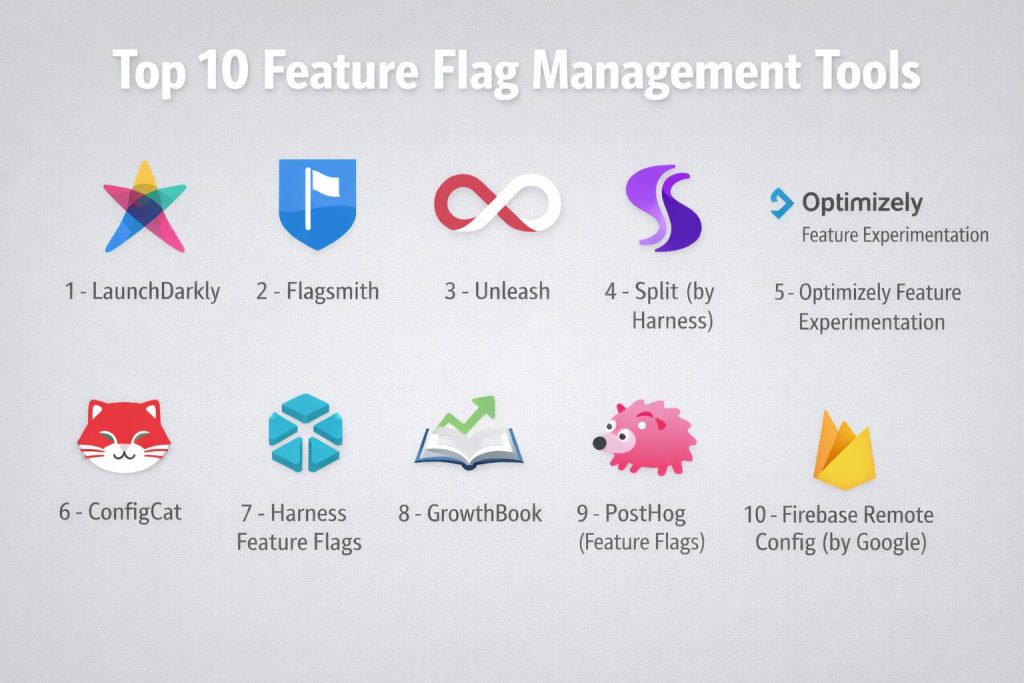
Top 10 Feature Flag Management Tools
#1 — LaunchDarkly
The market leader in dedicated feature management. It is designed for large-scale enterprises that need absolute control over the entire feature lifecycle.
Key Features
- Streaming Architecture: Flag updates are pushed to SDKs in real-time (under 200ms) without constant polling.
- Context-Aware Targeting: Create complex segments based on any user attribute imaginable.
- Workflows & Approvals: Built-in governance that requires “four-eyes” approval before a flag goes live in production.
- Experimentation Add-on: Fully integrated A/B testing suite that links flag toggles to business KPIs.
- Flag Insights: Automatic detection of “stale” flags to help teams maintain a clean codebase.
- Mobile-First SDKs: Specialized libraries for iOS and Android that handle offline states gracefully.
- Global Edge Network: Leverages a massive CDN to ensure flag evaluations are fast regardless of user location.
Pros
- The most comprehensive feature set in the industry for large, multi-team organizations.
- Massive ecosystem of integrations (Jira, Slack, Datadog, Terraform).
- Extremely reliable and battle-tested at the highest levels of traffic.
Cons
- One of the most expensive options on the market, which can be a barrier for startups.
- The UI can be overwhelming for smaller teams who only need basic toggles.
Platforms / Deployment
- Web / Windows / macOS / Linux / iOS / Android
- Cloud (SaaS)
Security & Compliance
- SSO/SAML, MFA, and SCIM provisioning.
- SOC 2 Type II, ISO 27001, HIPAA, and FedRAMP authorized.
Integrations & Ecosystem
LaunchDarkly serves as the “central nervous system” for feature releases.
- Terraform/Pulumi for Infrastructure as Code management.
- GitHub/GitLab for linking flags to code commits.
- Datadog/New Relic for performance monitoring.
Support & Community
Provides 24/7 enterprise support, a deep knowledge base (LaunchDarkly Academy), and a large community of “Flight Crew” advocates.
#2 — Flagsmith
A highly flexible, developer-friendly platform that offers both a cloud-hosted version and a fully self-hosted open-source core.
Key Features
- Self-Hosting Options: One of the few professional tools that allows you to run the entire stack on your own infrastructure.
- Remote Config: Beyond simple booleans, it allows for complex JSON configurations to be sent to apps.
- Identity-Level Targeting: Easily track and target specific users by their unique ID across different sessions.
- Environments & Projects: Simple organization of flags across Dev, Staging, and Production.
- Audit Logs: Complete history of who changed what and when, essential for compliance.
- REST & GraphQL APIs: Built with a “developer-first” mentality for easy custom automation.
- Offline Mode: SDKs can be configured to use local defaults if the connection to the server is lost.
Pros
- Excellent “Value for Money” compared to enterprise-only competitors.
- Open-source core provides transparency and eliminates vendor lock-in.
- Very fast and lightweight UI that is easy for new developers to learn.
Cons
- Experimentation and analytics features are less advanced than those in LaunchDarkly or Split.
- Self-hosting requires internal engineering resources to maintain and scale.
Platforms / Deployment
- Web / Windows / macOS / Linux / iOS / Android
- Cloud (SaaS) / Self-hosted / On-premises
Security & Compliance
- SSO and MFA available on higher tiers.
- GDPR compliant; SOC 2 (Cloud version).
Integrations & Ecosystem
Flagsmith focuses on the core developer workflow.
- Webhooks for triggering external actions.
- Integrations with Segment and Google Analytics.
- Slack and Microsoft Teams for change notifications.
Support & Community
Strong open-source community on GitHub and Discord, with professional support tiers available for enterprise clients.
#3 — Unleash
An enterprise-ready open-source platform that prioritizes privacy and security, often chosen by high-growth startups and developer-led organizations.
Key Features
- Activation Strategies: Highly flexible rules (e.g., UserID, IP range, Hostname) for enabling features.
- Privacy-First Design: User data stays in your application; only anonymized evaluation logic is shared.
- Unleash Proxy: An edge component that speeds up flag evaluation for front-end and mobile apps.
- Gradual Rollouts: Percentage-based releases with “stickiness” to ensure a consistent user experience.
- Project Segregation: Allows different teams to manage their own flags without interfering with each other.
- Technical Debt Dashboard: A 2026 feature that highlights flags that have been 100% on for too long.
- Custom Context: Define your own unique fields for targeting based on your specific business logic.
Pros
- Superior privacy model compared to most SaaS-only competitors.
- Extremely scalable architecture designed for high-concurrency environments.
- Very transparent pricing and open-source availability.
Cons
- The UI can feel more “functional” and less “polished” than some commercial competitors.
- Advanced enterprise features (like SSO) are locked behind the paid tiers.
Platforms / Deployment
- Web / Windows / macOS / Linux / iOS / Android
- Cloud (SaaS) / Self-hosted (Docker/Kubernetes)
Security & Compliance
- SSO/SAML and RBAC.
- SOC 2 Type II and GDPR compliant.
Integrations & Ecosystem
Unleash is built for the modern DevOps stack.
- Native Jira and Slack integrations.
- Support for the OpenFeature standard.
- Terraform provider for automated management.
Support & Community
Features an active Slack community and a well-documented GitHub repository, alongside premium support for enterprise customers.
#4 — Split (by Harness)
A platform that uniquely combines feature flags with deep observability and data analysis, helping teams see exactly how a feature impact performance.
Key Features
- Impact Tracker: Automatically links a feature toggle to changes in performance metrics (e.g., latency or errors).
- Statistical Engine: Built-in tools to calculate the significance of A/B test results.
- Instant Rollbacks: One-click revert button that appears immediately if a feature “breaks” a metric.
- Split Cloud: A high-speed global delivery network for flag definitions.
- Advanced Segmentation: Drag-and-drop builder for creating complex user cohorts.
- Audit & Governance: Detailed change logs and approval workflows for regulated industries.
- Auto-Discovery: Automatically finds and tracks key metrics from your existing observability tools.
Pros
- The best choice for teams that want “data-driven” releases without separate analytics tools.
- Excellent at identifying “silent” errors that don’t cause crashes but degrade user experience.
- Now part of the Harness ecosystem, offering deep CI/CD integration.
Cons
- Setup can be more complex due to the need to configure data “telemetry.”
- Can be expensive if you have a large number of events and metrics to track.
Platforms / Deployment
- Web / Windows / macOS / Linux / iOS / Android
- Cloud (SaaS)
Security & Compliance
- SSO/SAML, RBAC, and Audit Logs.
- SOC 2 Type II, ISO 27001, and HIPAA compliant.
Integrations & Ecosystem
Split excels at connecting to the broader data ecosystem.
- Deep integrations with Datadog, New Relic, and Sentry.
- Data connectors for Snowflake and mParticle.
Support & Community
Offers professional onboarding, a “Split University” for training, and dedicated enterprise support teams.
#5 — Optimizely Feature Experimentation
A high-end platform that bridges the gap between marketing experimentation and engineering feature management.
Key Features
- Full Stack Experimentation: Run A/B tests on anything from backend algorithms to UI components.
- Advanced Statistical Engine: Uses a proprietary “Stats Engine” to reduce the time needed for significant results.
- Feature Toggles: High-performance toggles designed for low-latency server-side environments.
- Mutually Exclusive Experiments: Ensure that different tests don’t “pollute” each other’s data.
- Visual Editor: Allows non-developers to create simple experiments in a headless environment.
- Edge Agent: A 2026 feature for ultra-fast flag evaluation at the network edge.
- Audience Builder: Leverage first-party data to create highly targeted user segments.
Pros
- The gold standard for organizations where marketing and engineering collaborate on tests.
- Best-in-class statistical reliability for critical business decisions.
- Unified platform for both web, mobile, and server-side testing.
Cons
- Very high price point, often targeted at the largest enterprises.
- Can feel “bloated” if you only need a simple kill switch for your code.
Platforms / Deployment
- Web / iOS / Android / Full-stack (SDKs for all major languages)
- Cloud (SaaS)
Security & Compliance
- Enterprise-grade SSO and security protocols.
- SOC 2, ISO 27001, and HIPAA compliant.
Integrations & Ecosystem
Optimizely is a hub for “Digital Optimization.”
- Native integration with Adobe Analytics and Google Analytics 4.
- Connectors for leading CDPs like Segment and Tealium.
Support & Community
Premium enterprise support, a massive training library, and a global network of specialized agency partners.
#6 — ConfigCat
A lightweight, easy-to-use service focused on making cross-platform feature flagging accessible to SMBs and startups.
Key Features
- Global CDN: Flag updates are distributed globally via CDN in under a second.
- Unlimited Seats: All plans allow for an unlimited number of team members, reducing friction.
- Visual Dashboard: One of the most intuitive and modern UIs in the category.
- Public Management API: Allows for total automation of flag states via external scripts.
- Environment-Specific Targeting: Easily manage different rules for Dev, Test, and Prod.
- SDK Coverage: Supports over 20+ languages and frameworks including niche options.
- Zombie Flag Reports: Automated emails that warn you about unused flags in your code.
Pros
- Extremely fast time-to-value; you can be up and running in minutes.
- Simple, predictable pricing that doesn’t punish team growth.
- Excellent documentation and “no-nonsense” approach to feature management.
Cons
- Lacks the deep experimentation and observability features of LaunchDarkly or Split.
- Not designed for complex enterprise “approval chains” or governance workflows.
Platforms / Deployment
- Web / Windows / macOS / Linux / iOS / Android
- Cloud (SaaS)
Security & Compliance
- SSO/SAML and 2FA support.
- SOC 2 Type II and GDPR compliant.
Integrations & Ecosystem
ConfigCat focuses on the core dev stack.
- GitHub Actions, Bitbucket Pipelines, and GitLab CI.
- Trello and Jira for task management.
- Slack for notification alerts.
Support & Community
Responsive support via live chat and email, with a growing community and extensive public documentation.
#7 — Harness Feature Flags
A module within the Harness CI/CD platform that focuses on “developer experience” and automated pipeline governance.
Key Features
- Pipeline Integration: Link feature flags directly into your automated deployment pipelines.
- GitOps for Flags: Store and manage your flag configurations alongside your code in Git.
- RBAC & Approvals: Granular permissions designed for regulated enterprise environments.
- Visual Change Tracking: See a timeline of every flag change alongside your deployment history.
- Targeting & Segments: Standard robust targeting based on any user or system attribute.
- Smart Rollouts: Automatically ramp up a flag based on successful verification of healthy metrics.
- Unified Dashboard: Part of a single “pane of glass” for all your DevOps activities.
Pros
- Incredible value if you are already using Harness for CI/CD or Infrastructure.
- Strong focus on “automation” rather than just manual toggling.
- Native GitOps support is best-in-class for high-maturity teams.
Cons
- Less focused on “marketing” experimentation than tools like Optimizely.
- Can feel complex if you aren’t already using the broader Harness platform.
Platforms / Deployment
- Web / iOS / Android / Server-side
- Cloud (SaaS) / Self-hosted
Security & Compliance
- Enterprise-grade security with SSO and Audit Trails.
- SOC 2, ISO 27001, and HIPAA compliant.
Integrations & Ecosystem
Harness is built for the enterprise developer.
- Deep integration with Jira and ServiceNow.
- Support for all major cloud providers (AWS, GCP, Azure).
Support & Community
Enterprise-grade support with dedicated account managers and a strong technical documentation library.
#8 — GrowthBook
An open-source experimentation and feature flagging platform that specializes in data-driven growth.
Key Features
- SQL-First Experimentation: Connects directly to your data warehouse (Snowflake, BigQuery) to analyze results.
- Visual Editor: Allows for no-code changes to be made behind a feature flag.
- Remote Config: Supports complex JSON objects for dynamic app behavior.
- Custom Metrics: Define your own KPIs using SQL for absolute flexibility in testing.
- Self-Hosted Core: The main engine is open-source and can be run locally.
- High-Performance SDKs: Designed for minimal impact on application load times.
- Visual Screenshots: Attach screenshots to flags so everyone knows exactly what is being toggled.
Pros
- The most powerful open-source tool for data analysts and growth engineers.
- No need to send your sensitive user data to a third-party server for analysis.
- Rapidly growing community and fast development cycle.
Cons
- Requires a data warehouse (like BigQuery or Redshift) to use the advanced analysis features.
- The UI is more focused on “data” than “DevOps governance.”
Platforms / Deployment
- Web / iOS / Android / Server-side
- Cloud (SaaS) / Self-hosted (Docker)
Security & Compliance
- SSO/SAML available.
- GDPR compliant (User data stays in your warehouse).
Integrations & Ecosystem
GrowthBook is designed to sit on top of your data stack.
- Deep support for Snowflake, BigQuery, Redshift, and Mixpanel.
- Webhooks and API for custom integrations.
Support & Community
Very active Slack community and GitHub discussions, with professional support available for managed cloud users.
#9 — PostHog (Feature Flags)
An all-in-one product OS that combines feature flags with session recordings, heatmaps, and product analytics.
Key Features
- Unified Suite: Toggling a flag automatically tags session recordings and analytics events.
- Multivariate Flags: Supports multiple variants beyond just True/False (e.g., Green, Blue, Red).
- Targeting Groups: Target by user properties, cohorts, or random percentages.
- Local Evaluation: High-speed flag checking within the client-side SDK.
- Site Apps: Inject custom code into your site based on flag states.
- API-First Design: Entirely scriptable for automated testing and rollouts.
- Data Pipelines: Export flag data to your warehouse for external analysis.
Pros
- The best choice for “Product-Led Growth” teams who want to see how users use a feature once it’s on.
- Extremely generous free tier for startups and small teams.
- All-in-one nature eliminates the need for 3-4 separate tools.
Cons
- The feature flagging module is less “mature” than dedicated tools like LaunchDarkly.
- Not ideal for pure backend-heavy or infrastructure-focused flagging needs.
Platforms / Deployment
- Web / iOS / Android / Server-side
- Cloud (SaaS) / Self-hosted
Security & Compliance
- SSO and MFA.
- GDPR and SOC 2 (Cloud) compliant.
Integrations & Ecosystem
PostHog is a “Product OS” that connects to everything.
- Integrates with Slack, Discord, and Zapier.
- Support for major data warehouses and S3 for storage.
Support & Community
Known for being “transparently developed” with an active GitHub presence and a very responsive team.
#10 — Firebase Remote Config (by Google)
A free-to-start, mobile-first configuration tool that is part of the massive Firebase mobile development ecosystem.
Key Features
- Real-time Updates: Push changes to millions of mobile devices almost instantly.
- Personalization: Automatically optimizes feature values for each user to maximize a specific metric.
- A/B Testing Integration: Seamlessly works with Google Analytics to run mobile experiments.
- Condition-Based Targeting: Target by OS version, language, country, and specific user properties.
- Default Values: Define local defaults in code so the app works even without a network.
- Parameter Versioning: Roll back to a previous configuration state with a single click.
- Cloud Functions Trigger: Trigger backend logic whenever a configuration is updated.
Pros
- Essentially free for most standard use cases, making it the default choice for mobile devs.
- Deeply integrated into the Google/Firebase ecosystem.
- Very stable and scales to hundreds of millions of users without issues.
Cons
- Lacks the enterprise governance and RBAC features of specialized DevOps tools.
- The web/backend support is less “native” and polished than the mobile experience.
Platforms / Deployment
- Web / iOS / Android / Flutter / Unity
- Cloud (SaaS)
Security & Compliance
- Leverages Google Cloud’s enterprise security and compliance.
- Not publicly stated as SOC 2/HIPAA specifically for “Remote Config” but inherits GC infrastructure.
Integrations & Ecosystem
Firebase is a complete mobile backend.
- Google Analytics for Firebase.
- Firebase Crashlytics for monitoring flag impact on crashes.
- Google Cloud Pub/Sub for messaging.
Support & Community
Supported by Google’s vast documentation and the massive global Firebase developer community.
Comparison Table (Top 10)
| Tool Name | Best For | Platform(s) Supported | Deployment | Standout Feature | Public Rating |
| LaunchDarkly | Large Enterprise | All Platforms | Cloud (SaaS) | Streaming Architecture | 4.7/5 |
| Flagsmith | Flexible Teams | All Platforms | Hybrid | Self-Hosting Core | 4.6/5 |
| Unleash | Privacy & Devs | All Platforms | Hybrid | Privacy-First Logic | 4.5/5 |
| Split (Harness) | Obs. & Data | All Platforms | Cloud (SaaS) | Impact Tracking | 4.4/5 |
| Optimizely | Exp. & Marketing | All Platforms | Cloud (SaaS) | Stats Engine | 4.3/5 |
| ConfigCat | SMBs & Startups | All Platforms | Cloud (SaaS) | Unlimited Seats | 4.8/5 |
| Harness FF | DevOps Automation | All Platforms | Hybrid | GitOps Support | 4.3/5 |
| GrowthBook | Data-Driven Growth | All Platforms | Hybrid | SQL-First Analysis | 4.7/5 |
| PostHog | Product Analytics | Web, Mobile | Hybrid | Session Recordings | 4.6/5 |
| Firebase RC | Mobile Apps | iOS, Android, Web | Cloud (SaaS) | Personalization AI | 4.2/5 |
Evaluation & Scoring of Feature Flag Management Tools
| Tool Name | Core (25%) | Ease (15%) | Integrations (15%) | Security (10%) | Performance (10%) | Support (10%) | Value (15%) | Weighted Total |
| LaunchDarkly | 10 | 6 | 10 | 10 | 10 | 9 | 5 | 8.4 |
| Flagsmith | 8 | 8 | 8 | 7 | 9 | 8 | 9 | 8.1 |
| Unleash | 9 | 7 | 8 | 9 | 10 | 8 | 8 | 8.4 |
| Split | 9 | 6 | 9 | 8 | 8 | 8 | 7 | 7.7 |
| Optimizely | 9 | 5 | 9 | 9 | 9 | 9 | 5 | 7.5 |
| ConfigCat | 7 | 10 | 8 | 7 | 9 | 8 | 10 | 8.1 |
| Harness FF | 8 | 6 | 9 | 9 | 9 | 8 | 7 | 7.8 |
| GrowthBook | 8 | 7 | 10 | 7 | 9 | 8 | 9 | 8.2 |
| PostHog | 8 | 9 | 8 | 7 | 8 | 8 | 9 | 8.1 |
| Firebase RC | 6 | 8 | 7 | 6 | 9 | 7 | 10 | 7.2 |
How to Interpret These Scores
- 0–5: Minimalist tool or niche solution that may lack essential enterprise features like RBAC.
- 6–8: Strong, reliable contender that excels in a specific area like “Mobile” or “Value for Money.”
- 9–10: Industry-leading performance, zero-latency evaluation, and global ecosystem breadth.
- Note: Scoring is comparative. A “6” in “Core” for Firebase reflects that it lacks the deep lifecycle management of a dedicated platform like LaunchDarkly.
Which Feature Flag Management Tool Is Right for You?
Solo / Freelancer
If you are flying solo, ConfigCat or PostHog are your best friends. They offer generous free tiers and take almost zero time to set up, allowing you to focus on building features rather than managing infrastructure.
SMB
For small-to-mid-market teams, Flagsmith or Unleash offer the best balance of price and professional features. If your team is data-heavy and wants to run experiments, GrowthBook is an excellent choice.
Mid-Market
Companies that are growing fast and need reliable “Progressive Delivery” should look at Split or LaunchDarkly. If you are already invested in a CI/CD platform, Harness Feature Flags can provide a unified experience.
Enterprise
Large, regulated organizations with hundreds of engineers must prioritize LaunchDarkly or Unleash Enterprise. These platforms provide the governance, auditability, and 24/7 support required for high-stakes environments.
Budget vs Premium
- Budget: Firebase Remote Config (Free) and ConfigCat (Flat pricing) are the most wallet-friendly.
- Premium: LaunchDarkly and Optimizely represent the high-end “premium” tier for massive scale and complex logic.
Feature Depth vs Ease of Use
If you need deep data analysis and SQL-level control, choose GrowthBook. If you want a dashboard so simple that your marketing team can use it without a tutorial, choose ConfigCat.
Integrations & Scalability
For complex pipelines, LaunchDarkly and Harness offer the most robust integrations with Jira, Terraform, and various monitoring platforms to ensure the whole team stays in sync.
Security & Compliance Needs
Organizations in banking or healthcare should prioritize Unleash or Flagsmith for their self-hosting capabilities, ensuring that user data never leaves their private cloud.
Frequently Asked Questions (FAQs)
What is the difference between a feature flag and a configuration file?
A configuration file usually requires a restart or a redeploy of the application to take effect. A feature flag is dynamic—it can be toggled via an API or a dashboard, and the change takes effect in the running application in milliseconds.
Do feature flags slow down my application?
If implemented correctly using modern SDKs (like those in LaunchDarkly or Unleash), the impact is negligible (often under 25ms). These tools use local evaluation and streaming updates to ensure there is no “blocking” network call during a flag check.
How do I prevent “Technical Debt” from old flags?
The best practice is to set a “Flag Lifecycle” policy. Use tools like PostHog or LaunchDarkly that alert you when a flag has reached 100% rollout and hasn’t changed in 30 days. This reminds the team to remove the flag from the code.
Can non-developers use these tools?
Yes, and that’s one of their main benefits. Once a developer “wraps” a feature in a flag, a Product Manager or Marketer can use the dashboard to turn it on for a specific region or group of customers without writing code.
Are feature flags safe for production?
They are safer than traditional releases. Because they allow for “Instant Rollbacks,” you can disable a buggy feature in seconds. Without flags, you would have to roll back the entire deployment, which is slower and riskier.
What is the “Kill Switch” use case?
A kill switch is a specific type of feature flag designed to be permanent. For example, if your site integrates with a third-party API that occasionally goes down, a kill switch allows you to instantly hide that part of the UI so your whole site doesn’t crash.
Do I need to learn a new language to use these?
No. All the tools on this list provide SDKs for the languages you already use (JavaScript, Python, Go, Java, etc.). You simply import the library and use a basic if-else statement to check the flag’s state.
Can I run A/B tests with feature flags?
Absolutely. Most modern feature management tools allow you to assign users to different “buckets” (e.g., 50% see Version A, 50% see Version B) and then track which bucket performs better using their integrated analytics.
What is “OpenFeature”?
OpenFeature is an open standard for feature flagging. It allows developers to use a standardized set of commands in their code, making it easy to swap one tool (like Flagsmith) for another (like LaunchDarkly) without changing the core application logic.
Is it better to build my own feature flag system?
For 95% of companies, it is better to buy or use an open-source tool. Building a system that handles real-time streaming, complex targeting, and high availability is significantly more difficult and expensive than it looks.
Conclusion
The era of the “all-or-nothing” software release is over. In 2026, the ability to control feature exposure with precision is what separates high-performing engineering teams from the rest. Whether you choose the massive enterprise power of LaunchDarkly, the open-source flexibility of Flagsmith, or the analytical depth of PostHog, the goal is the same: absolute confidence in every deployment.