Introduction
Facility Management Software helps organizations manage buildings, assets, maintenance work, service requests, space usage, compliance activities, and daily operations from one system or a connected set of modules. In simple terms, it replaces scattered spreadsheets, emails, paper logs, and disconnected tools with a more structured operating system for facilities teams.
This category matters because facilities leaders are under pressure to reduce downtime, control operating costs, improve occupant experience, and support sustainability goals while managing more sites with leaner teams. Modern platforms now combine maintenance workflows, mobile field execution, analytics, and integrations with IoT, ERP, HR, and workplace systems.
Common use cases include preventive maintenance scheduling, asset lifecycle tracking, helpdesk/work order management, space planning, vendor coordination, compliance documentation, and workplace service management. Buyers should evaluate maintenance depth, mobile usability, scalability, integrations, reporting quality, role-based access, implementation complexity, support quality, and total cost of ownership.
Best for: facility managers, maintenance teams, workplace operations leaders, property management groups, hospitals, campuses, manufacturers, and multi-site enterprises.
Not ideal for: very small teams with one site and minimal maintenance needs, or businesses that only need a simple ticketing tool without asset or preventive maintenance requirements.
Key Trends in Facility Management Software
- AI-assisted maintenance planning is improving work prioritization, failure prediction, and technician productivity.
- Mobile-first execution is becoming standard, with technicians expecting full work order capabilities on phones and tablets.
- Facilities and workplace management are converging, combining maintenance, space, reservations, and occupant services.
- IoT and sensor-driven monitoring are expanding, especially for energy, HVAC performance, occupancy, and critical equipment uptime.
- ESG and sustainability reporting requirements are pushing stronger energy, waste, and asset-efficiency analytics.
- Multi-site standardization is a key buying driver, especially for retail chains, healthcare networks, campuses, and industrial portfolios.
- Configurable workflows are preferred over heavy custom code, helping teams adapt processes without long upgrade cycles.
- Integration with ERP, HR, procurement, and identity systems is increasingly required for enterprise adoption.
- Vendor and contractor management workflows are gaining importance as outsourced FM models grow.
- Buyers are focusing more on implementation speed and adoption risk, not just feature lists.
How We Selected These Tools (Methodology)
- We selected tools with strong market recognition across CAFM, IWMS, CMMS, EAM, and workplace operations use cases.
- We included a mix of enterprise-grade platforms and more accessible tools for small and mid-sized teams.
- We evaluated maintenance management depth, asset tracking, service workflows, and facilities operations capabilities.
- We considered real-world fit across industries such as healthcare, education, manufacturing, commercial real estate, and corporate workplaces.
- We reviewed ecosystem strength, including integrations, APIs, and compatibility with broader operations stacks.
- We assessed likely implementation complexity and how suitable each tool is for different organization sizes.
- We compared usability expectations, especially mobile workflows for field and technician teams.
- We considered support and community maturity as a factor in long-term success.
- We used a buyer-first lens: practical deployment fit matters as much as raw feature count.
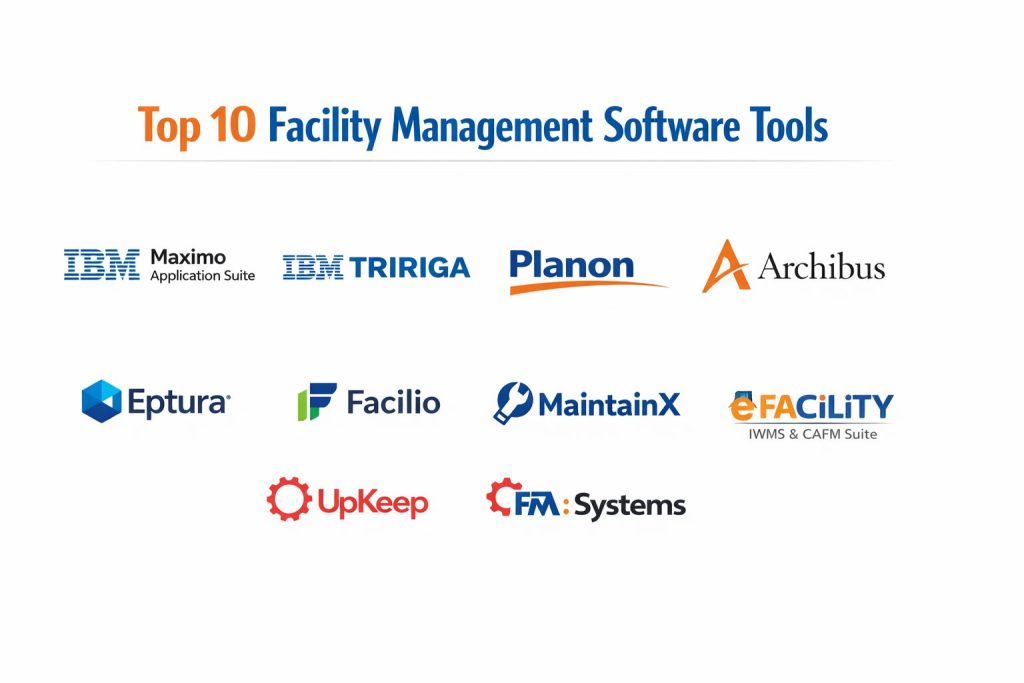
Top 10 Facility Management Software Tools
1 — IBM Maximo Application Suite
A powerful enterprise asset and maintenance management platform used by large organizations managing critical infrastructure, complex facilities, and asset-heavy operations. It is best for enterprises that need scale, governance, and deep maintenance workflows.
Key Features
- Enterprise-grade asset lifecycle management
- Preventive and predictive maintenance workflows
- Work order planning, scheduling, and execution
- Inventory and spare parts management
- Mobile support for field operations
- Analytics and operational dashboards
- Broad enterprise integration potential
Pros
- Strong fit for complex, asset-intensive environments
- Deep maintenance and reliability capabilities
- Scales well across large organizations
Cons
- Can be complex to implement and configure
- May be too heavy for small teams
- Requires disciplined process ownership for best results
Platforms / Deployment
Cloud / Self-hosted / Hybrid (varies by deployment model)
Security and Compliance
Varies / Not publicly stated
Integrations and Ecosystem
IBM Maximo is often used as a core operational system in enterprise environments and typically integrates with ERP, procurement, identity, and monitoring systems. It is a strong choice when facilities and maintenance data need to connect with broader business operations.
- Enterprise APIs and integration connectors
- Common fit with procurement and inventory systems
- Integration with IoT and monitoring workflows
- Strong suitability for multi-system enterprise environments
Support and Community
Strong enterprise support ecosystem and partner network. Community resources exist, but many organizations rely on implementation partners and internal administrators.
2 — IBM TRIRIGA
An enterprise IWMS platform focused on facilities, real estate, workplace, projects, and space-related operations. It is well suited for large organizations that need integrated workplace and facility governance.
Key Features
- Integrated workplace and facility management workflows
- Space and occupancy management
- Capital project and real estate support
- Maintenance and service request capabilities
- Portfolio visibility and planning dashboards
- Configurable business processes
- Enterprise-grade reporting and governance features
Pros
- Strong for organizations needing facilities plus workplace and real estate functions
- Good fit for complex governance and policy-driven environments
- Broad operational visibility across portfolios
Cons
- Implementation can be lengthy for large deployments
- Requires strong internal process alignment
- Can be more than needed for maintenance-only use cases
Platforms / Deployment
Cloud / Self-hosted / Hybrid (varies by deployment model)
Security and Compliance
Varies / Not publicly stated
Integrations and Ecosystem
TRIRIGA is usually selected when facilities operations need to align with workplace planning, portfolio strategy, and enterprise systems.
- Enterprise integration capabilities
- Workflow alignment with workplace and space systems
- Reporting and data exchange for portfolio-level decision making
- Suitable for large multi-department operations
Support and Community
Enterprise support and partner-driven ecosystem. Best results often come from structured implementation and governance teams.
3 — Planon
A well-known IWMS platform used for facility operations, workplace management, maintenance, and property processes. It is a strong option for organizations wanting a broad facilities platform with enterprise-scale capabilities.
Key Features
- Facility and maintenance management workflows
- Work order and preventive maintenance support
- Space and workplace management modules
- Service management and request handling
- Asset and building data management
- Reporting and operational analytics
- Configurable modules for different FM needs
Pros
- Broad IWMS coverage across facilities and workplace use cases
- Suitable for multi-site and enterprise environments
- Strong process standardization potential
Cons
- May require phased rollout due to breadth
- Configuration and adoption can take time
- Smaller teams may use only a fraction of capabilities
Platforms / Deployment
Cloud / Self-hosted / Hybrid (varies by deployment model)
Security and Compliance
Varies / Not publicly stated
Integrations and Ecosystem
Planon is commonly used as a centralized platform for facility processes and can support integration-heavy enterprise operations.
- APIs and enterprise integration support
- Suitable for connecting maintenance and workplace workflows
- Works well in standardized multi-site operating models
- Fit for long-term digital FM transformation programs
Support and Community
Mature vendor support and partner ecosystem. Adoption success typically improves with clear process design and training.
4 — Archibus
A long-established platform in facilities, space, and asset management, often used by enterprises, campuses, and large property portfolios. It is a practical option for organizations needing strong facilities data and space operations capabilities.
Key Features
- Space planning and occupancy management
- Asset and maintenance management support
- Preventive maintenance workflows
- Lease and property management capabilities
- Service desk and work request handling
- Portfolio and facility reporting
- Support for enterprise facility operations
Pros
- Strong heritage in facilities and space management
- Good fit for campuses and complex property portfolios
- Broad module coverage for FM operations
Cons
- Interface and usability experience can vary by configuration
- Implementation effort may be significant
- Some teams may need specialist support during rollout
Platforms / Deployment
Cloud / Self-hosted / Hybrid (varies by deployment model)
Security and Compliance
Varies / Not publicly stated
Integrations and Ecosystem
Archibus is often chosen for facility and space management programs that need strong data structure and long-term portfolio visibility.
- Integration support for enterprise systems
- Suitable for real estate, space, and maintenance workflows
- Multi-site reporting and standardization use cases
- Flexible module-based deployment paths
Support and Community
Established product with partner and implementation ecosystem. Community knowledge exists, but project success often depends on implementation quality.
5 — FM:Systems
A workplace and facilities management platform known for space, occupancy, and operational visibility, often used in corporate environments. It works well for organizations balancing facility services with workplace experience needs.
Key Features
- Space and occupancy management
- Workplace and facilities service workflows
- Room and resource-related operational support
- Maintenance and service request capabilities
- Reporting dashboards for utilization and operations
- Portfolio visibility tools
- Configurable workflow support
Pros
- Strong fit for workplace-focused facilities teams
- Useful for hybrid work and space optimization initiatives
- Good visibility for occupancy and utilization decisions
Cons
- Maintenance depth may be lighter than heavy EAM-first platforms
- Best fit depends on workplace use case maturity
- Organizations with industrial assets may need stronger maintenance tooling
Platforms / Deployment
Cloud / Self-hosted / Hybrid (varies by deployment model)
Security and Compliance
Varies / Not publicly stated
Integrations and Ecosystem
FM:Systems is commonly used where space and workplace data need to support facilities decision making and employee experience.
- Integrations with workplace and enterprise systems
- Data flows for utilization and planning analysis
- Suitable for office and campus operations workflows
- API and ecosystem fit varies by deployment model
Support and Community
Vendor support is typically available through commercial plans. Adoption improves when workplace, facilities, and IT teams align on data ownership.
6 — Eptura
A facilities and workplace technology platform that combines workplace operations, service management, and facility process capabilities across a broad portfolio. It is suitable for organizations looking for a modern workplace-plus-facilities approach.
Key Features
- Workplace and facility operations workflows
- Space and occupancy visibility
- Service request and maintenance coordination
- Visitor and workplace experience support
- Portfolio and operational analytics
- Mobile capabilities for distributed teams
- Configurable workflows for enterprise operations
Pros
- Strong fit for organizations modernizing workplace and facility operations together
- Broad platform approach for multi-functional teams
- Good option for hybrid workplace environments
Cons
- Platform breadth may require phased implementation
- Feature depth varies by module and selected products
- Buyers should validate exact fit for asset-heavy maintenance requirements
Platforms / Deployment
Cloud / Hybrid (varies by selected product and deployment)
Security and Compliance
Varies / Not publicly stated
Integrations and Ecosystem
Eptura is often considered by organizations trying to unify workplace and facilities processes under fewer vendors.
- Integration across workplace and operations systems
- Analytics use cases for occupancy and service performance
- Multi-team workflows spanning facilities and workplace operations
- API and connector availability varies by module
Support and Community
Commercial support and implementation guidance are available. Buyers should evaluate support models based on the selected platform components.
7 — Facilio
A modern facility operations platform focused on connected building operations, maintenance, and performance visibility. It is a strong fit for organizations prioritizing operational intelligence and digital facility transformation.
Key Features
- Unified facility operations workflows
- Preventive and reactive maintenance management
- Asset and work order tracking
- Building performance monitoring support
- Multi-site operational dashboards
- Mobile workflows for teams and contractors
- Analytics for service and maintenance performance
Pros
- Strong fit for teams seeking modern, connected FM workflows
- Useful for multi-site visibility and operational standardization
- Good balance of facilities operations and digital monitoring focus
Cons
- Buyers should validate depth for highly specialized enterprise requirements
- Fit varies by industry and existing systems landscape
- Implementation outcomes depend on process readiness and integration scope
Platforms / Deployment
Cloud / Hybrid (varies by deployment and integrations)
Security and Compliance
Varies / Not publicly stated
Integrations and Ecosystem
Facilio is commonly positioned for organizations that want connected building operations and better data-driven facility management.
- Integration with building systems and operational workflows
- Multi-site dashboards and centralized management use cases
- API-driven data exchange for enterprise environments
- Suitable for digital operations modernization initiatives
Support and Community
Vendor-led support and implementation services are important for rollout success. Buyers should assess onboarding support and partner coverage.
8 — MaintainX
A mobile-first maintenance and operations platform widely used for work orders, inspections, preventive maintenance, and frontline execution. It is especially useful for teams that need fast adoption and strong technician usability.
Key Features
- Mobile-first work order management
- Preventive maintenance scheduling
- Asset and equipment tracking
- Inspections, checklists, and standard operating procedures
- Team communication and task coordination
- Reporting on maintenance performance
- Multi-site operational visibility for growing teams
Pros
- Easy to adopt for frontline and technician teams
- Strong mobile usability for fast execution
- Good fit for organizations improving maintenance discipline quickly
Cons
- Broader IWMS and real estate capabilities may be limited compared to enterprise suites
- Complex corporate workplace scenarios may need additional systems
- Buyers should validate advanced governance needs
Platforms / Deployment
Web / iOS / Android, Cloud
Security and Compliance
Varies / Not publicly stated
Integrations and Ecosystem
MaintainX is often selected for execution-focused maintenance teams that want quick value and a mobile-first operating model.
- Integrations for operational workflows and reporting
- API support for broader system connectivity
- Useful for frontline-focused maintenance and inspections
- Strong fit for teams modernizing from paper or spreadsheets
Support and Community
Strong adoption-focused support experience is often important in this segment. Community and user-led best practices are growing.
9 — UpKeep
A maintenance and asset operations platform designed for work order management, preventive maintenance, and mobile execution. It is a practical option for small to mid-sized teams that want structured maintenance operations with faster implementation.
Key Features
- Work order and maintenance request management
- Preventive maintenance planning and recurring tasks
- Asset tracking and maintenance history
- Mobile app for technicians and field teams
- Inventory and parts support
- Reporting and maintenance KPI dashboards
- Team collaboration workflows
Pros
- Strong for maintenance teams needing quick modernization
- Mobile-first workflows support technician adoption
- Good fit for SMB and mid-market operations teams
Cons
- Full enterprise workplace and real estate functions may be limited
- Advanced portfolio governance use cases may require additional tools
- Buyers should evaluate scalability for highly complex environments
Platforms / Deployment
Web / iOS / Android, Cloud
Security and Compliance
Varies / Not publicly stated
Integrations and Ecosystem
UpKeep is commonly used by maintenance-focused teams looking to standardize work execution and asset tracking.
- Integrations for business and maintenance workflows
- API options for data exchange
- Practical ecosystem for maintenance operations modernization
- Suitable for organizations transitioning from manual systems
Support and Community
Commercial support and onboarding resources are typically available. Ease of adoption is one of the key strengths in this segment.
10 — eFACiLiTY IWMS and CAFM Suite
An integrated platform covering facilities, maintenance, workplace, and support service workflows. It is a strong option for organizations looking for broad CAFM and IWMS coverage in one suite.
Key Features
- CAFM and IWMS functionality across facility operations
- Maintenance management and preventive scheduling
- Helpdesk and service request workflows
- Space and workplace management support
- Asset lifecycle and operational tracking
- Visitor and support service management modules
- Reporting and analytics across facilities processes
Pros
- Broad module coverage for end-to-end facility operations
- Useful for organizations wanting one suite across multiple FM functions
- Strong fit for structured process digitization initiatives
Cons
- Broad suites require careful scope planning during implementation
- Buyers should validate module depth against industry-specific needs
- Adoption success depends on process standardization and training
Platforms / Deployment
Cloud / Self-hosted / Hybrid (varies by deployment model)
Security and Compliance
Varies / Not publicly stated
Integrations and Ecosystem
eFACiLiTY is typically considered by teams that want to consolidate multiple facility workflows into a single platform environment.
- Supports multi-process FM digitization programs
- Integration needs vary by modules and deployment approach
- Useful for helpdesk, maintenance, and workplace process coordination
- Buyers should confirm connector and API coverage for their stack
Support and Community
Vendor support and implementation guidance are important for suite deployments. Buyers should assess regional support strength and rollout assistance.
Comparison Table
| Tool Name | Best For | Platform(s) Supported | Deployment | Standout Feature | Public Rating |
|---|---|---|---|---|---|
| IBM Maximo Application Suite | Asset-heavy enterprise facilities and maintenance | Web, Mobile (varies) | Cloud / Self-hosted / Hybrid | Deep enterprise asset and maintenance management | N/A |
| IBM TRIRIGA | Enterprise workplace, facilities, and real estate operations | Web, Mobile (varies) | Cloud / Self-hosted / Hybrid | Broad IWMS governance and portfolio workflows | N/A |
| Planon | Multi-site enterprise facility and workplace management | Web, Mobile (varies) | Cloud / Self-hosted / Hybrid | Strong IWMS breadth for facilities operations | N/A |
| Archibus | Space, facilities, and portfolio management in large organizations | Web, Mobile (varies) | Cloud / Self-hosted / Hybrid | Established facilities and space management foundation | N/A |
| FM:Systems | Workplace-focused facilities and space optimization | Web, Mobile (varies) | Cloud / Self-hosted / Hybrid | Strong workplace and occupancy visibility | N/A |
| Eptura | Unified workplace and facilities operations | Web, Mobile (varies) | Cloud / Hybrid | Workplace plus facilities platform approach | N/A |
| Facilio | Connected building and modern facility operations | Web, Mobile (varies) | Cloud / Hybrid | Operational intelligence for facilities workflows | N/A |
| MaintainX | Mobile-first maintenance execution and inspections | Web, iOS, Android | Cloud | Fast frontline adoption and technician usability | N/A |
| UpKeep | SMB to mid-market maintenance and asset operations | Web, iOS, Android | Cloud | Easy maintenance workflow modernization | N/A |
| eFACiLiTY IWMS and CAFM Suite | Broad CAFM and IWMS process coverage | Web, Mobile (varies) | Cloud / Self-hosted / Hybrid | End-to-end facilities module coverage | N/A |
Evaluation and Scoring of Facility Management Software
Weights
Core features 25 percent
Ease of use 15 percent
Integrations and ecosystem 15 percent
Security and compliance 10 percent
Performance and reliability 10 percent
Support and community 10 percent
Price and value 15 percent
| Tool Name | Core | Ease | Integrations | Security | Performance | Support | Value | Weighted Total |
|---|---|---|---|---|---|---|---|---|
| IBM Maximo Application Suite | 9.5 | 6.5 | 9.0 | 7.5 | 8.5 | 8.0 | 6.5 | 8.03 |
| IBM TRIRIGA | 9.0 | 6.0 | 8.5 | 7.5 | 8.0 | 7.5 | 6.0 | 7.58 |
| Planon | 9.0 | 7.0 | 8.5 | 7.0 | 8.0 | 7.5 | 7.0 | 7.88 |
| Archibus | 8.5 | 6.5 | 8.0 | 7.0 | 7.5 | 7.0 | 7.0 | 7.45 |
| FM:Systems | 8.0 | 7.5 | 7.5 | 7.0 | 7.5 | 7.0 | 7.0 | 7.45 |
| Eptura | 8.5 | 7.5 | 8.0 | 7.0 | 7.5 | 7.0 | 7.0 | 7.65 |
| Facilio | 8.5 | 8.0 | 7.5 | 6.5 | 8.0 | 7.0 | 7.5 | 7.68 |
| MaintainX | 8.0 | 9.0 | 7.5 | 6.5 | 8.0 | 8.0 | 8.5 | 8.03 |
| UpKeep | 7.5 | 8.5 | 7.0 | 6.5 | 7.5 | 7.5 | 8.5 | 7.68 |
| eFACiLiTY IWMS and CAFM Suite | 8.5 | 7.0 | 7.5 | 6.5 | 7.5 | 7.0 | 7.5 | 7.48 |
These scores are comparative and designed to help shortlist options, not declare one universal winner. A lower overall score can still be the right choice if it matches your operating model, industry needs, and team skill level. Enterprise platforms usually score high on breadth and integrations but may score lower on ease and value for smaller teams. Mobile-first tools often score higher on adoption and usability, but may not replace a full IWMS for complex portfolio governance. Always validate fit through a pilot using your actual assets, workflows, and reporting requirements.
Which Facility Management Software Tool Is Right for You
Solo or Small Operations Team
If your team is small and focused mainly on maintenance requests, preventive maintenance, and asset tracking, a simpler maintenance-first platform is often the best fit. MaintainX and UpKeep are strong choices when technician adoption, mobile access, and quick implementation matter more than enterprise portfolio governance. They help teams move away from spreadsheets quickly and create repeatable maintenance discipline.
SMB
Small and mid-sized businesses usually need a system that improves maintenance execution without requiring a long transformation program. MaintainX, UpKeep, and in some cases Facilio can be practical choices depending on whether you need basic maintenance workflows or more connected operations visibility. If your team is growing across multiple sites, prioritize reporting and multi-site controls early.
Mid-Market
Mid-market organizations often need stronger standardization, service workflows, and better asset visibility across locations. Facilio, Eptura, and eFACiLiTY IWMS and CAFM Suite can be strong options when the goal is broader facilities digitization, not only work orders. If workplace and occupancy planning are becoming important, FM:Systems may also be a better fit than a maintenance-only platform.
Enterprise
Large enterprises with complex facilities, critical assets, and cross-functional governance often require deeper platforms. IBM Maximo Application Suite is a strong fit for asset-intensive operations and mature maintenance programs. IBM TRIRIGA, Planon, and Archibus are strong options when facilities operations must align with real estate, workplace, and portfolio planning needs. Enterprise buyers should focus heavily on integration architecture, implementation partners, and phased rollout strategy.
Budget vs Premium
Budget-conscious teams usually get faster value from maintenance-first tools that are easier to deploy and train. Premium enterprise platforms can deliver broader process coverage and stronger governance, but they require more time, budget, and organizational readiness. A good strategy is to define whether your biggest pain is technician execution, portfolio visibility, or cross-department process integration before choosing a price tier.
Feature Depth vs Ease of Use
If you need deep workflows for asset lifecycle, governance, and enterprise controls, tools like IBM Maximo Application Suite, IBM TRIRIGA, Planon, and Archibus will usually provide more depth. If you need fast adoption and daily task execution, MaintainX and UpKeep may deliver better day-to-day usability. The best decision often depends on whether your immediate problem is complexity management or frontline execution speed.
Integrations and Scalability
For organizations running ERP, procurement, HR, building systems, and identity tools, integration quality is a major decision factor. Enterprise IWMS and EAM tools usually offer stronger long-term integration patterns, but require better planning. If you expect rapid growth in sites, users, and processes, verify API capabilities, data export options, and reporting flexibility before signing.
Security and Compliance Needs
Facilities teams increasingly handle operational data, asset records, vendor data, and building access-related processes, so security matters. If your organization has strict compliance needs, validate role-based access, authentication options, audit logging, data residency expectations, and vendor security documentation during evaluation. When public details are unclear, treat them as not publicly stated and request formal responses during procurement.
Frequently Asked Questions
1. What is the difference between CAFM, CMMS, IWMS, and EAM
These categories overlap, but they usually differ in scope. CMMS focuses on maintenance, EAM emphasizes asset lifecycle management, CAFM supports facility processes like space and work orders, and IWMS is broader, often combining facilities, workplace, real estate, and portfolio functions.
2. How do I know if I need a full IWMS instead of a maintenance tool
If your needs go beyond maintenance into space planning, occupancy, workplace services, lease workflows, and portfolio reporting, a full IWMS may be a better fit. If your main pain is work orders and preventive maintenance, a maintenance-first tool may be enough.
3. What is the biggest mistake teams make when buying facility management software
A common mistake is buying for future complexity before solving current process problems. Another mistake is focusing only on features while ignoring data quality, implementation readiness, and technician adoption.
4. How long does implementation usually take
Implementation time varies widely based on scope, number of sites, asset data quality, and integration requirements. A focused maintenance rollout can be much faster than an enterprise-wide facilities and workplace transformation.
5. Should I prioritize mobile features
Yes, especially if technicians, supervisors, or vendors work in the field. Mobile usability directly affects adoption, work order completion quality, and data accuracy.
6. Can facility management software help with compliance audits
It can support audit readiness by centralizing maintenance records, inspections, service history, and workflow logs. However, the exact compliance capabilities vary by product and configuration, so buyers should validate this during evaluation.
7. What integrations matter most for facilities teams
Common priorities include ERP or procurement systems, HR directories, identity systems, building systems, and reporting tools. The right set depends on whether your focus is maintenance execution, workplace services, or enterprise governance.
8. Is cloud deployment always better
Cloud deployment often improves speed and reduces infrastructure burden, but it is not automatically the best choice for every organization. Some teams choose hybrid or self-hosted models because of internal policies, integration needs, or data requirements.
9. How should I compare vendors fairly
Use the same workflow scenarios for every vendor: preventive maintenance, emergency work order, technician mobile execution, reporting, and integration requirements. Ask each vendor to show how your real process works, not only a generic demo.
10. What is the best next step before final selection
Shortlist two or three tools, run a pilot with real assets and real users, and measure adoption, completion speed, reporting usefulness, and administrative effort. This gives a much better decision basis than feature lists alone.
Conclusion
The best Facility Management Software depends on the type of facilities you manage, the complexity of your operations, and how mature your internal processes are. If your priority is enterprise asset reliability and deep maintenance governance, IBM Maximo Application Suite is a strong contender. If you need broad workplace, facilities, and portfolio capabilities, IBM TRIRIGA, Planon, and Archibus are often better fits. If your goal is faster frontline adoption and maintenance execution, MaintainX and UpKeep can deliver quick value. A smart next step is to shortlist a few tools, test your real workflows in a pilot, and choose the option your team will actually adopt and sustain.