Introduction
Facilities space planning has transitioned from static floor plans to dynamic, data-driven ecosystems that balance real estate costs with employee productivity. Modern space planning tools serve as the operational “brain” of a building, allowing facilities managers to visualize occupancy, manage hybrid work seating, and forecast future square footage needs through sophisticated modeling. These platforms leverage digital twins and interactive CAD overlays to provide a real-time representation of how physical environments are utilized. By integrating architectural data with daily operational workflows, these tools ensure that every square foot is optimized for its intended purpose—whether that is heads-down focus, collaborative brainstorming, or essential infrastructure.
The strategic deployment of these tools is critical for organizations navigating the complexities of the modern workplace. Beyond mere desk booking, enterprise-grade space planning involves “what-if” scenario modeling, move management, and lifecycle tracking of physical assets. These platforms enable a proactive approach to facilities management, allowing leaders to identify underutilized zones and consolidate footprints to reduce overhead. As buildings become “smarter,” the ability to sync space data with IoT sensors and HVAC systems becomes a competitive advantage, leading to significant energy savings and a more responsive environment that adapts to the actual presence of people.
Best for: Corporate real estate leaders, facility managers, and HR operations looking to optimize office density, manage hybrid seating, and streamline large-scale employee moves.
Not ideal for: Small businesses with single-room offices or static seating arrangements where the cost of software and floor plan digitization outweighs the benefits of automated space tracking.
Key Trends in Facilities Space Planning Tools
The industry is currently being reshaped by the “Digital Twin” movement, where 3D virtual replicas of facilities are used to simulate everything from air quality to foot traffic patterns. AI-driven “What-If” analysis has also become a standard feature, allowing managers to instantly see the impact of a 20% headcount increase on their current floor plan without manually moving a single desk. This predictive capability is essential for long-term lease planning and capital expenditure forecasting.
Another major trend is the shift toward “Neighborhood-Based” planning. Instead of individual desk assignments, tools now allow managers to group spaces by department or project team, fostering collaboration while maintaining flexible occupancy limits. Furthermore, the integration of ESG (Environmental, Social, and Governance) reporting is on the rise; space planning tools are now being used to calculate the carbon footprint per occupant, helping organizations meet their sustainability targets by identifying and closing “ghost” floors during low-utilization periods.
How We Selected These Tools
Our selection process focused on tools that bridge the gap between architectural precision and daily operational utility. We prioritized platforms that offer native support for AutoCAD and Revit files, ensuring that facility managers can maintain “one version of the truth” between their technical blueprints and their live occupancy maps. Market reputation and user adoption rates within the DevOps and Facilities Management communities were also heavily weighted, as these tools must be reliable enough to handle mission-critical moves and massive data sets.
Technical robustness was evaluated through the lens of integration capabilities—specifically how well these tools play with existing IT stacks like Microsoft 365, Slack, and IoT sensor networks. We also looked for a high degree of “self-service” functionality, where employees can find colleagues or book spaces via mobile apps without administrative intervention. Finally, we assessed the scalability of each platform, ensuring they can manage everything from a single boutique office to a global portfolio of multi-floor skyscrapers.
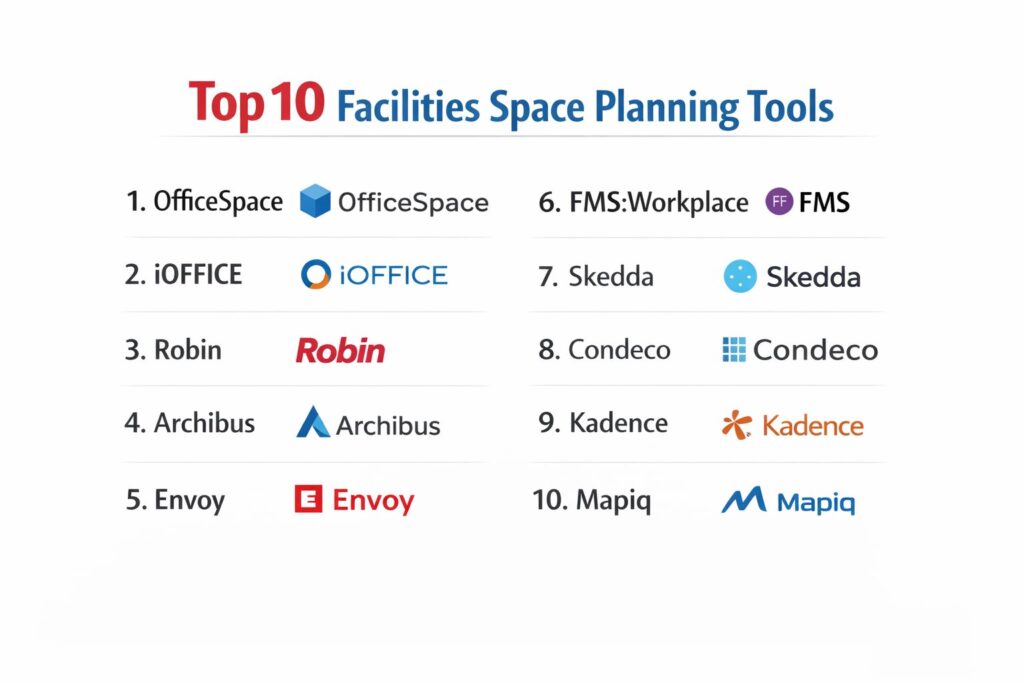
1. OfficeSpace Software
OfficeSpace is a specialized platform designed to simplify the complexities of the modern, shifting workplace. It is highly regarded for its visual-first approach, making it easy for non-technical users to manage complex moves and seating charts. The platform excels at scenario planning, allowing managers to create multiple “sandboxed” versions of their floor plans before committing to a physical change.
Key Features
The tool offers a powerful “Visual Directory” that lets employees find people and resources in real time. It includes an AI-assisted “Scenario Builder” for modeling office reconfigurations and density changes. The move management module automates the communication of desk changes to employees, reducing administrative friction. It also provides “Wayfinding” kiosks and mobile app access for easy navigation within large buildings. Detailed utilization analytics help identify “zombie” spaces that are leased but never used.
Pros
Extremely intuitive user interface that reduces the learning curve for staff. The scenario planning tool is among the most robust in the market for handling large-scale office transitions.
Cons
Pricing is on the higher end, which may be a barrier for smaller organizations. Some advanced reporting features require custom configuration.
Platforms and Deployment
Web-based SaaS with dedicated mobile apps for iOS and Android.
Security and Compliance
SOC 2 Type II compliant with enterprise-grade SSO and encryption.
Integrations and Ecosystem
Seamlessly integrates with Slack, Microsoft Teams, and various IoT occupancy sensors.
Support and Community
Offers a dedicated customer success manager and an extensive online training academy.
2. iOFFICE (by Eptura)
As part of the Eptura workplace ecosystem, iOFFICE is a comprehensive Integrated Workplace Management System (IWMS). it is built for enterprises that need to manage not just space, but also assets, maintenance, and visitors within a single pane of glass. It is particularly strong in asset-heavy industries where facility data must be linked to maintenance schedules.
Key Features
It provides a modular “Space Manager” that handles everything from basic floor plans to complex BOMA (Building Owners and Managers Association) space calculations. The platform supports “Stack Planning” to visualize departmental distributions across multiple floors. It includes a “Service Request” portal where occupants can report facility issues directly from the map. The asset tracking module links physical equipment to specific locations on the floor plan. It also offers advanced lease administration features for managing real estate portfolios.
Pros
A true “all-in-one” solution that prevents data silos between facilities, IT, and HR. Highly scalable for global organizations with millions of square feet.
Cons
The breadth of features can make the initial setup and configuration process complex. The mobile app experience can feel less modern than some newer, nimbler competitors.
Platforms and Deployment
Cloud-hosted SaaS with browser and mobile accessibility.
Security and Compliance
Adheres to global data privacy standards and offers robust role-based access controls.
Integrations and Ecosystem
Deep connections with AutoCAD, Revit, and major ERP systems like SAP and Oracle.
Support and Community
Provides global 24/7 support and a large community of certified implementation partners.
3. Robin
Robin is a leader in the “Employee Experience” segment of space planning. While it provides strong backend tools for managers, its primary focus is on making the office a friction-free destination for employees. It is the go-to choice for companies adopting a “Hybrid-First” strategy where desk and room booking are the primary daily activities.
Key Features
The platform features high-fidelity 2D and 3D maps that are updated in real time as desks and rooms are booked. It includes “Abandoned Meeting Protection,” which automatically releases rooms if nobody checks in. The “Workplace Announcements” feature allows managers to broadcast facility updates directly to the employee app. It provides “Neighborhoods” to help teams stay together in unassigned seating environments. The analytics dashboard offers “Busyness” trends to help employees choose the best days to come into the office.
Pros
Excellent mobile user experience that drives high employee adoption. Quick to deploy, often taking only days to get a basic floor plan live.
Cons
Lacks some of the deep “Move Management” and CAD editing tools found in heavy-duty IWMS platforms. Focused more on the “office” and less on industrial or specialized facilities.
Platforms and Deployment
SaaS platform with native iOS and Android apps and tablet-based room displays.
Security and Compliance
Standard SOC 2 compliance with advanced privacy settings for employee data.
Integrations and Ecosystem
Industry-leading integrations with Google Workspace, Outlook, and Zoom.
Support and Community
Offers a proactive support team and a wealth of “Return to Office” resources and playbooks.
4. Archibus (by Eptura)
Archibus is the longest-standing name in the industry and is often considered the gold standard for technical facility management. It is designed for managers who need to oversee the entire lifecycle of a building, from capital projects and construction to daily space utilization and environmental sustainability tracking.
Key Features
It offers a highly technical “Space Inventory & Performance” module that supports precise architectural standards. The platform includes a “Strategic Master Planning” tool for multi-year forecasting of real estate needs. It provides a “Capital Project Management” suite to track renovations and build-outs. The “Green Building” module allows for tracking energy consumption and waste management. It also features a robust “Lease Administration” tool for managing complex commercial real estate contracts.
Pros
Unmatched depth in technical facility management and BIM (Building Information Modeling) integration. Ideal for organizations that own their buildings and manage them as long-term assets.
Cons
The interface can feel “legacy” and overly complex for simple desk booking needs. Typically requires a dedicated administrator or consultant to manage the platform.
Platforms and Deployment
Available as both a cloud-SaaS and an on-premise installation for high-security environments.
Security and Compliance
Extremely robust security features, making it a favorite for government and defense sectors.
Integrations and Ecosystem
Direct, bi-directional integration with Autodesk Revit and AutoCAD is its strongest suit.
Support and Community
Supported by a massive global network of business partners and user groups.
5. Envoy
Envoy began as a visitor management system but has rapidly expanded into a unified workplace platform. It is designed for “modern simplicity,” aiming to handle the entire employee and visitor journey—from signing in at the front desk to finding an available workspace—within a single, sleek interface.
Key Features
The “Envoy Desks” module provides a map-based seating reservation system that is incredibly easy to use. It includes “Envoy Rooms” for meeting scheduling and “Envoy Visitors” for front-desk automation. The platform features an “Occupancy Dashboard” that correlates visitor data with employee badge-ins for a total view of the office population. It offers “Health Checks” and document verification for workplace safety. The “Mailroom” module helps facilities teams track and manage incoming packages for employees.
Pros
Fastest setup time in the category, often requiring no specialized training. Unifies front-desk and interior space management in one app.
Cons
The space planning tools are less granular than technical CAD-based systems. Customization options for floor plans are somewhat limited compared to specialized tools.
Platforms and Deployment
Cloud-based with a heavy emphasis on its polished mobile application.
Security and Compliance
High-level data privacy controls and secure visitor log management.
Integrations and Ecosystem
Excellent integration with physical access control systems like Openpath and Kisi.
Support and Community
Responsive 24/5 chat support and a very active blog on workplace culture and tech.
6. FMS:Workplace (by FM:Systems)
FMS:Workplace is an enterprise-grade facility management tool that focuses on “Integrated Workplace Management” with a heavy emphasis on data accuracy. It is widely used in healthcare, higher education, and government sectors where space auditing and reporting are regulatory requirements.
Key Features
The tool provides advanced “Space Audit” capabilities that allow mobile teams to verify floor plans in the field. It features a “Strategic Planning” module that uses historical data to predict future space deficits. The “Move Management” tool supports complex, multi-phase departmental relocations. It includes a “Real Estate Portfolio” module for tracking leases and tax obligations. It also offers “Project Management” tools to oversee facility maintenance and renovation budgets.
Pros
Strong focus on “compliance-ready” reporting and data integrity. Excellent for organizations with complex, multi-site portfolios that require standardized data.
Cons
The mobile interface for end-users is functional but less “flashy” than employee-experience-focused apps. Can require significant professional services for custom implementations.
Platforms and Deployment
Enterprise SaaS with mobile web and native app options.
Security and Compliance
Highly secure, often used in HIPAA-regulated and government environments.
Integrations and Ecosystem
Certified integrations with Microsoft Azure Active Directory and AutoCAD.
Support and Community
Offers a structured “User Conference” and deep technical documentation for admins.
7. Skedda
Skedda is a highly flexible “rules-based” booking platform that excels in managing shared resources beyond just desks. It is the preferred choice for community spaces, coworking environments, and sports facilities, though it has become increasingly popular for modern office space planning due to its “visual-first” approach.
Key Features
The platform is built around a “Venue Map” that allows users to book spaces directly from a custom floor plan. It features a “Booking Rules Engine” that can handle complex logic (e.g., “Team A can only book this room on Tuesdays”). It provides a “Check-in” feature via QR codes to prevent “no-show” ghost bookings. The system includes “Payment Integration” via Stripe for organizations that charge for space use. It also offers a “Bird’s Eye View” analytics dashboard for a quick snapshot of daily usage.
Pros
The “Rules Engine” is the most flexible in the industry for managing fair access to limited resources. Very cost-effective for organizations that don’t need a full IWMS.
Cons
Does not support native CAD file editing; floor plans must be uploaded as static images and then “mapped.” Lacks deep maintenance and asset management modules.
Platforms and Deployment
Modern, responsive web app that functions like a native app on mobile devices.
Security and Compliance
Standard data encryption and PCI compliance for all payment processing.
Integrations and Ecosystem
Connects with major calendar providers (Google/Outlook) and SSO via Okta.
Support and Community
Known for very fast customer support response times and a simple, effective help center.
8. Condeco (by Eptura)
Condeco is an enterprise-scale solution that specializes in high-quality hardware and software integration. They are famous for their physical desk and room screens, making them a top choice for global corporations that want a visible, physical presence for their space management system.
Key Features
The platform offers “Desk Booking” and “Room Booking” integrated with high-visibility digital signage. It provides a “Stacking and Blocking” tool for high-level space allocation by department. It includes “Visitor Management” with a dedicated kiosk experience. The analytics engine focuses on “Planned vs. Actual” usage, helping managers understand where their scheduling doesn’t match reality. It also features a “Work From Home” status tracker to help teams coordinate their office days.
Pros
The physical hardware (screens and kiosks) is world-class and adds a professional aesthetic to the office. Extremely stable for very large-scale global deployments.
Cons
The hardware-plus-software model makes it one of the most expensive options on the list. The software UI can feel a bit more corporate and rigid compared to younger startups.
Platforms and Deployment
Cloud-SaaS with a strong emphasis on hardware-software synchronization.
Security and Compliance
Meets the highest global enterprise security standards, including GDPR and SOC 2.
Integrations and Ecosystem
Deepest Microsoft 365 and Outlook integration in the category.
Support and Community
Provides global onsite support for hardware installations and a dedicated account team.
9. Kadence
Kadence is a “Hybrid Working” platform that focuses on the social and collaborative aspects of space planning. It treats the office as a “hub” for people to meet, rather than just a place to sit, with a strong emphasis on team coordination and “neighbor” booking.
Key Features
The “Team Coordination” feature allows employees to see when their closest collaborators are coming in. It offers “Personal and Team Neighborhoods” to ensure functional groups stay together. The platform features an interactive map with “Fair Usage” rules to prevent hoarding of premium spaces. It includes a “Visitor Management” module that syncs with employee bookings. The “Insights” dashboard helps managers identify which teams are “hybrid-native” and which ones need more support.
Pros
Focuses on the “why” of coming to the office (collaboration) rather than just the “where.” Very modern and engaging UI that employees actually enjoy using.
Cons
As a newer player, it may lack some of the deeper “Property Management” features found in Archibus or iOFFICE. Its strength is in the “human” side of space, not the “architectural” side.
Platforms and Deployment
Mobile-first SaaS with a clean, responsive web dashboard.
Security and Compliance
Standard cloud security protocols with a focus on user data privacy.
Integrations and Ecosystem
Strong integrations with Slack, MS Teams, and major HRIS platforms like Workday.
Support and Community
Offers a personalized onboarding experience and a focus on “Workplace Strategy” consulting.
10. Mapiq
Mapiq is a Dutch-founded platform that emphasizes “Activity-Based Working.” It uses a highly visual, data-driven approach to help employees choose the right type of space for their current task—whether that’s a “Quiet Zone” for focus or a “Creative Studio” for brainstorming.
Key Features
The platform provides “Live Occupancy Maps” powered by IoT sensors that show real-time heatmaps of office usage. It features an “Employee Journey” app that guides staff through their day, from parking to desk to lunch. The “Neighborhood” planning tool is highly dynamic, allowing managers to shift departmental boundaries on the fly. It includes a “Global Search” for finding colleagues, rooms, or even specific amenities like “standing desks.” The system also provides “Smart Cleaning” insights based on which desks were actually used.
Pros
Beautifully designed, minimalist interface that reflects a modern design aesthetic. The focus on “Activity-Based” work is perfect for high-growth tech companies.
Cons
Heavily reliant on sensor integrations for the best experience, which adds to the hardware cost. Most popular in Europe, though expanding rapidly globally.
Platforms and Deployment
Modern SaaS with a focus on a high-end mobile experience.
Security and Compliance
Adheres to strict European GDPR standards and provides secure cloud hosting.
Integrations and Ecosystem
Excellent support for building automation systems and smart-lighting networks.
Support and Community
Known for a design-led approach to customer success and innovative workplace research.
Comparison Table
| Tool Name | Best For | Platform(s) Supported | Deployment | Standout Feature | Public Rating |
| 1. OfficeSpace | Scenario Planning | Web, Mobile | SaaS | AI Scenario Builder | 4.8/5 |
| 2. iOFFICE | Enterprise IWMS | Web, Mobile | Cloud | Modular Asset/Space | 4.6/5 |
| 3. Robin | Employee Experience | Web, Mobile | SaaS | Abandoned Meeting Tech | 4.7/5 |
| 4. Archibus | Technical Facilities | Web, Desktop | Hybrid | Revit/CAD Sync | 4.5/5 |
| 5. Envoy | Unified Front Desk | Web, Mobile | SaaS | Visitor-Space Sync | 4.4/5 |
| 6. FMS:Workplace | Compliance/Audit | Web, Mobile | SaaS | Field Audit Tools | 4.5/5 |
| 7. Skedda | Resource Flexibility | Web (Responsive) | SaaS | Custom Rules Engine | 4.7/5 |
| 8. Condeco | Integrated Hardware | Web, Hardware | Cloud | Desk/Room Screens | 4.3/5 |
| 9. Kadence | Hybrid Collaboration | Web, Mobile | SaaS | Team “Neighborhoods” | 4.6/5 |
| 10. Mapiq | Activity-Based Work | Web, Mobile | SaaS | Live Occupancy Heatmaps | 4.4/5 |
Evaluation & Scoring of Facilities Space Planning Tools
The scoring below is a comparative model intended to help shortlisting. Each criterion is scored from 1–10, then a weighted total from 0–10 is calculated using the weights listed. These are analyst estimates based on typical fit and common workflow requirements, not public ratings.
Weights:
- Core features – 25%
- Ease of use – 15%
- Integrations & ecosystem – 15%
- Security & compliance – 10%
- Performance & reliability – 10%
- Support & community – 10%
- Price / value – 15%
| Tool Name | Core (25%) | Ease (15%) | Integrations (15%) | Security (10%) | Performance (10%) | Support (10%) | Value (15%) | Weighted Total |
| 1. OfficeSpace | 10 | 9 | 9 | 9 | 10 | 10 | 8 | 9.25 |
| 2. iOFFICE | 10 | 7 | 10 | 9 | 9 | 9 | 7 | 8.70 |
| 3. Robin | 8 | 10 | 10 | 8 | 9 | 9 | 9 | 8.85 |
| 4. Archibus | 10 | 5 | 10 | 10 | 9 | 8 | 6 | 8.25 |
| 5. Envoy | 7 | 10 | 9 | 9 | 10 | 8 | 8 | 8.45 |
| 6. FMS:Workplace | 9 | 7 | 8 | 10 | 9 | 9 | 8 | 8.55 |
| 7. Skedda | 7 | 9 | 8 | 8 | 9 | 10 | 10 | 8.55 |
| 8. Condeco | 9 | 7 | 9 | 9 | 9 | 8 | 6 | 7.95 |
| 9. Kadence | 8 | 9 | 9 | 8 | 9 | 9 | 9 | 8.65 |
| 10. Mapiq | 8 | 9 | 8 | 9 | 10 | 8 | 7 | 8.35 |
How to interpret the scores:
- Use the weighted total to shortlist candidates, then validate with a pilot.
- A lower score can mean specialization, not weakness.
- Security and compliance scores reflect controllability and governance fit, because certifications are often not publicly stated.
- Actual outcomes vary with assembly size, team skills, templates, and process maturity.
Which Facilities Space Planning Tool Is Right for You?
Solo / Freelancer
If you are managing a single co-working floor or a shared studio, Skedda is the clear winner. It doesn’t require complex floor plan digitization and its “Rules Engine” allows you to automate bookings and even payments without an assistant.
SMB
For small to medium businesses focused on making hybrid work “just work,” Robin or Kadence offer the best balance of price and employee satisfaction. They focus on the daily experience of booking a desk and finding teammates without the overhead of an enterprise IWMS.
Mid-Market
Organizations with a growing footprint that need to start planning for moves and reconfigurations should look at OfficeSpace. Its ability to simulate floor plan changes is invaluable during growth phases where density management becomes a weekly task.
Enterprise
Global enterprises requiring a unified system for space, maintenance, and real estate should choose iOFFICE or Archibus. These platforms provide the necessary “depth of record” to handle millions of square feet and integrate with complex CAD/BIM data.
Budget vs Premium
Skedda and Envoy offer “starter” tiers that are very budget-friendly for simple needs. In contrast, Condeco and Archibus are premium investments that pay for themselves through long-term real estate consolidation and hardware-enabled efficiencies.
Feature Depth vs Ease of Use
Archibus offers the most features but has a steep learning curve. Envoy is the easiest to use but has the least depth in architectural planning. OfficeSpace sits in the “Goldilocks” zone, offering significant depth with a very modern, usable interface.
Integrations & Scalability
If your office runs on Microsoft 365, Condeco’s native integration is unmatched. If you are a developer-heavy organization that wants to build custom workflows, the APIs of Mapiq or iOFFICE provide the most flexibility.
Security & Compliance Needs
For government, healthcare, or financial sectors, FMS:Workplace and Archibus provide the most robust security certifications and audit trails, ensuring that space data is handled with the same rigor as financial or medical records.
Frequently Asked Questions (FAQs)
1. What is the difference between CAFM and IWMS?
CAFM (Computer-Aided Facility Management) focuses primarily on the physical space and maintenance. IWMS (Integrated Workplace Management System) is broader, covering real estate portfolios, capital projects, and sustainability in one platform.
2. Can I use these tools without professional floor plans?
Yes, most tools like Skedda or Robin allow you to upload a high-quality image (JPG/PNG) of your floor plan. However, for enterprise tools like Archibus, having a vector-based CAD or Revit file is preferred for precision.
3. Do I need sensors for space planning software to work?
No, sensors are optional. Most platforms work through “active” booking where employees manually reserve spots. Sensors add “passive” data, which is useful for seeing if people are actually using the desks they booked.
4. How does space planning save money?
It identifies underutilized areas, allowing companies to sublet unused space or “mothball” floors to save on cleaning and utilities. It also helps avoid unnecessary real estate expansions by optimizing existing density.
5. What is “What-If” scenario modeling?
It is a feature that allows you to rearrange a digital version of your office—adding desks, removing walls, or reassigning departments—to see how it affects capacity and flow before you make physical changes.
6. Can these tools manage multiple global offices?
Yes, all the enterprise tools on this list are designed for global portfolios, allowing you to switch between cities and buildings within a single dashboard while maintaining local time zones and standards.
7. How do these tools handle hybrid work?
They allow for “Hot Desking” (first-come, first-served), “Hotelable Desks” (advance booking), and “Neighborhoods” (assigned zones for specific teams), giving managers the flexibility to adapt to changing attendance patterns.
8. Is my data secure in these cloud platforms?
Most industry leaders use SOC 2 Type II compliance and enterprise-grade encryption. For extremely sensitive environments, some legacy tools like Archibus offer on-premise installation options.
9. Can employees find each other using these tools?
Yes, most include a “Visual Directory” or “Colleague Finder” that shows where a person is sitting on the map, provided the employee has opted-in to share their location.
10. How long does implementation typically take?
Simple booking tools can be live in a few days. Comprehensive enterprise systems with CAD integration and custom workflows typically take 3 to 6 months for a full rollout across a large portfolio.
Conclusion
Navigating the complexities of modern space management requires a shift from manual spreadsheets to integrated, visual platforms that treat facilities as dynamic assets. The tools highlighted here offer a range of solutions—from the “human-centric” design of Robin and Kadence to the technical architectural depth of Archibus and iOFFICE. For the facilities leader, the goal is to choose a platform that not only manages today’s seating charts but also provides the analytical foresight needed for tomorrow’s real estate decisions. By unifying occupancy data, employee experience, and architectural precision, organizations can create resilient workplaces that are both cost-efficient and highly responsive to the needs of their people. Investing in the right space planning infrastructure is no longer just about floor plans; it is about building a scalable foundation for the future of work.