Introduction
Experiment tracking tools help teams record, compare, and reproduce machine learning and data science experiments. In plain terms, they keep a clean history of what you tried, what data and parameters you used, what metrics you got, and which model artifact was produced. Without this, teams waste time repeating work, arguing about “which run was best,” or shipping models they cannot reliably reproduce. These tools matter because modern ML work moves fast, involves many contributors, and often needs governance across environments. They are used for tracking training runs, hyperparameters, model metrics, artifacts, and notes, while supporting collaboration and auditability.
Common use cases include comparing model runs during tuning, tracking experiments across multiple datasets, storing artifacts for later deployment, enabling collaboration across teams, supporting regulated reporting needs, and speeding up debugging when performance drops. Buyers should evaluate ease of logging, metadata quality, artifact handling, scalability, integration with notebooks and pipelines, permissions and access control, search and filtering, visualization quality, cost predictability, and reliability in production workflows.
Best for: data scientists, ML engineers, MLOps teams, research groups, and product teams building models that need repeatability and team visibility.
Not ideal for: teams doing only occasional small experiments with no deployment plan, or teams that only need a simple spreadsheet-style record for one-off tests.
Key Trends in Experiment Tracking Tools
- More teams track not just metrics, but full lineage from dataset to model artifact to deployment outcome.
- Experiment tracking is becoming tightly coupled with model registry and governance workflows.
- Better support for distributed training and large-scale runs is becoming a baseline need.
- Teams want faster comparison views and stronger search to avoid “dashboard overload.”
- Integration with pipeline orchestration is becoming standard for end-to-end traceability.
- Artifact versioning is gaining attention because model reproducibility depends on it.
- Access control and auditability expectations are rising for enterprise and regulated teams.
- Offline-first and hybrid logging patterns are growing for secure environments.
How We Selected These Tools (Methodology)
- Selected tools with strong adoption in ML research and production teams.
- Included a balanced mix of open-source and commercial platforms.
- Prioritized tools that support metrics, parameters, artifacts, and run comparison.
- Considered ecosystem fit with notebooks, training frameworks, and CI pipelines.
- Evaluated reliability patterns in multi-user and multi-project environments.
- Included tools that scale from individual experiments to team workflows.
- Favored tools with strong community or vendor support and active development.
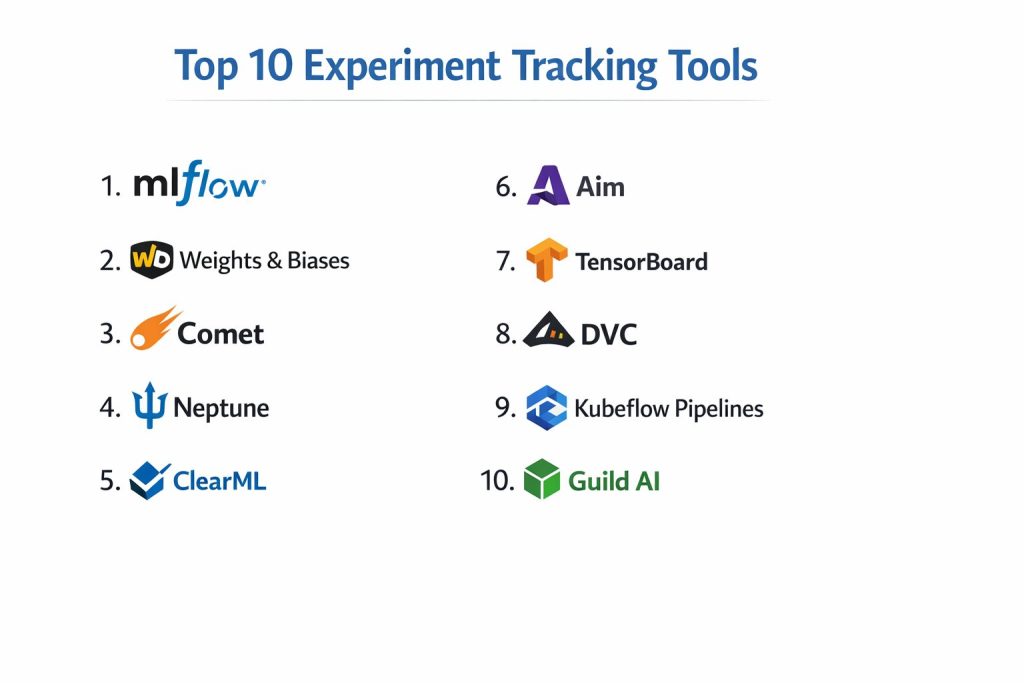
Top 10 Experiment Tracking Tools
1 — MLflow
A widely adopted open-source platform for tracking runs, logging parameters and metrics, and managing model artifacts. Often used as a standard layer in MLOps pipelines.
Key Features
- Run tracking for metrics, parameters, and tags
- Artifact logging and structured experiment organization
- Model packaging and model registry options in many setups
- Flexible integration with common ML frameworks
- Works well with local and server-based deployments
Pros
- Strong adoption and broad ecosystem compatibility
- Flexible enough for both individual and team workflows
Cons
- UI and governance depth depend on how it is deployed and configured
- Some advanced enterprise needs require additional platform work
Platforms / Deployment
Windows / macOS / Linux, Self-hosted
Security and Compliance
Not publicly stated
Integrations and Ecosystem
MLflow commonly integrates into training scripts, notebooks, and MLOps pipelines through lightweight logging patterns.
- Common ML framework compatibility
- Works with many storage backends for artifacts
- Frequently paired with pipeline tools and registries
Support and Community
Strong community, wide usage, and many tutorials; support depends on your deployment approach.
2 — Weights and Biases
A popular platform for experiment tracking, visualization, collaboration, and model development workflows. Known for strong dashboards and team-friendly features.
Key Features
- Run tracking with rich charts and comparisons
- Hyperparameter tuning support and sweep management
- Artifact versioning and lineage workflows
- Collaboration features for teams and projects
- Strong visualization for training signals
Pros
- Excellent UI for comparing runs and sharing insights
- Strong team workflows and visualization depth
Cons
- Cost can grow with scale depending on usage patterns
- Some security and deployment preferences vary by plan
Platforms / Deployment
Web / Windows / macOS / Linux, Cloud / Hybrid
Security and Compliance
Not publicly stated
Integrations and Ecosystem
Often used across notebooks and training pipelines with simple SDK logging and automation support.
- Broad integration with ML frameworks
- Workflow support for artifacts and comparisons
- Useful in both research and production teams
Support and Community
Strong documentation, onboarding support, and an active community; support tiers vary.
3 — Comet
A platform focused on tracking experiments, comparing runs, and improving collaboration between researchers and ML engineers.
Key Features
- Experiment tracking for metrics and parameters
- Dashboards for comparing runs and teams
- Model monitoring style views in some workflows
- Artifact logging and project organization
- Reporting and sharing workflows
Pros
- Strong visualization and team reporting workflows
- Practical for teams that need repeatable experiment documentation
Cons
- Feature depth and governance vary by plan
- Adoption may depend on workflow preferences and team habits
Platforms / Deployment
Web / Windows / macOS / Linux, Cloud / Hybrid
Security and Compliance
Not publicly stated
Integrations and Ecosystem
Typically integrates through SDK logging and connects well to notebook-first and pipeline-based workflows.
- Integrates with many training frameworks
- Supports structured experiment organization
- Good fit for team collaboration patterns
Support and Community
Documentation and vendor support are available; community strength varies.
4 — Neptune
An experiment tracking platform focused on storing metadata, organizing runs, and comparing results across teams and projects.
Key Features
- Flexible metadata tracking for experiments
- Strong organization for projects and run lineage
- Dashboards and comparison views
- Artifact logging in many workflows
- Helpful for long-running experiments and research cycles
Pros
- Strong for organized experiment history and metadata
- Useful when teams need structured collaboration
Cons
- Some workflow customization requires team discipline
- Cost and features vary based on usage and plan
Platforms / Deployment
Web / Windows / macOS / Linux, Cloud / Hybrid
Security and Compliance
Not publicly stated
Integrations and Ecosystem
Commonly used via SDK integration in notebooks and training scripts, focusing on consistent metadata logging.
- Fits into research and production workflows
- Integrates with common training setups
- Works best with strong tagging and naming standards
Support and Community
Vendor documentation is strong; community is active but smaller than some alternatives.
5 — ClearML
A platform combining experiment tracking with orchestration-style workflow features, emphasizing reproducibility, execution tracking, and team collaboration.
Key Features
- Automatic logging for experiments in many setups
- Dataset and artifact management patterns
- Pipeline and task execution tracking
- Remote execution and reproducibility workflows
- Strong project organization features
Pros
- Strong for reproducibility and execution tracking
- Good fit for teams blending tracking with automation
Cons
- Setup and configuration can be heavier than simpler tools
- Teams may need training to standardize best practices
Platforms / Deployment
Windows / macOS / Linux, Self-hosted / Hybrid
Security and Compliance
Not publicly stated
Integrations and Ecosystem
ClearML often connects experiment logging to task execution and pipeline workflows for end-to-end traceability.
- Strong for automation and tracking together
- Common ML framework integrations
- Works well when teams want repeatable runs
Support and Community
Active community and vendor support; support tiers vary.
6 — Aim
An open-source experiment tracking tool focused on fast logging, flexible queries, and clear visual comparisons across runs.
Key Features
- Lightweight tracking with flexible metadata
- Fast run comparison and visualization
- Good query and filtering experience
- Works well for iterative experimentation loops
- Simple setup for smaller teams
Pros
- Strong speed and usability for experiment exploration
- Good for teams that want open-source flexibility
Cons
- Enterprise governance features may be limited
- Ecosystem depth depends on your internal tooling
Platforms / Deployment
Windows / macOS / Linux, Self-hosted
Security and Compliance
Not publicly stated
Integrations and Ecosystem
Aim is typically used for lightweight experiment tracking and fast comparison workflows.
- Integrates via logging libraries and scripts
- Works well in notebook and training script workflows
- Best with consistent metadata conventions
Support and Community
Community-driven support; documentation is practical and improving.
7 — TensorBoard
A visualization and tracking tool commonly used with deep learning workflows, especially for monitoring training metrics and debugging model behavior.
Key Features
- Metric visualization for training curves and scalars
- Support for model graphs and embeddings views
- Works well for local tracking in many workflows
- Helpful for debugging and training insight
- Widely used in deep learning education and practice
Pros
- Familiar to many deep learning practitioners
- Great for fast training visualization and debugging
Cons
- Not a full experiment management platform by itself
- Team collaboration and governance features are limited
Platforms / Deployment
Windows / macOS / Linux, Self-hosted
Security and Compliance
Not publicly stated
Integrations and Ecosystem
Often used as a visualization layer alongside another tracking system for artifact and run management.
- Fits well into deep learning training workflows
- Common usage for monitoring training signals
- Best paired with stronger experiment management tools
Support and Community
Large community and extensive tutorials; support is mainly community-driven.
8 — DVC
A tool focused on data and model versioning that also supports experiment workflows, making it useful when reproducibility and dataset control are central.
Key Features
- Dataset and artifact versioning workflows
- Reproducible pipelines for ML experiments
- Strong alignment with source control practices
- Experiment comparison in many workflows
- Works well for teams that treat ML like software engineering
Pros
- Excellent for reproducibility tied to data changes
- Strong fit for engineering-first ML teams
Cons
- Learning curve for teams unfamiliar with versioning workflows
- UI and tracking experience may feel different than dashboard-first tools
Platforms / Deployment
Windows / macOS / Linux, Self-hosted
Security and Compliance
Not publicly stated
Integrations and Ecosystem
DVC fits best when teams want data lineage and reproducible pipelines connected to code workflows.
- Pairs well with version control habits
- Strong for pipeline reproducibility
- Useful when datasets change frequently
Support and Community
Strong community and documentation; enterprise support varies by plan.
9 — Kubeflow Pipelines
A pipeline-focused platform that can track experiments by tying runs to pipeline executions, helping teams create repeatable workflows and traceability.
Key Features
- Pipeline run tracking and repeatable execution
- Strong fit for orchestration-based workflows
- Supports experiment-style comparisons through pipeline runs
- Works well in platform-driven ML environments
- Useful for standardized team workflows
Pros
- Strong for repeatability and operational pipelines
- Great for teams building standard ML execution patterns
Cons
- Setup and platform requirements can be heavy
- Tracking experience depends on environment configuration
Platforms / Deployment
Linux, Self-hosted
Security and Compliance
Not publicly stated
Integrations and Ecosystem
Often used in platform-led ML environments where pipeline execution is the core way to run experiments.
- Strong fit for orchestrated training workflows
- Can connect with storage, compute, and model systems
- Best when teams commit to pipeline-first operation
Support and Community
Active community; support depends on organization and setup.
10 — Guild AI
An open-source tool that helps track experiments and runs from the command line, useful for teams that want lightweight, script-friendly tracking.
Key Features
- Command-line workflow for running and tracking experiments
- Logs parameters and metrics in structured ways
- Works well for repeatable script-driven training
- Lightweight tracking approach for teams and individuals
- Simple organization for runs and outputs
Pros
- Good for engineers who prefer CLI-first workflows
- Lightweight and practical for repeatable experimentation
Cons
- UI and collaboration depth is limited compared to dashboard tools
- Requires discipline in how runs and metadata are logged
Platforms / Deployment
Windows / macOS / Linux, Self-hosted
Security and Compliance
Not publicly stated
Integrations and Ecosystem
Guild AI fits into script-based training workflows and works best when runs follow consistent conventions.
- Works well with common training scripts
- Easy to integrate into local workflows
- Best used with clear naming and output patterns
Support and Community
Community-driven support; documentation is practical.
Comparison Table
| Tool Name | Best For | Platform(s) Supported | Deployment | Standout Feature | Public Rating |
|---|---|---|---|---|---|
| MLflow | General tracking + artifact logging | Windows, macOS, Linux | Self-hosted | Widely adopted tracking layer | N/A |
| Weights and Biases | Team dashboards and comparisons | Web, Windows, macOS, Linux | Cloud, Hybrid | Rich visuals and artifacts | N/A |
| Comet | Team reporting and comparisons | Web, Windows, macOS, Linux | Cloud, Hybrid | Collaboration-focused tracking | N/A |
| Neptune | Metadata-heavy experiment history | Web, Windows, macOS, Linux | Cloud, Hybrid | Strong run organization | N/A |
| ClearML | Tracking plus execution workflows | Windows, macOS, Linux | Self-hosted, Hybrid | Reproducibility and automation | N/A |
| Aim | Lightweight open-source tracking | Windows, macOS, Linux | Self-hosted | Fast queries and comparisons | N/A |
| TensorBoard | Training visualization | Windows, macOS, Linux | Self-hosted | Deep learning training insight | N/A |
| DVC | Data versioning plus experiments | Windows, macOS, Linux | Self-hosted | Data lineage and reproducibility | N/A |
| Kubeflow Pipelines | Pipeline-run experiment tracking | Linux | Self-hosted | Orchestrated repeatable runs | N/A |
| Guild AI | CLI-first lightweight tracking | Windows, macOS, Linux | Self-hosted | Script-friendly run tracking | N/A |
Evaluation and Scoring of Experiment Tracking Tools
Weights
Core features 25 percent
Ease of use 15 percent
Integrations and ecosystem 15 percent
Security and compliance 10 percent
Performance and reliability 10 percent
Support and community 10 percent
Price and value 15 percent
| Tool Name | Core | Ease | Integrations | Security | Performance | Support | Value | Weighted Total |
|---|---|---|---|---|---|---|---|---|
| MLflow | 9.0 | 7.5 | 8.5 | 6.5 | 8.0 | 8.0 | 8.5 | 8.23 |
| Weights and Biases | 9.0 | 8.5 | 9.0 | 6.5 | 8.5 | 8.5 | 7.0 | 8.35 |
| Comet | 8.5 | 8.0 | 8.0 | 6.5 | 8.0 | 7.5 | 7.0 | 7.83 |
| Neptune | 8.5 | 7.5 | 8.0 | 6.5 | 8.0 | 7.5 | 7.0 | 7.75 |
| ClearML | 8.5 | 7.0 | 8.5 | 6.5 | 8.5 | 7.5 | 7.5 | 7.90 |
| Aim | 7.5 | 8.0 | 7.0 | 5.5 | 7.5 | 6.5 | 8.5 | 7.35 |
| TensorBoard | 7.0 | 8.0 | 7.0 | 5.5 | 7.5 | 8.5 | 9.0 | 7.55 |
| DVC | 8.0 | 6.5 | 8.0 | 6.0 | 8.0 | 7.5 | 8.0 | 7.58 |
| Kubeflow Pipelines | 8.0 | 5.5 | 8.5 | 6.0 | 8.5 | 7.0 | 7.5 | 7.35 |
| Guild AI | 6.5 | 7.0 | 6.5 | 5.5 | 7.0 | 6.0 | 8.5 | 6.73 |
How to interpret the scores
These scores are comparative and help you shortlist tools based on typical team needs. A lower total can still be the best fit if your workflow is specialized, such as pipeline-first orchestration or CLI-first experimentation. Core and integrations influence long-term MLOps fit, while ease influences adoption speed. Security values can vary widely depending on how the tool is deployed and governed. Treat the totals as guidance, then validate with a pilot using your real training jobs and data practices.
Which Experiment Tracking Tool Is Right for You
Solo or Freelancer
If you want fast setup and strong value, MLflow or Aim can work well depending on how much structure you want. TensorBoard is useful for deep learning visualization but is usually best paired with a stronger tracking system when projects grow.
SMB
Small teams often want quick collaboration and easy comparisons, so Weights and Biases, Comet, or Neptune can fit well. If reproducibility and automation matter, ClearML can be strong, but plan for onboarding and workflow standardization.
Mid-Market
Teams usually need consistent tagging, artifact handling, and integration with pipelines. MLflow is a strong baseline layer, while Weights and Biases can improve analysis and collaboration. DVC becomes valuable when dataset changes are frequent and reproducibility is a top priority.
Enterprise
Enterprises should focus on governance, access control patterns, and auditability across the broader ML platform, not only the tracking UI. MLflow and ClearML can be strong in self-hosted patterns, while platform-led teams may use Kubeflow Pipelines to enforce repeatable execution. Always validate how permissions, storage, and logging behave at scale.
Budget vs Premium
Budget-focused teams often start with MLflow, Aim, TensorBoard, DVC, or Guild AI. Premium platforms can reduce time spent building dashboards, run comparisons, and collaboration flows, but cost predictability matters at scale.
Feature Depth vs Ease of Use
If you want the richest comparisons and team workflows, Weights and Biases and Comet often feel smoother. If you want a flexible base layer and can handle setup, MLflow is a common choice. If you want CLI simplicity, Guild AI can work well.
Integrations and Scalability
Pipelines and orchestration matter more as you scale. MLflow, ClearML, and Kubeflow Pipelines can support structured execution patterns. DVC shines where data versioning and reproducibility are central.
Security and Compliance Needs
Many security controls depend on deployment setup and surrounding platform governance, such as storage permissions, secret management, and access logs. When security details are unclear, treat them as not publicly stated and validate through internal reviews and vendor documentation.
Frequently Asked Questions
1. What does an experiment tracking tool actually store
It usually stores metrics, parameters, tags, run metadata, and links to artifacts like model files and plots. Some tools also store dataset references and lineage-style information.
2. How do these tools help with reproducibility
They record the exact settings and outcomes of each run so you can rerun or compare experiments later. Reproducibility improves further when you track data versions and environment details.
3. Can I use more than one tracking tool
Yes, but it adds complexity. Many teams standardize on one main tracking system and keep visualization-only tools as secondary helpers to avoid duplicate sources of truth.
4. What is the most common mistake teams make
Not defining naming and tagging conventions. Without consistent metadata, dashboards become noisy and teams cannot find the right runs when they need them.
5. How should teams choose between open-source and commercial options
Open-source can be cost-effective but may require more setup, governance, and maintenance. Commercial platforms can speed up collaboration and dashboards but need cost and security validation.
6. Do I need artifact versioning in experiment tracking
If you plan to deploy models, yes. Artifact handling helps ensure you can retrieve the exact model and supporting files used in the best run.
7. How does experiment tracking connect to model registry
Many teams link “best runs” to a registry step so the chosen model artifact becomes the approved candidate for staging and deployment. This makes handoffs more reliable.
8. Is pipeline integration really necessary
It becomes important as you scale. Pipeline integration helps ensure experiments are repeatable, tracked consistently, and connected to training infrastructure and deployment workflows.
9. What should I track besides metrics and parameters
Track dataset version references, feature definitions, environment details, training code version, and artifact identifiers. This prevents confusion when results change later.
10. How do I run a good pilot for a tracking tool
Pick two or three tools and test the same training workloads. Evaluate logging effort, run comparison quality, artifact retrieval, access control behavior, and how well it fits your team habits.
Conclusion
Experiment tracking tools are the foundation of reliable machine learning work because they turn messy trial-and-error into a structured, repeatable process. The best choice depends on how your team works. If you need a flexible, widely adopted baseline layer, MLflow is often a strong option, especially in self-managed environments. If your team values rich dashboards, fast comparisons, and collaboration, Weights and Biases or Comet can reduce time spent analyzing runs. If reproducibility across data and pipelines is central, DVC and ClearML can add meaningful control. Platform-led teams may prefer Kubeflow Pipelines to enforce repeatable execution. Shortlist two or three tools, run a pilot on real workloads, validate artifact handling and integrations, then standardize tagging conventions so results stay usable over time.