Introduction
Event ticketing platforms help organizers sell tickets, manage registrations, control entry, and track attendee data from one central place. They are used for concerts, conferences, workshops, festivals, webinars, and community meetups. A good ticketing platform does more than payments. It supports ticket types, promo codes, seat selection, attendee communication, refunds, QR check-in, and reporting. Buyers should evaluate payment options, checkout conversion, fees and payout speed, customization, mobile ticketing, fraud controls, access permissions for staff, integrations with marketing and CRM tools, analytics, and reliability during peak traffic. For many teams, the biggest value comes from fewer manual tasks, fewer check-in issues, and clearer sales visibility.
Best for: event organizers, conference teams, marketing departments, venue operators, community hosts, and businesses running paid sessions or large registrations.
Not ideal for: very small internal meetings with no payments, or simple RSVP-only gatherings where a lightweight form tool is enough.
Key Trends in Event Ticketing Platforms
- More focus on mobile-first checkout to reduce drop-offs
- Stronger fraud prevention and chargeback controls at checkout
- Faster on-site entry with offline-capable QR check-in workflows
- More flexible ticket types, bundles, and timed entry for crowd control
- Deeper marketing automation integrations for email and retargeting
- Better analytics for conversion funnels and campaign attribution
- More self-serve refunds, exchanges, and transfer workflows for attendees
- Increased demand for seat maps and reserved seating in more event types
- Higher expectations for organizer permissions, roles, and auditability
- More tools supporting hybrid experiences and add-on upsells (merch, donations, VIP)
How We Selected These Tools (Methodology)
- Included platforms with broad market adoption and credibility across event types
- Prioritized core ticketing depth: pricing rules, checkout, refunds, transfers, and entry management
- Looked for reliability patterns in handling high-volume on-sales and peak traffic
- Evaluated organizer tools: admin roles, reporting, customer support workflows, and payout handling
- Considered marketing and integration ecosystem for growth and operations
- Balanced the list across self-serve creators, SMB organizers, and enterprise-grade needs
- Reviewed mobile and on-site operational strength, including offline check-in support
- Considered fit for different segments rather than assuming one universal winner
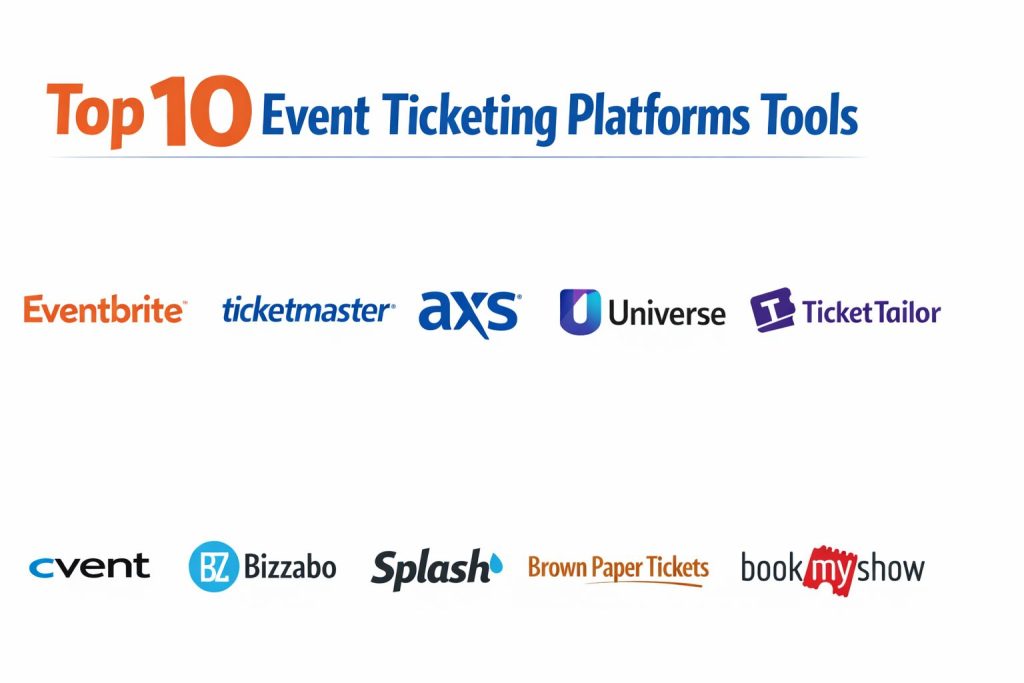
Top 10 Event Ticketing Platforms
1) Eventbrite
A widely used ticketing platform for public events, workshops, classes, and community gatherings. It is known for quick setup, discoverability features, and solid check-in tools.
Key Features
- Ticket types, promo codes, and discount rules
- Event pages with customizable registration flow
- Built-in attendee email tools and updates
- QR-based check-in with mobile apps
- Basic analytics for sales and attendance
- Refund workflows and ticket transfer options
- Add-ons and integrations for marketing workflows
Pros
- Easy to launch events quickly with minimal setup
- Strong for general public events and repeat organizers
Cons
- Fees can feel high depending on event model
- Customization depth may be limited for strict brand needs
Platforms / Deployment
- Web / iOS / Android
- Cloud
Security & Compliance
- SSO/SAML, MFA, encryption, audit logs, RBAC: Not publicly stated
- SOC 2, ISO 27001, GDPR, HIPAA: Not publicly stated
Integrations & Ecosystem
Eventbrite often connects to email, CRM, and social promotion workflows to help organizers drive ticket sales and track campaign impact.
- Email marketing tools: Varies / N/A
- CRM connections: Varies / N/A
- Social sharing and tracking: Varies / N/A
- APIs and webhooks: Varies / N/A
Support & Community
Strong knowledge base and common self-serve workflows. Support tiers and responsiveness can vary by plan and region.
2) Ticketmaster
A large-scale ticketing platform often used for major concerts, sports, and high-demand events. It is designed for large venues, high traffic, and complex seating and access controls.
Key Features
- Reserved seating and venue-scale ticketing workflows
- High-volume sales handling and queue-style controls (varies by event)
- Fraud controls and resale marketplace patterns (availability varies)
- Venue access and scanning workflows with operational tooling
- Event management features for large productions (varies)
- Reporting and settlement workflows (varies)
- Partner ecosystem for venues and promoters (varies)
Pros
- Strong fit for very high-demand, venue-based events
- Mature operational workflows for large-scale entry and seating
Cons
- Less ideal for small creators due to complexity and access model
- Fees and policies can be harder to control for some organizers
Platforms / Deployment
- Web / iOS / Android
- Cloud
Security & Compliance
- SSO/SAML, MFA, encryption, audit logs, RBAC: Not publicly stated
- SOC 2, ISO 27001, GDPR, HIPAA: Not publicly stated
Integrations & Ecosystem
Ticketmaster typically fits into a venue and promoter ecosystem with operational tools, scanning systems, and settlement workflows.
- Venue systems integrations: Varies / N/A
- Partner promoter workflows: Varies / N/A
- Resale and transfer tooling: Varies / N/A
- Reporting exports and operational tooling: Varies / N/A
Support & Community
Enterprise-style support models are common for venue partners. Community learning is limited compared to self-serve tools.
3) AXS
A ticketing platform used for concerts, venue events, and live entertainment. It focuses on secure ticketing, mobile entry, and operational workflows for large venues.
Key Features
- Mobile ticketing and entry workflows
- Reserved seating support for venue events
- Ticket transfer and resale patterns (availability varies)
- Access control and scanning tools for event operations
- Reporting and settlement workflows (varies)
- Marketing tools and partner integrations (varies)
- Customer service workflows for ticket issues (varies)
Pros
- Strong for venue-oriented operations and mobile entry
- Good fit for live entertainment workflows
Cons
- Not ideal for small events needing simple self-serve setup
- Customization and organizer control can be limited by model
Platforms / Deployment
- Web / iOS / Android
- Cloud
Security & Compliance
- SSO/SAML, MFA, encryption, audit logs, RBAC: Not publicly stated
- SOC 2, ISO 27001, GDPR, HIPAA: Not publicly stated
Integrations & Ecosystem
AXS tends to work within venue ecosystems and focuses on operational stability and ticket security.
- Venue systems and scanning tooling: Varies / N/A
- Marketing and partner tools: Varies / N/A
- Reporting and exports: Varies / N/A
Support & Community
Support is typically structured around venue partners and major events. Community resources are less broad than creator-first platforms.
4) Universe
A ticketing platform often used by event brands and venues that want flexible setup and modern attendee flows. It is commonly chosen for nightlife, experiences, and branded events.
Key Features
- Custom ticket types, pricing rules, and bundles
- Mobile-friendly checkout to reduce drop-offs
- Check-in tools and attendee scanning workflows
- Promo codes and marketing options
- Integrations and tracking options (varies)
- Reporting dashboards for ticket sales
- Organizer tools for managing multiple events
Pros
- Strong for modern consumer events and flexible ticket setups
- Good attendee checkout experience for mobile-first audiences
Cons
- Some enterprise features may be limited compared to top enterprise suites
- Integration depth may require validation for complex stacks
Platforms / Deployment
- Web / iOS / Android
- Cloud
Security & Compliance
- SSO/SAML, MFA, encryption, audit logs, RBAC: Not publicly stated
- SOC 2, ISO 27001, GDPR, HIPAA: Not publicly stated
Integrations & Ecosystem
Universe typically supports marketing-friendly workflows and event brand operations.
- Tracking and marketing tools: Varies / N/A
- API availability: Varies / N/A
- Organizer workflows for multi-event management: Varies / N/A
Support & Community
Documentation and support are generally designed for recurring organizers. Support speed can vary by plan.
5) TicketTailor
Overview: A creator-friendly ticketing platform known for simple setup and predictable pricing patterns for many organizers. It is often used for workshops, shows, classes, and community events.
Key Features
- Quick event setup with ticket tiers and codes
- Customizable checkout and event pages (varies)
- Embeddable ticket widgets for organizer websites
- QR check-in tools for on-site entry
- Attendee messaging and export options
- Refund and transfer workflows (varies)
- Team permissions and organizer roles (varies)
Pros
- Simple onboarding and strong value for many small organizers
- Works well when you want to sell from your own site
Cons
- Discoverability marketplace may be less central than some competitors
- Advanced enterprise features may be limited for very large events
Platforms / Deployment
- Web
- Cloud
Security & Compliance
- SSO/SAML, MFA, encryption, audit logs, RBAC: Not publicly stated
- SOC 2, ISO 27001, GDPR, HIPAA: Not publicly stated
Integrations & Ecosystem
TicketTailor is commonly used with website and email workflows where the organizer owns the audience.
- Website embeds and widgets
- Payment provider connections: Varies / N/A
- Email and CRM workflows: Varies / N/A
- API options: Varies / N/A
Support & Community
Strong self-serve documentation and responsive support for many users, though experiences can vary by plan.
6) Cvent
An enterprise-grade platform used for conferences, corporate events, and large registrations. It emphasizes registration complexity, attendee workflows, and enterprise reporting.
Key Features
- Advanced registration forms and rules for complex events
- Attendee segmentation, approval workflows, and role-based access
- Strong reporting and data exports for event operations
- Event communications and automated updates (workflow dependent)
- Check-in and badge-related workflows (availability varies)
- Integrations with enterprise systems (varies)
- Multi-event program management features (varies)
Pros
- Strong for complex enterprise registration and governance needs
- Good for large conferences with structured attendee workflows
Cons
- Can be heavy for small events with simple ticket needs
- Setup and administration may require dedicated event ops support
Platforms / Deployment
- Web / iOS / Android (some functions vary)
- Cloud
Security & Compliance
- SSO/SAML, MFA, encryption, audit logs, RBAC: Not publicly stated
- SOC 2, ISO 27001, GDPR, HIPAA: Not publicly stated
Integrations & Ecosystem
Cvent typically connects to enterprise CRM, marketing, and reporting stacks for end-to-end event operations.
- CRM and marketing automation: Varies / N/A
- SSO and identity systems: Varies / N/A
- Reporting exports and data pipelines: Varies / N/A
- APIs and integration options: Varies / N/A
Support & Community
Enterprise onboarding, documentation, and support structures are common. Community resources exist but are more enterprise-focused.
7) Bizzabo
Overview: A platform built for conferences and large-scale business events, often used when organizers want strong attendee experiences, integrations, and analytics beyond basic ticket sales.
Key Features
- Registration and ticketing workflows for conferences
- Attendee engagement tools and event experience features (varies)
- Email and messaging workflows for attendee updates
- Analytics dashboards for event performance
- Sponsor and exhibitor workflows (availability varies)
- Integrations with CRM and marketing stacks (varies)
- Multi-event management for recurring programs (varies)
Pros
- Strong fit for conference-style events with engagement needs
- Good integration focus for business event stacks
Cons
- Can be complex for small simple ticketed events
- Pricing may be premium depending on event scale
Platforms / Deployment
- Web / iOS / Android (features vary)
- Cloud
Security & Compliance
- SSO/SAML, MFA, encryption, audit logs, RBAC: Not publicly stated
- SOC 2, ISO 27001, GDPR, HIPAA: Not publicly stated
Integrations & Ecosystem
Bizzabo often integrates with business systems to support marketing, sales follow-up, and event data flows.
- CRM systems: Varies / N/A
- Marketing automation: Varies / N/A
- Data exports and analytics workflows: Varies / N/A
- APIs and integration tools: Varies / N/A
Support & Community
Support tiers tend to match mid-market and enterprise needs. Documentation is solid; implementation help varies by plan.
8) Splash
A platform used for branded events and marketing-led experiences, often chosen by teams that want strong design control and coordination across multiple events.
Key Features
- Registration flows designed for marketing and brand consistency
- Event pages with design customization patterns (varies)
- Attendee communications and follow-up workflows
- Team collaboration features for event programs (varies)
- Reporting and attendee insights dashboards
- Integrations with marketing stacks (varies)
- Works well for recurring event series and campaigns
Pros
- Strong fit for brand-led event programs and design control
- Useful for marketing teams running multiple event experiences
Cons
- Not always the best fit for venue-style reserved seating ticketing
- Some advanced ticketing complexity may require validation
Platforms / Deployment
- Web
- Cloud
Security & Compliance
- SSO/SAML, MFA, encryption, audit logs, RBAC: Not publicly stated
- SOC 2, ISO 27001, GDPR, HIPAA: Not publicly stated
Integrations & Ecosystem
Splash commonly integrates with marketing and CRM tools so event activity connects to campaign measurement.
- Marketing automation integrations: Varies / N/A
- CRM workflows: Varies / N/A
- Tracking and analytics exports: Varies / N/A
- API options: Varies / N/A
Support & Community
Marketing-led onboarding resources are common. Support speed and depth vary by plan.
9) Brown Paper Tickets
A ticketing platform often used by community events, nonprofits, and smaller organizers who want a straightforward way to sell tickets and manage attendees.
Key Features
- Basic ticket sales and checkout workflows
- Promo codes and simple ticket tiers
- Attendee lists and export options
- Check-in workflows for entry management (varies)
- Refund and customer service flows (varies)
- Event pages with basic customization options
- Tools for small-to-mid sized event operations
Pros
- Simple for small organizers and community events
- Works for common ticketing needs without heavy setup
Cons
- Advanced features may be limited compared to modern enterprise platforms
- Integration ecosystem may require validation for complex needs
Platforms / Deployment
- Web
- Cloud
Security & Compliance
- SSO/SAML, MFA, encryption, audit logs, RBAC: Not publicly stated
- SOC 2, ISO 27001, GDPR, HIPAA: Not publicly stated
Integrations & Ecosystem
Brown Paper Tickets is often used in simpler stacks where organizers rely on basic exports and email workflows.
- Export and reporting: Varies / N/A
- Marketing integrations: Varies / N/A
- APIs: Varies / Not publicly stated
Support & Community
Support and documentation exist, but experiences can vary. Community presence is smaller than larger platforms.
10) BookMyShow
A platform popular for entertainment and ticketing in specific markets, often used for movies and large entertainment events. It is strongest where it has strong consumer reach and established distribution.
Key Features
- Consumer marketplace exposure in supported regions
- High-volume ticketing patterns for entertainment events
- Mobile ticketing and scanning workflows (varies)
- Event listings and discovery features
- Payment processing options suitable for local markets (varies)
- Organizer workflows for event publishing (varies)
- Reporting and settlement features (varies)
Pros
- Strong consumer reach where it operates widely
- Good fit for entertainment-focused ticketing and discovery
Cons
- Best value depends heavily on your region and event type
- Organizer control and customization may vary by program
Platforms / Deployment
- Web / iOS / Android
- Cloud
Security & Compliance
- SSO/SAML, MFA, encryption, audit logs, RBAC: Not publicly stated
- SOC 2, ISO 27001, GDPR, HIPAA: Not publicly stated
Integrations & Ecosystem
BookMyShow is often chosen for distribution and discovery in its strongest markets.
- Marketplace listing and discovery tools
- Payment and settlement workflows: Varies / N/A
- Organizer tooling and reporting: Varies / N/A
- External integrations: Varies / Not publicly stated
Support & Community
Support typically follows regional operations. Documentation and organizer enablement vary by event scale and partnership model.
Comparison Table (Top 10)
| Tool Name | Best For | Platform(s) Supported | Deployment (Cloud/Self-hosted/Hybrid) | Standout Feature | Public Rating |
|---|---|---|---|---|---|
| Eventbrite | Public events and quick self-serve ticketing | Web, iOS, Android | Cloud | Fast setup with check-in tools | N/A |
| Ticketmaster | Major venues and high-demand events | Web, iOS, Android | Cloud | Venue-scale reserved seating | N/A |
| AXS | Live entertainment and venue operations | Web, iOS, Android | Cloud | Mobile ticketing and entry | N/A |
| Universe | Branded consumer events and flexible ticketing | Web, iOS, Android | Cloud | Mobile-first checkout experience | N/A |
| TicketTailor | Selling tickets from your own site | Web | Cloud | Embeddable ticket widgets | N/A |
| Cvent | Enterprise conferences and complex registration | Web, iOS, Android | Cloud | Advanced enterprise registration rules | N/A |
| Bizzabo | Business conferences and event programs | Web, iOS, Android | Cloud | Strong integrations and analytics | N/A |
| Splash | Marketing-led branded events | Web | Cloud | Brand-first registration experiences | N/A |
| Brown Paper Tickets | Community events and basic ticketing | Web | Cloud | Straightforward ticketing for small events | N/A |
| BookMyShow | Entertainment events with strong marketplace reach | Web, iOS, Android | Cloud | Consumer discovery in supported regions | N/A |
Evaluation & Scoring of Event Ticketing Platforms
Weights: Core features 25%, Ease 15%, Integrations 15%, Security 10%, Performance 10%, Support 10%, Value 15%.
| Tool Name | Core (25%) | Ease (15%) | Integrations (15%) | Security (10%) | Performance (10%) | Support (10%) | Value (15%) | Weighted Total (0–10) |
|---|---|---|---|---|---|---|---|---|
| Eventbrite | 8.5 | 8.5 | 7.5 | 6.0 | 8.0 | 7.5 | 7.5 | 7.83 |
| Ticketmaster | 9.0 | 6.5 | 7.5 | 6.5 | 9.0 | 7.5 | 6.0 | 7.63 |
| AXS | 8.5 | 6.8 | 7.0 | 6.3 | 8.5 | 7.0 | 6.2 | 7.26 |
| Universe | 7.8 | 8.0 | 6.8 | 6.0 | 7.8 | 7.0 | 7.5 | 7.37 |
| TicketTailor | 7.5 | 8.8 | 6.5 | 6.0 | 7.5 | 7.0 | 8.5 | 7.63 |
| Cvent | 9.0 | 6.5 | 8.5 | 7.0 | 8.5 | 8.0 | 6.0 | 7.75 |
| Bizzabo | 8.5 | 7.0 | 8.5 | 6.8 | 8.0 | 7.8 | 6.2 | 7.60 |
| Splash | 7.8 | 8.0 | 7.8 | 6.5 | 7.5 | 7.2 | 6.8 | 7.45 |
| Brown Paper Tickets | 6.8 | 7.8 | 5.8 | 5.8 | 7.0 | 6.5 | 7.5 | 6.86 |
| BookMyShow | 7.8 | 7.5 | 6.0 | 6.0 | 8.2 | 7.0 | 6.8 | 7.15 |
How to interpret the scores:
- These scores compare tools inside this specific list, not the entire market.
- A higher total usually indicates broader fit across more event scenarios.
- Ease and value can matter more than depth for small teams running frequent events.
- Security scores are limited because many details are not publicly stated in a consistent way.
- Always validate with a pilot that includes checkout, refunds, payouts, and on-site scanning.
Which Event Ticketing Platform Tool Is Right for You?
Solo / Freelancer
If you run workshops, classes, or small community events, Eventbrite is often the quickest path to launch, while TicketTailor is strong if you want to sell from your own site and keep your brand front and center. If you care about fast setup and simple operations, prioritize ease, checkout experience, and dependable check-in.
SMB
For SMB event teams, the key is reducing manual work: attendee exports, email reminders, refunds, and entry. Eventbrite and TicketTailor are often practical choices for recurring paid events. Universe can fit well for modern consumer events where mobile checkout is a priority. If your events are marketing-led, Splash can help with brand consistency and program coordination.
Mid-Market
Mid-market organizers usually need better integrations and analytics. Bizzabo and Cvent often become relevant when you need stronger reporting, structured workflows, and better integration into business stacks. Universe can still work for consumer events, but validate its fit for reporting and operational complexity early.
Enterprise
Enterprises often care about governance, role controls, reporting, and predictable operations at scale. Cvent and Bizzabo are commonly considered for large conferences and corporate programs. If you run venue-scale live entertainment, Ticketmaster or AXS may be better aligned, depending on venue relationships and operational requirements.
Budget vs Premium
Budget choices often favor platforms with simple setup and predictable pricing patterns. Premium tools are often justified when you need advanced workflows, deeper integrations, and better operational governance. Always compare total cost including processing, platform fees, and support needs.
Feature Depth vs Ease of Use
If your team is small, ease of use can matter more than advanced features because it reduces setup time and errors. If your events are complex, feature depth around registration rules, roles, and reporting can be worth the added administration.
Integrations & Scalability
If your event program connects to CRM, marketing automation, and analytics, prioritize tools with strong integration options and stable exports. For high-volume events, prioritize performance during peak sales and reliable on-site scanning.
Security & Compliance Needs
If you have strict requirements, focus on access controls for staff, auditability, payout governance, and how attendee data is handled in your overall stack. When compliance details are not publicly stated, treat them as unknown and validate through vendor review.
Frequently Asked Questions (FAQs)
1. What fees should I expect with event ticketing platforms?
Fees typically include payment processing and platform charges. The total depends on your ticket price, volume, and whether fees are passed to attendees or absorbed by the organizer.
2. How do payouts usually work?
Payout timing and methods vary by platform and region. Always confirm payout schedule, refund handling, and what happens during disputes or chargebacks.
3. Can I offer refunds, exchanges, and ticket transfers easily?
Most platforms support refunds and transfers, but the flexibility differs. Test refund workflows and attendee self-serve options before committing.
4. Do these platforms support QR code check-in?
Most modern platforms support QR-based check-in, and some provide offline support. For large venues, validate scanning speed, device needs, and backup processes.
5. Which platform is best for conferences with complex registration rules?
Enterprise tools like Cvent and Bizzabo are often considered for complex registration and reporting. The right choice depends on how strict your approval, segmentation, and reporting needs are.
6. Can I integrate ticketing data with my CRM and email marketing tools?
Many platforms provide integrations or export options. Always verify the data fields you need, automation triggers, and whether you can track campaigns accurately.
7. What is the most common cause of low ticket sales from a platform perspective?
Checkout friction. Slow pages, too many form fields, and unclear fees can reduce conversion. Always test the full purchase flow on mobile.
8. How do I reduce ticket fraud and chargebacks?
Use platforms with strong fraud controls, enforce clear policies, and monitor suspicious patterns. Also ensure your refund policy is visible and fair to reduce disputes.
9. Can these tools handle reserved seating?
Reserved seating is common in venue-scale platforms like Ticketmaster and AXS. Many self-serve tools focus more on general admission and simple ticket tiers.
10. What should I test in a pilot before choosing a platform?
Test the full cycle: event creation, checkout, payment success rate, refund process, ticket transfer, attendee communication, check-in performance, and final reporting exports.
Conclusion
Event ticketing platforms are not just payment tools. They shape the attendee experience, the organizer workload, and the success of on-site operations. The best choice depends on your event type, volume, region, and how much control you need over checkout, branding, and data. Eventbrite and TicketTailor can work well for many creators and SMBs who want fast setup and smooth check-in. Universe and Splash can be strong where mobile-first experiences and branded marketing-led events are important. For large conferences and enterprise programs, Cvent and Bizzabo often stand out for structured workflows and reporting depth. For venue-scale entertainment, Ticketmaster and AXS may fit better due to seating and operational tooling. Shortlist two or three platforms, run a pilot, validate payouts, refunds, scanning speed, and data exports, then standardize.