Introduction
Event streaming platforms help organizations capture, move, and react to streams of events in real time. An event can be anything that “happens” in a system, like an order placed, a payment confirmed, a sensor reading updated, or a user clicking a button. Instead of batch updates, event streaming keeps data flowing continuously so teams can build faster, more reliable, and more responsive systems. Typical use cases include real-time analytics, microservices communication, fraud detection, customer personalization, operational monitoring, and data pipeline modernization. When evaluating platforms, focus on throughput and latency, reliability and durability, scaling model, multi-region options, ease of operations, ecosystem connectors, schema and governance capabilities, security controls, observability, and overall cost efficiency.
Best for: product teams, platform engineers, data engineers, SRE teams, and enterprises building real-time data pipelines, event-driven microservices, and streaming analytics.
Not ideal for: teams that only need simple scheduled file transfers, small batch ETL, or lightweight message passing where full streaming infrastructure adds unnecessary complexity.
Key Trends in Event Streaming Platforms
- More managed offerings to reduce operational load and improve predictable scaling
- Increasing adoption of event-driven architecture for microservices and workflows
- Stronger governance features like schema management, topic policies, and auditing
- Growth of stream processing patterns integrated with streaming platforms
- More focus on multi-region resilience and disaster recovery designs
- Expanded connector ecosystems to databases, warehouses, and SaaS tools
- Rising demand for stronger security defaults, encryption, and access controls
- Emphasis on observability: lag tracking, throughput metrics, and tracing correlations
- Cost optimization features like tiered storage and workload isolation
- Use of event streaming as a backbone for data mesh and domain-owned pipelines
How We Selected These Tools (Methodology)
- Included widely recognized platforms with strong adoption in real-time architectures
- Balanced managed and self-hosted options to fit different operating models
- Evaluated core messaging and streaming capabilities: durability, replay, ordering patterns
- Considered performance signals: scale, latency profiles, and production usage patterns
- Assessed ecosystem strength: connectors, integrations, and community maturity
- Looked at security posture expectations: RBAC, encryption, auditability patterns
- Prioritized practical usability: onboarding, operations, tooling, and day-two management
- Ensured coverage across enterprise, mid-market, and developer-first use cases
- Scored tools comparatively based on real-world fit rather than marketing claims
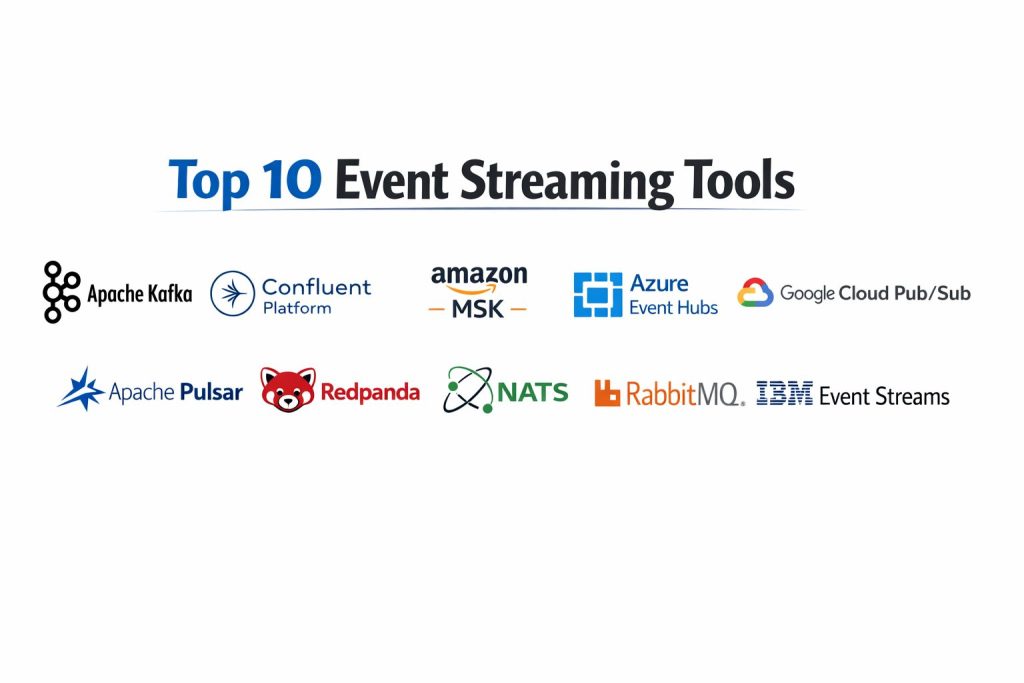
Top 10 Event Streaming Platforms Tools
1) Apache Kafka
A widely adopted distributed event streaming platform used as the backbone for real-time data pipelines and event-driven systems. Best for teams needing high throughput, strong ecosystem support, and durable event logs.
Key Features
- Distributed commit log design for durable event storage and replay
- Partitioning model for horizontal scalability and parallel consumption
- Strong ecosystem of connectors and client libraries (varies by deployment)
- Supports multiple consumption patterns for microservices and analytics
- Mature topic management and retention controls (setup dependent)
- Broad support across self-hosted and managed distributions
- Common foundation for stream processing stacks (platform dependent)
Pros
- Highly proven at scale in many industries and architectures
- Large community and strong ecosystem maturity
Cons
- Operational complexity increases with scale and strict reliability goals
- Governance, security, and multi-region patterns require careful design
Platforms / Deployment
- Linux (commonly), Windows (varies / N/A)
- Self-hosted / Cloud (managed options vary)
Security & Compliance
- SSO/SAML, MFA, encryption, audit logs, RBAC: Varies / N/A
- SOC 2, ISO 27001, GDPR, HIPAA: Not publicly stated
Integrations & Ecosystem
Kafka has a broad ecosystem around ingestion, connectors, and streaming analytics stacks.
- Connector ecosystem: Varies / N/A
- Client libraries across major languages
- Integration with stream processing tools: Varies / N/A
- Observability integrations: Varies / N/A
- Schema and governance tooling: Varies / N/A
Support & Community
Very large community with deep documentation and many operators. Enterprise support depends on distribution and vendor.
2) Confluent Platform
A Kafka-based platform that adds enterprise features, tooling, and managed services to simplify production operations. Best for teams that want Kafka capabilities with stronger governance and operational support.
Key Features
- Kafka-based event streaming with enterprise management tooling
- Connector ecosystem for databases, SaaS, and analytics systems (varies by plan)
- Schema governance patterns through platform tooling (feature dependent)
- Managed operations options that reduce infrastructure burden (service dependent)
- Observability and monitoring integrations (varies)
- Support for tiered storage patterns (deployment dependent)
- Enterprise features around access control and policy enforcement (varies)
Pros
- Easier path to production for teams that want managed operations
- Strong ecosystem tooling and enterprise-focused features
Cons
- Premium features can increase total cost for large-scale usage
- Some capabilities depend on specific plans or deployment choices
Platforms / Deployment
- Cloud / Self-hosted / Hybrid (varies by offering)
Security & Compliance
- SSO/SAML, MFA, encryption, audit logs, RBAC: Varies / N/A
- SOC 2, ISO 27001, GDPR, HIPAA: Not publicly stated
Integrations & Ecosystem
Confluent typically strengthens Kafka usage through connectors, governance, and operational tooling.
- Managed connectors: Varies / N/A
- Enterprise governance tooling: Varies / N/A
- APIs and client ecosystem based on Kafka
- Integration with warehouses and analytics: Varies / N/A
Support & Community
Strong enterprise support options and documentation; community overlaps heavily with Kafka users.
3) Amazon Managed Streaming for Apache Kafka
A managed service for running Kafka with reduced infrastructure management. Best for teams already using Amazon’s cloud ecosystem and needing managed Kafka operations.
Key Features
- Managed Kafka cluster provisioning and maintenance (service dependent)
- Scaling and durability patterns aligned with managed infrastructure choices
- Integration patterns with cloud-native services (varies)
- Monitoring and operational controls through managed tooling (varies)
- Network and access control options through cloud configuration (varies)
- Supports Kafka APIs for compatibility with existing clients
- Operational burden reduced compared to self-hosting
Pros
- Simplifies Kafka operations for teams in the same cloud ecosystem
- Compatible with many Kafka client tools and patterns
Cons
- Deeply tied to a specific cloud environment
- Some tuning and advanced operations still require strong expertise
Platforms / Deployment
- Cloud
Security & Compliance
- SSO/SAML, MFA, encryption, audit logs, RBAC: Varies / N/A
- SOC 2, ISO 27001, GDPR, HIPAA: Not publicly stated
Integrations & Ecosystem
Works well when paired with cloud-native analytics, storage, and compute services.
- Cloud integrations: Varies / N/A
- Kafka client compatibility
- Observability integrations: Varies / N/A
- Connector ecosystem: Varies / N/A
Support & Community
Support depends on cloud support plan; community knowledge is strong due to Kafka similarity.
4) Azure Event Hubs
A high-throughput event ingestion and streaming service designed for telemetry and large-scale event intake. Best for teams building real-time pipelines in Azure.
Key Features
- High-volume event ingestion for logs, telemetry, and application events
- Consumer group model for parallel consumption patterns
- Integration with cloud-native analytics services (varies)
- Scaling based on throughput units or capacity models (varies)
- Good fit for IoT and monitoring workloads (architecture dependent)
- Supports common event streaming patterns for real-time processing
- Operational simplicity for cloud-first teams
Pros
- Strong fit for large-scale ingestion and telemetry pipelines
- Integrates well with cloud-native monitoring and analytics
Cons
- Not always a direct replacement for full log-style replay use cases
- Deep integration is best when operating inside the same cloud ecosystem
Platforms / Deployment
- Cloud
Security & Compliance
- SSO/SAML, MFA, encryption, audit logs, RBAC: Varies / N/A
- SOC 2, ISO 27001, GDPR, HIPAA: Not publicly stated
Integrations & Ecosystem
Commonly used with stream processing, analytics, and monitoring toolchains.
- Cloud analytics integrations: Varies / N/A
- Client SDK ecosystem: Varies / N/A
- Connector patterns: Varies / N/A
- Monitoring and alerting integrations: Varies / N/A
Support & Community
Enterprise support available via cloud plans; documentation is solid and community content is substantial.
5) Google Cloud Pub Sub
A cloud messaging and event ingestion service used for event-driven architectures and real-time pipelines. Best for teams building scalable publish-subscribe systems in Google Cloud.
Key Features
- Managed publish-subscribe messaging for event-driven architectures
- Auto-scaling patterns that reduce operational overhead
- Supports high throughput ingestion and fan-out consumption
- Integration patterns with cloud-native processing services (varies)
- Delivery controls and ordering behavior depend on configuration (varies)
- Works well for decoupling microservices via events
- Durable messaging patterns for real-time pipelines
Pros
- Low operational overhead for scalable pub-sub patterns
- Good fit for event-driven microservices and ingestion pipelines
Cons
- Behaviors like strict ordering can require careful configuration choices
- Best fit when paired with the same cloud ecosystem tools
Platforms / Deployment
- Cloud
Security & Compliance
- SSO/SAML, MFA, encryption, audit logs, RBAC: Varies / N/A
- SOC 2, ISO 27001, GDPR, HIPAA: Not publicly stated
Integrations & Ecosystem
Often used with cloud-native processing and storage systems for real-time data flow.
- Integration with processing services: Varies / N/A
- SDKs and client libraries: Varies / N/A
- Observability integrations: Varies / N/A
- Connectors: Varies / N/A
Support & Community
Cloud enterprise support options available; community usage is widespread for event-driven patterns.
6) Apache Pulsar
A distributed messaging and streaming platform designed for scalability and multi-tenancy. Best for teams that want strong isolation, flexible messaging patterns, and scalable architectures.
Key Features
- Separation of compute and storage concepts (architecture dependent)
- Multi-tenancy features for isolation across teams and workloads
- Supports queue-style and stream-style consumption patterns
- Geo-replication options depend on setup and operations
- Topic and subscription models for flexible routing patterns
- Strong throughput potential when properly configured
- Good fit for organizations building shared streaming platforms
Pros
- Designed with multi-tenancy and workload isolation in mind
- Flexible consumption patterns for different application needs
Cons
- Operational setup can be complex without strong platform skills
- Ecosystem may be smaller than Kafka in some environments
Platforms / Deployment
- Linux (commonly), others: Varies / N/A
- Self-hosted / Cloud (managed options vary)
Security & Compliance
- SSO/SAML, MFA, encryption, audit logs, RBAC: Varies / N/A
- SOC 2, ISO 27001, GDPR, HIPAA: Not publicly stated
Integrations & Ecosystem
Pulsar integrates through client libraries, connectors, and platform tooling that varies by deployment.
- Client library ecosystem: Varies / N/A
- Connector options: Varies / N/A
- Observability integrations: Varies / N/A
- Stream processing pairing: Varies / N/A
Support & Community
Active open-source community and growing enterprise adoption; support depends on vendor or internal expertise.
7) Redpanda
A Kafka-compatible streaming platform designed for performance and operational simplicity. Best for teams that want Kafka-style APIs with a streamlined operational footprint.
Key Features
- Kafka-compatible API approach for migration and tooling reuse
- Designed for low-latency and efficient performance (workload dependent)
- Simplified operational model compared to many Kafka deployments
- Strong observability and operational tooling focus (varies by offering)
- Suitable for real-time analytics and event-driven applications
- Works with many Kafka client tools and patterns (compatibility dependent)
- Designed to reduce infrastructure overhead (deployment dependent)
Pros
- Often simpler operational experience for Kafka-style workloads
- Compatibility helps teams reuse existing tooling and knowledge
Cons
- Feature parity and ecosystem depth may vary by version and offering
- Advanced enterprise governance features may depend on plans
Platforms / Deployment
- Linux (commonly), others: Varies / N/A
- Self-hosted / Cloud (varies)
Security & Compliance
- SSO/SAML, MFA, encryption, audit logs, RBAC: Varies / N/A
- SOC 2, ISO 27001, GDPR, HIPAA: Not publicly stated
Integrations & Ecosystem
Redpanda typically fits into Kafka-style ecosystems using compatible client libraries and tooling.
- Kafka client compatibility: Varies / N/A
- Connector compatibility: Varies / N/A
- Observability integrations: Varies / N/A
- Migration tooling patterns: Varies / N/A
Support & Community
Growing community and documentation; enterprise support depends on plan and vendor engagement.
8) NATS
A lightweight messaging system often used for real-time communication between services. Best for teams needing simple, fast messaging and pub-sub patterns, especially in microservice environments.
Key Features
- Lightweight pub-sub messaging with low overhead
- Simple deployment patterns for service-to-service messaging
- Request-reply patterns useful for microservice communication
- Streaming and persistence capabilities depend on setup and features used
- Good fit for edge and distributed environments (architecture dependent)
- Strong performance for many small-message use cases
- Works well as a building block in event-driven systems
Pros
- Very fast and lightweight for real-time service messaging
- Simple architecture for teams that want a smaller operational footprint
Cons
- Not always the best fit for heavy replay-based event log needs
- Ecosystem differs from log-based streaming platforms
Platforms / Deployment
- Windows / macOS / Linux
- Self-hosted / Cloud (varies)
Security & Compliance
- SSO/SAML, MFA, encryption, audit logs, RBAC: Varies / N/A
- SOC 2, ISO 27001, GDPR, HIPAA: Not publicly stated
Integrations & Ecosystem
NATS is commonly used with microservices and cloud-native deployments through client libraries and patterns.
- Client libraries: Varies / N/A
- Kubernetes integrations: Varies / N/A
- Observability patterns: Varies / N/A
- Connectors: Varies / N/A
Support & Community
Strong community in cloud-native ecosystems; support options vary by vendor and plan.
9) RabbitMQ
A widely used message broker that supports multiple messaging patterns. Best for classic message queue workloads and event-driven applications that need reliable routing and delivery patterns.
Key Features
- Reliable message queuing with acknowledgements and routing patterns
- Flexible exchange and binding models for complex message flows
- Supports multiple protocols and client libraries (varies)
- Good fit for task queues and service integration patterns
- Mature operational tooling and monitoring options
- Can support event-driven architectures for many workloads
- Strong durability options with proper configuration
Pros
- Mature and widely understood messaging platform
- Powerful routing patterns for many integration use cases
Cons
- Not always ideal for massive event log replay and streaming analytics needs
- Scaling patterns differ from partitioned log-based systems
Platforms / Deployment
- Windows / macOS / Linux
- Self-hosted / Cloud (varies)
Security & Compliance
- SSO/SAML, MFA, encryption, audit logs, RBAC: Varies / N/A
- SOC 2, ISO 27001, GDPR, HIPAA: Not publicly stated
Integrations & Ecosystem
RabbitMQ integrates well with enterprise systems and microservices due to protocol support and routing flexibility.
- Client libraries and protocol integrations: Varies / N/A
- Monitoring integrations: Varies / N/A
- Framework integrations for applications: Varies / N/A
- Connector patterns: Varies / N/A
Support & Community
Large community, mature documentation, and enterprise support options that vary by vendor.
10) IBM Event Streams
An enterprise-focused event streaming offering commonly positioned for large organizations that need governance, support, and enterprise integration patterns. Best for enterprises already aligned with IBM platforms and support models.
Key Features
- Enterprise event streaming capabilities (implementation dependent)
- Governance and policy patterns suited for large organizations (varies)
- Integration support with enterprise systems and platforms (varies)
- Operational tooling and managed options depend on offering
- Works well for standardized enterprise event backbone use cases
- Supports scalable event-driven architectures (setup dependent)
- Designed for organizational governance and support structures
Pros
- Enterprise packaging and support alignment for large organizations
- Useful for standardizing event streaming in an enterprise ecosystem
Cons
- Ecosystem flexibility and cost can vary based on enterprise agreements
- Best fit typically depends on broader platform alignment
Platforms / Deployment
- Cloud / Self-hosted / Hybrid (varies)
Security & Compliance
- SSO/SAML, MFA, encryption, audit logs, RBAC: Varies / N/A
- SOC 2, ISO 27001, GDPR, HIPAA: Not publicly stated
Integrations & Ecosystem
IBM Event Streams is typically used in enterprise environments with standardized integrations and support structures.
- Enterprise integration patterns: Varies / N/A
- Connector ecosystem: Varies / N/A
- APIs and tooling: Varies / N/A
- Observability integrations: Varies / N/A
Support & Community
Enterprise support structures are typically strong, while community resources depend on usage breadth and deployment model.
Comparison Table (Top 10)
| Tool Name | Best For | Platform(s) Supported | Deployment (Cloud/Self-hosted/Hybrid) | Standout Feature | Public Rating |
|---|---|---|---|---|---|
| Apache Kafka | High-throughput event streaming backbone | Linux (commonly) | Self-hosted / Cloud (managed options vary) | Durable event log and replay | N/A |
| Confluent Platform | Kafka with enterprise tooling and support | Varies / N/A | Cloud / Self-hosted / Hybrid | Governance and connector ecosystem | N/A |
| Amazon Managed Streaming for Apache Kafka | Managed Kafka operations in Amazon cloud | Varies / N/A | Cloud | Managed Kafka provisioning | N/A |
| Azure Event Hubs | Large-scale ingestion and telemetry streaming | Varies / N/A | Cloud | High-throughput ingestion | N/A |
| Google Cloud Pub Sub | Cloud pub-sub for event-driven systems | Varies / N/A | Cloud | Auto-scaling pub-sub messaging | N/A |
| Apache Pulsar | Multi-tenant streaming with isolation | Linux (commonly) | Self-hosted / Cloud (managed options vary) | Multi-tenancy model | N/A |
| Redpanda | Kafka-style streaming with simpler ops | Linux (commonly) | Self-hosted / Cloud (varies) | Kafka-compatible approach | N/A |
| NATS | Lightweight real-time messaging | Windows, macOS, Linux | Self-hosted / Cloud (varies) | Low-latency messaging | N/A |
| RabbitMQ | Reliable message broker and routing | Windows, macOS, Linux | Self-hosted / Cloud (varies) | Flexible routing patterns | N/A |
| IBM Event Streams | Enterprise streaming with governance focus | Varies / N/A | Cloud / Self-hosted / Hybrid | Enterprise alignment | N/A |
Evaluation & Scoring of Event Streaming Platforms
Weights: Core features 25%, Ease 15%, Integrations 15%, Security 10%, Performance 10%, Support 10%, Value 15%.
| Tool Name | Core (25%) | Ease (15%) | Integrations (15%) | Security (10%) | Performance (10%) | Support (10%) | Value (15%) | Weighted Total (0–10) |
|---|---|---|---|---|---|---|---|---|
| Apache Kafka | 9.5 | 6.5 | 9.0 | 6.5 | 9.0 | 8.0 | 7.0 | 8.14 |
| Confluent Platform | 9.0 | 7.5 | 9.5 | 7.0 | 8.5 | 8.5 | 6.5 | 8.20 |
| Amazon Managed Streaming for Apache Kafka | 8.5 | 7.5 | 8.0 | 7.0 | 8.5 | 8.0 | 6.5 | 7.72 |
| Azure Event Hubs | 8.0 | 8.0 | 8.0 | 7.0 | 8.5 | 8.0 | 7.0 | 7.83 |
| Google Cloud Pub Sub | 8.0 | 8.5 | 8.0 | 7.0 | 8.5 | 8.0 | 7.5 | 8.00 |
| Apache Pulsar | 8.5 | 6.5 | 7.5 | 6.5 | 8.5 | 7.5 | 7.0 | 7.63 |
| Redpanda | 8.5 | 7.5 | 8.0 | 6.5 | 9.0 | 7.5 | 7.5 | 8.00 |
| NATS | 7.5 | 8.5 | 7.0 | 6.0 | 8.5 | 7.5 | 8.0 | 7.70 |
| RabbitMQ | 7.5 | 8.0 | 8.0 | 6.5 | 7.5 | 8.5 | 8.0 | 7.78 |
| IBM Event Streams | 8.0 | 7.0 | 7.5 | 7.0 | 8.0 | 8.0 | 6.5 | 7.43 |
How to interpret the scores:
- Scores compare tools within this list only, not the entire market.
- A higher total suggests broader fit across many streaming scenarios.
- Ease and value can matter more than raw depth for smaller teams.
- Security scoring is limited where public disclosures are unclear.
- Always validate with a pilot using real traffic patterns and operational constraints.
Which Event Streaming Platform Tool Is Right for You?
Solo / Freelancer
If you are building prototypes, demos, or small event-driven systems, start with what is easiest to operate. RabbitMQ or NATS can be practical for service messaging and simpler event flows. If you specifically need log-style replay and consumer group patterns, a managed Kafka option can be easier than operating it yourself, depending on where you deploy.
SMB
Small teams often succeed with managed services because operational load is the real cost. Google Cloud Pub Sub, Azure Event Hubs, or Amazon Managed Streaming for Apache Kafka can reduce day-two work. If you need strong Kafka ecosystem compatibility with connectors and governance, Confluent Platform can be a structured choice, but cost planning matters.
Mid-Market
Mid-market teams typically need both reliability and flexibility. Apache Kafka remains a strong backbone when the organization can support the operational discipline. Redpanda is often evaluated when teams want Kafka-style compatibility with simpler operations. Apache Pulsar can be a fit when multi-tenancy and isolation across many internal teams are high priorities.
Enterprise
Enterprises usually care about governance, standardization, and strong support. Confluent Platform can be a strong choice for enterprise Kafka usage with governance patterns. IBM Event Streams can fit organizations aligned to IBM support and platform models. Enterprises should also focus on multi-region resilience, clear ownership of topics, schema policies, access control, and observability standards.
Budget vs Premium
Budget-friendly routes often include self-hosted Apache Kafka or RabbitMQ, but this shifts cost into operations and expertise. Premium options often reduce operational burden and add governance features, but licensing and consumption-based costs need careful forecasting.
Feature Depth vs Ease of Use
If you need the deepest event log and ecosystem maturity, Kafka-based solutions are common. If you value simplicity and fast onboarding, cloud pub-sub style services can be easier. If you need lightweight messaging speed, NATS is often compelling, but it is not the same as a full event log backbone.
Integrations & Scalability
Kafka and Confluent ecosystems are widely used for connectors and streaming pipelines. Cloud-native services integrate best inside their own ecosystems. Pulsar can be strong for large shared platforms across teams. Always test connectors, throughput, backpressure behavior, and failure recovery under realistic loads.
Security & Compliance Needs
Most security outcomes depend on how you run the platform: identity integration, network boundaries, encryption, access control, and audit logs. Where compliance certifications are not publicly stated, treat them as unknown and validate through vendor documentation and procurement review.
Frequently Asked Questions (FAQs)
1. What is the difference between event streaming and message queuing?
Event streaming focuses on durable event logs, replay, and multiple consumers reading the same stream. Message queuing often focuses on one-time delivery to workers with routing and acknowledgements.
2. When should I choose Kafka over a cloud pub-sub service?
Choose Kafka-style platforms when you need log-style replay, strong ecosystem tooling, and long-lived streams powering many downstream consumers. Choose cloud pub-sub when operations simplicity is the top priority.
3. How do teams keep event schemas under control?
They use schema governance practices such as schema validation, compatibility rules, versioning, and ownership policies. The exact tooling depends on the platform and the broader data governance setup.
4. What are common reasons event streaming projects fail?
Lack of ownership for topics, weak naming and retention standards, poor observability, and underestimating operational work. Another common issue is ignoring cost growth from high-volume topics.
5. How do I estimate cost before production?
Estimate events per second, average payload size, retention, number of consumers, and replication needs. Then compare managed consumption costs with self-hosted infrastructure plus operations costs.
6. What matters most for reliability in production?
Clear capacity planning, replication strategy, monitoring of lag and throughput, and tested failure recovery. Reliability usually depends more on operations discipline than the platform name.
7. Can I use one platform for both microservices and analytics pipelines?
Yes, but you should plan workload isolation, topic naming, and retention policies carefully. Many teams separate “operational events” and “analytics streams” to avoid conflicts and cost spikes.
8. How hard is it to migrate from one platform to another?
Migration can be complex because clients, retention patterns, connectors, and operational processes differ. Kafka-compatible platforms reduce migration friction, but testing is still required.
9. Do I need stream processing in addition to event streaming?
Not always. If you need transformations, joins, windowed aggregations, and real-time enrichment, stream processing becomes important. If you only route events, streaming alone may be enough.
10. What should I test in a pilot before committing?
Test throughput, consumer lag behavior, failure recovery, connector reliability, latency under load, and operational workflows like scaling and upgrades. Also test how your team monitors and debugs issues.
Conclusion
Event streaming platforms are the backbone of real-time systems, but the best choice depends on how you build and operate software. Kafka remains a common standard for durable replay and broad ecosystem support, while Confluent Platform often fits organizations that need stronger governance and enterprise tooling around Kafka patterns. Cloud-native options like Azure Event Hubs and Google Cloud Pub Sub can reduce operational load and speed up delivery when you prioritize managed simplicity. Pulsar can be attractive for shared internal platforms that need stronger multi-tenancy, and Redpanda is often evaluated when teams want Kafka-style compatibility with simpler operations. A practical next step is to shortlist two or three tools, run a pilot using real traffic, validate integrations, and confirm how your team will handle monitoring, scaling, and incident recovery.